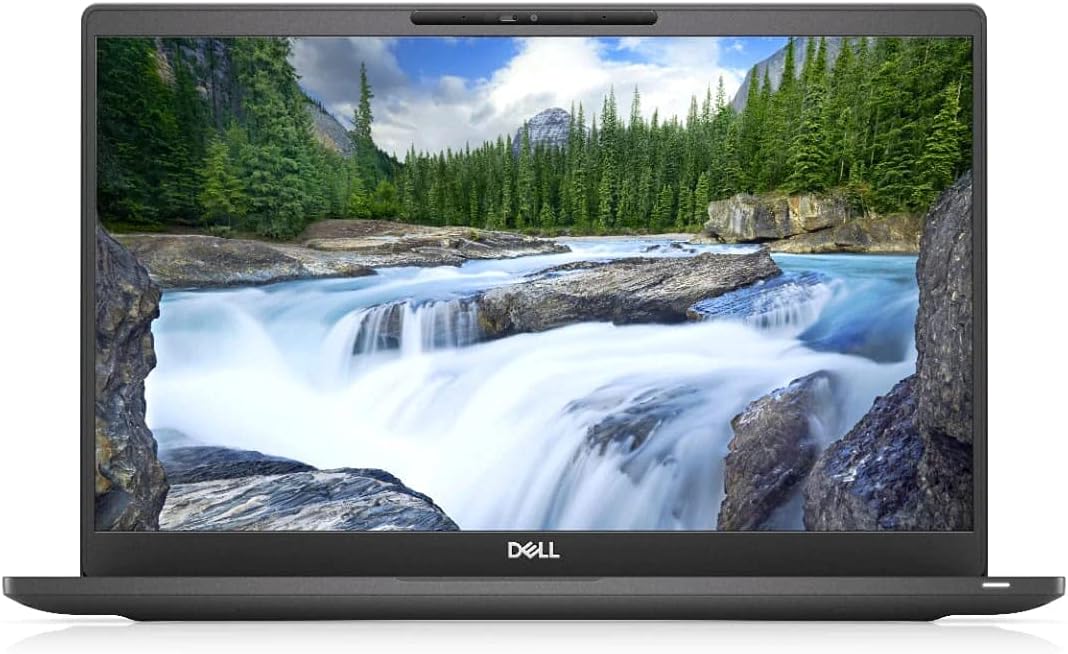
Dell Latitude 7400 Laptop
4.0Editor score
32GB RAM for heavy multitasking
Core i7 processor for speed
FHD display for clear visuals
Choosing the right laptop for Fusion 360 is critical for engineers and designers who need reliable performance for complex CAD modeling and rendering tasks daily.
We compared ten real products based on processor power memory capacity graphics capabilities and display quality to ensure they handle Autodesk software demands efficiently.
Each pick shows specific strengths for different budgets and workflows while noting that prices change frequently so check current listings before making your final purchase decision today.
4.0Editor score

4.5Editor score

4.0Editor score
As an Amazon Associate we earn from qualifying purchases.
The following table provides a side-by-side comparison of all ten selected laptops highlighting key specifications that matter most for running Fusion 360 efficiently.




The HP Victus FHD Gaming Laptop stands out as a top choice for Fusion 360 users who need reliable power for professional design work without breaking the bank.
We may earn a commission when you buy through this link, at no additional cost to you.
Its 32GB of RAM ensures that even the most complex assemblies and multitasking scenarios run smoothly while the RTX 3050 graphics card provides necessary acceleration for rendering tasks.
While the gaming aesthetic might not suit every office environment the performance benefits outweigh the looks for those prioritizing speed and efficiency in their daily CAD operations.
Engineers and students who need a balance of high performance and value will find this laptop an excellent investment for long term use in demanding software environments.
The 32GB RAM allows users to keep Fusion 360 open alongside browser tabs and communication tools without slowdowns.
A 1TB SSD means your projects load quickly and you spend less time waiting for files to open or save during busy workdays.
We may earn a commission when you buy through this link, at no additional cost to you.
The Dell Latitude 7400 offers a professional business form factor with impressive memory capacity that makes it surprisingly capable for CAD tasks despite its age.
We may earn a commission when you buy through this link, at no additional cost to you.
With 32GB of RAM this machine can handle Fusion 360 sessions efficiently even if the processor is from an earlier generation and lacks the latest instruction sets.
The trade off here is storage and raw CPU power but for users who prioritize memory and reliability over cutting edge graphics performance this is a solid practical choice.
Small business owners or remote workers needing a durable laptop for design work will appreciate the professional look and the cost effectiveness of the renewed option.
Business laptops like this are built to last longer than consumer models which helps protect your investment over several years of daily use.
Having 32GB of RAM at this price point is rare and allows for comfortable multitasking with large design files open in the background.
We may earn a commission when you buy through this link, at no additional cost to you.
The ASUS TUF F16 brings modern hardware with DDR5 RAM and an RTX 4050 GPU which significantly boosts performance for rendering and real time visualization in Fusion 360.
We may earn a commission when you buy through this link, at no additional cost to you.
Users who work with large assemblies or need faster simulation results will benefit from the extra bandwidth and graphical power this machine provides out of the box.
The 16 inch display gives you more room to view your workspace and tools which reduces eye strain during long design sessions compared to smaller screens.
For professionals who need the latest technology and don't mind the premium price tag this laptop represents a significant step up in capability for serious engineering tasks.
DDR5 RAM offers faster data transfer rates which helps Fusion 360 load complex models and textures more quickly than older DDR4 systems.
A 16 inch screen provides more real estate for toolbars and viewports making it easier to see details without constant zooming in and out.
We may earn a commission when you buy through this link, at no additional cost to you.
The ASUS TUF Gaming FX505GT provides a sturdy chassis and a capable CPU that can handle basic Fusion 360 tasks though the limited RAM may require an upgrade eventually.
We may earn a commission when you buy through this link, at no additional cost to you.
Its 144Hz display ensures that cursor movement and window transitions feel smooth which contributes to a more responsive user experience during general navigation and editing.
The military standard construction means it can withstand the rigors of travel better than fragile ultraportables which is a plus for students or field engineers.
Buyers who want a durable gaming laptop for work should be aware they might need to add more memory later to run Fusion 360 at peak efficiency.
Military standard certification ensures the laptop can handle drops and bumps which is ideal if you carry your machine to job sites or classrooms.
The high refresh rate screen makes dragging windows and moving parts in the design environment feel more fluid and responsive to your input.
We may earn a commission when you buy through this link, at no additional cost to you.
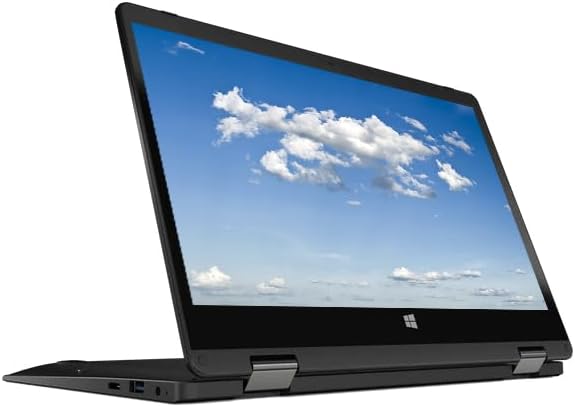
The HP 2026 X360 offers a convertible form factor that allows you to use it as a tablet which can be useful for sketching or reviewing designs on the go.
We may earn a commission when you buy through this link, at no additional cost to you.
However the small 11.6 inch screen and limited storage mean it is best suited for light administrative tasks rather than heavy 3D modeling work.
The touch functionality adds a layer of interaction that can help with simple gestures but the performance limitations make it a secondary device for many professionals.
If you need a budget friendly laptop for reviewing models or running basic tasks this model provides versatility but should not be your primary CAD workstation.
The 360 degree hinge allows you to switch between laptop and tablet modes which adds convenience for presentations or media consumption breaks.
Its lightweight design makes it easy to slip into a bag for commuting though you may find the screen too small for detailed work.
We may earn a commission when you buy through this link, at no additional cost to you.
The Acer Gateway 11.6 is an entry level device that focuses on basic web browsing and media consumption rather than demanding engineering software like Fusion 360.
We may earn a commission when you buy through this link, at no additional cost to you.
With only 4GB of RAM and 64GB of storage it will struggle significantly with large design files and may not be able to run the software smoothly.
The IPS screen does offer better viewing angles than standard displays which is nice for casual use but the overall performance is quite limited for professional tasks.
This laptop is suitable for students or users who only need a secondary device for light tasks and budget constraints are the primary concern.
IPS technology ensures colors look consistent from different angles which is helpful for casual viewing even if the resolution is not the highest.
At a low price point this device serves basic needs well though it falls short for any serious computational design work or heavy multitasking.
We may earn a commission when you buy through this link, at no additional cost to you.
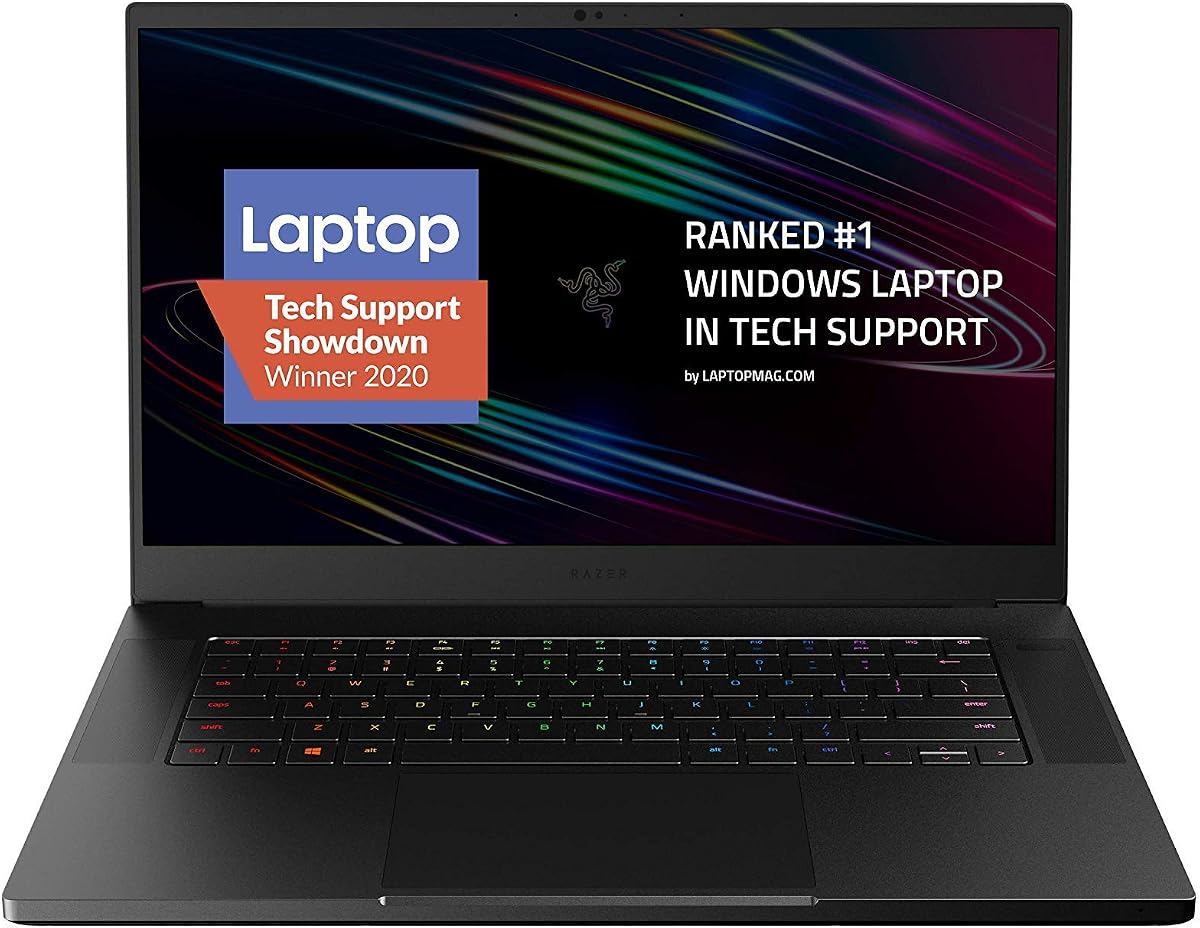
The Razer Blade 15 combines premium materials with high performance components that allow it to handle complex Fusion 360 tasks with ease and style.
We may earn a commission when you buy through this link, at no additional cost to you.
Its 300Hz display is incredibly responsive making interactions feel instant which is a rare feature that enhances the overall user experience during design sessions.
While the 16GB of RAM is standard for gaming laptops it may be a limiting factor for very large projects compared to the 32GB options available elsewhere.
Professionals who value build quality and screen performance will appreciate this machine though they should consider if they need to upgrade memory for their specific needs.
CNC aluminum construction gives this laptop a durable and sleek look that stands out from typical plastic gaming devices and feels robust in hand.
The 300Hz refresh rate ensures that any movement on screen is fluid which reduces motion blur and makes the interface feel more alive.
We may earn a commission when you buy through this link, at no additional cost to you.
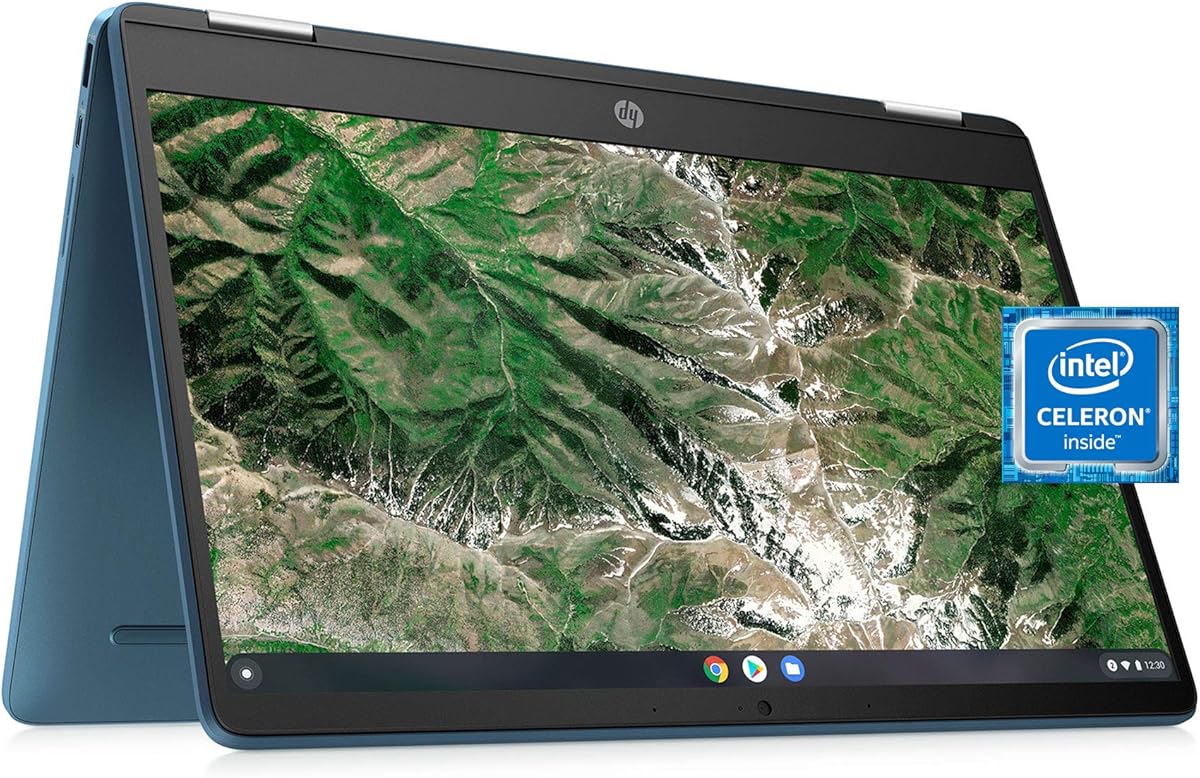
The HP X360 14a Chromebook is a great device for general productivity but it cannot run the desktop version of Fusion 360 without significant workarounds.
We may earn a commission when you buy through this link, at no additional cost to you.
Its 4GB of RAM and Celeron processor are designed for web browsing and simple tasks which makes it unsuitable for professional 3D modeling workloads.
The touchscreen and convertible design add value for media consumption and light note taking but they do not compensate for the lack of computational power needed for CAD.
This laptop is best suited for students who only need a device for research and basic assignments rather than engineering software execution.
Chrome OS boots up quickly and stays responsive for web based tasks which is great for everyday use though not for heavy software.
The thin profile makes it easy to carry around campus or office but the performance limitations mean it is not a primary tool for engineers.
We may earn a commission when you buy through this link, at no additional cost to you.
The Acer Chromebook Spin 513 offers a durable Gorilla Glass screen and convertible design but like other Chromebooks it lacks the power for full Fusion 360 usage.
We may earn a commission when you buy through this link, at no additional cost to you.
Its compact size and lightweight build make it easy to carry but the 4GB of RAM will bottleneck any attempt to run complex applications or multitask heavily.
The high resolution IPS screen is a pleasant feature for viewing content and photos but it does not solve the underlying issue of limited processing capability.
Users looking for a simple device for web work and media will find this suitable but engineers should avoid it for professional design tasks.
Corning Gorilla Glass adds a layer of scratch resistance which is useful for a device that gets moved around frequently in backpacks or bags.
The 13.3 inch size is a good balance between portability and usability though it still may feel tight for detailed design work.
We may earn a commission when you buy through this link, at no additional cost to you.
The HP Chromebook x360 14b offers better memory and storage than other Chromebooks but it is still limited to cloud based applications for engineering software.
We may earn a commission when you buy through this link, at no additional cost to you.
Its 8GB of RAM helps with smooth operation of multiple browser tabs and Google apps making it a strong candidate for administrative work or design management.
The high resolution IPS screen provides clear visuals for reviewing documents or web based design tools though it cannot run the full desktop Fusion 360 app.
This device is ideal for team members who need to view or share designs without needing the full power of a workstation or desktop computer.
With 8GB of RAM this Chromebook handles heavy browser use better than typical 4GB models which improves the experience of web based tools.
UFS storage technology offers quicker read write speeds than eMMC which helps apps load faster and keeps the system feeling responsive.
We may earn a commission when you buy through this link, at no additional cost to you.
Selecting the right laptop for Fusion 360 involves balancing budget with specific performance needs to ensure smooth modeling and rendering experiences.
Fusion 360 benefits greatly from a high core count processor which allows for faster simulation and rendering times. Look for recent generation CPUs like Intel Core i5 or i7 to ensure the software runs efficiently without lag during complex operations.
Prioritize CPUs with at least 6 cores to handle multi-threaded tasks effectively.
Random Access Memory is crucial for handling large assemblies and running multiple applications simultaneously. A minimum of 16GB is recommended but 32GB provides a future-proof buffer for more complex projects and background processes.
Ensure the RAM can be upgraded later if you buy a model that allows it.
A dedicated graphics card accelerates 3D viewport performance and renders. NVIDIA RTX series GPUs are highly preferred because they support hardware acceleration which speeds up visual feedback while you design.
Look for at least 4GB of VRAM to handle textures and geometry smoothly.
Solid State Drives are essential for fast boot times and quick file access. Aim for at least 512GB of storage to hold your project files locally without needing external drives constantly.
NVMe SSDs offer the fastest speeds available for desktop class storage.
A larger screen helps you see more of your workspace and toolbars without constant scrolling. Full HD resolution or higher is necessary to view fine details in your models clearly.
IPS panels provide better color accuracy and viewing angles for design work.
If you plan to work from multiple locations choose a laptop that balances power with weight. Heavy gaming laptops might be powerful but can be cumbersome to carry daily.
Consider the physical size to ensure it fits in your preferred bag or case.
Fusion 360 runs on Windows and macOS but some features may vary between platforms. Ensure the OS version supports the latest updates from Autodesk for full functionality.
Windows is generally the most supported for enterprise and professional engineering environments.
Determine your budget early to narrow down options between entry level and high end models. Sometimes a slightly older model with better specs offers better value than a new budget laptop.
Read reviews to verify real world performance matches the manufacturer claims.
Ensure your laptop is connected to a reliable power source during heavy rendering tasks to prevent sudden shutdowns that could corrupt project files.
Keep the vents clean and use a cooling pad to maintain optimal temperatures during long design sessions which helps prolong hardware life.
Regularly update your graphics drivers and Autodesk software to access new features and stability improvements for Fusion 360.
Yes a dedicated graphics card is recommended to ensure smooth navigation in 3D space and faster rendering. Integrated graphics can work for very light tasks but may struggle with complex assemblies or detailed modeling.
Sixteen gigabytes is the minimum recommended for comfortable use but 32GB is ideal for professional workloads. This extra memory allows you to run other software alongside Fusion 360 without slowdowns.
Not natively. Fusion 360 requires a full Windows or macOS operating system to run the desktop application. You might access it via web apps but performance will be severely limited.
Yes gaming laptops often have powerful processors and graphics cards that excel at CAD tasks. However they may be heavier and have shorter battery life than professional workstation laptops.
A 15 inch or larger screen is preferable to give you enough room for toolbars and viewports. Smaller screens can be used but will require more zooming and panning.
Yes an SSD is essential for loading large design files quickly. Hard disk drives are much slower and can cause frustrating delays when opening projects or loading assets.
We explored ten different options ranging from budget Chromebooks to high performance gaming laptops to help you find the right tool for your design needs.
Prioritize memory and processor speed for complex work but consider portability if you travel often to ensure your workflow remains efficient.
Always check current pricing and availability as deals change frequently and the best value may shift over time.