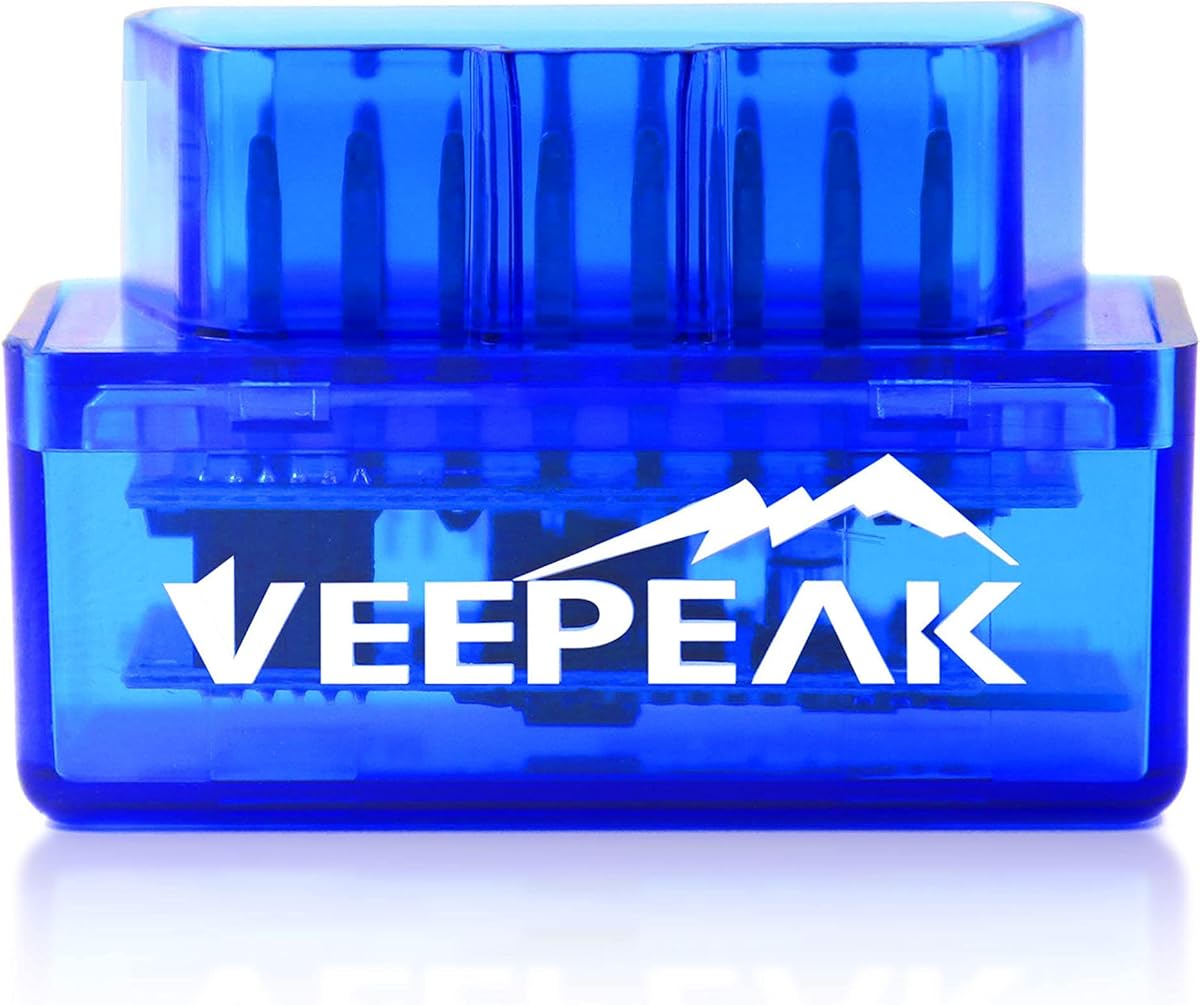
Veepeak Mini Bluetooth OBD2 Scanner Code Reader for Android (NOT for iOS)
4.4Editor score
Compact design
Bluetooth classic
Android only
Live sensor data
This guide compares the top 10 Android Obdii Scanner Tool options for 2026, evaluating features, compatibility, and performance for vehicle diagnostics.
Finding the right Android Obdii Scanner Tool can save you time and money on vehicle maintenance. These devices connect to your car to read error codes and provide insights into engine health. Choosing a reliable scanner ensures accurate diagnostics without visiting a mechanic.
We evaluated ten top-rated scanners based on connectivity, software compatibility, and diagnostic depth. Our analysis covers Bluetooth adapters, dedicated handheld units, and app-dependent tools. Each product offers unique strengths for different vehicle types and user needs.
Each pick highlights key features, pros, and cons to help you decide. Prices and availability change frequently, so verify details before purchasing. These tools empower drivers to monitor vehicle health confidently and efficiently across various makes and models.
4.4Editor score

4.5Editor score

4.6Editor score
This side-by-side comparison highlights key specifications across all ten selected Android Obdii Scanner Tool options. It helps you quickly identify which device matches your specific vehicle needs and diagnostic preferences.


The BlueDriver OBD2 Scanner stands out as a professional-grade tool for Android users. With a 4.5 rating, it transforms your phone into a powerful diagnostic device without requiring monthly fees. This makes it a top choice for serious car owners.
We may earn a commission when you buy through this link, at no additional cost to you.
Its standout feature is technician-verified repair reports matched to your VIN. You get definitions, causes, and confirmed fixes directly on your screen. Live vehicle data monitoring and smog readiness checks further enhance its utility for proactive maintenance.
While it offers extensive capabilities, note it works with gas vehicles from 1996 onwards. The Bluetooth connection is stable, but ensure your phone is compatible before purchase. These minor limitations do not detract from its overall value.
Buy this if you need reliable diagnostics without ongoing costs. It suits DIY enthusiasts who want detailed reports and live data. The 24/7 support ensures help is always available when you need it most.
Get unlimited access to reports matched to your VIN with definitions and confirmed fixes.
One-time purchase includes all features with no add-ons or accounts required ever.
We may earn a commission when you buy through this link, at no additional cost to you.
The OBDLink MX+ turns your Android device into a professional-grade diagnostic scan tool. Rated 4.6, it is highly recommended for specific brands and advanced functions. This makes it ideal for users needing deeper vehicle insights than basic readers offer.
We may earn a commission when you buy through this link, at no additional cost to you.
Its enhanced OEM support for Ford, GM, and others provides access to live parameters like ABS and SRS. Over-voltage and battery drain protection safeguard your device during use. Firmware updates ensure continued compatibility and performance improvements over time.
Verify vehicle compatibility and features via the troubleshooting guide before purchase. This ensures you get the full value for the investment. The multi-platform support adds flexibility if you use multiple devices.
Choose this for robust diagnostics across supported brands. It fits professionals and enthusiasts who need reliable, detailed data. The protection features give peace of mind during extended diagnostic sessions.
Get clear check engine light and more live parameters like ABS, SRS, and TPMS.
Over-voltage and battery drain protection safeguard your device during diagnostic use.
We may earn a commission when you buy through this link, at no additional cost to you.
The Veepeak Mini Bluetooth OBD2 Scanner offers essential diagnostics for Android users at an affordable rate. Rated 4.4, it turns your device into a customized dashboard. This makes it perfect for budget-conscious drivers who want basic engine monitoring.
We may earn a commission when you buy through this link, at no additional cost to you.
It supports live engine data like speed and RPM with classic Bluetooth. Compatible with popular apps like Torque and OBD Fusion. Ensure you press the adapter firmly into the port for a stable connection.
Note it does not support iOS devices or advanced diagnostics like ABS. For those, the Veepeak OBDCheck BLE might be better. The compact design makes it easy to store when not in use.
Buy this if you need a simple tool for basic engine codes. It suits Android users who already have the right apps installed. The low price makes it an easy addition to any toolkit.
Turn your Android device into a customized dashboard with live engine data.
Designed with a compact profile for easy storage and transport.
We may earn a commission when you buy through this link, at no additional cost to you.
The Veepeak OBDCheck BLE provides reliable generic OBDII diagnostics for both iOS and Android devices. With a 4.5 rating, it reads and clears trouble codes for check engine lights. This is a solid option for standard vehicle health monitoring.
We may earn a commission when you buy through this link, at no additional cost to you.
It supports Bluetooth LE and live sensor data. Compatible apps include Car Scanner ELM OBD2 and Torque. Ensure you connect from within the app after setting the correct type for best performance.
Advanced functions like ABS or oil resets are not supported. Check compatible apps for vehicle-specific needs. Head units may not be supported depending on the Android model.
Choose this for a versatile Bluetooth LE adapter. It suits users who want flexibility across phone types. Verify app compatibility to ensure it meets your diagnostic requirements.
Supports Bluetooth LE for iOS and Android devices without WiFi.
Read and clear trouble codes for check engine light and view live data.
We may earn a commission when you buy through this link, at no additional cost to you.
The Veepeak OBDCheck BLE+ supports both classic and LE Bluetooth for Android and iOS devices. Rated 4.5, it handles generic OBDII functions effectively. This versatility makes it suitable for a wider range of apps than basic adapters.
We may earn a commission when you buy through this link, at no additional cost to you.
Advanced data availability depends on vehicle make and app support. Use Car Scanner ELM OBD2 to check for specific profiles. It supports generic OBDII but not advanced functions like ABS resets.
Connect via the app after setting the correct type. Ensure your phone supports the selected Bluetooth mode. Head units may not be supported by the adapter.
Buy this for dual Bluetooth mode flexibility. It is ideal for Android users needing classic connection with apps. Check profile availability for your specific vehicle before purchasing.
Supports both Bluetooth LE and classic Bluetooth for certain Android apps.
Advanced data depends on vehicle make, model, and supported app profile.
We may earn a commission when you buy through this link, at no additional cost to you.
The ANCEL AD310 is a top-rated standalone OBDII scanner known for its durability. With a 4.6 rating, it reads emission-related codes reliably. This makes it a great backup for mechanics or drivers who prefer a dedicated handheld tool.
We may earn a commission when you buy through this link, at no additional cost to you.
It supports all OBDII protocols and features a thick flexible cable. The display is clear, and buttons are labeled for ease of use. It does not require batteries since it draws power from the vehicle port.
It only covers emission-related issues and cannot access ABS or transmission systems. Confirm vehicle compatibility with support before purchase. It is lightweight and portable for home or garage use.
Choose this if you want a simple code reader. It is ideal for checking emission systems before smog tests. The price makes it a worthwhile investment for basic diagnostics.
Supports all OBDII protocols such as KWP2000 and CAN.
Compact and lightweight design for easy transport and storage.
We may earn a commission when you buy through this link, at no additional cost to you.
The FOXWELL NT301 offers professional-grade insight with live data graphing capabilities. Rated 4.5, it helps identify issues in real time. Its bright screen and simple controls make it accessible for non-mechanics.
We may earn a commission when you buy through this link, at no additional cost to you.
It supports 10000+ vehicles and includes one-click I/M readiness checks. You can run EVAP system checks and live sensor tests. It comes with lifetime free updates and a one-year seller assurance.
It lacks wireless connectivity, so cables are necessary. The unit is a bit larger than adapters. Ensure compatibility with your specific vehicle VIN before buying.
Buy this for live sensor analysis without subscriptions. It suits DIYers who want a professional handheld tool. The screen ensures readability even in bright conditions.
View and log live sensor data in easy-to-read graphs.
Dedicated hotkeys and LED indicators for smog check status.
We may earn a commission when you buy through this link, at no additional cost to you.
The BlueDriver Next-Gen offers expanded coverage for newer models and diesels. With a 3.9 rating, it provides professional diagnostics without monthly fees. This version is optimized for today's vehicles and family use.
We may earn a commission when you buy through this link, at no additional cost to you.
It supports live data, smog readiness checks, and Mode 6 analysis. The tool works with trucks like the Silverado and Sierra as well. You get unlimited repair reports matched to your VIN.
Compatibility charts should be checked for specific years like 2024 Nissan models. Some users report connection issues requiring troubleshooting. The support team offers 24/7 assistance for these cases.
Choose this if you need expanded support for trucks. It is good for family vehicles requiring regular checks. Ensure your vehicle model is listed on the compatibility page.
Optimized for today's vehicles including select light-duty trucks and diesels.
Get unlimited technician-verified repair reports matched to your VIN.
We may earn a commission when you buy through this link, at no additional cost to you.
The XTOOL A30D offers pro-level diagnostics including bidirectional control and 19 resets. Rated 4.4, it provides lifetime software updates without subscriptions. This tool is built for advanced DIYers and home garages.
We may earn a commission when you buy through this link, at no additional cost to you.
It sends commands to components like valves and fuel pumps. You get 8 PIDs live data and stable wireless connections. It supports CAN-FD protocols but FCA features require a separate subscription.
Verify compatibility with specific functions and VIN before purchase. Some functions like ABS bleeding vary by vehicle. The language support makes it accessible globally.
Buy this for comprehensive maintenance like oil and EPB resets. It suits users needing more than just code reading. Check the compatibility notes for specific make requirements.
Send commands directly to your vehicle to actively test components.
Includes EPB reset, TPMS reset, and oil reset without extra costs.
We may earn a commission when you buy through this link, at no additional cost to you.
The V011 OBD2 Scanner features Bluetooth 5.4 for reliable connections on iOS and Android. With a 4.4 rating, it offers broad compatibility and visual data charts. This makes diagnostics easier for beginners and pros alike.
We may earn a commission when you buy through this link, at no additional cost to you.
It supports 9 protocols and 96% of vehicles. The intuitive app suggests fixes and guides repairs. It is designed to help avoid unnecessary trips to repair shops.
You must unplug the device after use to avoid battery drain. Ensure the car is started for power. The app must be opened with Bluetooth on for connectivity.
Choose this for modern connectivity and visual data. It suits users needing support in multiple languages. Follow setup tips to ensure smooth operation with your phone.
Upgraded Bluetooth 5.4 provides faster and more reliable connections.
Displays detected data in clear charts for easy understanding.
We may earn a commission when you buy through this link, at no additional cost to you.
Choosing the right Android Obdii Scanner Tool requires understanding your vehicle needs and diagnostic goals. This guide covers essential factors to ensure you select a reliable and compatible device for your car.
Connectivity determines how the scanner connects to your device. Bluetooth adapters offer convenience but require compatible apps. Handheld units work standalone but may lack live data on your phone.
Choose Bluetooth for portability and app integration. Ensure your phone supports the required Bluetooth version.
Not all scanners support every car make and model. Check if the device covers your specific vehicle year and brand. Some tools focus on generic codes while others support advanced systems.
Verify coverage for your specific VIN. Advanced functions vary significantly between makes.
Basic readers clear codes, but advanced tools read live data and sensor info. Consider if you need ABS or SRS diagnostics. Some devices offer bidirectional control for active testing.
Prioritize features that match your repair needs. Look for live graphing if tracking data is important.
Many Bluetooth scanners rely on third-party apps to function. Ensure the device works with apps you trust or that come with the product. Some apps require subscriptions for full features.
Research app requirements before purchase. Opt for tools with included free apps if possible.
Regular updates keep your scanner compatible with new vehicles. Some tools offer lifetime updates while others charge fees. Firmware updates often improve connection stability and performance.
Check the update policy. Free updates provide long-term value and security.
Prices range from affordable adapters to premium handheld tools. Determine your budget versus the features you need. Basic code readers are cheaper while bidirectional tools cost more.
Balance cost with required functionality. A mid-range tool often offers the best value.
Physical build quality matters for tools used in varied conditions. Handhelds should have sturdy cables and screens. Bluetooth adapters should fit securely in the OBD port.
Select durable materials that withstand temperature changes. Ensure connectors fit your specific vehicle port.
Reliable support helps resolve compatibility issues quickly. Look for brands offering tutorials or troubleshooting guides. Some provide dedicated help lines or app support.
Check warranty terms before buying. Good support saves time during setup.
Start by locating the OBDII port in your vehicle and connecting the scanner securely. Ensure your phone has Bluetooth enabled and the appropriate app is installed. Follow on-screen prompts to pair the device.
Run diagnostics by turning the ignition on without starting the engine. Select the read codes option and wait for results. If errors appear, note them down before clearing codes.
After use, unplug the device to prevent battery drain. Store it in a cool, dry place away from direct sunlight. Regularly update firmware to maintain optimal performance.
Most scanners do not require subscriptions. However, some apps may offer premium features for a fee. Choose tools with free apps to avoid ongoing costs.
Support for hybrids depends on the app and vehicle model. Some tools offer EV data while others do not. Check compatibility before purchasing for hybrid use.
Scanners clear codes but cannot fix mechanical issues. They help identify problems so you can address them. The light stays on until the underlying issue is resolved.
Yes, most scanners require ignition power to operate. Plug them into the OBD port and turn the key on. Some modes require starting the vehicle to access data.
Many tools support both Android and iOS. Check the device description for iOS compatibility. Some adapters work only with Android and classic Bluetooth.
Professional scanners provide accurate data matching OEM tools. Handheld units may vary on advanced systems. Use trusted brands for reliable results.
The BlueDriver and OBDLink MX+ offer top performance for Android users. Budget options like Veepeak provide essential monitoring. Choose based on your specific diagnostic requirements.
Prioritize compatibility and app support for long-term use. Ensure your vehicle matches the scanner's capabilities. Verify firmware updates before committing to a model.
Prices and availability fluctuate regularly. Check current listings and ensure you get the latest version. Regular maintenance helps your tools remain reliable over time.