
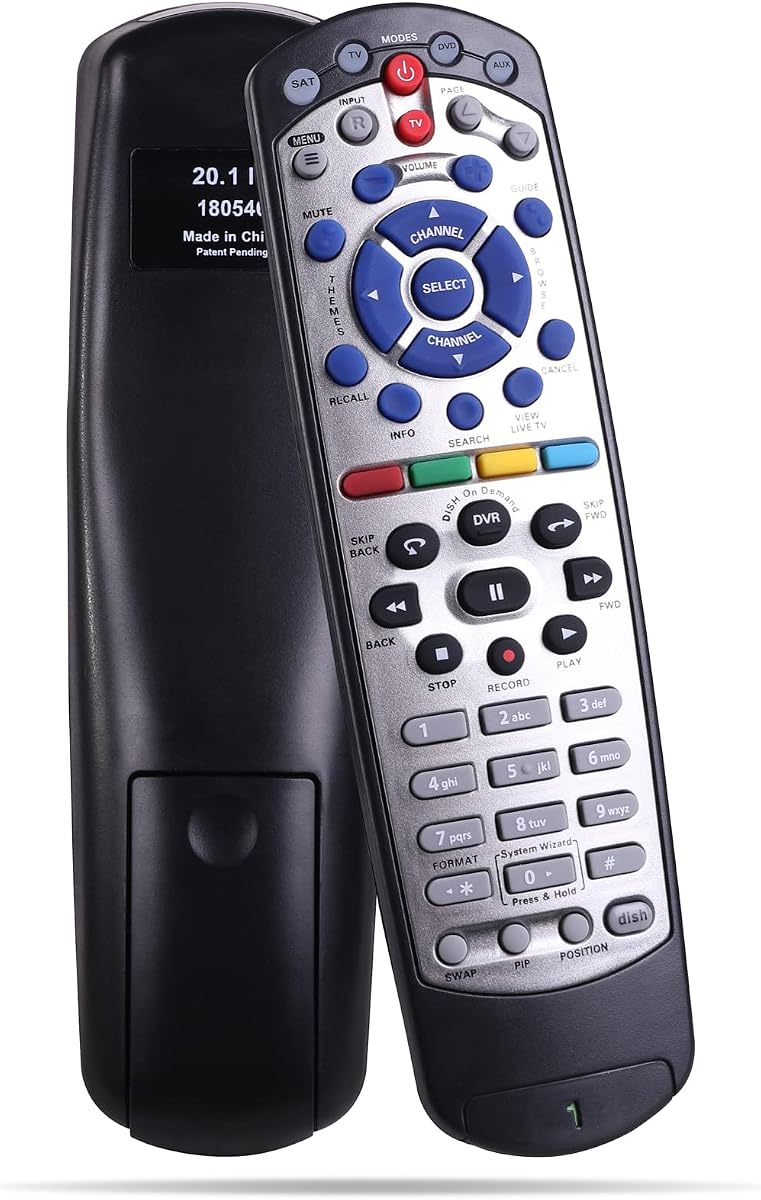
New IR Remote Control Replacement for Dish Network 20.1
3.7Editor score
Affordable replacement option
Standard IR signal type
Basic TV control functions
Explore our detailed review of the top Dish Network replacement remotes for October 2026. Compare features, compatibility, and performance to find your ideal
Finding a reliable Dish Network replacement remote is essential for seamless TV viewing. Whether you lost your original or need a spare, choosing the right model ensures compatibility and ease of use for your specific receiver setup.
We have carefully analyzed ten top-rated replacement remotes available in the market. Our comparison focuses on key factors like connectivity, button layout, voice search capabilities, and user reviews to help you make an informed decision.
Each product pick highlights unique features and potential drawbacks to guide your choice. Please note that product availability and pricing can change frequently, so verify current details before purchasing to ensure you get the best value.
3.7Editor score

4.5Editor score

4.6Editor score
This section provides a side-by-side comparison of all ten selected remote controls. We examine their compatibility, control types, and unique features to help you distinguish which model fits your specific Dish Network setup.




This replacement remote stands out for its robust UHF connectivity and voice search capabilities. It earned a solid 4.5 rating from users who appreciate its reliability in replacing older Dish network controllers.
We may earn a commission when you buy through this link, at no additional cost to you.
The pairing process is straightforward, requiring only a few button presses to sync with your receiver. Its voice search feature allows for quick channel navigation without tedious typing through menus.
While it requires batteries and has a basic manual, these are minor trade-offs for the functionality it provides. The unpairing method is also well documented to help resolve connection issues easily.
This remote is ideal for users seeking a functional upgrade over basic IR remotes. It balances cost and features effectively, making it a top choice for most Dish network setups.
The built-in microphone supports hands-free navigation, allowing you to find shows faster without typing.
Users report consistent pairing success with the SYS INFO and SAT button method for seamless connection.
We may earn a commission when you buy through this link, at no additional cost to you.
This remote is designed specifically for Hopper family receivers and offers premium features like backlit keys. With a 4.6 rating, it is a favorite among users who want enhanced usability in low-light conditions.
We may earn a commission when you buy through this link, at no additional cost to you.
The remote locator function is a standout feature that helps you find the device when it is misplaced. You can program hot keys to launch apps or record shows for quick access.
While it is more expensive than basic replacements, the quality and extra features justify the cost. Note that full search functionality requires an internet connection to your receiver.
For Hopper users seeking a high-end experience, this remote delivers on convenience and reliability. It is an excellent choice if you value backlighting and personalization options.
The keypad illuminates automatically in the dark ensuring you can see buttons clearly during evening viewing.
Internet connectivity enables advanced search functions for browsing guides and on demand content easily.
We may earn a commission when you buy through this link, at no additional cost to you.
This IR remote is an affordable choice for basic Dish Network 20.1 receivers. It holds a 3.7 rating but is suitable for those who do not need advanced voice or Bluetooth features.
We may earn a commission when you buy through this link, at no additional cost to you.
It controls TV DVD and VCR devices directly without needing a separate hub. The setup requires choosing the correct code for your TV brand during programming.
The lack of learning or Bluetooth features keeps the cost down but limits versatility. If you need a simple spare remote for basic channel changing this fits the bill.
Best for budget-conscious users who need a functional backup remote. Ensure you have time to pair the correct codes before expecting full functionality.
At a lower price point this remote provides essential controls without extra costs for advanced features.
Focuses on core TV functions making it ideal for straightforward entertainment setups without smart extras.
We may earn a commission when you buy through this link, at no additional cost to you.
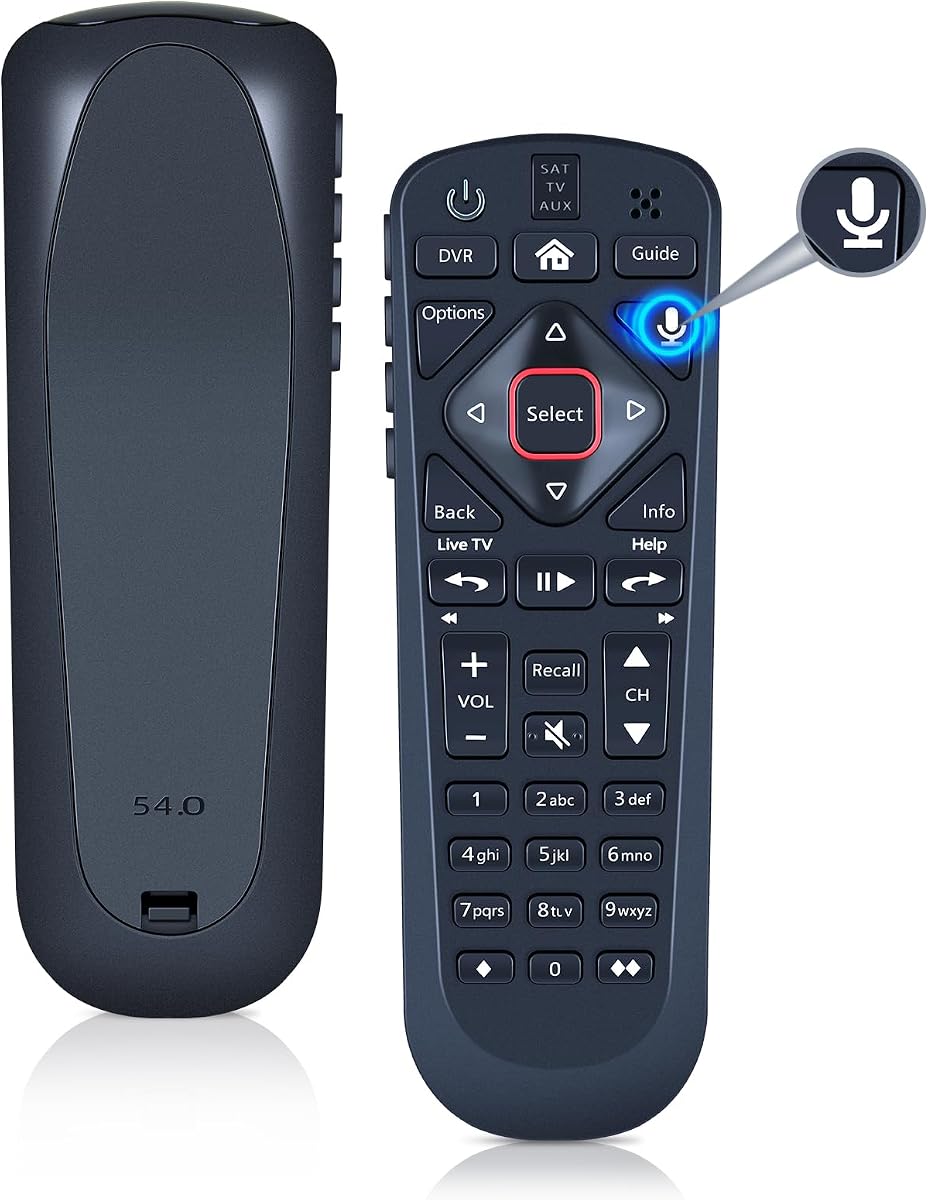
This remote offers voice search and UHF connectivity for the 54 series receivers. It received a 3.7 rating which suggests room for improvement but remains a viable option for specific users.
We may earn a commission when you buy through this link, at no additional cost to you.
The voice search function is a key selling point that simplifies finding content quickly. It follows standard pairing steps using the Home and SAT buttons to connect with your receiver.
Users should note that it is not compatible with the Dish Hopper 3 receiver model. This limitation is important to verify before purchasing to avoid return hassles.
For 54 series owners needing a voice remote on a budget this is a solid consideration. Check compatibility carefully against your specific receiver model first.
Voice search helps you navigate channel guides without typing names manually on the keyboard.
Ensure your receiver is not Hopper 3 before buying as this model is explicitly excluded from compatibility.
We may earn a commission when you buy through this link, at no additional cost to you.
This remote features a built-in microphone for voice search on 54 series receivers. It holds a 4.2 rating which indicates good user satisfaction with its performance and reliability.
We may earn a commission when you buy through this link, at no additional cost to you.
The voice search capability allows you to find shows faster without using arrow keys. Pairing involves standard steps through the settings menu to ensure proper connection with the receiver.
A 6-month warranty is offered which provides peace of mind for the purchase. This service aspect adds value compared to remotes with no support guarantee.
Ideal for those wanting voice capabilities without high cost. Just remember to buy AAA batteries separately and follow the setup prompts carefully.
The built-in microphone lets you speak commands to navigate content quickly and efficiently.
Warranty support ensures you can get help if the remote fails or does not work as expected.
We may earn a commission when you buy through this link, at no additional cost to you.
This universal remote supports both IR and UHF signals for flexible control. It earned a 4.4 rating from users who appreciate its ability to work across different TV locations and setups.
We may earn a commission when you buy through this link, at no additional cost to you.
It is designed for Dish TV receivers and specifically supports TV1 and TV2 locations which is useful for multi-room setups. The universal nature makes it a versatile choice for various receivers.
While detailed features are not extensively listed the signal type supports robust connectivity options. This makes it a reliable backup for different Dish network configurations.
Best for multi-room setups needing dual signal support. Verify your specific receiver model compatibility to ensure full functionality with your existing system.
Supporting both IR and UHF provides flexibility for different receiver configurations and room layouts.
Works with both TV1 and TV2 setups which is ideal for households with multiple viewing locations.
We may earn a commission when you buy through this link, at no additional cost to you.
This remote is designed for immediate use without complex programming steps. It holds a 4.1 rating and is praised for its comfortable feel and ability to store receiver settings effectively.
We may earn a commission when you buy through this link, at no additional cost to you.
You can install new AAA batteries and start using it right away which saves time. It maintains receiver settings in both the remote and the device for consistent performance.
While it does not offer advanced voice features it covers all basic control needs reliably. This makes it a practical choice for those who want a plug-and-play solution.
Ideal for quick replacements without setup hassle. If you need a standard remote that works out of the box this is a strong contender.
Just install batteries and start using the remote immediately without programming codes or pairing steps.
The product is built with a comfortable feel and sensitive keys for easy daily use.
We may earn a commission when you buy through this link, at no additional cost to you.
This value pack provides two replacement remotes for Dish Network 20.1 setups. It holds a 4.3 rating which reflects customer satisfaction with its performance and quality testing.
We may earn a commission when you buy through this link, at no additional cost to you.
Each remote is tested before shipment to ensure it works like an original. This reliability makes the pack a great choice for families needing backups for multiple rooms.
The remotes are compact and easy to hold which adds to their daily usability. They cover all functions of the original remote ensuring no feature is lost.
Best for users needing spare remotes at a good price. Buying two in one pack saves effort compared to purchasing singles separately for different locations.
Two remotes for one price makes this a great deal for households needing backups in different rooms.
Each item is inspected before shipment to ensure it operates perfectly like the original device.
We may earn a commission when you buy through this link, at no additional cost to you.
This IR remote performs like the original unit for Dish Network 20.1 receivers. It has a 4.0 rating which indicates it meets standard expectations for basic remote functionality.
We may earn a commission when you buy through this link, at no additional cost to you.
You can set it up by pairing and choosing the correct TV code as shown in the manual. It requires inserting new AAA batteries to get it working properly.
While it lacks smart features it provides reliable control for daily TV usage. The manual helps guide you through the setup process efficiently.
Ideal for those needing a straightforward replacement without complex features. Just follow the pairing instructions to ensure it connects correctly to your TV.
It performs like your original remote without extra complexity for basic TV viewing needs.
Instructions included show you how to pair and select the correct code for your TV brand.
We may earn a commission when you buy through this link, at no additional cost to you.
This remote offers backlit keys and a remote finder feature for enhanced usability. With a 4.6 rating it is highly regarded for its quality and ease of use in dark environments.
We may earn a commission when you buy through this link, at no additional cost to you.
The remote finder allows you to locate the device by pressing a button on the receiver. It also supports personalization to launch apps or record shows quickly.
While it is an older model number it remains compatible with modern Hopper and Joey receivers. This makes it a reliable choice for those wanting classic features.
Best for users who value backlit keys and finding the remote easily. It combines practical features with strong user satisfaction in its design.
The keypad illuminates automatically when picked up helping you see buttons clearly in low light.
Press a button on your receiver to make the remote beep and blink so you can find it easily.
We may earn a commission when you buy through this link, at no additional cost to you.
Choosing the right replacement remote depends on your specific Dish receiver model and desired features. This guide breaks down the critical factors to consider before making a purchase.
Ensure the remote explicitly lists your receiver model in its compatibility range. Dish receivers like Hopper 3222.1, and 54 series require specific protocols such as UHF or IR to function correctly.
Always check the product description against your receiver model number to avoid buying an incompatible device.
Remotes use either Infrared (IR) or Ultra High Frequency (UHF) signals. UHF works through obstacles and across rooms while IR requires line of sight. Choose UHF for convenience in large living spaces.
Match the signal type to your viewing setup for reliable control without needing to point the remote directly at the receiver.
Voice search allows hands-free navigation of channel guides and on-demand content. Look for remotes with built-in microphones if you prefer speaking commands over typing names.
This feature saves time and is ideal for quick searches, but requires compatible receiver settings to work properly.
Backlit keys automatically illuminate in dark settings allowing you to see buttons without turning on lights. This is especially useful for night-time viewing and enhances overall usability.
Prioritize remotes with this feature if you often watch TV in the evening or darkened rooms.
A remote locator lets you find a misplaced remote by pressing a button on the receiver. This feature saves time searching couches or tables and adds convenience to daily use.
Consider this if you frequently misplace remotes or have large homes where items can get lost easily.
Simple pairing processes save time and frustration. Look for remotes that offer automatic pairing or clear instructions for manual programming codes.
Remotes that require complex setup might be difficult for less tech-savvy users to configure correctly.
Durability matters since remotes are used daily. High-quality materials ensure keys remain responsive and the device withstands drops or regular handling over time.
Check user reviews for mentions of build quality to avoid cheap plastic remotes that wear out quickly.
Manufacturers offering warranties provide peace of mind in case of defects. A reliable support team can help resolve pairing issues or replacement requests.
Prioritize brands with good customer service to ensure you are not left without a working remote if problems arise.
Insert fresh AAA batteries into the battery compartment and ensure the polarity is correct. Close the cover securely to maintain contact. Most remotes will power on automatically when batteries are installed.
If pairing is required, follow the on-screen prompts or button combinations specified in the manual. Press buttons like Home or SAT as instructed to sync the remote with your receiver.
Keep the remote clean and dry to ensure longevity. Wipe the surface with a soft cloth and avoid exposing it to extreme heat or moisture which may damage internal components.
It depends on the model. Some remotes come pre-programmed for specific receivers and work out of the box. Others require you to enter codes or press button combinations to pair with your TV and receiver properly.
Yes many replacement remotes have TV control functions. You may need to program codes for your specific TV brand to control power volume and input switching in addition to Dish functions.
IR remotes require a direct line of sight to the receiver. UHF remotes can transmit signals through objects and walls allowing control without pointing directly at the device.
Check the product description for explicit mention of Hopper 3 compatibility. Not all remotes work with newer Hopper 3 receivers so verify this before purchasing to avoid issues.
Ensure you are using fresh batteries and following the pairing steps correctly. Sometimes unpairing the old remote first or resetting settings on the receiver can help resolve connection problems.
Yes third-party replacement remotes are often significantly cheaper than official replacements from Dish. They offer similar functionality at a fraction of the cost for most basic control needs.
We reviewed ten top remotes offering features like voice search backlit keys, and UHF connectivity. Each model suits different receiver types and user preferences for TV control and navigation.
Prioritize compatibility with your specific Dish receiver model above all else. Voice search and backlighting add value but will not function if the remote is not designed for your system.
Prices and availability may change so check current product details before buying. We hope this guide helps you find a reliable replacement remote for seamless viewing experience.