
Lightning to HDMI Adapter for iPhone
4.4Editor score
Affordable pricing
Includes charging port
Compact portable design
This guide compares the top HDMI Lightning Adapter for iPhone models to help you choose the best digital AV connector for your Apple device needs.
Finding the right HDMI Lightning Adapter for iPhone is essential for streaming content to larger screens. A good adapter ensures stable connections and high resolution mirroring without lag or compatibility issues during use.
We analyzed ten highly rated models based on user feedback and technical specifications. This list covers various price points and features to help you find the perfect solution for your specific setup requirements.
Each pick highlights key strengths and potential limitations to guide your decision. Please note that availability and details may change over time so verify current information before making your final purchase decision.
4.4Editor score

4.2Editor score
4.6Editor score
The following table provides a side-by-side comparison of all ten selected adapters to help you quickly identify the model that best fits your connectivity requirements and budget constraints.






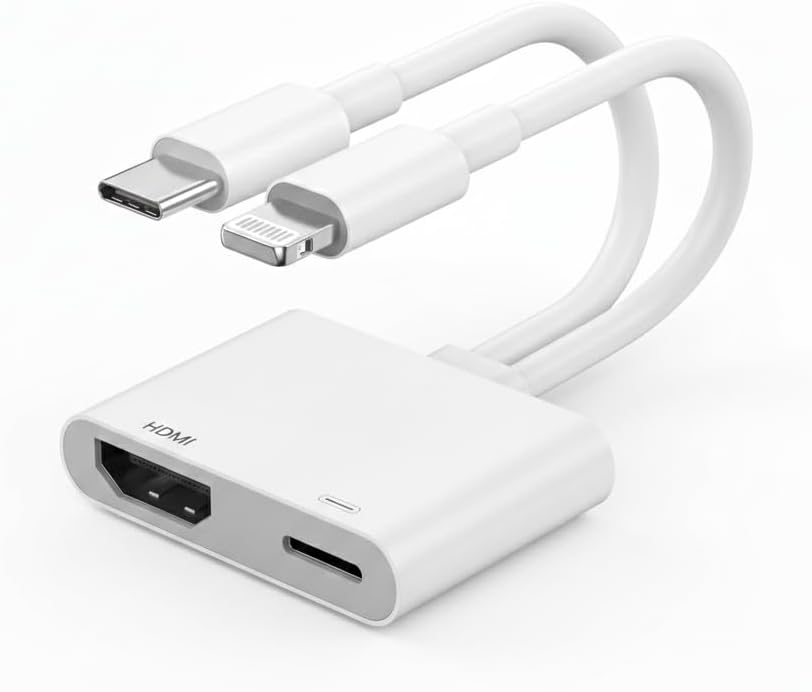
This adapter stands out as a reliable and affordable solution for connecting your iPhone to a television. It holds a strong rating from users who appreciate its simplicity and consistent performance during daily use.
We may earn a commission when you buy through this link, at no additional cost to you.
The MFi certification ensures safe operation with your Apple device preventing potential hardware damage. It supports 1080p HD output which is sufficient for most streaming and presentation needs on a larger screen.
Users note that while it works well with many apps local videos do not work with services like Netflix or HBO due to copyright restrictions. This is a common limitation across most third-party adapters.
If you need a straightforward way to mirror your screen without breaking the bank this model is an excellent choice. It is particularly suitable for home entertainment and casual presentations.
MFi certification guarantees the adapter meets Apple standards for safety and compatibility reducing risks of device damage.
Compatible with a wide range of iPhone and iPad models ensures you can use it across multiple devices seamlessly.
We may earn a commission when you buy through this link, at no additional cost to you.
This model is designed for users who prioritize portability without sacrificing essential features. Its compact size makes it easy to slip into a pocket or bag for travel and business meetings.
We may earn a commission when you buy through this link, at no additional cost to you.
The adapter supports mirroring of what is on your screen including apps and websites up to 1080p HD. It requires no drivers or settings adjustments making it user-friendly for all skill levels.
Like most adapters it does not support HDCP protected content such as Netflix or Amazon Video. This limitation is due to Apple policies rather than product defects so expectations should be managed accordingly.
For travelers or professionals who need a reliable screen mirroring solution on the go this adapter is a practical choice. It balances size and functionality effectively for everyday scenarios.
The pocket-sized design allows you to carry it effortlessly ensuring you are always ready to connect to any display.
Plug and play functionality means you can start streaming immediately without installing additional software or configuring settings.
We may earn a commission when you buy through this link, at no additional cost to you.
KikoSaka offers a streamlined solution for iPhone users needing HDMI connectivity. The adapter is praised for its build quality and ability to work seamlessly across various iPhone and iPad models.
We may earn a commission when you buy through this link, at no additional cost to you.
It supports all iOS versions ensuring you can use it with the latest devices without worrying about software updates. The MFi certification provides peace of mind regarding safety and reliability during use.
The design focuses on core functionality without extra ports which keeps the cost down and the form factor small. However this means you cannot charge your device while streaming video.
If you need a straightforward and dependable adapter for occasional use this model is worth considering. It is ideal for users who do not need a charging pass-through feature.
Supporting multiple iPhone generations ensures longevity and value as you upgrade your device over time.
By focusing on essential features the adapter reduces potential points of failure and ensures consistent performance.
We may earn a commission when you buy through this link, at no additional cost to you.
This adapter stands out due to its extended cable length which provides greater flexibility when connecting to a TV. The 6.6 foot length allows you to position your device comfortably while watching content.
We may earn a commission when you buy through this link, at no additional cost to you.
It features a durable construction and MFi certified chip ensuring stable video output without signal drops. The adapter supports 1080p HD resolution which delivers clear and vibrant visuals on large screens.
While it works well for presentations and local videos it does not support HDCP protected apps like Netflix. This is a standard limitation for most adapters due to copyright policies rather than hardware faults.
For users who need extra reach during home entertainment or presentations this model is a strong contender. The combination of length and reliability makes it a practical choice for many setups.
The longer cable allows you to keep your device at a comfortable distance from the screen while maintaining a stable connection.
Constructed with high quality materials this adapter is designed to withstand daily use and travel wear.
We may earn a commission when you buy through this link, at no additional cost to you.
As an official Apple accessory this adapter offers a guaranteed compatibility with your iPhone or iPad. It is often preferred by users who want to avoid third-party risks and ensure optimal performance.
We may earn a commission when you buy through this link, at no additional cost to you.
The adapter supports mirroring of your screen up to 1080p HD including apps and presentations. It also outputs audio alongside video providing a complete multimedia experience on your TV or projector.
It requires a separate HDMI cable for connection which may add to the total cost. Additionally it does not include a port to charge your device during use so you may need to manage power carefully.
If you prioritize reliability and official support this adapter is the safest bet for your setup. It is ideal for users who value seamless integration over extra features or lower cost.
Being an official product ensures the adapter meets Apple's strict quality and safety standards for iOS devices.
Supporting both video and audio output means you get a full experience when connecting to external displays.
We may earn a commission when you buy through this link, at no additional cost to you.
This adapter offers exceptional value for users on a tight budget. It combines essential features like MFi certification and a charging port at a highly competitive price point.
We may earn a commission when you buy through this link, at no additional cost to you.
The 1080p HD output ensures clear visuals for your content on larger screens. It supports a wide range of apps including YouTube and local videos making it versatile for entertainment.
One notable aspect is the inclusion of a five year warranty which adds significant peace of mind. Customer support is also responsive ensuring help is available if issues arise.
For those seeking an economical solution without sacrificing key features this adapter is a top choice. It is perfect for home use or light professional applications.
The five year warranty demonstrates the manufacturer's confidence in the product's durability and quality.
Budget-friendly pricing makes HDMI connectivity accessible to more users without compromising on essential safety standards.
We may earn a commission when you buy through this link, at no additional cost to you.
This adapter is trusted by thousands of users who appreciate its consistent performance and reliable connection. It is particularly popular among business travelers and educators for presentations.
We may earn a commission when you buy through this link, at no additional cost to you.
The zero lag mirroring ensures your screen content is accurately reflected on the TV without delay. It works with all HDMI equipped TVs and monitors making it versatile for various environments.
While it does not support paid streaming apps like Netflix or Disney it excels with free apps and local content. This limitation is consistent across almost all Lightning adapters due to Apple policies.
If you need a dependable adapter for work or presentations this model is a strong option. Its reputation for reliability makes it a safe choice for daily use.
With over two thousand verified ratings this adapter has a proven track record of satisfying customers consistently.
The zero lag feature ensures your presentations look smooth and professional on large screens during meetings.
We may earn a commission when you buy through this link, at no additional cost to you.
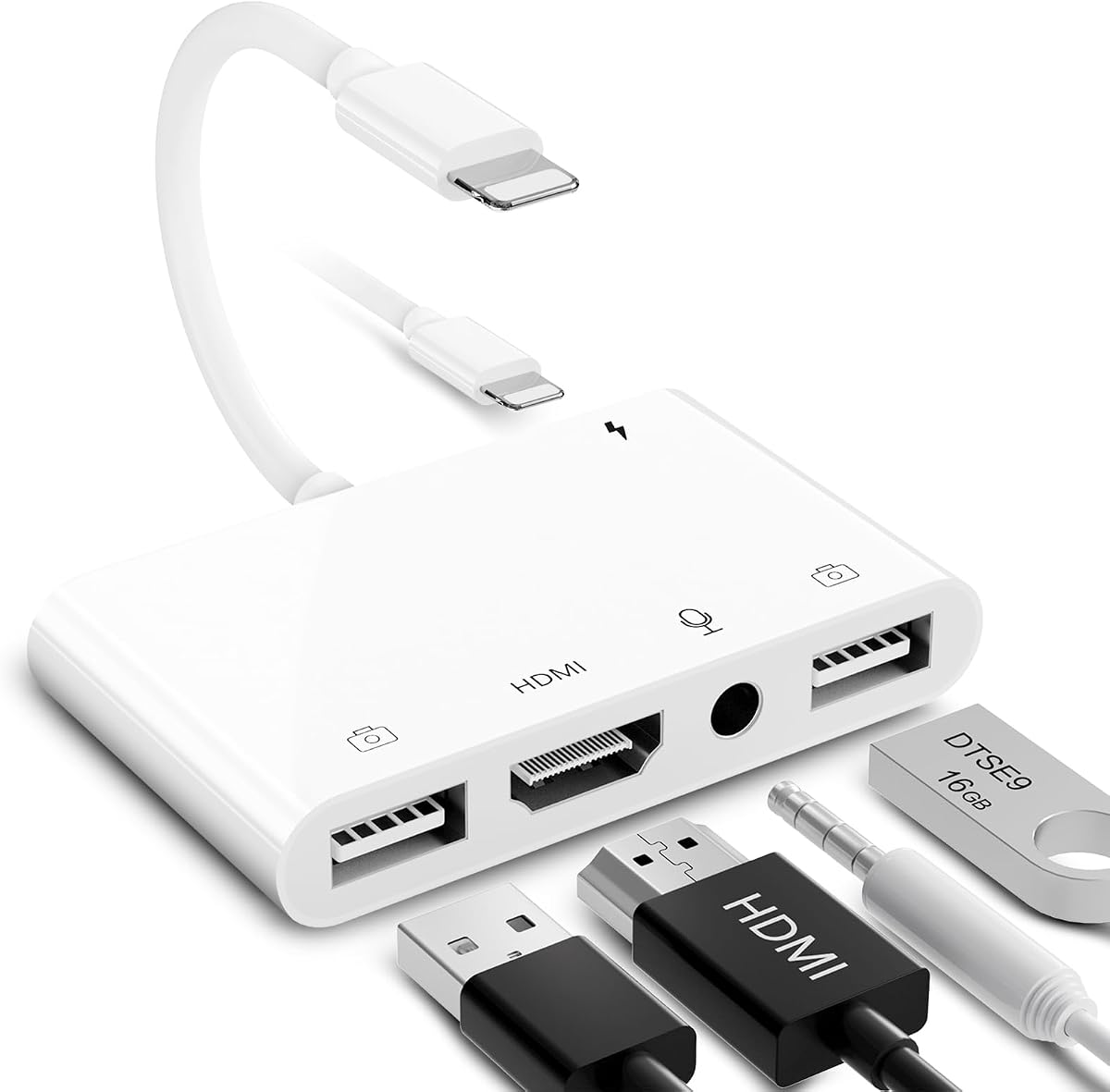
This adapter offers unique utility by adding dual USB ports and a microphone jack to your setup. It allows you to connect peripherals like keyboards or flash drives directly to your iPhone.
We may earn a commission when you buy through this link, at no additional cost to you.
The HDMI output supports 1080p HD mirroring making it suitable for presentations and entertainment. It also lets you charge your device while in use ensuring you stay powered during long sessions.
The microphone jack enables live streaming and recording on apps like TikTok and YouTube. This makes it a powerful tool for content creators and streamers.
For users who need more than just video output this adapter provides expanded connectivity options. It is ideal for those who want to turn their iPhone into a mini workstation.
Dual USB ports allow direct connection to keyboards, mice, and storage devices for enhanced productivity.
The microphone jack supports live streaming and recording making it versatile for creators and educators.
We may earn a commission when you buy through this link, at no additional cost to you.
This adapter is a powerful hybrid that works with both USB-C and Lightning devices. It is designed for users who have a mix of older iPhones and newer laptops or tablets.
We may earn a commission when you buy through this link, at no additional cost to you.
On USB-C devices it supports 4K video and HDCP protected content like Netflix. On Lightning devices it provides stable mirroring up to 1080p HD with safe MFi certification.
The 100W power delivery pass-through ensures your device stays charged even during heavy use. This is a premium feature that prevents interruptions during long presentations or movies.
If you own multiple device types this adapter offers unmatched versatility. It is a high-end solution for power users who demand top-tier connectivity options.
Works with both legacy Lightning and modern USB-C devices making it ideal for mixed ecosystems.
The 100W charging port ensures your device remains powered during demanding streaming or work sessions.
We may earn a commission when you buy through this link, at no additional cost to you.
This classic model from Apple continues to be a top choice for those seeking reliability. It has a high rating based on years of consistent performance and seamless integration with iOS.
We may earn a commission when you buy through this link, at no additional cost to you.
It mirrors your screen content up to 1080p HD while also outputting audio to your TV. This ensures a complete multimedia experience without needing extra connections for sound.
The adapter requires a separate HDMI cable which allows you to use your own existing cables. While it lacks a charging port its reliability makes it a trusted option for critical setups.
For users who prioritize guaranteed compatibility and brand trust this adapter remains a solid choice. It is perfect for those who value performance over extra features or lower cost.
As an official accessory this adapter provides the highest level of compatibility and support for Apple users.
Supporting both video and audio ensures you get a full experience when connecting to external screens.
We may earn a commission when you buy through this link, at no additional cost to you.
Selecting the right adapter involves considering compatibility, features, and your specific use case. This guide outlines the key factors to help you make an informed decision.
Ensure the adapter is MFi certified to guarantee it meets Apple standards for safety and performance. This reduces the risk of hardware damage and ensures smooth operation with your iOS devices.
Check that the adapter supports your specific iPhone model and iOS version to avoid connection issues.
Most adapters support up to 1080p HD which is suitable for most TVs and projectors. If you need 4K support look for adapters that explicitly mention 4K@60Hz capabilities.
Verify that the adapter supports the resolution your display expects to avoid signal mismatch issues.
Many adapters include a Lightning or USB-C port to charge your device while streaming. This is useful for long presentations or movies to ensure your battery does not drain.
Choose an adapter with a pass-through port if you plan to use it for extended periods without interruption.
Be aware that most adapters do not support HDCP protected apps like Netflix or HBO due to copyright policies. However they usually work well with apps like YouTube and local video files.
Confirm that the apps you need to use are supported before purchasing to avoid disappointment.
Consider the length of the adapter cable to ensure it reaches your TV comfortably without needing extra extensions. A compact design is beneficial for portability and travel scenarios.
Choose a design that fits your storage needs and ensures you can transport it easily.
Look for brands that offer warranties such as one year or more to protect your investment. Responsive customer support is also important in case you encounter technical issues.
A good warranty indicates confidence in the product quality and helps resolve any problems quickly.
Prices vary significantly between official Apple adapters and third-party options. Third-party adapters often provide better value with extra features like USB ports at a lower cost.
Balance the features you need with your budget to find the best overall value for your situation.
If you use multiple devices like iPads or laptops consider adapters that support multiple interfaces such as USB-C and Lightning. This adds flexibility for your various devices.
Choose an adapter that grows with your device ecosystem to avoid buying multiple adapters later.
To use the adapter connect the Lightning end to your iPhone and the HDMI end to your TV. Then plug an HDMI cable from the adapter to the TV if required by the model.
Power on your TV and switch the input source to the HDMI port you connected the adapter to. Your iPhone screen should appear automatically after a few seconds.
To care for the adapter avoid bending the cable sharply and keep it away from moisture and extreme heat. Store it in a protective case when not in use to prevent damage.
Most adapters support iPhone models with a Lightning connector including iPhone 5 through iPhone 14. However iPhone 15 and later models use USB-C so you will need a different adapter for those devices.
Netflix and other paid streaming apps use HDCP protection which restricts mirroring on many third-party adapters. This is a policy limitation rather than a defect in the adapter itself.
No most adapters are plug and play and do not require any additional drivers. Simply connect them to your device and TV to start mirroring your screen.
Many adapters include a charging port that allows you to connect a power cable while streaming. Check the product specs to confirm if this feature is available for your model.
Most adapters support up to 1080p HD resolution. Some newer models may support 4K when connected to USB-C devices but Lightning connections are typically limited to 1080p.
Yes the adapter works well for gaming on a larger screen since it supports real-time mirroring. However there may be slight latency so check user reviews for specific gaming performance.
Choosing the right HDMI Lightning Adapter for iPhone depends on your specific needs for video quality and extra features. The top picks offer a range of options from budget-friendly to premium utility models.
Prioritize MFi certification and charging pass-through if you plan to use the adapter for long sessions. Also consider the app limitations and ensure they fit your content watching habits.
Prices and availability can change so verify the latest information before making your final purchase decision. With the right adapter you can easily turn your iPhone into a powerful entertainment or presentation tool.