
CRUA 34 Inch 165Hz UWQHD IPS Ultrawide Gaming Monitor
4.2Editor score
IPS Panel Quality
165Hz Refresh Rate
PIP and PBP Modes
Compare the top ten cheap ultrawide monitor options for 2026 to find the perfect balance of performance, size, and affordability for your setup.
Finding a budget friendly display that offers immersive wide screen experiences can be challenging. Many users seek high refresh rates and sharp resolution without breaking the bank. This guide highlights ten affordable models that deliver exceptional value for gamers and professionals.
We evaluated each monitor based on panel quality, connectivity options, and ergonomic features. Our comparison focuses on real world performance metrics like response times and color accuracy. We also considered user feedback to ensure reliability and long term satisfaction.
Each pick highlights specific strengths suited to different needs and budgets. Please note that availability and deals fluctuate frequently on major retailers. Checking current stock and promotions is always recommended before making your final purchase decision.
4.2Editor score

4.4Editor score

4.6Editor score
The following table provides a side by side overview of all ten models featured in this guide. Compare key specifications such as resolution, refresh rates, and panel types to identify the model that best suits your requirements.


The SANSUI 34-Inch Curved Gaming Monitor stands out as a top contender in the budget category. With a 200Hz refresh rate and UWQHD resolution, it delivers smooth visuals for both gaming and productivity tasks. Its inclusion of AI features adds a modern touch to an otherwise standard monitor offering.
We may earn a commission when you buy through this link, at no additional cost to you.
Performance is a key strength here. The Fast VA panel ensures deep blacks and high contrast, while the 200Hz refresh rate keeps motion fluid. Connectivity is robust with HDMI 2.1 ports supporting high refresh rates, and VRR support ensures tear-free gaming. The ergonomic stand allows for tilt adjustments to suit your viewing angle.
Trade-offs include the lack of built-in speakers, meaning you will need external audio. Additionally, VA panels can sometimes suffer from slower pixel response times leading to minor ghosting in fast scenes. However, at this price point, these compromises are minimal compared to the performance benefits.
This monitor is ideal for gamers seeking high refresh rates without spending a fortune. It is also suitable for multitaskers who value screen real estate. We recommend it for anyone looking to upgrade their setup on a tight budget.
The 200Hz refresh rate provides a significant advantage in competitive gaming scenarios. Users report smoother tracking and reduced motion blur compared to standard 60Hz displays.
Built-in AI tools like Blue Light Reduction and AI Crosshair help protect eyes and enhance gameplay precision. These features add value without requiring additional software installation.
We may earn a commission when you buy through this link, at no additional cost to you.
The LG 34WR55QK-B offers a premium experience at a competitive price. It features WQHD resolution and an IPS panel for consistent colors. The standout feature is its USB Type-C port with power delivery, making it perfect for laptop users who want a clean setup.
We may earn a commission when you buy through this link, at no additional cost to you.
Connectivity and ergonomics shine here. The stand allows height and tilt adjustments for comfortable viewing. OnScreen Control lets you split the screen and manage windows easily. HDR10 support enhances media consumption, and the virtually borderless design looks sleek on any desk.
The main trade-off is the price being slightly higher than entry models. It also lacks high refresh rates for competitive gaming. However, for professionals and casual users, these factors are often secondary to comfort and productivity tools.
This model is best for office workers and content creators. If you value connectivity and adjustability over raw gaming speed, this is an excellent choice. It represents a reliable option for a clean professional workspace.
The 65W power delivery allows charging a laptop while displaying video. This reduces cable clutter and simplifies docking stations for mobile professionals.
Picture-by-Picture mode allows viewing two inputs simultaneously. This is useful for comparing documents or monitoring chats while working on a primary task.
We may earn a commission when you buy through this link, at no additional cost to you.
The CRUA 34 Inch monitor is a strong budget option for gamers. It combines an IPS panel for better colors with a 165Hz refresh rate. This combination ensures vibrant visuals and smooth motion which is rare at this price point.
We may earn a commission when you buy through this link, at no additional cost to you.
Color performance and speed are key. The IPS panel maintains accuracy from wide angles. AMD FreeSync support reduces tearing. Dual HDMI and DP ports offer flexibility. The inclusion of built-in speakers adds convenience for basic audio needs.
Trade-offs include a lack of height adjustment on the stand. Also, VA panels often have better contrast. These are acceptable compromises for the cost. The viewing angles and color vibrancy outweigh the contrast limitations for many users.
This monitor suits gamers on a budget who care about image quality. It is also good for general use where color fidelity matters. For those needing maximum adjustability, a wall mount might be necessary.
The IPS panel delivers 120% sRGB coverage. This ensures colors look rich and true to life for media consumption and light editing tasks.
With dual HDMI and DP ports users can connect multiple devices. PIP and PBP modes enhance multitasking without needing a secondary display.
We may earn a commission when you buy through this link, at no additional cost to you.
The Acer Nitro ED300C X1 focuses on speed and value. It features a 200Hz refresh rate and 1ms response time in a curved design. While the resolution is lower, it remains a capable monitor for competitive gaming where performance matters most.
We may earn a commission when you buy through this link, at no additional cost to you.
Speed is the priority here. Fast motion ensures no lag during intense gaming sessions. FreeSync Premium prevents screen tearing. The curved screen enhances immersion. At this price, it offers a unique speed-to-cost ratio.
Trade-offs include the UWFHD resolution which may look pixelated compared to QHD. Build materials are basic. However, for budget gamers prioritizing frame rates, these are minor issues. It proves that high performance is achievable on a budget.
This monitor is perfect for competitive gamers with limited funds. It is not ideal for detailed creative work due to resolution. It serves well as a secondary gaming screen or budget primary setup.
The 200Hz refresh rate provides a distinct advantage in fast-paced titles. Input lag is minimized ensuring actions are registered instantly on screen.
The 1800R curve wraps around your field of vision. This reduces eye strain and adds depth to games and movies.
We may earn a commission when you buy through this link, at no additional cost to you.
The msi PRO MP341CQ is designed with health and productivity in mind. It features UWQHD resolution and includes tools like Eye-Q Check to optimize settings. Flicker Free and Low Blue Light technologies make it comfortable for long work sessions.
We may earn a commission when you buy through this link, at no additional cost to you.
Comfort is a major strength. The panel supports 120Hz for smooth scrolling and playback. Adaptive Sync ensures stability during video editing. VESA mounting allows flexible placement. These features cater to professionals who spend hours at their desks.
Trade-offs include a stand that only tilts without height adjustment. This might require a desk clamp for better ergonomics. Speaker quality is functional but basic. For office work these are minor issues compared to the display quality.
This monitor is ideal for programmers and writers. The eye care features reduce strain significantly. If you prioritize health and sharp text this model is a strong candidate.
Flicker Free and Low Blue Light reduce fatigue. Eye-Q Check helps tailor settings to your vision needs.
UWQHD resolution offers ample space for multiple windows. Text remains sharp and details clear for precise editing.
We may earn a commission when you buy through this link, at no additional cost to you.
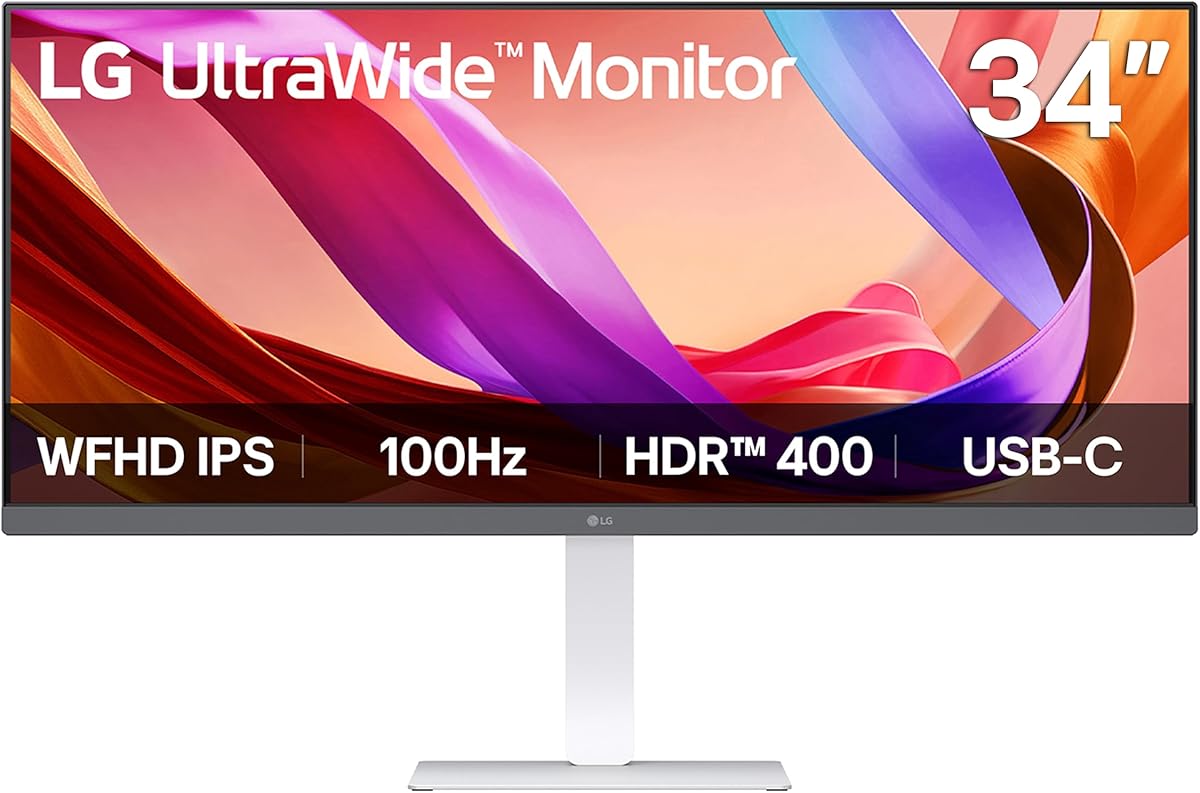
The LG 34U530A-W offers classic reliability from a trusted brand. It features an IPS panel for accurate colors and HDR400 for improved brightness. Its standout feature is the fully adjustable stand allowing tilt height and swivel adjustments.
We may earn a commission when you buy through this link, at no additional cost to you.
Ergonomics and connectivity are key. The stand ensures comfort for long use. USB-C simplifies laptop docking. The Switch app allows easy screen management. Built-in speakers provide audio without clutter. It is a solid choice for general office use.
Trade-offs include the WFHD resolution which limits multitasking space compared to WQHD. It is also limited to 100Hz for fast motion. These do not impact typical office work or media consumption.
This model is best for general office workers who value comfort. The adjustable stand and USB-C make it easy to set up. It is a reliable choice for a tidy workspace.
The stand allows full movement. You can raise lower or swivel the screen to find the perfect viewing angle.
The Switch app lets you split windows easily. This streamlines workflow without changing display settings constantly.
We may earn a commission when you buy through this link, at no additional cost to you.
The LG 34U650A-B blends productivity with premium features. It features a curved QHD display and supports 96W power delivery over USB-C. This allows charging powerful laptops while maintaining connectivity. The depth sound audio adds to the experience.
We may earn a commission when you buy through this link, at no additional cost to you.
Productivity and power are key. The curved design improves immersion and focus. HDR10 and high sRGB coverage ensure accurate visuals. Reader Mode helps with long document reading. It is well suited for content creation and heavy multitasking.
Trade-offs include the curved geometry which may not suit all wall mount setups. The price is higher than basic models. However, the power delivery and color performance justify the cost for professionals.
This monitor is ideal for power users and creators. It simplifies desk setups while delivering high quality visuals. For those needing high power charging and color accuracy it is an excellent pick.
The 96W USB-C charger supports high performance laptops. This replaces bulky chargers and keeps desks tidy.
Reader Mode adjusts color warmth for easier reading. This reduces eye strain during long work sessions.
We may earn a commission when you buy through this link, at no additional cost to you.
The KTC 34 Inch monitor offers high performance at a fair price. It features an HVA panel and a 180Hz refresh rate. The stand allows height adjustment which is rare at this level. The contrast ratio is high for deep blacks and shadows.
We may earn a commission when you buy through this link, at no additional cost to you.
Gaming performance is strong. Adaptive sync ensures smooth motion. The stand supports tilt swivel and pivot. PIP and PBP modes are available. A three-year warranty adds peace of mind. It competes with bigger brands on raw specs.
Trade-offs include less established brand reputation. Build quality is functional. But the performance and warranty make it a smart choice. It offers excellent value for those willing to try a newer brand.
This monitor is best for gamers wanting high refresh rates. The adjustable stand and warranty add value. It is a solid choice for those looking to balance budget and performance.
The HVA panel offers 4000:1 contrast ratio. This ensures dark scenes look detailed and vibrant in HDR content.
Height swivel and pivot adjustments improve ergonomics. This allows custom positioning for different desk setups.
We may earn a commission when you buy through this link, at no additional cost to you.
The Samsung ViewFinity S50GC provides a balanced experience. It features a QHD resolution and ambient light sensor for auto brightness. This helps in varying room lighting conditions. Eye Care features protect vision during long use.
We may earn a commission when you buy through this link, at no additional cost to you.
Comfort and visuals are strengths. The borderless design looks modern. 100Hz refresh rate supports gaming. PIP and PBP modes allow multitasking. PBP enables viewing two inputs. These features make it versatile for office and home use.
Trade-offs include lack of USB-C and average contrast. It relies on HDMI and DP for inputs. These are acceptable for traditional setups. It is a safe choice for general users.
This monitor is ideal for mixed office and home use. The ambient sensor and eye care add value. It is a good choice for those wanting a clean aesthetic.
Ambient light sensor adjusts brightness automatically. This maintains comfort without manual tweaking throughout the day.
Minimal bezels reduce distractions. This creates a seamless viewing experience especially in dual setups.
We may earn a commission when you buy through this link, at no additional cost to you.
The second Samsung model offers similar specs for a slightly different market. It supports QHD resolution and HDR10. PBP lets you run two programs on one screen. This is effective for comparing data or managing chats.
We may earn a commission when you buy through this link, at no additional cost to you.
Multitasking and vision care stand out. 100Hz ensures smoothness. Flicker Free reduces strain. Slim bezels help when using dual monitors. These features suit developers and researchers who need multiple windows.
Trade-offs include limited stand adjustments and lack of USB-C. It requires external docks for laptop power. These are standard for this price bracket. It remains a reliable choice for productivity.
This monitor is best for multitasking professionals. The PBP feature is powerful for workflows. It is a solid option for office environments requiring screen efficiency.
PBP lets you use two inputs simultaneously. This boosts workflow speed without needing a second monitor.
Slim bezels make dual setups seamless. This reduces gaps when placing two units side by side.
We may earn a commission when you buy through this link, at no additional cost to you.
Selecting the right monitor requires balancing specifications with your budget and use case. This guide breaks down the key factors to consider before buying.
Resolution defines how sharp images and text appear. WQHD (3440 x 1440) is ideal for work and gaming. WFHD (2560 x 1080) is cheaper but may look pixelated up close. Prioritize WQHD if you plan to display large amounts of text or high fidelity visuals.
For a clear and detailed experience choose WQHD resolution.
Refresh rate affects how smooth motion looks. High refresh rates like 165Hz or 200Hz are best for gaming. 100Hz is suitable for general use and video. Response time should be low to reduce blur. Look for 5ms or less for better performance.
Prioritize high refresh rates for gaming and smooth motion.
Panel types determine color and contrast. IPS offers better viewing angles and color accuracy. VA provides higher contrast and deeper blacks. TN is rare now but offers speed. Choose IPS for color critical work and VA for dark room immersion.
Choose IPS for color accuracy and VA for deep blacks.
Curved monitors wrap around your field of view. Curvature values like 1500R or 1800R define how tight the curve is. A lower number means a tighter curve. This is great for immersive gaming and reducing eye strain during long sessions.
Opt for a curved panel for immersive work and gaming.
Stand adjustability impacts long term comfort. Look for tilt height and swivel options. VESA mount support lets you use arms or wall mounts. Without height adjustment you may need to buy a separate stand. This is critical for avoiding back pain.
Ensure you have height adjust or VESA mount options.
Ports determine how you connect devices. USB-C simplifies setup for laptops with power delivery. HDMI and DP support high resolutions. Check the HDMI version for compatibility with high refresh rates. Proper ports prevent bottlenecks in performance.
Select monitors with HDMI 2.1 or USB-C for flexibility.
HDR support enhances brightness and contrast. Look for HDR400 or HDR10 for media. sRGB coverage ensures accurate colors for editing. 99% sRGB is standard for reliable results. This matters for photos and video editing tasks.
Ensure 99% sRGB coverage for accurate color work.
Extra features add value. PIP and PBP allow multitasking. Built-in speakers save space. Eye care tools reduce strain. These can define your comfort levels over time. Check reviews for reliability of these features.
Look for PIP PBP and eye care features for utility.
Start by connecting your devices via the correct ports. Use HDMI 2.1 or DisplayPort for the best refresh rates. Adjust your monitor settings to match your content needs. Calibrate brightness and color in your OS settings.
Clean the screen with a microfiber cloth. Avoid using harsh chemicals that might damage the coating. Dust regularly to maintain picture quality. Handle the monitor gently during transport to avoid cracks.
Update firmware occasionally to improve performance. Use stand adjustments to keep eyes at screen level. Turn off the monitor when not in use. This extends its lifespan and saves energy.
Curved monitors enhance immersion by fitting your natural field of view. They are best for gaming and media consumption. If you work mostly on flat 2D documents a flat panel might suffice. Consider your primary use case before buying.
UWQHD (3440 x 1440) provides more space for windows than WFHD. This allows side by side work without resizing. Higher resolution improves clarity of text and icons. Prioritize this if you use multiple apps.
Screen tearing happens when frame rates mismatch refresh rates. Enable FreeSync or G-Sync in your graphics settings. Keep your drivers updated for the best compatibility. This ensures smooth visuals during motion.
Yes as long as you have the right ports like HDMI. Some models support high refresh rates which benefit next-gen consoles. Check specific console compatibility for features like VRR. Most modern ultrawides work well.
Many budget models last years with proper care. Panel quality varies so check warranty details. Some brands offer multi-year coverage. Use surge protectors to prevent electrical damage for longevity.
Built-in speakers save desk space but have limited audio quality. They work for system sounds and calls. For music or movies external speakers are better. Decide if you need audio separately.
This guide highlights ten excellent ultrawide monitors offering performance and value. Top picks like the SANSUI and CRUA models deliver high refresh rates at low prices. LG offers ergonomic features for professional use.
Prioritize resolution and ergonomics based on your needs. Gamers should focus on refresh rates while office users may prefer USB-C and adjustability. Balancing these factors ensures a satisfying long term experience.
Always check current stock and promotions before buying. Prices fluctuate often so timing your purchase can save money. Choose the model that aligns best with your workflow.