
UGREEN DH4300 Plus
4.2Editor score
Entry level home storage
Smart photo backup features
Cost effective solution
This guide compares the top ten 4 Bay NAS models for storage, media, and security to help you choose the perfect network attached storage solution.
A 4 Bay NAS offers versatile storage for home and office needs. It supports flexible RAID configurations and handles media streaming or backups efficiently for various users.
We evaluated ten models based on performance, features, and usability. Each option brings unique strengths for creators, families, or professionals seeking reliable private cloud access.
Every pick highlights key specs and real-world use cases. Remember that prices fluctuate, so check current deals before finalizing your purchase decision.
4.2Editor score

4.6Editor score

4.4Editor score
This table provides a side-by-side look at all ten models, highlighting their core strengths and ideal use cases to simplify your selection process.






The TERRAMASTER F4-425 ranks high for budget-conscious buyers seeking solid performance. It earns its spot with a powerful Intel x86 processor and 4GB RAM.
We may earn a commission when you buy through this link, at no additional cost to you.
Its 2.5GbE port ensures ultra-fast file transfers while supporting multi-user access. The hardware-level 4K decoding makes it ideal for Plex or Jellyfin streaming.
Users note the tool-free Push-Lock design simplifies setup significantly. While software lacks depth compared to Synology, the value for money remains strong.
Choose this for home media centers or light office use. It offers reliable private storage without breaking the bank.
Hardware decoding supports smooth 4K playback across devices like Plex or Emby effortlessly.
Operating at just 21dB, it fits quietly in bedrooms or living rooms without distraction.
We may earn a commission when you buy through this link, at no additional cost to you.
The DXP4800 GT targets creators needing speed and endurance for heavy workloads. Its AMD Ryzen processor handles backups, media processing, and Docker apps smoothly.
We may earn a commission when you buy through this link, at no additional cost to you.
Dual 10GbE networking enables seamless 4K or 8K editing directly from the NAS. The built-in Surveillance Center offers local storage without cloud subscriptions.
Users appreciate the instant backup via SD card and USB ports for cameras. While Plex requires manual Docker setup, the ecosystem supports extensive self-hosted workflows.
This model suits tech enthusiasts requiring raw power and local control. It delivers professional-grade performance for small teams.
Dual 10GbE ports provide up to 2.5GB/s theoretical throughput for rapid transfers.
ONVIF/RTSP cameras work natively for secure, on-premise monitoring without extra fees.
We may earn a commission when you buy through this link, at no additional cost to you.
The Synology DS425+ earns our top pick for its balanced performance and enterprise-ready features. It excels in team collaboration with fast file sharing speeds.
We may earn a commission when you buy through this link, at no additional cost to you.
Granular access controls and audit logs ensure security for sensitive documents. Multi-layered data protection combines RAID, snapshots, and automated backups effectively.
Its surveillance support handles up to 30 IP cameras with motion detection. Users trust Synology for its 3-year warranty and expert customer support.
Ideal for small businesses needing secure, reliable storage. This is the best choice for professional environments.
Supports concurrent access from 10+ users while maintaining consistent transfer speeds.
Snapshots and RAID redundancy protect against accidental deletion or drive failures reliably.
We may earn a commission when you buy through this link, at no additional cost to you.
The DXP4800 Plus delivers high performance for small teams and creators. Its powerful processor ensures seamless collaboration across Windows, macOS, and mobile devices.
We may earn a commission when you buy through this link, at no additional cost to you.
Back up 1GB files in under a second using the 10GbE port. The AI photo album organizes media by faces and objects automatically.
Users value the secure private cloud with advanced encryption. While it lacks Wi-Fi, the app makes file sharing incredibly easy.
Choose this for reliable private storage with advanced media features. It suits families needing centralized backup.
10GbE network and USB ports enable rapid data movement for large media files.
Automatic recognition removes duplicates and tags photos by people or locations.
We may earn a commission when you buy through this link, at no additional cost to you.
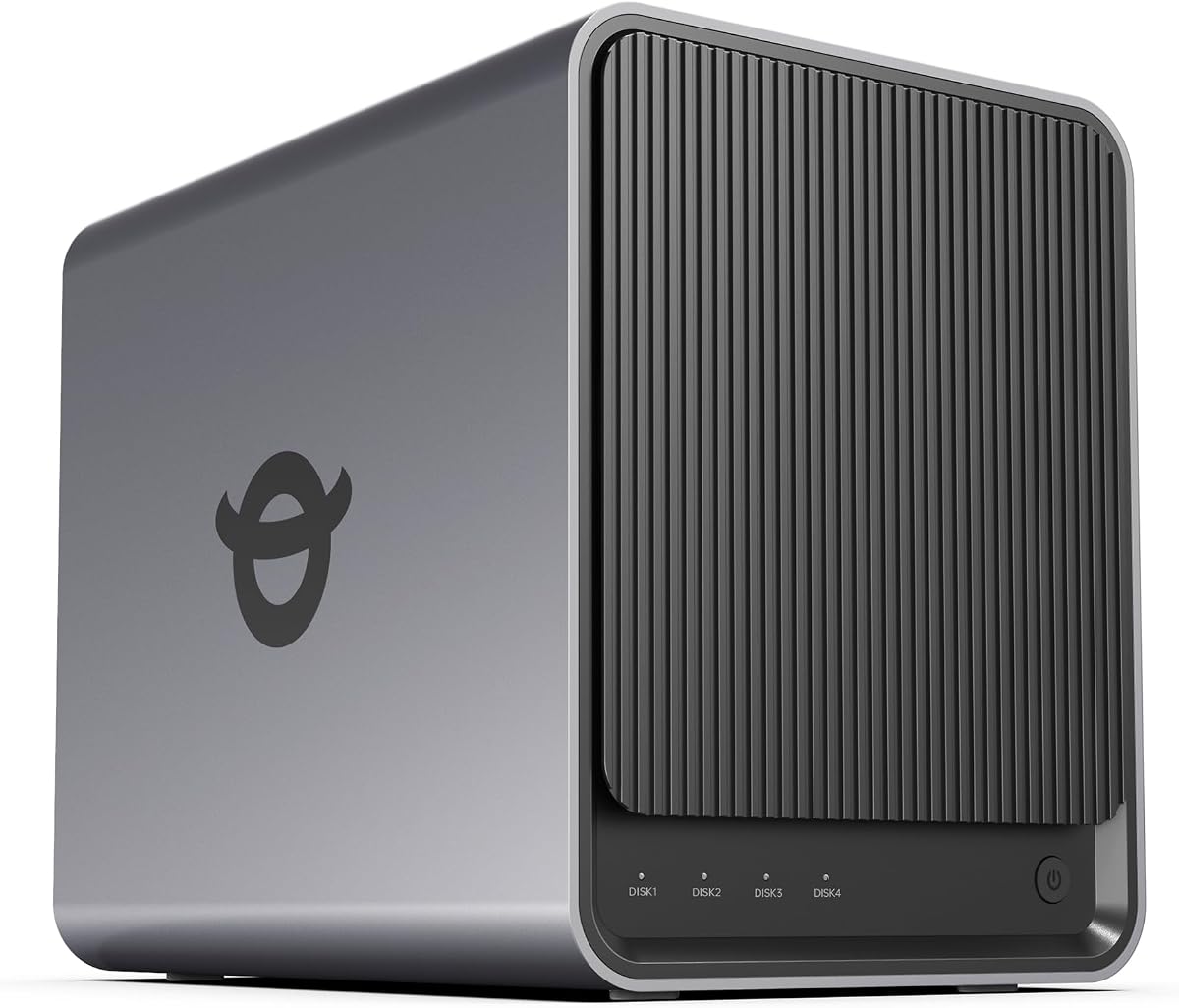
The DH4300 Plus is designed for beginners moving from cloud storage to private control. It offers intuitive setup and secure local storage.
We may earn a commission when you buy through this link, at no additional cost to you.
Real-time photo backups keep family memories organized with AI recognition. The app works seamlessly across all major devices for easy remote access.
Users save significantly compared to recurring cloud subscriptions. While lacking virtual machines, it handles Docker apps well for home needs.
This is the ideal choice for households seeking easy, private backup. It delivers value without complexity.
NFC connectivity and guided video tutorials help beginners get started quickly.
Stores data locally with ETSI EN 303 645 certification for enhanced security.
We may earn a commission when you buy through this link, at no additional cost to you.
The Synology DS925+ supports a wide range of storage needs with robust features. Its dual 2.5GbE ports ensure fast network transfer speeds.
We may earn a commission when you buy through this link, at no additional cost to you.
Up to 565 MB/s throughput enables stable data transfers for large files. Built-in file and photo management simplifies daily organization.
Users appreciate the included surveillance solutions for home security. Synology's 3-year warranty adds reliability for long-term use.
This model fits versatile environments needing stable performance. It offers flexibility for growing storage needs.
Up to 522/565 MB/s throughput ensures consistent speeds for large file backups.
Built-in tools manage surveillance tasks alongside standard file storage duties.
We may earn a commission when you buy through this link, at no additional cost to you.
The Yxk Zero1 Pro simplifies home NAS setup with guided mobile app instructions. First-time users can easily create shared storage for photos and files.
We may earn a commission when you buy through this link, at no additional cost to you.
Powered by an Intel N100 processor and 8GB RAM, it handles everyday tasks well. The 4K HDMI output supports direct media playback on TVs.
Users appreciate the aluminum housing with dual-fan cooling for stability. Third-party OS compatibility offers flexibility for advanced customization.
Choose this for a user-friendly home media center. It balances simplicity with useful features.
4K HDMI output allows direct connection to TVs for seamless media playback.
Supports TrueNAS or Unraid for users wanting deeper customization options.
We may earn a commission when you buy through this link, at no additional cost to you.
The Asustor Drivestor 4 Gen 2 offers optimized quad-core performance for daily storage. It handles automated backups and data management efficiently.
We may earn a commission when you buy through this link, at no additional cost to you.
Upgraded 2.5GbE networking improves file transfers over traditional gigabit systems. Btrfs snapshots protect against ransomware with WORM technology.
Users enjoy smooth 4K media playback and personal cloud remote access. Its compact design suits home offices needing reliable backups.
This is a great choice for budget-conscious users seeking protection. It balances performance with advanced data safety.
Btrfs snapshots and WORM technology keep critical files immutable and safe.
Supports smooth 4K playback for TVs and mobile entertainment systems.
We may earn a commission when you buy through this link, at no additional cost to you.
The Synology DS423 focuses on secure file sharing and family backups. It provides a reliable private cloud accessible from anywhere securely.
We may earn a commission when you buy through this link, at no additional cost to you.
Comprehensive protection includes snapshots and multi-destination backups. Its surveillance support handles up to 30 IP cameras effectively.
Users trust Synology for easy ransomware-resistant solutions. The 2-year warranty ensures reliable customer support and software updates.
Choose this for families prioritizing data safety. It simplifies secure backup workflows.
Share files safely from anywhere while keeping access controlled and encrypted.
Immutable snapshots protect critical documents from malware or accidental deletion.
We may earn a commission when you buy through this link, at no additional cost to you.
The UGREEN DXP4800 Pro targets IT professionals needing serious performance. Its Intel Core i3 processor delivers smooth multitasking for virtual machines.
We may earn a commission when you buy through this link, at no additional cost to you.
Dual high-speed network ports enable blazing-fast transfers up to 1.25GB/s. Local AI photo processing ensures privacy while managing massive libraries.
Users appreciate the colossal 144TB capacity and PCIe 4.0 SSD slots. Security features like data vaults offer enterprise-grade protection.
This is the best choice for power users. It provides flexibility for complex workflows.
Intel Core i3 and DDR5 RAM ensure smooth operation for demanding applications.
Granular permissions and data vaults protect sensitive files against unauthorized access.
We may earn a commission when you buy through this link, at no additional cost to you.
Selecting a 4 Bay NAS involves weighing several factors to match your storage and performance needs.
The processor drives multitasking speed. Look for quad-core CPUs like Intel N100 or AMD Ryzen for smoother media transcoding and backups.
Higher clock speeds help handle multiple users accessing files simultaneously without lag.
RAM affects app performance. Models with expandable memory allow future upgrades for Docker or virtual machines.
8GB RAM is ideal for power users, while 4GB suits basic storage needs.
Network ports dictate transfer rates. 2.5GbE or 10GbE ports enable fast backups essential for large media libraries.
Ensure your router supports these speeds to maximize throughput.
Check max drive support per bay. 30TB to 32TB per bay allows massive total storage without external enclosures.
Total capacity impacts how long you can store media without upgrades.
OS usability matters for beginners. Synology offers intuitive interfaces while UGREEN provides flexible ecosystems for apps.
Consider support for third-party OS like TrueNAS if customization is key.
RAID configurations protect data from drive failures. Look for flexibility between speed and redundancy in your setup.
Choose RAID 5 for balance or RAID 0 for maximum performance.
Hardware transcoding ensures smooth 4K playback. Support for Plex or Emby allows streaming to multiple devices seamlessly.
Check for HDMI output if direct TV connection is preferred.
Encryption and snapshots protect against ransomware. Look for local data storage options to avoid cloud fees.
Regular firmware updates ensure ongoing security against new threats.
Begin by installing hard drives into the tool-free trays and connecting the NAS to your network via Ethernet.
Access the setup wizard to initialize storage pools and create user accounts with specific permissions.
Regularly update firmware to patch security vulnerabilities and maintain smooth performance over time.
Most models are sold diskless to let you choose drives that fit your budget. You must purchase compatible HDDs separately before initial setup.
Yes, SATA SSDs fit in the bays while some units have M.2 slots for NVMe cache. This improves read speeds for databases or media files.
Setup is designed for beginners with guided mobile apps or web wizards. Follow the included manual to connect drives and create storage pools easily.
Four bays provide scalable storage allowing RAID redundancy for data safety. It supports multiple users and handles media streaming or file sharing efficiently.
Local use needs no internet but remote access requires a connection. You can use local apps to share files across devices on your home network.
Yes, many models support Plex via direct install or Docker containers. Hardware transcoding ensures smooth playback for large video libraries across devices.
The TERRAMASTER F4-425, Synology DS425+, and UGREEN DXP4800 Pro stand out for budget, balance, and premium power respectively.
Prioritize processor and network speed based on whether you handle media, backups, or virtual machines.
Check current offers before buying to ensure you get the best value for your specific needs.