
AOC 27" Gaming Monitor QHD 260Hz Overclocked IPS NVIDIA G-SYNC Q27G41ZE
4.6Editor score
240Hz refresh rate via DisplayPort
0.3ms MPRT response time
Adaptive-Sync for AMD and NVIDIA
Finding the right display for competitive gaming requires balancing resolution and speed. A 1440p monitor at 240Hz offers sharp visuals and fluid motion for serious players who demand precision without compromise in their setup today.
We evaluated ten leading models based on refresh rates, response times, panel types, and connectivity options. Our analysis focuses on real-world performance metrics that matter most to gamers seeking an edge in fast-paced titles without sacrificing image quality.
Each selection highlights specific strengths like color accuracy, adaptive sync support, and ergonomic features. Prices fluctuate often so check current listings before purchasing to ensure you get the best deal available for your specific gaming needs right now.
4.6Editor score

4.4Editor score

4.6Editor score
As an Amazon Associate we earn from qualifying purchases.
The following table provides a side-by-side comparison of all ten models to help you quickly identify key specifications and features for each gaming display option available.


The AOC Q27G41ZE stands out as an affordable option for gamers seeking high refresh rates. It delivers a solid 240Hz experience with an IPS panel that ensures good color accuracy and viewing angles for a price that fits most budgets.
We may earn a commission when you buy through this link, at no additional cost to you.
This monitor features a 27-inch QHD display with vibrant colors and sharp details. The 0.3ms MPRT response time minimizes motion blur effectively. Adaptive-Sync support ensures smooth gameplay across both AMD and NVIDIA GPUs without tearing or stuttering.
While it lacks height adjustment and has a basic stand, the performance per dollar is hard to beat. The three-sided frameless design looks modern. Shadow control and game presets help optimize visuals for different genres quickly.
Gamers on a budget should consider this model for competitive titles. It balances speed and image quality well. Check current listings for availability. This display offers excellent value for those prioritizing refresh rate over premium ergonomics.
Priced competitively, this monitor delivers high refresh rates without breaking the bank for entry level competitive players.
It includes DisplayPort and HDMI ports to connect various consoles and PCs easily for a versatile setup.
We may earn a commission when you buy through this link, at no additional cost to you.
The Acer Nitro XV272U offers a well-rounded package for 1440p gaming. It combines a fast 240Hz refresh rate with a robust stand that allows height and pivot adjustments. This makes it comfortable for long sessions without neck strain.
We may earn a commission when you buy through this link, at no additional cost to you.
Its WQHD IPS panel provides crisp images and vibrant colors suitable for both gaming and content creation. AMD FreeSync Premium technology ensures smooth performance. The included cables simplify setup while the audio outputs allow easy speaker integration.
The response time can vary between 0.5ms and 1ms depending on settings. Some users might find the color gamut limited compared to higher end models. However the ergonomic features make it a strong contender for daily use.
This monitor is ideal for users who need versatility. The stand adjustments alone justify the cost. It handles fast paced games well. Consider this if you want a balanced display that grows with your setup needs.
The full ergonomic stand supports height pivot and swivel to reduce physical fatigue during extended gaming marathons.
Multiple HDMI and DisplayPort inputs ensure compatibility with multiple consoles and PCs simultaneously without adapters.
We may earn a commission when you buy through this link, at no additional cost to you.
The LG 27GR83Q-B earns our Editor's Choice for its balanced performance and feature set. It supports 240Hz over both DisplayPort and HDMI 2.1 making it versatile for next gen consoles and PCs alike. The IPS panel delivers excellent color fidelity.
We may earn a commission when you buy through this link, at no additional cost to you.
With 95% DCI-P3 coverage and G-SYNC compatibility this monitor provides smooth and vibrant visuals. Gaming features like Dynamic Action Sync and Black Stabilizer enhance performance in competitive scenarios. The stand offers full adjustability for comfort.
While HDR 400 is present it may not deliver deep blacks in dark scenes. The lack of a USB hub limits peripheral connectivity. However the overall speed and color accuracy make it a strong choice for most gamers.
We recommend this for players seeking high refresh rates with color accuracy. It handles fast shooters and racing games well. Check current prices before buying. This model remains a top contender for high performance 1440p displays in 2026.
HDMI 2.1 support allows console gamers to access high refresh rates without needing additional adapters or converters.
The 95% DCI-P3 color gamut ensures accurate and vibrant colors that enhance immersion in rich visual games.
We may earn a commission when you buy through this link, at no additional cost to you.
The Acer Predator X27U brings QD-OLED technology to the 1440p space. This panel type offers true blacks and infinite contrast which transforms dark scenes. The 240Hz refresh rate ensures fluid motion while the ZeroFrame design maximizes screen real estate.
We may earn a commission when you buy through this link, at no additional cost to you.
Colors pop with 99% DCI-P3 coverage and HDR10 support. The 0.03ms response time eliminates ghosting completely. AMD FreeSync Premium helps maintain smooth gameplay. Image retention refresh helps mitigate OLED risks effectively for long term usage.
Stand adjustments are basic which might frustrate ergonomics focused users. There is always a risk of burn in with static HUDs. However the visual quality is unmatched for single player titles. It is a premium choice for visual fidelity.
This monitor suits gamers who prioritize image quality over convenience. The immersive experience is worth the cost. Use screensavers to preserve the panel. Consider this if you want the best picture quality available for your gaming setup today.
OLED technology provides perfect blacks in dark scenes making horror and sci-fi games look more realistic than ever.
Quantum Dot tech enhances saturation making colors stand out vividly without losing natural tones or detail.
We may earn a commission when you buy through this link, at no additional cost to you.
The KTC H27E6S targets speed enthusiasts with an overclockable 275Hz refresh rate. Its Fast IPS panel delivers bright and vibrant images with 123% sRGB coverage. The white finish offers a unique look that complements modern setups well for desk aesthetics.
We may earn a commission when you buy through this link, at no additional cost to you.
Connectivity is robust with dual HDMI and DisplayPort inputs. Built-in speakers save desk space and the headphone jack supports private listening. The stand supports full adjustments including pivot which adds versatility for various content types beyond gaming.
Performance metrics depend on stable overclock settings. Reviewers suggest checking user feedback for consistency. The warranty service provides peace of mind. This monitor is a strong alternative to bigger brands with similar raw performance specs and features.
Buy this if you want high refresh rates without paying a premium. It balances features and speed well. The white design stands out. Consider it if you need full ergonomic adjustments and a unique look for your gaming station.
The white finish offers a fresh alternative to traditional black monitors making it a great choice for white themed setups.
Overclocking to 275Hz gives competitive gamers an edge with faster frame updates and smoother motion clarity.
We may earn a commission when you buy through this link, at no additional cost to you.
The ASUS ROG XG27ACMG delivers premium features for serious gamers. Its 270Hz overclock rate provides exceptional smoothness. USB-C connectivity simplifies laptop setups with video and power in one cable. ELMB SYNC helps reduce motion blur effectively.
We may earn a commission when you buy through this link, at no additional cost to you.
The 95% DCI-P3 gamut ensures accurate and vibrant colors. DisplayWidget Center makes adjustments easy via mouse. The three year warranty adds reliability. ROG A.I features enhance audio and visual clarity during intense sessions for better immersion.
While expensive it justifies the cost with unique features like USB-C. The software requires some setup time. Not everyone needs every feature. However for users who value ergonomics and tech the investment is worthwhile and valuable.
Consider this for professional setups needing USB-C and high refresh. It handles multiple devices well. Check current bundles for bonuses. This model fits those wanting a feature-rich experience with reliable support from a trusted brand.
USB-C DP Alt mode allows a single cable connection for video and power keeping your desk clean and organized.
ELMB SYNC combines variable refresh rates with motion blur reduction for sharper visuals during fast movements.
We may earn a commission when you buy through this link, at no additional cost to you.
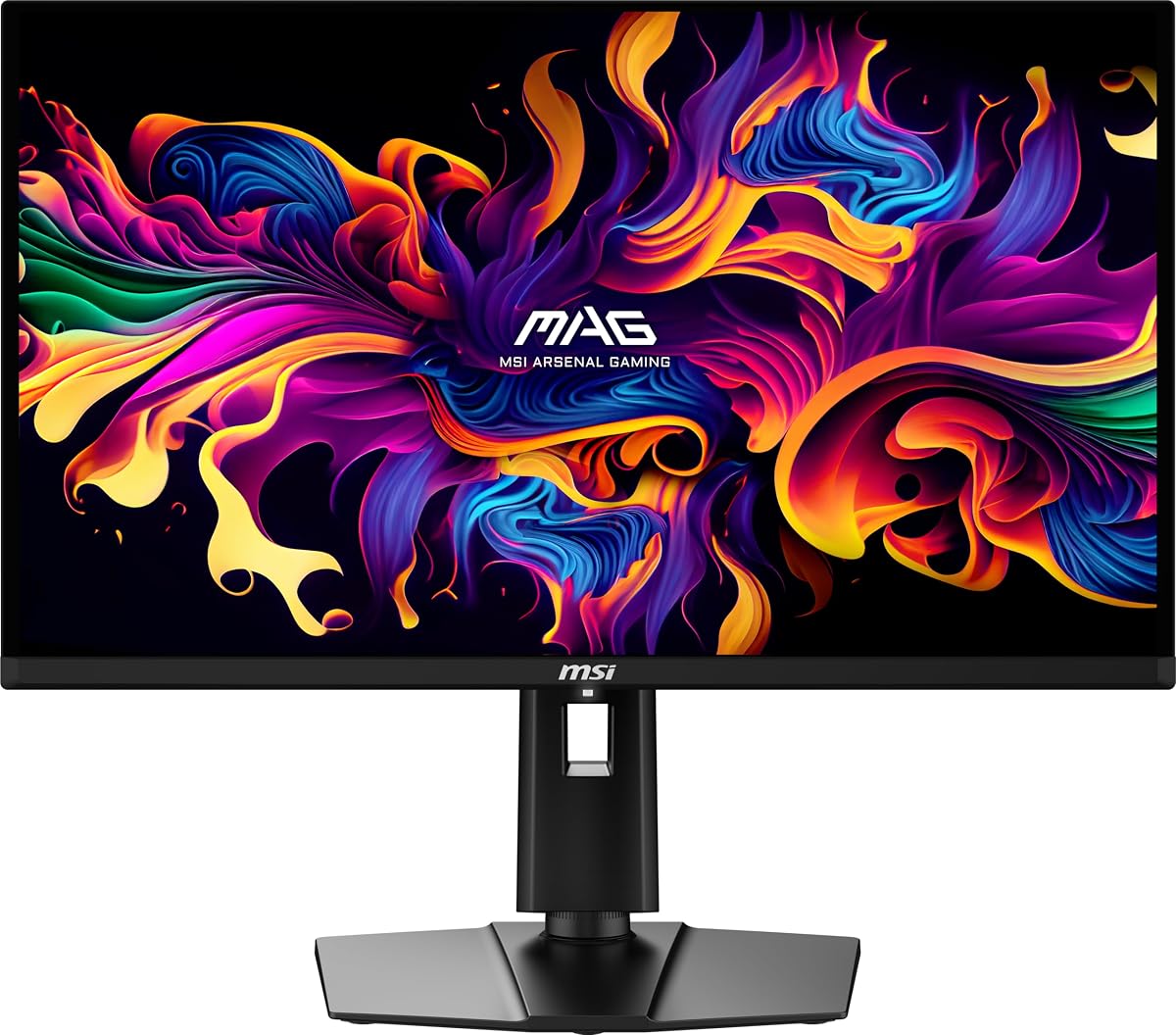
The MSI MAG 274QP redefines premium gaming with QD-OLED tech. It offers stunning contrast and 10-bit color depth. The 0.03ms response time is virtually instantaneous. HDMI 2.1 ensures compatibility with next gen consoles for high performance output.
We may earn a commission when you buy through this link, at no additional cost to you.
A graphene heatsink ensures silent operation without fans. OLED Care 2.0 helps prevent burn-in significantly. Gaming Intelligence software assists with crosshair accuracy and assistance features. The build quality feels robust for a high-end display.
It carries a premium price tag. Stand adjustments are good but not full pivot. For competitive players every pixel counts. This panel delivers unmatched visual performance. It justifies its cost with cutting-edge technology and reliability.
This model is for those demanding the best visual experience. It excels in dark scenes. Use care settings regularly. Consider this if you want top-tier performance and reliability without compromising on image fidelity or response speed.
The fanless graphene heatsink keeps noise levels low so you hear only game audio without fan hum distraction.
HDMI 2.1 ensures next-gen consoles run at full 1440p 240Hz without bandwidth limitations or performance caps.
We may earn a commission when you buy through this link, at no additional cost to you.
The Alienware AW2723DF brings premium branding and performance. Its Fast IPS panel supports 280Hz overclocking for extreme fluidity. HDR 600 certification ensures bright highlights in supported games. The Legend design with AlienFX lighting integrates seamlessly into battle stations.
We may earn a commission when you buy through this link, at no additional cost to you.
Full ergonomic adjustments and robust build quality make it comfortable for long sessions. NVIDIA G-SYNC Compatible certification eliminates tearing effectively. The stand includes swivel and pivot for versatile viewing angles. Cable management keeps the desk organized.
Some users find OSD menus complex. The price includes brand value. Performance is solid for competitive titles. The visual quality matches its premium status. It justifies cost through build and feature depth.
Choose this for a stylish high-performance display. It suits enthusiasts who value design. Check warranty options. Consider it if you want a trusted brand with strong support and advanced lighting integration for a cohesive gaming setup.
The Legend design with integrated lighting creates a cohesive look that enhances immersion without cluttering the desk.
HDR 600 support delivers brighter highlights in well-lit rooms ensuring colors remain vivid in any environment.
We may earn a commission when you buy through this link, at no additional cost to you.
The Acer Nitro KG271U offers versatility for gaming and design. It provides a 240Hz refresh rate and accurate sRGB coverage. The zero-frame design maximizes screen space. This makes it ideal for both productivity and competitive gaming.
We may earn a commission when you buy through this link, at no additional cost to you.
Responsive 0.5ms GTG ensures smooth transitions. AMD FreeSync Premium minimizes tearing effectively. It handles fast motion well. The price point makes it attractive for budget buyers. It offers balanced performance without compromise.
Limited stand adjustments can be a drawback. You might need a VESA mount for height. Color accuracy is strong for editing. The performance meets most gaming needs well. It is a solid pick for general users.
Buy this if you want a multi-purpose monitor. It suits those needing color accuracy. Check current deals for value. Consider this for a balanced display that handles work and play equally without sacrificing speed or quality.
High sRGB accuracy makes this suitable for editors and designers who need reliable colors alongside fast gaming.
Zero-frame bezels maximize screen area and allow seamless multi-monitor setups for immersive viewing experiences.
We may earn a commission when you buy through this link, at no additional cost to you.
The MSI MAG 271QPX delivers elite OLED clarity at a competitive value. It combines Quantum Dot tech with OLED for vibrant images. The 240Hz rate and 0.03ms response ensure fluid gameplay. True Black HDR 400 deepens dark scenes effectively.
We may earn a commission when you buy through this link, at no additional cost to you.
A fanless design keeps noise to zero during play. This ensures silent heat dispersion which extends panel life. Height and tilt adjustments add comfort. The build feels robust for daily use without active cooling noise.
This is a strong choice for those prioritizing image quality. It outperforms standard IPS panels in contrast and color. There is a cost premium. Performance justifies it for serious users. Consider this for next gen visual quality.
Recommend this for enthusiasts seeking OLED without the highest price tag. It handles fast paced games well. Check warranty details. Consider this if you want advanced panel technology for stunning immersion in single player and competitive titles.
Fanless design ensures zero noise from the monitor itself keeping the focus strictly on game audio.
Advanced cooling tech extends the life of the OLED panel by managing heat without mechanical fans.
We may earn a commission when you buy through this link, at no additional cost to you.
Selecting the ideal monitor requires weighing multiple factors beyond just refresh rate. Understanding panel technology, connectivity, and ergonomics ensures you get a display that fits your specific gaming needs.
IPS panels offer better colors and viewing angles than TN. OLED panels provide infinite contrast and faster response times. OLEDs may risk burn in but deliver stunning visuals for modern games.
Choose IPS for color accuracy or OLED for contrast and speed.
A 240Hz refresh rate ensures smooth motion in competitive titles. Higher rates like 270Hz provide extra fluidity. Ensure your GPU can sustain frame rates to utilize the full refresh capability.
Higher refresh rates reduce motion blur and enhance clarity in fast scenes.
Fast response times prevent ghosting. OLEDs offer near instant transitions while IPS varies. A 1ms or lower response is ideal for competitive gaming to maintain visual clarity.
Look for low response times to avoid smearing during rapid movement.
DisplayPort and HDMI 2.1 support are essential for 240Hz. Check cable compatibility to ensure you achieve the maximum refresh rate. USB-C simplifies laptop setups with single cable options.
Ensure your connections support the desired refresh rate and resolution.
G-SYNC or FreeSync reduces tearing. Both AMD and NVIDIA support work well on most monitors. Adaptive sync ensures smooth gameplay without frame rate drops.
Prioritize monitors with validated adaptive sync for smoother performance.
Stand adjustability reduces neck strain. Height tilt and pivot features help you position the screen correctly. VESA mounting allows third-party stands for better flexibility.
Comfortable stands improve posture during extended gaming sessions.
Wide color gamuts enhance vibrancy. 95% DCI-P3 or 123% sRGB offers rich visuals. This matters for creative work and visually rich games.
Prioritize high coverage for more realistic and immersive colors.
Brightness ensures visibility in bright rooms. Look for at least 300 nits. HDR certification like HDR 600 improves contrast in supported content.
Higher brightness prevents glare and maintains image clarity.
Set your graphics card to match the monitor refresh rate. Use the appropriate cable like DisplayPort to unlock full speeds. Configure adaptive sync to prevent tearing during gameplay.
Clean the screen with a soft microfiber cloth. Avoid harsh chemicals that could damage the panel coating. Store cables neatly to prevent tripping or damage.
Use built-in eye care features to reduce strain during long sessions. Lower brightness in dark rooms to prevent fatigue. Enable screensavers to protect OLED panels from burn-in.
Use a DisplayPort 1.4 cable for most models. For HDMI, ensure the monitor and GPU support HDMI 2.1. Using older cables might limit you to 144Hz.
G-SYNC Compatible monitors work with most modern NVIDIA cards. Verify your GPU model and driver settings. Enable G-Sync in the NVIDIA Control Panel for best results.
The difference is noticeable in fast-paced games like shooters. It reduces motion blur significantly. Most competitive players prefer higher refresh rates for smoother tracking and reaction times.
Use screensavers and avoid static HUD elements. Adjust brightness and enable pixel shift features. OLED panels have improved burn-in resistance over older generations.
Yes you need a strong GPU to maintain high frame rates. Aim for at least an RTX 4070 level card. Lowering settings helps achieve consistent performance in demanding titles.
HDR improves contrast and brightness in supported games. It makes bright scenes pop while retaining shadow detail. However true HDR requires higher brightness than most budget displays offer.
We reviewed ten excellent options including budget-friendly IPS panels and premium OLEDs. Each model offers unique strengths for competitive and immersive gaming experiences.
Prioritize refresh rates and adaptive sync for competitive titles. OLED panels provide stunning visuals while IPS balances value and features effectively.
Check current listings for pricing before buying. Monitor prices fluctuate based on demand. Select the model that best matches your specific budget and performance needs today.