
ASUS ROG Strix G16 (2025)
4.4Editor score
Intel Core i7 14650HX
RTX 5060 GPU
165Hz FHD+ Display
The ASUS ROG Strix lineup represents some of the most powerful gaming laptops available today. These machines combine high-end processors with dedicated graphics cards to deliver exceptional performance for gaming and creative work.
We have carefully evaluated ten distinct models from the ROG Strix family to help you find the perfect fit. Our analysis focuses on processor speed, graphics capabilities, display quality, and thermal management systems.
Each pick highlights key specifications and unique features that set the device apart. Keep in mind that pricing fluctuates often, so verify the current cost before making your final purchasing decision.
4.4Editor score

4.3Editor score

4.3Editor score
As an Amazon Associate we earn from qualifying purchases.
The following table provides a side-by-side comparison of the ten selected ASUS ROG Strix laptops. Review the processor, graphics, memory, and screen specifications to identify the model that aligns with your needs.



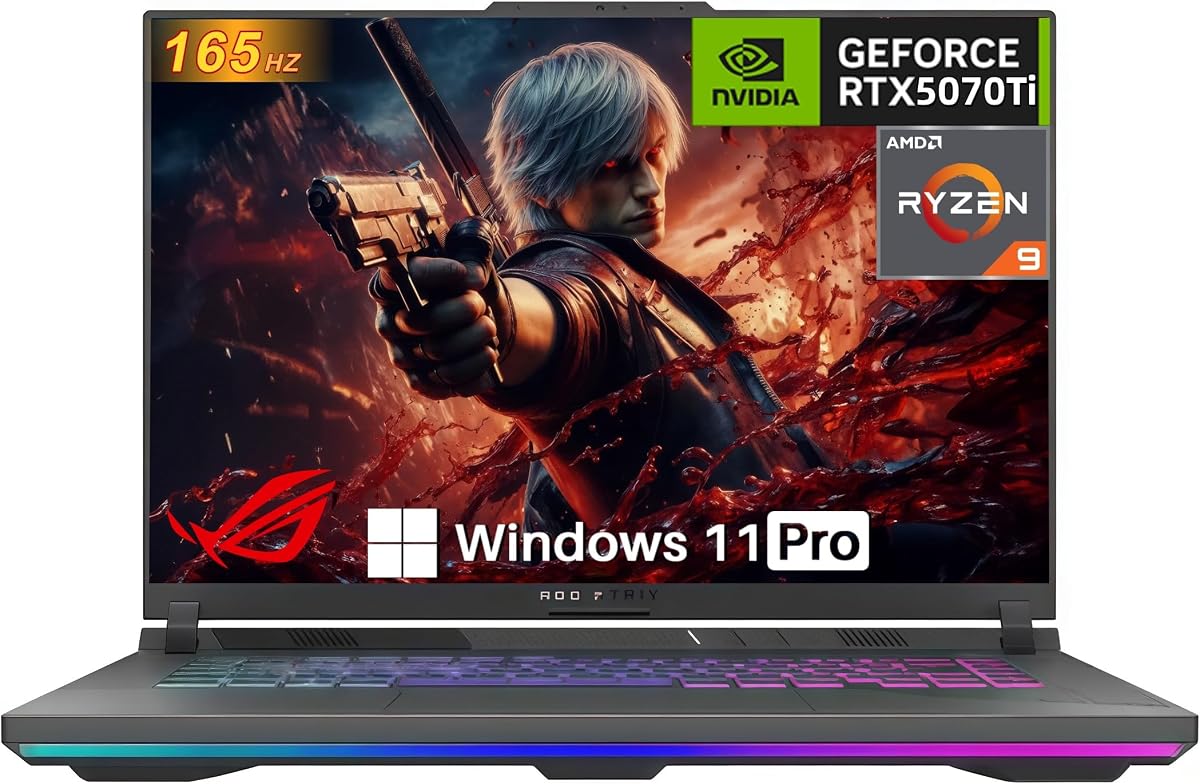

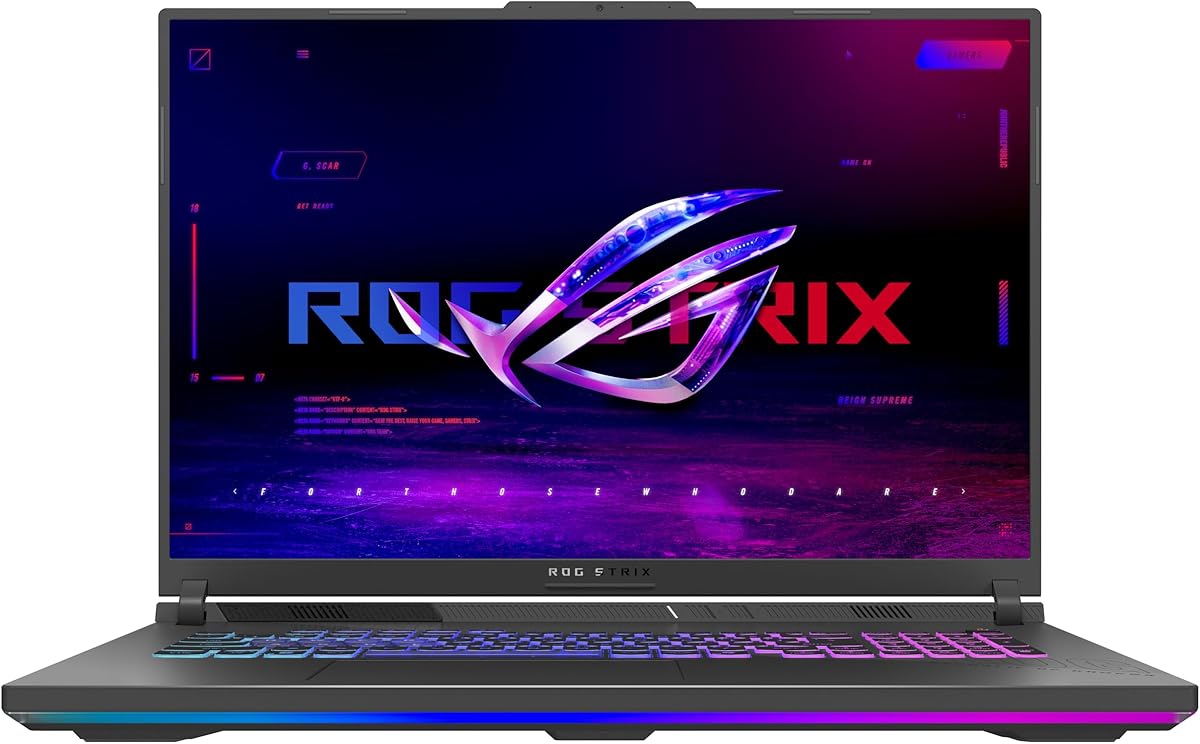
This laptop delivers solid performance for gamers seeking value without compromising on essential features. It holds a 4.4 rating from users who appreciate its balance of power and price in the current market.
We may earn a commission when you buy through this link, at no additional cost to you.
Powered by an Intel Core i7 14650HX and RTX 5060 GPU, this system handles modern titles smoothly. The 16GB DDR5 RAM ensures seamless multitasking while the 1TB Gen 4 SSD provides ample storage.
While the 165Hz FHD+ display is not as sharp as higher resolutions, it offers smooth visuals for competitive gaming. The ROG Intelligent Cooling system keeps the hardware cool during extended sessions.
This model is ideal for budget-conscious gamers who want a reliable machine capable of running popular titles at high settings. It stands as a strong entry point into the high-performance Strix family.
The ROG Intelligent Cooling system features a vapor chamber and tri-fan technology to maintain low temperatures.
Built-in Wi-Fi 7 ensures the fastest wireless speeds for online gaming and large file transfers.
We may earn a commission when you buy through this link, at no additional cost to you.
This model earns the Editor's Choice badge for offering a premium experience at a competitive tier. With a 4.3 rating, users praise its stunning display and robust hardware configuration.
We may earn a commission when you buy through this link, at no additional cost to you.
The Intel Core Ultra 9 275HX paired with the RTX 5070 Ti provides exceptional power for gaming and creative tasks. The 32GB of DDR5 RAM ensures you never run into memory bottlenecks.
The 240Hz ROG Nebula display brings incredible clarity and smoothness to gameplay. While the price is higher, the upgrade in screen quality and processing power justifies the cost for enthusiasts.
Choose this laptop if you need high fidelity visuals and significant power headroom. It is a perfect fit for content creators and hardcore gamers alike.
The 2.5K resolution and 240Hz refresh rate deliver crisp, tear-free images for immersive gaming.
The latest Ultra 9 processor ensures fast rendering and smooth performance in demanding applications.
We may earn a commission when you buy through this link, at no additional cost to you.
This flagship model offers desktop-level performance in a sleek laptop design. Users rate it highly for its breathtaking HDR display and premium build quality suited for serious gaming.
We may earn a commission when you buy through this link, at no additional cost to you.
The 18-inch ROG Nebula HDR display with Mini LED technology provides incredible brightness and contrast. The RTX 5070 Ti and Core Ultra 9 ensure top-tier performance across all genres.
While it is larger than standard laptops, the tool-free access allows easy RAM and SSD upgrades. The MUX Switch enhances gaming performance by routing frames directly from the discrete GPU.
This laptop is the ultimate choice for those who want the best available screen and performance. It replaces the need for a desktop setup in almost any scenario.
Mini LED dimming zones offer deep blacks and vibrant colors for an immersive HDR experience.
Tool-free access to hardware components makes upgrades quick and easy without specialized tools.
We may earn a commission when you buy through this link, at no additional cost to you.
This model pairs a powerful CPU with a stunning display for multimedia enthusiasts. The 240Hz Nebula Display makes content creation and media consumption a pleasure on this device.
We may earn a commission when you buy through this link, at no additional cost to you.
The Intel Core Ultra 9 275HX provides excellent processing power for tasks like rendering and compilation. The 2.5K screen offers high sharpness and vivid colors thanks to Dolby Vision support.
While the RTX 5060 GPU might be a step down for hardcore gaming, the CPU ensures overall system responsiveness. It is a balanced option for users who prioritize screen quality over raw frame rates.
If you need a portable workstation with a top-tier screen, this laptop fits the bill well. It brings the premium display experience to a slightly more affordable tier.
The 2.5K Nebula panel offers superior resolution and color accuracy for professional creative work.
The Core Ultra 9 chip brings advanced AI features and high efficiency to your daily tasks.
We may earn a commission when you buy through this link, at no additional cost to you.
This laptop brings AMD power to the Strix lineup with strong multitasking capabilities. It is designed for gamers who want a robust CPU for streaming and heavy gaming loads simultaneously.
We may earn a commission when you buy through this link, at no additional cost to you.
The Ryzen 9 9955HX processor delivers exceptional speeds for both gaming and productivity. Paired with an RTX 5070 GPU, it handles modern titles with ease and supports advanced frame generation features.
The 165Hz display provides smooth visuals for competitive play. While it does not have the premium screen of other models, the internal hardware is top-notch for gaming performance.
Opt for this device if you prefer AMD processors and need strong gaming performance. It is a versatile choice for streamers and multitaskers.
Ryzen 9 chips offer excellent multi-core performance for streaming and content creation tasks.
Advanced Optimus and MUX Switch ensure you get the best balance between power and battery life.
We may earn a commission when you buy through this link, at no additional cost to you.
This model pushes high performance with a powerful GPU and ample memory for heavy workflows. It has earned a perfect 5.0 rating from early adopters who praise its power and reliability.
We may earn a commission when you buy through this link, at no additional cost to you.
The RTX 5070 Ti with 140W TGP delivers exceptional frame rates in demanding titles. The 32GB of DDR5 RAM ensures you can run multiple applications without slowdowns or stuttering.
While the screen is standard 165Hz WUXGA, the internal hardware is capable of driving very high refresh rates. The cooling system maintains performance even under sustained heavy loads.
Buy this if you need raw power for gaming and video editing. It acts like a true desktop replacement in a portable form factor.
A 140W TGP ensures the GPU gets enough power to reach its peak gaming performance.
32GB of DDR5 RAM future-proofs the system for upcoming software and game requirements.
We may earn a commission when you buy through this link, at no additional cost to you.
This laptop is praised for its strong GPU and flexible design for upgrades. It stands out with a high rating from users who appreciate its easy access to hardware components.
We may earn a commission when you buy through this link, at no additional cost to you.
The Ryzen 9 processor and RTX 5070 Ti offer a winning combination for competitive gaming. The Q-latch SSD system allows you to swap storage in seconds without tools.
While it comes with 16GB of RAM, the tool-free design lets you expand easily later. This makes it a great long-term investment for growing needs.
Choose this model if you want a mix of performance and easy maintenance. It is a solid choice for DIY enthusiasts and gamers.
Access RAM, SSD, and fans without a screwdriver to customize your laptop easily.
Vapor chamber and liquid metal tech keep the system cool during intense gaming sessions.
We may earn a commission when you buy through this link, at no additional cost to you.
This 2026 model pushes the boundaries with next-gen hardware and advanced displays. Early feedback suggests it is a powerhouse for those who want the absolute best available technology.
We may earn a commission when you buy through this link, at no additional cost to you.
The RTX 5080 GPU ensures future readiness for demanding games and creative software. The Intel Core Ultra 9 Plus provides advanced AI acceleration and raw processing power.
The 240Hz Nebula HDR screen offers stunning visuals for media and gaming. With tool-free access, you can maintain and upgrade the machine easily for years.
Invest in this if you demand top-tier performance and the latest features. It is a flagship machine that sets a new standard.
The RTX 5080 brings superior ray tracing and AI performance for next-gen titles.
Wi-Fi 7 offers extremely low latency for online gaming and fast file transfers.
We may earn a commission when you buy through this link, at no additional cost to you.
This model offers massive storage and memory for users who keep large game libraries. It stands out with a strong configuration that handles multitasking and file management with ease.
We may earn a commission when you buy through this link, at no additional cost to you.
With 2TB of Gen 4 SSD and 32GB DDR5, you can load dozens of AAA titles without worry. The Core Ultra 9 ensures smooth operation even with heavy background processes.
The 240Hz Nebula Display adds a high-quality screen experience. While the price is higher, the storage capacity saves you the cost of an upgrade.
Choose this if you need a portable library and high performance. It is ideal for travelers who want desktop-level storage capacity.
A 2TB SSD provides space for huge game libraries and large media projects.
Windows 11 Pro offers enhanced security and management features for business use.
We may earn a commission when you buy through this link, at no additional cost to you.
This model offers a large screen experience with a strong processor for daily tasks. Users rate it well for its display size and solid performance in standard use cases.
We may earn a commission when you buy through this link, at no additional cost to you.
The 18-inch FHD+ display gives you more room for multitasking and immersive play. The Ryzen 9 CPU ensures fast response times in applications and productivity suites.
While the RTX 5050 is an entry-level GPU, the large screen makes it a great choice for media consumption. The cooling system handles the heat well for a larger chassis.
This is a great option if you want a desktop-sized display in a laptop. It works well for students and media consumers who want a big visual workspace.
An 18-inch screen provides extra workspace for creative apps and multitasking.
The Ryzen 9 CPU ensures the system remains responsive during complex tasks.
We may earn a commission when you buy through this link, at no additional cost to you.
Selecting the right ROG Strix laptop requires balancing performance needs with budget and portability. Use this guide to understand the key factors that impact your choice.
The CPU determines how fast your laptop can handle games and multitasking. Look for Intel Core i7 or i9 or AMD Ryzen 7 or 9 for strong performance.
Prioritize newer generations like Intel Core Ultra or AMD Ryzen 9 for better efficiency and speed.
The GPU is critical for gaming performance and rendering visuals. Choose RTX 5060 or higher for modern titles.
Ensure the GPU has a high TGP rating to maximize frame rates.
Screen resolution and refresh rate define your visual experience. Aim for 2.5K and 240Hz for crisp and smooth gameplay.
HDR support and OLED or Mini LED panels improve color accuracy and contrast.
16GB DDR5 is standard for most gaming tasks. Consider 32GB for heavy multitasking or editing.
A 1TB Gen 4 SSD offers good balance. Upgrade to 2TB if you store large libraries.
Robust cooling keeps your system stable during long sessions. Look for vapor chambers and liquid metal.
Tri-fan technology helps dissipate heat effectively in larger chassis.
16-inch laptops are easier to carry than 18-inch models. Consider weight if you travel often.
Larger screens offer more space but are heavier and less portable.
High-performance laptops consume significant power. Expect shorter battery life under load.
Advanced Optimus and MUX Switch can help improve battery efficiency.
Wi-Fi 7 ensures the fastest wireless speeds. Check port variety for peripherals.
Look for HDMI 2.1 and USB-C support for external monitors.
Keep the laptop on a hard, flat surface to ensure proper airflow. Avoid using it on soft surfaces like beds or couches to prevent overheating.
Use the ROG Armoury Crate software to manage performance profiles and customize the RGB lighting. This tool helps you balance power usage and cooling.
Regularly update the BIOS and drivers to maintain optimal performance and security. Use a soft cloth to clean the screen and keyboard gently.
For competitive gaming, choose a model with a high refresh rate like 240Hz and a strong GPU like the RTX 5070 Ti. Look for a MUX switch to boost frame rates. The Strix G16 with 240Hz offers an excellent balance.
Many models offer tool-free access to RAM and SSD slots. Check the specific model for slots and upgrade ease. This allows you to expand storage and memory as your needs grow over time.
Yes, most models support multiple external monitors via HDMI 2.1 and USB-C ports. Check your specific model for the number of supported displays. Use high-speed cables for best performance and refresh rates.
Battery life varies by model and usage but is generally moderate for high-performance laptops. Expect around 6 to 8 hours for light tasks. Gaming significantly reduces battery life due to high power usage.
Most recent 2025 and 2026 models include Wi-Fi 7. However, some older models or specific variants may use Wi-Fi 6E. Verify the specs of your chosen model to ensure you get the latest standard.
ROG Intelligent Cooling is highly effective for maintaining stable performance. Vapor chambers and liquid metal are key features that help manage heat. This ensures sustained performance during long gaming or work sessions.
These ten models offer options for every type of gamer and creator. From budget-friendly options to premium powerhouses, there is a Strix laptop for every need.
Prioritize the GPU and display quality based on your specific use case. Consider memory and storage if you plan to keep your machine for years.
Remember that prices and stock change frequently. Check current listings before buying to secure the best value for your choice.