
Ordilend Keyboard Cleaner & Laptop Cleaning Kit
4.6Editor score
Includes retractable brush
Keycap puller included
Microfiber cloth pack
Explore our expert comparison of the top laptop fan cleaning kits available in October 2026 to find the best tools for maintaining your device.
Keeping your laptop running smoothly requires regular maintenance, especially when it comes to cleaning fans and vents. Dust buildup can cause overheating and performance issues, so having the right kit is essential for any tech owner.
We evaluated ten top-rated laptop fan cleaning kits based on performance, versatility, and user feedback. Our comparison covers electric dusters, manual brush sets, and all-in-one solutions designed to protect your hardware effectively.
Each product pick highlights key strengths and ideal use cases to help you decide quickly. Please note that availability and pricing may change frequently, so check current listings before making your final purchase decision today.
4.6Editor score
4.4Editor score

4.5Editor score
This side-by-side comparison helps you evaluate the ten leading laptop fan cleaning options available on the market to ensure you choose the most effective tool for your needs.




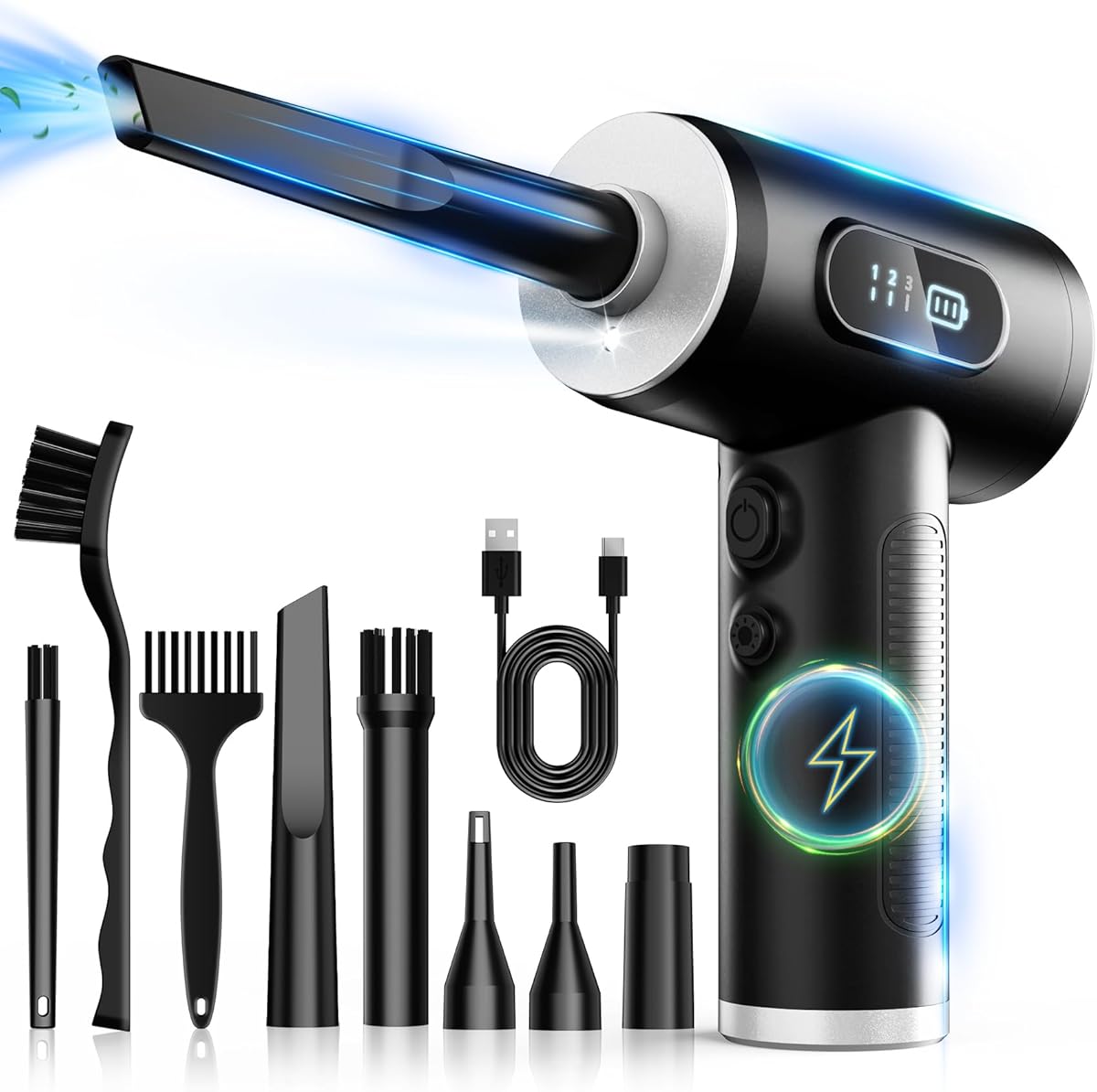
The FRESMOL Compressed Air Duster is a leading rechargeable electric blower designed for efficient laptop fan cleaning. It earns a solid 4.4-star rating from users who value its cordless convenience and consistent power.
We may earn a commission when you buy through this link, at no additional cost to you.
Its standout feature is the powerful 100000 RPM motor that delivers adjustable speeds for gentle dusting or heavy debris removal. The integrated LED light ensures you can see dust inside dark vents and keyboard gaps.
While the price is higher than manual brush kits, the reusable nature makes it cost-effective long term. Users note that battery performance can vary depending on the intensity of use during cleaning sessions.
This kit is ideal for tech enthusiasts who want reliable performance without the hassle of cables or disposable cans. It is a top choice for anyone seeking a versatile electric solution for electronics maintenance.
The high RPM motor ensures even tight corners are cleared without excessive hand movement.
The LED display helps you track power levels so you never run out mid-cleaning.
We may earn a commission when you buy through this link, at no additional cost to you.
The Ordilend Keyboard Cleaner & Laptop Cleaning Kit offers a comprehensive range of manual tools at an accessible price. It holds a strong 4.6-star rating from users seeking a complete basic cleaning solution.
We may earn a commission when you buy through this link, at no additional cost to you.
This kit stands out for its variety including a retractable brush for screens and a keycap puller for mechanical keyboards. The microfiber cloths and polishing tools are safe for delicate surfaces without causing scratches.
It lacks the high-pressure airflow of electric blowers, so it is best used alongside compressed air for vents. The cloth quality is good but may require periodic replacement with heavy use.
Students and budget-conscious users will find this kit ideal for routine maintenance. It provides excellent value by covering most cleaning needs in one compact package.
Includes everything from brushes to cleaning pens for a total cleaning experience.
Polishing cloths are designed to clean without leaving streaks or residues on displays.
We may earn a commission when you buy through this link, at no additional cost to you.
The MiaEpic Z3 Electric Air Duster delivers exceptional power with its 280000 RPM motor for tough debris. It earns a 4.5-star rating from users who prioritize raw performance over portability.
We may earn a commission when you buy through this link, at no additional cost to you.
Its advanced smart LCD screen and long battery life allow for extended use without frequent recharges. The Type-C charging ensures compatibility with modern devices for convenient power management.
Due to its size and high-speed motor, it can be heavier and louder than smaller alternatives. This might make it less suitable for frequent travel but excellent for desktop workstation maintenance.
Professionals needing serious airflow capacity will appreciate this premium option. It is a top choice for heavy-duty cleaning tasks where standard tools fail.
The extreme RPM ensures deep cleaning of packed vents and hard-to-reach dust pockets.
Real-time battery info lets you plan cleaning sessions efficiently.
We may earn a commission when you buy through this link, at no additional cost to you.
The iFixit Laptop Cleaning Kit is widely praised for its professional quality and organized design. It holds an impressive 4.9-star rating due to its durable components and thoughtful layout.
We may earn a commission when you buy through this link, at no additional cost to you.
This kit includes essential items like an anti-static brush and alcohol wipes for safe screen and surface cleaning. The included dust blower is effective for light debris though not as powerful as electric dusters.
While the manual blower may require more effort than electric options, the overall quality justifies the investment. Users appreciate the durable storage pouch for keeping tools safe and accessible.
Repair technicians and DIY enthusiasts will find this kit reliable. It is a top choice for those who trust the iFixit brand for precision work.
Built with durable components that withstand repeated professional use.
The dedicated pouch keeps all tools neatly arranged for quick access.
We may earn a commission when you buy through this link, at no additional cost to you.
The WOLFBOX MegaFlow 50 combines solid airflow with a lightweight design for easy handling. It has a 4.6-star rating reflecting its reliability for general laptop maintenance tasks.
We may earn a commission when you buy through this link, at no additional cost to you.
Users value the three adjustable speed settings that allow control over airflow intensity. The fast charging capability ensures the device is ready for use quickly when needed.
While it does not have the highest RPM on the market, its balanced power makes it suitable for regular cleaning. The ergonomic grip helps reduce hand fatigue during longer sessions.
This unit is recommended for users seeking a dependable mid-range electric duster. It delivers consistent results without requiring advanced technical skills to operate.
Three gears allow you to match speed to the dust level effectively.
Rapid charging ensures minimal downtime between cleaning tasks.
We may earn a commission when you buy through this link, at no additional cost to you.
This electric air duster offers powerful airflow with its 130000 RPM motor at a competitive price. It has a 4.6-star rating from users who appreciate its high performance.
We may earn a commission when you buy through this link, at no additional cost to you.
The kit includes six versatile nozzles and ten detail brushes for various cleaning scenarios. The large 8000mAh battery provides extended runtime for uninterrupted cleaning sessions.
While the noise can be noticeable at maximum speed, the cleaning efficiency is worth it for many users. It serves well as a replacement for disposable canned air.
It is an excellent choice for home offices needing reliable electric cleaning tools. The eco-friendly design adds value for environmentally conscious buyers.
Multiple nozzles ensure you can tackle any corner or gap.
High capacity battery supports prolonged use without frequent recharging.
We may earn a commission when you buy through this link, at no additional cost to you.
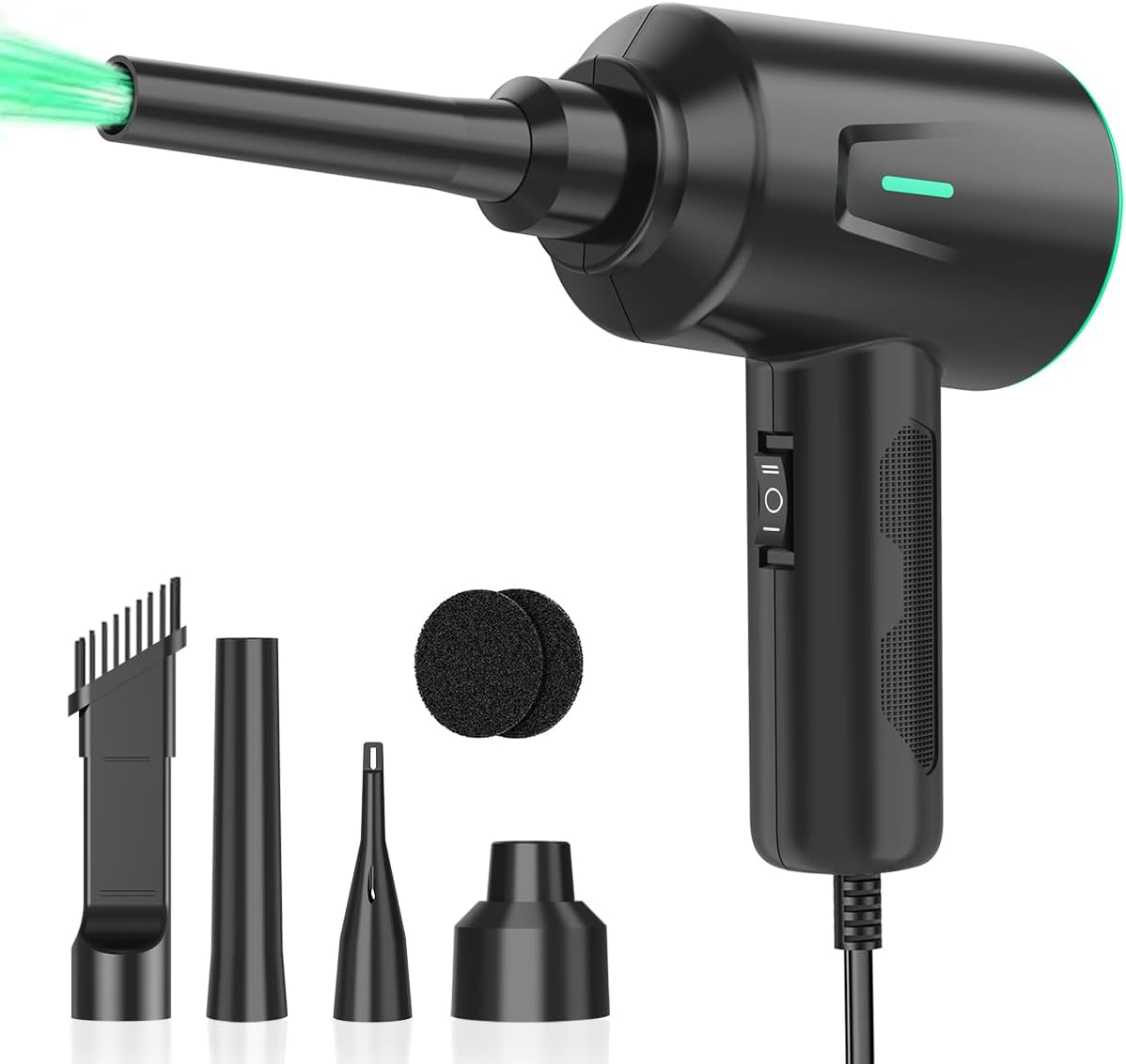
The Meudeen Air Duster provides consistent power through its wired design. It has a 4.5-star rating from users who prefer uninterrupted airflow during cleaning.
We may earn a commission when you buy through this link, at no additional cost to you.
With a long 8.2ft cord it offers good reach without needing extension cables. The dual gear settings allow for adjustment based on the task intensity.
While being corded limits mobility, it ensures stable performance without battery degradation over time. It is a solid choice for desk-based maintenance.
Users looking for simplicity and reliability will find this model effective. It avoids the hassle of recharging while delivering steady pressure.
Wired operation ensures the blower stays strong throughout the task.
Long cable provides flexibility around desks and workstations.
We may earn a commission when you buy through this link, at no additional cost to you.
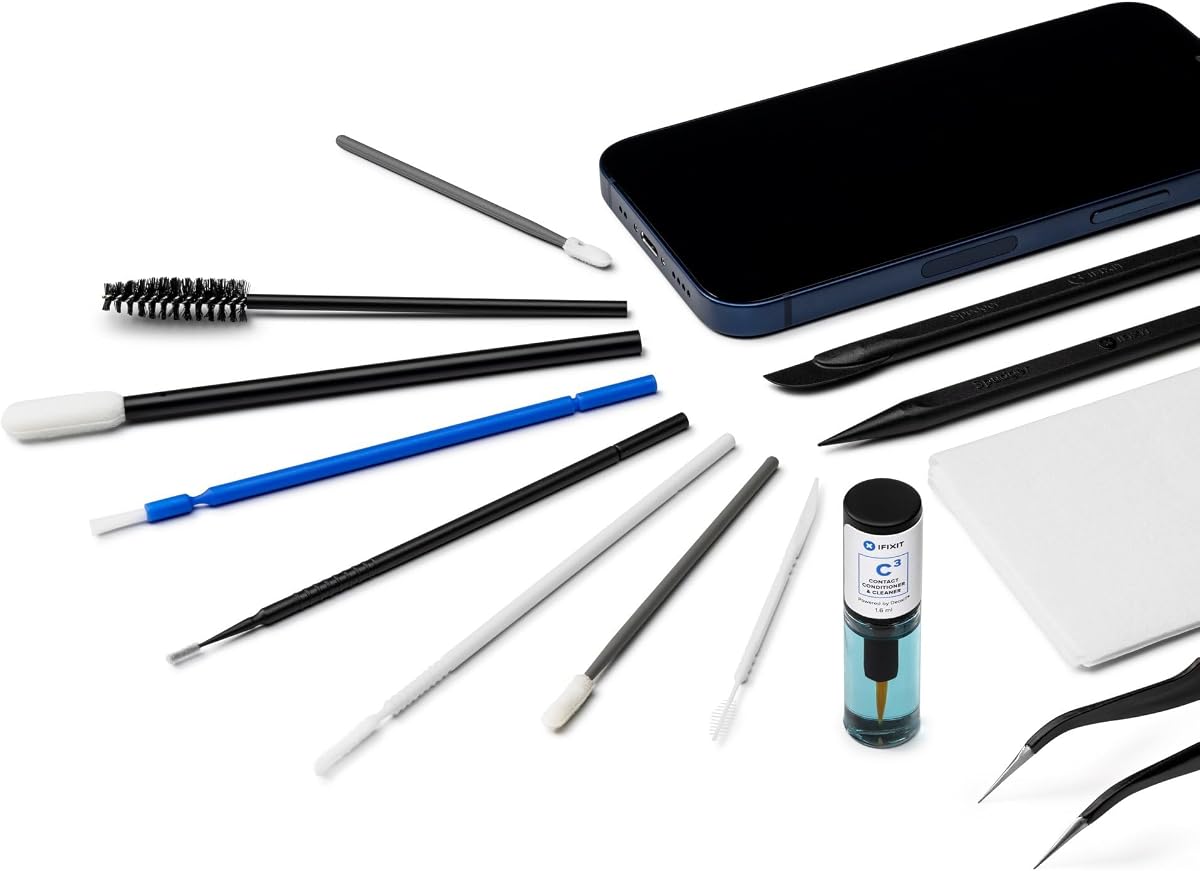
The iFixit Precision Cleaning Kit focuses on detailed cleaning with specialized tools. It holds a 4.3-star rating among users valuing precision over bulk airflow.
We may earn a commission when you buy through this link, at no additional cost to you.
It includes foam swabs and lint-free wipes safe for delicate screens and ports. The precision brushes help remove debris without scratching sensitive components.
While it lacks an air blower, it is perfect for spot cleaning and maintenance. The reusable nature of the tools ensures long-term value for owners.
Technicians repairing devices often prefer this kit for accuracy. It is ideal for detailed cleaning tasks where safety is paramount.
Designed specifically for delicate internal and external components.
Wipes are safe for optical surfaces and sensitive electronics.
We may earn a commission when you buy through this link, at no additional cost to you.
This set of anti-static brushes provides an affordable way to clean small spaces manually. It earns a 4.4-star rating for its practicality and safety for electronics.
We may earn a commission when you buy through this link, at no additional cost to you.
The different brush sizes ensure you can clean keycaps and vents without tools. The nylon material is designed to prevent static damage to sensitive components.
While it requires manual effort and lacks air pressure, it is excellent for delicate maintenance. It is an excellent addition to any toolbox.
Students and casual users will find these brushes handy for daily tidying. They are safe and effective for basic dust removal.
Anti-static design protects internal circuits from electrical discharge.
Different sizes ensure you can reach any gap or crevice.
We may earn a commission when you buy through this link, at no additional cost to you.
This electric blower offers multi-purpose cleaning for laptops and other household items. It has a 4.4-star rating for its versatility and ease of use.
We may earn a commission when you buy through this link, at no additional cost to you.
Its inflation capability allows for blowing up items as well as cleaning. The LED light helps illuminate dark areas for thorough cleaning.
The ergonomic design makes it comfortable to hold for extended periods. While battery life is average, it suits most standard tasks effectively.
It is a great all-in-one solution for varied needs. Ideal for users wanting more than just a laptop cleaning tool.
Adds utility beyond cleaning to help with inflatables and balloons.
Integrated LED light reveals hidden dust in dark corners.
We may earn a commission when you buy through this link, at no additional cost to you.
Selecting the right cleaning kit requires understanding your specific needs and device requirements.
Decide between cordless electric dusters and manual tools based on convenience. Electric dusters offer convenience and power but require charging while manual tools are simple and lightweight.
Choose electric for deep cleaning and manual for quick tasks.
Higher RPM ratings mean stronger airflow capable of dislodging stuck dust. Check for adjustable speed settings to prevent damaging delicate components.
Look for models with 100000 RPM or higher for best results.
For cordless models, consider how long the battery lasts. Long battery life ensures uninterrupted cleaning sessions without constant recharging.
Prioritize models with Type-C fast charging for convenience.
Multiple nozzles and brushes help reach different parts of your device. Ensure the kit includes tools for ports, fans, and keyboards.
More attachments increase versatility across devices.
Ensure brushes are anti-static to prevent electrical damage. Static buildup can harm sensitive electronic components.
Always check labels for anti-static protection.
Consider the weight and size if you travel. Compact kits fit easily in bags for on-the-go maintenance.
Lightweight models are best for frequent travelers.
Trusted brands often provide better quality and customer support. Reviews and ratings help gauge reliability over time.
Stick to well-reviewed brands for longevity.
Prices vary widely from budget brush sets to premium dusters. Determine your budget and prioritize features accordingly.
Balance cost with performance for the best value.
Turn off your laptop and disconnect it from power before cleaning to prevent electrical damage. This ensures safety for both you and the device.
Use compressed air or electric dusters to blow out dust from vents and keyboards. Keep the nozzle at an angle to avoid forcing debris deeper inside.
Store your tools in a clean, dry place to maintain longevity. Regular maintenance ensures your cleaning kit remains effective over time.
Yes it helps prevent overheating and performance degradation caused by dust. Regular cleaning keeps your laptop running efficiently and extends its lifespan significantly.
No water should never be used directly on internal components as it causes damage. Always use dry air or anti-static brushes for safe maintenance.
It is recommended to clean every three to six months depending on usage. Heavy use environments may require more frequent cleaning to prevent clogging.
When used correctly with low speeds they do not damage fans. Avoid holding the nozzle too close or spinning fans manually while blowing air.
Electric dusters offer more power for deep cleaning while manual kits are safer and cheaper. Choose based on your budget and depth of cleaning required.
Yes they prevent static discharge that can damage sensitive electronics. They are a critical safety feature for any cleaning kit used internally.
Yes many kits include small attachments suitable for phone charging ports and speakers. However use low pressure to avoid damaging delicate internal components.
This may indicate a hardware issue or need for thermal paste replacement. If cleaning does not help consult a professional technician for further diagnosis.
We reviewed ten top cleaning kits ranging from electric dusters to manual brush sets to help you find the right fit for your needs.
Prioritize safety with anti-static tools and power with high RPM electric dusters for deep cleaning. Balance your budget with the features you use most often.
Check current listings for the best deals as prices and availability change frequently. Proper maintenance keeps your laptop running smoothly for years to come.