
Canon Color imageCLASS LBP646Cdw
4.1Editor score
Fast 26 PPM speed
Wireless duplex printing
Easy mobile setup
Discover the top Duplex Color Laser Printer models for office productivity. We compare features speed and value to help you choose the right machine today.
Finding the right Duplex Color Laser Printer can transform your workflow by saving time and paper. These machines handle color documents with sharp text and vibrant graphics while printing both sides automatically. They are essential for modern offices needing speed and efficiency.
We evaluated ten top models based on speed, connectivity, and reliability. Our analysis covers everything from compact home office units to robust business systems. Each product was reviewed for its real-world performance and feature set to ensure you get accurate insights.
Each pick highlights key strengths and ideal use cases for different needs. You will see detailed specs and honest pros and cons for every model. Keep in mind that prices and availability can change frequently so verify details before buying.
4.1Editor score

4.2Editor score

4.4Editor score
This table provides a side-by-side overview of all ten models to help you compare key features at a glance.


The Canon Color imageCLASS MF753Cdw II stands out as a top choice for small offices needing an all-in-one solution. It has a 4.2 rating and delivers reliable color laser printing with scanning copying and faxing capabilities.
We may earn a commission when you buy through this link, at no additional cost to you.
Its standout qualities include fast print speeds and automatic duplex printing which save paper and time. The wireless setup is straightforward and it handles high volume tasks efficiently for daily business documents.
While the initial cost is higher than basic models the feature set justifies the investment. The compact design fits well on desks and the output quality remains consistent even with heavy use.
This printer is ideal for teams needing reliable color documents without frequent interruptions. We recommend it for businesses prioritizing speed and versatility in a single device.
Combines print scan copy and fax to streamline office tasks effectively.
Compact footprint fits well in smaller offices or home workspaces.
We may earn a commission when you buy through this link, at no additional cost to you.
The Brother HL-L3220CDW offers excellent value for users needing color laser printing on a budget. With a 3.9 rating it provides solid performance for home offices or small teams needing basic duplex capabilities.
We may earn a commission when you buy through this link, at no additional cost to you.
Its strengths include a generous 250-sheet tray and wireless connectivity that supports mobile devices. The automatic duplex feature helps reduce paper waste while maintaining professional quality output.
While it lacks scanning or faxing the focus on printing keeps costs down. The 19 PPM speed is adequate for most needs but may feel slow for very high volumes.
Choose this model if you prioritize cost savings and reliable color output. It suits small offices needing efficient printing without extra multifunction features.
Delivers quality laser color at a competitive entry price point.
Supports direct printing from smartphones and tablets easily.
We may earn a commission when you buy through this link, at no additional cost to you.
The Canon Color imageCLASS LBP646Cdw focuses on fast reliable printing for users who do not need scanning. With a 4.1 rating it delivers 26 PPM speeds and excellent wireless connectivity for modern offices.
We may earn a commission when you buy through this link, at no additional cost to you.
Its standout features include high capacity toner for fewer changes and a large LCD screen for navigation. The automatic duplex printing saves paper and the energy Star rating helps reduce power usage.
The lack of scanning is a trade-off but keeps the unit streamlined for pure printing tasks. It is ideal for environments where scanning happens separately or rarely.
This printer is best for teams needing high volume color output quickly. We recommend it for offices prioritizing speed and efficiency over multifunction capabilities.
26 PPM speeds handle large print jobs with minimal wait.
High capacity toner reduces the frequency of replacements.
We may earn a commission when you buy through this link, at no additional cost to you.
The Brother MFC-L3720CDW provides a balanced set of features for small businesses needing full office capabilities. With a 4.0 rating it supports printing scanning copying and faxing with strong connectivity options.
We may earn a commission when you buy through this link, at no additional cost to you.
Key strengths include dual band Wi-Fi for stable connections and a 50-sheet auto document feeder for efficiency. The touchscreen allows easy access to cloud services like Google Drive for document management.
While the speed is moderate the flexibility of connecting to cloud services saves time. Some users may find the touchscreen interface slightly less responsive than physical buttons.
This model suits teams needing document management without a large footprint. It is a solid choice for those wanting direct cloud access from the printer.
Direct access to cloud services simplifies document storage and sharing.
50 sheet ADF reduces manual input for multi-page tasks.
We may earn a commission when you buy through this link, at no additional cost to you.
The Brother MFC-L8930CDW is a powerhouse for busy offices needing speed and security. With a 4.4 rating it offers 33 PPM speeds and advanced security features to protect sensitive documents.
We may earn a commission when you buy through this link, at no additional cost to you.
Its strengths include an NFC card reader for secure printing and a large touchscreen for easy navigation. The high yield toner options help lower long-term costs significantly.
While it takes up more space the performance justifies the footprint for heavy users. The security features make it ideal for corporate environments protecting data.
Choose this model for high volume needs where security is critical. It excels in environments requiring fast secure and efficient document handling.
NFC card reader ensures only authorized users release print jobs.
33 PPM speeds minimize wait times for large documents.
We may earn a commission when you buy through this link, at no additional cost to you.
The Brother HL-L3280CDW is designed for small offices needing reliable color output without bulky hardware. With a 3.9 rating it supports fast printing up to 27 PPM and multiple connectivity options.
We may earn a commission when you buy through this link, at no additional cost to you.
It supports cloud apps directly and has an Ethernet option for stable wired networks. The compact design fits easily on desks while delivering professional laser quality results.
The touchscreen is functional but small for complex setups. Some users may find the tray capacity limited compared to larger models.
This printer is ideal for startups or home offices prioritizing space saving. It offers great flexibility for varied connectivity needs.
Compact design fits well on limited desk space.
Supports Wi-Fi and Ethernet for network flexibility.
We may earn a commission when you buy through this link, at no additional cost to you.
The Canon Color imageCLASS MF665Cdw offers a robust all-in-one package with fast 26 PPM speed. With a 3.9 rating it features a large 5-inch touchscreen and 50-sheet ADF for ease of use.
We may earn a commission when you buy through this link, at no additional cost to you.
Its strengths include high capacity toner reducing replacement frequency and fast scanning capabilities. The wireless setup is simple and the touchscreen provides quick access to common tasks.
The price is higher than basic models but the productivity features offset the cost. Complex menus can be a learning curve for some users.
This model works well for small businesses needing fast duplex and scanning. It is suitable for those prioritizing screen usability.
5-inch display provides intuitive access to all features.
50 sheet ADF speeds up multi-page document digitization.
We may earn a commission when you buy through this link, at no additional cost to you.
The Canon Color imageCLASS MF662Cdw balances speed and functionality with a 3-year warranty for peace of mind. With a 4.0 rating it offers 26 PPM output and reliable wireless duplex printing.
We may earn a commission when you buy through this link, at no additional cost to you.
Key features include an application library for quick access to frequent tasks and high capacity toner for fewer changes. The energy Star rating helps manage operational costs.
While it lacks faxing the other capabilities cover most needs. The tray size is standard which may require refills for large jobs.
Choose this model for small offices needing reliable scanning and copying. It suits those prioritizing warranty coverage and speed.
3 year limited warranty provides long-term support and confidence.
Application Library shortcuts simplify repeated tasks efficiently.
We may earn a commission when you buy through this link, at no additional cost to you.
The HP Color Laserjet Pro 3201dw is a solid option for teams needing consistent 26 PPM speed. With a 3.4 rating it emphasizes reliability with self-reset Wi-Fi to minimize downtime.
We may earn a commission when you buy through this link, at no additional cost to you.
Its strengths include a durable design built for office environments and dual-band Wi-Fi for stability. The 250-sheet tray helps keep refills manageable during busy periods.
The lower rating reflects some user complaints about toner restrictions. These may add ongoing costs for certain users seeking third-party supplies.
This printer suits environments needing dependable wireless output. It is a good fit for teams prioritizing uptime over flexibility.
Self-reset Wi-Fi helps resolve connectivity issues automatically.
Built to handle daily demands of small teams.
We may earn a commission when you buy through this link, at no additional cost to you.
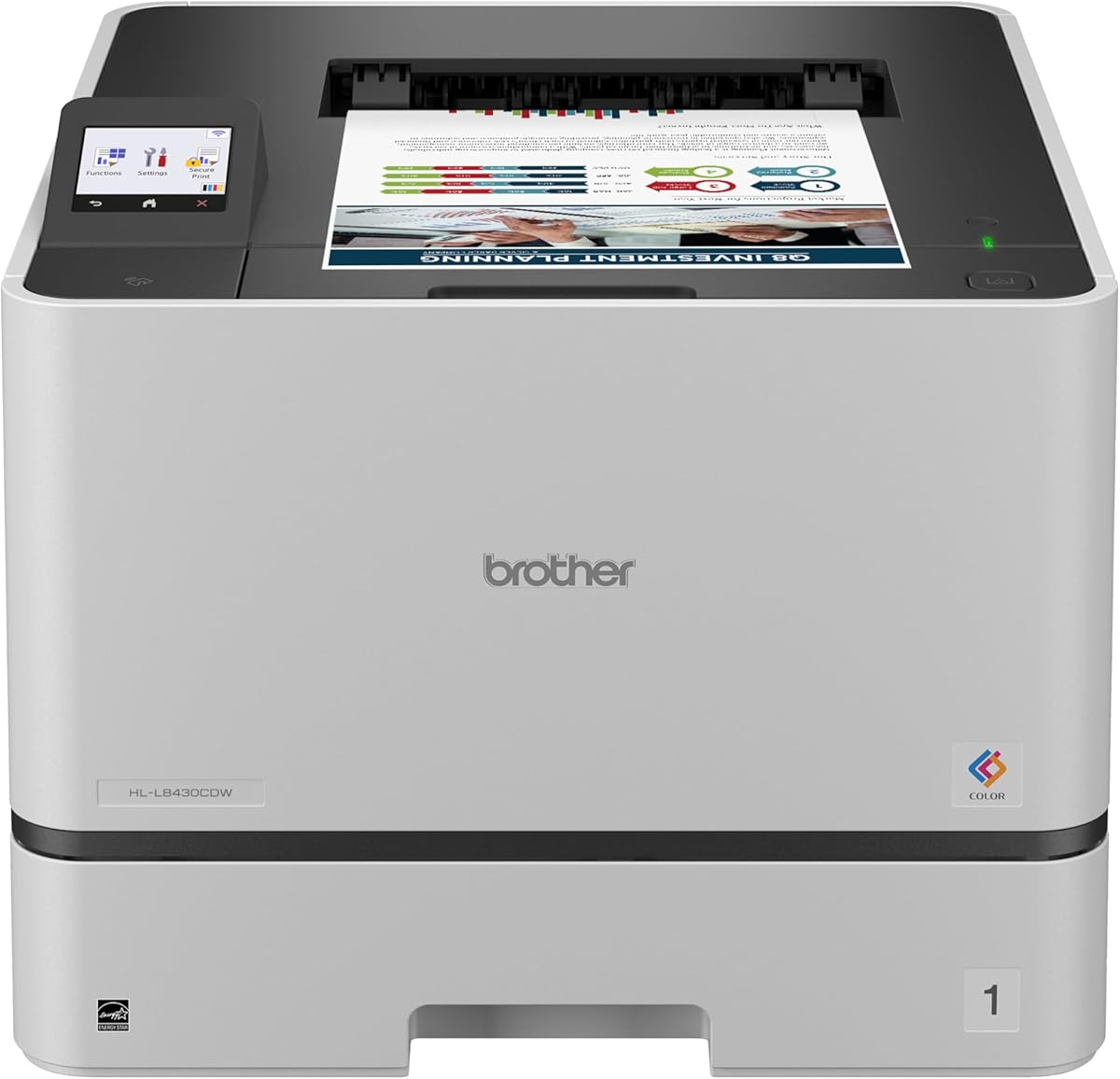
The Brother HL-L8430CDW delivers high speed business printing with expandable paper capacity for growing teams. With a 4.0 rating it offers 33 PPM speeds and eco-friendly features like recyclable packaging.
We may earn a commission when you buy through this link, at no additional cost to you.
Its strengths include high yield toner for lower costs and secure printing via NFC card reader. The expandable trays support up to 1340 sheets for high volume workflows.
Without scanning it focuses purely on efficient output. The size is larger than desktop models which requires dedicated space.
Choose this for high volume color needs where speed and cost matter. It suits teams needing reliable fast business printing.
Expandable trays support 1340 sheets for heavy printing.
High yield toner reduces per page costs significantly.
We may earn a commission when you buy through this link, at no additional cost to you.
Choosing the right printer involves evaluating speed connectivity and features to match your workflow needs.
Print speed determines how quickly documents are output. For offices with high volume needs look for models offering at least 26 pages per minute to reduce wait times.
Prioritize higher speeds if your team frequently prints large reports or color documents.
Automatic duplex printing saves paper by printing on both sides. Ensure the model explicitly supports this feature to reduce manual handling costs.
Check for one-pass duplex technology for faster double-sided document creation.
Modern offices need wireless or network connectivity. Look for dual-band Wi-Fi and Ethernet options to ensure stable connections across multiple devices.
Mobile printing support such as AirPrint is essential for remote workers.
Decide if you need scanning and copying. All-in-one units save space but cost more. Single function printers focus on speed and cost efficiency.
Choose multifunction if scanning and faxing are regular tasks for your office.
Adequate paper capacity reduces refill interruptions. Standard trays usually hold 250 sheets. Expandable options help high volume teams manage bulk.
Select models with multipurpose trays for specialty media or envelopes.
High yield toner cartridges reduce cost per page. Check replacement prices before buying to avoid hidden ongoing expenses.
Look for printers offering third-party compatible options if available.
Business printers should protect sensitive data. Look for models with encrypted connections and secure print release options.
Advanced models may include NFC card readers for authentication.
A good warranty ensures long term reliability. Aim for at least a three-year limited warranty for peace of mind.
Check manufacturer support policies for maintenance and technical assistance.
Install the printer and download the manufacturer software to configure network settings. Ensure drivers are updated for optimal performance.
Keep the paper trays loaded with quality paper and avoid overfilling. Adjust guides properly to prevent jams and misfeeds.
Run regular cleaning cycles and replace toner cartridges when low to maintain print quality. Use genuine or recommended supplies for best results.
The main benefit is saving paper by automatically printing on both sides. This feature reduces costs and helps the environment by cutting waste.
Yes modern wireless printers use dual-band Wi-Fi for stable connections. Look for models with self-reset technology to resolve connection issues automatically.
Choose all-in-one if you need scanning and copying. Single function units are better if you only print and want faster speeds or lower costs.
High yield toner can provide thousands of pages. Check specifications for page estimates to determine running costs before purchase.
Most models support envelopes through a multipurpose tray. Ensure the model has a manual feed slot for best results with specialty media.
Wireless setup typically takes a few minutes. Follow manufacturer guides and ensure network credentials are ready for quick connection.
We reviewed ten models ranging from budget friendly to premium business solutions. Top picks like the Canon MF753Cdw II offer balanced features for most users.
Prioritize speed and connectivity if your team works remotely. For heavy volume consider models with expandable trays and high toner yield.
Check current pricing and availability before buying to ensure you get the best value for your needs.