
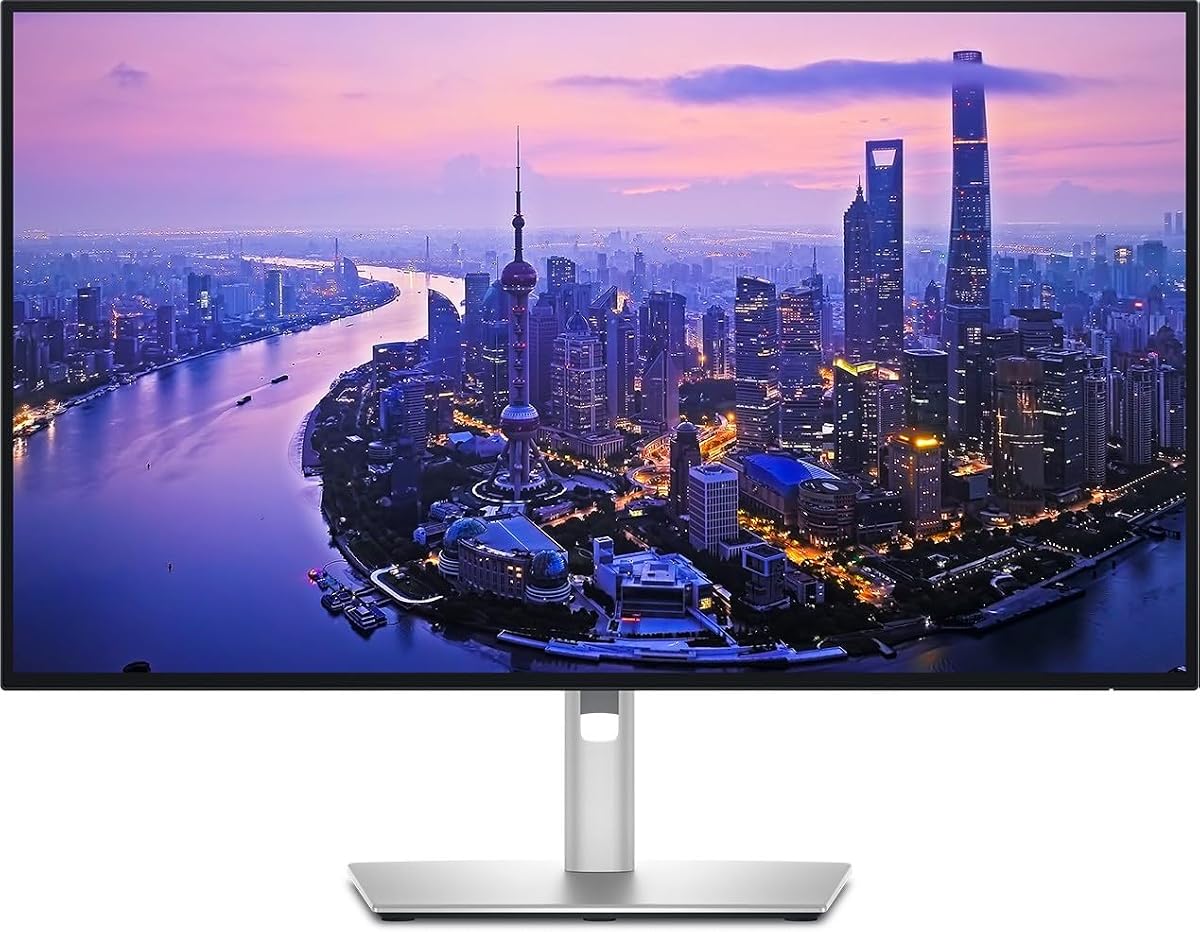
Dell 27 Monitor S2725QC
4.4Editor score
120Hz refresh rate
USB-C 65W power
ComfortView Plus low blue light
Finding the right display for modern workflows requires understanding how connectivity and resolution work together to enhance productivity and visual fidelity for demanding users.
We evaluated ten leading models based on panel quality, port selection, color accuracy, and Thunderbolt performance to help you identify the best fit for your specific setup.
Each pick highlights key strengths and trade-offs to guide your decision, though keep in mind that retail pricing fluctuates frequently across different online marketplaces.
4.4Editor score
4.4Editor score

4.6Editor score
As an Amazon Associate we earn from qualifying purchases.
The following table provides a side-by-side overview of all ten models, highlighting their core specifications and unique selling points to simplify your comparison process.


The Dell S2725QC stands out as an affordable entry point into 4K monitoring with high refresh rates and USB-C connectivity for modern laptops.
We may earn a commission when you buy through this link, at no additional cost to you.
Its 120Hz panel ensures fluid scrolling and video playback, while the ComfortView Plus reduces blue light for extended usage without compromising color fidelity significantly.
Although it lacks the extensive hub capabilities of higher-end models, the single cable solution handles video and power delivery efficiently for most daily workflows.
This monitor is ideal for users seeking a balance between performance and cost who do not require extensive peripheral connectivity directly through the display.
The 120Hz refresh rate delivers a noticeably smoother experience compared to standard 60Hz panels, making it versatile for both work and light gaming.
ComfortView Plus filters harmful blue light to reduce eye strain, allowing for comfortable viewing during long work sessions or creative tasks.
We may earn a commission when you buy through this link, at no additional cost to you.
The Dell UltraSharp U2725QE combines premium IPS Black technology with robust Thunderbolt 4 capabilities to offer a professional-grade viewing experience for demanding users.
We may earn a commission when you buy through this link, at no additional cost to you.
Its ability to deliver 140W power allows it to charge high-performance laptops while handling video and data transfer through a single cable without performance drops.
The factory calibration ensures excellent color accuracy right out of the box, making it suitable for creative work that requires precise color representation.
This model is the top recommendation for professionals who need a single cable solution that supports daisy chaining and provides enough power for powerful laptops.
IPS Black technology improves black levels and contrast significantly compared to standard IPS panels, resulting in deeper shadows and more vibrant colors.
Thunderbolt 4 supports high-speed data transfer and video transmission simultaneously, simplifying desk clutter while maintaining full device functionality.
We may earn a commission when you buy through this link, at no additional cost to you.
The Dell UltraSharp 32 Thunderbolt Hub Monitor offers a massive workspace with advanced features like a built-in KVM switch for seamless device switching.
We may earn a commission when you buy through this link, at no additional cost to you.
Designed for creators and executives, it delivers superior color accuracy with 99% Display P3 coverage and rich contrast thanks to the IPS Black panel technology.
The KVM feature allows control of two computers with one keyboard and mouse, which streamlines workflows for users who manage multiple devices simultaneously.
This premium monitor is best suited for professionals who demand the highest visual fidelity and productivity features regardless of the higher price tag.
The KVM switch simplifies switching between devices, reducing the need for multiple keyboards and mice on your desk.
With 99% Display P3 coverage, colors remain vivid and accurate, which is critical for high-end video and photo editing tasks.
We may earn a commission when you buy through this link, at no additional cost to you.
The Dell UltraSharp 27 4K Thunderbolt Hub Monitor provides a solid workstation setup with extensive connectivity options for professionals who value hub integration.
We may earn a commission when you buy through this link, at no additional cost to you.
It supports full Thunderbolt hub connectivity which enables high-speed data transfer and daisy-chaining to expand your workspace without complex cabling.
The color coverage spans 100% of sRGB and Display P3 spaces, ensuring reliable visual performance for design and photography workflows that depend on accuracy.
This model is a dependable choice for users prioritizing connectivity and color space, though buyer feedback suggests verifying availability before purchase.
Built-in Thunderbolt hub capabilities allow peripherals to connect directly to the monitor, reducing laptop cable clutter effectively.
The monitor incorporates sustainable materials and energy-efficient operation, reflecting a commitment to environmental responsibility in manufacturing.
We may earn a commission when you buy through this link, at no additional cost to you.
The LG 27UP850K-W offers a versatile 4K experience with HDR support and robust USB-C connectivity that meets the needs of multimedia professionals.
We may earn a commission when you buy through this link, at no additional cost to you.
It features USB-C power delivery up to 90W which simplifies laptop connections while providing HDR 400 support for better contrast in compatible content.
The inclusion of built-in stereo speakers with MaxxAudio enhances audio quality without external speakers, making it convenient for video calls and media consumption.
This monitor is well-suited for users who value multimedia features and flexible connectivity options without needing a native Thunderbolt port.
HDR 400 support ensures that high dynamic range content displays with improved brightness and contrast for a more immersive visual experience.
Integrated speakers reduce desk clutter and provide adequate sound quality for daily tasks and video calls.
We may earn a commission when you buy through this link, at no additional cost to you.
This variant of the Dell UltraSharp 27 4K Thunderbolt Hub Monitor represents a specific SKU available in certain retail channels for business procurement or bulk orders.
We may earn a commission when you buy through this link, at no additional cost to you.
It retains the core high-resolution display and Thunderbolt hub capabilities that define the series, ensuring consistent performance for professional workflows.
The lack of public reviews for this specific listing means buyers should rely on the specifications of the main U2725QE model when evaluating performance.
This option is suitable for users who need this specific part number for compliance or procurement reasons while still benefiting from the established monitor design.
Different SKUs may reflect regional availability or procurement channels but typically maintain the same core performance standards as the main model.
We may earn a commission when you buy through this link, at no additional cost to you.
The ViewSonic VP2488-4K delivers a compact yet powerful 4K viewing experience tailored for Mac users and creatives who prioritize color precision.
We may earn a commission when you buy through this link, at no additional cost to you.
Thunderbolt 4 support allows for high-speed data transfer and 100W power delivery ensuring your laptop stays charged while managing peripherals via a single cable.
Its Pantone Validated certification ensures that colors are reproduced accurately, which is essential for professional graphic design and branding work.
This monitor is an excellent choice for those with limited desk space who still require industry-leading color accuracy and robust connectivity standards.
Designed to align with Mac standards, this monitor integrates seamlessly with macOS environments for a smoother professional workflow.
Pantone validation provides confidence in color fidelity, ensuring that what you see on screen matches your final printed or digital output.
We may earn a commission when you buy through this link, at no additional cost to you.
The Samsung ViewFinity S7 provides a large 32-inch workspace with HDR10 support that enhances visual quality for everyday professional tasks.
We may earn a commission when you buy through this link, at no additional cost to you.
Its Eye Saver Mode reduces blue light and flicker to prevent strain during long work sessions, making it a practical choice for office environments.
While it prioritizes display clarity and size, connectivity options are designed to be straightforward for users who do not require advanced hub features.
This monitor is recommended for general productivity and media consumption where a large screen and comfort features are the primary priorities.
A 32-inch display offers ample real estate for multitasking, allowing you to view multiple applications side by side efficiently.
Eye Saver Mode helps reduce fatigue by filtering harmful light and minimizing screen flicker for a more comfortable viewing experience.
We may earn a commission when you buy through this link, at no additional cost to you.
The Dell U3225QE offers a spacious 31.5-inch display designed to maximize productivity through a single large screen that supports integrated Thunderbolt connectivity.
We may earn a commission when you buy through this link, at no additional cost to you.
It combines high resolution with HDR support to deliver crisp text and vibrant colors which are essential for extended viewing in professional settings.
The Thunderbolt hub simplifies peripheral management and allows for daisy chaining which helps maintain a clean and organized desk layout.
This monitor is well-suited for users who prioritize screen real estate and modern design aesthetics in a high-performance workspace setup.
The large 31.5-inch screen eliminates the need for multiple monitors, streamlining your workflow and reducing potential distraction points.
Integrated hubs reduce the number of cables running to your laptop, resulting in a cleaner desk appearance and easier setup.
We may earn a commission when you buy through this link, at no additional cost to you.
The Samsung TU87F Series stands out by supporting dual 4K setups through Thunderbolt 3 ports allowing for a seamless expansive workspace with minimal cabling.
We may earn a commission when you buy through this link, at no additional cost to you.
Its Picture by Picture and Picture in Picture modes enable you to view content from two sources simultaneously making it versatile for reference and comparison.
With power delivery up to 90W the monitor can charge your laptop while managing data and video through a single cable connection.
This model is ideal for professionals who require a dual monitor setup but prefer the simplicity of a single high-resolution display connected via Thunderbolt.
PBP and PIP features let you work on two devices at once, such as monitoring chats on one half while working on code on the other.
Connecting to Macs and PCs via Thunderbolt reduces cable clutter while enabling high-speed data transfer and device charging simultaneously.
We may earn a commission when you buy through this link, at no additional cost to you.
Selecting the right monitor requires evaluating how connectivity, resolution, and ergonomics align with your specific professional needs and desk environment.
Thunderbolt 4 is the latest standard offering guaranteed 40Gbps speeds and better compatibility than Thunderbolt 3. It also often supports higher wattage output which can fully charge powerful laptops without needing a separate charger.
Look for Thunderbolt 4 if you have a modern laptop that supports it for the best performance and future compatibility.
IPS panels offer superior color accuracy and wide viewing angles which are critical for creative work. Black IPS or OLED options provide deeper contrast but may be more expensive than standard IPS or VA panels.
Choose IPS for color critical tasks and consider contrast if you work in darker environments where deep blacks matter.
Professional color accuracy is often measured by Delta E values and coverage of color spaces like sRGB or DCI-P3. Values below 1.5 Delta E are generally considered acceptable for professional work.
Prioritize factory calibration reports and high color space coverage to ensure your edits match real-world outputs accurately.
A Thunderbolt hub integrated into the monitor simplifies your desk by allowing peripherals like drives and webcams to connect directly to the screen. Check the number of USB-A and Ethernet ports for your needs.
Ensure the monitor has enough ports for your peripherals to avoid needing a separate docking station.
For 4K content a 27-inch screen offers sharp text while a 32-inch screen provides more workspace for multitasking. Ensure your computer can drive 4K output at high refresh rates if needed.
Match the screen size to your viewing distance and workspace constraints for the most comfortable setup.
Adjustable stands with tilt, swivel, height, and pivot adjustments help you position the monitor to reduce neck strain. VESA mount compatibility allows you to use third-party arms if you prefer a flexible setup.
Invest in a monitor with full ergonomics to support long work days without physical discomfort.
Most professional monitors run at 60Hz which is sufficient for static work but 120Hz is available on some models for smoother motion in video editing or light gaming.
A higher refresh rate is worth it if you value fluid scrolling and dynamic content.
Features like low blue light modes and ambient light sensors reduce eye strain during long sessions. Some monitors also offer flicker-free technology to prevent headaches.
Check for certifications like TUV Rheinland to ensure the eye comfort features are effective.
Connect the Thunderbolt cable to both your laptop and the monitor to enable data transfer video and power delivery simultaneously ensuring your laptop charges while you work.
Use the monitor's on screen display menu to adjust brightness and color settings based on your ambient light conditions to maintain visual comfort throughout the day.
Clean the screen regularly with a microfiber cloth and mild screen cleaner to avoid scratches and dust buildup that can affect image quality over time.
Yes in many cases a Thunderbolt monitor with a hub can replace a docking station. It allows you to connect peripherals directly to the monitor which reduces desk clutter. However check the specific port count to ensure it meets your needs.
Thunderbolt 4 guarantees higher minimum performance standards including 40Gbps bandwidth and better support for dual 4K displays compared to Thunderbolt 3. It also ensures better compatibility with various devices and security features.
Many Thunderbolt monitors support daisy chaining which allows you to connect multiple displays to a single laptop. Check the specific model details to see how many monitors it can support in a chain configuration.
Yes Thunderbolt is a universal standard that works with both Mac and PC laptops provided they have a Thunderbolt port. Some models may have specific optimization for macOS but functionality remains consistent across platforms.
IPS Black is a panel technology developed by Dell to improve contrast ratios and black levels on IPS displays. It provides deeper blacks and better color vibrancy compared to standard IPS panels.
For tasks like photo editing and video production 4K is essential. For general coding or writing it offers sharper text and more screen real estate but is not strictly necessary for basic tasks.
Many professional monitors come factory calibrated. You can use the Dell Display Manager app or third-party hardware tools like X-Rite to fine-tune settings further for precise color matching.
Thunderbolt monitors typically deliver up to 140W which can support many high performance laptops. However the most powerful gaming laptops may still require their original power brick for full performance.
The top picks for November 2026 highlight models that balance connectivity, resolution, and color accuracy to suit a wide range of professional workflows.
Prioritize panel technology and port selection based on your specific needs to ensure you get the most value for your investment.
Prices and availability change frequently so check current listings before buying to secure the best deal for your chosen model.