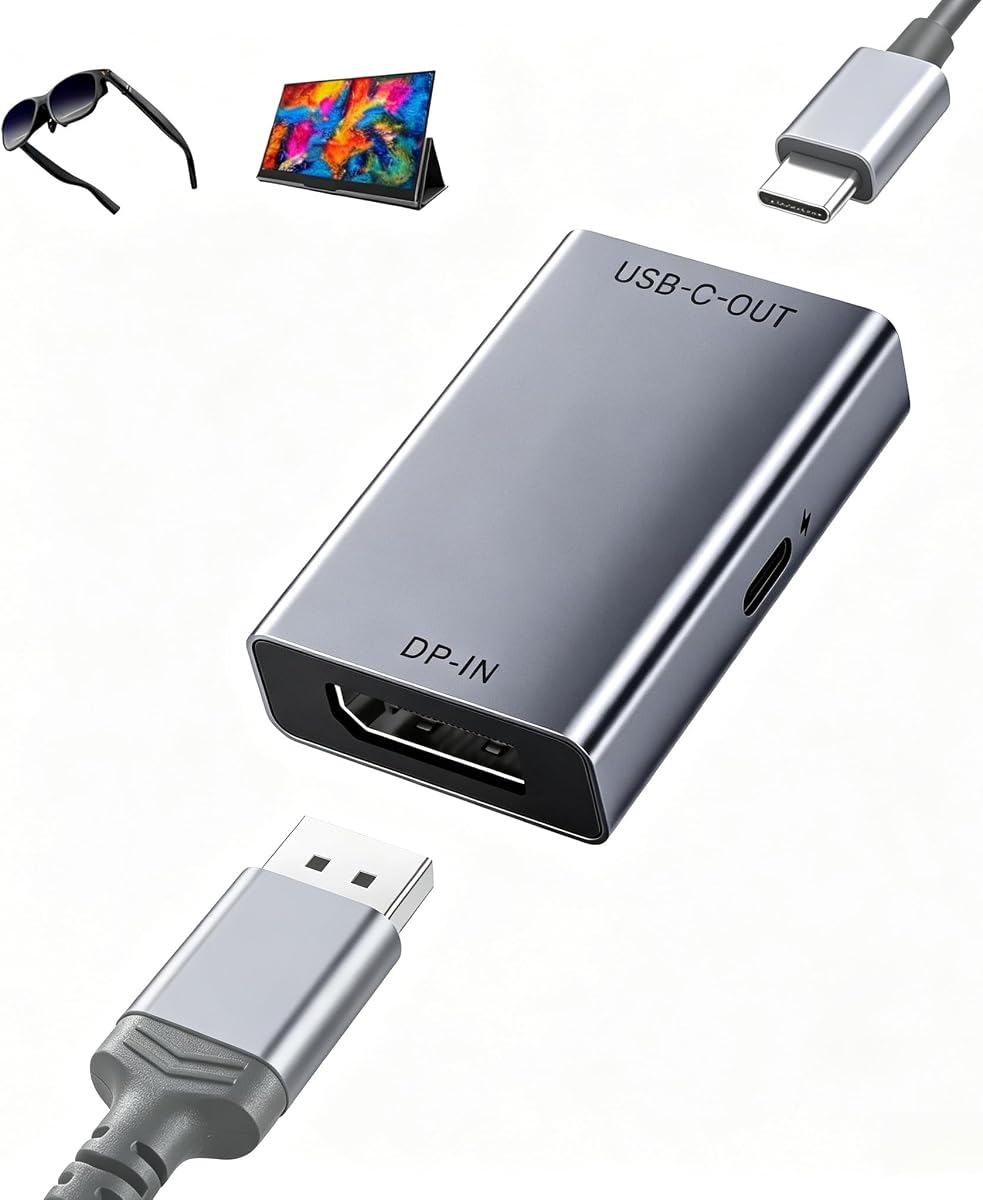
DisplayPort to USB-C Adapter with Power 4K@120Hz for PC to AR Glasses
4.5Editor score
One-way DP to USB-C transmission
Supports 4K at 120Hz refresh
Compact aluminum alloy housing build
This guide compares the top Displayport Adapter for AR Glasses solutions to help you find the right cable for high resolution video streaming and immersive
Choosing the right Displayport Adapter for AR Glasses is essential for seamless connectivity and high quality visual performance. Users need reliable hardware to bridge the gap between traditional Displayport sources and modern USB C augmented reality eyewear.
We evaluated ten leading models based on resolution support, build quality, and compatibility with popular AR devices. Our analysis focuses on real world performance metrics that matter most for gamers and professionals seeking immersive displays.
Each pick highlights specific strengths and limitations to help you make an informed decision. Prices and availability may change so always verify current listings before purchasing your next adapter solution for your setup.
4.5Editor score

4.8Editor score

4.2Editor score
The following table provides a side-by-side comparison of the top ten Displayport Adapter for AR Glasses models available on the market. Review each specification carefully to determine which option aligns best with your specific display and connectivity requirements.
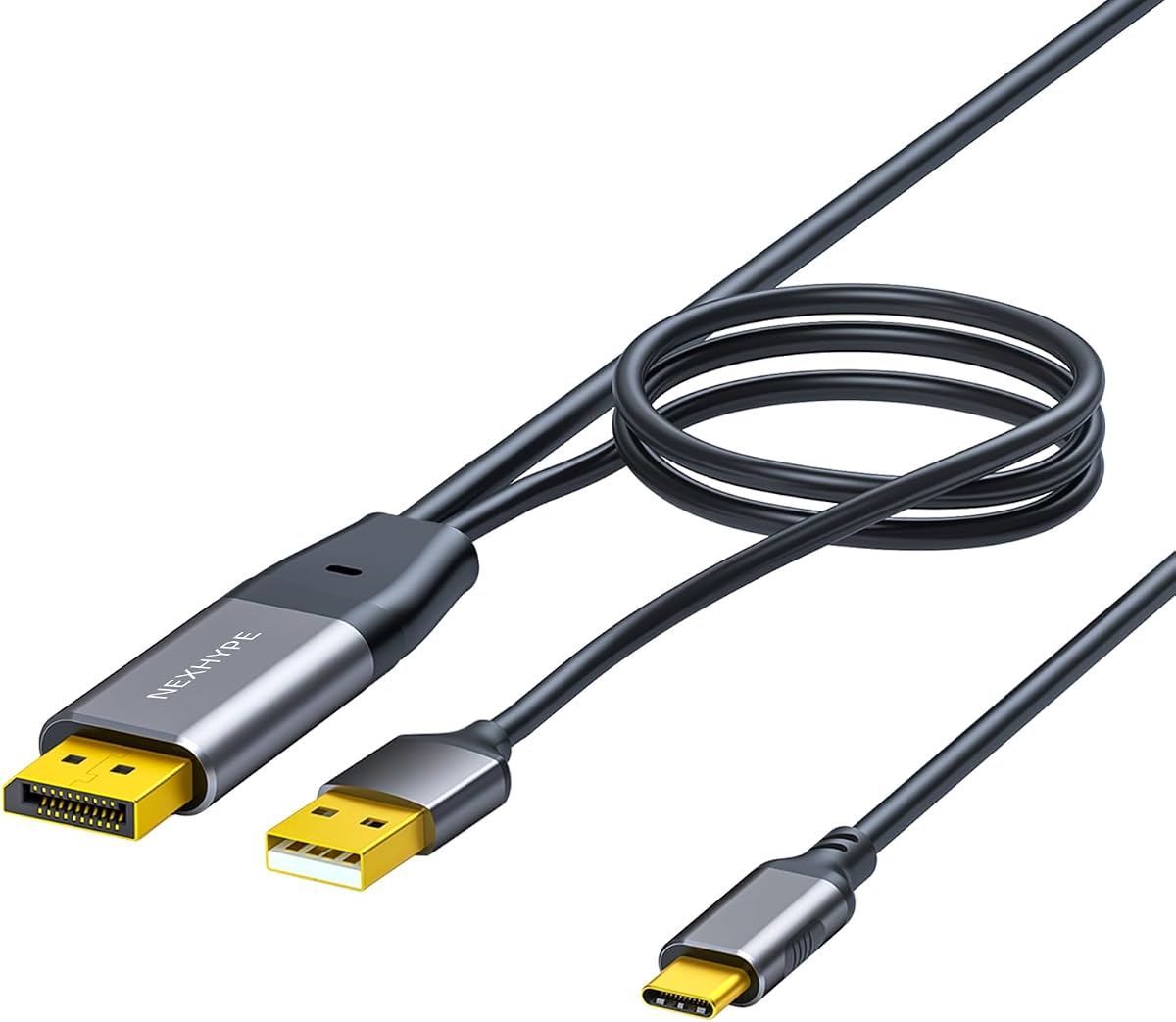


This Displayport Adapter for AR Glasses leads our list with a strong 4.8 rating and robust feature set. It delivers reliable 4K 60Hz video with integrated USB power stabilization for consistent performance across compatible devices.
We may earn a commission when you buy through this link, at no additional cost to you.
The standout strength lies in its graphene shielding and aluminum cooling casing which prevent overheating during extended use. The USB-A power tail ensures signal stability enabling full touch functionality on supported portable monitors and AR eyewear.
Trade-offs include lack of Switch 2 compatibility and requirement for external power when touch features are needed. These limitations are acceptable given the superior video quality and build durability offered by this cable design.
Buyers seeking high fidelity visuals and reliable signal transmission will find this adapter ideal for professional workflows and immersive entertainment setups requiring consistent performance from Displayport sources.
The integrated USB power tail actively stabilizes the signal ensuring smooth touch interaction and clear audio transmission without interruption.
Graphene shielding combined with an aluminum cooling casing provides excellent heat dissipation and durability for long-term use.
We may earn a commission when you buy through this link, at no additional cost to you.
This adapter offers exceptional value with 4K 120Hz support making it ideal for gamers seeking smooth visuals on AR glasses. Its plug and play design eliminates driver installation while maintaining a compact form factor for portability.
We may earn a commission when you buy through this link, at no additional cost to you.
The aluminum alloy housing ensures excellent heat dissipation and durability during long sessions. Compatible with a wide range of AR glasses and portable monitors it delivers fluid visuals for movies gaming and screen mirroring tasks.
Users must use certified USB4 or Thunderbolt cables for best results and some models may require firmware updates for audio. These constraints are minor compared to the high refresh rate performance and affordability offered by this option.
Budget conscious buyers wanting high refresh rate capabilities will appreciate this adapter as a reliable solution for connecting Displayport sources to modern USB C displays and eyewear.
Supports 4K at 120Hz allowing for immersive fluid visuals perfect for gaming and fast-paced video content on AR devices.
Premium aluminum alloy housing delivers durability and heat dissipation while slipping easily into pockets for mobile use.
We may earn a commission when you buy through this link, at no additional cost to you.
This premium converter delivers professional grade performance with DP 1.4 bandwidth and HDR support for accurate color reproduction. The included 3 port USB hub adds connectivity flexibility for peripherals during work or gaming sessions.
We may earn a commission when you buy through this link, at no additional cost to you.
High bandwidth enables smooth 4K 120Hz output with minimal motion blur ideal for FPS games and content creation. The aluminum alloy housing with anti-slip silicone pad ensures stable operation and effective heat dissipation under heavy loads.
The USB hub function requires a separate data cable and power output is limited for larger monitors. These trade-offs are acceptable for users prioritizing color accuracy and peripheral connectivity alongside high refresh rate visuals.
Professionals and enthusiasts demanding precise color and multi-device connectivity will find this adapter a powerful choice for advanced Displayport setups requiring extended functionality.
Supports HDR and 10-bit color depth for accurate reproduction essential for designers and video editors working with Displayport sources.
Built-in 3 port USB hub allows connection of keyboards and mice for mobile work on the go with stable operation.
We may earn a commission when you buy through this link, at no additional cost to you.
This cable features an integrated USB power and data design making it a versatile solution for powering battery-free portable monitors and AR glasses. The gold-plated connectors ensure smooth plugging and prevent rust during daily use.
We may earn a commission when you buy through this link, at no additional cost to you.
At 6.6 feet it offers substantial length for flexible setups while maintaining signal integrity. The PVC jacket provides durability and bending resistance ensuring consistent performance across various conditions without compromising connectivity.
Limited power output restricts use to monitors under 15.6 inches and lack of HDMI interface requires adapters for some consoles. These constraints are minor given the cable reliability and ease of plug and play operation.
Users needing a durable flexible cable for smaller portable monitors and AR glasses will appreciate its integrated power design and robust construction quality.
Integrated USB cable provides power delivery and data transmission simultaneously enabling use with battery-free portable monitors and AR glasses.
Gold-plated USB-C connectors and PVC jacket ensure smooth plugging and withstand various bending conditions without compromising daily performance.
We may earn a commission when you buy through this link, at no additional cost to you.
This adapter supports 8K 30Hz and 4K 144Hz output making it a powerful choice for high-performance setups requiring extreme resolution. The integrated 65W Power Delivery port simplifies power needs for portable monitors and displays.
We may earn a commission when you buy through this link, at no additional cost to you.
The 0.5m graphene-coated cable is lightweight and tangle-free ideal for tight desk setups and travel. It offers a strong balance of reach and portability without compromising on video quality or transmission speed.
Lack of touchscreen support and short cable length may limit use for some desktop users. However for mobile workstations and travel these trade-offs provide significant convenience and streamlined connectivity options.
Users prioritizing high resolution and power delivery convenience will find this adapter a solid choice for modern USB-C displays and portable setups.
Supports 8K at 30Hz and 4K at 144Hz for stunning clarity and smooth performance in high-end gaming and creative work.
Integrated 65W USB-C Power Delivery port eliminates the need for extra power adapters and simplifies your mobile workstation setup.
We may earn a commission when you buy through this link, at no additional cost to you.
This female adapter delivers 4K 60 resolution with a compact design suitable for travel and tight spaces. The gold-plated connector ensures stable signal transmission while resisting corrosion over time.
We may earn a commission when you buy through this link, at no additional cost to you.
The aluminum alloy housing provides effective heat dissipation for reliable performance. Its short 1.6ft length makes it ideal for portable use while maintaining high-definition visual quality for movies and streaming.
Users may need to flip the USB-C connection if signals are lost and power for high-power devices requires additional sources. These minor inconveniences are outweighed by the adapter reliability and compact convenience.
Travelers and users with limited desk space will find this adapter a practical choice for connecting Displayport sources to AR glasses and portable monitors.
Delivers stunning 4K 60 resolution for an immersive viewing experience with stable signal transmission and corrosion resistant connectors.
Aluminum alloy housing ensures better heat dissipation and durability for extended use in portable or tight setup environments.
We may earn a commission when you buy through this link, at no additional cost to you.
This cable converts DisplayPort signals to USB-C input supporting 4K 60Hz resolution for high-quality visuals on AR glasses. It requires no drivers and offers a 6-foot length for flexible positioning around desks or travel.
We may earn a commission when you buy through this link, at no additional cost to you.
The gold-plated connector and aluminum housing ensure smooth plugging and prevent rust during daily use. PVC jacket flexibility allows the cable to withstand various bending conditions while maintaining signal performance.
It does not charge portable monitors or transmit data beyond touch support. These limitations are acceptable for users who prioritize stable video transmission and do not require full charging functionality.
Those seeking a reliable plug and play solution for 4K displays will appreciate this cable and straightforward design and flexible setup capabilities.
Converts DisplayPort 1.2 signal to 4K 60Hz for clear visuals and backward compatible with lower resolution devices easily.
The 6FT length offers flexible placement and maintains signal integrity for portable monitors and AR glasses connections.
We may earn a commission when you buy through this link, at no additional cost to you.
This adapter is optimized for Switch 2 dock mode making it a top choice for console gamers. It supports 4K 60Hz and pass-through PD3.0 charging for uninterrupted gameplay on AR glasses.
We may earn a commission when you buy through this link, at no additional cost to you.
The chip delivers low latency performance with effective heat dissipation via aluminum alloy construction. Its compact size ensures portability while maintaining reliability for extended gaming sessions and mobile work.
Higher heat generation and need for external power in TV mode are notable constraints. These are acceptable given the optimized compatibility and smooth performance for Switch users seeking immersive visuals.
Console gamers and handheld users will find this adapter an essential tool for connecting to AR displays with minimal latency and reliable charging.
Optimized chip for Switch 2 dock mode enables seamless gameplay casting to AR glasses or portable monitors with low latency.
PD3.0 charging keeps devices powered during use allowing uninterrupted gameplay while casting video to AR displays.
We may earn a commission when you buy through this link, at no additional cost to you.
This cable converts DisplayPort to USB-C for 4K 60Hz output supporting touch functionality on compatible monitors. It includes a USB power tail to ensure stable signal transmission during use.
We may earn a commission when you buy through this link, at no additional cost to you.
The design supports 2K 144Hz and 1080P 120Hz as well. The aluminum housing and gold-plated connector provide durability and resistance to rust for daily connectivity needs.
Notable limitations include possible incompatibility with VR glasses and lack of charging power for portable screens. These factors should be weighed carefully against the cable resolution and flexibility for specific setups.
Users with compatible USB-C displays seeking stable signal transmission will find this cable a practical solution for standard video and touch use cases.
The USB power tail actively stabilizes the signal enabling smooth touch interaction and clear video performance on monitors.
With 6.6ft length it offers flexible placement while maintaining 4K signal integrity for various desk arrangements.
We may earn a commission when you buy through this link, at no additional cost to you.
This adapter connects VITURE neckbands to any USB-C display offering a unique magnetic connection experience. It supports transfers up to 10 Gbit/s enabling 4K at 60fps for high-quality media streaming.
We may earn a commission when you buy through this link, at no additional cost to you.
Paired with a Mobile Dock it allows using the neckband on two displays simultaneously. This feature adds versatility for users already invested in the VITURE ecosystem seeking flexible display setups.
Its compatibility is restricted to VITURE products and AR glasses are not included in the package. These limitations are inherent to the brand-specific design but acceptable for targeted users.
Owners of VITURE neckbands will appreciate this adapter for seamless connectivity and dual-screen capabilities tailored to their specific hardware ecosystem.
Connects the Neckband to any USB-C display with a magnetic interface designed specifically for VITURE ports and accessories.
When paired with the Mobile Dock you can use the Neckband on two displays simultaneously for a versatile workspace experience.
We may earn a commission when you buy through this link, at no additional cost to you.
Selecting the right Displayport Adapter for AR Glasses involves understanding resolution limits compatibility and power delivery needs. Consider these factors to ensure stable connectivity and optimal performance.
Higher resolutions like 4K at 120Hz provide smoother visuals essential for gaming. Verify your source supports DP 1.4 to unlock maximum refresh rates available.
Choose an adapter matching your display and GPU capabilities to avoid bottlenecks and ensure crisp fluid output.
Ensure the adapter supports unidirectional DP to USB-C transmission since many models do not reverse direction. Confirm your AR glasses supports DP Alt Mode for video input.
Select a cable explicitly designed for one-way transmission to prevent connection failures and maintain signal integrity.
Portable monitors often require external power. Look for models with USB-A or USB-C power inputs to stabilize signals and power battery-free displays.
Check if integrated power supports your device to avoid needing extra adapters during mobile use.
Aluminum alloy housings improve heat dissipation and durability for long sessions. Gold-plated connectors resist corrosion and ensure stable contact over time.
Prioritize robust materials to prevent overheating and maintain consistent performance during extended use.
Choose length based on your desk layout and mobility needs. Longer cables offer flexibility but may risk signal loss if shielding is poor.
Ensure the cable jacket is durable and flexible to handle frequent plugging and bending.
Verify compatibility with your AR glasses brand and portable monitor. Some adapters work better with specific ecosystems like Xreal or VITURE.
Review supported device lists before purchase to guarantee seamless integration without firmware workarounds.
Touch functionality often requires extra power or data lines. Ensure the adapter includes necessary power tails for touch features on supported monitors.
Confirm touch compatibility with your specific display model to avoid limited interactivity options.
Look for products offering at least 12-month warranty and responsive technical support. This ensures assistance if connection issues arise.
Choose brands with proven support to minimize downtime when troubleshooting complex setups.
First ensure your DisplayPort source and AR glasses both support DP Alt Mode before connecting. Plug the DisplayPort end firmly into your PC or laptop before attaching the USB-C end to your eyewear.
Second if your adapter requires power connect the USB power cable to a USB port on your PC or external power bank. This ensures stable signal transmission and enables touch features if supported.
Third keep your adapter clean and stored in a protective pouch when not in use. Avoid sharp bends or twisting the cable to maintain internal integrity and prolong its functional lifespan.
Most adapters require AR glasses to support USB-C video input via DP Alt Mode. Popular models like Xreal and VITURE usually work but always verify firmware settings for DP mode compatibility.
Some glasses require firmware updates or manual switching to DP/UAC mode for audio. Check device settings and ensure your adapter transmits audio alongside video signals.
Standard adapters may not work with Nintendo Switch unless they have specific hardware support. Look for models explicitly listing Switch compatibility to ensure reliable performance.
Portable monitors often need external power but AR glasses usually draw power from the host. If issues arise use the USB power tail to stabilize the signal.
Flickering can result from incompatible resolution settings or insufficient power. Ensure your source supports the resolution and use certified cables for better stability.
Visit the manufacturer website and download the latest update tool. Connect your glasses to a computer to apply updates which often resolve audio or display issues.
Most adapters designed for AR glasses do not work with VR headsets as they use different protocols. Verify your headset supports USB-C video input before purchasing.
Check that all ports are fully plugged in and try swapping the USB-C cable. Ensure your source and display support the requested resolution and refresh rate.
The top picks like the Editor's Choice and Best Budget options offer a balance of resolution performance and reliability. Each model caters to specific needs from high refresh gaming to professional color accuracy.
Prioritize compatibility and power delivery when selecting an adapter. Ensuring your glasses and source support DP Alt Mode will prevent connection issues and maximize visual quality.
Prices and stock can change so always check current listings and warranty terms before purchasing. Choosing the right adapter will unlock immersive experiences across all your portable displays.