
OMTech K40+ 45W
4.4Editor score
45W laser power
LightBurn compatible
Compact workspace
Air assist system
This guide compares the top ten CO2 laser cutters for 2026, evaluating power, speed, and safety to help you choose the right machine for your creative needs.
CO2 laser cutters have revolutionized how creators and professionals work with materials like wood, acrylic, and leather. These machines use a focused beam to cut or engrave with incredible precision. Choosing the right model depends on your specific project needs, budget, and workspace constraints.
We compared ten leading CO2 laser cutters based on their power output, work area size, safety features, and software compatibility. Our analysis looks at both entry-level desktop units and high-end industrial machines to provide a comprehensive overview for every user type.
Each pick below highlights key strengths and trade-offs to help you make an informed decision. Remember that product specifications and availability can change over time. Always verify current details with the manufacturer before purchasing to ensure the machine meets your requirements.
4.4Editor score

4.5Editor score

4.0Editor score
The following table provides a side-by-side comparison of all ten CO2 laser cutters featured in this guide. It highlights key specifications to help you quickly identify the machine that best fits your production needs.

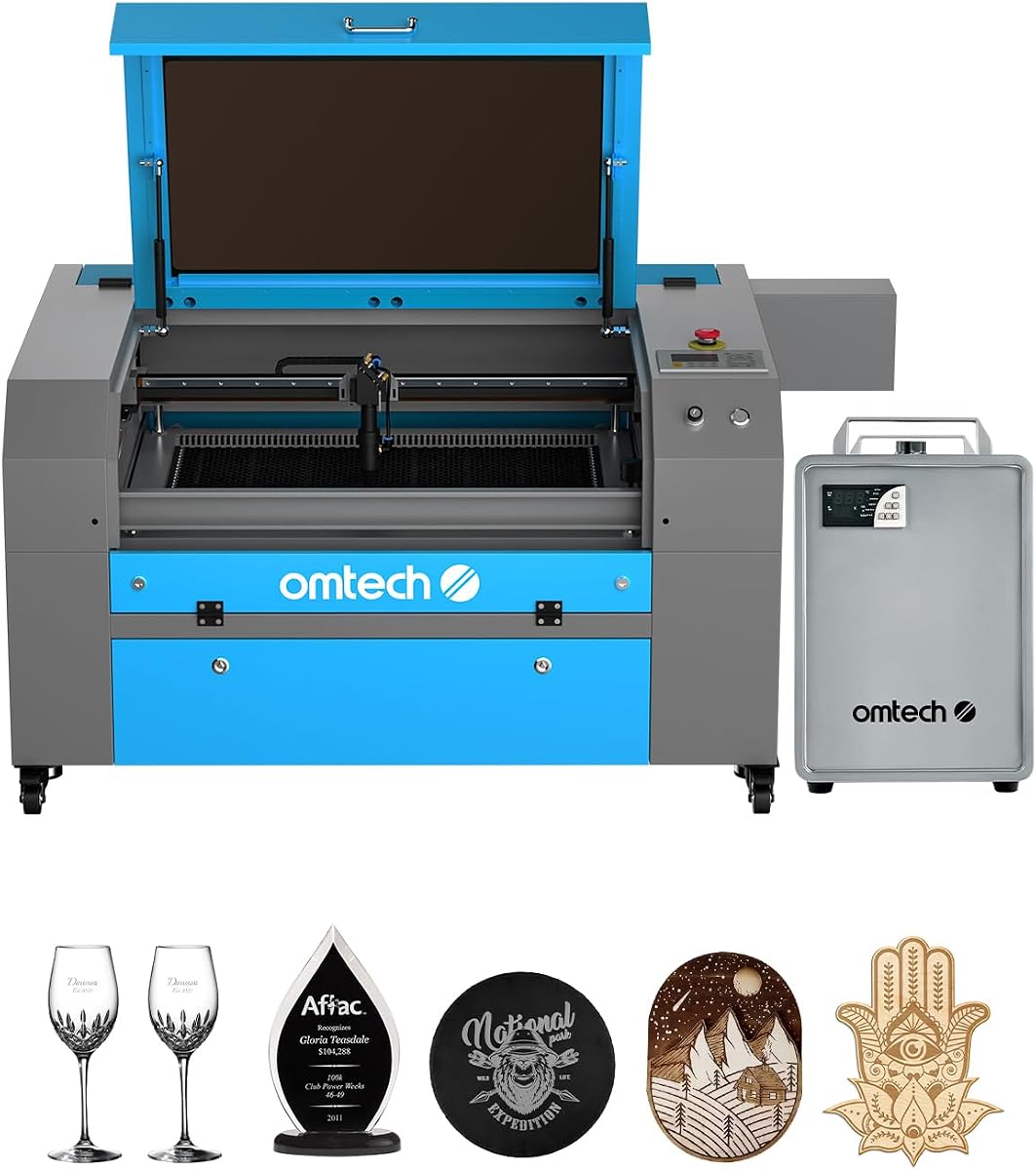


The xTool P3 80W stands out as the most advanced desktop CO2 laser cutter available today. It combines industrial-grade power with intelligent automation features that simplify complex workflows significantly.
We may earn a commission when you buy through this link, at no additional cost to you.
Its flagship 80W laser power allows for cutting thick materials like wood and acrylic with remarkable speed. The Revolutionary Automated Creation System uses LiDAR ranging and dual HD cameras to ensure precise positioning and autofocus.
While the price is higher than many competitors, the efficiency gains from features like AI-powered Smart Nesting justify the investment. The Class 1 safety rating provides peace of mind for professional environments.
This machine is ideal for users who need reliability and speed without manual setup hassles. If you want a professional laser cutter that handles automation, the xTool P3 is the top choice.
ACS integrates LiDAR ranging for perfect autofocus and dual HD cameras for precise positioning.
Fully enclosed Class 1 safety design with active detection and suppression systems ensures safe operation.
We may earn a commission when you buy through this link, at no additional cost to you.
The OMTech K40+ 45W offers exceptional value for beginners and small businesses looking to enter laser engraving. It provides professional results without the high cost of larger industrial machines.
We may earn a commission when you buy through this link, at no additional cost to you.
With a powerful 45W laser, it can cut through 0.4 inch acrylic and 0.31 inch wood easily. The machine supports widely used software like LightBurn, making the learning curve much smoother.
The compact 12 by 8 inch workspace limits large projects but is perfect for detailed work. The integrated air assist system helps reduce fire risk and protects the lens during operation.
Choose this machine if you need a reliable entry-level cutter with strong community support. It delivers professional quality for personal use and small commercial jobs effectively.
Fully supports LightBurn and LaserGRBL for seamless control whether you are a beginner or expert.
Includes door and water protection, an emergency stop function, and flame-retardant acrylic panel.
We may earn a commission when you buy through this link, at no additional cost to you.
The OMTech Pro 130W is a powerhouse designed for serious professionals and industrial applications. It features a massive workspace and high power output for demanding production tasks.
We may earn a commission when you buy through this link, at no additional cost to you.
Its 130W laser tube allows for deep engraving and fast cutting speeds up to 1200mm/s. The built-in CW-5200 water chiller maintains temperature stability during extended usage sessions.
Upgraded ball-bearing guide rails and X and Y-axis servo motors enhance precision and speed. WiFi connectivity and the Ruida 6445G touchscreen make operation intuitive and convenient.
This model is best for shops that need to process large materials frequently. The investment pays off in throughput and reliability for high-volume production environments.
Built-in CW-5200 water chiller keeps the machine cool with 5186 BTU/hr cooling capacity.
Achieve engraving speeds up to 1200mm/s with upgraded ball-bearing guide rails and servo motors.
We may earn a commission when you buy through this link, at no additional cost to you.
The VEVOR 100W CO2 laser engraver offers a spacious 24 by 35 inch working area at a competitive price point. It is designed for users who need to work on larger projects.
We may earn a commission when you buy through this link, at no additional cost to you.
It cuts materials up to 0.59 inch thick in one pass and works with over 1000 non-metallic materials. The intelligent laser head ensures smooth incisions without burrs for a professional finish.
The honeycomb structure bed provides structural stability, while front and back pass-through doors expand possibilities for long materials. The transparent window is tinted for eye protection.
This machine suits makers who want extra surface area without paying for industrial models. It delivers solid performance and safety features for hobbyists and small businesses.
Features a spacious 24 by 35 inch working area providing 840 square inches of workspace.
Intuitive digital control panel works with most third-party graphic software like LightBurn.
We may earn a commission when you buy through this link, at no additional cost to you.
The OMTech Maker 90W is engineered for consistent performance during extended engraving sessions. The bundled water chiller ensures the laser tube stays cool, extending its lifespan significantly.
We may earn a commission when you buy through this link, at no additional cost to you.
It uses a high-performance Yongli H2 tube delivering 90W of power for up to 8000 hours. The 20 by 28 inch work area fits most projects comfortably with four-way pass-through doors.
Safety is prioritized with a widened viewing window made from flame retardant material. The cover interlock automatically cuts the laser beam if the window is opened.
This model is perfect for users who need reliable daily operation without manual cooling setup. It offers a great balance of power and durability for small commercial use.
Bundled water chiller provides effective cooling for extended engraving sessions and longer tube life.
High-performance Yongli H2 tube delivers up to 8000 hours of usage at lower settings.
We may earn a commission when you buy through this link, at no additional cost to you.
The OMTech Maker 60W includes LightBurn software and a water chiller in the bundle. This setup removes guesswork for beginners setting up their first laser engraver.
We may earn a commission when you buy through this link, at no additional cost to you.
The workbeds adjust up and down at the touch of a button with preinstalled autofocus. It handles a 20 by 28 inch work area with four-way pass-through doors for large items.
Safety is ensured with a flame retardant viewing window and built-in air assist. The air assist efficiently removes smoke and dust to protect the lenses and mirrors.
Choose this model if you want an easy start with quality software included. It provides a safe and clean experience for those new to laser engraving.
Comes with a water chiller and LightBurn software to provide consistent laser performance.
No more struggling with manual adjustments as autofocus finds the right focal distance.
We may earn a commission when you buy through this link, at no additional cost to you.
The OMTech K40+ 45W is a compact desktop unit ideal for makers with limited space. It upgrades to 45W laser performance, cutting speed significantly compared to standard K40 models.
We may earn a commission when you buy through this link, at no additional cost to you.
It supports LightBurn and LaserGRBL for seamless control. The compact 12 by 8 inch workspace supports both standard and irregular materials effectively.
The 24/7 global support team delivers expert assistance and local demos. The integrated air assist system reduces wood carbonization and lowers fire risk during jobs.
This machine is suitable for those needing a small footprint but professional software support. It delivers quality results for small projects and intricate designs easily.
24/7 global support team delivers expert assistance including technical guidance and local demos.
Engrave at speeds up to 300mm/s ideal for complex designs and bulk orders.
We may earn a commission when you buy through this link, at no additional cost to you.
The OMTech Pronto 100W delivers revolutionary engraving speeds up to 39.4 inches per second. It features advanced autofocus technology that eliminates guesswork for setup and operation.
We may earn a commission when you buy through this link, at no additional cost to you.
Its 40 by 24 inch work area accommodates larger items with two-way pass-through doors. The powerful air pump and fan ensure cuts are precise and clean.
The laser tube delivers 100W of power for up to 12000 hours. Comprehensive protection features include water protection and temperature alarms for safety.
Choose this for competitive speed without sacrificing precision. It is ideal for businesses requiring rapid turnaround on multiple production jobs.
Experience revolutionary engraving speeds of up to 39.4 inches per second.
Equipped with a powerful air pump and fan to reduce material burn.
We may earn a commission when you buy through this link, at no additional cost to you.
The OMTech Pronto 130W boasts a massive 51 by 35 inch work area for big projects. It provides speeds up to 1000mm/s with 130W of laser power.
We may earn a commission when you buy through this link, at no additional cost to you.
The preinstalled autofocus finds the right focal distance automatically. The high-performance laser tube delivers power for up to 12000 hours.
Safety is prioritized with water protection, temperature alarms, and an emergency stop button. The two-way pass-through doors handle large items easily.
This is a top pick for those needing significant surface area. It transforms artistic visions into realities with impressive speed and depth.
Honeycomb and aluminum blade beds feature a 51 by 35 inch work area.
High-performance laser tube delivers 130W of power for extended usage.
We may earn a commission when you buy through this link, at no additional cost to you.
The OMTech K40+ 45W remains a popular choice for its affordability and simplicity. It is designed for DIY enthusiasts looking for a straightforward entry into CO2 cutting.
We may earn a commission when you buy through this link, at no additional cost to you.
Its integrated air assist helps maintain lens clarity during operation. The compact design makes it easy to fit on a standard workbench.
It offers basic functionality without complex setup requirements. It is perfect for small-scale projects where budget is a primary concern.
Select this if you need a reliable machine for occasional use. It balances cost and functionality for entry-level users effectively.
Offers basic functionality without complex setup requirements for simple projects.
Perfect for small-scale projects where budget is a primary concern.
We may earn a commission when you buy through this link, at no additional cost to you.
Choosing the right CO2 laser cutter involves balancing power, speed, safety, and budget. This guide explores key factors to help you make the best decision.
Laser power measured in watts determines how quickly you can cut or engrave. Higher wattage allows for cutting thicker materials and faster production speeds. For hobbyists, 40 to 60 watts may suffice, while professionals may prefer 90 to 130 watts.
The work area determines the maximum size of material you can process in one go. Consider the typical size of your projects when choosing. Desktop models offer small areas while industrial ones support large sheets.
Ensure the machine supports software you are comfortable using. LightBurn is a popular choice for its ease of use and powerful features. Check if it includes software or if you must purchase separately.
Safety is critical when operating a laser. Look for Class 1 safety ratings, interlocks, and emergency stop buttons. These features protect users from accidental exposure to laser beams.
Higher power lasers require water cooling to prevent tube damage. Some models come with bundled chillers while others need separate units. A good chiller extends the tube lifespan.
An air assist system blows air at the cutting point to remove debris. This reduces smoke and helps achieve cleaner cuts. It also protects the lens from splatter.
Good customer support can save you time when troubleshooting issues. Check the warranty length and if local service is available. Reliable brands often offer extended support options.
Modern machines often offer USB or WiFi connectivity. This allows for wireless file transfer and easier workflow management. Check your existing workflow needs for connection types.
Regularly clean the exhaust fan and air assist nozzle. Store the machine in a dry place to prevent condensation. Proper maintenance extends the lifespan of critical components.
Standard CO2 lasers generally cannot cut metals effectively. However they can engrave metal surfaces using spray coating. Fiber lasers are typically required for cutting metal.
Look for Class 1 or Class 2 ratings to ensure safe enclosure. Emergency stop buttons are essential. Also check for interlocks that cut the beam if opened.
Most modern CO2 cutters support LightBurn software. It provides a user-friendly interface for design. Check the specific manual to confirm compatibility.
Clean the lens at least once a month depending on usage. Dust and debris can reduce beam efficiency. A soft cloth with alcohol works best.
Wood acrylic leather and glass are safe. Avoid PVC vinyl or ABS as they release toxic fumes. Always check material safety data before cutting.
Higher power lasers typically need a chiller to prevent overheating. Lower wattage models may rely on air cooling. A chiller extends tube life significantly.
A standard tube lasts between 2000 to 5000 hours. Proper cooling and maintenance extend this duration. Replacements are available but can be expensive.
Assembly varies by model but usually takes a few hours. Manuals are typically detailed with steps. Many users find it manageable with basic tools.
Always check current prices and availability before purchasing. Specifications can change over time. We hope this guide helps you find the perfect machine for your projects.