
Translation Pen, 142 Language Translator Device
3.6Editor score
142 language online translation
Photo translation capability
Compact portable design
AI scan pens with Chatgpt integration are revolutionizing how we interact with printed text. These devices combine optical character recognition with advanced language models to provide instant answers, translations, and study assistance directly from the page.
We evaluated ten leading models based on scanning accuracy, AI capabilities, translation range, and battery life. Our analysis focuses on real-world performance for students, professionals, and language learners who need reliable digital assistance on the go.
Each product review highlights key features, pros, cons, and ideal use cases to help you make an informed decision. Please note that prices and availability fluctuate frequently, so verify current details before purchasing your preferred model.
3.6Editor score

3.3Editor score

4.0Editor score
As an Amazon Associate we earn from qualifying purchases.
This side-by-side comparison highlights the core specifications and capabilities of the ten selected AI scan pens, helping you identify the model that best fits your specific study, work, or travel needs.




The Scanmarker AI Pen stands out as a robust tool for converting printed text into digital formats quickly. With a built-in screen and text-to-speech capabilities, it offers immediate feedback that helps users verify scans instantly.
We may earn a commission when you buy through this link, at no additional cost to you.
Its standout quality lies in the instant scan-to-text magic, allowing students and professionals to capture key lines without typing. The ability to save scans to favorites ensures you stay organized during study sessions or meetings.
While the core scanning function is reliable, the AI integration is more basic compared to dedicated Chatgpt pens. Users seeking deep conversational AI may find it lacks advanced questioning features found in newer models.
This pen is ideal for those prioritizing direct text capture and audio feedback over complex AI interactions. If you need a reliable reader for study and travel, it delivers consistent performance.
Slide the pen to scan words and watch them appear on-screen in seconds for rapid learning.
Hear text read aloud to improve understanding and reduce reading fatigue during long sessions.
We may earn a commission when you buy through this link, at no additional cost to you.
The NEWYES AI Pen is designed with specific learning needs in mind, particularly for users with dyslexia. It adjusts word reading speeds and offers accent options to make processing text less stressful.
We may earn a commission when you buy through this link, at no additional cost to you.
Its AI-powered learning excellence includes homework checking and real-time chat, making it a comprehensive study buddy. The 16GB storage ensures you can save extensive notes and translations without constant syncing.
The interface is versatile but may require initial setup to customize reading levels and accents. While it excels in educational contexts, casual users might find the specialized features overwhelming.
If you need a pen that adapts to different reading proficiencies, this model offers significant value. It bridges the gap between translation and deep learning support effectively.
Choose from six reading levels to match your proficiency and grow with your skills.
Use built-in homework checker and AI chat to get explanations for complex topics.
We may earn a commission when you buy through this link, at no additional cost to you.
The XNote Smart Pen transforms traditional paper writing into digital assets seamlessly. Its battery lasts up to 17 hours, ensuring all-day use during lectures or meetings without interruptions.
We may earn a commission when you buy through this link, at no additional cost to you.
Unlike standard scan pens, this system captures handwritten notes and syncs them to an app with AI organization. It summarizes lectures and tags notes automatically, enhancing productivity significantly.
Offline storage allows you to write without internet, syncing later when connected. This reliability is crucial for travelers or professionals in areas with poor connectivity.
For those who value handwriting but need digital searchability, this bundle is unmatched. It combines analog comfort with modern AI intelligence for efficient note management.
Write naturally on paper while strokes are captured instantly via Bluetooth to your device.
Sync audio from Zoom or Teams with handwritten notes for complete meeting records.
We may earn a commission when you buy through this link, at no additional cost to you.
This translator pen offers a broad range of features at a competitive price point. The 5MP HD camera allows you to scan complex text like menus or signs with high accuracy.
We may earn a commission when you buy through this link, at no additional cost to you.
With support for 142 online languages and voice recording, it serves both language learners and professionals. The dyslexia aid features make text decoding faster and less prone to omission.
While the language count is impressive, offline options are restricted to 10 languages. You should rely on online connections for full functionality when traveling abroad.
Ideal for users needing a versatile tool for translation and recording, it balances cost and features well. Ensure you have reliable internet access for the best experience.
Use the HD camera to identify non-standard text layouts for accurate translation.
Record meetings and courses directly on the pen to capture audio and text.
We may earn a commission when you buy through this link, at no additional cost to you.
This pen focuses on providing instant AI answers for subjects like math and history. The integrated GPT feature allows you to interact with knowledge directly from the device.
We may earn a commission when you buy through this link, at no additional cost to you.
The 3.69-inch HD touchscreen provides a clear interface for scanning and viewing translations. It supports offline translation for over 150 languages, which is excellent for travel.
While the AI interaction is intuitive, complex queries may still require connection to external networks. Users should manage expectations regarding the depth of offline responses.
For students needing quick insights on specific topics, this device delivers fast results. Its combination of translation and AI assistance makes it a powerful study tool.
Ask questions and get intelligent suggestions directly through the device interface.
Access over 150 languages offline for uninterrupted translation while on the go.
We may earn a commission when you buy through this link, at no additional cost to you.
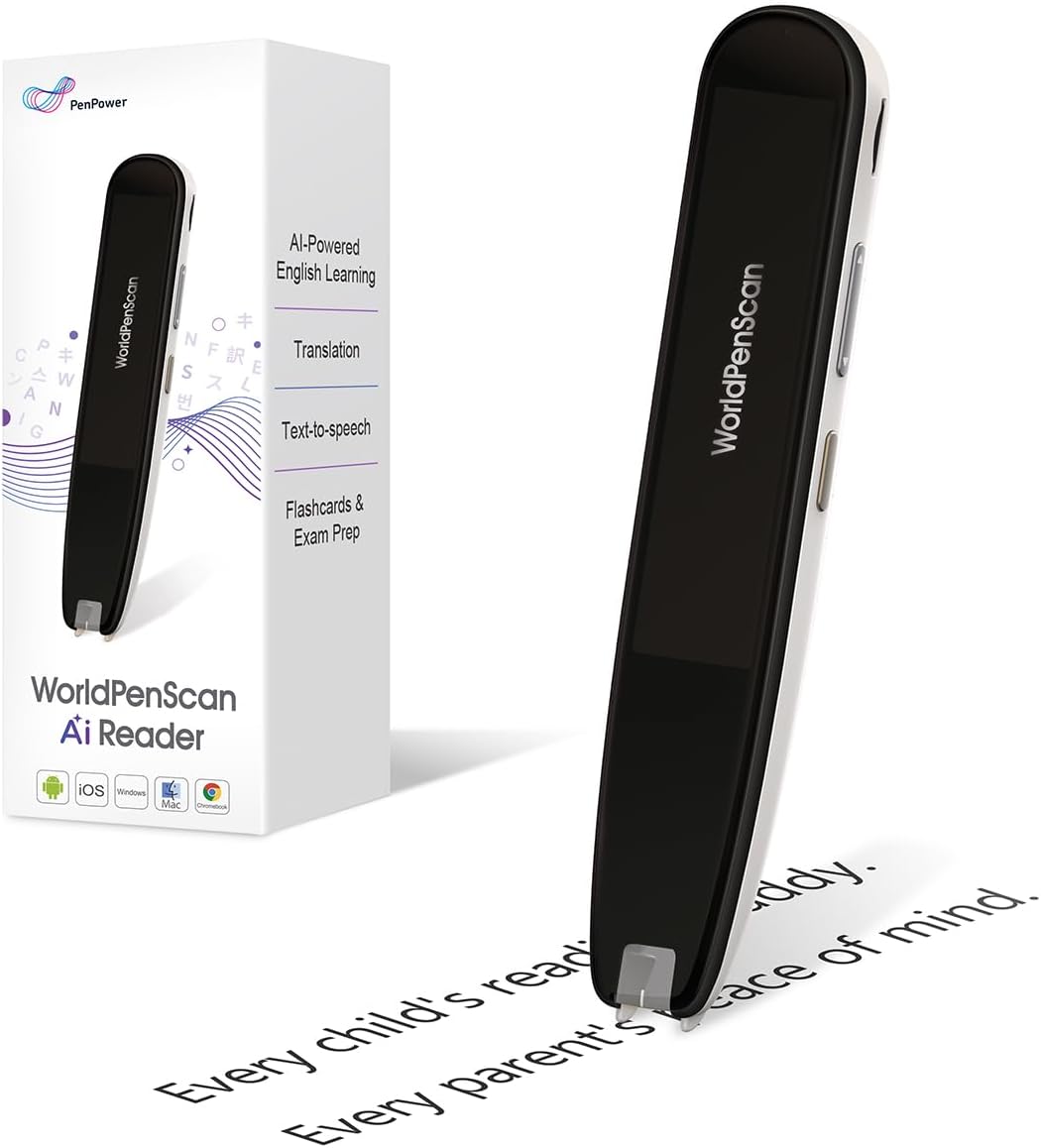
WorldPenScan is specifically crafted for children needing extra reading support. Its Quick AI feature provides age-appropriate explanations for difficult vocabulary without leaving the page.
We may earn a commission when you buy through this link, at no additional cost to you.
The reading companion helps reinforce comprehension with quizzes and insights. Offline tools like text-to-speech ensure reading can happen anywhere without internet connectivity.
While the focus on kids is clear, the language list is restricted compared to general translators. This limits its utility for advanced travelers but suits educational goals.
Parents and educators will appreciate how this tool fosters independent reading. It simplifies complex ideas to build confidence in young learners effectively.
Get instant explanations for difficult words to maintain reading flow and engagement.
Use AI-generated quizzes to test understanding after scanning a sentence.
We may earn a commission when you buy through this link, at no additional cost to you.
The Pen Gpt AI Pen emphasizes digital organization alongside translation. Its WiFi sync allows you to transfer scanned files wirelessly to paired devices instantly.
We may earn a commission when you buy through this link, at no additional cost to you.
With a vibrant HD touchscreen, viewing translations and ChatGPT interactions is smooth. Offline translation support ensures you can work without internet interruptions when needed.
However, the lack of clear user ratings makes it harder to assess long-term reliability. Potential buyers should research community feedback before committing.
This model suits those prioritizing file management and translation. Ensure your digital workflow aligns with its connectivity features.
Sync scanned notes wirelessly for easy access on your phone or tablet.
Brainstorm ideas or refine essays directly through the integrated ChatGPT interface.
We may earn a commission when you buy through this link, at no additional cost to you.
This notebook set transforms ideas into visuals and editable text through voice commands. The app generates compliant artwork in seconds based on your keywords.
We may earn a commission when you buy through this link, at no additional cost to you.
Wireless charging simplifies power management, making it convenient for daily use. Handwriting recognition converts notes into Word documents efficiently for better workflow.
While innovative, the reliance on app functionality can limit standalone use. You will need to connect to your phone frequently to access full features.
If you prefer creative input and voice-driven productivity, this set offers unique capabilities. Verify app compatibility with your operating system before purchasing.
Input verbal expressions to generate visuals and editable documents rapidly.
Power up with a simple touch on a wireless charging symbol for ease.
We may earn a commission when you buy through this link, at no additional cost to you.
The Scanmarker Pal is a lightweight translator ideal for travelers needing quick translations. Offline support covers major languages like English, Spanish, and French for offline use.
We may earn a commission when you buy through this link, at no additional cost to you.
It highlights scanned text on-screen and reads it aloud for improved comprehension. This is especially helpful for auditory learners and those with reading difficulties.
While compact and easy to carry, it lacks the advanced AI features of higher-end models. It functions primarily as a reliable reader and translator.
If portability and basic language support are your priorities, this pen is a strong choice. It simplifies communication across borders efficiently.
Access translations for English, Spanish, French, German, and Italian without internet.
Connect Bluetooth headphones for a private and immersive audio experience.
We may earn a commission when you buy through this link, at no additional cost to you.
This pen offers a massive library of 142 languages at an affordable price. It supports online scanning and offline translation for essential language needs during travel.
We may earn a commission when you buy through this link, at no additional cost to you.
Beyond translation, it doubles as a recorder and media player for music or videos. This versatility makes it a useful gadget for travelers on a budget.
Build quality and screen visibility may be compromised due to the low cost. Users should expect basic performance without premium hardware features.
If you need a budget-friendly option with broad language support, this device fits the bill. Verify screen size and durability before buying.
Use the pen to play music or video files during downtime while traveling.
Synchronize scanned documents with your phone for easy import and editing.
We may earn a commission when you buy through this link, at no additional cost to you.
Choosing the right AI scan pen requires understanding your specific needs regarding language support, AI capabilities, and hardware design.
Check how many languages the pen supports online versus offline. For travelers, having offline options for major languages like Spanish or French is essential.
Prioritize devices that support over 100 languages for comprehensive global coverage.
Determine if you need simple text-to-speech or advanced conversational AI. PenGpt models allow you to ask questions and get answers directly.
Ensure the device supports your preferred learning style, whether it is quizzes or homework checking.
A clear HD touchscreen improves readability and ease of navigation. Small screens may be difficult to use for extended periods.
Look for intuitive menus that allow quick access to translation and chat features.
Bluetooth and WiFi sync capabilities allow you to export notes to your phone or computer easily. Ensure the device supports formats like PDF or TXT.
Verify storage capacity if you plan to save thousands of documents without cloud dependency.
Long battery life ensures you can study or work all day without interruption. Aim for devices offering at least 10 hours of continuous use.
Check charging time and method; wireless charging adds significant convenience.
A high-resolution camera is vital for scanning complex text or photo translation. 5MP cameras provide better accuracy for non-standard layouts.
This feature is critical for scanning menus or signs where text is not linear.
Specialized pens offer adjustable reading speeds and accent options to assist readers with dyslexia. This customization reduces stress during reading sessions.
Look for tools that highlight text to improve focus and comprehension.
The pen should be lightweight and comfortable for carrying in a pocket. Sturdy build quality prevents damage during travel.
Consider waterproofing or protective casing if you plan to use it in varied environments.
Always calibrate the pen before first use by following the manufacturer's setup guide. This ensures accurate scanning and synchronization with your device.
Keep the scanning tip clean and free from debris to prevent reading errors. Use a soft cloth to wipe it gently after each session.
Update the device firmware regularly to access the latest AI features and security patches. Connect to the companion app to manage these updates efficiently.
Many devices offer limited offline translation for basic languages. However, full AI conversation features usually require an internet connection. Check specific model details for offline capabilities.
Most pens sync via Bluetooth or WiFi to a companion app. You can export files in TXT, DOC, or PDF formats directly from the app to your computer or cloud storage.
Standard scan pens are designed for printed text. Some advanced models like XNote can recognize handwriting. Always verify if OCR supports cursive or handwritten input.
Yes, specific models offer dyslexia-friendly features like adjustable reading speeds and highlighting. These tools reduce reading stress and improve comprehension for learners with specific needs.
Battery life varies by model but ranges from 10 to 17 hours. High-intensity usage like video playback may reduce battery life. Check specs before purchase.
While useful for study, do not rely on consumer scanners for sensitive documents. Always verify accuracy and security protocols before using for official or private records.
Most devices support common formats like TXT and PDF. Some advanced models support DOC or specialized formats for editing. Review the app features before buying.
Photo translation works well for printed text but may struggle with stylized fonts. Use a steady hand and ensure good lighting for best results.
The Scanmarker AI Pen, NEWYES AI Pen, and XNote Smart Pen lead our list for their balanced features. Each offers unique strengths depending on whether you prioritize translation, learning support, or handwriting sync.
Prioritize your primary use case, whether it is travel translation or academic study. A pen that aligns with your workflow will provide the most value.
Check current prices and availability on Amazon before purchasing. Technology updates frequently, and verified ratings help ensure you get a reliable device.