
Entina Tina2C
4.4Editor score
Start in 8 mins
App and WiFi control
Compact mini design
This guide compares the top easy to use 3D printers for beginners and kids based on speed, ease of setup, and printing quality to help you choose.
Finding an easy to use 3D printer can transform your creative hobbies into reality without the usual technical headaches. Modern machines now feature automated calibration and intuitive interfaces that remove the guesswork from layer adhesion and nozzle height. Whether you are a student or a parent looking for a safe educational tool, the right device makes creation accessible.
We evaluated ten standout models based on setup time, software integration, and print reliability. Each entry was selected for its ability to deliver consistent results with minimal manual intervention. Our analysis covers everything from compact mini units to full-scale workhorses that support diverse filament types and advanced features.
Every pick highlights key strengths and potential trade-offs so you can match a machine to your specific needs. Prices and availability fluctuate frequently so always check the latest listings before finalizing your purchase decision. Read on to discover which model offers the smoothest entry into the world of additive manufacturing.
4.4Editor score

4.7Editor score

4.5Editor score
The following table provides a side-by-side comparison of all ten models to help you quickly identify key differences in size, speed, and capabilities.




The Bambu Lab A1 stands out as a top choice for anyone seeking an easy to use 3D printer without compromising on performance. With its impressive speed and automatic calibration systems, it removes the tedious setup steps that often deter new users. Its user-friendly interface and reliable multi-color capabilities make it a versatile tool for both hobbyists and educators.
We may earn a commission when you buy through this link, at no additional cost to you.
This model features an acceleration of 10,000 mm/s² which ensures that prints are completed quickly without sacrificing detail. The active flow rate compensation adjusts extrusion in real time to guarantee smooth and consistent layer lines. Maintenance is straightforward thanks to the quick swap nozzle and active motor noise canceling which keeps the workspace quiet.
While the A1 offers remarkable automation, users should note that the AMS lite module for multi-color printing is an additional purchase. Some users may also find the reliance on cloud connectivity and specific ecosystem apps less flexible than open-source alternatives. However, these trade-offs are minor compared to the ease of use and reliability it provides.
For beginners and families who want a printer that just works right out of the box, the A1 is an excellent investment. It balances speed and precision in a way that few competitors achieve at this price point. If you value time and simplicity, this model will not disappoint.
High-speed printing reduces wait times so you can iterate on designs faster and enjoy your creative projects more.
Automatic calibration eliminates the need for manual adjustments so you can start printing immediately after unpacking.
We may earn a commission when you buy through this link, at no additional cost to you.
The FLASHFORGE Adventurer 5M is designed for users who prioritize speed and efficiency in their printing workflow. It features a CoreXY structure that allows for travel speeds up to 600mm/s and acceleration of 20000mm/s². This performance makes it suitable for rapid prototyping where time is a critical factor.
We may earn a commission when you buy through this link, at no additional cost to you.
Setup is streamlined with automatic bed leveling that ensures consistent first layers without manual tweaking. The 3-second detachable nozzle allows for quick changes between different printing requirements. You can monitor progress remotely through the Flash Studio app which adds convenience for managing multiple prints.
Despite its speed the printer requires careful handling of the hot end and extruder due to high temperatures. Some users might find the learning curve for optimizing settings steep if they come from slower more traditional machines. Additionally the direct extruder design can be sensitive to filament quality.
If you need a machine that can churn out parts quickly and handles a variety of filaments well this is a strong option. It is particularly useful for small workshops or makers who need to produce functional prototypes in short order. Just be prepared to spend time tuning settings for best results.
High-speed capabilities allow you to test ideas quickly and iterate designs without long wait times between prints.
App control lets you check status and adjust settings from anywhere which adds flexibility to your workflow.
We may earn a commission when you buy through this link, at no additional cost to you.
The Bambu Lab A1 mini is a compact version of its larger sibling designed specifically for beginners and those with limited space. It includes an LED Lamp Kit that encourages creative projects like DIY home decor and personalized gifts. The setup is incredibly simple with automatic calibration that gets you printing in minutes.
We may earn a commission when you buy through this link, at no additional cost to you.
This printer offers the same reliable ecosystem as the A1 including access to MakerWorld and the Bambu Handy app. It runs quietly and quickly which makes it suitable for home environments where noise might be a concern. The build volume is smaller but sufficient for most hobbyist needs.
While excellent for small objects it may feel limiting for users who want to print larger items without slicing them up. The LED kit is a unique selling point but may not appeal to everyone. The price includes extras which adds value but might not fit those seeking a barebones machine.
For students or kids starting out this model provides a safe and educational entry point into 3D printing. Its small size means it fits on a desk without taking over your workspace. If you want a no-fuss machine for fun projects the A1 mini is a great pick.
The included LED kit inspires kids to explore both printing and basic electronics in a single project.
A compact footprint allows you to use this printer in dorm rooms or small apartments easily.
We may earn a commission when you buy through this link, at no additional cost to you.
The Bambu Lab P1S is a premium offering that combines speed with the ability to print advanced filaments due to its enclosed design. It supports up to 16 colors when connected to the AMS system. Setup is incredibly fast taking only 15 minutes which is rare for a machine of its capability.
We may earn a commission when you buy through this link, at no additional cost to you.
Its enclosed body helps with printing materials like ABS and ASA that require stable temperatures to prevent warping. The speed of 500mm/s ensures that even detailed prints are completed in a fraction of the time. Auto bed leveling guarantees that the first layer is always perfect.
While it is a powerful tool the need to buy the AMS separately for multi-color printing can add to the cost. Some users might find the proprietary nature of the ecosystem restrictive if they prefer open-source software. However the performance and ease of use justify the investment for serious hobbyists.
If you need a reliable workhorse that can handle both PLA and engineering plastics without hassle this is the one to choose. It is ideal for makers who want to produce high-quality parts at home. The P1S delivers on almost every promise it makes.
The enclosure allows you to use stronger plastics that are better for functional mechanical parts.
Multi-color support adds a layer of visual impact to your prints that single-color machines cannot match.
We may earn a commission when you buy through this link, at no additional cost to you.
The AOSEED AI 3D Printer is specifically designed for kids and families who want a safe and fun printing experience. It includes access to over 8,000 models and AI tools that let children create 3D figures from photos or text prompts. The enclosed design protects little fingers from hot parts.
We may earn a commission when you buy through this link, at no additional cost to you.
Printing is as simple as tapping a button in the app and the built-in camera allows parents to monitor progress in real time. It prints at speeds up to 400mm/s which keeps kids engaged without long waits. The kit includes everything needed to start making toys right away.
It is limited to single-color printing which might be a drawback for complex models. The build volume is small so large projects are not possible. However for a beginner-friendly machine focused on education and safety these limits are acceptable.
This printer is a wonderful gift that encourages STEM learning and creativity. It removes the technical barriers that usually stop families from exploring 3D printing. If you want your child to design and print their own toys this is the perfect choice.
AI tools let kids turn drawings and photos into 3D models without needing to know CAD software.
Enclosed safety features ensure that the printer is safe for use in shared home spaces.
We may earn a commission when you buy through this link, at no additional cost to you.
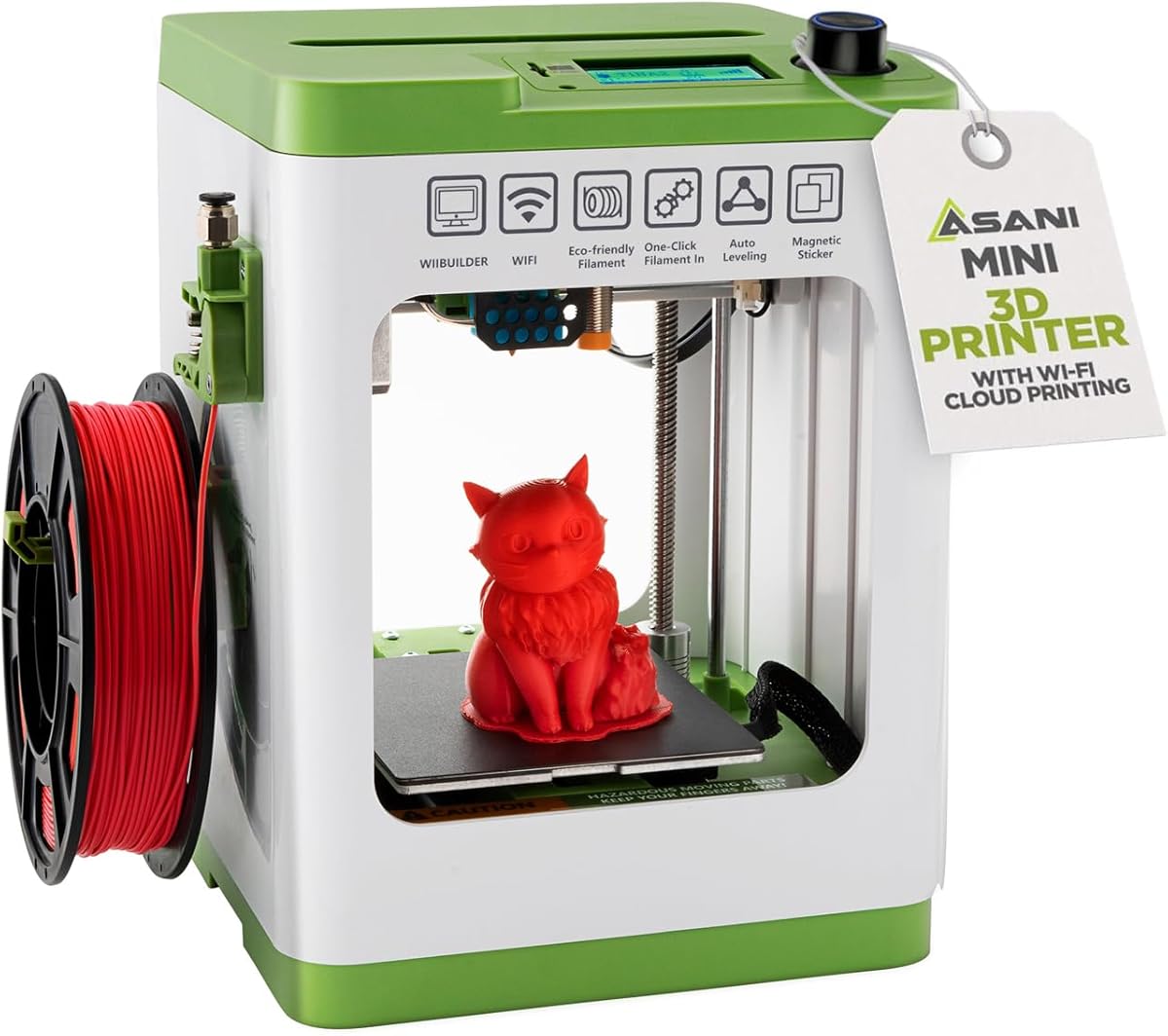
The Entina Tina2C is a budget-friendly mini printer that lets you start printing in just eight minutes. It is fully assembled and guided by an app that makes setup a breeze. Its compact size makes it ideal for classrooms or small desks where space is limited.
We may earn a commission when you buy through this link, at no additional cost to you.
It features auto leveling and a magnetic build plate which simplifies maintenance and ensures good adhesion. The app includes STEM courses and creative modules that add educational value beyond just printing. You can control it remotely via WiFi or use a TF card for offline printing.
The tiny print volume restricts you to very small objects which limits its use for large projects. Reliance on the app for advanced features might annoy those who prefer desktop software. However for its price and purpose it offers a lot of value.
If you need an affordable entry point for kids or casual users this machine fits the bill. It is designed to be fun and educational rather than a heavy-duty workhorse. For simple toys and models it performs surprisingly well.
Integrated STEM courses turn printing into a structured learning activity that kids can enjoy at home.
Low cost combined with high ease of use makes this the best budget option for beginners.
We may earn a commission when you buy through this link, at no additional cost to you.
The FLASHFORGE AD5M is built for users who want a mix of speed and reliability. It features an all-metal CoreXY structure that ensures smooth motion at high speeds. The one-click leveling system makes setup fast and ensures a perfect first layer every time.
We may earn a commission when you buy through this link, at no additional cost to you.
Quick-swap nozzles allow you to change between different filament types easily without tools. The dual-sided PEI plate makes it simple to remove prints after they cool. You can manage prints through the app which provides useful monitoring features.
While it is powerful the printer may require some time to fine-tune settings for optimal results. The app ecosystem is robust but can be overwhelming at first. Still the build quality and performance are solid for the price.
This model is great for hobbyists who want a reliable machine that can handle various projects. It balances ease of use with the flexibility needed for more complex prints. If you want speed without sacrificing quality this is a strong choice.
The all-metal frame ensures long-term stability and consistent print quality even at high speeds.
Quick nozzle changes and easy filament loading keep you printing without constant downtime.
We may earn a commission when you buy through this link, at no additional cost to you.
The TINA2S comes as a complete kit with everything you need to start printing right away. It is fully assembled which saves you the headache of putting it together. The auto leveling and dual Z-axis rails ensure that your prints stick well to the bed.
We may earn a commission when you buy through this link, at no additional cost to you.
Filament loading is done with one touch which makes changing materials very easy. The printer is open source so you can use your own slicers if you prefer. It is compact and lightweight making it perfect for dorms or classrooms.
Its small size limits you to tiny projects which might frustrate users wanting larger models. The features are basic compared to higher-end machines. However for the price it provides a very reliable entry into 3D printing.
If you want a no-hassle start with less money this is a great option. It is reliable enough for home use but simple enough for kids to enjoy. A solid choice for basic printing needs.
The included filament and tools mean you can print immediately without buying extra accessories.
Compatibility with major slicers gives you control over how you slice and print your models.
We may earn a commission when you buy through this link, at no additional cost to you.
The Creality Ender 3 V3 SE is known for its high speed and automatic leveling features that simplify the printing process. It prints at speeds up to 250mm/s which is fast for its class. The CR Touch auto leveling ensures that your first layer is always accurate.
We may earn a commission when you buy through this link, at no additional cost to you.
The Sprite direct drive extruder makes it easy to print flexible filaments like TPU. The silent mainboard keeps noise levels low which is great for home environments. It has a stable motion system that reduces vibration for better print quality.
It lacks some advanced features found in more expensive models such as a touch screen. The build volume is modest so you won't be printing large props. Still it offers incredible value for the price point.
For beginners who want a reliable printer without spending a lot this is a top choice. It balances cost and performance better than most competitors. If you are budget-conscious but want quality prints this is the one to get.
A silent mainboard ensures your workspace remains calm even while printing for hours.
Direct drive extruder allows you to print with TPU and other flexible materials easily.
We may earn a commission when you buy through this link, at no additional cost to you.
The Anycubic Kobra X stands out for its ability to print in multiple colors natively without extra modules. It can expand up to 19 colors which opens up many creative possibilities. Setup is quick with LeviQ 3.0 leveling that ensures 100% bed flatness.
We may earn a commission when you buy through this link, at no additional cost to you.
It features smart AI monitoring that can detect issues like spaghetti strings. Dual-band WiFi allows for stable remote control and live status updates. The large print size means you can make bigger models than with many competitors.
You must buy filament separately which adds to the initial cost. Multi-color printing adds complexity to the workflow compared to single-color machines. However the color capabilities are unmatched in this price range.
If you want vibrant multi-colored prints this is the best choice on the market. It is ideal for creators who value aesthetics and design. The Kobra X brings a new level of creativity to home 3D printing.
Native multi-color support means you don't need extra modules to print with multiple filaments.
AI monitoring prevents wasted prints by catching errors before they ruin the entire project.
We may earn a commission when you buy through this link, at no additional cost to you.
Choosing the right 3D printer involves looking at setup complexity, software, and safety features.
Look for printers with automatic bed leveling and auto calibration to avoid manual adjustments.
A machine that assembles in minutes will save you hours of frustration and setup time.
Choose a printer that works with intuitive software or a dedicated app for monitoring.
Good software makes slicing and tracking prints easier for new users.
Faster speeds mean you wait less for your creations to finish.
Speeds over 200mm/s are ideal for keeping engagement high without losing quality.
Enclosed designs protect users from hot parts especially in households with children.
Always check for safety certifications before letting kids use the printer.
Ensure the printer supports common filaments like PLA which is easy to print.
Open systems allow you to use different brands of filament without issues.
A strong community means you can find help easily if you run into problems.
Manufacturers with active forums provide faster solutions to common issues.
Look for quick-swap parts and accessible nozzles to keep maintenance simple.
Easy maintenance ensures your printer lasts longer and stays reliable.
Consider what size of objects you want to print before choosing a machine.
Smaller volumes are cheaper but limit your ability to print large models.
Start by learning the basic calibration and leveling procedures in your printer's manual to ensure good adhesion.
Always use high-quality filament and store it in dry places to prevent clogs and print failures.
Clean the print bed regularly and check nozzles for wear to maintain consistent print quality.
Yes many modern 3D printers are designed with safety features like enclosures and pinch-resistant designs. Always supervise children during the printing process and ensure they do not touch hot parts.
No most beginner printers come with access to libraries of pre-designed models. You can print these directly or use simple design apps that do not require advanced CAD knowledge.
With proper maintenance most 3D printers can last for several years of regular use. Replacing parts like nozzles and build plates helps extend their lifespan significantly.
PLA is the best filament for beginners because it is easy to print and does not require high temperatures. It is safe and available in many colors.
Yes many of the reviewed printers support flexible materials like TPU with direct drive extruders. However printing these filaments requires a bit more tuning.
Operating costs are relatively low compared to other hobbies. Filament is affordable and electricity usage is modest for most home printers.
The top picks like the Bambu Lab A1 and Entina Tina2C offer excellent balance of speed and ease of use.
Prioritize features like auto leveling and enclosed safety if you have children or want a worry-free experience.
Always check current pricing and availability before buying since deals change frequently.