
8mm & Super 8 Film to Digital Converter
3.7Editor score
32GB SD card included
Up to 9 inch reel support
Instant TV playback options
Preserving vintage home movies requires reliable digital converters that handle Super 8 and 8mm film reels with ease. These devices transform fragile analog footage into stable digital files for modern viewing and sharing.
We evaluated ten leading film digitizers based on conversion quality, screen size, reel compatibility, and ease of use. Each product offers unique features for converting old movie reels without needing a computer.
Each selection highlights key strengths and trade-offs to help you choose the right tool for your collection. Remember that product availability and specific features may change over time.
3.7Editor score

4.1Editor score

4.0Editor score
As an Amazon Associate we earn from qualifying purchases.
This comparison table outlines the core capabilities of each film digitizer to help you identify the model that matches your specific preservation needs.




The KODAK REELS digitizer stands out for its large 5 inch LCD screen and straightforward interface. It converts both 8mm and Super 8 film directly to 1080p MP4 files without needing a computer.
We may earn a commission when you buy through this link, at no additional cost to you.
This unit captures video frames with an 8MP sensor to maintain high detail. You can adjust exposure and sharpness on the screen while viewing the film reel in real time.
The only limitation is the lack of audio capture, which is common for standalone film digitizers. You will need to re-record sound separately if needed.
Choose this model if you value a large preview screen and simple operation. It is an excellent standalone tool for preserving home movies.
The 8MP sensor ensures your captured frames look sharp on modern HD displays.
View your digitized videos directly on a TV using the included USB cable for easy sharing.
We may earn a commission when you buy through this link, at no additional cost to you.
This budget friendly digitizer offers solid performance for converting old 8mm and Super 8 reels. It includes a 32GB SD card so you can start archiving immediately.
We may earn a commission when you buy through this link, at no additional cost to you.
It supports large reels up to 9 inches and records directly to standard MP4 files. The built-in display allows for quick review after each session.
The screen is smaller than premium models but functional for basic adjustments. You may find frame alignment requires patience compared to touchscreen devices.
This is a great entry level choice for casual users who want an affordable solution. It gets the job done without complicated software setup.
The included memory card means you do not have to wait to begin digitizing your films.
Accommodates larger reels up to 9 inches which reduces interruptions during long projects.
We may earn a commission when you buy through this link, at no additional cost to you.
The Magnasonic scanner is known for its user friendly design and vibrant display. It converts film reels at the push of a button with minimal manual adjustments.
We may earn a commission when you buy through this link, at no additional cost to you.
You can adjust brightness and framing directly on the device which helps preserve the original look. The built-in screen is bright enough for detailed inspection.
It supports reels up to 7 inches which is standard for most home collections. The RCA cable option allows viewing on larger screens for family events.
Select this model for its simplicity and reliable performance. It is ideal for users who want a straightforward workflow without technical hurdles.
The one button scanning feature makes it easy for anyone to start converting films quickly.
The vibrant screen ensures you can see every detail of your captured memories accurately.
We may earn a commission when you buy through this link, at no additional cost to you.
This converter features a 5 Megapixel sensor to capture detailed video frames. The touch buttons allow for intuitive control over settings like exposure and sharpness.
We may earn a commission when you buy through this link, at no additional cost to you.
It comes with a 32GB SD card and a cleaning cloth which adds value. The large screen helps verify the frame quality before finalizing.
Audio is not captured but this is expected at this price point. You will rely on the SD card for storage and transfer files manually.
This model is suitable for users who want touch controls and included accessories. It offers a balanced mix of features for home use.
Getting a memory card and cloth in the box makes setup faster and more convenient.
The 5 Megapixel sensor ensures you preserve fine details in your old film strips.
We may earn a commission when you buy through this link, at no additional cost to you.
The MovieMaker Pro digitizer supports reels up to 9 inches making it ideal for large collections. It automates the process to simplify conversion for beginners.
We may earn a commission when you buy through this link, at no additional cost to you.
Files are saved directly to SD cards which are included with the device. The LCD screen allows you to review the output instantly after scanning.
It lacks audio capabilities but handles video frames well. The design is practical and focuses on getting footage into digital format quickly.
This is a strong choice for users with many reels to convert. It prioritizes capacity and ease of use over advanced editing features.
Supporting 9 inch reels means fewer interruptions when working with large film collections.
The automated process reduces manual effort so you can focus on other tasks.
We may earn a commission when you buy through this link, at no additional cost to you.
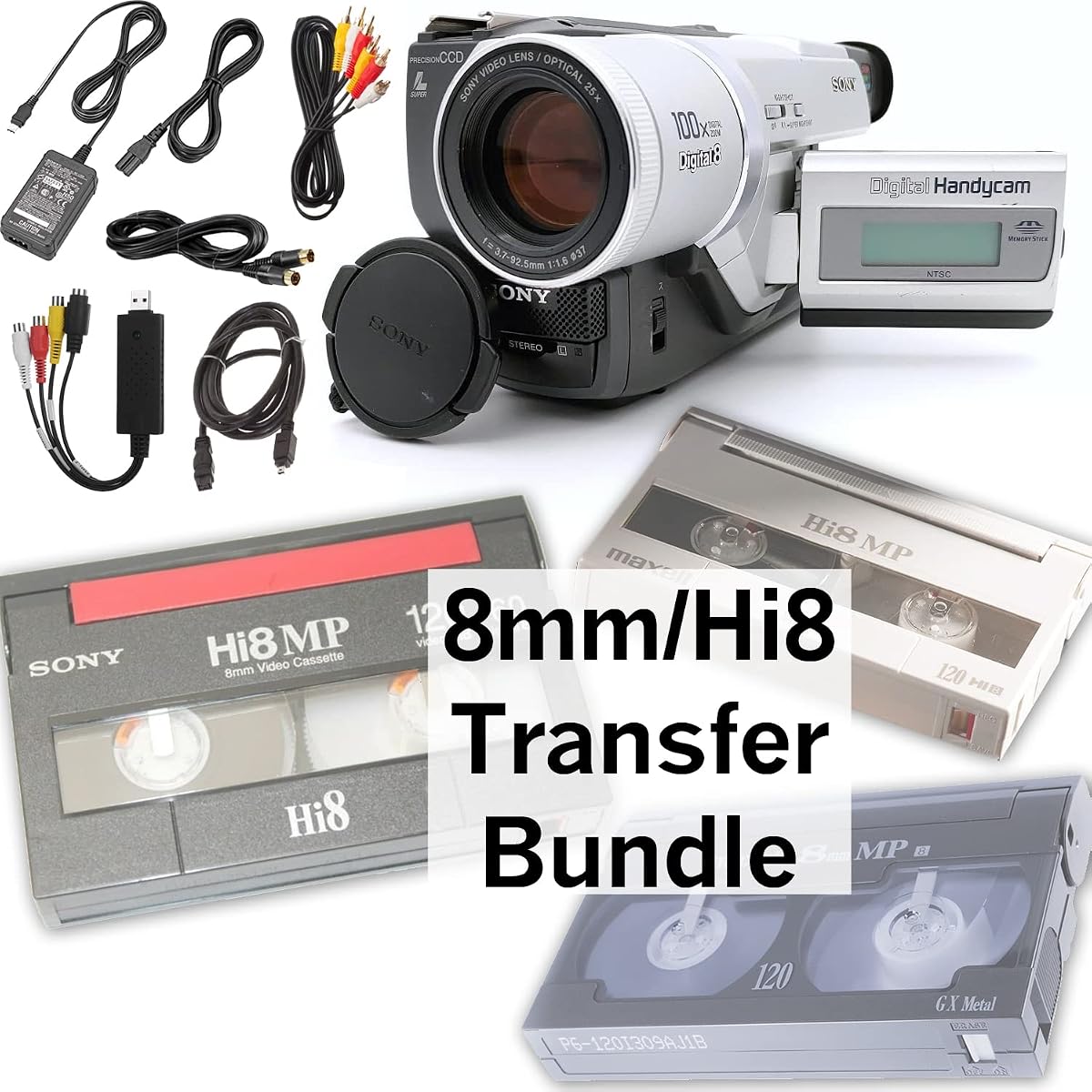
This bundle is designed for digital 8 and Hi8 tapes rather than traditional film reels. It includes a camcorder and USB adapter for direct computer transfer.
We may earn a commission when you buy through this link, at no additional cost to you.
The included battery and cables make it ready to use right out of the box. It is a good option if you have tape based home videos.
Note that this does not work with physical film reels which require a different device. It is specific to magnetic tape formats.
Choose this if your collection consists mainly of digital tapes. It provides a complete solution for that specific format.
This bundle targets digital 8 and Hi8 tapes which are common in later home video collections.
Having the camcorder and adapter in one set simplifies the acquisition process significantly.
We may earn a commission when you buy through this link, at no additional cost to you.
Another tape focused bundle this includes a blank tape and camcorder for transfers. It works similarly to the other tape kit but includes extra recording media.
We may earn a commission when you buy through this link, at no additional cost to you.
It supports transfer to computer files or DVD burning via the included software. The battery and cables ensure you can start immediately.
It is not suitable for physical film reels but works well for tapes. The blank tape allows for copying before digitization if needed.
This is useful if you have multiple tapes to copy. It provides a complete kit for magnetic tape preservation.
Having a blank tape in the box allows for immediate copying without extra purchases.
The combination of camcorder and adapter removes the need for separate component purchases.
We may earn a commission when you buy through this link, at no additional cost to you.
This scanner targets both film and slide conversion needs. It brings older media into the modern era with digital files ready for sharing.
We may earn a commission when you buy through this link, at no additional cost to you.
You can play back videos on the built-in screen or use a TV for a larger experience. The simple loading process reduces setup time.
It lacks audio but that is typical for this type of device. The service support promises a response within 24 hours for any issues.
Select this if you need a simple digital output for various formats. It serves as a basic bridge between old film and modern screens.
The simple loading prompts help you begin scanning without reading a lengthy manual.
The included TV cable makes it easy to show results on a big screen.
We may earn a commission when you buy through this link, at no additional cost to you.
This unit brings old films into the present with digital output capabilities. It supports both 8mm and Super 8 film types effectively.
We may earn a commission when you buy through this link, at no additional cost to you.
You can view the scanned files on the built-in screen or connect to a TV. The loading process is straightforward for beginners.
It focuses on video output without audio features which is standard. Support is available quickly if you encounter any issues.
This is suitable for users wanting quick digital access to old film. It serves as a practical tool for simple conversions.
Bringing old film to the 21st century makes sharing with younger family members much easier.
The simple prompts ensure you do not need technical skills to start converting.
We may earn a commission when you buy through this link, at no additional cost to you.
This scanner offers a complete set of accessories to support stable digitization. It captures film frames efficiently to create digital files for your collection.
We may earn a commission when you buy through this link, at no additional cost to you.
The full package includes cables and a cloth which simplifies your initial setup. It works with standard film types without needing extra tools.
It does not support audio capture but handles video frames reliably. The design is intended for straightforward daily use.
Choose this if you want a complete package ready for use. It is a solid choice for standard conversion needs.
Having the full set included means you do not have to buy additional cables later.
The scanner is designed to provide fast and stable digitization for consistent results.
We may earn a commission when you buy through this link, at no additional cost to you.
Choosing the right film digitizer depends on your specific collection and technical comfort. Consider these factors to find a model that meets your needs.
Ensure the digitizer supports both 8mm and Super 8 film to avoid compatibility issues. Some models may only support one type or specific reel sizes.
Look for universal supply reels and adapters to handle your existing collection efficiently.
Most modern units offer 1080p HD output to ensure your old films look clear on today's screens. Higher resolution helps preserve details in damaged or faded footage.
Always check that the device outputs MP4 or a standard format compatible with your media player.
A larger LCD screen like 5 inch makes it easier to adjust framing and exposure during scanning. Smaller screens may require more patience to align frames correctly.
Prioritize a larger display if you want to review footage without connecting to an external monitor.
Select a model with touch buttons or simple menus to avoid technical frustrations. Devices that work without a computer save time and reduce software complexity.
Check for straightforward loading instructions to minimize setup time for your sessions.
Digital files require significant space so ensure the device supports SD cards or internal storage. Some models include a memory card while others do not.
Verify that the supported card capacity is enough for your expected number of film reels.
Larger reel support up to 9 inches reduces interruptions when scanning long movies. Smaller capacity requires more frequent reloading which can slow the process.
Check the physical dimensions of the film holder to ensure it matches your largest reels.
Many standalone converters do not capture audio so be prepared to record sound separately if needed. Some may require external microphones for audio recording.
Consider if you need audio preservation when deciding on a standalone unit.
Look for HDMI or USB outputs to connect your digitizer to a TV or computer easily. Some models include cables while others require purchases.
Check if the device supports direct transfer to external drives for backup.
Start by cleaning your film reels gently to remove dust that can scratch the sensor. Handle the film by the edges to avoid fingerprints on the image area.
Load the film onto the supply reel following the on-screen prompts and adjust the tension so it runs smoothly. Test a short segment to ensure framing is correct.
Store your digitizer in a dry place away from direct sunlight to protect the LCD and electronics. Keep the cleaning cloth handy for maintenance after each session.
Most models support 3 inch to 7 inch reels but some offer adapters for 9 inch reels. Always check the product specs to ensure your specific reel size is supported.
No many of these devices allow you to convert and save files directly to an SD card without a PC. You can review and edit the files later if needed.
Most standalone film digitizers do not capture audio. You will need to record sound separately if your source film had an optical track.
The majority of converters save video as MP4 files which are compatible with most modern devices and editing software.
Use a soft lint free cloth or a gentle air blower to remove dust. Avoid liquids or harsh chemicals that could damage the film base.
Some units include universal adapters but you should check the compatibility list. It is often easier to use the adapters provided with the device.
Conversion speed depends on reel length and device settings but expect roughly 20 to 30 minutes for a standard reel. Larger reels will take longer.
We have reviewed ten reliable options to help you preserve your vintage home movies with confidence. Each model offers unique strengths depending on your technical needs.
Prioritize ease of use and display size if you are new to digitizing. Budget models can work well if you have time for careful setup.
Remember to check current availability and features before purchasing to ensure you get the best value for your collection.