
Mac Book Pro Charger
4.5Editor score
96 Percent Efficiency
Multi-layered Protection
6.6ft Cable Included
This guide compares the top 100W chargers for MacBook Pro including Anker, UGREEN, and budget options to help you find the fastest and safest power adapter.
Finding the right power adapter for your laptop is crucial for productivity and device longevity. Modern MacBooks require specific charging standards to ensure safe and efficient power delivery during heavy workloads.
We evaluated ten leading 100W USB C chargers based on compatibility, safety features, build quality, and charging speed. Our analysis covers both premium brands and affordable alternatives suitable for various user needs.
Each pick highlights key specifications and real-world performance metrics. Note that prices and availability fluctuate frequently, so always check the current listing details before making your final purchase decision online.
4.5Editor score

4.6Editor score

4.7Editor score
The following table provides a side-by-side comparison of all ten selected chargers. It highlights core specifications, compatibility range, and unique selling points to help you decide quickly.


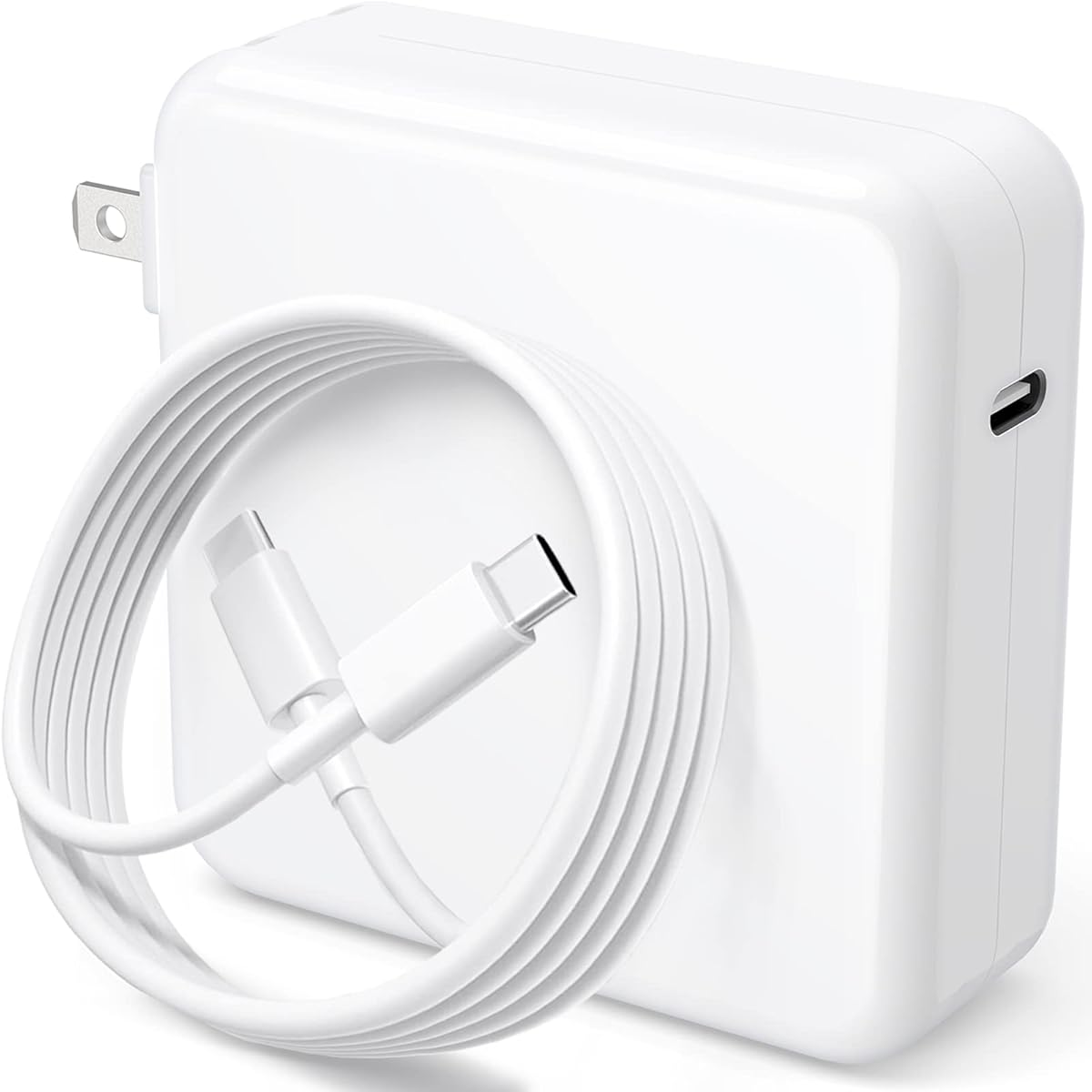

This charger stands out as a reliable power source for modern MacBooks with a 4.5 rating. It delivers full 100W output ensuring fast charging speeds for both laptops and mobile devices alike.
We may earn a commission when you buy through this link, at no additional cost to you.
The built-in IC chip technology provides robust protection against electrical faults while the cooling system maintains safe operating temperatures. Users appreciate the included 6.6ft cable offering significant reach for workspace setups.
While the support window is shorter than premium brands the value proposition remains strong for budget-conscious buyers. The lack of a foldable plug might be inconvenient for frequent travelers but works well for desk use.
This unit is ideal for home office users needing a dependable spare charger. It balances performance and cost effectively making it a top recommendation for most MacBook owners seeking a replacement.
Engineered specifically for MacBook Pro and Air models from 2016 to 2025 it handles M1 through M5 chips without issues.
Advanced protection circuits guard against overloads and short circuits ensuring your expensive laptop remains safe during extended charging sessions.
We may earn a commission when you buy through this link, at no additional cost to you.
Anker delivers a premium charging experience with its compact design and advanced safety tech. The 4.6 rating reflects consistent performance and user trust in the brand quality standards over many years.
We may earn a commission when you buy through this link, at no additional cost to you.
PowerIQ 3.0 technology ensures the device gets the optimal power it needs quickly. The foldable plug makes it incredibly easy to pack in laptop bags without snagging or damaging other gear inside.
The ActiveShield system monitors temperature constantly to prevent hazards. Although the cable is 5 feet rather than longer options the portability and build quality justify the cost for professional users.
Buyers seeking reliability and brand trust will find this model compelling. It is perfect for travel professionals who need a compact yet powerful charger that fits easily into any carry-on setup.
The compact form factor and foldable prongs make this one of the most travel-friendly options available for frequent commuters.
Charges a MacBook Pro 16 to full capacity in just over an hour ensuring you stay powered throughout long workdays.
We may earn a commission when you buy through this link, at no additional cost to you.
JEIBAO offers an affordable alternative without sacrificing essential performance metrics. The 4.5 rating indicates satisfaction among users who value cost-effectiveness alongside fast charging capabilities for their devices.
We may earn a commission when you buy through this link, at no additional cost to you.
With 96 percent efficiency energy waste is minimized during charging cycles. The 6.6ft cable provides excellent flexibility for desk setups where the wall outlet is far from the workspace surface.
Safety features like flame-retardant casing add peace of mind despite the lower price. While the build feels functional rather than luxury it meets the daily demands of most average laptop users perfectly.
This option suits students or home users looking to save money. It delivers the necessary power for full-speed charging while keeping the overall investment low compared to branded competitors.
High-efficiency power conversion ensures your laptop charges quickly while reducing heat generation and energy costs over time.
The extra-long cord allows for comfortable usage across large desks without needing extension cords or rearranging furniture.
We may earn a commission when you buy through this link, at no additional cost to you.
This charger packs serious power into a tiny body resembling the latest AirPods Pro case. With a 4.4 rating it appeals to those who prioritize portability above all else in their accessory choices.
We may earn a commission when you buy through this link, at no additional cost to you.
Weighing only 4.23 oz it stays securely in the outlet thanks to durable matte prongs. ActiveShield 2.0 monitors temperature millions of times daily to adjust power output and ensure connected device safety.
The main trade-off is the cost compared to larger standard chargers. While it excels in portability the small size may sometimes struggle with very thick laptop cases or tight wall outlets.
Ideal for digital nomads and travelers carrying minimal gear. It offers the fastest travel charging solution available for MacBook users who need to save space in their luggage.
Designed to be smaller than most phone chargers it fits easily in pockets without adding bulk to your daily carry.
Continuous temperature adjustments protect your expensive hardware from heat damage during high-speed power delivery sessions.
We may earn a commission when you buy through this link, at no additional cost to you.
This adapter is engineered for professionals needing a reliable replacement charger with essential safety certifications. It carries a 4.4 rating for its balanced performance and solid build quality suitable for office environments.
We may earn a commission when you buy through this link, at no additional cost to you.
The included 6.6ft E-Mark cable safely transmits up to 5A ensuring full 100W performance without overheating. The foldable plug design makes it easy to store and transport during business trips.
Users report consistent charging speeds that match original Apple adapters closely. The universal compatibility ensures it works well with various USB-C devices beyond just MacBooks.
Buyers seeking a functional office charger will appreciate this unit. It delivers the necessary power for uninterrupted workflows while remaining affordable for corporate procurement or personal use.
The integrated E-Mark chip guarantees the cable can handle high power loads safely preventing potential electrical hazards.
Foldable prongs and compact profile reduce bulk in your travel bag making it convenient for on-the-go productivity.
We may earn a commission when you buy through this link, at no additional cost to you.
This model pushes output to 118W providing a buffer for high-demand workloads. It holds a 4.3 rating among users who want extra headroom for their powerful laptop configurations.
We may earn a commission when you buy through this link, at no additional cost to you.
The smart chip adjusts charging power automatically to match device needs. Auto recovery functionality helps restore charging after minor faults or interruptions during a session.
While the extra wattage is not always utilized by standard MacBooks it ensures performance remains consistent under load. Smartphone charging benefits from the higher voltage options available.
It fits users with mixed device ecosystems needing flexible power. The versatility makes it a strong contender for those owning multiple high-power electronics.
The 118W capacity ensures consistent power delivery even when the system draws peak energy for demanding tasks.
Automatic restoration features maintain charging continuity if the connection is interrupted unexpectedly during use.
We may earn a commission when you buy through this link, at no additional cost to you.
Gallium Nitride (GaN) technology makes this charger more efficient and smaller than traditional silicon ones. It rates 4.4 for its balance of performance and modern engineering standards for power adapters.
We may earn a commission when you buy through this link, at no additional cost to you.
The cooling system maintains safe temperatures even under full load. Data syncing at 480Mbps ensures you can transfer files while charging without significant speed loss.
Users value the broad compatibility across different laptop brands. While GaN can be pricier it offers better efficiency and heat management for long-term use.
This is a smart choice for those wanting modern tech features. It delivers reliable performance with the added benefit of efficient thermal management.
GaN components reduce heat and size allowing for a smaller charger that still outputs full 100W power.
Supports data syncing at standard USB speeds so you can use the cable for files as well as power.
We may earn a commission when you buy through this link, at no additional cost to you.
This charger claims 97 percent efficiency which is excellent for reducing energy loss. It has a 4.2 rating for providing solid performance with features aimed at prolonging battery health.
We may earn a commission when you buy through this link, at no additional cost to you.
The cable passes rigorous bending tests ensuring durability. Foldable design helps with portability. Intelligent charging routines claim to reduce battery aging over time.
Users appreciate the focus on device longevity. While the 120W rating is higher than needed the efficiency ensures you get full speed without waste.
Good for eco-conscious buyers or those wanting battery care features. It offers a durable charging solution with practical design elements.
Rigorous testing ensures the cable survives thousands of bends preventing wire breakage issues common with cheap chargers.
Smart charging protocols aim to keep battery capacity higher for longer by managing charging cycles effectively.
We may earn a commission when you buy through this link, at no additional cost to you.
This 5-port charger delivers up to 160W total power ideal for charging multiple devices simultaneously. Its 4.7 rating reflects top-tier performance and user satisfaction with its advanced features.
We may earn a commission when you buy through this link, at no additional cost to you.
The smart display shows real-time power usage which helps manage energy efficiently. The rotatable touch control panel adds a modern user interface rarely seen on chargers.
While more expensive it replaces multiple single-port bricks making desktop cleanup easier. It is perfect for families or power users with many USB-C devices to power daily.
Buyers wanting a single solution for all devices will love this. It offers premium convenience and visibility into your charging setup.
Multiple ports allow you to charge your laptop tablet and phone at once without needing separate plugs.
The digital display keeps you informed of total wattage and temperature ensuring safety and efficiency.
We may earn a commission when you buy through this link, at no additional cost to you.
This 4-port charger provides 100W on a single port for full laptop speed. It holds a 4.6 rating for balancing portability with multi-device charging capabilities.
We may earn a commission when you buy through this link, at no additional cost to you.
Dynamic sensors monitor temperature to adjust power output automatically. The compact design fits in your hand while offering four ports for diverse charging needs.
When using multiple ports power splits so not all get 100W. This is acceptable for phones and tablets but single port charging is best for laptops.
It is ideal for travelers needing flexibility. You can charge a phone and tablet together when not running the laptop at full power.
Having four ports means you can charge several devices without carrying multiple adapters in your bag.
Dynamic sensors ensure the unit stays cool even when multiple devices draw power simultaneously.
We may earn a commission when you buy through this link, at no additional cost to you.
Selecting the right charger requires considering power output, compatibility, and safety features to ensure optimal performance and device longevity.
Ensure the charger provides at least 100W to support high-performance MacBook Pro models efficiently. Chargers with less power may charge slower or drain battery during heavy usage.
Check the wattage rating matches your device requirements for full-speed charging.
Look for USB-C to USB-C cables that support 5A current for 100W delivery. Cables without proper E-Mark chips may limit charging speed.
Verify the cable length is sufficient for your workspace setup.
Safety features like over-voltage and short-circuit protection are essential to prevent hardware damage. Certified chargers reduce risks of overheating or electrical faults.
Prioritize chargers with recognized safety certifications for peace of mind.
Foldable plugs and compact designs make chargers easier to carry in bags. Durable materials ensure the device withstands travel wear and tear.
Assess the physical size based on your mobility needs.
Multi-port chargers allow simultaneous charging of laptops and peripherals reducing outlet clutter. Single-port units are simpler and often more compact.
Choose based on how many devices you need to charge at once.
High-efficiency chargers waste less energy and generate less heat which extends device life. Built-in cooling systems help maintain safe operating temperatures.
Look for efficiency ratings above 90 percent for better performance.
A longer warranty indicates manufacturer confidence in product quality. Good customer support helps resolve issues quickly if the charger fails.
Check the warranty terms before purchasing to ensure adequate coverage.
Reputable brands often offer better quality control and safety testing. Established companies tend to provide more reliable products and customer service.
Consider well-known manufacturers for critical accessories.
Always connect the charger to a stable power outlet before plugging it into your device. Ensure the cable is fully inserted to prevent intermittent charging issues.
Avoid wrapping the cable tightly around the charger body as this can damage internal wires over time. Keep the charging area clear of heavy objects to ensure ventilation.
If you notice overheating or unusual smells unplug the unit immediately and inspect it. Regularly clean the connector tips with a dry cloth to maintain good contact.
Yes, third-party chargers with proper certifications are safe if they meet USB Power Delivery standards. Always verify safety features like surge protection to avoid device damage.
No, MacBook charging circuitry manages power intake so higher wattage does not force extra current into the battery. It simply ensures faster charging speeds up to the limit.
Absolutely, a 100W charger works perfectly with iPads and will charge them quickly. The device automatically draws only the power it needs regardless of charger capacity.
Slower speeds may occur if the cable does not support 5A current or lacks proper chip communication. Ensure both the charger and cable meet full 100W specifications.
When multiple devices are connected the total power splits among ports which may reduce speed per device. Charging a single laptop maintains full 100W performance.
High-quality cables should last years with regular use if handled carefully. Avoid bending the cable excessively near the connector to extend its lifespan significantly.
MacBooks operate best between 50 and 95 degrees Fahrenheit during use. Avoid charging in extreme heat or cold to prevent battery stress and performance drops.
Modern laptops manage battery health automatically so leaving them plugged in is generally safe. However occasional draining helps keep the battery software calibrated for accuracy.
Our top picks highlight reliable options from Anker UGREEN and JEIBAO that balance power speed and safety. Each charger offers distinct benefits tailored to different user needs and budgets.
Prioritize safety features and cable quality when selecting a replacement to ensure your device remains protected during daily use. Consider your portability needs for travel versus desk use.
Prices and stock levels change regularly so verify current availability and offers before purchasing. Always double-check compatibility details for your specific MacBook model to avoid issues.