
Thermaltake Smart 500W
4.6Editor score
80 Plus White Certified
120mm Quiet Fan
Five Year Warranty
This guide compares the top 350W PSU options for budget builds, mini PCs, and office systems focusing on efficiency reliability and quiet operation.
Choosing the right power supply is crucial for system stability especially when building budget PCs or mini systems. A reliable 350W PSU ensures your components receive steady clean power without unnecessary noise or heat issues.
We evaluated ten top rated models based on efficiency certifications protection features and build quality. Our list covers ATX Flex ATX and compact designs suitable for various case sizes and usage scenarios.
Each pick highlights key strengths ideal use cases and trade offs to help you decide. Please note that product availability and pricing may change over time so verify details before purchasing.
4.6Editor score
5.0Editor score

5.0Editor score
The following table presents a side by side overview of all ten models reviewed here. Compare key specs and features to find the unit that best fits your build requirements and budget constraints.


This Thermaltake model stands out for delivering 500W continuous power at 40 degrees Celsius while maintaining 80 Plus White certification. It is a robust choice for entry level desktops that need reliable energy without breaking the bank.
We may earn a commission when you buy through this link, at no additional cost to you.
Its active PFC and high quality components ensure efficient power delivery with reduced heat generation. The 120mm fan runs quietly even under typical loads making it suitable for office or home environments where noise matters.
While the unit is non modular and lacks premium efficiency tiers it includes essential protections like OVP OPP and SCP. These safety features protect your hardware from voltage spikes short circuits and overloads during unexpected power events.
Ideal for budget builds with integrated graphics or low TDP components this PSU offers solid performance. Choose it if you need dependable power and a five year warranty without paying for unnecessary modular connectors.
Active PFC improves efficiency and reduces energy waste compared to older passive designs found in cheaper units.
Built in safeguards prevent damage to your system by cutting power during critical faults like overheating or short circuits.
We may earn a commission when you buy through this link, at no additional cost to you.
The Silverstone FX350-G-VT is designed for small form factor systems needing high efficiency in a tight space. Its 80 Plus Gold certification ensures low energy waste and reduced heat output during continuous operation.
We may earn a commission when you buy through this link, at no additional cost to you.
Rated for 24/7 operation at 40 degrees it provides reliable power for network appliances or compact workstations. The class leading single plus 12V rail delivers stable current to components preventing voltage drops under load.
While expensive compared to standard units the compact Flex ATX design is hard to replace. Fixed cables may complicate routing in very tight cases but they ensure better airflow than bulkier modular options.
Buy this if you require a premium 1U power supply with top tier efficiency. It is perfect for mini PCs HTPCs or specialized hardware where space and thermal performance are critical constraints.
Gold certification means less electricity is lost as heat keeping your system cooler and lowering monthly energy costs.
The Flex ATX 1U size fits in narrow enclosures where standard power supplies simply cannot physically install.
We may earn a commission when you buy through this link, at no additional cost to you.
The Apevia ITX-PFC400W offers full modular connectivity which is rare at this price point for mini ITX systems. It supports active PFC across a wide voltage range making it adaptable for global power standards.
We may earn a commission when you buy through this link, at no additional cost to you.
Its compact dimensions allow installation in very small cases where space is extremely limited. The modular cables help reduce clutter and improve airflow inside tight enclosures compared to non modular alternatives.
However the lower user rating suggests quality inconsistencies or noise issues with the 40mm fan. While acceptable for low power tasks you may want to ensure proper case ventilation to manage heat effectively.
Choose this if you need a cheap modular ITX unit for basic office PCs or media centers. It balances cost and convenience but verify return policies due to mixed reliability feedback.
Fully modular cables let you plug in only what you need reducing cable clutter and improving airflow inside small cases.
Full range PFC allows the unit to adapt to varying input voltages without manual switches or configuration changes.
We may earn a commission when you buy through this link, at no additional cost to you.
This Venus model provides straightforward 450W power with automatic thermal control for the 120mm fan. It includes essential protections and a voltage switch allowing it to handle different regional power standards safely.
We may earn a commission when you buy through this link, at no additional cost to you.
The flexible connector system supports both 24pin and 4pin CPU power needs through split cables. This adaptability makes it compatible with various motherboard generations without needing specific pin configurations.
Split cables can be tricky to manage and may look messy inside the case. Users must ensure all power connections are secure before turning on the system to avoid boot issues.
Suitable for legacy systems or basic desktops this unit delivers acceptable performance for the cost. Check compatibility carefully if your motherboard requires specific pin layouts not supported by split connectors.
The fan speed adjusts automatically based on internal temperature helping to maintain optimal operating conditions quietly.
Split power cables allow compatibility with different motherboard types by separating 8pin to 4pin or 24pin to 20pin.
We may earn a commission when you buy through this link, at no additional cost to you.
The ARESGAME unit delivers 500W continuous power with 80 Plus Bronze certification ensuring decent energy efficiency. It features a quiet 120mm fan and all black cables for a clean look inside standard ATX cases.
We may earn a commission when you buy through this link, at no additional cost to you.
A five year warranty provides peace of mind for budget builders who want long term reliability. The high wattage allows room for future upgrades like entry level graphics cards without replacing the power supply.
Being non modular means cable management is less flexible than premium units. Cables are fixed and may clutter the case if you do not need all of them for your specific configuration.
Select this if you need a reliable 500W unit for gaming PCs on a budget. It offers good value with essential protections and a solid warranty for entry level gamers.
Bronze certification ensures at least 85 percent efficiency under typical loads reducing wasted energy and heat.
A five year warranty covers defects and ensures manufacturer support for the expected lifespan of the unit.
We may earn a commission when you buy through this link, at no additional cost to you.
This generic unit is listed under multiple model numbers but serves as a standard ATX replacement for older systems. It meets ROHS standards which ensures it uses safer materials during manufacturing and disposal.
We may earn a commission when you buy through this link, at no additional cost to you.
It delivers 350W which is sufficient for office PCs or basic multimedia builds without heavy graphics demands. The straightforward design makes it easy to install in any standard ATX case.
Due to limited branding and documentation efficiency ratings remain unclear. Users should verify the unit matches their voltage requirements and connectors before installation to ensure proper function.
Buy this if you need a simple replacement for an old system and want to keep costs low. It works well for legacy hardware but lacks features found in modern certified power supplies.
ROHS certification means the unit avoids hazardous substances making it safer for the environment and users.
It provides essential power delivery without extra features making it ideal for low cost replacement needs.
We may earn a commission when you buy through this link, at no additional cost to you.
This desktop power supply focuses on low energy consumption for basic systems. It includes a manual voltage switch and thermal sensor to adjust fan speed based on internal temperature conditions.
We may earn a commission when you buy through this link, at no additional cost to you.
The double magnetic ring design helps reduce interference and supports standard ATX12V specifications. Clear connectors make installation quick and effective for users with limited technical experience.
While it lacks official efficiency certification it performs well for office tasks and web browsing. Ensure all cables are fully connected before powering on to prevent potential boot failures.
Choose this for silent office PCs or home computers where low noise matters more than raw power. It is a practical option for users seeking simple reliable energy without complex features.
Manual voltage switching allows the unit to work safely in regions with different mains power standards.
Thermal controlled fans run slowly when temperatures are low keeping the system quiet during typical use.
We may earn a commission when you buy through this link, at no additional cost to you.
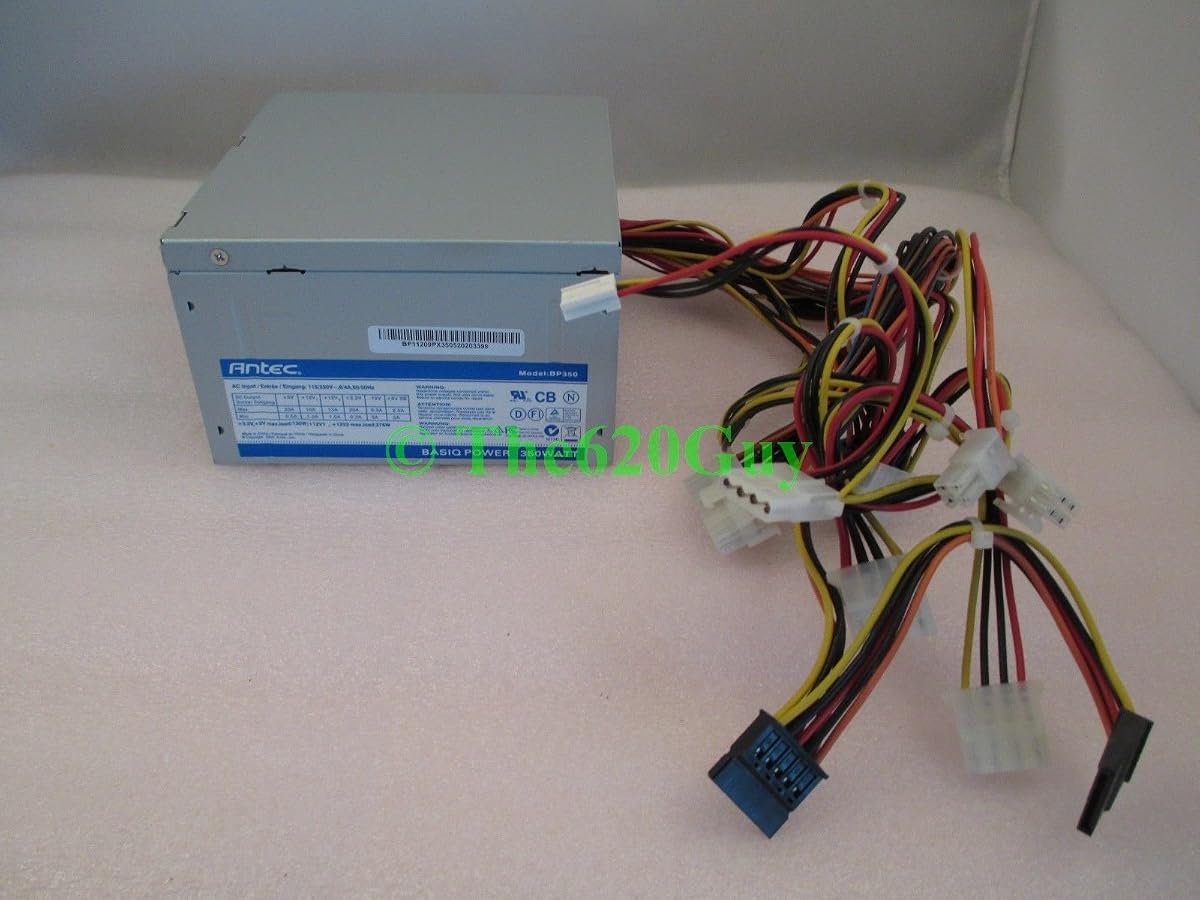
Antec brings years of experience to this Basiq model designed for entry level users needing reliable power. It offers solid quality and basic protections at an unbeatable price for budget focused builders.
We may earn a commission when you buy through this link, at no additional cost to you.
The 24/4-Pin connector supports a range of motherboards while keeping costs low. It is suitable for systems that do not demand high wattage like home office PCs or educational computers.
While it lacks modern efficiency labels it performs consistently for light loads. The build quality reflects the brand's reputation for reliability even in their entry level product lines.
Buy this if you trust established brands and need a straightforward replacement unit. It is a safe choice for basic desktop builds where cost is the primary concern.
Antec's long history ensures the design meets established quality standards expected by system builders.
Standard 24/4-Pin design works with most ATX motherboards without requiring specialized adapters.
We may earn a commission when you buy through this link, at no additional cost to you.
This variant features an 80mm fan suitable for cases with limited space. It adheres to ATX12V V2.01 standards ensuring compatibility with older motherboards and components requiring specific power signals.
We may earn a commission when you buy through this link, at no additional cost to you.
The unit delivers 350 watts with quiet operation ideal for environments where noise is a concern. Antec builds it with a focus on reliability even for older standards still in use today.
Smaller fans can sometimes be louder or move less air than larger units. Ensure your case has adequate airflow to prevent heat buildup inside the enclosure.
Choose this for older systems or tight enclosures where standard units will not fit. It balances quiet operation with basic reliability for legacy hardware.
Smaller fan size allows installation in cases that cannot accommodate standard full size power supplies.
ATX12V V2.01 compliance ensures it works correctly with older motherboards and power connectors.
We may earn a commission when you buy through this link, at no additional cost to you.
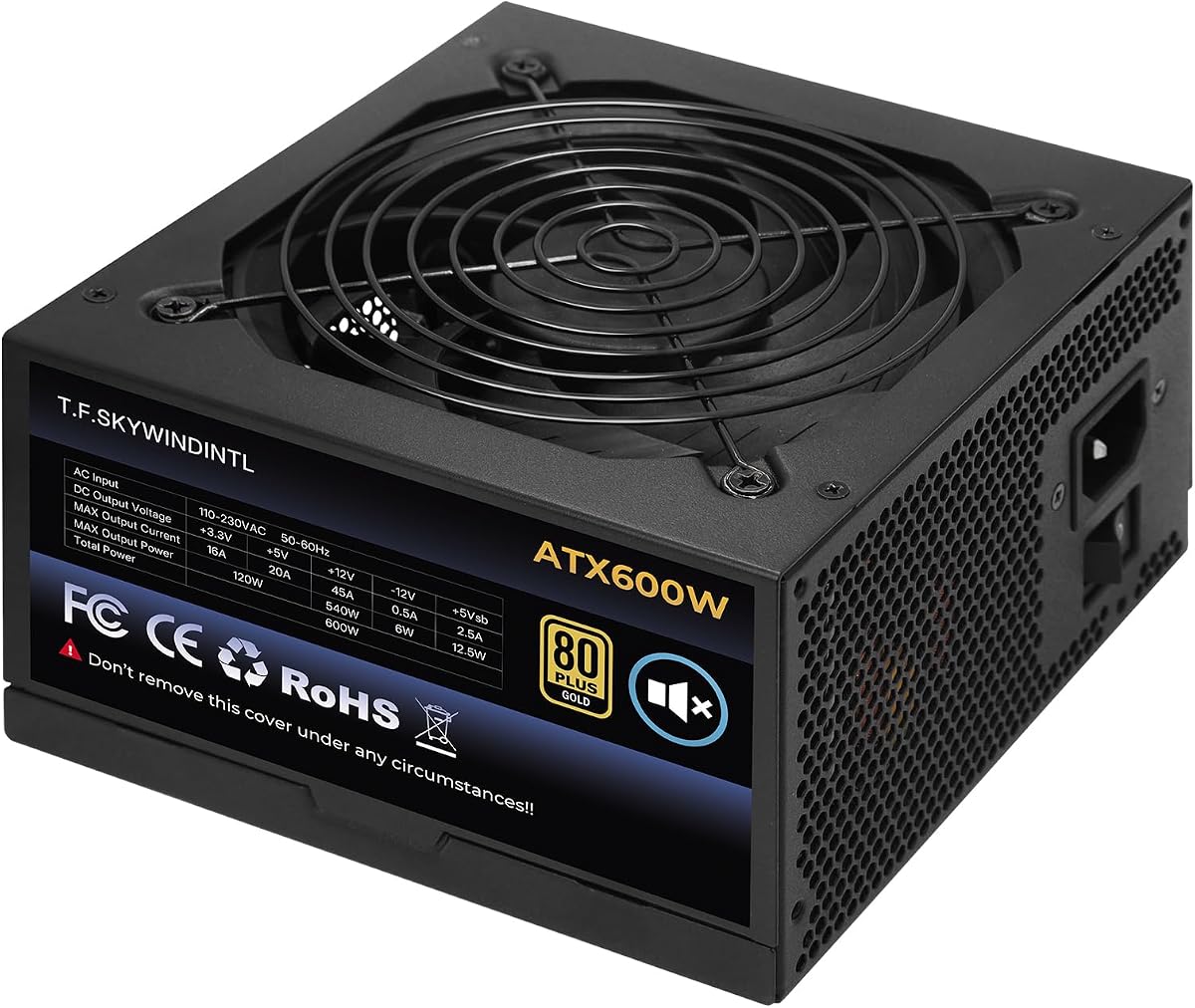
This unit provides 600W continuous output with 80 Plus Gold efficiency ideal for gaming setups. It features a 125mm FDB fan that operates silently while dissipating heat effectively.
We may earn a commission when you buy through this link, at no additional cost to you.
Full voltage range support from 100 to 240V makes it adaptable worldwide. Multiple protections like OVP UVP and OTP ensure the system remains stable even under unstable power conditions.
Non modular cables may limit airflow in some cases but the gold efficiency helps reduce heat waste. This makes it suitable for mid range gaming PCs needing headroom for upgrades.
Buy this if you need high wattage and efficiency without premium pricing. It suits gamers who prioritize performance and stability for entry level to mid tier systems.
Gold efficiency minimizes wasted electricity and heat helping the system run cooler during gaming sessions.
Multiple built in safety features protect against voltage spikes and overheating to extend hardware life.
We may earn a commission when you buy through this link, at no additional cost to you.
Selecting the right power supply involves balancing wattage efficiency and build quality. Use these factors to find a unit that fits your system needs.
Determine your total power draw by summing up the TDP of your CPU GPU and other components. Choose a unit that exceeds this sum by 20 percent to ensure stable performance.
A 350W PSU suits low power builds but high end GPUs require more headroom.
Efficiency ratings like 80 Plus Bronze Gold or Platinum indicate how well the unit converts wall power. Higher ratings mean less wasted energy and lower electricity costs.
Look for at least Bronze certification to ensure decent efficiency without overspending.
Ensure the PSU provides necessary connectors like 24pin main 8pin CPU and PCIe cables for graphics cards. Missing connectors can make installation impossible.
Check that your specific components are supported before finalizing your purchase.
Standard ATX units fit most cases while Flex ATX or ITX models are needed for small enclosures. Verify dimensions match your case specifications.
A mismatched form factor will prevent installation regardless of power capabilities.
Safety features like Over Voltage Protection Short Circuit Protection and Overheat Protection protect hardware from damage. Always choose a unit with comprehensive safeguards.
Proper protections prevent costly failures and extend the lifespan of your components.
A quality fan ensures heat dissipation keeping the internal components stable during load. Larger fans often run quieter at lower speeds than smaller ones.
Look for fan control options to balance noise and cooling effectively.
A longer warranty indicates manufacturer confidence in product quality and durability. Common terms range from three to five years for budget models.
Prioritize units with clear warranty terms for peace of mind.
Modular cables allow you to use only what you need reducing clutter and improving airflow. Non modular units may look messier but are often more affordable.
Choose based on your budget and preference for clean cable routing.
Install the unit in a well ventilated area ensuring all connectors match your components. Double check that every cable is securely seated before closing the case.
Keep the air vents clean from dust to maintain proper airflow. Use compressed air periodically to prevent clogging inside the internal fan.
Avoid overloading the system beyond its rated wattage. If you upgrade components ensure the total power draw stays within the PSU capacity.
Calculate your system's total power draw and add a 20 percent buffer. Look for sufficient wattage compatible connectors and a high efficiency rating to ensure stability and savings.
Yes for entry level builds with integrated graphics or low TDP cards. High end gaming PCs generally require 500W or more to handle power demands safely.
It is an efficiency certification showing the unit operates at least 80 percent efficiently under typical loads. Higher tiers like Gold reduce heat and energy waste further.
Modular cables reduce clutter and improve airflow but cost more. Non modular units are cheaper and work fine for compact builds with fewer components.
Replace every five to seven years if it shows signs of wear or instability. High quality units may last longer but aging components can become less reliable.
Modern PSUs shut down properly when the computer turns off. Use the main switch only for maintenance or long periods of inactivity to save energy.
Our top picks offer options for budget users and compact system builders alike. The Thermaltake Smart 500W provides great value while the Antec Basiq delivers trusted reliability.
Prioritize efficiency ratings and protection features when selecting a unit. These elements ensure your hardware stays safe and operates quietly over time.
Always verify current prices and availability before buying as deals change frequently. Choose a model that fits both your budget and technical requirements.