
Samsung 49 Inch Odyssey OLED G9
4.3Editor score
QD-OLED technology
0.03ms response time
Infinite contrast ratio
144Hz refresh rate
Choosing the right display can transform your racing simulations from simple games into immersive experiences that feel like real track days. A 49 inch ultrawide monitor for SIM Racing offers a panoramic view that wraps around your field of vision, providing depth and context that standard screens simply cannot match. This guide explores the best options available today.
We evaluated each model based on resolution, refresh rate, response time, curvature, and color accuracy to ensure they meet the demanding needs of serious sim racers. Our comparison focuses on how well these displays render track details, handle fast motion without blur, and integrate seamlessly with your existing racing hardware and software ecosystems.
Each pick highlights specific strengths and trade-offs so you can find the monitor that fits your budget and performance goals. Prices and availability change frequently, so verify current details before purchasing. Use this guide to navigate the technical specifications and features that matter most for competitive and casual racing alike.
4.3Editor score

4.6Editor score
4.1Editor score
As an Amazon Associate we earn from qualifying purchases.
This side-by-side comparison breaks down the key specifications and features of each monitor to help you decide which one delivers the best value for your racing needs.





This monitor delivers an immersive racing experience through its massive 49-inch DQHD display and 1500R curvature. With a 4.6 rating and strong feedback from users, it stands out as a top choice for sim racers seeking a wide field of view without breaking the bank. The panoramic layout helps you spot apexes and competitors more easily than standard screens.
We may earn a commission when you buy through this link, at no additional cost to you.
Its 165Hz refresh rate and 1ms response time provide smooth motion handling during high-speed corners and overtakes. The VA panel offers deep contrast and vivid colors, making night races and shadowy track sections look more realistic. Adaptive Sync reduces tearing, ensuring your view stays stable even when frame rates fluctuate under load.
While the VA panel is excellent for contrast, some users report slight motion blur in very fast scenes compared to IPS alternatives. The lack of HDMI 2.1 means next-gen console users might not get the absolute highest refresh rates, but for PC-based sim racing, this remains a solid performer. Overall, the trade-offs are minimal for the price point.
We recommend this monitor for sim racers who want maximum immersion and solid performance without overspending. It works well with most mid-range PCs and fits neatly into triple-screen setups as a central unit. If you value a wide view and rich colors over absolute response speed, this Raywego model is a top pick for October 2026.
The 32 by 9 aspect ratio gives you nearly twice the width of a standard monitor, letting you see more of the track ahead and your mirrors simultaneously.
A 165Hz refresh rate paired with adaptive sync ensures fluid visuals during rapid steering inputs and high-speed sections without distracting screen tears.
We may earn a commission when you buy through this link, at no additional cost to you.
The Samsung OLED G9 brings true black levels and near-instant response times that transform night races and high-contrast scenes. With a 4.3 rating and QD-OLED technology, this monitor offers the most lifelike visuals among 49-inch ultrawides. Its ability to display deep shadows and bright highlights simultaneously enhances depth perception on dark tracks or overcast days.
We may earn a commission when you buy through this link, at no additional cost to you.
The 0.03ms response time eliminates motion blur almost entirely, making steering inputs and track details appear crisp even at top speed. G-Sync and FreeSync support ensure smooth frame delivery, while the thermal modulation system helps maintain consistent brightness during long sessions. This level of performance justifies the premium price for serious competitors.
Static elements like telemetry bars can pose a burn-in risk over time, though Samsung includes measures to reduce brightness on static areas to mitigate this. The higher cost may be a barrier for casual users, but for those seeking the best image quality available, the trade-off is clear. This monitor excels where visuals and reaction speed matter most.
Choose this model if you want the ultimate in color depth and motion clarity for your sim racing rig. It pairs well with high-end PCs that can push consistent frame rates to leverage the 144Hz refresh rate. For racers chasing realism and competitive edge, the Samsung OLED G9 sets a new benchmark in October 2026.
QD-OLED technology provides infinite contrast and true blacks, making dark track sections and night events look incredibly realistic without halo effects.
At 0.03ms, pixel transitions are nearly instantaneous, reducing motion blur and helping you react faster to changes in the track ahead.
We may earn a commission when you buy through this link, at no additional cost to you.
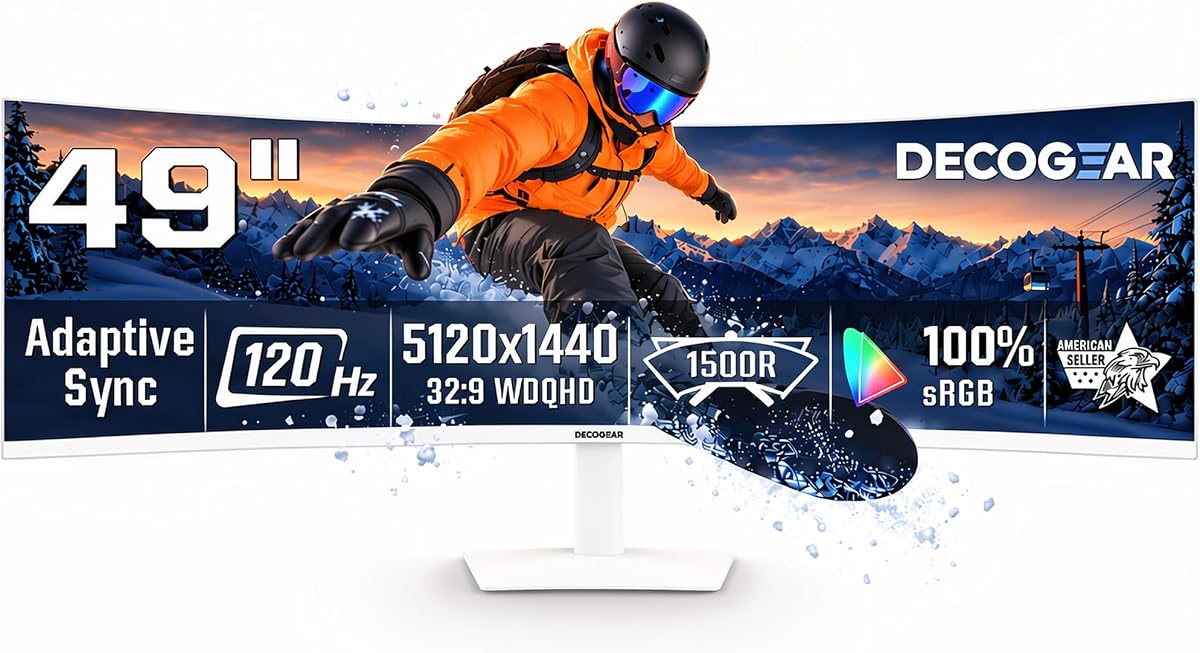
Deco Gear offers an affordable entry into 49-inch ultrawide sim racing with solid DQHD resolution and a curved design that expands your field of view. Rated 4.1 by users, it balances performance and cost effectively, making it ideal for newcomers or those building a triple-screen rig on a tight budget. The included speakers and USB-C hub add convenience without extra peripherals.
We may earn a commission when you buy through this link, at no additional cost to you.
The 120Hz refresh rate is sufficient for most sim titles, delivering smoother motion than 60Hz panels while keeping power draw moderate. Its VA panel provides decent contrast for dark scenes, and adaptive sync reduces tearing during intense moments. The USB-C port supports power delivery for laptops, simplifying setups for portable or hybrid racing stations.
Limitations include slower refresh rates compared to premium models and basic HDR handling that may not fully utilize bright scenes. Build quality and long-term durability are less robust than top-tier brands, but for the price, the value proposition remains strong. It works well for casual racing and multitasking between game and telemetry screens.
We recommend this monitor for budget-conscious racers or as a secondary display in multi-monitor setups. It fits well with entry-level to mid-range systems where ultra-high refresh rates are less critical. If you need broad immersion without a steep price tag, the Deco Gear model is a practical choice for October 2026.
At a lower price point, you still get the immersive 32 by 9 format and DQHD clarity that make sim racing more engaging than standard displays.
USB-C power delivery and KVM support allow simple laptop integration and shared control across devices, streamlining your racing and work setup.
We may earn a commission when you buy through this link, at no additional cost to you.
INNOCN emphasizes color fidelity with 99 percent sRGB coverage, making this monitor excellent for racers who also handle photo or video work. Rated 4.2, it offers a versatile mix of productivity and gaming features, including USB-C power and ergonomic adjustments. The wide view enhances track awareness, while accurate colors ensure telemetry and game visuals appear true to life.
We may earn a commission when you buy through this link, at no additional cost to you.
The 120Hz refresh rate supports smooth gameplay in most sim titles, and Adaptive Sync helps keep motion fluid without tearing. HDR400 support adds some dynamic range benefits, though it is modest compared to premium HDR options. The 1800R curve is comfortable for long sessions without forcing your head to turn as much as tighter curves.
Drawbacks include a less immersive curvature than 1000R designs and a slower refresh rate than high-end racing monitors. For competitive racers needing extreme speed, this may feel limiting, but for mixed-use setups the trade-offs are acceptable. The built-in speakers and adjustable stand improve convenience for all-day use.
This monitor suits creators who race casually or want precise colors across work and play. It is well-suited for laptops via USB-C and benefits teams using shared control setups. If color accuracy and flexible connectivity rank above raw speed, the INNOCN model is a strong contender in October 2026.
With 99 percent sRGB coverage, game visuals and telemetry overlays appear accurate and consistent, reducing eye strain during long sessions.
The 65W USB-C port powers laptops while carrying video and data, reducing cable clutter and simplifying mobile racing setups.
We may earn a commission when you buy through this link, at no additional cost to you.
This G9 model prioritizes speed with a 240Hz refresh rate and 1ms response time, delivering minimal motion blur during high-speed racing. Rated 4.1, it appeals to competitive players who value smoothness and instant reactions. The 1000R curvature deeply wraps around your vision, enhancing peripheral tracking and depth perception during complex corners and chicanes.
We may earn a commission when you buy through this link, at no additional cost to you.
DisplayHDR 1000 provides strong brightness and contrast for daytime events, making track details and sky gradients pop. AMD FreeSync Premium Pro ensures compatibility with a wide range of GPUs while reducing stutter and tearing. Features like Core Lighting add ambiance that syncs with in-game colors, deepening immersion without distracting from performance.
The aggressive curve may feel too enveloping for some users, and HDR settings can oversaturate certain content without careful calibration. The large size and weight demand a sturdy desk or wall mount. Still, its speed and immersion make it a compelling option for serious sim racers who demand top-tier refresh performance.
We recommend this monitor for racers targeting ultra-smooth gameplay and maximum peripheral immersion. It pairs best with powerful PCs that can maintain high frame rates at DQHD. If you prioritize refresh speed and curvature over comfort, the G9 Series stands out as a top choice in October 2026.
A 240Hz refresh rate and 1ms response time reduce motion blur and latency, helping you react faster during braking and cornering.
The 1000R curve wraps deeply around your field of view, enhancing depth perception and keeping more track in peripheral vision.
We may earn a commission when you buy through this link, at no additional cost to you.
The 2025 G9 refresh delivers a balanced mix of speed, immersion, and reliability, earning a 4.4 rating from users. It features a 144Hz refresh rate and 1ms response time that satisfy most sim racers without demanding extreme GPU power. The 1000R curvature and DQHD resolution offer a wide, detailed view that enhances realism across day and night sessions.
We may earn a commission when you buy through this link, at no additional cost to you.
DisplayHDR 600 provides solid brightness and contrast for most tracks, improving visibility in shadowy or overcast conditions. AMD FreeSync Premium Pro ensures smooth visuals, while Auto Source Switch Plus quickly detects and switches to active devices. The ergonomic stand supports tilt and height adjustments to reduce strain during long practice or endurance sessions.
Compared to the HDR 1000 variant, brightness is lower, which can limit HDR impact in very bright scenes. The price remains high, though it reflects the build quality and feature set. For most users, this model offers the best combination of performance and reliability among G9 options available in October 2026.
This monitor suits serious racers who want premium features without chasing the highest refresh rates. It works well with mid-range to high-end PCs and supports multiple devices efficiently. If you seek balanced performance and trusted brand quality, the 2025 G9 is a reliable recommendation for October 2026.
At 144Hz, motion remains smooth without demanding extreme frame rates, making it accessible for more users while still delivering a competitive edge.
Auto Source Switch Plus recognizes connected devices and changes inputs instantly, reducing downtime when switching between PCs or consoles.
We may earn a commission when you buy through this link, at no additional cost to you.
CRUA offers a well-reviewed option with a 4.4 rating, delivering a 165Hz refresh rate and 1500R curvature at a competitive price. It supports AMD FreeSync to reduce tearing and provides DQHD resolution for crisp track details. The monitor fits nicely into mid-range builds that prioritize immersion and motion smoothness over premium HDR or OLED features.
We may earn a commission when you buy through this link, at no additional cost to you.
Its 330 cd/m2 brightness and 3000:1 contrast ratio create rich dark scenes and vibrant colors suitable for racing and content creation. Low blue light and flicker-free technologies help reduce strain during extended sessions. The adjustable stand allows tilt and height adjustments, though VESA mounting is available for custom arms.
Lack of built-in speakers and limited HDR support mean extra peripherals may be needed for audio and enhanced brightness. The panel quality is solid but lacks some calibration tools found in higher-end models. For users seeking strong performance without paying a premium, this CRUA monitor stands out in the mid-range segment.
We recommend this model for racers who want a wide view and fast refresh without overspending. It pairs well with mid-tier GPUs and supports a variety of inputs via HDMI and DisplayPort. If you prioritize motion smoothness and immersion over extra features, the CRUA is a smart buy in October 2026.
A 165Hz refresh rate delivers fluid visuals during fast corners and braking, reducing motion blur while remaining GPU-friendly for mid-range systems.
The 1500R curve expands peripheral vision, helping you judge track limits and car positions more accurately during high-speed sections.
We may earn a commission when you buy through this link, at no additional cost to you.
The ASUS XG49VQ remains a solid pick for those with older GPUs or budget builds, as its DFHD resolution eases rendering while maintaining a wide field of view. Rated 4.4, it offers 144Hz smoothness and FreeSync 2 HDR support for reduced tearing and decent contrast. Its ergonomic adjustments and eye comfort tech suit long sessions, while the Creative Cloud bundle adds value for creators.
We may earn a commission when you buy through this link, at no additional cost to you.
The 1800R curvature wraps gently around your vision, making it comfortable for multi-monitor setups. DisplayHDR 400 provides basic HDR benefits, and the DCI-P3 color coverage ensures cinematic tones. This monitor is especially useful if you want ultrawide immersion without pushing hardware beyond its limits.
Resolution is lower than DQHD models, which can reduce track and car detail at high zoom levels. Connectivity is limited compared to newer units, lacking USB-C and modern HDMI versions. For legacy systems or budget builds, however, its performance and comfort make it a compelling choice.
We recommend this monitor for users with mid-tier PCs or those building a budget racing rig. It works well as a central screen in triple-monitor setups where high resolution per panel is less critical. If you value comfort and legacy compatibility, the XG49VQ remains relevant in October 2026.
DFHD resolution reduces GPU load, letting older or mid-range cards maintain high frame rates for a smooth experience on an ultrawide panel.
Flicker-free backlighting and blue light filters minimize strain during long sessions, keeping you focused on practice and tuning without headaches.
We may earn a commission when you buy through this link, at no additional cost to you.
Z-Edge earns a 4.5 rating by pairing a fast 240Hz refresh rate with accurate 99 percent sRGB color, appealing to racers who want speed without sacrificing fidelity. Its DQHD resolution delivers crisp track details, and FreeSync support ensures stable motion across a range of frame rates. Built-in speakers and PIP/PBP features add convenience for multitasking alongside racing.
We may earn a commission when you buy through this link, at no additional cost to you.
The 1800R curvature balances immersion and comfort, reducing neck strain while still providing a wide view. Ports include HDMI 2.1, DP 1.4, and USB-C, enabling flexible connections for consoles, laptops, and PCs. This combination of speed, color, and connectivity makes it a strong all-rounder for mixed-use setups.
As a lesser-known brand, long-term support and panel consistency may vary compared to mainstream options. The curve is less immersive than 1000R models, which might limit peripheral depth for some users. Still, its performance metrics and positive ratings suggest good reliability for most buyers.
We recommend this monitor for users who want high refresh speeds and accurate color at a competitive price. It suits those using multiple devices who need USB-C versatility and fast inputs. If you value speed and color accuracy over extreme curvature, the Z-Edge model stands out in October 2026.
A 240Hz refresh rate keeps motion crisp while 99 percent sRGB ensures track colors and telemetry appear true and consistent during long races.
HDMI 2.1, DisplayPort 1.4, and USB-C allow seamless switching between PCs, consoles, and laptops without constant cable swaps.
We may earn a commission when you buy through this link, at no additional cost to you.
The G93SC brings QD-OLED tech to a 240Hz ultrawide, combining deep blacks with high refresh speeds for a thrilling visual experience. Rated 4.1, it delivers near-instant response and rich contrast that elevate night tracks and high-speed corners. Its slim metal design and wide inputs support flexible setups for PC or console-based racing.
We may earn a commission when you buy through this link, at no additional cost to you.
G-Sync compatibility and high brightness help maintain smooth, vivid visuals across scenes. The 1800R curve offers a comfortable view without the extreme wrap of 1000R panels, easing long sessions. Built-in auto source switching cuts downtime when changing inputs, keeping you focused on racing or telemetry.
Cost remains a significant factor compared to LED models, and static HUD elements can carry burn-in risk without careful management. The panel quality is top-tier, but users must balance performance gains against long-term maintenance. For enthusiasts seeking the best image quality at high speed, it stands out despite the trade-offs.
We recommend this monitor for racers who want OLED quality without sacrificing refresh speed. It pairs well with high-end PCs or consoles capable of sustaining high frame rates. If image depth and motion clarity are your priorities, the G93SC is a compelling option in October 2026.
QD-OLED delivers true blacks and near-instant response at 240Hz, making motion blur minimal and dark scenes incredibly detailed and immersive.
A slim metal finish and wide input options allow sleek, flexible setups that integrate easily with custom arms and multi-device workflows.
We may earn a commission when you buy through this link, at no additional cost to you.
Selecting the right ultrawide monitor involves weighing resolution, refresh rate, curvature, and panel type to match your hardware and racing style. This section breaks down key factors to simplify your decision and help you avoid common pitfalls.
Resolution determines how sharp track details and telemetry appear. Most 49-inch monitors use DQHD (5120 by 1440), which provides enough pixel density for immersive racing without demanding extreme GPU power. Lower DFHD options exist but reduce clarity, while 5K variants may strain older systems. For most sim racers, DQHD is the sweet spot between detail and performance.
Choose DQHD for balanced performance unless you have a very high-end PC or specific workflow needs.
A higher refresh rate like 144Hz or 240Hz ensures smooth motion during rapid steering or cornering. Response time measures how quickly pixels change, with values under 2ms reducing motion blur. For competitive racing, aim for at least 144Hz and 1ms response, while casual users may be comfortable with 120Hz.
Prioritize higher refresh rates and fast response times if you play fast-paced or competitive sim titles.
Curvature affects how much the screen wraps around your vision. Tighter curves like 1000R provide deeper immersion but can be demanding for some users. Gentler curves like 1500R or 1800R offer comfortable wide views without excessive distortion. Consider your desk depth and seating position when choosing curvature.
Select curvature based on personal comfort, with 1000R for maximum immersion and 1500R to 1800R for everyday use.
VA panels offer deep contrast and vivid colors ideal for night races, while IPS provides wider viewing angles. OLED brings true blacks and near-instant response but costs more and carries burn-in risks. Look for high sRGB coverage and HDR support to ensure colors appear accurate and scenes look dynamic.
Choose VA for contrast and budget, IPS for accuracy, and OLED for premium performance if cost is less of a concern.
Ensure your monitor has the ports your PC or console uses, typically HDMI 2.0 or 2.1 and DisplayPort 1.4. USB-C with power delivery simplifies laptop setups, and built-in hubs reduce cable clutter. Check compatibility with your GPU to avoid bandwidth bottlenecks at high refresh rates.
Verify port types and bandwidth before buying to ensure your setup runs at desired resolution and refresh rates.
Adjustable stands with height, tilt, and swivel help maintain comfortable viewing over long sessions. VESA mounting lets you use arms for better positioning or triple-monitor setups. A sturdy stand or wall mount is essential given the size and weight of 49-inch ultrawides.
Opt for stands with full adjustability or VESA compatibility to customize positioning and reduce strain.
Features like adaptive sync, PIP/PBP modes, and built-in speakers add convenience and improve usability. Some monitors include anti-burn-in tools or auto source switching that enhance workflow. Balance these extras against price to ensure you get value without unnecessary costs.
Look for features that match your workflow, such as multitasking tools or quick device switching, to get the most value.
Prices vary widely across brands and panel types, so set a budget that balances performance with future needs. Consider warranty terms and brand reputation for support and repairs. Investing slightly more upfront can extend useful life and reduce downtime.
Set a realistic budget and prioritize models with strong warranties and reliable support for long-term satisfaction.
Position the monitor at eye level and about an arm's length away to reduce neck strain during long sessions. Use the adjustable stand or VESA mount to fine-tune height and tilt so you can see the full width without turning your head excessively. Proper alignment improves immersion and minimizes fatigue.
Calibrate colors and brightness to match your typical lighting conditions for accurate track visuals. Use built-in tools or software to set gamma and white point, enabling HDR where supported. Regular calibration keeps telemetry and game colors consistent, helping you spot details reliably in different environments.
Keep the screen clean with a soft, lint-free cloth and avoid harsh chemicals. To prevent burn-in on OLED models, enable screen savers and adjust static HUD brightness. Periodically check ports and cables for secure connections to maintain stable performance and avoid input issues during gameplay.
Yes, a 49 inch ultrawide monitor offers an immersive panoramic view that enhances depth perception and situational awareness on track. It can replace dual monitors without bezels and provides a natural field of view for racing simulations. The trade-off is higher cost and GPU demands compared to standard displays, but the immersion gain is significant for many users.
DQHD (5120 by 1440) is the recommended resolution for most sim racers, providing sharp track detail without excessive GPU strain. Lower DFHD options are more GPU-friendly but sacrifice clarity, while 5K offers more detail but may require powerful hardware. Choose DQHD for the best balance of performance and immersion.
Curvature determines how the screen wraps around your vision, affecting immersion and comfort. Tighter curves like 1000R offer deeper peripheral view but may feel intense, while 1500R or 1800R provide comfortable wide angles. Select based on your desk setup and preference for immersion versus comfort.
A higher refresh rate like 144Hz or 240Hz ensures smoother motion and reduces blur during fast steering or cornering. While 60Hz can work for casual racing, competitive users benefit from higher rates for more accurate visual feedback. Aim for at least 144Hz if your PC can support it.
OLED panels offer excellent contrast and response but carry burn-in risks with static elements like HUDs. Most modern monitors include safeguards such as logo dimming and screen savers to mitigate this. Use these features and avoid leaving static images on screen for extended periods to maintain long-term health.
DisplayPort 1.4 and HDMI 2.0 or 2.1 are essential for supporting high resolution and refresh rates. USB-C with power delivery simplifies laptop connections, and audio out helps with speaker setups. Ensure your GPU supports the chosen interface to avoid bandwidth limitations.
Position the monitor at eye level and use adjustable tilt to avoid neck strain during long sessions. Enable blue light filters and ensure room lighting reduces glare on the screen. Take regular breaks and adjust brightness to match ambient light to minimize eye fatigue.
Yes, 49-inch ultrawide monitors can serve as central units in triple-monitor rigs to maximize field of view. Ensure your GPU supports multiple displays and use VESA mounts for consistent alignment. This setup offers unmatched immersion but requires significant desk space and budget.
This guide highlights top performers like the Raywego 49 Inch Curved Ultrawide, Samsung OLED G9, and Deco Gear Super Ultrawide for their balance of immersion, speed, and value. Each model caters to different priorities, from ultra-smooth refresh rates to precise color and budget-friendly setups. Your choice depends on your GPU capability and how much you value peripheral view versus motion clarity.
Consider resolution, refresh rate, and curvature as primary factors when selecting a monitor for racing. Strong connectivity options and ergonomic features further enhance long-term usability and comfort. We recommend testing settings and positions after purchase to optimize your experience for different tracks and conditions.
Prices and availability change frequently, so verify current offers before committing to a model. Check warranty terms and return policies to ensure peace of mind with your investment. With the right ultrawide monitor, you can elevate your sim racing sessions with richer visuals and more engaging immersion in October 2026.