
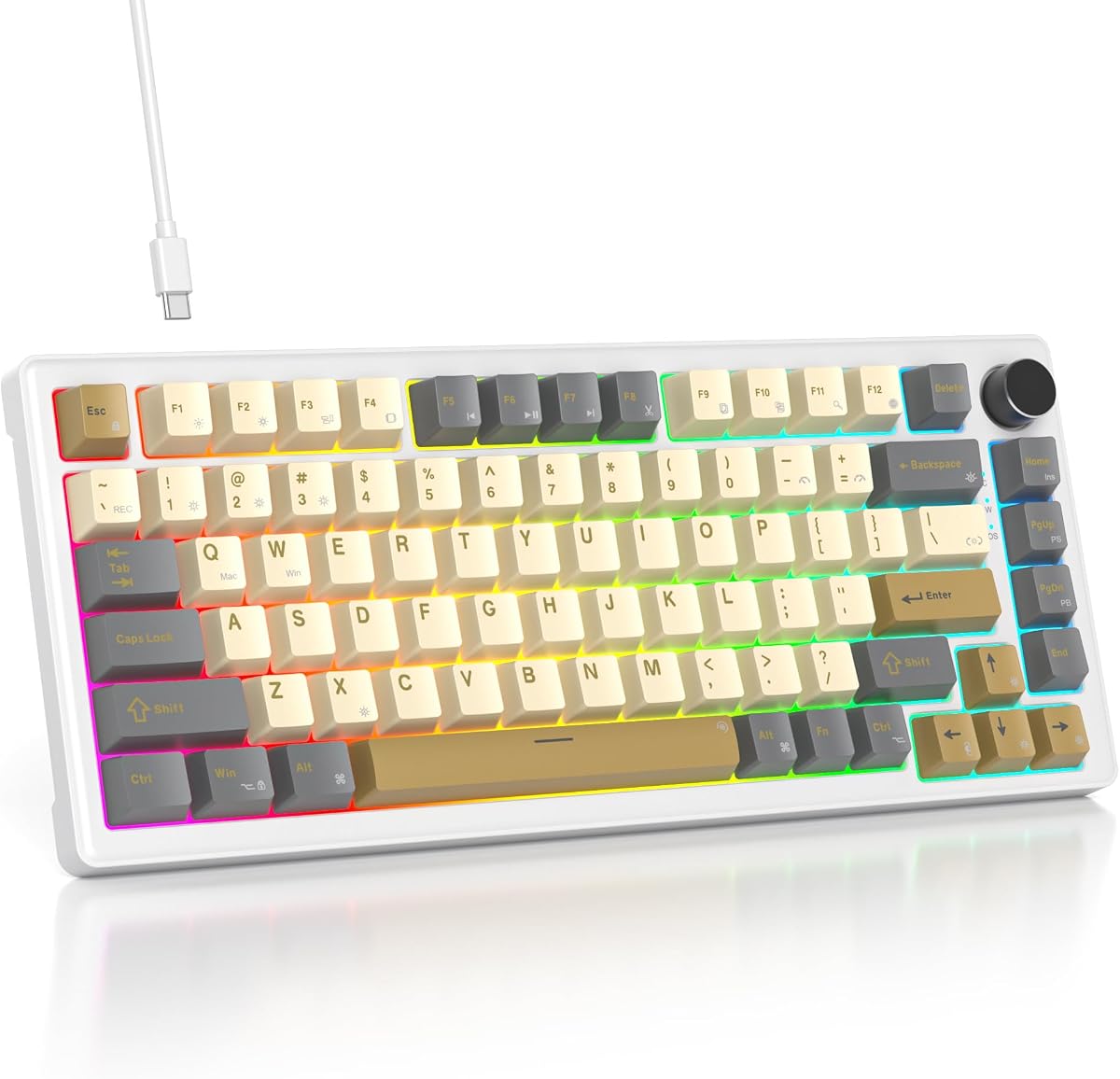
MageGee 75% Keyboard
4.1Editor score
Affordable wired design
Blue LED backlighting
Compact tenkeyless layout
Discover the best 75 percent mechanical keyboards for 2026. This guide compares top models featuring gasket mounts, hot-swap, RGB, wireless options, and
Finding the right mechanical keyboard can transform your daily computing experience. A 75 percent layout offers the perfect balance of compact design and essential functionality. It retains arrow keys and function rows while freeing up desk space for mouse movement and comfort.
This comprehensive guide evaluates ten top-rated models available in November 2026. We compared build quality, switch performance, connectivity options, and customization features. Each product was analyzed based on user reviews, technical specifications, and real-world usability scenarios for diverse needs.
Each pick highlights specific strengths like wireless flexibility, gasket mounting, or budget-friendly pricing. Note that prices and availability change frequently across retailers. Always verify the latest deal before purchasing to ensure you get the best value for your specific setup requirements.
4.1Editor score

4.6Editor score

4.6Editor score
This side-by-side comparison details the key specifications and unique features of every model listed. Use this table to quickly identify which keyboard matches your specific requirements for connectivity, layout, switches, and overall build quality before making a final decision.



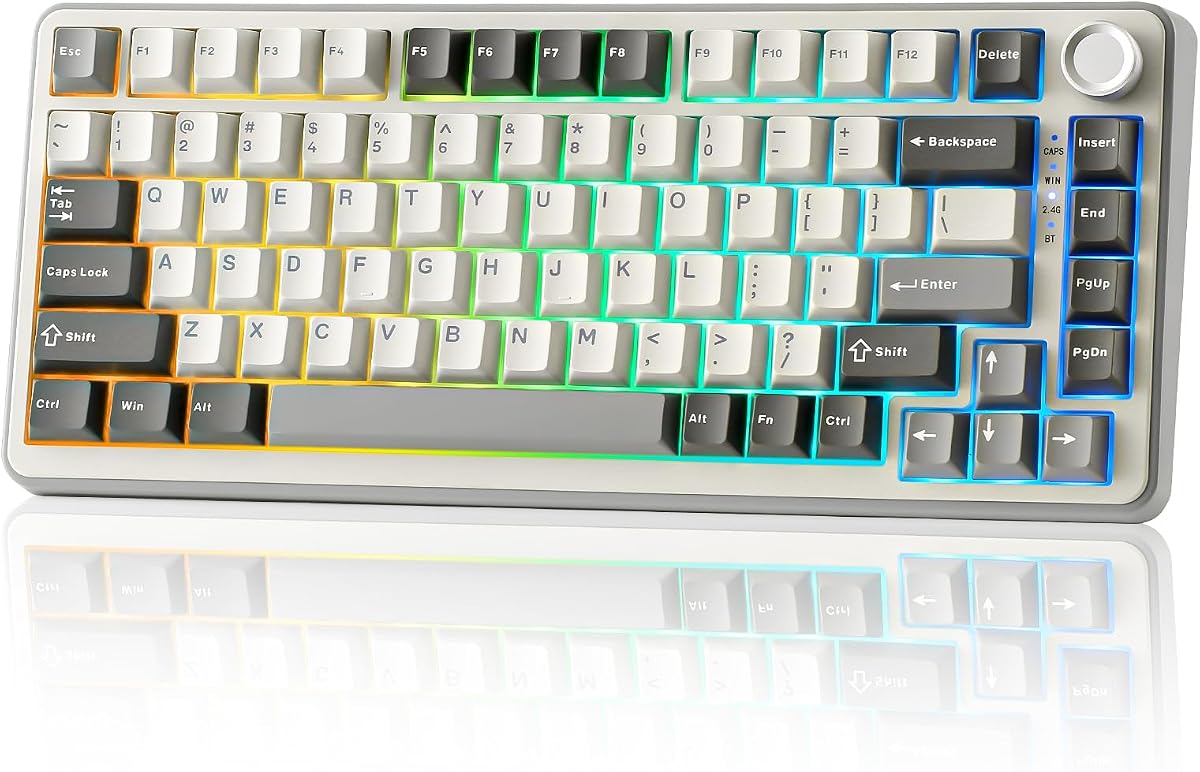


The AULA F75 Pro stands out as a top contender in the 75 percent mechanical keyboard market. It boasts a robust rating of 4.6 stars from verified users who praise its build quality and versatility. This keyboard bridges the gap between custom enthusiast boards and mass-market peripherals effectively.
We may earn a commission when you buy through this link, at no additional cost to you.
Its standout feature is the tri-mode connectivity allowing seamless switching between Bluetooth 5.0, 2.4GHz wireless, and wired USB. The hot-swappable base supports both 3-pin and 5-pin switches giving you freedom to customize the sound and feel. Additionally the gasket mount structure enhances stability and provides a satisfying thocky sound profile.
While the driver offers extensive customization it is currently limited to Windows systems which might deter Mac users. The multi-function knob is powerful but requires some practice to master all its functions across different modes. However these minor limitations do not detract from the overall premium experience offered.
This keyboard is ideal for users who need a reliable device for both gaming and professional work across multiple devices. Its long battery life and durable keycaps ensure it remains a solid investment for years. We highly recommend it for anyone seeking a premium 75 percent board with wireless flexibility.
The advanced PCB single key slotting and extended silicone pads reduce vibration and enhance stability during typing.
Unique side-engraved PBT keycaps allow RGB light to shine through while maintaining durability and a modern look.
We may earn a commission when you buy through this link, at no additional cost to you.
The RK ROYAL KLUDGE R75 offers an impressive entry into the world of custom mechanical keyboards. With a solid 4.4 rating it delivers a high-quality gasket mount experience at a competitive price point. Users appreciate the smooth typing feel and the ability to tweak the setup to their liking.
We may earn a commission when you buy through this link, at no additional cost to you.
The hot-swappable cream switches are pre-lubed providing a smooth and quiet typing experience right out of the box. The CNC metal volume knob is a standout feature that adds a touch of elegance and functionality to the top right corner. The PCB single key slotting further enhances stability and accuracy for every keystroke.
Some users note that the battery life might not always meet the advertised duration under heavy RGB usage. The PBT keycaps are durable but some find them slightly thinner than higher-end competitors. Despite these points the overall build quality and customization options make it a strong value proposition.
This model is perfect for enthusiasts who want to experiment with switches and layouts without spending a fortune. It serves well for both gaming and office tasks due to its balanced performance and connectivity. We recommend it as a top budget choice for those seeking a 75 percent gasket keyboard.
Pre-lubed linear switches reduce noise and friction for a satisfying and quiet typing experience.
Switch easily between three devices using Bluetooth 5.1 or the low-latency 2.4GHz wireless mode.
We may earn a commission when you buy through this link, at no additional cost to you.
The AULA S75 PRO takes customization to the next level with its integrated LCD screen. Rated highly by users for its unique interface it allows real-time updates of system stats and custom GIFs. This model is a favorite for those who want their keyboard to serve as a visual hub for their setup.
We may earn a commission when you buy through this link, at no additional cost to you.
Its tri-mode connectivity ensures seamless switching between devices while the gasket mount structure provides a solid typing foundation. The hot-swap base allows easy switch replacements without soldering making maintenance simple. RGB lighting is vivid and customizable via software or the multi-function knob.
The LCD screen adds complexity to the setup process as driver installation on Windows is required for full functionality. The price is higher than standard models but the feature set justifies the cost for dedicated users. Battery life is solid though screen usage may impact longevity slightly.
If you prioritize visual flair and modern connectivity this keyboard is an excellent investment. It is best suited for gamers and creatives who enjoy personalizing their workspace. We highly recommend it for anyone looking for a premium 75 percent keyboard with smart features.
Display battery status, time, and custom GIFs directly on the keyboard for an immersive tech experience.
Single key slotting and five layers of filler enhance stability and reduce unwanted noise during use.
We may earn a commission when you buy through this link, at no additional cost to you.
The 75% Retro Mechanical Keyboard offers a sleek and minimalist design that fits well in modern offices. It earns a 4.6 rating for its smooth typing experience and solid build quality. The gasketed mount structure ensures that every keystroke feels soft and responsive without excessive vibration.
We may earn a commission when you buy through this link, at no additional cost to you.
Equipped with pre-lubed White Jade switches this keyboard delivers a linear and quiet typing feel. The RGB backlighting supports music rhythm modes adding a fun dynamic element to your desk. The multi-function knob allows quick access to volume and lighting adjustments which enhances usability.
The lack of wireless connectivity may be a drawback for users who prefer a clutter-free desk setup. The packaging is straightforward which is acceptable given the price point but less premium than competitors. However the core typing performance is excellent and reliable for daily work.
This keyboard is an ideal choice for users who value a quiet and compact setup with a retro vibe. It works well for typing tasks and light gaming sessions alike. We recommend it for those seeking a reliable wired option with gasket comfort.
Five-layer padding and gasketed mount reduce noise for a comfortable office environment.
The 75 percent layout frees up desk space while keeping essential arrow and function keys.
We may earn a commission when you buy through this link, at no additional cost to you.
The MageGee 75% Mechanical Gaming Keyboard is an excellent choice for budget-conscious buyers. It delivers reliable performance with a strong metal panel and full anti-ghosting support. Users appreciate its plug-and-play nature which makes it easy to set up without installing drivers.
We may earn a commission when you buy through this link, at no additional cost to you.
Its red switches are linear and smooth making them great for rapid gaming inputs and typing. The blue backlighting creates a classic gaming atmosphere that enhances visibility in low light. The compact design saves desk space effectively while retaining all necessary function keys for productivity.
The ABS keycaps are durable but may show wear faster than PBT alternatives over time. The lighting is limited to blue tones which might not suit setups requiring full RGB customization. Despite these limitations it remains a sturdy and dependable option for basic needs.
This keyboard is best for casual gamers or students who need a reliable device without spending much. Its compatibility with various systems ensures it works well in most environments. We recommend it as a solid starter mechanical keyboard with a great price.
A sturdy metal panel and double-color injection keycaps ensure longevity and stability.
Linear red switches provide fast action with minimal resistance for gaming and typing.
We may earn a commission when you buy through this link, at no additional cost to you.
This 75 Percent Gasket-Mounted Keyboard delivers a premium feel with sound-absorbing pads. It scores highly for its durable PBT keycaps and clean aesthetic design. The gasket mount provides a cushioned typing experience that reduces finger fatigue during long sessions.
We may earn a commission when you buy through this link, at no additional cost to you.
Hot-swap sockets make it easy to upgrade switches without soldering which is a major plus for enthusiasts. The vibrant RGB lighting and anti-ghosting ensure reliable performance during intense gaming or typing tasks. The carbon finish adds a professional look that suits both work and play.
The lack of wireless support limits portability compared to other models in this guide. Software customization is basic which might not satisfy power users seeking deep macro programming. However the core performance remains excellent and reliable for daily use.
This keyboard is a great choice for users who prioritize typing comfort and build quality. It is well-suited for home offices where noise reduction is important. We recommend it for anyone seeking a durable wired gasket keyboard.
Oil and wear resistant keycaps maintain texture and clarity over extended periods.
Gasket mount and sound-absorbing pads create a stable and quiet typing environment.
We may earn a commission when you buy through this link, at no additional cost to you.
The YUNZII B75 PRO is celebrated for its premium Cocoa Cream V2 switches. These pre-lubed linear switches provide a smooth and creamy feel that many users love. The gasket mount design adds a layer of flexibility that enhances the overall typing satisfaction.
We may earn a commission when you buy through this link, at no additional cost to you.
Tri-mode connectivity ensures you can work across multiple devices seamlessly. The 4000mAh battery supports long periods of wireless use without frequent charging. South-facing LEDs optimize compatibility with keycap legends ensuring clear visibility in all lighting conditions.
The RGB software is functional but might lack advanced features found in custom firmware solutions. Some users prefer different textures for keycaps although the included ones are high quality. These minor points do not hinder the excellent core performance of the keyboard.
This keyboard is perfect for enthusiasts who want a reliable daily driver with high-quality switches. It works equally well for gaming and productivity tasks. We recommend it for users seeking a wireless 75 percent keyboard with premium switches.
Smooth and quiet linear switches reduce friction and noise for a premium feel.
Seamlessly switch between three devices using Bluetooth or 2.4GHz wireless connections.
We may earn a commission when you buy through this link, at no additional cost to you.
The Keychron K2 is a legendary choice for Mac users needing a reliable mechanical keyboard. It features a unique Mac layout with extra keycaps for both Windows and Mac systems. The Super Red switches deliver unrivaled linear responsiveness for smooth typing.
We may earn a commission when you buy through this link, at no additional cost to you.
Bluetooth 5.1 connectivity ensures stable pairing with up to three devices. The 4000mAh battery provides up to 72 hours of typing on a single charge which is impressive. White LED backlighting offers clear visibility without distracting color options.
The white LED limitation might not suit users who prefer RGB lighting effects. Some users report stabilizer rattle that requires tuning for a premium feel. However the build quality and OS compatibility make it a top choice for Apple enthusiasts.
This keyboard is ideal for professionals working in Apple ecosystems who need reliable connectivity. It handles both creative work and daily tasks efficiently. We recommend it as the best Mac-compatible 75 percent keyboard.
Includes extra keycaps for both operating systems ensuring seamless layout switching.
A 4000mAh battery supports up to 72 hours of typing without frequent recharging.
We may earn a commission when you buy through this link, at no additional cost to you.
The Newmen GM326 is a fantastic budget option for those seeking a wired mechanical keyboard. It includes hot-swap sockets allowing for easy customization of switches. The multi-function knob provides convenient access to volume controls which is a nice touch.
We may earn a commission when you buy through this link, at no additional cost to you.
Its compact 75% design saves space while maintaining essential keys for productivity. Rainbow LED backlighting offers visual variety with multiple modes and colors. The keyboard supports a wide range of operating systems ensuring it works with most setups.
The ABS keycaps may feel less premium than PBT alternatives and could wear over time. The RGB effects are not as advanced as those on higher-end models. Despite this the keyboard delivers solid performance and reliability for daily use.
This model is perfect for students or casual gamers needing a straightforward and affordable solution. It is easy to set up and use right out of the box. We recommend it for budget buyers who want a mechanical experience.
Easily swap switches without soldering to change the feel and sound of the keyboard.
Adjustable tilt legs and ergonomic keycaps ensure comfort during long typing sessions.
We may earn a commission when you buy through this link, at no additional cost to you.
The Womier SK80 features a vibrant color display that sets it apart from standard keyboards. It scores highly for its gasket mount design and hot-swappable PCB. The screen allows real-time visualization of system stats and custom GIFs for a personalized setup.
We may earn a commission when you buy through this link, at no additional cost to you.
South-facing switches ensure compatibility with custom keycaps while providing a smooth typing experience. The music syncing mode adds an interactive element that responds to audio for a dynamic visual effect. The detachable Type-C connection offers flexibility for various setups.
Software setup can be tricky for new users as it requires specific drivers to function fully. The basic driver interface might lack advanced macro options compared to competitors. However the unique screen and build quality make it a compelling choice for enthusiasts.
This keyboard is best for users who want a visually engaging device with solid typing performance. It is great for gaming setups where aesthetics matter. We recommend it for those seeking a 75 percent keyboard with a multimedia screen.
View connection mode, brightness, and custom images directly on the keyboard screen.
EVA positioning plate and gasket design reduce noise and enhance typing comfort.
We may earn a commission when you buy through this link, at no additional cost to you.
Choosing the right 75 percent mechanical keyboard depends on understanding your specific needs for connectivity, sound, and features. This section breaks down the most critical factors to help you make an informed decision.
The 75 percent layout strikes a balance between compactness and functionality. It typically includes around 80 to 84 keys retaining arrow keys and function rows while removing the numpad. This saves valuable desk space and improves ergonomics for users who move their mouse frequently.
Ensure the specific model fits your workflow. If you rely on number pad inputs this layout may not be suitable. For most users the retained arrow keys are essential for navigation and gaming.
Mechanical switches define the sound and feel of your keyboard. Linear switches are smooth and quiet making them ideal for gaming and office work. Tactile switches offer a bump for feedback while clicky switches provide audible confirmation but can be noisy.
Look for pre-lubed switches if you prefer a smooth feel right out of the box. Hot-swap boards allow you to change switches later without soldering which is a great future-proofing feature.
Modern 75 percent keyboards often offer tri-mode connectivity including Bluetooth 2.4GHz wireless and wired USB. Wired connections provide the lowest latency for competitive gaming while wireless offers a cleaner desk setup. Bluetooth allows easy switching between multiple devices like laptops and tablets.
Check battery life specifications if you plan to use the keyboard wirelessly. Larger batteries reduce charging frequency but may add weight to the device. Ensure compatibility with your operating system before purchasing.
Build quality affects durability and typing comfort. Gasket mount designs use rubber gaskets to hold the PCB which reduces noise and provides a softer feel. Plate mounted designs are stiffer and more traditional in feel. Check for materials like aluminum frames or high-quality plastics.
A solid build minimizes flex and wobble during typing. Premium models often feature PBT keycaps which are more durable and resistant to shine than ABS. Look for features like sound-dampening foam to improve acoustic performance.
Customization features like RGB lighting and macro programming enhance the user experience. Software allows you to create custom macros for productivity and adjust lighting effects. Hot-swap capabilities let you change switches or stabilizers as your preferences evolve.
Verify if the software supports your operating system as some drivers are Windows-only. Advanced users might prefer open-source firmware but this requires technical knowledge to set up.
Prices vary widely from budget-friendly options to premium custom boards. Entry-level models offer essential features like basic RGB and wired connectivity at a low cost. High-end models include gasket mounting wireless connectivity and premium finishes.
Determine your budget beforehand to narrow down choices. A higher price does not always guarantee better performance so focus on features that matter to you. Read reviews to ensure the keyboard offers good value for the price.
Comfort is vital for long typing sessions. Look for adjustable tilt legs or ergonomic designs that promote a neutral wrist position. Keycap profile also matters as some profiles feel more comfortable than others during extended use.
Ensure the keyboard weight is sufficient to prevent sliding during intense typing. Heavier keyboards are more stable but harder to transport. Consider your daily usage to find the right ergonomic balance.
Extra features like volume knobs LCD screens and multifunction buttons can add convenience. Volume knobs are common on 75 percent boards and make media control easier. LCD screens allow custom visuals and system monitoring directly on the keyboard.
Check if these features are necessary for your workflow. A volume knob is useful for most users but a screen might be unnecessary for simple setups. Prioritize features that enhance your productivity and enjoyment.
Start by connecting your keyboard to your device using the appropriate cable or wireless pairing process. If using Bluetooth navigate to your device settings and select the keyboard from the list. For wired connection simply plug the USB cable into an available port on your computer.
Familiarize yourself with the function keys and any special features like the volume knob or multimedia controls. Many models require pressing the Fn key combined with another key to access secondary functions. Refer to the manual or on-screen guide to map these shortcuts correctly.
To maintain your keyboard keep it clean by using compressed air to remove dust from between the keycaps. Avoid eating or drinking near the device to prevent spills. If your keyboard supports it consider replacing keycaps or switches occasionally to refresh the feel.
A 75 percent mechanical keyboard layout features around 80 to 84 keys retaining function keys and arrow keys while removing the number pad. It offers a compact design that saves desk space without sacrificing essential functionality for navigation and shortcuts.
Yes 75 percent keyboards are excellent for gaming as they provide ample space for mouse movement. The layout includes all necessary arrow keys and function keys ensuring no functionality is lost. Many models also offer features like N-key rollover and low latency for competitive play.
Many 75 percent keyboards are compatible with Mac especially those with a Mac layout mode. Check the product description for Mac support and ensure keycaps or drivers are available. Some models like Keychron offer specific layouts that work seamlessly with macOS.
Hot-swap switches allow you to change mechanical switches without soldering making customization easier. This feature lets you experiment with different switch types to find your preferred feel. It also extends the lifespan of the keyboard by making it easy to replace worn switches.
Not all 75 percent keyboards have RGB lighting as some models offer single-color backlighting or no lighting at all. RGB is common on gaming models but budget or office-focused keyboards may use white or blue LEDs to save costs and reduce power consumption.
To connect a wireless 75 percent keyboard use Bluetooth or the included 2.4GHz USB dongle. For Bluetooth pair it through your device settings. For 2.4GHz simply plug in the dongle and ensure the keyboard is switched to the correct mode using the provided switch.
Gasket mount uses rubber gaskets to mount the PCB providing a softer and more cushioned typing feel. It reduces vibration and noise making it more comfortable for long sessions. Traditional plate mounts are stiffer and may transmit more sound during typing.
75 percent keyboards are more portable than full-size boards but vary by model. Wireless versions are ideal for on-the-go use while wired models are lightweight due to the compact size. Check weight and dimensions if you need frequent portability.
We have highlighted ten excellent 75 percent mechanical keyboards that suit various needs and budgets. The AULA F75 Pro leads as our top pick for its balance of features and performance. The RK ROYAL KLUDGE R75 and AULA S75 PRO offer unique strengths for enthusiasts and visual customization lovers.
When choosing prioritize the factors that matter most to your workflow. Consider connectivity switch type and build quality to find the perfect fit. Whether you need wireless flexibility or a premium gasket mount there is an option for everyone.
Remember to check current prices and availability as they may change frequently across retailers. Investing in the right keyboard can significantly improve your daily computing experience. We hope this guide helps you select the ideal 75 percent mechanical keyboard.