
BenQ Zowie XL2566X+
4.3Editor score
DyAc 2 Technology
400Hz Refresh Rate
Fast TN Panel
Choosing the right monitor can transform your gaming experience significantly. High refresh rates and fast response times are critical for competitive play. Benq offers a wide range of displays tailored for specific needs.
We have analyzed ten top models focusing on performance and features. Each product was selected based on expert reviews and technical specifications. Our goal is to help you find the ideal screen for your setup.
Every pick highlights key strengths and potential trade-offs for clarity. Prices and availability can change frequently so always verify details before buying. This list covers various sizes and panel technologies to suit all preferences.
4.3Editor score

4.6Editor score

4.2Editor score
As an Amazon Associate we earn from qualifying purchases.
The following table provides a side-by-side comparison of all ten selected monitors. It highlights key specifications such as resolution, refresh rate, and panel type to assist your decision process.
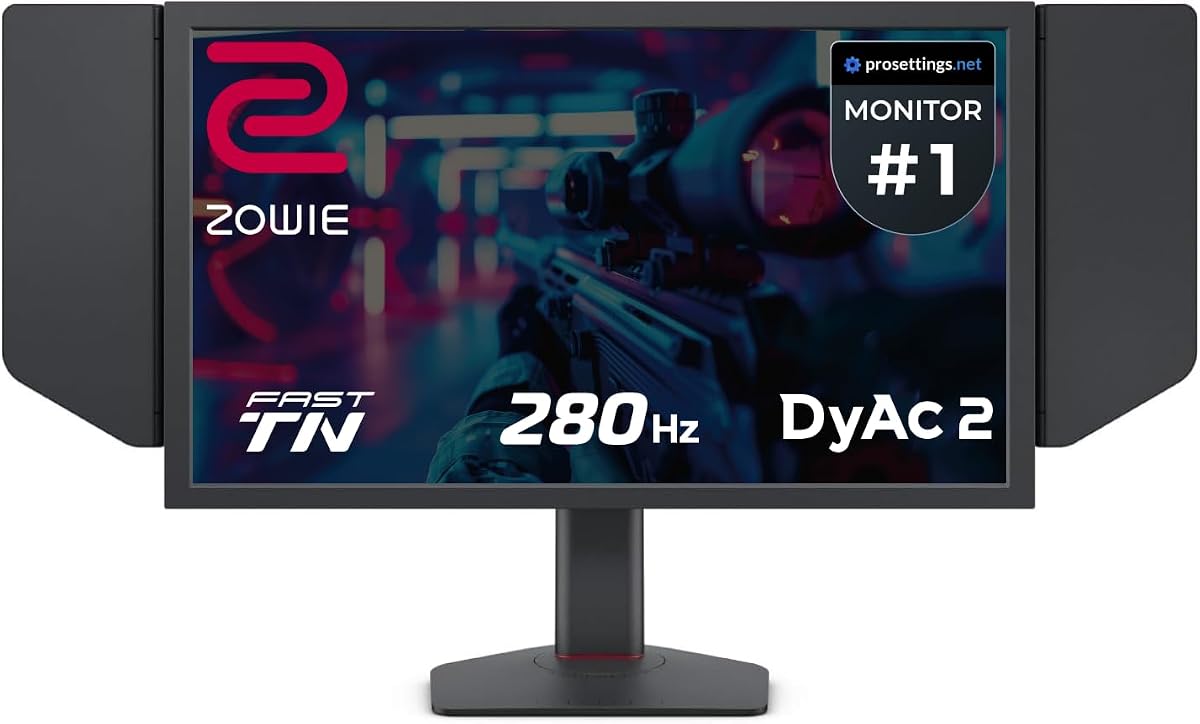


The BenQ Zowie XL2566X+ stands out as a top choice for competitive gamers. It boasts a 400Hz refresh rate which is exceptional for fast-paced shooters. Users report smoother gameplay and less motion blur during intense matches.
We may earn a commission when you buy through this link, at no additional cost to you.
Its Fast TN panel with DyAc 2 technology ensures that moving objects remain sharp. This is crucial for tracking enemies in titles like Valorant or Counter-Strike. The redesigned panel improves conductivity for better liquid crystal responsiveness.
While color accuracy is improved over older models it still lags behind IPS panels. This trade-off is acceptable for those prioritizing speed over vibrant visuals. The native FHD resolution provides sharp outlines for aiming targets.
Professional players and enthusiasts looking for an edge will find this monitor ideal. It delivers the best motion clarity in the industry. We recommend it for anyone focused purely on performance and reaction time.
DyAc 2 technology reduces blur significantly during rapid movement. This allows players to see targets clearly even when strafing quickly.
The monitor is tuned specifically for competitive gaming scenarios. Features like overshoot reduction help prevent visual artifacts during play.
We may earn a commission when you buy through this link, at no additional cost to you.
This model offers a slightly lower 240Hz refresh rate but maintains high performance. It is designed to provide the best motion clarity in the industry. The Fast TN panel ensures clearer outlines of moving images on screen.
We may earn a commission when you buy through this link, at no additional cost to you.
Gamers benefit from less distraction caused by unwanted afterimages during motion. This helps maintain focus during chaotic team fights or fast-paced skirmishes. The redesign enhances color performance with more vibrant hues for identification.
The DyAc 2 technology offers a soft light output for eye adaptation. This makes long sessions more comfortable without sacrificing visibility. It effectively reduces overshoot through improved electrical conductivity in the panel.
It is a strong choice for those who want proven esports reliability. The balance of speed and visual clarity makes it a favorite among pros. Ideal for players prioritizing smooth motion over maximum refresh rates.
The panel provides sharper outlines compared to other types like IPS. This clarity helps in tracking targets without visual distractions.
Unwanted afterimages are minimized to keep your focus on the action. This reduces eye strain during extended gaming sessions.
We may earn a commission when you buy through this link, at no additional cost to you.
The BenQ MOBIUZ EX271U brings premium features to the gaming table. It features a 27-inch 4K panel with 165Hz refresh rate for crisp visuals. This is perfect for single-player games where detail and color matter most.
We may earn a commission when you buy through this link, at no additional cost to you.
Its built-in eARC supports up to 7.1 channels which is rare for monitors. This enhances console sound quality without needing external audio gear. The KVM feature allows seamless connectivity across multiple devices like DP and HDMI.
AI Detail Enhancement tailors the display to your preferences for a vibrant world. Color Shuttle presets boost the delicacy of the experience for popular games. These features make it versatile for both casual and competitive play.
Buyers seeking a high-end display with robust connectivity should consider this. It offers eye-care technology for comfort during long sessions. This monitor excels at blending high resolution with modern interface standards.
Built-in eARC ensures superior sound quality directly from the monitor. This removes the need for extra speakers in many setups.
KVM support makes switching between devices seamless and fast. You can link your battle station with a single click easily.
We may earn a commission when you buy through this link, at no additional cost to you.
The XL2586X+ pushes the boundaries with an incredible 600Hz refresh rate. It offers the best motion clarity in the industry for competitive gaming. The fast TN panel ensures that images are sharper and clearer during motion.
We may earn a commission when you buy through this link, at no additional cost to you.
A new vivid color film improves color performance by 35% over standard panels. This enhances target visibility and reduces color wash-out significantly. It provides brighter hues and greater clarity for identifying enemies on screen.
DyAc 2 technology enhances performance in blur reduction effectively. It offers a soft light output which facilitates eye adaptation during play. The panel design improves electrical conductivity for better liquid crystal responsiveness.
This monitor is for top-tier esports professionals who need every advantage. The combination of speed and improved color is unique. It sets a new standard for high refresh rate performance in the market.
The vivid color film boosts color accuracy and saturation levels. This helps in distinguishing enemies against complex backgrounds easily.
With 600Hz refresh rate response times are nearly instantaneous. This eliminates motion blur almost entirely for smooth gameplay.
We may earn a commission when you buy through this link, at no additional cost to you.
This monitor is tailored specifically for MacBook Pro and Air users. It features a 32-inch 4K panel with a vibrant P3 wide color gamut. Calibrated for MacBook it ensures colors match your device perfectly.
We may earn a commission when you buy through this link, at no additional cost to you.
Dual USB-C ports deliver 90W power delivery to charge your laptop. You can expand your MacBook display with a single cable easily. Integrated controls let you adjust brightness and volume directly from your keyboard.
The stand allows adjustments for height tilt swivel and pivot. This ensures maximum comfort during long work or gaming sessions. It also offers versatile connectivity with HDMI and USB-C options for peripherals.
While primarily for work it supports casual gaming with its clarity. The Mac-specific features save time and reduce setup complexity. It is an ideal choice for Mac owners wanting seamless integration.
Single cable connection handles video and power simultaneously. This simplifies your desk setup significantly.
P3 color gamut ensures vibrant and true-to-life colors. This benefits creative tasks and media consumption.
We may earn a commission when you buy through this link, at no additional cost to you.
This monitor offers a balanced experience for both work and casual gaming. It features a 27-inch 2K QHD resolution with 100Hz refresh rate. The IPS panel ensures wide viewing angles and consistent colors across the screen.
We may earn a commission when you buy through this link, at no additional cost to you.
Low Blue Light Plus filters out harmful blue-violet radiation to protect eyes. This maintains vivid color quality while reducing eye strain significantly. Brightness Intelligence technology auto adjusts based on ambient light conditions.
Input Hotkey allows seamless switching between devices with a single click. Coding mode ensures effortless readability during long reading or typing sessions. The ultra slim bezel enhances immersion and aesthetics for your setup.
It is suitable for those prioritizing comfort over high refresh rates. The eye-care technology makes it safe for extended daily use. Great for general use with occasional gaming needs.
Low Blue Light Plus reduces harmful radiation for safer viewing. This helps prevent fatigue during long work hours.
Brightness Intelligence Tech adjusts settings automatically for comfort. This ensures optimal viewing in varying lighting conditions.
We may earn a commission when you buy through this link, at no additional cost to you.
This monitor is designed specifically for programmers and heavy users. It features a 32-inch 4K display with a low reflection Nano matte panel. This minimizes distractions and delivers unparalleled clarity for peak performance.
We may earn a commission when you buy through this link, at no additional cost to you.
Coding modes with Dark and Light themes ensure clear fonts and code differentiation. Night Hours Protection uses minimum brightness technology to reduce eye strain. MoonHalo backlight with customizable color helps optimal eye protection and focus.
Enjoy deeper blacks and high contrast with a premium 4K display. The 2000:1 contrast ratio ensures text is crisp and clear for typing. Ergonomic design supports height and tilt adjustments for comfort.
It is ideal for developers who spend long hours in front of screens. The specialized modes reduce fatigue significantly. Recommended for workstations requiring precision and eye health.
Dark themes help reduce eye strain during late night work. Code fonts remain readable and sharp without distraction.
MoonHalo backlight provides customizable ambient lighting for focus. This helps maintain concentration during long sessions.
We may earn a commission when you buy through this link, at no additional cost to you.
This monitor is optimized for office work and productivity. It features a 24-inch Full HD display with an edge-to-edge design. You can focus on the important stuff without distracting bezels interrupting your view.
We may earn a commission when you buy through this link, at no additional cost to you.
Exclusive Eye-Care technology reduces eye fatigue for optimal comfort. This allows you to work for extended periods without significant strain. Adaptive brightness optimizes display performance for both work and play seamlessly.
USB-C connectivity allows synchronization and charging with one all-in-one cable. Built-in noise cancellation reduces background noise for clearer calls. Daisy chain support enables easy expansion for multiple monitor setups.
It is a practical choice for home offices and daily tasks. The inclusion of a mic adds convenience for video conferences. Ideal for professionals valuing health and connectivity.
USB-C allows power and data transfer in a single cable. This reduces cable clutter on your desk effectively.
Built-in microphone offers noise cancellation for clearer calls. This enhances communication during remote work.
We may earn a commission when you buy through this link, at no additional cost to you.
This monitor ensures accurate and consistent colors for creative work. It features 95% P3 coverage and factory calibration with Delta E less than 2. This guarantees precise color matching across displays for design tasks.
We may earn a commission when you buy through this link, at no additional cost to you.
ICCSync ensures color consistency by matching profiles automatically when switching. The anti-glare Nano matte panel diffuses light to preserve accuracy. Ergonomic design allows tilt pivot swivel and height adjustments for ideal comfort.
All-in-one USB-C synchronizes images and data while charging devices. This simplifies your workflow and ensures seamless connectivity to Mac. The uniformity ensures even color distribution across the entire screen.
It is the top choice for designers needing reliable color reproduction. The ability to chain monitors further enhances productivity. Recommended for professional creative environments where precision is key.
Factory calibration ensures Delta E under 2 for professional work. Colors are consistent across multiple monitors effectively.
Daisy chain support allows multiple screens with fewer cables. This streamlines your workstation setup significantly.
We may earn a commission when you buy through this link, at no additional cost to you.
This model offers incredible value for budget-conscious gamers. It features a 23.8-inch Full HD display with 180Hz refresh rate. This provides smooth visuals without breaking the bank. You get competitive performance at a lower price.
We may earn a commission when you buy through this link, at no additional cost to you.
AMD FreeSync Premium technology ensures tear-free gameplay across compatible cards. The 1ms VRB response time reduces ghosting effectively during motion. HDR ready status adds a bit more visual flair to supported games.
The zero-frame design enhances immersion by minimizing bezels on the screen. VESA mounting compliant allows you to mount it on a wall easily. The ergonomic tilt range ensures you can find a comfortable viewing angle.
It is a solid choice for entry-level competitive gaming. The performance to price ratio is hard to beat. Ideal for those building a setup on a strict budget.
180Hz refresh rate delivers smooth gameplay at an affordable cost. This is excellent for budget-conscious competitive players.
Zero-frame design maximizes screen area for better focus. The aesthetic is clean and modern for any desk.
We may earn a commission when you buy through this link, at no additional cost to you.
Selecting the right monitor involves balancing performance features and budget. This guide covers the most critical factors to consider before you make a purchase.
The refresh rate determines how many times per second the monitor updates the image. Higher refresh rates like 240Hz or 400Hz provide smoother motion which is crucial for competitive gaming. For fast-paced shooters this smoothness can give you a tactical advantage.
Look for refresh rates of 144Hz or higher if you prioritize motion fluidity. If you play slower genres a lower rate might suffice to save money.
Panel types affect color accuracy viewing angles and response times. TN panels are known for speed while IPS offers better colors and angles. VA panels sit in the middle with good contrast but slower response times.
Choose TN for pure speed in esports or IPS for visual fidelity in single-player games. Consider your primary use case when deciding on the technology.
Resolution defines the sharpness and detail of the image. Common options include Full HD 2K and 4K. Higher resolutions require more powerful graphics cards to render games smoothly at high frame rates.
1080p is standard for competitive play while 4K suits media and immersion. Match your resolution to your system capabilities for the best experience.
Connectivity options determine how you connect your PC or console. HDMI and DisplayPort are essential for video. USB-C allows for single-cable charging and data transfer which is useful for laptops.
Ensure the monitor supports the ports your devices use. HDMI 2.1 is vital for next-gen console gaming.
Adaptive sync technologies like FreeSync or G-Sync reduce screen tearing. This keeps the frame rate in sync with your graphics card output. It results in smoother gameplay especially during intense scenes.
Check if your GPU supports the specific sync technology. Using an unsupported mode may lead to visual artifacts.
Eye care features reduce strain during long sessions. Features like low blue light filters and flicker-free technology help maintain comfort. These are important if you use the monitor for many hours daily.
Prioritize monitors with these certifications if you work or game for long periods. Comfort is key to sustained performance.
Ergonomic stands allow adjustments for height tilt and swivel. Proper positioning ensures your eyes are aligned correctly with the screen. This prevents neck pain and improves posture over time.
Look for adjustable stands if you plan to use the monitor for long periods. Fixed stands limit your ability to find a comfortable angle.
Budget determines the features you can access. High refresh rates and 4K resolution come at a premium price. Determine which features are must-haves versus nice-to-haves.
Balance cost with performance to get the best value. Don't overspend on features you won't use.
First adjust the brightness and color settings to match your room lighting. Use the built-in presets if available to reduce eye strain during night sessions.
Second connect using high-quality cables to ensure maximum bandwidth and performance. Check that your graphics card supports the resolution and refresh rate you plan to use.
Third clean the screen with a microfiber cloth to avoid scratches. Do not use harsh chemicals that might damage the coating on the display surface.
The BenQ Zowie XL2586X+ is often considered the best for competitive esports due to its 600Hz refresh rate and DyAc 2 technology. This combination provides unmatched motion clarity and reaction speed for professional players.
While TN panels on esports models sacrifice color for speed the MOBIUZ line offers excellent color accuracy with IPS panels. You can expect vivid colors and wide gamuts on these premium gaming displays.
Yes many BenQ monitors support HDMI 2.1 which is ideal for console gaming. The MOBIUZ series specifically features built-in eARC and 165Hz refresh rates for a seamless console experience.
DyAc technology reduces motion blur by pulsing the backlight rapidly during movement. This allows you to see moving targets more clearly which is a significant advantage in fast-paced shooters.
Most modern BenQ monitors support FreeSync Premium to synchronize the refresh rate with your GPU. This prevents screen tearing and provides smoother gameplay across various genres.
Yes many models come with VESA mounting compliance allowing you to attach them to wall mounts. Always check the specific size requirements before purchasing a mount to ensure compatibility.
The BenQ MA320U is designed specifically for Mac users with dual USB-C ports and Mac Color Match. It ensures color accuracy and seamless connectivity with your MacBook without needing extra cables.
Yes they feature Eye-Care Technology including Low Blue Light Plus and Brightness Intelligence. These features adjust the display to reduce strain and protect your vision during extended use.
We have reviewed ten top Benq monitors ranging from high-speed esports screens to versatile creative displays. The Zowie series dominates for speed while MOBIUZ brings high fidelity to casual gaming.
Prioritize features like refresh rate and panel type based on your specific needs. Competitive gamers should look for speed while others may prefer resolution and color accuracy.
Always verify current prices and availability before buying as details may change. Choosing the right monitor will significantly enhance your viewing experience and performance.