
TP-Link AC1200 WiFi Extender Dual Band 5GHz/2.4GHz (RE315)
4.2Editor score
Up to 1300 sq ft coverage
Dual band 867 300 Mbps
Easy setup with Tether app
This guide compares the top 10 affordable WiFi extenders to help you eliminate dead zones and boost your home network without spending a fortune on premium
Finding a reliable and affordable WiFi extender can be challenging when there are so many options on the market. You need a device that strengthens your signal without breaking the bank or complicating your home network setup.
We evaluated ten popular models based on coverage area, speed capabilities, ease of setup, and user ratings. Each product offers unique features designed to meet different needs ranging from small apartments to larger homes.
Every pick in this guide highlights key specifications and real-world performance notes. Keep in mind that pricing and availability can change frequently, so check the current listings before making your final purchase decision.
4.2Editor score

4.9Editor score

4.3Editor score
The following table provides a quick side-by-side overview of all ten products reviewed in this guide. It summarizes their core capabilities to help you compare them at a glance.



This TP-Link model stands out as a reliable choice for households needing affordable signal expansion. It delivers consistent dual-band connectivity with speeds of 867 Mbps on 5 GHz and 300 Mbps on 2.4 GHz.
We may earn a commission when you buy through this link, at no additional cost to you.
Adaptive Path Selection ensures the device automatically connects to the strongest available signal for uninterrupted coverage. The intelligent indicator helps users find the optimal placement for maximum performance.
While it cannot increase internet speed itself, it reliably improves signal strength in dead zones. Some users note that mesh systems like Deco are not compatible with this particular extender.
Anyone seeking a cost effective solution for covering up to 1300 square feet should consider this option. It balances price and performance well for everyday home networking needs.
The combined throughput of 1200 Mbps supports streaming and gaming across multiple devices simultaneously.
Users can configure the device in minutes using the Tether app or the WPS button for quick connection.
We may earn a commission when you buy through this link, at no additional cost to you.
This extender impresses with its ability to cover up to 3600 square feet and support around 80 connected devices. It is designed to handle large homes with multiple floors and thick walls.
We may earn a commission when you buy through this link, at no additional cost to you.
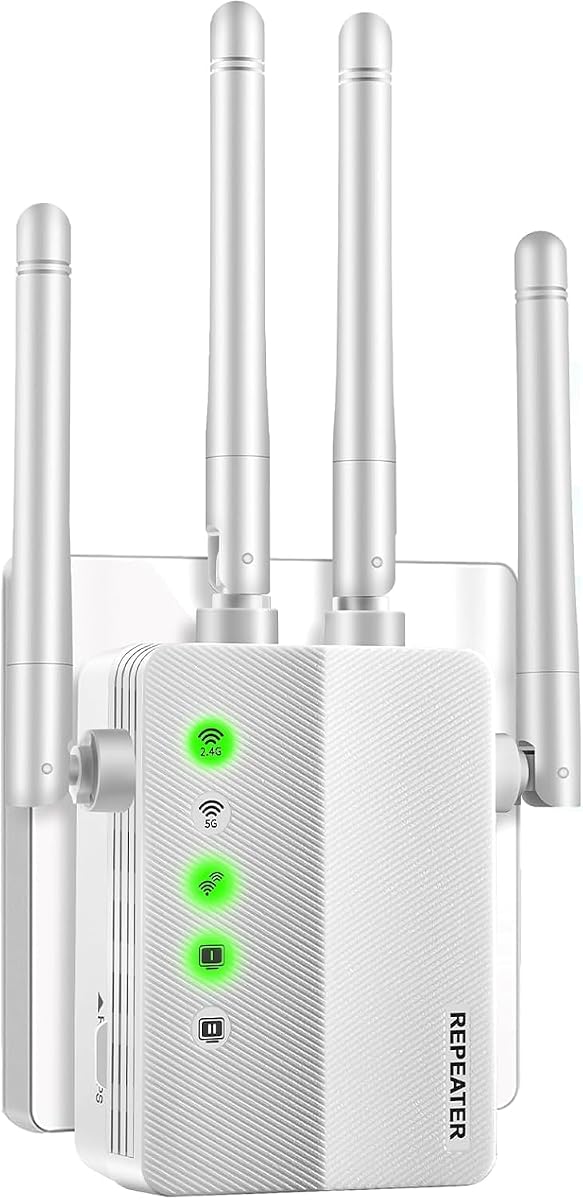
Four high-gain antennas minimize data loss while ensuring rock-solid connections in every corner. Users can stream HD video and play games without interruptions or dropped calls.
The device supports both repeater and access point modes for flexible networking options. While the Ethernet port is limited to 100 Mbps, wireless speeds remain competitive for general use.
Families with many smart devices will appreciate its capacity to keep everything running smoothly. It is a top value pick for those needing extensive coverage at a reasonable cost.
Unlike ordinary extenders that choke past 30 connections this device handles up to 80 gadgets easily.
It pairs with 99.99 percent of routers and works with all major internet providers without issues.
We may earn a commission when you buy through this link, at no additional cost to you.
This extender boasts a coverage claim of up to 5000 square feet with advanced processing chips. It aims to extend wireless signals to hard-to-reach areas effectively.
We may earn a commission when you buy through this link, at no additional cost to you.
Users can connect up to 45 devices including smartphones laptops and IP cameras. The dual band technology provides stable signals for surfing HD video and online gaming.
A built-in Ethernet port allows for stable wired connections to avoid speed drops. The plug-wall design simplifies installation for home or travel use.
Those needing maximum range for large properties might find this unit suitable. However checking current user feedback is advisable before purchase due to mixed ratings.
New-generation chips improve the stability and reach of wireless signals significantly.
Users can choose between Repeater Mode for wireless extension and AP Mode for wired networks.
We may earn a commission when you buy through this link, at no additional cost to you.
This model offers higher speed capabilities with up to 1300 Mbps on 5 GHz and 600 Mbps on 2.4 GHz. It is ideal for users who demand robust performance for bandwidth intensive tasks.
We may earn a commission when you buy through this link, at no additional cost to you.
The inclusion of a Gigabit Ethernet port ensures wired devices get maximum reliability. Three external antennas provide optimal coverage for up to 32 devices.
EasyMesh compatibility allows seamless whole-home connectivity with compatible routers. However it is not designed to work with mesh systems like Deco.
Households with heavy internet usage will benefit from its premium features. It represents a solid investment for those seeking top tier performance from an extender.
The Gigabit port allows desktop PCs and gaming consoles to utilize full wired internet speeds.
Devices automatically connect to the strongest signal ensuring uninterrupted coverage throughout the home.
We may earn a commission when you buy through this link, at no additional cost to you.
This unit offers up to 50 percent more bandwidth than single band extenders. It boosts coverage to 3000 square feet and connects up to 20 devices reliably.
We may earn a commission when you buy through this link, at no additional cost to you.
The compact wall plug design makes it suitable for homes offices and hotels. Users can set it up in one click using the WPS button.
It supports WEP and WPA WPA2 protocols for maximum network security. Multiple modes allow flexibility between repeater and access point configurations.
Travelers and small business owners will appreciate its portability and ease of use. It is a solid choice for securing stable wireless networks on the go.
The wall plug design ensures it fits neatly into any outlet without needing extra cables.
Advanced security protocols prevent unauthorized users from accessing the network effectively.
We may earn a commission when you buy through this link, at no additional cost to you.
The RE220 provides up to 44 percent more bandwidth than single band N300 extenders. It covers up to 1200 square feet and connects up to 30 devices comfortably.
We may earn a commission when you buy through this link, at no additional cost to you.
Users benefit from 300 Mbps on 2.4 GHz and 433 Mbps on 5 GHz. OneMesh compatibility allows seamless whole-home network expansion.
The Tether app helps manage WiFi performance and find optimal placement. It is well suited for smaller homes or specific dead zone elimination.
Those with limited space or budget needs should consider this model. It offers reliable performance for everyday streaming and browsing tasks.
Connecting to a OneMesh router creates a unified network with easy management features.
The Tether app allows users to update firmware and monitor signal quality easily.
We may earn a commission when you buy through this link, at no additional cost to you.
This extender claims up to 5000 square feet of coverage with stable speeds up to 300 Mbps. It features a newly developed chip to enhance signal strength and stability.
We may earn a commission when you buy through this link, at no additional cost to you.
Supporting over 45 devices it works with all wireless network devices adhering to 802.11N B G protocols. Users can switch between repeater and access point modes easily.
An LED status indicator helps find the best location quickly. A two year warranty offers additional peace of mind for buyers.
Those needing flexible indoor or outdoor coverage might find this appealing. Checking current user reviews is recommended to verify performance claims.
The 2024 chip improves signal stability and strength for better long range performance.
This unit can be used for both indoor and outdoor network extension scenarios.
We may earn a commission when you buy through this link, at no additional cost to you.
This model promotes massive coverage up to 10000 square feet and connections for up to 80 devices. It aims to cover hard-to-reach areas with strong high-gain antennas.
We may earn a commission when you buy through this link, at no additional cost to you.
One touch connection via WPS allows fast setup within eight seconds. Smart signal lights help users find the best location for optimal coverage.
The Ethernet port adds wired connectivity for stable device performance. Users can move the repeater anywhere after initial configuration.
Large property owners looking for wide range solutions may appreciate this unit. It emphasizes speed and capacity for smart home environments.
WPS button press allows users to connect without complex password entry or app setup.
LED lights guide you to the best placement location for the strongest signal reception.
We may earn a commission when you buy through this link, at no additional cost to you.
The EX6120 adds up to 1500 square feet of coverage with speeds of 1.2 Gbps across dual bands. It keeps HD video and calls smooth where signal was weak.
We may earn a commission when you buy through this link, at no additional cost to you.
It works with any router from major providers without locking you into a closed ecosystem. A WPA3 security protocol protects every connected device effectively.
Setup can be done via the Nighthawk app or simple WPS press. However the Ethernet port is limited to 100100 Mbps Fast Ethernet.
Network administrators valuing brand reputation may find this model appealing. It balances standard features with solid security measures for general homes.
It connects to any router or gateway from Xfinity Spectrum AT&T or Verizon easily.
WPA3 security ensures your network data remains protected from unauthorized access.
We may earn a commission when you buy through this link, at no additional cost to you.
This unit claims blazing fast speeds up to 3000 Mbps and a range extending up to 26399 square feet. It handles 165 devices with ease for heavy smart home setups.
We may earn a commission when you buy through this link, at no additional cost to you.
Four high-gain antennas ensure robust connectivity throughout large homes or offices. It supports WiFi repeater AP mode and Ethernet port for flexible functionality.
Advanced WPA WPA2 protocols keep data safe from theft or interference. The Ethernet port gives PCs or consoles fast wired connections.
Tech enthusiasts looking for maximum specs might consider this option. Verify current user feedback since it lacks established ratings so far.
Dual-band transmission enables smooth streaming and lag-free gaming for multiple users.
Users can switch between repeater AP and Ethernet modes to suit different needs.
We may earn a commission when you buy through this link, at no additional cost to you.
Selecting the right extender involves matching coverage and speed to your home layout and device count.
Determine the square footage you need to cover by measuring your home and identifying dead zones. Look for models that list coverage matching your space.
Prioritize extenders with wide coverage claims for large homes or multi-level properties.
Check the Mbps ratings to ensure the extender supports your internet plan and streaming needs.
Dual band devices generally offer better performance for gaming and HD video.
Count how many smart devices you have and pick an extender that supports that number.
Models supporting 30 to 80 devices suit smart homes well.
External adjustable antennas often provide stronger signals than internal ones.
Look for multiple high-gain antennas for better range and penetration.
Choose models with simple one-touch setup or dedicated apps to save time.
WPS button support simplifies the process for non technical users.
An Ethernet port allows you to connect gaming consoles or PCs for stability.
Gigabit ports provide faster wired speeds than Fast Ethernet ones.
Verify that the device supports WPA2 or WPA3 to keep your data safe.
Strong security prevents neighbors from accessing your network.
Ensure the extender works with your existing router brand and model.
Universal compatibility avoids issues with proprietary mesh systems.
Place the extender halfway between your router and the dead zone for best results.
Use the LED signal lights on the device to find the optimal location quickly.
Keep the firmware updated through the app to maintain security and performance.
No, an extender does not increase your ISP speed. It improves signal reliability in dead zones which can help devices use your existing bandwidth more effectively.
Most extenders work with any standard router regardless of brand. Always verify compatibility with your specific model before purchasing to avoid issues.
Repeater mode extends your wireless signal wirelessly. AP mode creates a new wireless network from a wired connection like an Ethernet cable.
Budget models often support between 20 to 30 devices. Higher end affordable options may handle up to 80 connected devices without lag.
Yes, wired connections offer more stability and higher throughput than wireless links. Use the Ethernet port if your device supports it.
Most devices have a reset button usually accessible via a pinhole. Press and hold it for ten seconds to return to factory settings.
We reviewed ten options balancing performance and cost to meet different home needs.
Prioritize coverage area and device capacity when making your final selection.
Remember to check current prices and availability before buying your new unit.