
VOYEE Switch Controllers
4.4Editor score
RGB Lighting Effects
Programmable Turbo Keys
Affordable Price Point
Find the best Gaming Controller for Apple TV with our expert guide comparing compatibility features battery life and performance for an enhanced tvOS gaming
Finding the right Gaming Controller for Apple TV transforms your living room into a true gaming hub. Whether you crave competitive multiplayer or casual fun, the right pad ensures precise inputs and comfortable play sessions.
We compared ten top controllers based on Bluetooth connectivity, button layout, battery endurance, and official Apple support. Our analysis prioritizes devices that work seamlessly with tvOS while delivering responsive controls for diverse genres.
Each pick below highlights unique strengths like Hall Effect sticks or long battery life. Prices and availability change frequently, so verify current details on the retailer page before purchasing to ensure you get the best deal.
4.4Editor score
4.5Editor score

4.0Editor score
This side-by-side comparison highlights key specifications for all ten controllers to help you quickly identify the best fit for your Apple TV setup and gaming needs.
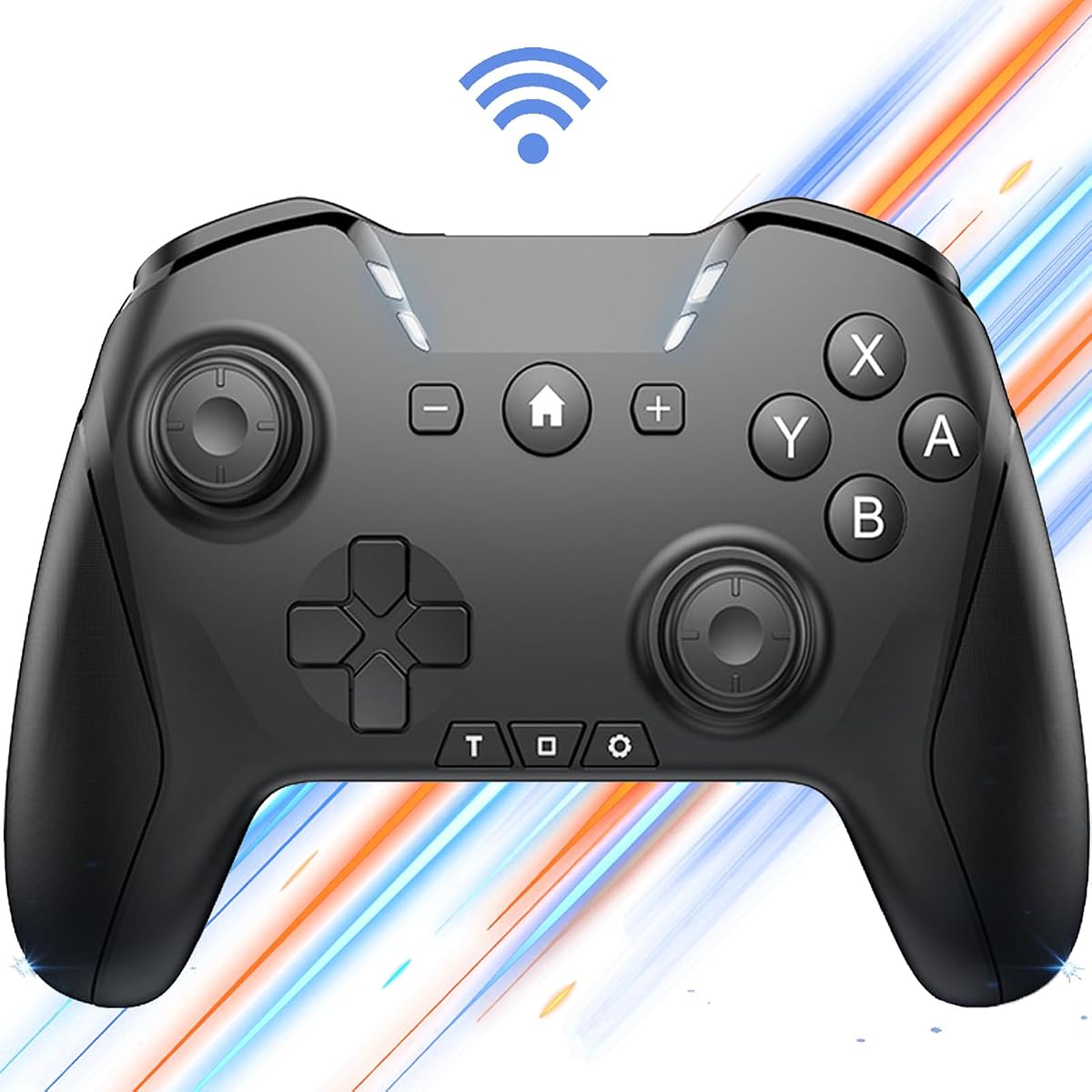


This versatile controller offers extensive customization that rivals dedicated Apple devices. With a 4.0 rating, it balances performance and affordability well for users seeking advanced features on a budget.
We may earn a commission when you buy through this link, at no additional cost to you.
The standout feature is the ability to program macro combinations up to thirty seconds long. You can also swap stick and button layouts via software, giving you unique control schemes for complex games like Black Myth Wukong.
While the feature set is robust, the setup process can feel overwhelming for casual gamers. The companion software requires careful configuration to realize the full potential of the macro and turbo functions.
Buy this if you want deep control over inputs without spending premium prices. Its large battery and wake-up capabilities make it a strong contender for Apple TV sessions requiring extended playtime.
You can record up to thirty seconds of button sequences and loop them automatically for repetitive gaming tasks.
The 650mAh battery delivers up to fifteen hours of continuous play on a single three-hour charge.
We may earn a commission when you buy through this link, at no additional cost to you.
As the official Apple licensed option, this Nimbus+ model sets the standard for tvOS compatibility. Its massive fifty hour battery life ensures you rarely need to recharge during gaming marathons.
We may earn a commission when you buy through this link, at no additional cost to you.
The tactile D-pad and clickable joysticks provide precise mechanical feedback that rivals console controllers. This physical click feels responsive and helps prevent accidental inputs during intense gameplay sessions.
Though it lacks Hall Effect technology, the sticks remain reliable for most genres. The price reflects its premium licensing and build quality, which may be steep for budget conscious buyers seeking basic play.
Choose this if longevity and official Apple support are your top priorities. It is the most robust choice for long term Apple TV use without needing frequent charging interruptions.
Being Apple licensed ensures seamless pairing and full support for all tvOS gaming titles and Arcade apps.
Pressing down on the sticks activates L3 and R3 buttons for more complex control options across games.
We may earn a commission when you buy through this link, at no additional cost to you.
VOYEE brings a high rating and colorful RGB lighting to the budget category. It supports one-key wake up and offers impressive value for those wanting visual flair alongside solid basic performance on Apple TV.
We may earn a commission when you buy through this link, at no additional cost to you.
The three turbo speeds and four vibration levels allow for some customization despite the lower price. Buttons and sticks respond quickly with minimal lag, making it suitable for fast paced arcade and action titles.
Durability is generally good but the sticks may wear faster than premium models over time. The lack of advanced software limits deep customization but keeps the device simple and plug and play friendly.
This is the ideal pick for casual gamers or gift buyers looking for style and function. You get a reliable controller with fun visual features at a fraction of the cost of flagship brands.
Choose from solid, breathing, or strobe light modes to match your setup aesthetic and gaming mood.
A single button press can wake your console or TV device to start gaming immediately without delays.
We may earn a commission when you buy through this link, at no additional cost to you.
This controller brings legendary 8Bitdo quality with retro charm and modern tech like Hall Effect sticks. Its 4.7 rating highlights exceptional build quality and reliability for both casual and serious Apple TV users.
We may earn a commission when you buy through this link, at no additional cost to you.
The Hall Effect sensors eliminate stick drift issues common in older controllers, ensuring precise movement over time. Combined with a full button set including clickable sticks, it feels premium despite its smaller footprint.
Battery life is decent at eighteen hours but lower than competitors. Some users find the compact shape comfortable while others miss the fuller grip of larger pro controllers during long sessions.
Pick this for a stylish, drift-free experience if you appreciate retro design. It balances nostalgia with reliable modern performance and officially supports Apple TV without compatibility issues.
Magnetic sensors provide accurate stick positioning that resists physical wear and eliminates drift over years.
Verified for Apple TV ensures instant pairing and full feature support for all tvOS compatible games.
We may earn a commission when you buy through this link, at no additional cost to you.
Renewed models offer the same core Apple TV functionality at a reduced cost. While the rating is lower than new units, many buyers find these refurbished controllers perfectly reliable for standard gameplay needs.
We may earn a commission when you buy through this link, at no additional cost to you.
The wireless connection remains stable and the buttons respond quickly as expected from the Nimbus brand. Inspectors test for defects before shipping to ensure you get a quality experience without paying full retail price.
Battery life on renewed units can vary slightly compared to fresh stock. Warranty coverage is typically shorter but still provides peace of mind if issues arise shortly after your purchase date.
Choose this if you want to save money while keeping the premium Nimbus experience. It is a smart eco-friendly choice for budget conscious gamers needing a proven tvOS controller.
Professional inspection ensures the controller meets high quality standards before you receive it.
You get the same official Apple support and battery life at a lower price point than new.
We may earn a commission when you buy through this link, at no additional cost to you.
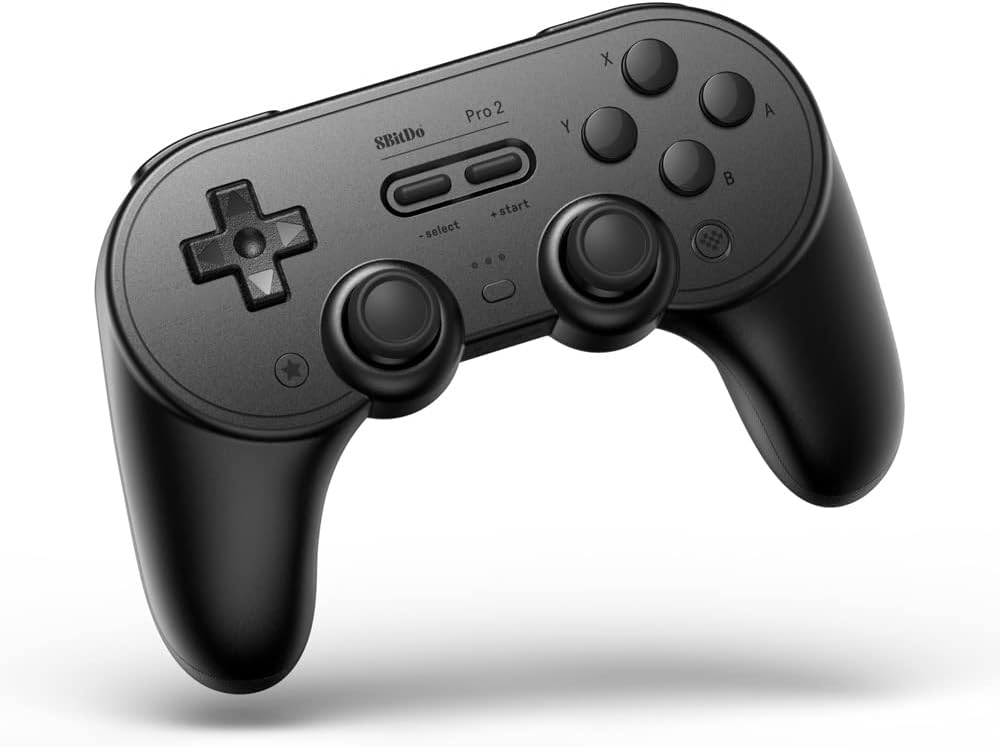
The Pro 2 is a powerhouse for users gaming across multiple ecosystems. With official Apple TV support and two back buttons, it offers a feature set that rivals dedicated console controllers.
We may earn a commission when you buy through this link, at no additional cost to you.
Software allows deep customization of button mapping and profiles which is rare at this price range. The twenty hour battery and USB-C charging provide convenience for long sessions without constant recharging interruptions.
It lacks Hall Effect sticks but the standard rubberized ones are still responsive for most play. The slightly heavier build ensures stability during use but might feel bulky for smaller hands.
Buy this if you play on PC and Apple TV equally. The versatility and customization tools make it a top tier option for serious gamers seeking one controller for all devices.
Two programmable back buttons let you map extra actions without moving your fingers off the main layout.
Switch modes instantly between devices to keep your favorite settings ready for any gaming session.
We may earn a commission when you buy through this link, at no additional cost to you.
This model represents the core reliability of the Nimbus line for Apple TV users. It focuses on essential features like stable wireless and solid build quality without extra flashy software requirements.
We may earn a commission when you buy through this link, at no additional cost to you.
Pairing is straightforward and the battery delivers consistent performance for typical session lengths. The grip is comfortable and the layout supports most casual and arcade games without needing complex custom configurations.
Compared to newer models, it lacks advanced customization options but that keeps the experience simple. It is a dependable choice if you prefer straightforward gaming tools over complex feature sets.
Select this for a no fuss Apple TV controller experience. It works right out of the box and maintains the quality Apple users expect from certified partners.
Connect via standard Bluetooth pairing quickly to start playing games without software installation.
A balanced grip ensures comfort during extended gameplay sessions on your living room sofa.
We may earn a commission when you buy through this link, at no additional cost to you.
Aurora II stands out with Hall Effect sensors and a high capacity battery for smooth, long gaming sessions. Its dual connectivity modes offer flexibility depending on your device setup and preference.
We may earn a commission when you buy through this link, at no additional cost to you.
The 2.4G wireless mode via dongle offers lower latency than standard Bluetooth which helps in competitive scenarios. Back keys are lockable to prevent accidental presses during intense gameplay or navigation menus.
It lacks an official Apple license which might limit specific tvOS features but general Bluetooth pairing works well. The battery capacity is impressive ensuring you won't face interruptions during long streaming or cloud gaming.
Choose this if you value advanced tech like Hall Effect sticks at a mid-range price. It balances performance and battery life well for users prioritizing technical specs over branding.
Use the included dongle for a direct wireless link that reduces input delay compared to standard Bluetooth.
A switch lets you disable back inputs temporarily to avoid accidental button presses during gameplay.
We may earn a commission when you buy through this link, at no additional cost to you.
Designed primarily for Amazon Luna, this controller uses WiFi to connect directly to game servers for minimal latency. It also supports standard Bluetooth for other devices and is well built for Apple TV use.
We may earn a commission when you buy through this link, at no additional cost to you.
The offset thumbsticks and responsive triggers feel familiar to console gamers. Seamless screen switching lets you pause on one device and resume on another, a feature unique to cloud gaming setups.
While optimized for Luna, it works as a standard Bluetooth controller on Apple TV. However some specific WiFi features might not be fully utilized when connecting to non-cloud gaming apps.
Pick this if you subscribe to Amazon Luna and value seamless cloud integration. It brings a premium gaming feel to your Apple TV with unique latency reducing tech.
Connect directly to game servers via WiFi to reduce input lag compared to traditional Bluetooth pairing.
Pause a game on one device and pick it up instantly on another for flexible mobile gaming.
We may earn a commission when you buy through this link, at no additional cost to you.
GMBACK offers advanced loop macros that automate repetitive button inputs for grinding or farming tasks. This feature is rare in this price range and adds significant utility for mobile and TV gaming.
We may earn a commission when you buy through this link, at no additional cost to you.
The controller supports home wake up and customizable vibration levels to tailor your experience. RGB lighting adds visual flair and the eight hundred mAh battery provides enough power for most standard gaming sessions.
Setup for macros requires following specific steps which can be tedious initially. Once configured however it saves time during repetitive gameplay. Build quality is average but sufficient for casual to moderate play.
Choose this if automation features matter most to you. The ability to script simple macro loops makes it ideal for fans of RPGs or games requiring repetitive input on Apple TV.
Record custom button sequences and loop them automatically to automate repetitive tasks in games.
Press the home button to wake your console or device instantly so you can start playing.
We may earn a commission when you buy through this link, at no additional cost to you.
Selecting the right controller requires understanding how different features impact your Apple TV gaming experience. We break down key factors to help you make an informed decision.
Ensure the controller is explicitly listed as compatible with tvOS or Apple TV. Official Apple licensed controllers guarantee the smoothest pairing process and best support for Arcade titles.
Look for official Apple certification to avoid connection drops and ensure all features work correctly.
Battery capacity varies widely from fifteen to fifty hours. Consider how long you typically play in one sitting to decide if you need a high capacity battery or can accept mid range options.
Higher capacity batteries reduce charging frequency and ensure uninterrupted gaming sessions.
Hall Effect sticks use magnetic sensors to prevent drift over time while traditional rubber sticks may wear out. If you play precise genres, Hall Effect technology offers better long term reliability.
Prioritize Hall Effect sensors for long term accuracy and resistance to stick drift issues.
Rumble feedback enhances immersion by providing tactile responses during gameplay. Look for controllers with adjustable vibration levels to customize the intensity based on your comfort.
Adjustable vibration levels let you tailor the feedback intensity to your preference and comfort.
Advanced controllers offer programmable macros or back buttons for additional inputs. These are useful for complex games but may complicate the setup for casual players seeking simple plug and play.
Programmable buttons and macros add flexibility for advanced players but require initial setup time.
Comfort is critical for long play sessions. Check reviews regarding grip texture and weight to ensure the controller fits your hand size and reduces fatigue during extended use.
Choose a design that feels balanced and comfortable in your hands for long play sessions.
Prices range from budget friendly to premium. Determine which features matter most to you so you do not overspend on unnecessary tech or underpay for missing essentials.
Balance features like battery and stick type against your budget to find the best value.
Some controllers require companion apps for customization. Ensure your setup supports these apps and that firmware updates are available to fix bugs and improve compatibility over time.
Verify software support exists for your device to access customization features and future updates.
To pair, turn on the controller and enable Bluetooth on your Apple TV under settings. Hold the pairing button until the LED flashes and select the device from the list to complete the connection.
Store your controller in a cool dry place when not in use to protect internal circuits. Avoid exposing it to extreme heat or moisture which can shorten battery life and degrade materials.
Keep stick caps and buttons clean with a soft dry cloth. If using removable sticks, clean around the edges regularly to prevent dust accumulation that might cause drift over time.
Most models listed support Apple TV via Bluetooth but official Apple licensed controllers ensure full tvOS compatibility. Always check the product details for explicit Apple TV support before purchasing to avoid issues.
Yes most controllers work seamlessly with Apple Arcade titles since they support standard Bluetooth protocols. Licensed controllers offer the best experience but standard Bluetooth ones work for most games.
Put the controller in pairing mode by holding its specific button until the LED blinks. Then navigate to Bluetooth settings on your Apple TV and select the controller from the available devices list.
Yes most are designed for multi-platform use including iPhone and iPad. You can switch between devices easily if the model supports multiple profiles or has dedicated mode switching buttons.
Battery life typically ranges from fifteen to fifty hours on a single charge. Higher capacity models like the Nimbus+ last longer so consider your play habits when selecting a controller.
Hall Effect sticks prevent drift and ensure long term accuracy which is valuable for precision games. If you play frequently, the investment helps maintain performance without needing stick replacements.
We identified top picks like the 8BitDo Pro 2 for cross platform needs and the SteelSeries Nimbus+ for long battery life. Each option offers distinct advantages depending on your gaming style and budget.
Prioritize official Apple support if you want seamless pairing and full tvOS compatibility. For budget conscious users, models like the VOYEE provide solid performance without sacrificing essential features.
Prices change frequently so review the current details on retailer pages before buying. Verify compatibility with your specific Apple TV model to ensure a smooth gaming experience at home.