
ARZOPA 16.1'' 144Hz Portable Gaming Monitor
4.4Editor score
16.1 inch FHD screen
144Hz refresh rate
Portable with kickstand
This guide compares the best gaming monitors without PC needed for portable and standalone setups, featuring detailed specs and expert picks for every budget.
Gaming monitors without PC needed offer incredible flexibility for players who want high performance on the go. These displays connect directly to consoles or portable devices, delivering smooth visuals without needing a desktop computer.
We evaluated ten top models based on refresh rates, screen quality, and connectivity options. Our comparisons focus on portability, build durability, and how well each screen handles modern gaming demands across different environments.
Each pick includes key specs and real-world usage notes to help you decide. Remember that prices fluctuate frequently, so check current listings before buying to ensure you get the best value for your setup.
4.4Editor score

4.4Editor score

4.4Editor score
This side-by-side comparison highlights the key specifications of all ten monitors to help you find the perfect match for your gaming needs and budget constraints.



This monitor stands out as a top choice for gamers seeking a standalone experience. It offers a 23.8 inch QHD screen with a 180Hz refresh rate, making it ideal for fast-paced action without needing a PC.
We may earn a commission when you buy through this link, at no additional cost to you.
The integration of FreeSync and HDR ensures that gameplay remains fluid and visually rich. The adjustable stand allows for flexible positioning, while the multiple ports support various consoles and mobile devices directly.
While it is not the lightest option on the market, its performance benefits outweigh the minor weight increase. Users should ensure they have a compatible power source to maintain peak performance during extended sessions.
This model is best for those who want a near-desktop experience on the go. Its balance of size, resolution, and refresh rate makes it a versatile tool for both gaming and productivity tasks.
The 180Hz refresh rate delivers exceptionally smooth motion, reducing blur in fast games. This ensures that your input translates instantly to the screen for a competitive edge.
With Type-C and HDMI ports, this monitor connects easily to modern consoles and laptops. This flexibility means you can switch devices without needing complex adapters or setups.
We may earn a commission when you buy through this link, at no additional cost to you.
The EVICIV monitor offers a compact solution for gamers who prioritize portability. Its 18.5 inch screen and 120Hz refresh rate provide a solid experience for competitive gaming on the go.
We may earn a commission when you buy through this link, at no additional cost to you.
The included travel sleeve adds significant value by protecting the device during transit. The 1ms response time ensures that lag is minimized, making it suitable for action-heavy titles.
While it lacks the highest refresh rates available, the color accuracy and smoothness are impressive for the size. Users looking for a simple plug-and-play solution will appreciate its ease of use.
This model is ideal for students or travelers who need an extra screen. Its design focuses on efficiency and protection, ensuring the device survives daily use while delivering consistent visuals.
The slim profile and included sleeve make this monitor easy to carry in any backpack. This design ensures your screen is always ready for impromptu gaming or work sessions.
A 1ms response time means that screen tearing and lag are virtually eliminated. This responsiveness is crucial for maintaining accuracy in fast-paced gaming environments.
We may earn a commission when you buy through this link, at no additional cost to you.
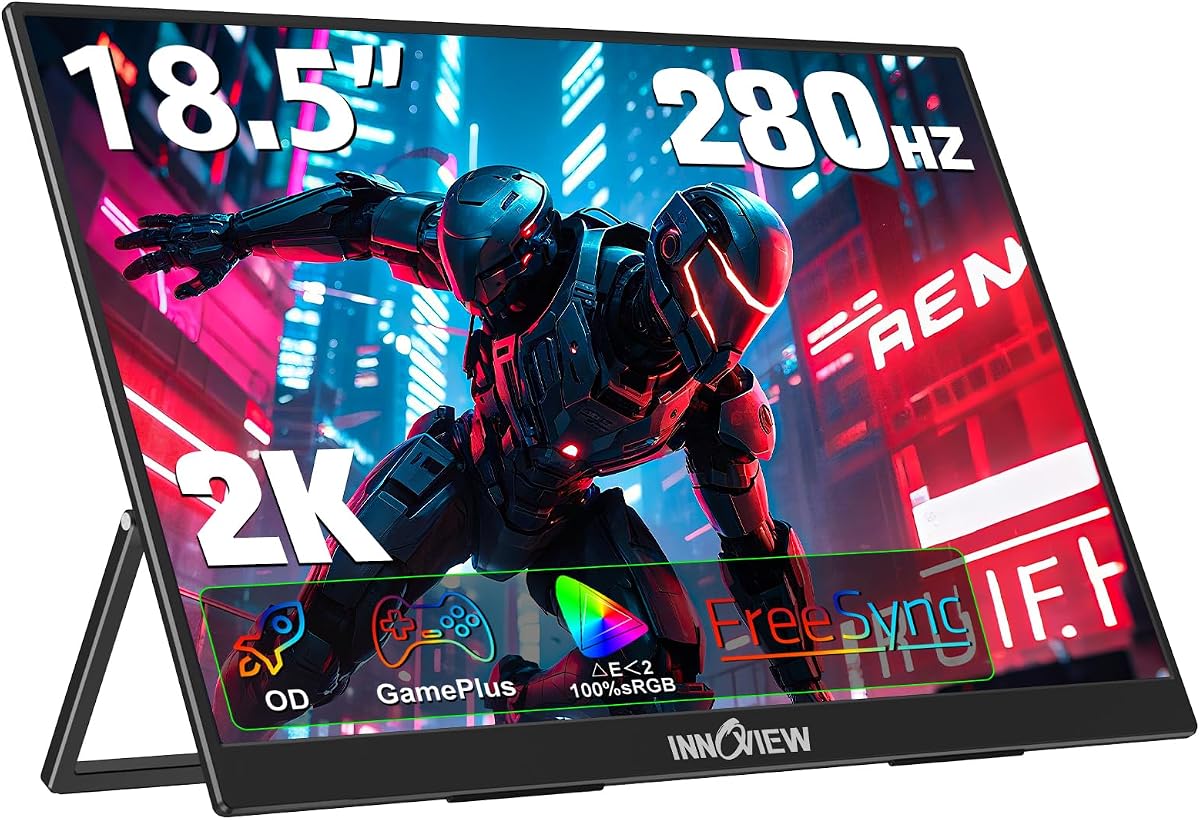
For those seeking the smoothest motion possible, the InnoView 280Hz is a standout choice. The 18.5 inch QHD panel ensures that high resolution matches the high refresh rate.
We may earn a commission when you buy through this link, at no additional cost to you.
GamePlus features like customizable crosshairs add value for competitive gamers. HDR support further enhances the visual quality, making scenes look more vibrant and realistic during play.
However, achieving 280Hz requires a device capable of outputting that refresh rate. Users should verify their hardware compatibility to ensure they can fully utilize this high-performance screen.
This monitor is best for enthusiasts who want the best motion clarity available. Its advanced features and high refresh rate make it a powerful tool for serious gaming on the go.
At 280Hz, the motion blur is nearly non-existent. This level of clarity allows players to track fast-moving objects with ease, giving them a distinct advantage in matches.
The GamePlus feature includes tools like crosshairs that help with aim. These built-in enhancements reduce the need for external software, simplifying the gaming experience.
We may earn a commission when you buy through this link, at no additional cost to you.
The ViewSonic VX1654 is designed for users who prioritize weight and simplicity. At just 1.5 lbs, it is one of the lightest options available for portable gaming.
We may earn a commission when you buy through this link, at no additional cost to you.
Its USB-C connectivity allows for a single-cable setup, reducing clutter and making it easy to connect to laptops or consoles. The 144Hz refresh rate ensures smooth gameplay.
While the screen size is smaller, the IPS technology maintains good viewing angles. This makes it a reliable choice for situations where space and weight are critical factors.
This monitor is ideal for travelers who need a lightweight second screen. Its robust build and reliable performance ensure it can handle frequent use without compromising on quality.
Weighing only 1.5 lbs, this monitor adds almost no weight to your bag. This design makes it perfect for frequent travelers who need high-quality visuals on the move.
USB-C connectivity means you only need one cable to connect and power the device. This simplifies setup and reduces the risk of loose connections during transport.
We may earn a commission when you buy through this link, at no additional cost to you.
For budget-conscious gamers, the ARZOPA 144Hz offers exceptional value. It provides a smooth 144Hz refresh rate at a price point that is hard to beat.
We may earn a commission when you buy through this link, at no additional cost to you.
The 106% sRGB coverage ensures that colors look vibrant and accurate. The built-in kickstand adds convenience, allowing you to prop up the screen without extra accessories.
While it lacks advanced features like adaptive sync, it still delivers a solid experience for casual gaming. The ease of setup makes it a great choice for beginners.
This model is perfect for students or casual players on a budget. It delivers the essential performance needed for smooth gaming without breaking the bank.
This monitor delivers a high refresh rate at a very competitive price. This makes it accessible to more people who want to improve their gaming setup without spending too much.
The built-in kickstand saves the need for extra accessories. This simplifies the setup process and ensures you have a stable viewing angle wherever you go.
We may earn a commission when you buy through this link, at no additional cost to you.
This SANSUI monitor brings a large, immersive experience to any desk. The 32 inch curved screen wraps around your vision, making games feel more engaging and personal.
We may earn a commission when you buy through this link, at no additional cost to you.
A 240Hz refresh rate ensures that motion remains sharp even at high speeds. The FHD resolution provides a good balance between detail and performance for most games.
Due to its size, it is better suited for stationary setups rather than travel. Users should consider their space before purchasing to ensure it fits comfortably.
This model is best for home gamers who want a desktop feel. Its large screen and high refresh rate make it a great choice for long sessions of intense gaming.
The 1500R curvature creates a natural field of view. This design helps to reduce eye strain and makes you feel more connected to the game world.
A 240Hz refresh rate allows for incredibly smooth motion in fast-paced games. This ensures that you can react quickly to in-game events without lag.
We may earn a commission when you buy through this link, at no additional cost to you.
The 24 inch curved SANSUI offers a balanced approach to immersion. It is large enough to feel engaging but compact enough for most desks or travel bags.
We may earn a commission when you buy through this link, at no additional cost to you.
With a 160Hz refresh rate, gameplay is smooth and responsive. The VA panel provides deep blacks and good contrast, which enhances the visual depth of games.
Users should note that pixel response is slower than IPS options in some cases. However, for most gaming scenarios, the benefits outweigh this minor limitation.
This monitor is ideal for gamers who want immersion without bulk. It fits well in home office setups while providing the flexibility needed for gaming on the go.
The VA panel offers deep blacks that make dark scenes look realistic. This enhances the visual quality of horror and action games significantly.
Various game modes allow you to optimize settings for different genres. This flexibility helps to ensure the best possible experience regardless of what you are playing.
We may earn a commission when you buy through this link, at no additional cost to you.
The UPERFECT monitor delivers premium image quality for portable setups. Its QLED panel offers rich colors and deep blacks that are typically found in larger screens.
We may earn a commission when you buy through this link, at no additional cost to you.
The 100% DCI-P3 gamut ensures that visuals look vibrant and true to life. High brightness levels allow for use in various lighting conditions without losing detail.
To reach full performance, a 30W power adapter is recommended. This ensures that the display runs at its maximum potential without dimming or flickering.
This model is best for creators and gamers who prioritize visual fidelity. Its advanced display technology makes it a top choice for those who want the best colors available.
The QLED technology provides deeper blacks and richer colors than standard LCDs. This results in a more dynamic and visually appealing image for games and movies.
With 400 nits of brightness, this screen remains clear even in bright rooms. This ensures that you can play comfortably without reducing brightness to save power.
We may earn a commission when you buy through this link, at no additional cost to you.
The Samsung Odyssey G55C offers a desktop-quality experience with its QHD resolution. The 1000R curvature provides an immersive field of view that envelops the user.
We may earn a commission when you buy through this link, at no additional cost to you.
Eye saver mode reduces blue light, making it comfortable for long gaming sessions. The deep curve is particularly effective for strategy and simulation games.
Due to its size, it requires significant space and a dedicated power source. It is best suited for home office or gaming room setups.
This monitor is ideal for those who want immersion in a stationary space. The high pixel density ensures that text and game assets look crisp and detailed.
QHD resolution on a 32 inch screen offers sharp detail. This ensures that game textures and UI elements look clear and professional.
Eye saver mode helps to reduce strain during long use. This feature is essential for users who play for extended periods without breaks.
We may earn a commission when you buy through this link, at no additional cost to you.
The Dell SE2426H is known for its reliable quality and color accuracy. The IPS panel ensures that colors look consistent from different viewing angles.
We may earn a commission when you buy through this link, at no additional cost to you.
A 144Hz refresh rate provides smooth gameplay suitable for most genres. The TUV certification indicates a focus on eye comfort and safety.
While it lacks portability features like a foldable stand, it is a solid choice for fixed setups. The high rating reflects its strong performance and build quality.
This model is best for users who value reliability and color. It offers a proven experience for gaming and general use without unexpected issues.
IPS technology ensures that colors do not shift when viewed from angles. This makes it ideal for creative tasks or gaming with friends nearby.
Dell is known for building durable and reliable hardware. This means that the monitor is likely to last longer and perform consistently over time.
We may earn a commission when you buy through this link, at no additional cost to you.
Choosing a gaming monitor without PC needed involves evaluating several key factors to ensure the device meets your specific needs.
Screen size directly impacts your immersive experience. Larger screens like 24 inches offer more detail but reduce portability. Smaller screens like 15.6 inches are easier to carry but may feel cramped for long sessions.
If you travel frequently, prioritize a size under 17 inches. If you plan to use it mostly on a desk, a larger size might be more appropriate.
Refresh rate determines how many frames are displayed per second. A 144Hz rate is standard for smooth gaming, while higher rates like 240Hz offer even more fluidity.
Look for a response time of 5ms or less to avoid motion blur. Fast response times are essential for competitive gaming where split-second decisions matter.
Verify that the monitor supports your device's output. Type-C ports are essential for connecting to laptops or phones directly. HDMI ports are necessary for consoles like Switch or PlayStation.
Check if the monitor supports power delivery. Some screens can draw power from the connected device, reducing the need for extra cables.
IPS panels offer the best color accuracy and viewing angles. VA panels provide better contrast and deeper blacks. QLED panels enhance brightness and color vibrancy significantly.
Choose IPS if color quality is a priority. Choose VA if you prefer darker scenes and higher contrast ratios.
A good stand allows you to adjust the viewing angle easily. Look for models with swivel, tilt, and rotation capabilities. Some screens offer VESA mounting for wall setups.
Flexibility is key for ergonomics. Ensure the stand can support the screen securely without wobbling during gameplay.
Some portable monitors require external power bricks while others draw power from the host device. Always check if your laptop can provide enough power through USB-C.
If you plan to use it with a console, ensure you have a compatible power adapter. This prevents flickering or dimming issues during use.
Color gamut defines the range of colors the screen can display. 100% sRGB is a good standard. Look for 100% DCI-P3 if you want cinema-quality colors.
Wider gamuts make games look more vibrant. This is especially important for titles with rich visual art styles.
Features like low blue light and flicker-free technology reduce strain. Look for certifications like TUV Rheinland. These features are essential for long gaming sessions.
Prioritize screens with these features if you have sensitive eyes. This ensures comfort during extended use without headaches or fatigue.
When connecting your monitor, ensure that all ports are clean and free of dust. This helps to maintain a stable connection and prevents signal issues during use.
Adjust the brightness to match your environment. High brightness is good for lit rooms, but lower settings are better for dark spaces to reduce eye strain.
Store the monitor in a protective case when traveling. Avoid placing heavy objects on top of it. This protects the screen from scratches and physical damage.
No, these monitors can connect directly to consoles, tablets, or phones. You simply need the right cables to establish a connection and power the display.
Yes, most of these monitors work well for office work or streaming. They can extend your desktop or display mobile content effectively.
Most monitors come with HDMI or USB-C cables. However, check the product description to see if specific adapters are required for your device.
Many of these models are designed to be lightweight and portable. Look for those with built-in stands and protective cases for easier transport.
Most portable models support 1080p or 1440p resolutions. 4K portable monitors exist but are less common and often more expensive due to power requirements.
You can power it via a connected laptop or a separate adapter. Always check the voltage requirements to ensure you use a compatible power source.
Yes, many of these monitors support the Nintendo Switch via USB-C or HDMI. Just ensure the monitor is compatible with the console's resolution.
Many monitors include low blue light modes to protect your eyes. This is especially useful for late-night gaming or long work sessions.
We reviewed ten excellent options ranging from budget-friendly to premium choices. Each offers unique benefits depending on your need for portability or screen size.
Prioritize refresh rate and connection options based on your primary device. If you play fast games, look for high Hz. If you travel, choose a lightweight design.
Check current prices to ensure you get the best deal. Many deals fluctuate daily, so comparing options helps you find the most cost-effective choice.