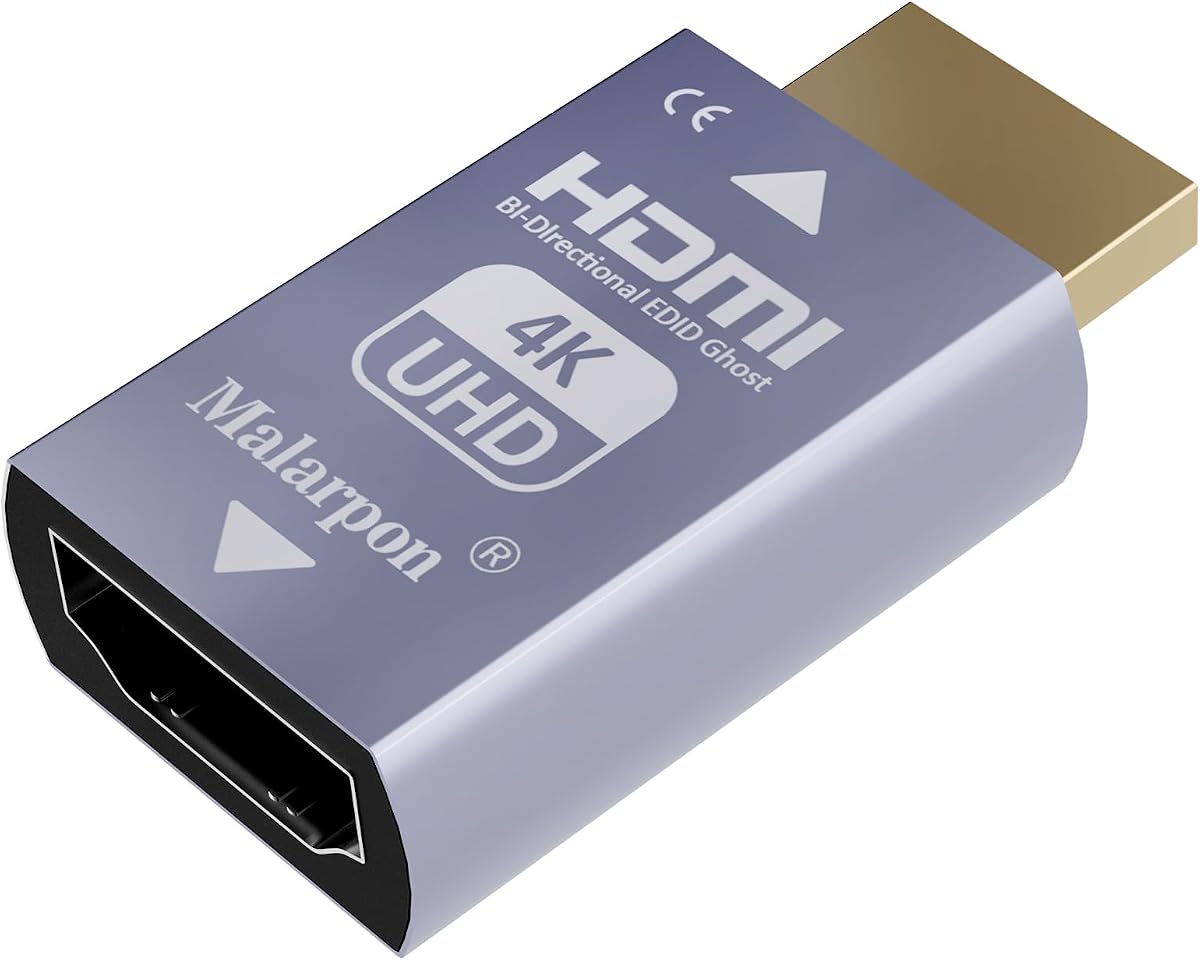
Hdmi Edid Emulator Passthrough 3rd Generrtion
4.1Editor score
Aluminum construction
Bi-directional EDID support
Compatible with Mac Mini
This guide compares the top ten HDMI Edid Emulator Passthroughs to help you find reliable signal stability for headless setups and multi-monitor environments
When working with headless servers or complex AV setups, maintaining consistent display signals is crucial. An HDMI Edid Emulator Passthrough ensures your source device always detects a connected display, preventing resolution resets and desktop rearrangements.
We evaluated ten top-rated adapters based on compatibility, signal stability, and ease of use. Our analysis covers devices supporting various resolutions from 1080p to 4K and beyond, ensuring you find the right match for your specific hardware needs.
Each selection highlights unique features like HDCP pass-through, bi-directional design, and premium build quality. While we focus on performance and reliability, note that availability and offers may change, so verify current details before purchasing your ideal solution.
4.1Editor score

5.0Editor score

4.3Editor score
The following comparison table provides a side-by-side overview of the ten most relevant HDMI Edid Emulator Passthroughs available on the market. We highlight key specifications and performance characteristics to help you quickly identify which device aligns best with your technical requirements and budget constraints for stable video transmission.


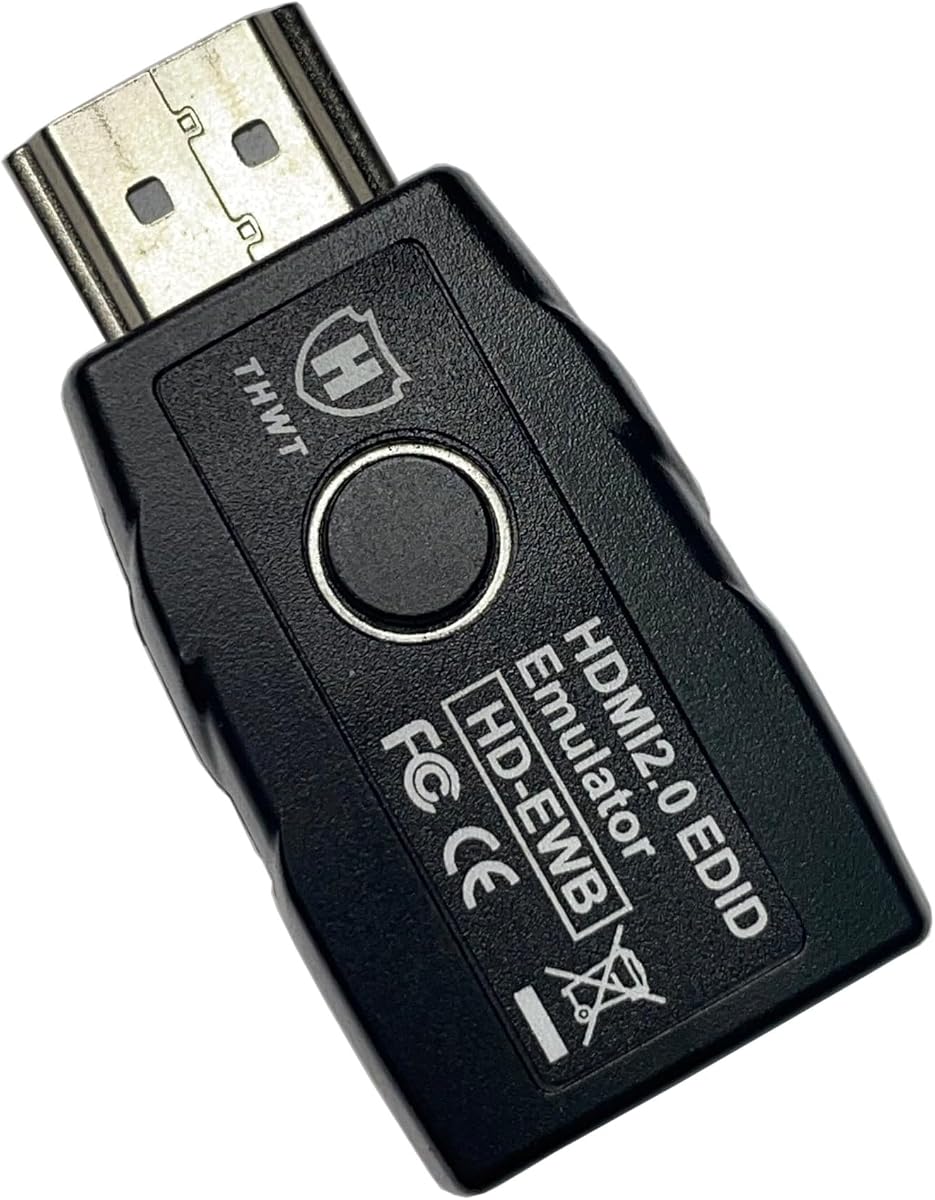


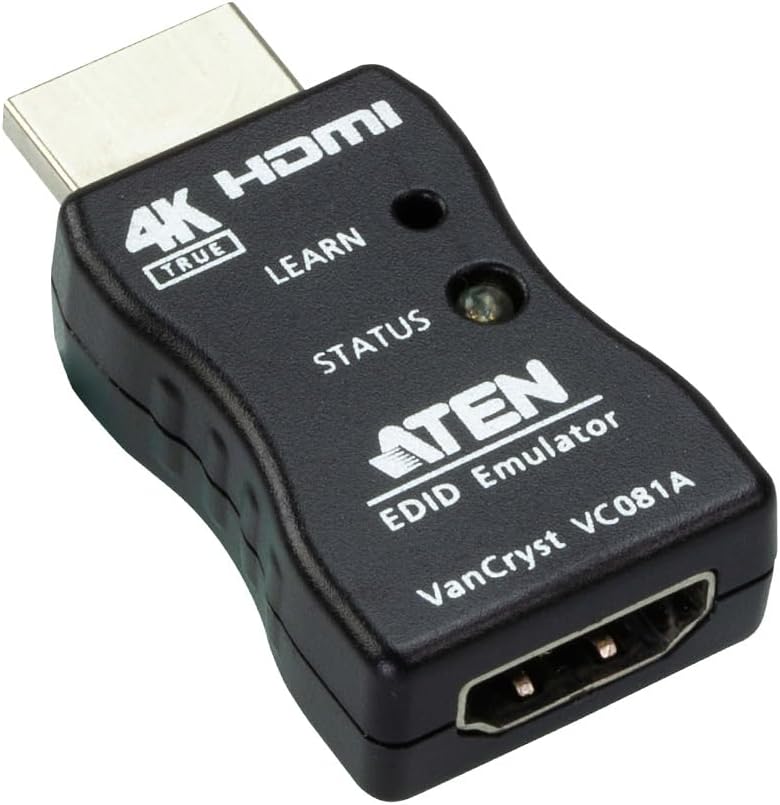
This HDMI EDID Emulator stands out with its perfect rating and robust feature set for high-resolution video transmission. It ensures signal stability even when displays are disconnected, making it ideal for home theater and AV receiver setups.
We may earn a commission when you buy through this link, at no additional cost to you.
The device simulates the EDID of a display accurately, allowing source devices to output stable video and audio signals without interruption. Its support for high resolutions ensures optimal picture quality across various complex systems.
While the price is higher than basic models, the reliability and multi-device compatibility justify the investment for professional or critical home use cases where signal loss is not an option.
Users needing seamless video transmission in multi-display setups or commercial displays will find this emulator to be a reliable solution that resolves compatibility issues caused by mismatched EDID information.
This emulator supports various audio formats and high resolutions, ensuring signals match the capabilities of your display for optimal quality.
Versatile for home theaters, conference rooms, and commercial signage, ensuring consistent output across multiple displays without errors.
We may earn a commission when you buy through this link, at no additional cost to you.
This aluminum adapter offers excellent value for those needing a budget-friendly solution to keep monitor EDID active. It works seamlessly with Mac Mini and other headless clients, preventing desktop rearrangement when screens are turned off.
We may earn a commission when you buy through this link, at no additional cost to you.
The bi-directional EDID feature tells Windows the monitor is connected even if the real one is removed. This is particularly useful for remote accessing devices where consistent display settings are necessary.
While it lacks some premium features, it effectively solves common issues like distorted images and desktop reset problems at a very accessible price point for general users.
Ideal for home office users or those with smaller setups, this adapter ensures your system remains stable and responsive without requiring constant manual intervention.
Supports both male and female connections, allowing flexible setup to tell Windows the monitor remains connected regardless of physical disconnection.
Perfect for Mac Mini and NUC devices, keeping EDID active when remotely accessing them without needing a physical monitor attached.
We may earn a commission when you buy through this link, at no additional cost to you.
This Pro model is a powerhouse for HDMI 2.1 systems, offering SCDC support and high-speed resolutions up to 4K at 120Hz. It ensures precise matching of video and audio formats for the highest fidelity possible in your setup.
We may earn a commission when you buy through this link, at no additional cost to you.
The ability to copy exact EDID data from an external monitor and switch between 14 presets gives users significant control over their signal output. This makes it perfect for complex systems requiring specific audio channels or resolutions.
Its bi-directional design and auto-detection features simplify installation, allowing you to connect it on either the computer or display side without hassle. This flexibility is a major plus for advanced configurations.
While the price is higher, the advanced features like HDCP pass-through and support for various refresh rates make it a top choice for enthusiasts and professionals seeking maximum performance.
Adheres to HDMI 2.1 standards and supports SCDC handshaking for high-speed, reliable data transmission up to 4K at 120Hz.
Allows quick switching between 14 internal settings via a knob, making it easy to simulate different resolution environments instantly.
We may earn a commission when you buy through this link, at no additional cost to you.
Crafted with premium aluminum, this adapter offers a durable and stylish solution for connecting Mac Thunderbolt devices to HDMI switches or extenders. It supports 4K at 60Hz, ensuring smooth motion and vivid colors for your visual content.
We may earn a commission when you buy through this link, at no additional cost to you.
The seamless EDID emulation means you do not have to worry about manual settings, making it a plug-and-play experience. This is particularly beneficial for users who frequently switch between different AV setups.
While it is designed primarily for Thunderbolt compatibility, its versatility extends to video splitters and receivers, making it a solid choice for home theater environments that rely on Mac devices.
For those seeking a reliable adapter that combines durability with high-definition support, this option provides a modern aesthetic and functional stability for daily use.
The premium aluminum construction ensures a long-lasting adapter that looks good on your desk while protecting your connections.
Specifically works with Mac Thunderbolt to HDMI setups, ensuring smooth integration with Apple devices and their specific EDID needs.
We may earn a commission when you buy through this link, at no additional cost to you.
This adapter is designed to handle bidirectional conversion, making it useful when you need to swap signal sources without losing desktop configuration. It is particularly effective for multi-screen splicing modes where stability is key.
We may earn a commission when you buy through this link, at no additional cost to you.
The fixed EDID feature ensures that even when a display is disconnected or a wire is loose, the computer system does not rearrange your desktop. This keeps your workspace organized and functional without manual intervention.
While it supports hot swapping and is low power, the lack of HDCP support means it may not be suitable for all protected content scenarios. However, for general office use, it provides a robust solution.
Ideal for users who need to run headless setups on Raspberry Pi or Mac Mini, this emulator keeps the monitor active and ready for remote access tasks at any time.
Locks the EDID to prevent Windows from resetting monitor settings when displays are toggled or disconnected frequently.
Allows signal sources to be either male or female, offering flexibility in how you connect your devices in complex setups.
We may earn a commission when you buy through this link, at no additional cost to you.
This adapter focuses on high refresh rates and HDR, supporting 1080p at 120Hz and 4K at 60Hz. It is designed to maintain signal integrity even when displays are powered on or off repeatedly.
We may earn a commission when you buy through this link, at no additional cost to you.
The plug-and-play design requires no drivers, making it easy to integrate into existing systems. It is particularly useful for KVM switches where you need to switch sources without losing display configuration.
While the rating is lower than some premium options, it offers good value for users needing specific refresh rate support. The lossless transmission ensures your video remains sharp and clear without delay.
Best suited for users working with Mac mini or Raspberry Pi, this emulator helps maintain a stable environment for headless computing with high-resolution output.
Supports HDR 4K and 1080p at 120Hz for smoother motion and better visual quality in gaming or media consumption.
Designed to work in series with KVM switches, ensuring display parameters never reset even with frequent source changes.
We may earn a commission when you buy through this link, at no additional cost to you.
This adapter meets HDMI 2.0 standards and provides HDCP passthrough to ensure you can access protected content without issues. It includes a button to switch between internal and external EDID settings with ease.
We may earn a commission when you buy through this link, at no additional cost to you.
The exact EDID copy function allows you to save the latest monitor's EDID and prepare it for emulation. This helps in preventing EDID loss when connecting devices like splitters or switchers.
While it does not support HDMI 2.1, it is a solid choice for those with 2.0 systems. The support for 3D functionality and 1080p at 240Hz offers good performance for various content types.
If you need a reliable solution for headless operations with audio support, this emulator provides a balance of features and compliance with common HDMI standards.
Supports HDCP 1.4 and 2.2 standards, ensuring that protected content can be output correctly to your display.
One button lets you switch between internal presets and external copy modes, offering flexibility for different setups.
We may earn a commission when you buy through this link, at no additional cost to you.
This adapter is designed for zero-latency transmission, making it a strong choice for headless setups where stability is paramount. It supports 4K at 60Hz and HDCP passthrough for content compatibility.
We may earn a commission when you buy through this link, at no additional cost to you.
The bi-directional design allows for flexible connection options, whether you are using a KVM switch or a standard setup. It keeps EDID locked so your audio and video signals transmit normally during power cycles.
Its pure hardware design ensures it runs reliably over extended periods without needing external drivers. This makes it ideal for office wiring or audio-visual applications where simplicity is key.
For those who need a dependable tool to prevent desktop rearrangement, this emulator offers a straightforward solution that works with most HDMI switches and extenders.
Pure hardware design ensures no delay in signal transmission, perfect for real-time applications.
Works seamlessly in both directions to accommodate various connection requirements.
We may earn a commission when you buy through this link, at no additional cost to you.
This manager is designed to solve EDID incompatibility between multiple devices while amplifying and equalizing signals. It supports HDMI 2.0b and allows for multiple layers of cascading in complex systems.
We may earn a commission when you buy through this link, at no additional cost to you.
The repeater and retimer functions ensure high-quality audio and video output even when signals pass through multiple devices. It supports CEC pass-through without affecting other functions of the HDMI combination system.
Professional technical support is provided to help set up systems effectively, ensuring optimal performance for extended hours. This makes it a robust choice for environments needing reliable 24/7 operation.
If you are managing a complex AV setup with many devices, this emulator provides the necessary stability and signal integrity to keep everything running smoothly.
Amplifies and equalizes signals to maintain quality across multiple cascading layers in your setup.
Supports CEC pass-through ensuring remote control signals work correctly across the entire system.
We may earn a commission when you buy through this link, at no additional cost to you.
This adapter effectively manages EDID communication between connected devices and learns the display's EDID via a single pushbutton. It supports True 4K and Deep Color for superior video quality.
We may earn a commission when you buy through this link, at no additional cost to you.
The compact and lightweight design makes it easy to integrate into tight spaces or enterprise environments. It complies with CEC and HDCP 2.2 standards to ensure compatibility with modern displays.
While the rating is lower than others, its enterprise-grade features make it a candidate for those needing specific control over EDID management without complex setup.
For businesses needing reliable EDID management with deep color support, this adapter provides a robust solution for maintaining consistent video output.
Single pushbutton learns EDID data from connected display to relay to the video source.
Small form factor makes it easy to fit into various AV setups.
We may earn a commission when you buy through this link, at no additional cost to you.
Choosing the right adapter requires considering several technical factors to ensure compatibility and stability with your specific hardware setup.
Ensure the emulator supports the maximum resolution and refresh rate of your source and destination devices. This includes checking for 4K at 60Hz or 120Hz if required by your display setup.
Always verify the specific resolution capabilities to avoid bottlenecks in your video signal chain.
If you plan to watch protected content, make sure the emulator supports HDCP pass-through rather than bypassing it. This ensures you can view premium video without signal errors.
Check the model specifications to confirm HDCP 2.2 support if you need to stream high-quality protected content.
Look for adapters with durable materials like aluminum to ensure longevity and better heat dissipation. This is important if the device will be running for long periods in a server room or office.
A solid build prevents connection issues over time and ensures the adapter remains functional in various environments.
Adapters that support bi-directional signal transmission offer more flexibility in how you connect them to your devices. This can be helpful if your setup involves both input and output sources.
Confirm the direction capabilities to ensure the adapter fits your specific wiring configuration.
Hot swap support allows you to connect and disconnect devices without shutting down your computer or restarting services. This is crucial for dynamic setups where switches happen frequently.
Choose a model that supports hot swapping to maintain seamless operation during source changes.
Some adapters allow you to copy the EDID of an existing monitor and save it for emulation. This ensures that the source device receives the correct settings even when the physical display is disconnected.
Look for a button or switch that enables easy EDID copying for precise control.
If you require audio output, ensure the emulator supports the number of channels you need, such as 2.1 or 5.1. This is important for home theater systems or conference rooms.
Check the audio specifications to guarantee the emulator handles your desired sound formats.
Most adapters are powered by the HDMI source, but some may require external power. Check if your setup can provide enough power for stable operation.
If you plan to use it in a low-power environment, prioritize a model that does not need an external supply.
To use the emulator, simply connect it between your source device and the display or HDMI switch. Ensure all connections are secure and tight to prevent signal loss or intermittent issues.
If your setup requires specific EDID settings, use the button or switch on the adapter to copy or select the appropriate mode. This ensures your system recognizes the correct display parameters consistently.
Regularly check the device for dust accumulation and clean it with a dry cloth to maintain optimal performance. Avoid exposing the adapter to extreme temperatures or moisture to ensure its longevity.
It simulates a display connection to keep the source device stable. This prevents desktop rearrangement when a monitor is off or disconnected.
No, most adapters are plug-and-play and do not require any software installation. They work automatically once connected to your devices.
Yes, many models are designed to work in series with KVM switches. This ensures your display settings remain stable when switching inputs.
Most adapters support both video and audio transmission. Check the specific model to ensure it meets your audio channel needs.
Copy saves a monitor's settings to the device. Emulation uses those saved settings to simulate a display.
Yes, it can fix distorted images by forcing the correct EDID handshake. This ensures the source device outputs the proper signal format.
Yes, most adapters are compatible with Mac Mini and other small computers. It helps maintain a stable connection for headless use.
Yes, most modern adapters support 4K at 60Hz. Check the specifications to confirm support for your required resolution.
We have reviewed the top 10 HDMI Edid Emulator Passthroughs to help you find the perfect fit for your setup. Each option offers unique features tailored to different needs and budgets.
When choosing, prioritize resolution support and HDCP compatibility to ensure your system meets your technical requirements. This ensures you get the best performance for your specific hardware.
Remember to check current prices and availability before purchasing. Our goal is to guide you toward a reliable solution for stable video transmission.