
Sceptre 24-inch Prime Monitor
4.6Editor score
99% sRGB color gamut
Dual HDMI and VGA ports
Built-in speakers included
Finding the right display can transform your workspace into a productivity powerhouse. An HDMI LED monitor offers sharp visuals and versatile connectivity for modern computing needs.
We evaluated ten leading models based on refresh rates, color accuracy, eye comfort features, and overall build quality to help you make an informed decision today.
Each selection highlights key strengths and potential trade-offs so you can choose the perfect fit. Please note that availability and pricing may change over time.
4.6Editor score

4.7Editor score

4.6Editor score
As an Amazon Associate we earn from qualifying purchases.
This side-by-side comparison highlights the core specifications and unique selling points of each model to simplify your selection process.



The Sceptre 24-inch Prime Monitor stands out as a top contender for budget-conscious buyers seeking high performance. It boasts a 99% sRGB color gamut which is rare at this price level ensuring vibrant visuals for work and play.
We may earn a commission when you buy through this link, at no additional cost to you.
Its 100Hz refresh rate provides smoother motion compared to standard 60Hz panels making it suitable for casual gaming and fast-paced video content. The inclusion of two HDMI ports allows easy switching between a desktop and a laptop without constant cable swapping.
While the stand lacks height or pivot adjustments the VESA mount compatibility offers a workaround for users needing better positioning. The built-in speakers save desk space and deliver decent audio for calls or media consumption without external peripherals.
This monitor is ideal for students or home office workers who prioritize color fidelity and connectivity over premium ergonomics. It delivers reliable performance and eye comfort features that make long work sessions more manageable.
The 99% sRGB coverage ensures that colors remain true to life which is essential for photo editing or graphic design tasks on a budget.
With a 100Hz refresh rate and custom FPS-RTS game modes this monitor reduces motion blur and screen tearing during competitive gaming sessions.
We may earn a commission when you buy through this link, at no additional cost to you.
This 27-inch model extends the viewing area while maintaining the same high color standards as its smaller counterpart. The larger display is perfect for multitasking or immersive gaming without a significant price jump from the 24-inch version.
We may earn a commission when you buy through this link, at no additional cost to you.
It supports up to a 100Hz refresh rate ensuring smooth visuals during dynamic scenes. The two HDMI ports and VGA input provide ample connectivity for older and newer devices alike making it versatile for various setups.
The built-in speakers offer convenience for users who prefer a clutter-free desk. However the stand only offers tilt adjustments which may require additional accessories for optimal ergonomics during long hours of use.
Ideal for users needing more screen real estate this model balances size and performance effectively. It is a strong choice for media consumption and general productivity tasks where screen space matters most.
The 27-inch panel provides more workspace for side-by-side windows which enhances productivity for coding or document editing tasks.
Blue Light Shift technology reduces eye strain allowing for comfortable extended use whether you are working on spreadsheets or watching movies.
We may earn a commission when you buy through this link, at no additional cost to you.
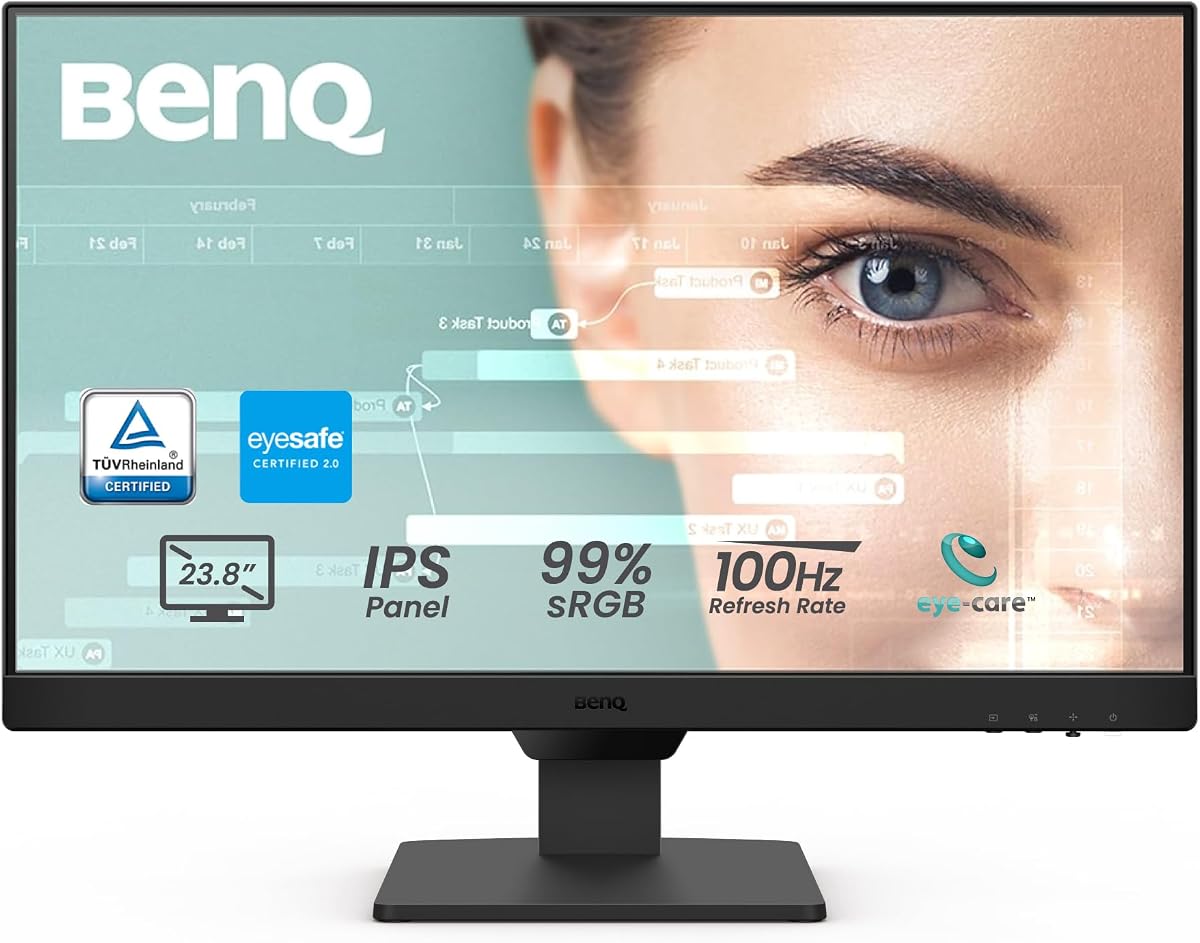
The BenQ GW2490 focuses heavily on user comfort with its advanced eye care technologies. The IPS panel delivers consistent colors across wide angles making it reliable for design work or shared viewing environments.
We may earn a commission when you buy through this link, at no additional cost to you.
Its 100Hz refresh rate ensures smooth motion which is beneficial for casual gaming and scrolling through content. The adaptive brightness feature adjusts screen luminance based on ambient lighting to reduce strain during long sessions.
The thin bezel design gives it a modern look and allows for seamless multi-monitor setups. Connectivity options include two HDMI ports and a DisplayPort offering flexibility for various device connections without adapters.
This monitor is excellent for office environments or home offices where eye health is a priority. It combines professional grade color performance with features designed to protect vision over time.
Low Blue Light Plus filters harmful rays while maintaining color accuracy ensuring your eyes stay fresh even after hours of continuous use.
With both HDMI and DisplayPort inputs you can easily connect laptops desktops and gaming consoles without needing extra dongles or adapters.
We may earn a commission when you buy through this link, at no additional cost to you.
This Dell model offers a rare combination of high refresh rate and IPS panel technology at a competitive price point. The 144Hz refresh rate makes it exceptionally smooth for gaming while the IPS panel ensures accurate colors for creative tasks.
We may earn a commission when you buy through this link, at no additional cost to you.
Its 1ms MPRT response time minimizes motion blur which is crucial for fast-paced shooters or racing games. The TÜV Rheinland certification confirms its ability to reduce harmful blue light without sacrificing visual quality.
AMD FreeSync support helps eliminate screen tearing by synchronizing the refresh rate with your graphics card. The ultra-thin bezels maximize screen real estate and give the monitor a sleek modern appearance on any desk.
It is our top pick for users seeking a versatile all-rounder that excels in both work and entertainment. Whether you are editing photos or competing online this monitor delivers performance that exceeds its price category.
The 144Hz refresh rate and 1ms response time ensure fluid gameplay with minimal lag or ghosting for a competitive edge in online matches.
IPS technology guarantees consistent colors from any angle making it easy to share screens or view content comfortably from different seating positions.
We may earn a commission when you buy through this link, at no additional cost to you.
The Philips 241V8LB utilizes a VA panel which provides superior contrast compared to standard IPS displays. This results in deeper blacks and brighter whites making movies and dark-themed games look more immersive.
We may earn a commission when you buy through this link, at no additional cost to you.
Its 100Hz refresh rate offers smooth motion handling for general use and casual gaming. The flicker-free technology reduces eye fatigue which is particularly beneficial for users who spend long hours reading documents or browsing the web.
The virtually bezel-free design on three sides creates a clean modern look that enhances any workspace. While viewing angles are slightly narrower than IPS the color consistency remains excellent for direct front-facing viewing.
This monitor is ideal for media consumers and office workers who prioritize contrast and eye comfort. It delivers a high-quality visual experience without the need for advanced gaming features or ergonomic stands.
The VA panel produces richer blacks and vibrant colors creating a more cinematic experience for streaming movies or playing narrative-driven games.
Flicker-free technology works silently to reduce strain allowing you to work or study for longer periods without experiencing headaches or tired eyes.
We may earn a commission when you buy through this link, at no additional cost to you.
The Dell P2425H focuses on ergonomics and build quality making it perfect for professional workstations. Its full-featured stand allows height tilt swivel and pivot adjustments to suit any user posture or desk layout.
We may earn a commission when you buy through this link, at no additional cost to you.
With a 1500:1 contrast ratio it delivers clear images and distinct details across various applications. The Full HD resolution ensures text and graphics appear sharp which is essential for data entry or design work.
The professional grade construction ensures longevity and stability on the desk. While it lacks high refresh rates for gaming its reliability and comfort make it a top choice for business environments and corporate offices.
This model is best suited for professionals who need a reliable display that adapts to their physical needs. It supports long-term health by allowing precise positioning to reduce neck and back strain during work days.
Height tilt swivel and pivot adjustments allow you to customize the viewing position to reduce strain and improve posture throughout the workday.
The high contrast ratio and sharp resolution ensure that charts and text are clearly visible and professional for presentations and documentation.
We may earn a commission when you buy through this link, at no additional cost to you.
The BenQ BL2490 achieves a perfect user rating thanks to its focus on eye comfort and clarity. The anti-glare coating minimizes reflections which is helpful in bright rooms or offices with multiple light sources.
We may earn a commission when you buy through this link, at no additional cost to you.
Its 100Hz refresh rate ensures fluid motion for general productivity and casual entertainment. The DisplayPort connectivity offers an alternative to HDMI providing more flexibility for connecting to high performance computers.
While the response time is standard at 5ms it is sufficient for most non-competitive tasks. The slim bezel design gives it a modern look that fits well with other devices on a workspace.
This monitor is an excellent choice for users prioritizing visual comfort and clarity. It is particularly effective for reading and long document work where reducing glare and strain is a top priority.
The anti-glare coating reduces reflections from windows or lights ensuring a clear view of your screen even in brightly lit environments.
A high user rating reflects its effectiveness in delivering comfortable viewing experiences for extended periods without eye fatigue or strain.
We may earn a commission when you buy through this link, at no additional cost to you.
The LG 24U411A-B features a stunning zero borderless design that makes the screen appear larger and more immersive. Its 120Hz refresh rate provides smooth motion which is ideal for both gaming and dynamic media consumption.
We may earn a commission when you buy through this link, at no additional cost to you.
HDR10 support enhances color depth and contrast delivering a more vibrant viewing experience. Dynamic Action Sync minimizes input lag ensuring your commands are registered quickly during fast-paced activities or online matches.
The Switch app allows easy screen multitasking and layout customization which boosts productivity for power users. The slim stand base keeps your desk tidy while maintaining stability for daily use.
This monitor is perfect for style-conscious users who value a clean look and high performance. It balances design aesthetics with technical features that enhance both work efficiency and entertainment value.
The virtually borderless design expands the viewing area making the screen look larger and creating a cleaner modern aesthetic for your workspace.
With 120Hz refresh rate and Dynamic Action Sync motion blur is minimized keeping fast action clear and responsive for an enjoyable gaming experience.
We may earn a commission when you buy through this link, at no additional cost to you.
The Acer KB220Q offers a compact 21.5-inch form factor that fits easily into tight desks or home office spaces. Its 100Hz refresh rate and 1ms response time make it surprisingly capable for casual gaming and fast workflow tasks.
We may earn a commission when you buy through this link, at no additional cost to you.
Adaptive-Sync support helps eliminate screen tearing ensuring smooth visuals even during intense gaming moments. The ZeroFrame design minimizes bezels allowing you to focus on the content without distractions from frame borders.
This monitor is ideal for users with limited space who still want responsive performance. It balances cost and functionality well making it a strong option for budget builds or secondary workstations.
If you need a reliable small display for browsing coding or light gaming this model delivers solid value. It brings high refresh rates and quick response times to a smaller and more affordable package.
With a 1ms response time and Adaptive-Sync support fast-moving action is rendered smoothly without ghosting or screen tearing issues.
The compact 21.5-inch screen and minimal bezels make it perfect for smaller desks where every inch of space is valuable for productivity.
We may earn a commission when you buy through this link, at no additional cost to you.
The Dell 24 Plus Monitor combines high performance with comprehensive ergonomics making it suitable for both work and entertainment. Its 144Hz refresh rate and 1ms response time deliver fluid visuals for gaming and rapid content scrolling.
We may earn a commission when you buy through this link, at no additional cost to you.
Full height tilt pivot and swivel adjustments ensure you can find the perfect viewing angle to reduce strain. Integrated dual 3W speakers provide audio convenience for calls and media without external devices.
AMD FreeSync support keeps gameplay smooth by synchronizing refresh rates with your graphics card. TÜV certification confirms its ability to reduce harmful blue light ensuring comfort during long working hours.
This model is ideal for users needing a versatile display with robust build quality. It offers a complete package of speed comfort and audio features making it a strong all-rounder for diverse usage scenarios.
Height tilt pivot and swivel adjustments allow precise positioning to reduce neck and eye strain during extended work or gaming sessions.
Built-in dual speakers deliver clear sound for calls and media which saves desk space and eliminates the need for extra peripheral speakers.
We may earn a commission when you buy through this link, at no additional cost to you.
Selecting the right monitor involves balancing screen size refresh rates and connectivity options to match your specific work or gaming needs.
Screen size impacts how much workspace you have while resolution determines how sharp text and images appear. A 24-inch Full HD display is ideal for general use but larger 27-inch panels offer more room for multitasking.
Choose a size that fits your desk and viewing distance to ensure comfort without straining your eyes during long sessions.
Refresh rate dictates how smoothly motion appears on screen with higher rates reducing blur and tearing. Gamers often seek 144Hz or more while casual users may find 60Hz or 100Hz sufficient.
Prioritize a refresh rate that matches your usage to enjoy fluid visuals whether you are working or playing games.
IPS panels offer consistent colors and wide viewing angles whereas VA panels deliver higher contrast and deeper blacks. TN panels provide fast response times but lack color accuracy for creative tasks.
Select a panel type that aligns with your priorities for color fidelity contrast or speed based on your daily tasks.
Multiple HDMI ports allow you to connect several devices easily without constantly unplugging cables. Additional options like DisplayPort or USB hubs can enhance versatility depending on your setup.
Ensure the monitor has the necessary inputs for your laptop desktop and peripherals to maintain a clutter-free workspace.
Features like Low Blue Light and flicker-free technology reduce strain during long hours of use. Certification from organizations like TÜV Rheinland adds trust to these claims.
Invest in these features if you spend significant time in front of the screen to protect your vision and comfort.
Adjustable stands with height tilt swivel and pivot help you position the screen for optimal viewing. This flexibility is crucial for preventing neck and back strain over time.
Look for VESA mount compatibility if the included stand does not meet your ergonomic needs for custom mounting solutions.
Integrated speakers save desk space and provide convenient audio for basic tasks like calls or media. While not a replacement for dedicated audio systems they offer sufficient quality for casual listening.
Consider this feature if you want to keep your setup minimal without sacrificing basic sound capabilities for daily activities.
Determine how much you are willing to spend while balancing it against required features. Budget models often offer solid performance for daily tasks while premium ones add advanced gaming or creative tools.
Aim for the best value by choosing a monitor that meets your core needs without paying for unnecessary extras.
Always use the correct HDMI cable to ensure optimal signal quality and refresh rates. Check that your graphics card drivers are updated to support the full capabilities of your new monitor.
Clean the screen regularly with a soft microfiber cloth to avoid scratches and dust buildup. Avoid using harsh chemicals or paper towels which can damage the protective coatings on the display.
Enable eye care settings like Low Blue Light modes during long work sessions to reduce fatigue. Adjust brightness and contrast levels based on your room lighting to maintain a comfortable viewing experience.
HDMI is a common standard for connecting devices like consoles and laptops. DisplayPort often supports higher refresh rates and resolutions making it preferred for high-end gaming PCs. Most modern monitors offer both options for maximum compatibility.
A high refresh rate ensures smooth motion and reduces blur during fast-moving scenes. This is crucial for competitive gaming but also improves the general feel of scrolling and window animations in daily use.
Yes many HDMI LED monitors include features like FreeSync and high refresh rates ideal for gaming. Look for low response times to ensure your inputs are registered quickly during competitive play.
Use monitors with Low Blue Light technology and ensure your brightness matches the room lighting. Taking regular breaks and adjusting the monitor height to eye level also significantly reduces fatigue.
IPS offers wider viewing angles and consistent color which is helpful for shared screens or design tasks. VA provides better contrast for media consumption but IPS generally suits general productivity needs better.
Not all monitors come with VESA holes but many budget and office models do. Check the product specs for compatibility if you plan to use a wall mount or ergonomic arm for your display.
We have reviewed ten diverse HDMI LED monitors ranging from budget-friendly options to ergonomic workstations with high refresh rates. Whether you prioritize color accuracy or motion clarity there is a suitable choice for every setup.
Focus on your primary needs such as eye comfort or gaming speed when making a final decision. The top picks highlighted in this guide provide excellent starting points for your search.
Please remember to verify current availability and specifications before purchasing as models may change over time. Investing in the right display will enhance your productivity and enjoyment for years to come.