
Samsung Odyssey Neo G9
4.3Editor score
57 Inch Dual 4K Resolution
240Hz Refresh Rate
Quantum Mini LED
Choosing the right display is crucial for immersive gaming experiences. High end gaming monitors offer superior refresh rates, vibrant colors, and rapid response times that transform how you play modern titles.
We compared ten leading models based on resolution, panel technology, and compatibility. Our analysis highlights the best options for competitive play and cinematic immersion without compromising on visual fidelity.
Each pick showcases unique strengths tailored to different needs. Prices fluctuate often so check current deals before buying to ensure you get the best value for your investment today.
4.3Editor score

4.6Editor score
4.5Editor score
As an Amazon Associate we earn from qualifying purchases.
This side-by-side comparison details the specifications of all ten selected monitors to help you identify the best fit for your setup needs.


The ASUS ROG PG32UCDM stands out as a premier choice for enthusiasts seeking top-tier visual fidelity. Its 4K QD-OLED panel delivers stunning HDR performance with true blacks and vibrant colors unmatched by traditional LCDs.
We may earn a commission when you buy through this link, at no additional cost to you.
With a blazing 240Hz refresh rate and 0.03ms response time, motion clarity is exceptional. Advanced heat management systems reduce burn-in risks while maintaining consistent brightness across the screen during intense sessions.
While the price tag is high, the included 3-year warranty with burn-in protection adds significant value. Users can access settings easily via the DisplayWidget Center without navigating complex on-screen menus.
Gamers prioritizing image quality and smooth performance should strongly consider this model. It balances cutting-edge specs with practical features like 90W USB-C power delivery for streamlined connectivity.
The 4K resolution paired with QD-OLED technology ensures every pixel is sharp and vivid.
G-SYNC Compatible technology ensures tear-free gameplay while maintaining low input lag.
We may earn a commission when you buy through this link, at no additional cost to you.
The Samsung Odyssey Neo G9 redefines immersion with its massive 57-inch dual 4K display. It essentially replaces two monitors with one seamless canvas that wraps around your vision.
We may earn a commission when you buy through this link, at no additional cost to you.
Quantum Matrix Technology with Mini LEDs provides localized dimming for deep blacks and bright highlights. This makes dark scenes in horror games pop while preserving detail in bright explosions.
Support for DisplayPort 2.1 ensures bandwidth keeps up with the resolution and refresh rate. However, driving such a screen requires a high-end graphics card which increases total system cost.
Those wanting a single ultra-wide ultra to dominate their desk will love the panoramic view. The CoreSync lighting adds to the atmosphere by matching your setup to on-screen colors.
The DUHD resolution offers pin-sharp images across the entire expansive field of view.
Height tilt and swivel adjustments ensure you can find the perfect gaming position.
We may earn a commission when you buy through this link, at no additional cost to you.
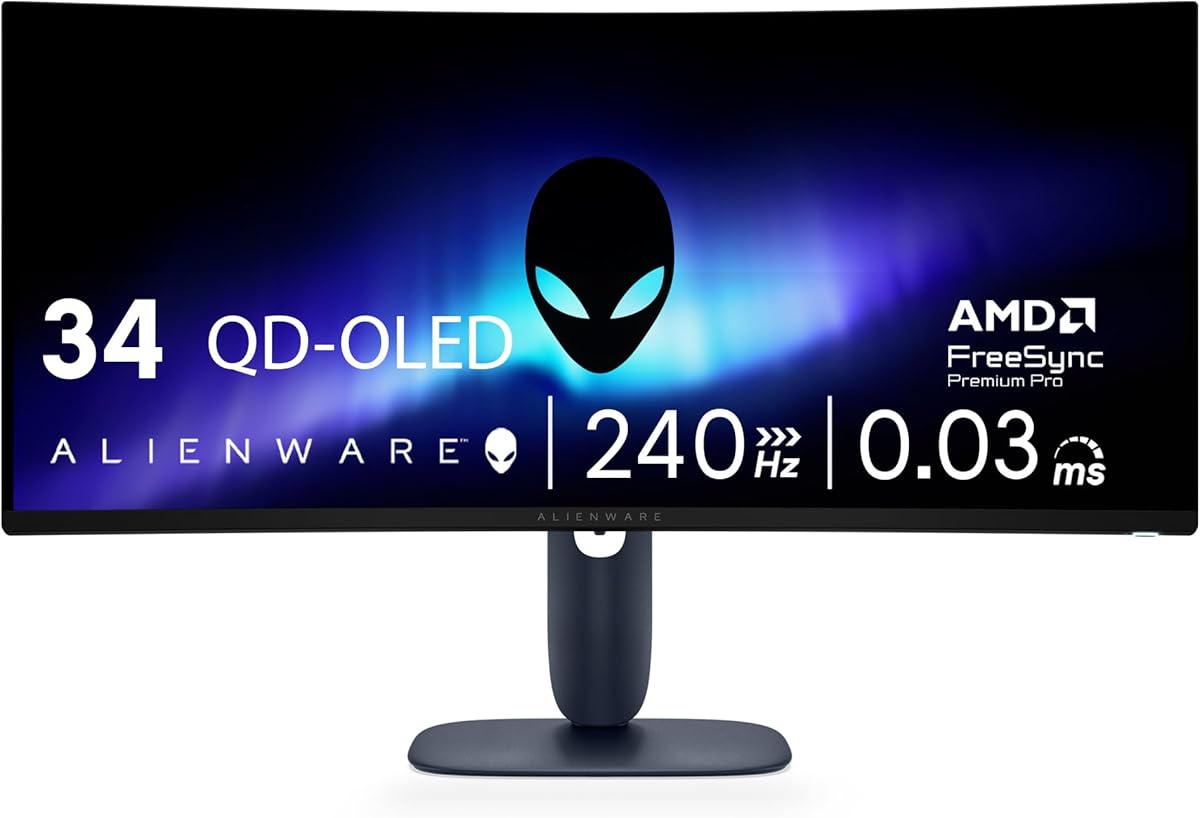
The Alienware AW3425DW brings premium QD-OLED tech to a more accessible price bracket. It offers the stunning visuals of OLED without breaking the bank like larger models might.
We may earn a commission when you buy through this link, at no additional cost to you.
Its 240Hz refresh rate ensures fluid motion in fast-paced shooters. The infinite contrast ratio allows for deep blacks that make text and enemies stand out clearly against dark backgrounds.
While it lacks the pixel density of 4K monitors the WQHD resolution is ideal for many gaming setups. The 1800R curve adds to immersion without feeling overly aggressive compared to tighter curves.
Buyers looking for high performance without overspending will find this monitor hard to beat. It delivers the core benefits of OLED technology in a reliable package with strong color accuracy.
Covers 99.3% DCI-P3 for rich and accurate colors across games and media.
Adaptive Sync technologies guarantee smooth gameplay without screen tearing or stuttering.
We may earn a commission when you buy through this link, at no additional cost to you.
The Samsung Odyssey OLED G9 combines a wide 49-inch screen with the benefits of QD-OLED technology. This creates a display that is perfect for multitasking and immersive storytelling.
We may earn a commission when you buy through this link, at no additional cost to you.
True black levels mean shadows in games look natural and detailed. The Thermal Modulation System helps manage heat to extend the panel lifespan during long gaming sessions.
While it runs at 144Hz instead of 240Hz the speed is still very fast for most genres. The wide aspect ratio lets you see more of the game world without needing multiple monitors.
Ideal for users who value screen real estate alongside color quality. The Picture-in-Picture feature makes it easy to keep an eye on chat or streams while playing.
QD-OLED provides unmatched depth and vibrancy compared to standard LED screens.
Dual QHD resolution supports windows side by side for work and play.
We may earn a commission when you buy through this link, at no additional cost to you.
The Alienware AW3423DW established itself as a benchmark for OLED gaming monitors. It offers a Creator mode that is perfect for content creators who want accurate colors for editing.
We may earn a commission when you buy through this link, at no additional cost to you.
The G-SYNC Ultimate certification ensures the smoothest visual experience possible on NVIDIA cards. The Lunar Light design adds a premium aesthetic that matches high-end gaming setups perfectly.
While it is a bit older than some newer releases the performance remains top tier. The 360-degree ventilation system helps keep temperatures down for long-lasting performance.
Gamers who need reliable HDR and color accuracy will appreciate this display. Its combination of speed and quality makes it a strong contender for serious competitive and casual gaming.
Allows precise color adjustments for video and photo editing tasks.
Unique ventilation design ensures the monitor stays cool and efficient.
We may earn a commission when you buy through this link, at no additional cost to you.
The LG 45GX950A is a groundbreaking display that offers 5K2K resolution on a massive 45-inch screen. This level of pixel density is unmatched in the current market for OLED.
We may earn a commission when you buy through this link, at no additional cost to you.
Its Dual Mode feature lets you toggle between high resolution for visuals or high refresh for competition. This flexibility is rare and makes the monitor suitable for various types of games.
The aggressive 800R curve wraps around you completely. This creates a truly immersive experience that feels like you are inside the game world.
Buyers looking for future-proof technology should consider this premium option. The included protection pack adds peace of mind given the high investment required for such a screen.
Delivers 125 PPI for crisp text and sharp visuals.
330Hz refresh rate ensures smooth motion in competitive shooters.
We may earn a commission when you buy through this link, at no additional cost to you.
The Samsung Odyssey G5 offers a great entry into ultrawide gaming. The 1000R curve matches the human eye field of view for natural immersion.
We may earn a commission when you buy through this link, at no additional cost to you.
WQHD resolution provides enough detail for most titles without stressing the GPU too much. FreeSync Premium ensures smooth gameplay even with mid-range graphics cards.
While it does not have OLED contrast the HDR10 support helps bright scenes look vibrant. It is a reliable choice for those who want curve benefits of ultrawide.
Gamers on a strict budget will find good value here. The balance of performance and cost makes it accessible for many casual players looking to upgrade.
The curved screen reduces eye strain during long sessions.
165Hz refresh keeps motion fluid and free of tearing.
We may earn a commission when you buy through this link, at no additional cost to you.
SANSUI brings high refresh rates to the budget category with this 34-inch model. It delivers 240Hz speed which is usually reserved for more expensive panels.
We may earn a commission when you buy through this link, at no additional cost to you.
AI features like the Crosshair help competitive players aim better. The HDMI 2.1 support ensures future compatibility with next-gen consoles and PCs.
While VA panels may have slower pixel transitions the high refresh rate still helps motion. It is a solid choice for esports fans watching their spending.
Buyers looking for speed without paying a premium should check this option. The lifetime technical support adds a layer of reliability to the purchase.
High refresh rates give you an advantage in fast-paced games.
Built-in AI enhancements improve visuals and gameplay experience.
We may earn a commission when you buy through this link, at no additional cost to you.
This SANSUI monitor offers great value for those needing speed and size. The 200Hz refresh rate keeps gameplay smooth without breaking the bank.
We may earn a commission when you buy through this link, at no additional cost to you.
AI enhancements help optimize colors and reduce eye strain during long use. The 1500R curve offers a balanced view without being too aggressive.
While it lacks premium materials it delivers on core performance needs. It is a practical option for students or casual gamers wanting an upgrade.
Those prioritizing frame rates over perfect image quality will find it suitable. The support plan ensures help is available if any issues arise with the unit.
AI Blue light reduction helps protect your eyes during long play.
Delivers high refresh rates at a very competitive price point.
We may earn a commission when you buy through this link, at no additional cost to you.
The Samsung Odyssey G55C is a solid entry-level curved monitor. It brings QHD resolution and a fast 165Hz rate to a smaller 32-inch form factor.
We may earn a commission when you buy through this link, at no additional cost to you.
Eye Saver Mode minimizes blue light to reduce strain. This makes it great for both gaming and general work use throughout the day.
The 1000R curve enhances immersion even on a standard screen size. FreeSync keeps animations smooth without expensive hardware requirements.
Ideal for first-time buyers of curved displays. It balances cost and features well for those who want a comfortable gaming experience.
Eye Saver Mode reduces flicker and blue light exposure.
Curve pulls you into the center of the action.
We may earn a commission when you buy through this link, at no additional cost to you.
Selecting the right monitor involves balancing resolution refresh rate and panel type for your specific setup.
OLED panels offer true blacks and instant response but carry burn-in risks. LCDs like VA and IPS are safer for static content and provide good color accuracy at lower costs.
Choose OLED for cinematic visuals and LCD for long-term static use.
Higher refresh rates like 240Hz reduce motion blur and make gameplay feel smoother. Competitive gamers benefit most from these speeds compared to standard 60Hz displays.
Prioritize at least 144Hz for a noticeable upgrade in fluidity.
4K offers sharper images but demands more power from your PC. WQHD provides a sweet spot for performance and visual clarity in most gaming scenarios.
Match resolution to your GPU capabilities to maintain stable frame rates.
Faster response times reduce ghosting during movement. OLED typically leads with sub-millisecond times while LCDs vary by technology.
Look for low millisecond ratings to ensure clear motion.
Modern monitors include HDMI 2.1 and USB-C for versatile setups. Ensure the monitor supports the bandwidth needed for your resolution and refresh rate.
Check port availability to avoid bottlenecks in performance.
Curved screens wrap around your field of view for better immersion. 1000R to 1800R curves are common for ultrawide monitors.
Select a curve that feels comfortable without causing distortion.
Adjustable stands for height and tilt help reduce neck strain. VESA mounts allow you to use third-party arms if needed.
Comfort features matter during extended gaming sessions.
Premium panels often need longer coverage for pixel defects. OLEDs may have specific burn-in protection terms to look for.
Read warranty details carefully before finalizing your purchase.
Always calibrate your monitor colors to match game settings for the best visual experience. Use built-in tools or software to adjust brightness and contrast levels.
Protect OLED screens by enabling pixel shift or screensavers during long idle periods. This helps prevent static elements from causing permanent burn-in.
Clean the display with a soft dry cloth to avoid scratching the surface. Avoid using harsh chemicals that could damage the protective coatings.
Yes they offer better speed and visuals that enhance immersion and performance. The upgrade is noticeable especially in fast-paced competitive titles.
QD-OLED combines quantum dots with OLED to improve brightness and color volume. It enhances HDR performance compared to traditional OLED panels.
Running 4K games at high refresh rates requires strong graphics hardware. Ensure your PC meets the requirements before investing in high-end displays.
Use pixel shift or auto-dim features during long gaming sessions. Avoid static interfaces like taskbars or HUDs when possible to reduce risk.
240Hz or higher is ideal for competitive shooters where every millisecond counts. These rates reduce input lag and motion blur significantly.
Many support HDR and high resolution making them great for creativity work. Adjust settings to reduce blue light for long productivity hours.
Properly designed curves enhance immersion rather than distorting images. 1000R to 1800R curvatures are optimized for viewing comfort.
4K is sharper but demands more power. 1440p offers a better balance for high refresh rates and performance on most setups.
The ASUS ROG PG32UCDM and Samsung Neo G9 lead the pack for performance and immersion respectively. Each model offers unique benefits depending on your needs and budget.
Prioritize features like refresh rate and panel type that match your gaming habits. OLED brings stunning visuals while LCDs provide reliability for static content.
Check current prices and warranties before buying to ensure the best deal. These models represent the peak of display tech available in November 2026.