
CENMATE Aluminum 4 Bay Hard Drive Enclosure
4.3Editor score
Supports 2.5 and 3.5 inch drives
Built-in cooling fan for thermal management
USB 3.0 interface for fast transfers
Finding the right external storage solution is critical for modern workflows. A Jbod Enclosure allows you to connect multiple hard drives without complex RAID setups. This flexibility makes it ideal for backups and media servers.
We evaluated ten top-rated models based on speed, compatibility, and build quality. Each product offers unique features like hot-swapping, tool-free installation, and advanced cooling systems to ensure your data remains safe and accessible.
Every pick below highlights key strengths and trade-offs to guide your decision. Remember that prices fluctuate often, so check current listings before purchasing to ensure you get the best value for your specific storage requirements.
4.3Editor score

4.2Editor score
4.1Editor score
As an Amazon Associate we earn from qualifying purchases.
This side-by-side comparison details the core specifications of each enclosure to help you quickly identify the model that best fits your specific storage capacity and speed requirements.




The TERRAMASTER D4-320 stands out as a top-tier Jbod Enclosure for users needing fast external storage without RAID complexity. With a 4.2 rating, it delivers reliable performance across Windows, Mac, and Linux systems.
We may earn a commission when you buy through this link, at no additional cost to you.
Its USB 3.2 Gen2 interface supports speeds up to 10Gbps, making it ideal for large file transfers. The push-lock tray design ensures secure drive installation without tools, while the intelligent fan keeps noise levels below 21 dB in standby.
While it lacks RAID support, this simplifies setup for straightforward data access. The 120TB total capacity meets most professional backup needs without requiring additional hardware.
Buy this if you need a fast, quiet, and easy-to-use DAS system. It balances speed and convenience better than most competitors in this price range.
The USB 3.2 Gen2 protocol enables high-speed data transmission up to 10Gbps, ensuring efficient file transfers for demanding workflows.
Specialized sound-absorbing panels and vibration damping reduce operational noise by up to 50 percent compared to previous generations.
We may earn a commission when you buy through this link, at no additional cost to you.
The CENMATE Aluminum 4 Bay is an excellent choice for budget-conscious buyers needing reliable external storage. Its 4.3 rating reflects strong value and dependable functionality for personal or enterprise use.
We may earn a commission when you buy through this link, at no additional cost to you.
Featuring an aluminum-alloy housing and a built-in fan, this enclosure manages heat effectively. The USB 3.0 interface supports speeds up to 5Gbps, offering ten times faster transfer rates than USB 2.0.
Users should note the fan noise may reach 40 to 50 decibels under load, which could be distracting in quiet environments. However, the stable power supply ensures consistent performance for high-speed transmission.
Choose this model if you need a cost-effective, plug-and-play solution. It offers robust construction and ease of use without demanding a high investment.
Built-in aluminum-alloy materials and a 2-inch fan maximize data security by keeping drives cool during extended operations.
Equipped with USB A and C cables for seamless compatibility with Windows, Mac, and Linux without requiring driver installations.
We may earn a commission when you buy through this link, at no additional cost to you.
The IO CREST 8-Bay Jbod Enclosure provides extensive storage options for users requiring more than four drives. Its 4.0 rating indicates solid performance for large-scale backup or media storage needs.
We may earn a commission when you buy through this link, at no additional cost to you.
It supports up to 24TB per drive across eight bays, totaling 192TB. The smart fan function with thermal sensor allows automatic or manual speed control to optimize cooling and noise.
Independent control switches for each drive enable individual power management, which enhances flexibility. However, the lack of RAID means no data redundancy is built into the hardware.
Opt for this enclosure if you need significant capacity without complex configurations. It remains a reliable DAS solution for expanding storage efficiently.
Independent control switches allow drives to be powered off individually for better power management and access control.
Steel housing combined with a quiet fan dissipates heat efficiently to maintain stable performance under load.
We may earn a commission when you buy through this link, at no additional cost to you.
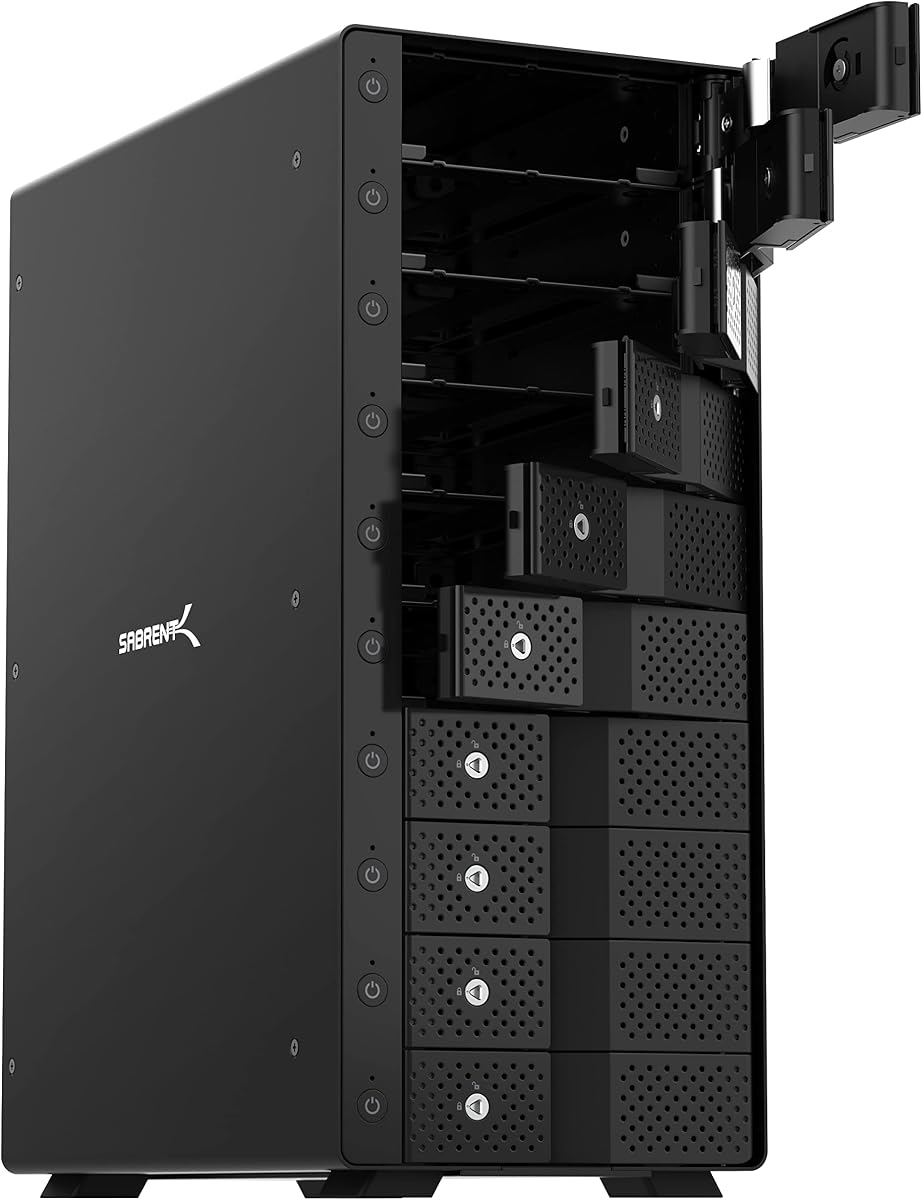
The SABRENT 10-Bay Jbod Enclosure delivers premium performance for professional workflows needing massive external storage. Its 4.1 rating reflects high reliability and robust features for backups and media servers.
We may earn a commission when you buy through this link, at no additional cost to you.
With ten tray-less bays supporting up to 20TB each, total capacity reaches 200TB. The USB 3.2 Gen 2 interface ensures transfers up to 10Gbps, ideal for large photo or video libraries.
Each bay features independent power switches and status LEDs, allowing precise control. The aluminum chassis and dual 120mm fans maintain low temperatures under sustained loads.
This model is best for users needing top-tier capacity and speed. The included locking key and Kensington slot provide added security for valuable data.
Ten 3.5 SATA drive bays support up to 20TB each for a total of 200TB capacity via a single USB-C cable.
A locking key and Kensington slot keep drives secure and prevent unexpected ejections during operation.
We may earn a commission when you buy through this link, at no additional cost to you.
The QNAP TR-004 offers unique flexibility as a Jbod Enclosure with hardware RAID capabilities. Its 4.2 rating highlights its utility for expanding existing QNAP NAS systems.
We may earn a commission when you buy through this link, at no additional cost to you.
Supporting RAID 0, 1, 5, and JBOD modes, it provides data redundancy or speed options. The USB Type-C connection ensures fast and reliable external storage for Windows, macOS, and Linux.
Note that it cannot host NAS applications or combine storage pools directly with the connected NAS. Drives can only be migrated between TR-004 units for flexibility.
Select this if you need RAID features within a Jbod structure. It bridges the gap between external DAS and internal NAS expansion efficiently.
Hardware RAID supports RAID 0, 1, 5, JBOD, and individual disk configurations for versatile data management.
Direct-attached storage via USB Type-C works seamlessly with Windows, macOS, and Linux operating systems.
We may earn a commission when you buy through this link, at no additional cost to you.
The QNAP TL-R1200C-RP is designed for enterprise environments needing scalable storage expansion. Its 4.1 rating signifies robust performance for server and data center usage.
We may earn a commission when you buy through this link, at no additional cost to you.
It features twelve 3.5-inch bays with a 250W redundant power supply to ensure continuous operation. The USB 3.2 Gen 2 Type-C port enables high-speed connectivity for modern systems.
This unit expands QNAP NAS systems or supports Windows servers directly. Its rackmount form factor integrates well into professional server racks for organized storage.
Invest in this model for mission-critical infrastructure. Redundancy and capacity make it ideal for businesses needing reliable large-scale storage.
The 250W redundant power supply unit provides stability and ensures operation even if one power source fails.
Designed as a rackmount JBOD enclosure to expand storage for computers and servers efficiently.
We may earn a commission when you buy through this link, at no additional cost to you.
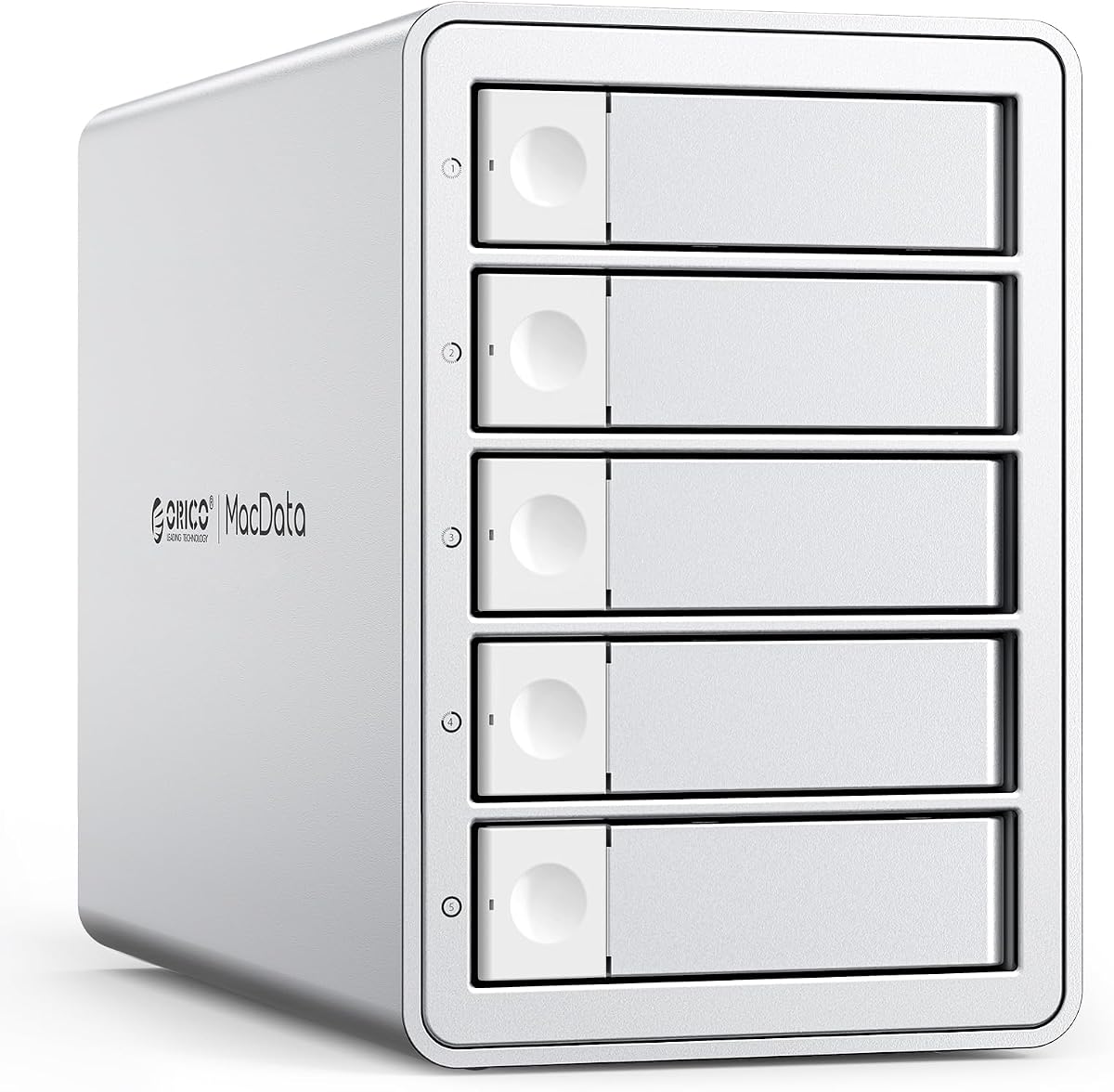
The ORICO 5 Bay RAID Jbod Enclosure offers high user satisfaction with its versatile RAID capabilities. With a 4.7 rating, it excels in supporting diverse storage needs from redundancy to speed.
We may earn a commission when you buy through this link, at no additional cost to you.
Configurable via hardware switches, it supports RAID 0, 1, 3, 5, 10, JBOD, Clone, and Clear modes. The built-in 150W power supply eliminates external adapters for cleaner setups.
A rugged aluminum shell paired with an 80mm silent fan ensures heat dissipates quickly during long operations. This extends drive lifespan under heavy loads.
Choose this if you want a workstation-grade storage solution. Its flexibility makes it perfect for video editing and large media libraries.
Hardware switches enable easy configuration of RAID modes like 0, 1, 5, and JBOD for specific backup or workflow needs.
The built-in 150W power supply ensures peak voltage stability even when running five high-consumption mechanical drives simultaneously.
We may earn a commission when you buy through this link, at no additional cost to you.
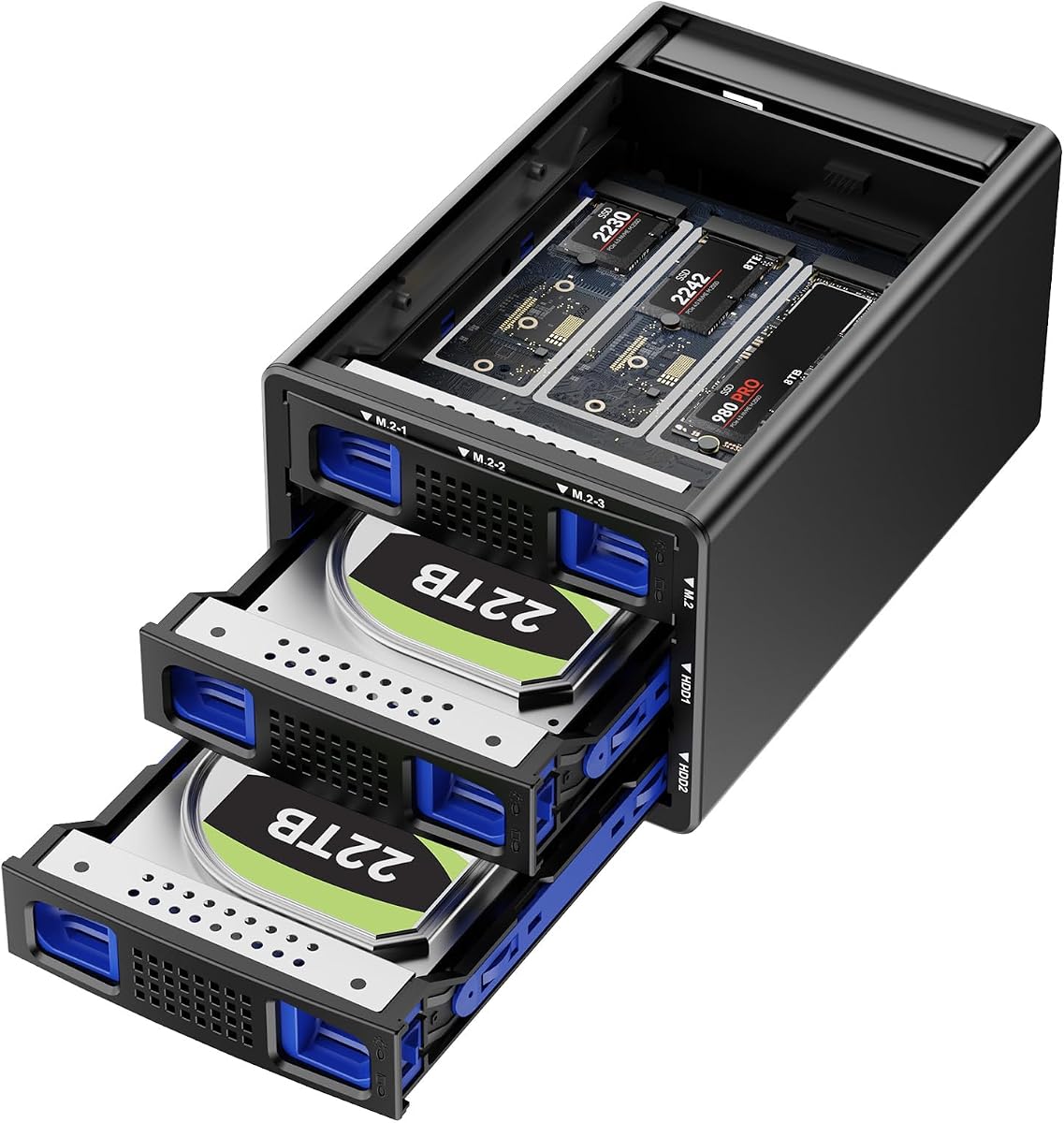
The Hybrid HDD + NVMe Enclosure represents an innovative approach to external storage by combining SATA drives with NVMe SSDs. Its 4.6 rating shows strong adoption for users needing high speed and large capacity.
We may earn a commission when you buy through this link, at no additional cost to you.
It holds two 3.5-inch SATA drives and three M.2 NVMe SSDs, totaling up to 68TB. The USB 3.2 Gen 2 interface ensures read rates between 200 and 300 MB/s under full load.
Built with aluminum-alloy materials and silent fans, it prioritizes data security through continuous cooling. However, note that the fans do not sleep and may be audible to sensitive users.
Opt for this hybrid model if you want speed from NVMe and capacity from HDDs. It is a versatile workstation solution for demanding content creation.
Combines 2 SATA HDDs with 3 M.2 NVMe SSDs to leverage both massive capacity and high-speed performance.
Built-in silent fans continuously cool drives to protect data security and prevent overheating during operations.
We may earn a commission when you buy through this link, at no additional cost to you.
The ORICO 4 Bay Raid Jbod Enclosure offers RAID capabilities in a compact form factor. With a 4.3 rating, it delivers reliable performance for engineers and media professionals needing efficient storage.
We may earn a commission when you buy through this link, at no additional cost to you.
It supports eight RAID configurations including 0, 1, 3, 5, 10, JBOD, CLONE, and CLEAR. The USB 3.0 interface achieves transfer rates up to 235 MB/s for fast backups.
A built-in 150W power supply ensures smooth multi-disk reading without extra adapters. The aluminum enclosure with an 80mm silent fan maintains effective airflow through front and rear vents.
Buy this for organized backup workflows. Its safety lock prevents accidental ejections and ensures data security.
Supports eight modes of configuration including RAID 0, 1, 3, 5, and 10 for enhanced data security and backup needs.
Front and rear vents ensure airflow effectively expedites heat export for long-term stable and efficient operation.
We may earn a commission when you buy through this link, at no additional cost to you.
The OWC Mercury Elite Pro Quad is a compact Jbod Enclosure designed for Mac and Windows users needing high-speed connectivity. Its 3.7 rating suggests potential issues but offers solid hardware features for professionals.
We may earn a commission when you buy through this link, at no additional cost to you.
Its USB-C interface delivers USB 3.2 10Gb/s bandwidth for next-level performance. Each bay supports 2.5 and 3.5 drives to adapt to various storage configurations.
While SOFTRAID is not included, users can achieve RAID using software or external controller. The limited one-year warranty indicates potential reliability concerns compared to other brands.
Consider this if you already own OWC peripherals or need Thunderbolt compatibility. It offers speed and portability for mobile workstations.
Delivers up to 947MB/s transfer speeds via USB-C for efficient handling of large data files.
Four universal drive bays accept both 2.5 and 3.5 drives for flexible storage options.
We may earn a commission when you buy through this link, at no additional cost to you.
Selecting the right Jbod Enclosure involves balancing speed, capacity, and specific needs. This guide outlines the critical factors to consider for optimal storage performance.
The interface determines how fast data moves between your computer and drives. USB 3.0 offers up to 5Gbps while USB 3.2 Gen 2 reaches 10Gbps. Thunderbolt 3 and 4 provide even higher speeds but require compatible ports on your host device.
Always ensure your computer supports the enclosure's interface to avoid bottlenecks. Matching speeds prevents slowdowns when transferring large files like video or datasets.
Each enclosure specifies a maximum capacity per drive and total aggregate capacity. Look for models supporting 20TB drives if you need large storage without upgrading enclosures later. Some devices limit total capacity to 120TB or 200TB.
Plan ahead for future needs by choosing higher limits now. This prevents the need to replace hardware as your data grows over time.
Jbod setups keep each drive independent, offering simple access without complex configurations. Some models support optional hardware RAID modes for redundancy or speed if needed later. Verify whether RAID is included or requires separate software setup.
Choose Jbod for straightforward expansion and RAID for data protection. Hybrid units offer the best of both worlds for advanced users.
External drives often need consistent power to operate reliably. Models with built-in power supplies reduce clutter and ensure stable voltage under load. Some require external adapters which may be bulky or prone to disconnection.
Prioritize units with internal power for desktop setups. It ensures reliable performance without worrying about external adapter failures.
Multiple drives generate heat requiring efficient cooling. Look for units with intelligent fans or aluminum housings that dissipate heat. Noise levels vary significantly, so check decibel ratings if using in quiet spaces.
Select quiet fans or sound dampening if noise is a concern. Thermal safety extends drive lifespan and prevents performance throttling.
Hot swapping allows changing drives without powering down the system. This feature saves time during maintenance or backups. Ensure your operating system supports hot plugging for reliable detection.
Choose enclosures with explicit hot swap support if you frequently add or remove drives. It enhances workflow efficiency significantly.
Material construction impacts durability and thermal performance. Aluminum alloy or steel housings resist physical damage better than plastic. Tool-free designs simplify drive management and reduce risk of component damage.
Opt for metal build and tool-free trays for long-term use. It protects your investment and ensures smooth operation for years.
Enclosures must work seamlessly with your operating system. Most models support Windows, Mac, and Linux out of the box. Verify if specific drivers or configurations are needed for your setup.
Check compatibility before purchasing to avoid software hurdles. Universal plug-and-play support ensures quick setup and reliable performance.
First, ensure your computer ports match the enclosure interface for optimal speed. Connect power cables before inserting drives to avoid electrical damage. Verify operating system detection via disk management tools.
Insert drives securely using tool-free trays or locking mechanisms to prevent disconnection. Label drives if using multiple units for organized file management. Regularly check connection status to ensure stability.
Monitor temperatures using software tools provided by manufacturers. Keep vents clear of dust and debris for effective airflow. Perform periodic backups to avoid data loss due to hardware issues.
A Jbod Enclosure connects multiple hard drives to a computer without RAID functionality. Each drive acts independently allowing easy storage expansion. It is ideal for backups and media files requiring large space.
Many modern Jbod Enclosures support hot swapping allowing drive changes without shutdown. This feature improves workflow efficiency and convenience. Confirm this capability in product specs before purchasing.
Most support between 120TB to 200TB total capacity depending on model. Individual drive limits range from 20TB to 30TB per slot. Check manufacturer specs for exact limits.
Standard Jbod does not support RAID but some models offer hybrid hardware RAID options. If you need redundancy look for units with built-in RAID support. Pure Jbod keeps drives separate for simple management.
USB 3.2 Gen 2 or Thunderbolt 3 provide fast transfer speeds up to 10Gbps. This ensures quick access to large files. Match interface to your computer's ports for best results.
Keep vents clean and dust-free to ensure proper cooling. Regularly update firmware if available and check drive health status. Proper care extends the lifespan and reliability of the unit.
We reviewed ten top Jbod Enclosures ranging from budget-friendly 4-bay units to enterprise-grade 12-bay rackmount systems. Each offers unique advantages tailored to different data needs and environments.
Prioritize interface speed and cooling efficiency when selecting a model. Ensure capacity limits match your current and future storage plans for long-term value.
Prices fluctuate frequently so check current listings before making a decision. Verify compatibility with your operating system and hardware for seamless integration.