
Keyboard Case for Amazon Fire Max 11 inch
4.5Editor score
7 Color Backlit Keys
Long 90 hour battery
Detachable magnetic design
This guide compares the best keyboard case for Fire Max 11 options including detachable Bluetooth models, backlit keys, and premium Amazon official accessories
Finding the right keyboard case for Fire Max 11 transforms your tablet into a productive workstation. Whether you need backlit keys for night typing or a detachable design for portability, the right accessory enhances your workflow significantly.
We compared ten top-rated cases based on compatibility, build quality, battery life, and typing comfort. Each product was evaluated for its fit with the 2023 Fire Max 11 generation to ensure you get a reliable solution for daily tasks.
Each pick shows key features like touchpad support, pen holders, and magnetic attachment. Remember that stock levels and specific offers change frequently, so check the current listing details before making your final decision today.
4.5Editor score

4.6Editor score
4.6Editor score
This side-by-side comparison highlights the key specifications and features of the ten best keyboard cases available for the Fire Max 11 tablet to help you make an informed choice.




This official Amazon keyboard case offers the most seamless experience for Fire Max 11 owners. Rated highly for its integration, it transforms your tablet into a laptop-like workstation without any complicated setup steps required by third-party Bluetooth devices.
We may earn a commission when you buy through this link, at no additional cost to you.
The standout feature is the integrated trackpad which provides responsive navigation for documents and web pages. Additionally the pogo pin connection powers the keyboard directly from the tablet which eliminates the need to manage separate batteries or charging cables for your typing accessory.
While it is more expensive than generic Bluetooth options it provides a stable magnetic connection that ensures the keyboard never shifts during use. The ability to remove the keyboard and use the back cover as a stand adds versatility for media consumption and video calls.
This is the ideal choice for users who prioritize reliability and a clutter-free setup. If you want a premium typing experience that works perfectly out of the box without pairing apps or charging routines this official case is the top recommendation.
The magnetic attach and wake function mean you start typing immediately after opening the case without any manual connection steps.
With fifteen shortcut keys and customizable options you can navigate spreadsheets and documents faster than standard touch input.
We may earn a commission when you buy through this link, at no additional cost to you.
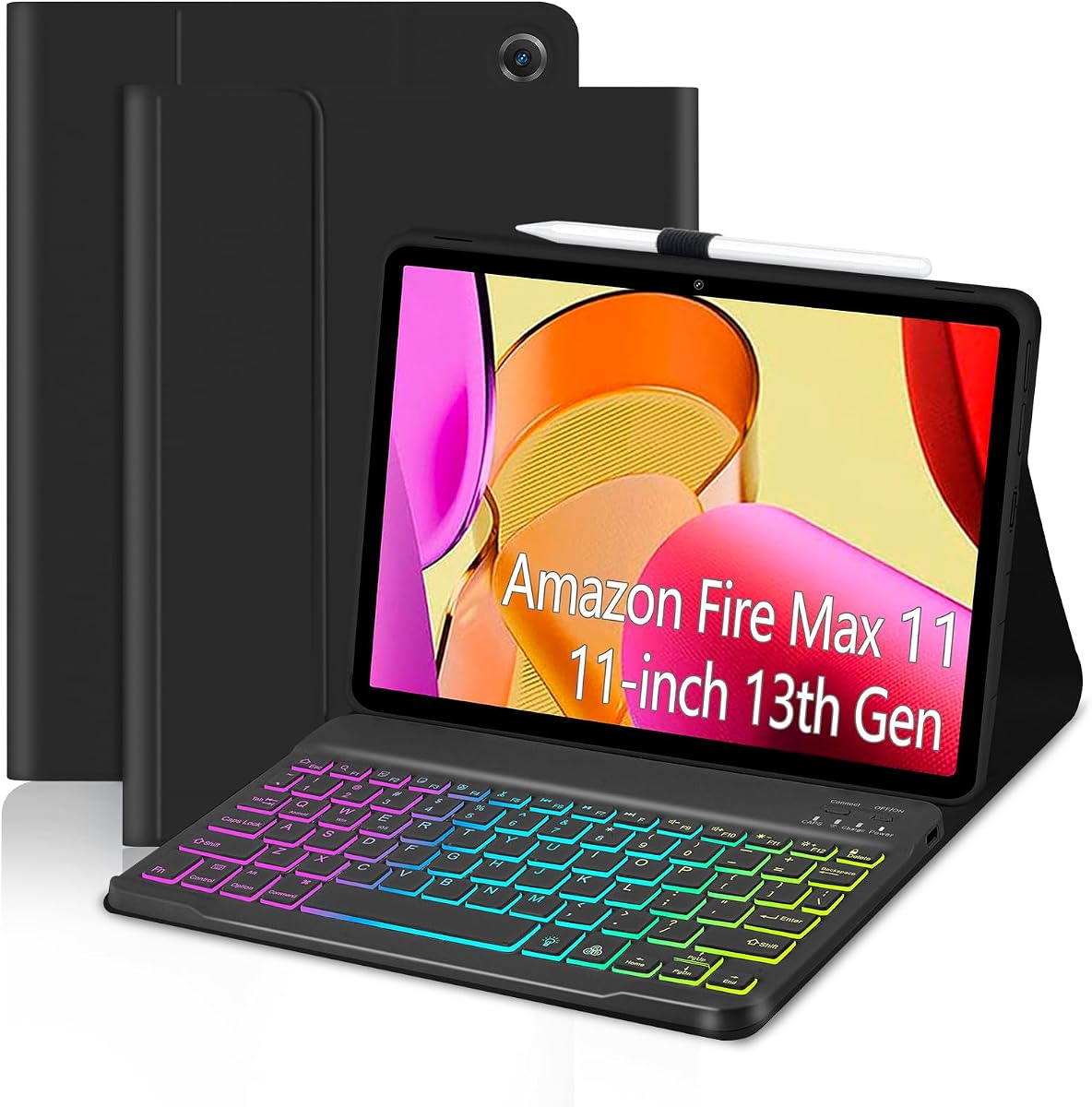
For users seeking value this keyboard case delivers impressive features at a very accessible price point. It is one of the few budget options that includes a colorful backlight feature making it practical for typing in low light environments without sacrificing style.
We may earn a commission when you buy through this link, at no additional cost to you.
The battery life is particularly notable as it can run continuously for up to ninety hours on a single charge. This longevity ensures you can travel for weeks without needing to recharge the device which is a significant advantage over many competitors in this category.
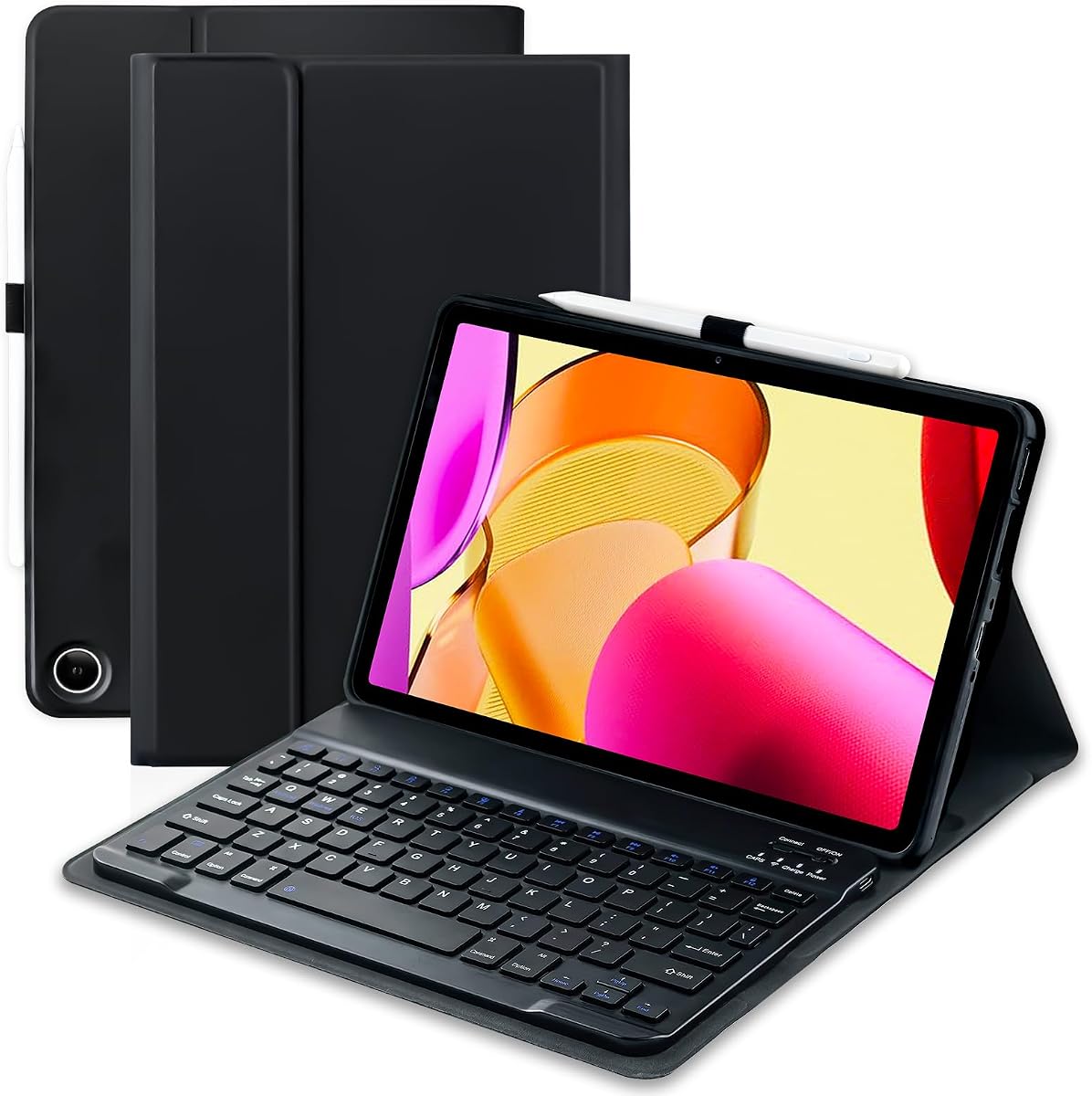
While it lacks a built-in trackpad the magnetic attachment is secure and the detachable nature allows you to use the tablet in various modes. The soft TPU inner shell with a honeycomb design helps keep the tablet cool during extended typing sessions.
This is the best pick for students or casual users who want a basic typing solution without spending much. If your main goal is to type documents or emails comfortably and you do not need advanced mouse controls this case offers excellent value.
The seven color backlight options allow you to choose a hue that suits your environment or personal preference for better visibility.
The inner honeycomb pattern dissipates heat effectively to prevent the tablet from overheating during prolonged use.
We may earn a commission when you buy through this link, at no additional cost to you.
This premium option stands out for its professional features and sustainable construction. It is designed for power users who need a reliable typing experience and the ability to edit spreadsheets or documents on the go with full functionality.
We may earn a commission when you buy through this link, at no additional cost to you.
The integrated trackpad supports multi-finger gestures like pinch-to-zoom and task switching which significantly improves navigation efficiency. Additionally the keyboard connects via pogo pins so it draws power directly from the tablet meaning you never have to worry about charging it separately.
Beyond performance the case is made with thirty-five percent post-consumer recycled plastics aligning with modern environmental values. The spacious key layout includes customizable shortcuts that streamline your workflow for specific tasks like volume control or media playback.
If you need a professional tool for work or school this case provides the most complete ecosystem experience. The inclusion of a Microsoft 365 trial further enhances its value for productivity tasks making it a robust choice for serious users.
Trackpad gestures allow for smooth scrolling and zooming without lifting your hands from the typing area.
Made with recycled plastics this case reduces environmental impact while maintaining high durability standards.
We may earn a commission when you buy through this link, at no additional cost to you.
This case is perfect for those who want a personalized typing experience with a touch of style. The rainbow backlit keyboard offers seven adjustable colors that can cycle automatically in breathing light mode adding a unique aesthetic to your tablet setup.
We may earn a commission when you buy through this link, at no additional cost to you.
Functionally it includes many shortcut keys that help you edit documents and browse apps efficiently. The case is built to fit the Fire Max 11 perfectly with precise cutouts that ensure all ports and sensors remain accessible for daily use.
The pen holder on the back cover is a practical addition for stylus users who want to keep their writing tool secure. The PU leather shell provides solid protection against scratches and drops while maintaining a slim professional look.
Choose this if you value customization and protection for your device. It offers a balanced mix of visual flair and practical features that make typing enjoyable even in dark environments without compromising on basic usability.
The breathing light mode automatically cycles colors allowing you to find a preferred hue without manual switching.
The dedicated pen holder lets you insert and remove your stylus quickly for note taking during meetings.
We may earn a commission when you buy through this link, at no additional cost to you.
This case adds a touchpad to standard keyboard functionality allowing for precise cursor control without a mouse. It is designed to improve office efficiency by letting you navigate documents and web pages directly from the keyboard area.
We may earn a commission when you buy through this link, at no additional cost to you.
The rechargeable lithium battery means you do not need to replace batteries frequently. You can attach and detach the keyboard easily to use it in different positions that suit your workflow whether you are on a desk or a lap.
Anti-slip grooves inside the case keep the tablet secure and prevent sliding when typing. The multi-angle adjustment lets you choose a comfortable position for reading or writing which reduces strain during long sessions.
Ideal for professionals who need a mouse-like experience on the go. While the touchpad is compact it provides sufficient control for everyday navigation tasks making this a versatile option for business users.
The touchpad replaces the need for a separate mouse making it perfect for travel or small workspaces.
Multiple viewing angles allow you to adjust the tablet height for better neck posture during work.
We may earn a commission when you buy through this link, at no additional cost to you.
This set provides the most complete laptop replacement experience by including a detachable Bluetooth mouse along with the keyboard. This combination is rare in third-party accessories and gives you precise control over your tablet for detailed tasks.
We may earn a commission when you buy through this link, at no additional cost to you.
The magnetic keyboard attaches firmly to the case allowing the tablet to stand upright immediately. The case offers full edge coverage with a honeycomb inner layer that protects against drops and helps dissipate heat to keep performance high.
You can adjust the tablet to three different viewing angles for writing or reading. The auto sleep and wake function helps save battery life by turning off the screen when you close the lid without manual input.
Choose this if you want a full workstation feel. The extra mouse might be a slight inconvenience to charge but it offers a level of control that touchpads sometimes lack especially for graphic design or detailed spreadsheet work.
Combining keyboard and mouse lets you work on complex projects without needing extra peripherals.
The honeycomb grid pattern in the case helps prevent overheating during intensive tasks.
We may earn a commission when you buy through this link, at no additional cost to you.
This option offers a unique three-zone rainbow backlight that lets you select different colors for visual enjoyment. It also includes a Bluetooth mouse which makes it a comprehensive kit for users who prefer traditional computer navigation methods.
We may earn a commission when you buy through this link, at no additional cost to you.
The keyboard and mouse are rechargeable and come with a USB-C cable for easy charging. You can detach the keyboard from the case to place it anywhere you want allowing for a flexible workstation setup on your desk or couch.
Customer service is highlighted here with a promise of quick email responses within twenty-four hours. This support adds a layer of confidence to the purchase especially if you encounter pairing issues or need setup advice.
If you like the idea of a complete set with mouse and light customization this is a strong contender. The three zone lighting adds a fun element to typing while the included mouse ensures you have full control over your cursor.
Select different colors for each zone to match your mood or workspace theme.
Responsive customer service ensures you can resolve any issues quickly after purchase.
We may earn a commission when you buy through this link, at no additional cost to you.
This case focuses on practical design with a Type-C charging port that aligns with modern tablet standards. It includes a row of multi-function keys that let you control media and volume quickly without digging into on-screen menus.
We may earn a commission when you buy through this link, at no additional cost to you.
The battery lasts up to fifty hours which covers several weeks of daily use before a recharge is needed. The case uses a honeycomb heat design inside to ensure the tablet stays cool even during long video calls or typing sessions.
Anti-slip grooves allow you to adjust the viewing angle for different activities like drawing or watching videos. The pen holder on the back cover keeps your stylus safe so you do not lose it when you are moving between locations.
Choose this for a no-frills reliable solution. It lacks a backlight but offers efficient charging and solid protection that works well for daily tasks without unnecessary features you might not use.
Type-C charging uses the same port as many other devices reducing cable clutter.
Built-in media keys let you play or pause music and adjust volume instantly.
We may earn a commission when you buy through this link, at no additional cost to you.
This is a variant of the EAMPANG design with a different color combo that emphasizes a slim lightweight profile. The rainbow backlit keyboard allows you to type easily in dark settings and the brightness can be adjusted for comfort.
We may earn a commission when you buy through this link, at no additional cost to you.
The soft TPU inner shell offers a snug fit that reduces bulk while protecting the tablet. You can control the keyboard lighting using shortcut keys which gives you flexibility depending on your environment and mood.
While the rating is slightly lower it still provides the core benefits of a detachable keyboard case. The pen holder ensures your stylus is ready when you need it for quick notes during calls or meetings.
If you prefer a slimmer case with a backlit option this is a viable choice. The soft material keeps the feel light which may be preferable for users who find heavy leather cases too bulky for daily use.
The soft TPU inner shell keeps the case thin for easy portability in bags.
Adjustable lighting allows you to save battery by turning off the backlight when not needed.
We may earn a commission when you buy through this link, at no additional cost to you.
This option stands out for its premium vegan leather exterior which gives a classy look to your tablet. It features quiet keys that make it perfect for use in quiet environments like libraries or offices without disturbing others.
We may earn a commission when you buy through this link, at no additional cost to you.
The battery lasts up to seventy hours on a single charge which is reliable for regular use. The case offers four versatile use modes allowing you to switch between typing reading and viewing easily by adjusting the angle of the tablet.
It includes a satisfaction guarantee and warranty which adds security to your purchase. The precise cutouts ensure you have full access to all ports so you never lose functionality while the tablet is protected.
If you want a stylish case that feels like a traditional folio this is a great pick. The quiet keys are a strong advantage for travelers who want to work on planes or trains without loud clicking sounds.
Low-profile keys reduce noise making it suitable for quiet public spaces.
A twelve month warranty and thirty day money-back guarantee protect your investment.
We may earn a commission when you buy through this link, at no additional cost to you.
Selecting the right keyboard case depends on your specific workflow needs and budget. Below are key factors to consider before making your final choice.
Ensure the case is specifically designed for the 2023 13th Generation Fire Max 11. Other models will not fit the cutouts properly.
Always check the product description to confirm it supports your exact tablet generation.
Decide between a pogo pin connection like the official case or a Bluetooth connection. Pogo pin needs no charging while Bluetooth offers more flexibility.
Bluetooth is better if you want to detach the keyboard for standalone use.
If you type in the dark look for cases with backlight features like rainbow or white light modes.
Adjustable brightness settings help save battery when not needed in bright environments.
Some cases include a built-in touchpad while others offer a detachable Bluetooth mouse.
Choose a trackpad for compact control or a mouse for precision work.
Check the keyboard battery capacity. Some offer up to ninety hours of life which is great for travel.
Shorter battery life may mean frequent charging interruptions for your workflow.
A built-in pen holder keeps your stylus secure and prevents loss during travel.
This is essential if you use a stylus for note taking or drawing regularly.
Multi-angle slots let you adjust the tablet for reading typing or video calls comfortably.
More angles provide better ergonomics for different desk environments.
Materials like PU leather offer a premium feel while TPU provides lightweight protection.
Honeycomb designs inside help dissipate heat and protect the tablet from overheating.
Start by aligning your Fire Max 11 with the case slots ensuring the camera and buttons match the cutouts perfectly.
Connect the keyboard by attaching it magnetically or pairing it via Bluetooth in the tablet settings depending on the model.
Keep the case clean with a soft dry cloth and avoid water to maintain the leather texture and charging port function.
No, these cases are specifically molded for the 2023 13th Generation Fire Max 11. Using them with older or smaller tablets will not align with the buttons or cameras.
If you choose a pogo pin model like the official one, it draws power from the tablet. Bluetooth models require a separate charge via USB-C or micro-USB.
Pressing any key usually wakes the tablet from sleep. The auto wake function activates the screen when you open the case or press a key.
No, the stylus is sold separately. The case includes a slot to hold it securely when not in use.
Battery life varies by model. Most Bluetooth keyboards offer between fifty and ninety hours of use on a single charge.
Use a microfiber cloth to gently wipe the keys. Avoid spraying liquid directly into the keyboard to prevent damage to the circuitry.
We have reviewed ten top options ranging from budget-friendly choices to premium official cases. The Amazon official case leads with its integrated trackpad and zero charging setup.
Prioritize features like battery life and touchpads based on whether you need a portable device or a full workstation setup for daily tasks.
Remember that stock and pricing change often so verify the current availability before ordering your preferred case today.