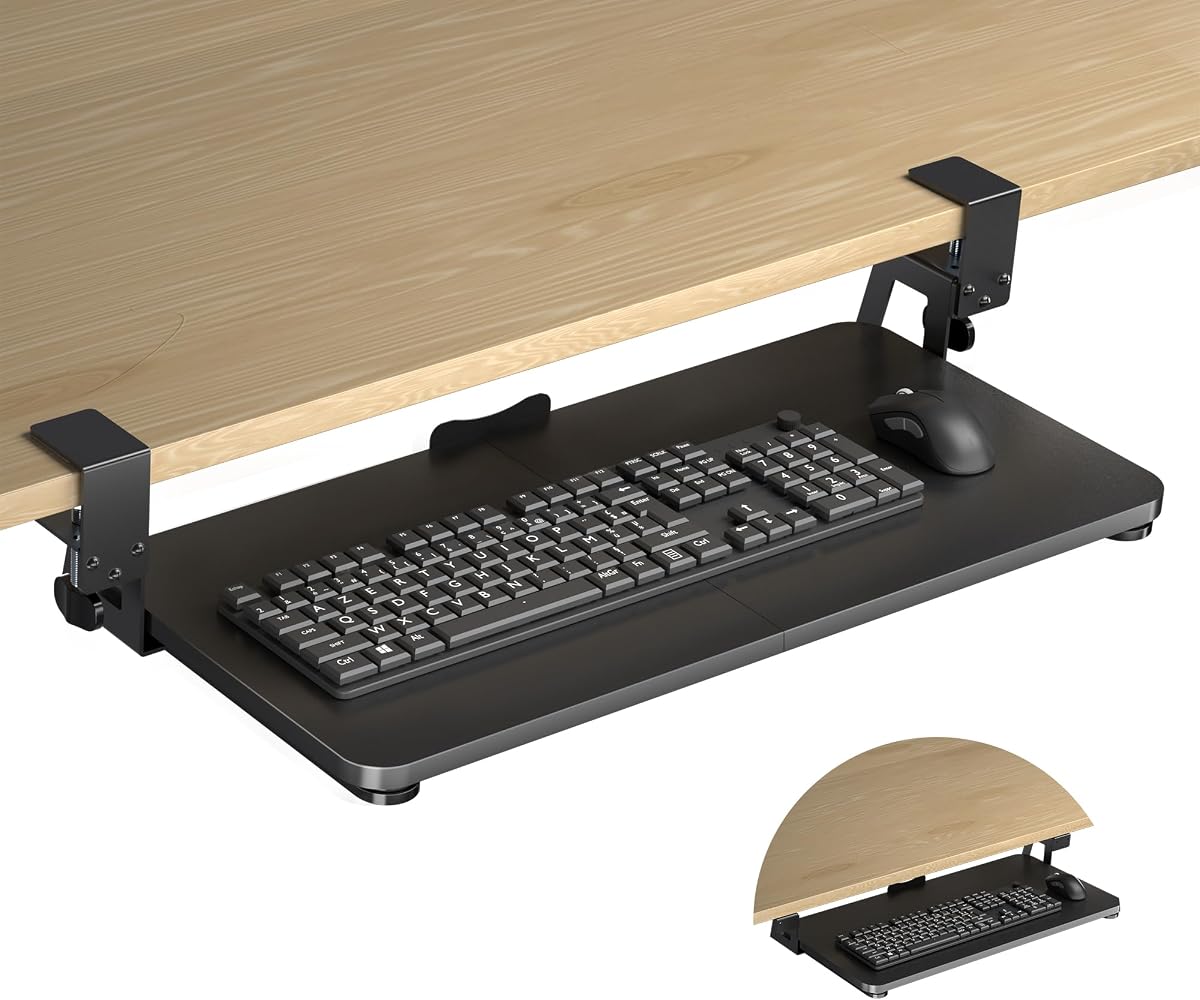
XINLEI Keyboard Tray Under Desk Large C-Clamp 25.6 x 11.8 Slide-Out Platform
4.4Editor score
Cost Effective Solution
High Quality Metal Rails
Easy No Drill Install
This comprehensive guide compares the top 10 keyboard trays for standing desks to help you find the perfect ergonomic solution for your unique workspace needs.
Finding the right keyboard tray for your standing desk is essential for maintaining proper posture and reducing strain during long work sessions. A good tray should offer smooth adjustments, sturdy construction, and enough space for your peripherals while fitting seamlessly under your existing desk setup.
We have carefully evaluated the leading models on the market based on their compatibility with standing desks, ease of installation, ergonomic features, and overall build quality. Our comparison focuses on practical performance and real-world usability to ensure you get the best value for your investment.
Each pick in this list highlights specific strengths such as extra width, versatile mounting options, or advanced tilt mechanisms. Please note that product availability and pricing can change frequently, so always verify the latest details before making your final purchase decision.
4.4Editor score
4.4Editor score

4.4Editor score
The following table provides a side by side overview of all ten products we reviewed to help you quickly compare their key specifications and features.


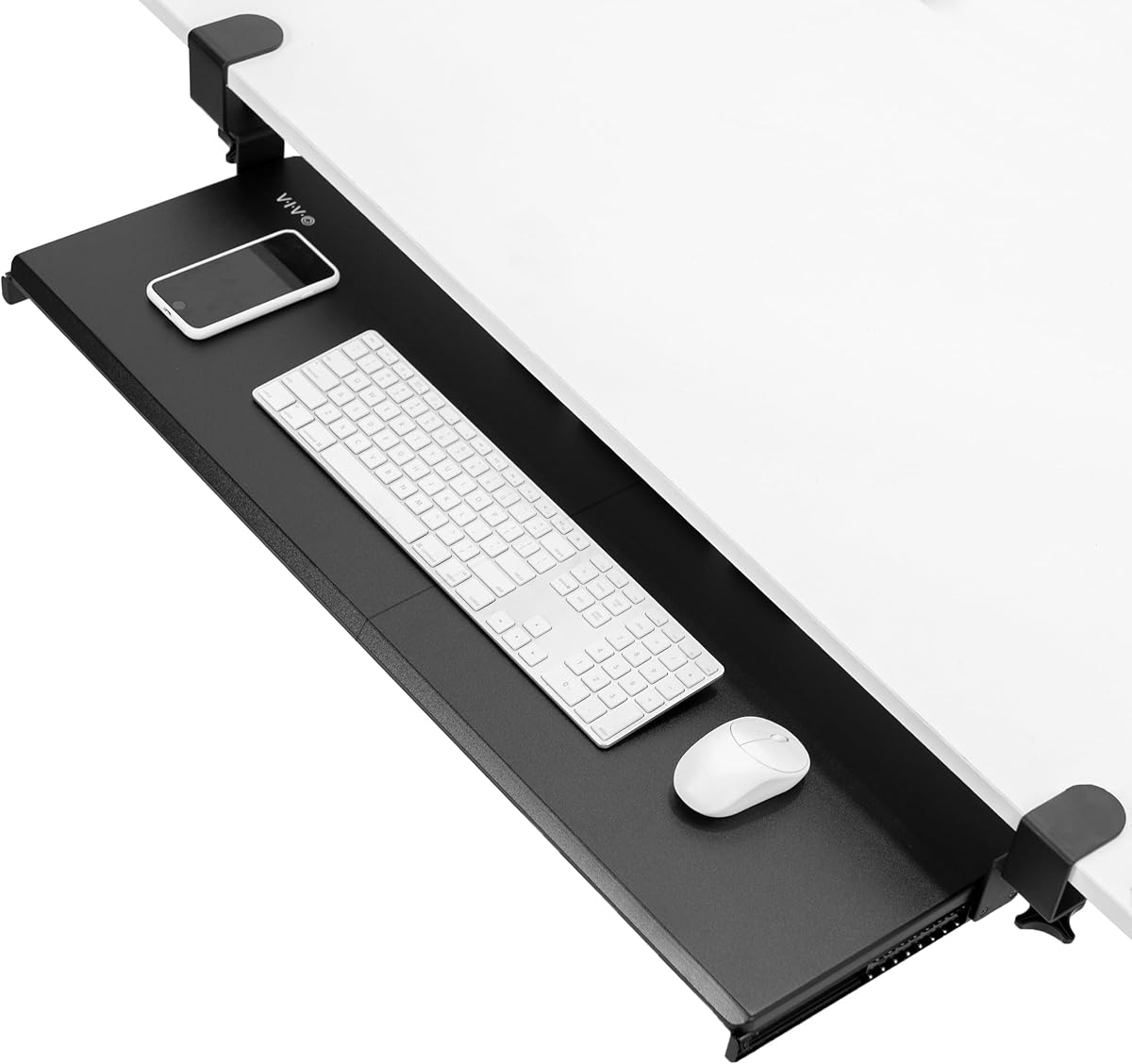
The VIVO Black Extra Large Clamp-on Keyboard Tray stands out as a top contender for anyone seeking a reliable under desk solution. With a rating of 4.4 stars it has earned trust through its solid build and practical design features.
We may earn a commission when you buy through this link, at no additional cost to you.
Its extra long 34 inch platform provides ample space for both your keyboard and mouse allowing you to clear the desktop surface completely. The sturdy C clamps ensure a secure fit without damaging your desk making it ideal for various desk types.
While it offers excellent stability and space its compatibility is limited to flat edged desks up to 1.25 inches thick. Users with beveled edges or thicker desktops may need to look for alternative mounting solutions or adapters.
This tray is perfect for professionals and gamers who need a spacious workspace and value durability. We highly recommend it for those with standard desk setups looking for an ergonomic upgrade.
The extra long 34 inch design provides ample room for both your keyboard and mouse clearing the desktop surface completely.
Sturdy C clamps ensure a secure fit without damaging your desk making it ideal for various desk types.
We may earn a commission when you buy through this link, at no additional cost to you.
The HUANUO Under Desk Keyboard Tray offers a unique solution for modern standing desks that often feature cross beams. With a rating of 4.3 stars it has proven reliable for users needing versatile mounting options.
We may earn a commission when you buy through this link, at no additional cost to you.
Its standout feature is the ability to attach to cross beams up to 2 inches high eliminating the need for flat surface clamps. The smooth metal roller track ensures a durable sliding experience even under frequent use.
Installation requires checking your desk thickness and under desk width carefully as it needs at least 35 inches of space for full swivel. This requirement might limit its suitability for compact workstations or smaller desks.
This tray is ideal for users with electric standing desks who want a seamless fit without modifying their workspace. It balances functionality with ease of use making it a strong choice for diverse setups.
The standout feature is the ability to attach to cross beams up to 2 inches high eliminating the need for flat surface clamps.
The smooth metal roller track ensures a durable sliding experience even under frequent use.
We may earn a commission when you buy through this link, at no additional cost to you.
The Mount-It! Standing Keyboard Tray redefines flexibility with its wide height adjustment range. With a rating of 4.4 stars it is a premium choice for those who frequently switch between sitting and standing positions.
We may earn a commission when you buy through this link, at no additional cost to you.
Its scissor lift mechanism allows for a height range from 1.7 to 15.6 inches providing ergonomic comfort at any posture. The wide base offers stability reducing wobble even during intense typing sessions.
The lack of assembly and lifetime warranty add significant value though it may require more under desk space than clamp on models. Users should ensure their desk height accommodates the tray fully extended without obstruction.
This tray is perfect for shared workspaces or users who prioritize adjustability above all else. Its durability and comprehensive support make it a top investment for long term use.
The scissor lift mechanism allows for a height range from 1.7 to 15.6 inches providing ergonomic comfort at any posture.
The lack of assembly and lifetime warranty add significant value for long term use.
We may earn a commission when you buy through this link, at no additional cost to you.
The XINLEI Keyboard Tray Under Desk offers excellent value for budget conscious buyers without sacrificing essential features. With a rating of 4.4 stars it delivers reliable performance for everyday typing tasks.
We may earn a commission when you buy through this link, at no additional cost to you.
Its metal sliding rails ensure smooth operation while the back baffle prevents your keyboard from sliding off during use. The design accommodates a range of desk thicknesses making it versatile for different office environments.
While it lacks advanced tilt adjustments the core functionality remains strong for standard setups. Users should verify their desk thickness falls within the supported range to ensure proper fit and stability.
This tray is ideal for home offices and small businesses seeking a functional upgrade at an affordable price. It balances cost and quality effectively making it a smart choice for most users.
The metal sliding rails ensure smooth operation while the back baffle prevents your keyboard from sliding off during use.
The design accommodates a range of desk thicknesses making it versatile for different office environments.
We may earn a commission when you buy through this link, at no additional cost to you.
The VIVO Black Clamp-on Keyboard Tray is specifically designed to accommodate thicker desks that other models cannot support. With a rating of 4.3 stars it is a reliable option for users with robust desk structures.
We may earn a commission when you buy through this link, at no additional cost to you.
Its clamps can secure to desks up to 3.4 inches thick providing a solution where standard trays fail. The adjustable width allows for flexible placement ensuring you can tailor it to your specific workstation layout.
While it does not offer extensive tilt adjustments the built in wrist rest adds significant comfort for long typing sessions. Users should ensure their desk edge is flat to avoid installation issues.
This tray is perfect for offices with heavy duty desks that need a secure mounting solution. Its robust design ensures longevity and ease of use for daily work.
Its clamps can secure to desks up to 3.4 inches thick providing a solution where standard trays fail.
The built in wrist rest adds significant comfort for long typing sessions.
We may earn a commission when you buy through this link, at no additional cost to you.
The BONTEC Under Desk Keyboard Tray simplifies setup with its no drill installation method ensuring a clean look on your desk. With a rating of 4.4 stars it is praised for its straightforward assembly.
We may earn a commission when you buy through this link, at no additional cost to you.
The sturdy C clamps hold firmly without damaging your desk making it ideal for renters or temporary setups. Its design focuses on ergonomics to reduce strain and improve posture during work.
Installation requires a flat bottom without rounded edges or crossbars so checking your desk underside is crucial. This limitation ensures stability but might exclude some unconventional desk styles.
This tray is excellent for users who prioritize ease of installation and desk preservation. It delivers a clean functional upgrade with minimal effort and tools.
The no drill installation method ensures a clean look on your desk simplifying setup.
The design focuses on ergonomics to reduce strain and improve posture during work.
We may earn a commission when you buy through this link, at no additional cost to you.
The VIVO Black Under Desk 25 inch Keyboard Tray is a compact solution for users with limited under desk space. With a rating of 4.2 stars it provides essential ergonomic benefits without taking up much room.
We may earn a commission when you buy through this link, at no additional cost to you.
Its full side to side rotations allow you to shift your typing angle for better comfort. The rubber padding adds a layer of protection and support to your wrists during use.
Installation is simple but may require an adapter for standing desks with frame crossbars. This extra step ensures compatibility but adds a bit of complexity compared to other models.
This tray is perfect for smaller home offices or desks where space is at a premium. It offers a functional and adjustable platform for daily typing needs.
The compact 25 inch platform is ideal for users with limited under desk space.
The full side to side rotations allow you to shift your typing angle for better comfort.
We may earn a commission when you buy through this link, at no additional cost to you.
The HUANUO Under Desk Keyboard Tray offers complete flexibility with its 360 degree rotation feature. With a rating of 4.3 stars it is a favorite among users who need to adjust their typing angle frequently.
We may earn a commission when you buy through this link, at no additional cost to you.
Its height adjustment range allows for comfortable use whether sitting or standing. The included wrist rest adds to the ergonomic appeal ensuring your wrists stay supported during long sessions.
Proper installation requires verifying desk clearance and tightening the knobs to prevent slipping. These steps ensure a secure fit but require attention to detail during setup.
This tray is ideal for multitaskers who switch between different tasks and angles. Its versatility makes it a valuable addition to dynamic work environments.
The 360 degree rotation feature offers complete flexibility for users who need to adjust their typing angle frequently.
The included wrist rest adds to the ergonomic appeal ensuring your wrists stay supported during long sessions.
We may earn a commission when you buy through this link, at no additional cost to you.
The Klearlook Upgraded Adjustable Keyboard Tray provides exceptional versatility with its dual above and under desk functionality. With a rating of 4.2 stars it stands out for its innovative design features.
We may earn a commission when you buy through this link, at no additional cost to you.
Its organizer drawer and headphone hanger help keep your workspace tidy adding value beyond just typing support. The robust construction ensures stability even when fully extended or in above desk mode.
The setup process is more complex than standard trays due to the dual mount options. Users should follow instructions carefully to avoid misalignment or instability during use.
This tray is perfect for gamers or creative professionals needing extra storage and organization. Its multifunctional design makes it a premium choice for diverse work needs.
The dual above and under desk functionality provides exceptional versatility for various work scenarios.
The organizer drawer and headphone hanger help keep your workspace tidy adding value beyond just typing support.
We may earn a commission when you buy through this link, at no additional cost to you.
The Mount-It! Keyboard Tray Under Desk offers an extra wide platform for those needing maximum desk real estate. With a rating of 3.9 stars it delivers significant width and support for large keyboards and accessories.
We may earn a commission when you buy through this link, at no additional cost to you.
Its no drill installation and lifetime warranty add confidence to its purchase and usability. The wobble free rails ensure a smooth experience even with heavy mechanical keyboards.
While some users report lower satisfaction the width and durability remain strong selling points. Ensuring your desk edges are flat will help avoid any potential installation issues.
This tray is best for users with large setups who prioritize width and warranty support. It provides a robust solution for demanding work environments.
The extra wide 30 inch platform offers maximum desk real estate for those needing space.
The lifetime warranty support adds confidence to its purchase and usability.
We may earn a commission when you buy through this link, at no additional cost to you.
Selecting the right keyboard tray requires careful consideration of your desk dimensions, mounting preferences, and ergonomic needs to ensure optimal comfort and functionality.
Verify your desk thickness and edge style before purchasing. Most clamp on trays require flat edges and a specific thickness range to secure properly. If your desk has cross beams or beveled edges check for models with compatible mounting systems.
Always measure your desk width and thickness to avoid fitment issues.
Choose between clamp on or drill on mounting based on your needs. Clamp on options are reversible and ideal for renters while drill on models offer a more permanent and stable solution.
Ensure the method matches your desk material and your willingness to modify it.
Consider the dimensions of the platform to accommodate your keyboard and mouse comfortably. Larger trays provide more workspace but require more under desk clearance for extension.
Select a size that fits both your gear and your available under desk space.
Look for trays with adjustable height to support both sitting and standing positions. Proper height helps maintain neutral wrist alignment and reduces strain during long sessions.
Prioritize models with a wide range of height adjustment for flexibility.
Swivel and tilt features allow you to customize your typing angle for better ergonomics. Models with full rotation give you more flexibility to shift positions during work.
Decide how much angular adjustment you need based on your typing habits.
Check the materials used in the rails and tray surface for durability. Metal rails and reinforced frames tend to last longer and support heavier loads without wobbling.
Invest in a sturdy build to ensure stability during daily use.
Review the installation requirements to see if you need tools or extra brackets. Clear instructions and included hardware make setup faster and less frustrating.
Choose a model that offers a straightforward process to save time.
A good warranty indicates the manufacturer stands behind their product. Lifetime warranties and US based support are valuable for resolving issues quickly.
Look for brands that offer comprehensive coverage for peace of mind.
Begin by measuring your desk dimensions to ensure the tray fits properly. Align the mounting brackets or clamps with the edge of your desk making sure to use all provided hardware.
Adjust the tray height so your wrists remain neutral while typing. Use the tilt and swivel features to find a comfortable position that reduces shoulder strain.
Clean the rails and tray surface regularly to prevent dust buildup. Check the clamps occasionally to ensure they stay tight and do not loosen over time.
Not all trays are compatible with every standing desk. Some models require flat edges while others accommodate cross beams. Always check your desk thickness and edge type before purchasing.
You need enough space for the tray to slide out fully without hitting obstacles. Most trays require at least 25 inches of under desk width and clearance below the desktop.
Yes but you must check the maximum desk thickness the clamps can support. Some trays accommodate desks up to 3 inches thick while others are limited to 1 inch.
Most clamp on trays come with all necessary hardware and require basic tools. The process usually involves tightening screws to secure the clamps to your desk.
Yes placing your keyboard below desk level helps maintain a neutral wrist position. This reduces strain on your shoulders and neck during long work sessions.
Beveled edges can prevent clamps from holding properly. Look for models with adjustable brackets or consider drilling your tray for a secure fit.
We have reviewed the top ten keyboard trays for standing desks each offering unique features to meet different needs. Whether you prioritize width flexibility or ease of installation there is a model for you.
Consider your desk compatibility and ergonomic requirements before making a decision. A well chosen tray can significantly improve your workspace comfort and productivity.
Prices and availability may change so check the latest product details before buying. We hope this guide helps you find the perfect keyboard tray for your standing desk setup.