
Amazon Fire 7 Kids
4.3Editor score
1-year Amazon Kids+ included
Kid-proof case included
10-hour battery life
Finding the right tablet for children between six and ten years old requires balancing performance with safety. This age group needs devices that are robust enough to handle daily use while offering engaging educational content and reliable parental controls.
We compared ten leading models based on screen quality, battery life, storage capacity, and built-in safety features. Our analysis focuses on devices that provide value and longevity for families seeking a practical digital tool for learning and entertainment.
Each pick highlights specific strengths such as durability, screen protection, or app ecosystems. Please note that pricing and availability change frequently so verify current details before purchasing to ensure you get the best deal for your needs.
4.3Editor score

4.6Editor score

4.9Editor score
As an Amazon Associate we earn from qualifying purchases.
This side-by-side comparison highlights the key specifications and unique features of each tablet to help you identify the model that best fits your child's age and usage patterns.



The Amazon Fire HD 8 Kids Pro is a full-feature tablet designed specifically for big kids ages 6 to 12. It stands out with a slim kid-friendly case and a powerful hexa-core processor that ensures smooth performance for games and educational apps.
We may earn a commission when you buy through this link, at no additional cost to you.
Parents will appreciate the included 6-month subscription to Amazon Kids+ which provides unlimited access to ad-free books videos apps and games. The parental controls allow you to review activity set time limits and manage content remotely from your own device.
The device features a 13-hour battery life and includes a 2-year worry-free guarantee that replaces the tablet for free if it breaks. This durability and support make it a secure investment for families seeking a reliable device for daily use and learning.
This tablet is ideal for children who are ready for more independence but still need safety guardrails. The combination of performance durability and parental features makes it a top choice for families looking for a long-lasting educational device.
The 2-year worry-free guarantee ensures peace of mind by allowing free replacement if the device breaks during normal use.
Parental controls let you filter content set educational goals and manage purchases to create a safe digital environment.
We may earn a commission when you buy through this link, at no additional cost to you.
The Amazon Fire 7 Kids tablet is a top-selling option that offers excellent value for families looking for an affordable yet capable device. It includes a 1-year Amazon Kids+ subscription and a kid-proof case to protect against drops and bumps.
We may earn a commission when you buy through this link, at no additional cost to you.
This tablet is designed for children ages 3 to 7 with a user-friendly interface and easy-to-use parental controls. You can filter content based on age set educational goals and manage screen time limits through the Parent Dashboard.
The 10-hour battery life ensures the device is ready whenever you need it whether for learning or entertainment. Storage can be expanded up to 1TB with a microSD card providing ample space for favorite content and apps.
This model is perfect for younger children who need a robust introduction to digital learning without a high cost. Its balance of features durability and price makes it an ideal choice for budget-conscious parents.
Every unit comes with a sturdy case designed to withstand drops and bumps ensuring the device survives active play.
Built-in parental controls allow you to set educational goals and ensure screen time is productive and age-appropriate.
We may earn a commission when you buy through this link, at no additional cost to you.
The COLORROOM 2026 Upgraded Android 15 Tablet provides a large 10-inch screen ideal for viewing content and learning. It runs on a stable Android 15 system with a powerful octa-core CPU to ensure smooth performance for various applications.
We may earn a commission when you buy through this link, at no additional cost to you.
This device features an anti-blue light friendly screen to protect eyesight during extended use. Parental controls are user-friendly allowing you to filter content establish educational targets and set time restrictions for a secure online environment.
The 6000mAh large battery supports reading and video watching for 8 to 12 hours on a full charge. Storage is ample with 64GB internal space that can be expanded to 1TB with a microSD card for storing photos and videos.
This tablet is suitable for families seeking a large screen Android device at a competitive price point. The focus on eye protection and long battery life makes it a practical choice for daily educational and entertainment use.
The screen uses anti-blue light design to reduce strain and make extended viewing sessions safer for children.
Internal storage can be expanded to 1TB allowing for extensive media libraries without running out of space.
We may earn a commission when you buy through this link, at no additional cost to you.
This Kids Tablet runs the latest Android 16 OS which blocks unwanted ads for a cleaner experience. It is powered by a UNISOC T7200 Octa-Core processor delivering smooth operation without lag for seamless learning and entertainment.
We may earn a commission when you buy through this link, at no additional cost to you.
The tablet comes with built-in parental control features including Google Kids Space to create personalized profiles and set screen time limits. You can filter content and manage daily usage directly from your own device to maintain control.
It features a 10-inch Comfort-View Display with blue light reduction mode to minimize eye strain. The 6000mAh battery supports hours of continuous use and the USB-C port makes recharging easy for daily routines.
This model is ideal for parents who want the latest software features and robust parental controls. The inclusion of a protective case and stand adds value and convenience for hands-free viewing and durability.
The Android 16 OS blocks unwanted ads to provide a cleaner and less distracting digital environment for children.
Blue light reduction mode and adjustable brightness help reduce eye strain during reading and video watching sessions.
We may earn a commission when you buy through this link, at no additional cost to you.
The Amazon Fire HD 8 Kids tablet is the newest model designed for children ages 3 to 7. It features a bright 8-inch HD screen and includes a 1-year Amazon Kids+ subscription with ad-free books and educational apps.
We may earn a commission when you buy through this link, at no additional cost to you.
Safety and durability are prioritized with a 2-year worry-free guarantee that replaces the tablet if it breaks. The device comes with a kid-proof case and strengthened aluminosilicate glass to protect against drops and bumps.
With up to 13 hours of battery life this tablet supports all-day use for reading shows and music. Parental controls allow you to set time limits and prioritize books and learning apps before entertainment.
This is a reliable choice for parents seeking a proven platform with strong safety features. The balance of performance support and content quality makes it a top contender for young children.
Amazon partners with family trust experts to ensure safe healthy digital behaviors and privacy for children.
Kids can explore content from trusted brands like Disney Nickelodeon and PBS Kids for engaging learning experiences.
We may earn a commission when you buy through this link, at no additional cost to you.
The aiprotablet Kids Tablet features the latest Android 16 OS with a T7280 Octa-core processor for smooth performance. It comes with a complete exploration kit including a keyboard mouse and stylus to facilitate interactive exploration and creativity.
We may earn a commission when you buy through this link, at no additional cost to you.
Google Kids Space is pre-installed allowing children to explore educationally recommended apps freely. Parental controls are convenient for filtering content setting learning goals and creating a safe online environment for your child.
The device includes a 10-inch HD display with eye protection features like a black-and-white reading mode. Fast charging technology ensures the tablet can be fully charged in just 2 hours for minimal downtime.
This model is ideal for families wanting a complete productivity setup for their child. The inclusion of keyboard and mouse accessories makes it suitable for typing practice and creative tasks beyond simple touch interaction.
Included accessories like keyboard and mouse transform the tablet into a creative workspace for active discovery.
Black-and-white reading mode filters color interference to reduce strain during long reading or learning sessions.
We may earn a commission when you buy through this link, at no additional cost to you.
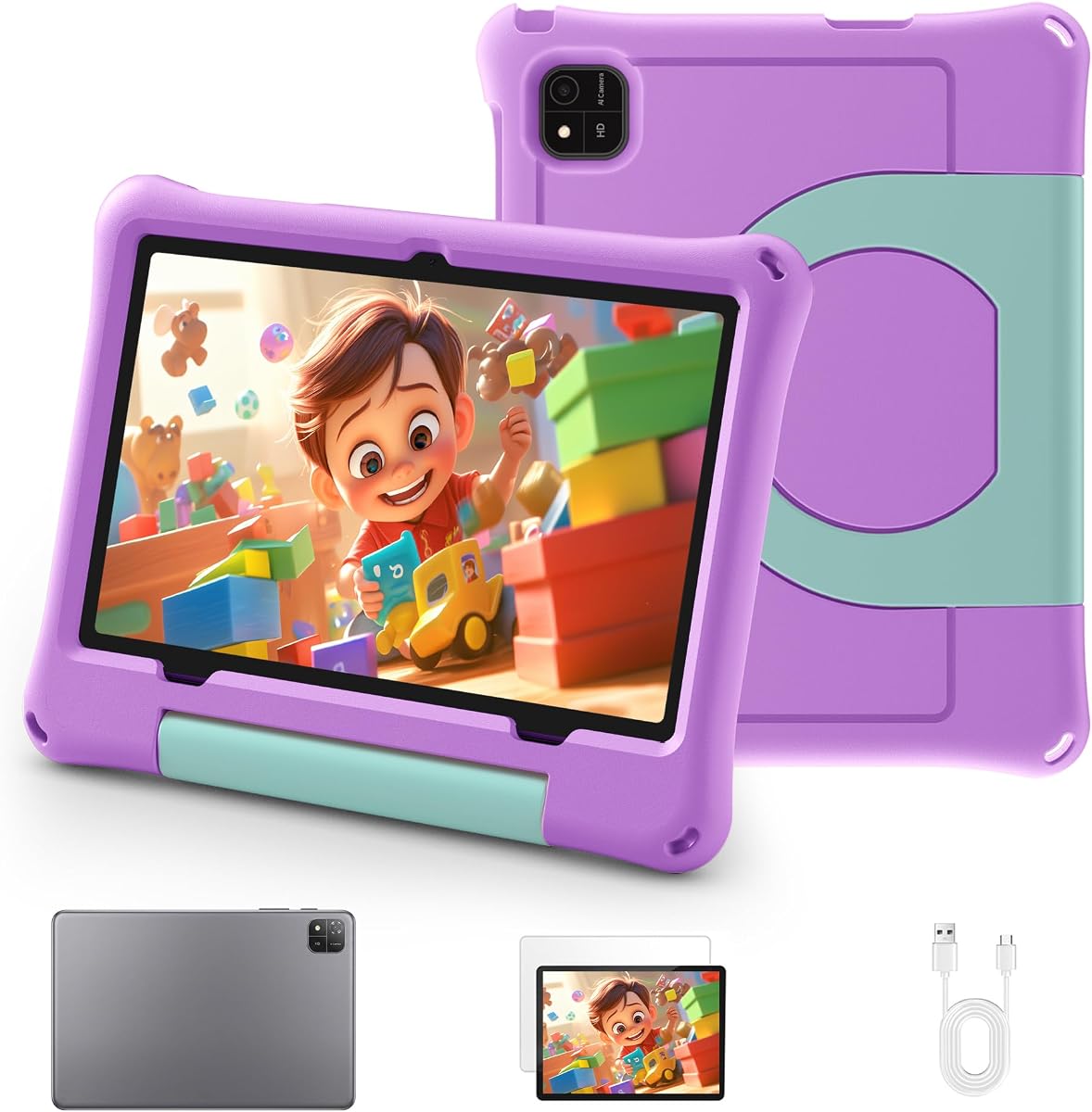
This Kids Tablet 10 inch comes with an ergonomic stylus pen perfect for drawing writing and pointing. The device is designed for children ages 8 to 12 with a high-definition anti-glare screen for comfortable viewing.
We may earn a commission when you buy through this link, at no additional cost to you.
The screen uses low blue light technology and adjustable brightness to offer protection for children's eyes. It responds quickly to touch and supports fluid navigation reducing accidental touches to encourage engagement.
Parental control features block unsafe websites and restrict usage time to ensure safety. The device includes a TPU protective case with a hidden adjustable bracket for hands-free viewing and flexible angle adjustment.
This tablet is a great choice for creative children who enjoy digital art and writing. The inclusion of the stylus and eye protection features makes it a thoughtful gift for birthdays and holidays.
The ergonomic stylus allows for precise drawing and writing making it easy for kids to create content.
The TPU case provides excellent wear and impact resistance while featuring an adjustable stand for viewing.
We may earn a commission when you buy through this link, at no additional cost to you.
This Android 16 Tablet for Kids offers 16GB RAM and 64GB ROM for smooth multitasking and ample space for apps. It includes dual 16MP + 13MP cameras designed for clarity in video calls and photography.
We may earn a commission when you buy through this link, at no additional cost to you.
Robust parental controls allow you to set daily screen time limits and filter age-appropriate content. The tablet comes pre-installed with Google Kids Space to ensure safe browsing and teacher-approved recommendations.
The 10.1-inch screen features Eye Protection Mode with low-blue-light technology to reduce strain during extended use. A shock-absorbent TPU protective case and precision stylus are included for durability and creative expression.
This model is excellent for children who enjoy capturing moments and video chatting. The high RAM ensures smooth performance and the included accessories provide a complete package for learning and creativity.
Dual cameras enable clear photos and video calls for keeping in touch with family and friends easily.
Google Kids Space provides a kid-safe environment with no accidental exposure to inappropriate content.
We may earn a commission when you buy through this link, at no additional cost to you.
This 10.1-inch kid tablet runs Android 16 with 6GB of physical RAM for smooth everyday use. It features a large HD IPS display with Night Light mode for comfortable evening viewing and family travel.
We may earn a commission when you buy through this link, at no additional cost to you.
Parental controls include screen-time limits and content filters to create a safer digital space. The lightweight EVA case protects the device from everyday bumps and scratches making it a practical choice for gifts.
With a 6000mAh battery this tablet supports streaming reading and family travel on a single charge. It connects to 2.4GHz or 5GHz Wi-Fi for reliable use and has front and rear cameras for video calls.
This is an excellent option for children who prefer a larger screen for media consumption. The combination of battery life and display size makes it ideal for entertainment and casual games.
The display includes a Night Light mode to reduce blue light exposure during evening viewing for comfort.
The lightweight EVA case ensures safety during travel and daily use without adding unnecessary weight.
We may earn a commission when you buy through this link, at no additional cost to you.
The JIKOCXN Kids Tablet features a 2.0 GHz octa-core processor and Android 16 OS for a fast clean experience. It comes with a case and adjustable stand allowing for hands-free viewing and protection.
We may earn a commission when you buy through this link, at no additional cost to you.
Parental controls allow you to set screen time limits and approve safe apps or websites for exploration. Low blue light technology and one-touch reading mode reduce eye strain for comfortable extended use.
USB-C fast charging fully powers the tablet in just 2 hours for minimal downtime. The company provides 90-day free exchange and lifetime technical support to ensure premium after-sales service.
This is a reliable option for parents who value responsive support and fast charging. The combination of safety features and quick charging makes it a convenient choice for busy daily schedules.
USB-C fast charging reduces downtime significantly ensuring the tablet is ready for use when needed.
The brand offers 90-day exchange and lifetime technical support for peace of mind after purchase.
We may earn a commission when you buy through this link, at no additional cost to you.
Selecting the right tablet involves evaluating hardware performance and parental features to match your child's needs.
For ages 6 to 10 a 8-inch to 10-inch screen is ideal for reading and video. Look for displays with anti-blue light technology to protect eyes during long use.
Choose a resolution that offers clarity without excessive cost and ensure the screen is bright enough for various lighting conditions.
A good tablet should last 8 to 13 hours on a single charge to support school and travel days. Battery capacity is often measured in mAh with 6000mAh being a solid target.
Verify charging speed as fast charging can reduce downtime significantly for busy families who use devices daily.
Internal storage of 32GB to 64GB is standard for basic needs. Ensure the device supports microSD expansion up to 1TB or 2TB for growing media libraries.
Expandable storage is crucial for saving videos photos and apps without filling up internal memory quickly.
Look for devices with built-in tools to filter content set time limits and monitor activity. Google Kids Space or Amazon Kids+ provide safe environments for age-appropriate apps.
These features ensure you can manage screen time effectively and block inappropriate content without constant supervision.
Physical protection is essential as children may drop devices during play. Cases made of TPU or silicone with shock-absorbent designs are highly recommended.
Ensure the case includes features like adjustable stands for hands-free viewing to enhance the user experience.
Android 15 or 16 OS provides access to Google Play and a wide range of educational apps. Amazon Fire tablets offer a locked ecosystem ideal for younger kids focused on safety.
Consider if your family prefers the openness of Android or the curated safety of a dedicated kid's interface.
Wi-Fi connectivity is standard but check for dual-band support to ensure stable connections in crowded areas. Bluetooth allows pairing with headphones and speakers for private listening.
Reliable connectivity is key for streaming video and downloading educational content without interruptions.
Amazon devices include a 2-year worry-free guarantee that covers accidental damage for free replacement. Third-party brands vary in policy so check for exchange periods or technical support.
Strong warranty coverage adds value and reduces long-term costs for families concerned about accidental damage.
Set up parental controls immediately after turning on the device to ensure safe content filters are active before your child starts using it.
Use the included case consistently to protect against drops and scratches while keeping the device clean with a soft cloth when not in use.
Charge the tablet regularly to maintain battery health and store it in a cool dry place when not in use to prolong its lifespan.
This tablet is designed for children ages 6 to 12. It features a slim case suitable for older kids and includes parental controls to manage screen time and content effectively.
Most tablets in this list include a protective case such as the Fire Kids series or the Android models. Always verify the specific listing details to confirm what is included.
None of these tablets are waterproof. It is important to keep them away from liquids and use a protective case to guard against spills and accidental exposure to moisture.
For Amazon tablets use the Parent Dashboard in the device settings. For Android tablets use Google Kids Space or the built-in parental control features to set limits and filters.
Most models listed are Wi-Fi only and do not support cellular data. You will need a Wi-Fi connection to access online content and apps on these devices.
Amazon tablets include a limited period of Amazon Kids+ but it renews monthly after the trial. Android tablets may require paid subscriptions for specific apps or services.
Battery life typically ranges from 8 to 13 hours depending on usage. The Fire tablets generally offer around 13 hours while Android tablets often provide 8 to 12 hours.
Many of these models support microSD card expansion up to 1TB or 2TB. Check the specific product specs to confirm the maximum supported capacity.
The Amazon Fire HD 8 Kids Pro offers a balanced experience with safety and performance for older kids. For budget-conscious families the Fire 7 Kids provides essential features at a lower price point.
When choosing prioritize screen size and parental controls to match your child's needs. Look for models with durable cases and long battery life to ensure reliable daily use.
Always verify current pricing and features before purchase as specifications may change. Check the product pages for the most up-to-date information to make an informed decision.