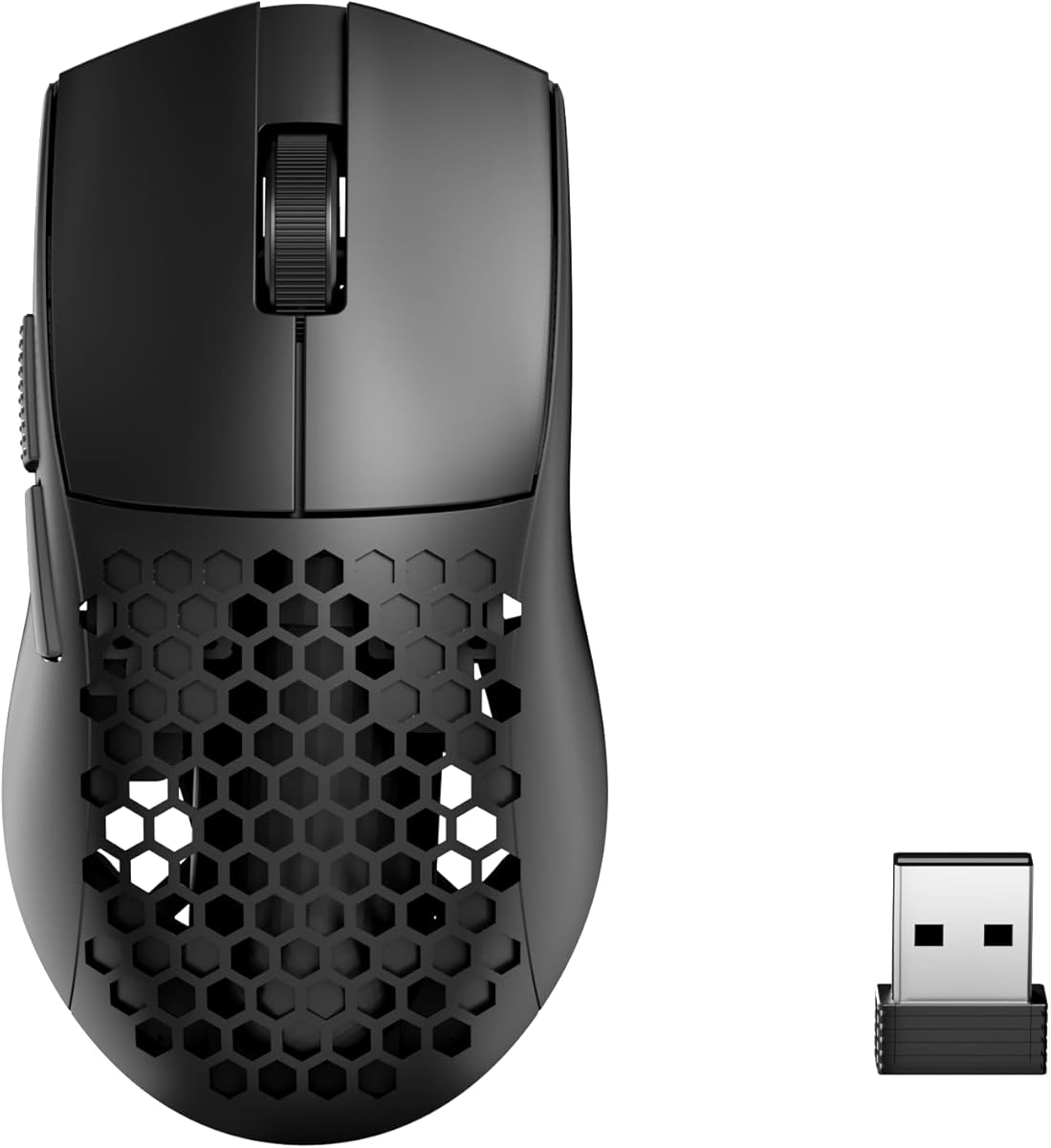
Redragon M725 Honeycomb Shell Gaming Mouse Wireless
4.4Editor score
Tri-mode connection
Ultra lightweight build
Programmable buttons
Discover the lightest mice for gaming in October 2026. We compare top wireless and wired models for speed, comfort, and precision to help you choose the right
Finding the lightest mice for gaming can transform your competitive edge. Modern designs prioritize weight reduction without sacrificing durability. Players seek tools that respond instantly to every movement. These mice offer enhanced agility for fast-paced matches.
Our team analyzed current market offerings to curate this list. We evaluated sensor performance, battery life, and build quality. Each product was selected based on user feedback and technical specs. This guide helps you navigate the options available now.
Each pick highlights unique strengths and potential trade-offs. You will see detailed breakdowns of features and comfort. Prices can fluctuate due to market demand. Always verify current listings before making your final decision today.
4.4Editor score

4.5Editor score

4.3Editor score
This side-by-side comparison highlights key differences across all ten models. We focus on weight, connectivity, sensor type, and battery performance to help you decide which fits your setup best.


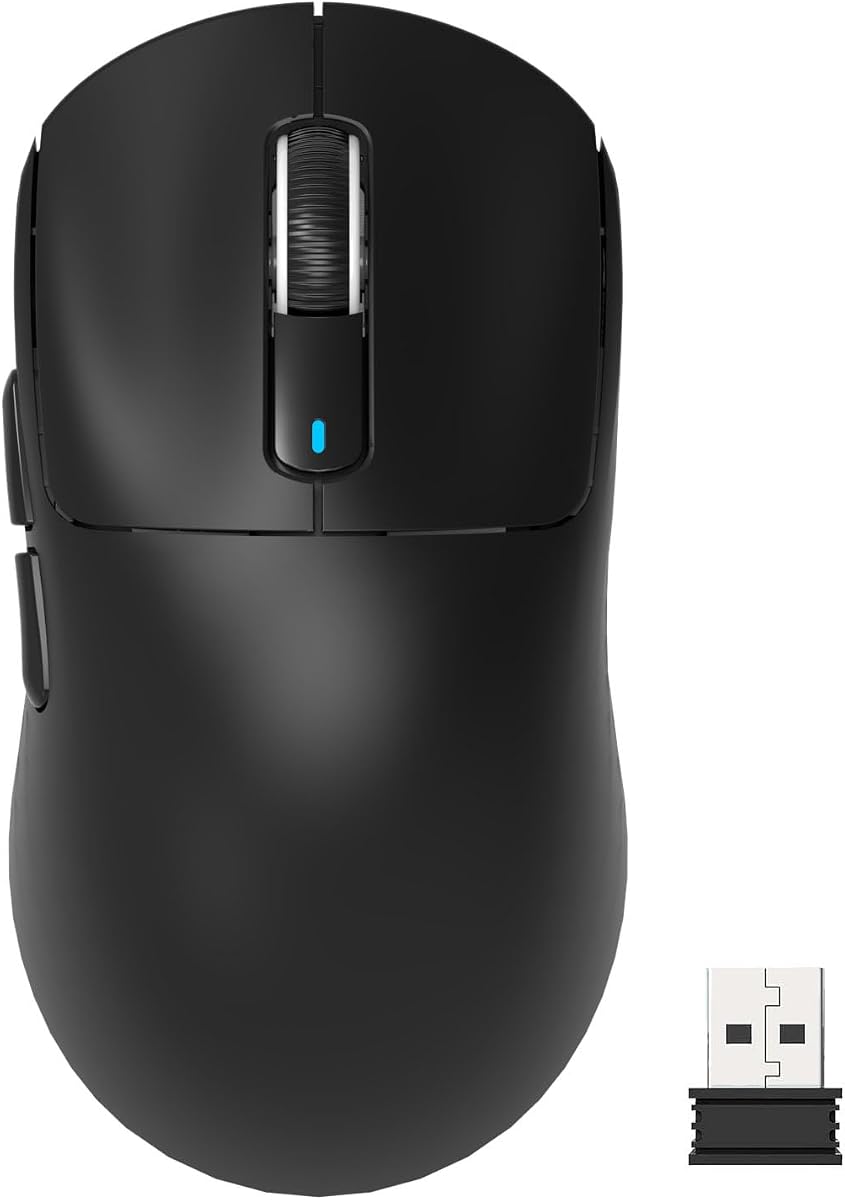


The Logitech G PRO X Superlight 2 stands out as a top choice for competitive gamers. It weighs only 60 grams, making it easy to maneuver quickly during intense sessions. This wireless mouse is designed with input from esports pros to deliver reliable performance.
We may earn a commission when you buy through this link, at no additional cost to you.
Its HERO 2 sensor provides precise tracking with up to 44,000 DPI settings. The 8kHz polling rate ensures your movements are registered instantly without delay. You get 95 hours of battery life on a single charge, which lasts for weeks of gameplay.
While it is expensive, the build quality justifies the cost for serious players. The absence of RGB lighting keeps the weight down but may disappoint those who like colorful effects. The PTFE feet glide smoothly on most mousepads for consistent control.
If you want a premium wireless mouse that balances speed and precision, this is an ideal option. It suits professionals and enthusiasts who need dependable gear for tournaments or daily gaming without compromise.
The HERO 2 sensor offers zero smoothing or acceleration for true tracking. This ensures your aim stays consistent across different surfaces and speeds.
LIGHTFORCE hybrid switches provide reliable clicks with tactile feedback. They are built to handle millions of clicks without losing responsiveness.
We may earn a commission when you buy through this link, at no additional cost to you.
The Pulsar X2H Crazylight redefines what a lightweight mouse can be at just 37 grams. This weight is lighter than an egg, offering a unique feel for rapid movements. Its minimalist design supports both claw and relaxed claw grips effectively.
We may earn a commission when you buy through this link, at no additional cost to you.
Equipped with the XS-1 sensor, it delivers 32,000 DPI and 750 IPS tracking speed. The optical switches minimize double clicks while ensuring quick responses. Included Dot Skates provide low friction for smooth gliding on any surface.
Though small, the mouse maintains durability with a sleek aesthetic. It is built to withstand extended use without performance drops. The dust-proof structure helps keep internal components clean over time.
Gamers seeking the lightest possible wireless option will appreciate this model. It combines cutting-edge functionality with an ergonomic shape tailored for precise control in competitive environments.
Weighing just 37 grams, this mouse reduces hand fatigue significantly. The lightweight structure supports quick reactions during gameplay.
The XS-1 sensor offers unmatched precision for aiming. With 32,000 DPI, you can adjust sensitivity to match your play style perfectly.
We may earn a commission when you buy through this link, at no additional cost to you.
The Redragon M725 offers a lightweight gaming experience at a fraction of the cost of premium models. At 49 grams, it reduces strain during long sessions while providing reliable performance for daily use. It supports Type-C wired, Bluetooth, and 2.4GHz wireless connections.
We may earn a commission when you buy through this link, at no additional cost to you.
Its 8000 DPI sensor allows easy switching between different DPI levels for varied tasks. You can customize buttons and macros through dedicated software for efficient workflow. The honeycomb shell design enhances air circulation to keep hands dry.
While it lacks advanced features like 8kHz polling, it covers basic needs well. The symmetric grip makes it suitable for both left and right-handed users. Build quality is solid for the price range.
This mouse is perfect for gamers on a budget who still want a lightweight setup. It provides essential features without breaking the bank, making it a great entry point for wireless gaming.
With three connection modes, you can switch between devices easily. This versatility supports both gaming and work scenarios effectively.
Programmable buttons and macros let you tailor the mouse to your needs. You can assign complex actions to single clicks for efficiency.
We may earn a commission when you buy through this link, at no additional cost to you.
The Razer Viper V3 HyperSpeed balances weight and battery life effectively. At 82 grams, it is lightweight enough for most players while lasting up to 280 hours on one battery. This makes it ideal for long tournaments without recharging worries.
We may earn a commission when you buy through this link, at no additional cost to you.
Its Focus Pro 30K optical sensor ensures accuracy on various surfaces including glass. The wireless connection remains stable even in crowded wireless environments. Mechanical switches are rated for 60 million clicks for longevity.
While not the lightest, it offers a solid middle ground for those prioritizing battery. The on-mouse DPI control is convenient for quick adjustments during play. It fits well for palm and claw grip styles.
If battery endurance is a priority, this mouse delivers strong performance. It suits gamers who want reliable wireless tech without needing frequent charging or recharging sessions.
Enjoy up to 280 hours of play on a single AA battery. This reduces downtime for charging during marathon gaming sessions.
The Focus Pro sensor tracks accurately across diverse surfaces. It ensures your movements translate faithfully into the game.
We may earn a commission when you buy through this link, at no additional cost to you.
The Logitech G305 Lightspeed offers a portable wireless option with a HERO sensor. It delivers lag-free performance with a 1ms report rate suitable for competitive play. With 250 hours of battery life, it is easy to use on the go.
We may earn a commission when you buy through this link, at no additional cost to you.
Its compact design makes it ideal for travel or small desks. The lightweight shell ensures maneuverability without being too light. It supports Endurance mode to extend battery life up to nine months.
While not ultra-light compared to others, it balances portability well. The built-in nano receiver storage prevents loss when moving between devices. It works well for gaming laptops or travel setups.
For users needing a reliable wireless mouse for travel or office, this fits the bill. It combines efficiency with a design that is easy to carry anywhere you need.
LIGHTSPEED technology ensures a consistent connection. You get a lag-free experience even in busy wireless environments.
The small form factor fits easily in a bag. It is a great choice for gamers who travel frequently.
We may earn a commission when you buy through this link, at no additional cost to you.
The MCHOSE L7 Pro offers an 8K polling rate at a competitive price. Weighing only 39 grams, it supports smooth movements with minimal fatigue. The ergonomic hump design fits various hand shapes comfortably for extended use.
We may earn a commission when you buy through this link, at no additional cost to you.
It features a high-efficiency sensor capable of detecting submicron movements. Tri-mode connection lets you switch between wired, wireless, or Bluetooth easily. Optical switches provide a crisp response with a 150 million click lifespan.
This mouse appeals to those wanting high specs without premium costs. The driver allows customization of DPI and macros to suit your style. It includes a free 8K receiver for enhanced performance.
If you seek a high-polling lightweight mouse on a budget, this is worth considering. It delivers professional-grade features for competitive gaming at an accessible price point.
The 8K polling rate ensures your inputs are captured instantly. This reduces latency for competitive play.
Designed with a high hump to fit your palm. It balances weight distribution for precise control.
We may earn a commission when you buy through this link, at no additional cost to you.
The ATTACK SHARK X3 combines a flagship sensor with a light 49g body. It uses the PAW3395 sensor for 650 IPS tracking and 26K DPI. This delivers precise positioning for aiming in FPS games without lag.
We may earn a commission when you buy through this link, at no additional cost to you.
Kailh GM8.0 switches provide a crisp click with an 80 million click lifespan. You can connect via USB-C, 2.4G wireless, or Bluetooth for flexibility. The ergonomic design supports palm grip while reducing hand fatigue.
With five programmable buttons, you can map macros for complex commands. It connects to up to four devices simultaneously for multi-device setups. This versatility makes it suitable for work and gaming.
If you need a balanced mouse with top features at a reasonable cost, this fits. It offers reliable performance for competitive play and daily tasks with ease.
The PAW3395 sensor tracks movement precisely. You get accurate aiming with minimal input lag for better play.
Three modes let you switch between devices freely. Use wireless for gaming and Bluetooth for work seamlessly.
We may earn a commission when you buy through this link, at no additional cost to you.
The Pulsar X2 Crazylight offers a symmetrical shape for universal grip support. At 39 grams, it is incredibly light for quick and precise movement. The minimalist design ensures ultra-light handling without sacrificing build quality.
We may earn a commission when you buy through this link, at no additional cost to you.
Its XS-1 sensor delivers 32,000 DPI and 750 IPS tracking speed. Optical switches reduce unintended clicks for reliable responses during play. The included Dot Skates glide smoothly on glass and hard pads.
The medium size works well for claw and fingertip grips. It is built to resist wear for consistent performance over time. The white aesthetic appeals to those preferring clean looks.
For gamers who prioritize shape and weight, this is a strong choice. It provides professional features in a durable package for competitive gaming environments.
The symmetrical design supports both palm and claw grips. It offers optimal control tailored to your grip preference.
Pulsar Dot Skates reduce friction for smooth movement. They are designed to resist wear for consistent glide.
We may earn a commission when you buy through this link, at no additional cost to you.
The ASUS ROG Harpe Ace Mini is designed specifically for smaller hands. At 49 grams, it offers a lightweight experience for rapid movements. The semi-symmetrical form factor is optimized for fingertip and claw grips.
We may earn a commission when you buy through this link, at no additional cost to you.
Its ROG AimPoint Pro sensor delivers 36,000 DPI and track-on-glass technology. This ensures accuracy even on reflective surfaces. The wireless connection uses ROG SpeedNova for ultra-low latency.
You can connect up to three devices easily with the Omni Receiver. Battery life reaches 105 hours for sustained play. The shape is refined for competitive gaming on desktops or laptops.
If you have small hands and need pro-level precision, this model excels. It combines compact design with high-end specs for serious gaming setups.
The mini shape fits smaller hands perfectly. It allows precise control without fatigue during long sessions.
The AimPoint Pro sensor tracks accurately on glass. It ensures pixel-perfect accuracy for your gameplay.
We may earn a commission when you buy through this link, at no additional cost to you.
The Redragon M808 Storm is a lightweight wired mouse with RGB lighting. At 85 grams, it balances weight for long sessions without being too heavy. The honeycomb shell reduces material while adding style.
We may earn a commission when you buy through this link, at no additional cost to you.
It features a 12,400 DPI optical sensor for precise registration. Seven programmable buttons allow you to set macros for complex tasks. The cable is designed to minimize drag for smooth movement.
While wired, it is affordable and durable. You can customize RGB colors and DPI settings easily. It suits those who prefer wired reliability over wireless convenience.
For budget gamers needing RGB and many buttons, this is a great fit. It offers essential performance without wireless complications or high costs.
The cutout design reduces weight and improves airflow. It adds a unique look while keeping the mouse light.
Seven buttons let you assign macros for quick access. This helps you handle complex in-game commands efficiently.
We may earn a commission when you buy through this link, at no additional cost to you.
Choosing the right lightweight mouse depends on your needs and preferences. This guide breaks down the factors that matter most for performance and comfort.
Weight affects how fast you can move your aim. Lighter mice reduce fatigue during long sessions. Aim for under 60 grams if speed is your priority.
Choose a weight that feels comfortable for your hand size.
A good sensor tracks your movements accurately without jitter. Look for optical sensors with high DPI and IPS ratings. This ensures your cursor follows your hand precisely.
Prioritize sensors from reputable brands for reliability.
Wireless offers freedom from cables but requires charging. Wired is consistent and never runs out of power. Tri-mode options give you flexibility for different setups.
Decide based on whether you prefer wireless or wired.
Battery life matters if you choose a wireless model. Long battery life means less interruption during gaming. Some models last over 200 hours on a single charge.
Check battery specs to ensure it meets your play schedule.
Shape determines how the mouse fits in your hand. Symmetrical shapes work for claw and fingertip grips. Ergonomic shapes support palm grip for comfort.
Match the shape to your natural grip style.
Switches control how your clicks feel. Optical switches reduce double-click issues compared to mechanical ones. Choose switches rated for high click counts for durability.
Ensure the switches provide the feedback you like.
Build quality ensures your mouse lasts over time. Look for solid construction and scratch-resistant materials. A durable mouse saves money in the long run.
Select models with strong warranties for protection.
Lightweight mice range from budget to premium prices. Higher price often means better sensors and build. Determine your budget before comparing features.
Balance cost with the performance you need.
Clean your mouse regularly with a soft cloth to remove dust. Use compressed air to blow out debris from crevices. This keeps the surface smooth for easy gliding.
Store your mouse in a dry place away from direct sun. Avoid bending cables tightly if using wired models. This protects the internal components from damage.
Update firmware through the manufacturer software for improvements. Reset settings if you experience tracking issues. Regular maintenance ensures consistent performance.
Lightweight mice can improve speed and reduce fatigue. They allow faster movements without strain. However, the best weight depends on your personal preference and play style.
Modern wireless mice use technology that minimizes lag. High polling rates ensure real-time response. Most top models perform as well as wired ones.
Use a microfiber cloth to wipe the shell. Use compressed air to remove dust from inside the shell. Avoid using liquids directly on the surface.
For FPS, lighter weights like 60g or less help with quick turns. Aim for under 60 grams if you need speed. Balance weight with your comfort level.
Yes, lightweight mice are comfortable for long work sessions. They reduce wrist strain compared to heavier models. Most support multiple devices for productivity.
Battery life varies by model from hours to months. Top models can last weeks on a single charge. Check the specs for exact numbers.
The top picks offer a range of features for different needs. Whether you want speed, price, or long battery life, there is a fit. Each model brings unique strengths to your setup.
Prioritize weight, sensor quality, and comfort when selecting. Your hand size and grip style matter for long-term use. Balance your budget with essential features for best results.
Remember to check current prices before buying. Offers and sales can change often for these items. Ensure you get the best value for your investment.