
SOYO GeForce GT 740 4GB
4.5Editor score
Low Power Usage
Simple Plug and Play
Affordable Price Point
This guide compares the top Linux graphics cards for gaming and workstations, highlighting driver support, performance, and compatibility for open source
Choosing the right graphics card for Linux can be tricky due to driver compatibility and open source support. This guide helps you find hardware that works seamlessly with your distribution without requiring constant tinkering or manual configuration steps.
We evaluated ten top graphics cards based on their Linux kernel support, performance in open source environments, and overall value. Each pick balances raw power with reliable driver availability across major distributions like Ubuntu and Fedora.
Each section details specific strengths and weaknesses to help you decide quickly. Please note that prices and stock fluctuate frequently, so check current listings before making your final purchase decision for your specific setup needs.
4.5Editor score

4.7Editor score

3.9Editor score
The following table provides a side-by-side comparison of all ten selected graphics cards. We highlight key specifications like memory size, architecture, and port availability to help you compare options quickly.




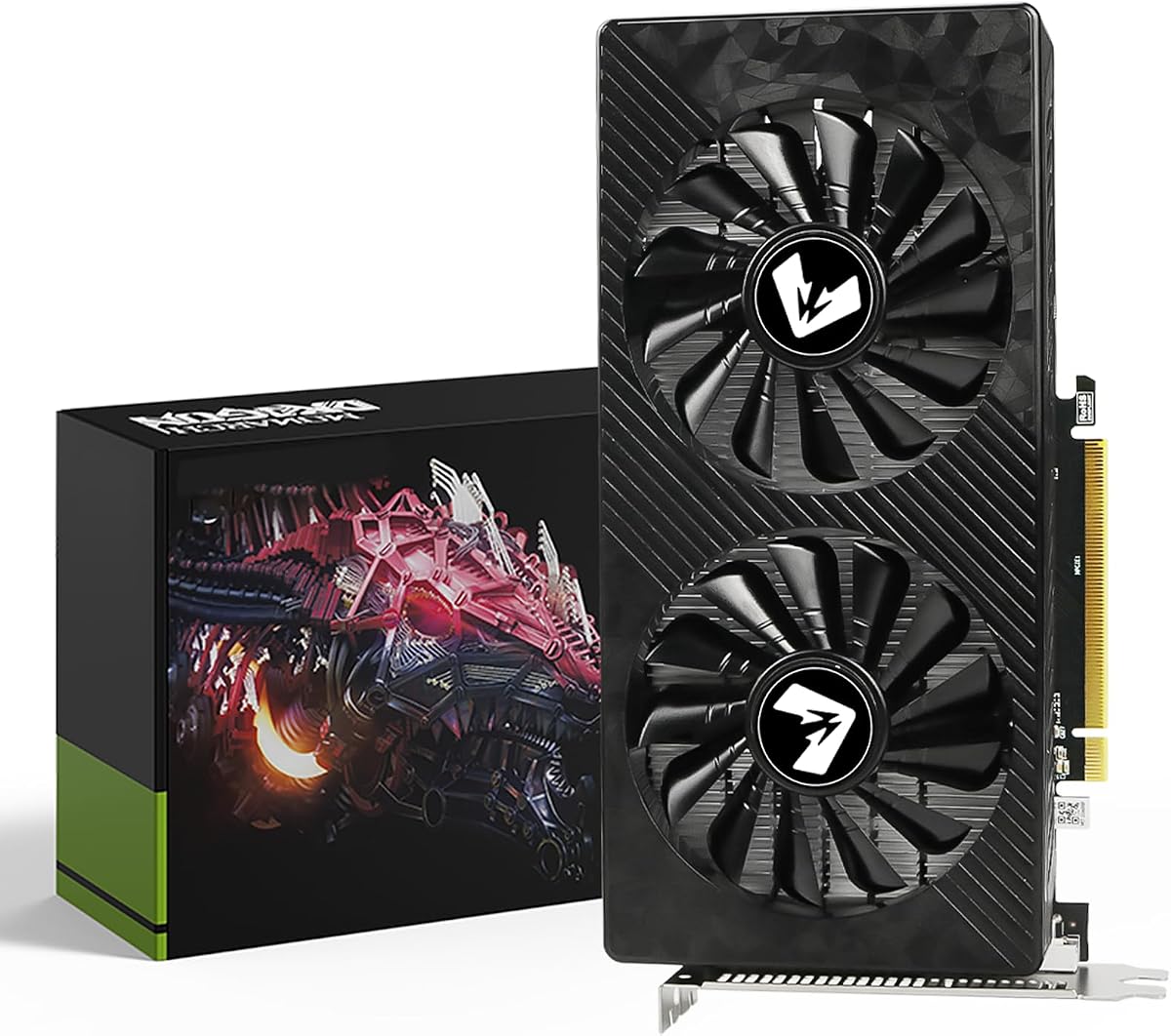
This card is widely regarded as the best overall choice for Linux users who want a balance of performance and reliability. Its NVIDIA Ampere architecture ensures compatibility with both proprietary and open source drivers, making it a safe bet for most distributions.
We may earn a commission when you buy through this link, at no additional cost to you.
The standout quality here is the efficient cooling system which keeps temperatures low without excessive noise. The 6GB of GDDR6 memory is sufficient for everyday tasks and light gaming, while the dual fan design ensures stability during extended sessions.
One trade-off is the limited VRAM which might restrict its use in heavy AI workloads or high resolution rendering. However, for typical Linux workstation or gaming needs, this limitation is rarely an issue in practical daily use.
We recommend this card for users seeking a plug and play experience without complex driver tweaking. It offers a solid entry into modern graphics capabilities while maintaining the stability expected on open source systems.
NVIDIA drivers for Linux are mature and stable, ensuring that features like hardware acceleration work seamlessly out of the box for most users.
The axial tech fan design increases air pressure to cool the GPU effectively while maintaining a quiet operating environment in small cases.
We may earn a commission when you buy through this link, at no additional cost to you.
This GIGABYTE variant offers nearly identical performance to the ASUS model but with a different cooling implementation. It is an excellent choice for Linux users who prefer WINDFORCE fans for airflow efficiency in specific case layouts.
We may earn a commission when you buy through this link, at no additional cost to you.
The key strength lies in its ability to handle modern workloads with ease. The 6GB memory buffer allows for smooth multitasking and media playback, while the Ampere architecture ensures broad software compatibility across different distributions.
While it performs well, the fans can be slightly audible under full load compared to some competitors. This is a minor trade-off given the price point and the robust cooling performance it delivers during intensive tasks.
This card is suitable for users needing a reliable upgrade for older systems. It brings modern graphics features to Linux desktops without breaking the bank or requiring extensive system modifications.
The dual WINDFORCE fans create a high airflow path that keeps the GPU cool even during extended usage sessions without overheating.
Built on NVIDIA Ampere, it supports newer instruction sets and APIs that improve performance in supported Linux applications and games.
We may earn a commission when you buy through this link, at no additional cost to you.
The T1000 is a professional-grade card designed for stability and reliability rather than raw gaming power. It is ideal for Linux workstations where consistent performance and ISV certification are critical for productivity software.
We may earn a commission when you buy through this link, at no additional cost to you.
Its standout feature is the ability to drive multiple high-resolution displays simultaneously. This makes it perfect for multi-monitor setups used in coding, data analysis, or design work where screen real estate matters most.
The main trade-off is the higher cost compared to consumer cards with similar raw performance. However, for professional environments where downtime is unacceptable, the certification and reliability justify the additional investment.
We recommend this for engineers and designers using Linux for professional workflows. It ensures that critical applications run smoothly without the instability sometimes found with consumer grade drivers.
ISV certification ensures compatibility with major software applications reducing the risk of crashes during critical work sessions.
Dedicated encode engines allow for efficient video processing tasks which is beneficial for media workflows on Linux systems.
We may earn a commission when you buy through this link, at no additional cost to you.
This card is designed for advanced users needing significant VRAM for AI inference and machine learning tasks on Linux. Its 24GB memory capacity allows for running large models locally without relying on cloud services.
We may earn a commission when you buy through this link, at no additional cost to you.
The standout quality is the native Linux support which aligns well with open source initiatives. The Xe2-HPG architecture provides strong compute power, and the PCIe 5.0 interface ensures future bandwidth capabilities for data transfer.
However, the driver maturity is not as polished as NVIDIA, and the high price restricts it to professional or enthusiast users. The blower cooling is also less efficient for home users unless airflow is managed carefully.
We suggest this for developers needing high memory capacity for Linux based AI development. It represents a strong step forward for open hardware solutions in the compute space.
24GB of VRAM allows for loading massive datasets and models directly into GPU memory for faster processing times.
Intel is heavily invested in open source drivers making this card a better fit for community driven development efforts.
We may earn a commission when you buy through this link, at no additional cost to you.
This card is a practical solution for office setups requiring multiple monitors without a heavy budget. Its quad HDMI ports allow for direct connection to several displays without needing complex adapters or splitters.
We may earn a commission when you buy through this link, at no additional cost to you.
The key strength is its simplicity and reliability for basic tasks like web browsing and document editing. It consumes very little power and produces almost no noise, making it ideal for quiet office environments or home servers.
The main limitation is the older architecture which limits its gaming capabilities. However, for users focused on productivity and multi-monitor workflows rather than gaming, this trade-off is perfectly acceptable.
We recommend this for small businesses or home users needing affordable multi-monitor support. It offers a hassle-free way to expand display options on Linux desktops.
The four HDMI ports provide direct connectivity options for multiple monitors reducing cable clutter and adapter costs.
It draws minimal power from the system reducing heat output and making it suitable for compact or silent PCs.
We may earn a commission when you buy through this link, at no additional cost to you.
This is one of the most affordable dedicated graphics cards available for Linux systems. It provides a significant upgrade over integrated graphics for basic tasks like video playback and office work.
We may earn a commission when you buy through this link, at no additional cost to you.
The standout feature is the triple display support which allows users to run multiple screens even on low budget hardware. It is a solid choice for reviving older PCs or building simple Linux terminals without extra power requirements.
Performance is limited by the DDR3 memory and older architecture making it unsuitable for modern gaming. However, for light tasks and streaming, it offers reliable value and consistent performance without complexity.
We recommend this for budget conscious users or those needing a simple display controller. It is a straightforward solution for basic Linux hardware needs.
At a very low price point this card offers essential graphics capabilities for users with minimal hardware requirements.
It operates without external power connectors making installation simple and compatible with low wattage power supplies.
We may earn a commission when you buy through this link, at no additional cost to you.
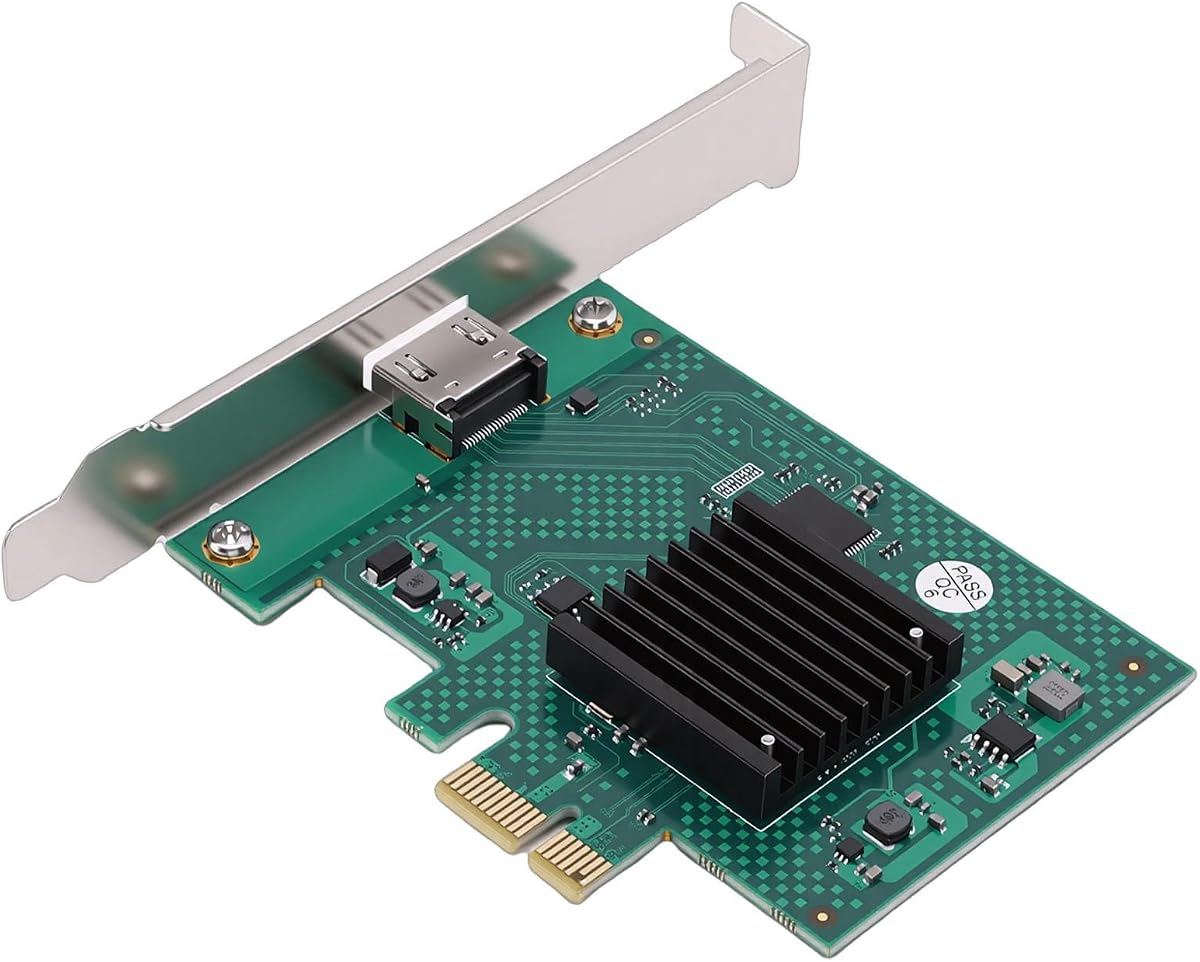
This card is designed for specific industrial or low bandwidth needs where 3D performance is unnecessary. It fits into PCIe x1 slots making it useful for systems with limited expansion options.
We may earn a commission when you buy through this link, at no additional cost to you.
The key strength is its reliability for 2D graphics acceleration which is sufficient for displaying text or video output in specialized environments. It is often used in POS systems or industrial computers where stability is key.
The lack of 3D support limits its use in general desktop Linux setups. However, for users needing a simple output channel on a card slot limited machine, it offers a practical solution.
We suggest this only for niche industrial or legacy upgrade scenarios. It is not suitable for gaming or multimedia work but serves its specific purpose well.
The PCIe x1 interface allows installation in systems where x16 slots are occupied or unavailable.
Wide temperature range ensures operation in environments where standard consumer cards might fail.
We may earn a commission when you buy through this link, at no additional cost to you.
AMD cards are often preferred by Linux users due to excellent open source driver support built into the kernel. The RX 550 brings this advantage to a low-cost entry level package suitable for daily tasks.
We may earn a commission when you buy through this link, at no additional cost to you.
The key strength is the seamless integration with Mesa drivers which reduces setup complexity. Users can plug it in and get working graphics acceleration for video and basic desktop effects without installing proprietary software.
Gaming performance is limited to older or lighter titles due to the aging architecture. However, for users prioritizing open source compatibility over raw power, this card delivers a smooth and headache free experience.
We recommend this for Linux enthusiasts who value community supported drivers. It is an affordable way to add dedicated graphics to small form factor systems.
AMD hardware is often supported directly in the Linux kernel reducing the need for external driver downloads.
The ITX friendly size fits easily into small cases making it ideal for home theater PCs.
We may earn a commission when you buy through this link, at no additional cost to you.
This card is designed for media centers where noise levels must be minimal. The single fan design and low power consumption ensure it runs quietly while providing enough power for 4K video playback.
We may earn a commission when you buy through this link, at no additional cost to you.
Its strength lies in reliable video decoding which offloads the CPU during media consumption. For Linux HTPC setups, this means smoother streaming and lower system resource usage even during high resolution playback.
Performance for gaming is basic and limited to light titles or older games. However, the trade-off for silence and efficiency is often worth it in living room or bedroom computer setups.
We recommend this for users building silent Linux media servers. It provides necessary display functionality without adding noise to your environment.
Hardware acceleration ensures smooth video playback with low CPU usage which is ideal for streaming services.
The single fan and efficient cooling system keep noise levels low even during extended viewing sessions.
We may earn a commission when you buy through this link, at no additional cost to you.
The RX 580 offers a rare combination of 8GB VRAM and strong open source driver support at a competitive price. This makes it an excellent choice for Linux users needing memory headroom for virtualization or heavier tasks.
We may earn a commission when you buy through this link, at no additional cost to you.
Its standout feature is the balance between gaming and workstation performance. The 8GB memory allows for higher texture settings in games and better multitasking capabilities compared to 4GB alternatives.
Power consumption is higher than newer low power cards which requires a decent power supply. However, for users needing raw value and memory capacity, this trade-off is often acceptable.
We suggest this for users needing a budget friendly card with extra VRAM. It remains a robust choice for open source enthusiasts on a budget.
8GB VRAM allows for better performance in memory intensive applications and higher resolution textures in supported games.
AMD open source drivers are well matured ensuring reliable performance across major Linux distributions without extra steps.
We may earn a commission when you buy through this link, at no additional cost to you.
Selecting the right graphics card for Linux requires considering several factors beyond raw performance. This guide breaks down the key elements to look for.
Ensure the card has mature open source drivers or stable proprietary support. NVIDIA offers excellent performance but may require manual setup while AMD is generally plug and play on most distributions.
Always check if the specific kernel version your distribution uses supports the hardware to avoid display issues or installation failures.
Virtual RAM is crucial for modern tasks like virtualization or machine learning. Aim for at least 4GB for general use and 8GB if you plan on heavy media editing or large model inference.
More memory ensures future proofing and allows smoother multitasking without relying on system RAM which can bottleneck performance.
Check the card's power draw against your power supply unit. High performance cards need external power connectors while lower end models can run directly from the motherboard.
Selecting a card within your PSU limits prevents system instability and avoids the need for costly hardware upgrades.
Match the card size to your case dimensions. Small form factor builds require low profile or single slot options to fit properly without obstructing airflow.
Consider the noise level of the cooling system especially if the computer will be in a quiet office or living room environment.
Verify that the card has the correct connectors for your monitors. HDMI DisplayPort and DVI options should align with your display inputs to avoid needing adapters.
Multiple outputs are beneficial for productivity setups allowing you to connect several screens for an expanded workspace.
Determine a spending limit that balances performance needs with affordability. Entry level cards often provide better value for users not needing high-end gaming performance.
Investing in mid range options may save money in the long run by extending the useful life of your system without immediate upgrades.
After installing the card physically you may need to install proprietary drivers via your distribution package manager. Use the command line or settings app to enable acceleration properly.
Regularly clean the fans and heatsink to prevent dust buildup. This ensures cooling efficiency and prevents thermal throttling during long usage periods.
Update your kernel and graphics drivers regularly to benefit from bug fixes and performance improvements. This keeps your system secure and compatible with new software releases.
Yes NVIDIA cards work well but may require proprietary driver installation for full performance. Open source support is improving but proprietary drivers offer better gaming and compute performance.
Most AMD cards work well out of the box thanks to excellent open source drivers. The RX 500 series and newer offer strong performance with minimal configuration effort.
Yes but cards with more VRAM like the ASRock Pro B60 or high end NVIDIA models are better suited. Lower memory cards will struggle with larger models.
No Linux systems use Linux specific drivers. Ensure you download the correct driver version for your operating system and architecture.
You can use terminal commands like lspci or nvidia-smi to check installed drivers. System settings often show a drivers tab for easier management without terminal use.
Most modern cards support Wayland but NVIDIA sometimes offers better X11 stability. Check your distribution documentation for specific Wayland compatibility notes for your chosen card.
The ASUS Dual RTX 3050 leads as the top choice for most users balancing performance and driver stability. The SOYO GT 740 offers the best budget entry for basic needs.
Prioritize driver support and power requirements when making your decision to ensure a smooth installation. Avoid overpaying for features you do not need in your daily workflow.
Always check current prices and availability before purchasing as hardware costs fluctuate frequently. This guide helps you narrow down options to find the right fit for your Linux system.