
USB Logic Analyzer 24MHz 8 Channel Debug Tool for Arduino ARM FPGA
4.5Editor score
Compatible with Saleae software
8 digital channels available
24MHz sampling rate
This guide compares the top ten logic analyzers for electronics projects, evaluating features like channel count, sampling rates, and software support for 2026.
Logic analyzers are essential tools for engineers and hobbyists working on digital circuits. They capture and display signal states over time to help debug complex protocols efficiently.
We evaluated ten models based on sampling speed, channel availability, and software compatibility. Each entry balances performance with cost to suit different project requirements.
Every pick highlights key capabilities and ideal use cases for diverse applications. Prices and availability may change, so check the linked pages for current details before buying.
4.5Editor score

4.5Editor score
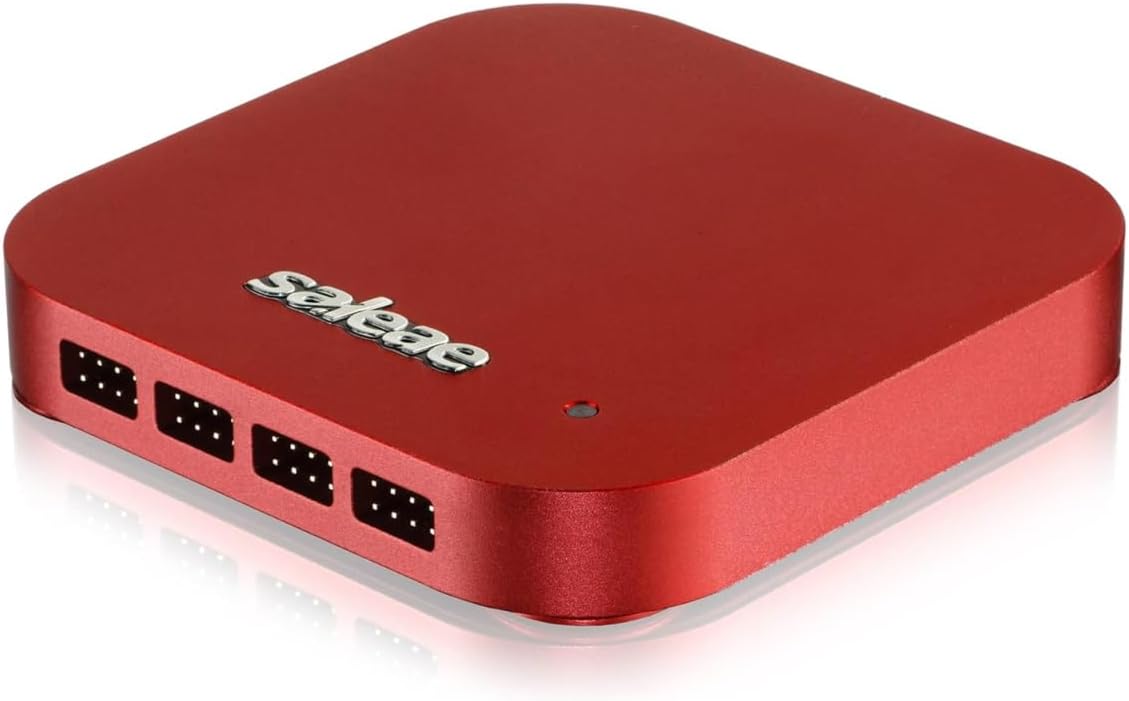
4.8Editor score
This table provides a quick overview of the technical capabilities and connectivity options for each model. Use it to compare specifications side by side before making your selection.


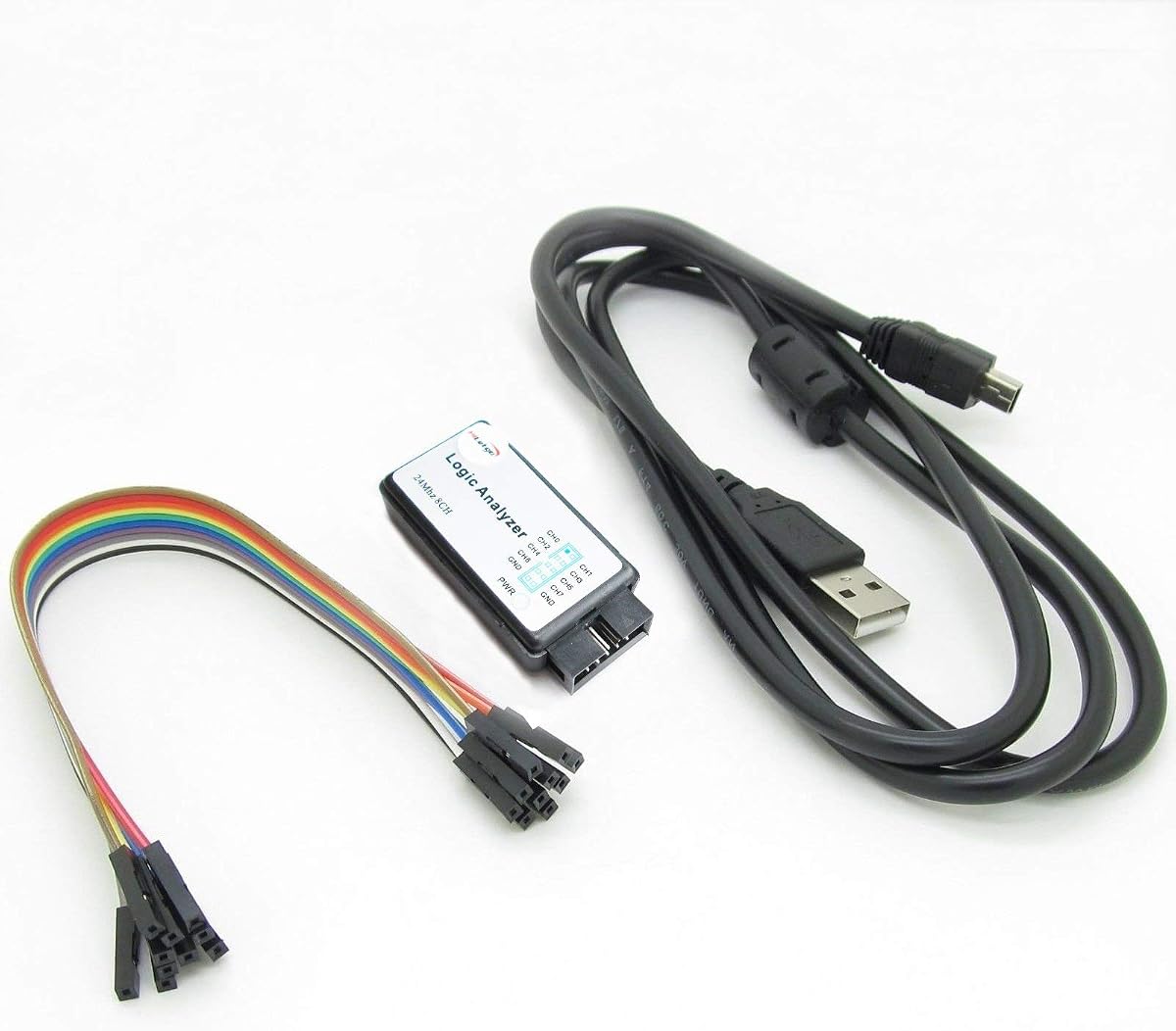


This USB logic analyzer offers an accessible entry point into digital signal debugging with strong software compatibility. It receives solid marks for performance relative to its low cost.
We may earn a commission when you buy through this link, at no additional cost to you.
Its 24MHz sampling rate handles many common microcontroller protocols like I2C and SPI effectively. The hardware is designed to work seamlessly with popular software tools.
While it lacks the speed of high-end units, its performance is sufficient for most hobbyist and student projects. The trade-off is lower fidelity for very fast signals.
Beginners and budget conscious users will find this model ideal for basic prototyping needs. It provides a reliable way to visualize logic states without heavy investment.
The device works with widely used logic analyzer software packages which simplifies setup for most users.
Built-in decoding tools allow you to view UART and SPI data in a human readable format easily.
We may earn a commission when you buy through this link, at no additional cost to you.
The LA1010 combines high channel counts with respectable sampling speeds to deliver strong performance across a wide range of projects. It is a favorite among intermediate users.
We may earn a commission when you buy through this link, at no additional cost to you.
Its 100MHz sampling rate provides enough detail to analyze faster digital protocols with accuracy. The accompanying software simplifies signal visualization and protocol decoding tasks significantly.
While it offers great performance, users may need to spend time configuring drivers or calibration settings. These steps are minor compared to the flexibility it offers.
This unit is ideal for those needing more than basic features but who cannot justify premium pricing. It strikes an excellent balance between capability and cost.
With 16 input channels you can monitor complex multi signal buses without needing multiple devices.
The software runs on major operating systems which ensures compatibility with diverse development environments.
We may earn a commission when you buy through this link, at no additional cost to you.
The Saleae Logic Pro 16 represents the pinnacle of desktop logic analysis with unmatched speed and software integration. It is designed for professional engineers and serious hobbyists.
We may earn a commission when you buy through this link, at no additional cost to you.
Its 500 MS/s sample rate allows detailed analysis of high speed serial protocols without distortion. The software provides intuitive tools for decoding and exporting data efficiently.
The premium cost may not be justified for basic projects but the reliability and performance are outstanding. You pay for precision and long term support here.
Professionals needing top tier accuracy should consider this unit for its comprehensive feature set. It delivers confidence in results across complex embedded system debugging.
The high sample rate ensures that even the fastest signal transitions are captured accurately without aliasing.
Advanced plugins and scripting support extend the device capabilities for specialized testing workflows.
We may earn a commission when you buy through this link, at no additional cost to you.
This 8 channel version maintains the same high sampling speed as its larger sibling but in a more compact package. It is perfect for users who need speed but not massive channel counts.
We may earn a commission when you buy through this link, at no additional cost to you.
The software suite matches the Pro 16 providing seamless data visualization and advanced protocol decoding. Build quality remains exceptional with durable connectors and a sturdy casing.
While it lacks the channel count of the 16 channel model it covers most standard embedded tasks effectively. The price is lower but still targets a professional user base.
Engineers needing a portable high speed analyzer will find this model highly effective for field work. It offers reliability and performance in a smaller footprint.
The compact design makes it easy to carry between workstations or field sites without sacrificing performance.
Eight channels are sufficient for most I2C SPI and UART projects without unnecessary extra inputs.
We may earn a commission when you buy through this link, at no additional cost to you.
This kit is designed to simplify setup for beginners by including breakout boards and accessories in one box. It aims to reduce the hassle of wiring for first time users.
We may earn a commission when you buy through this link, at no additional cost to you.
The included breakout boards allow direct connection to breadboards and jumper wires which speeds up prototyping. Dual USB cables ensure compatibility with both older and newer computers.
While the 24MHz speed is modest it is sufficient for learning basic protocols and digital logic. The value lies in the convenience of the bundled components rather than raw performance.
Students and educators will appreciate how this kit lowers the barrier to entry for hardware debugging. It helps focus on learning rather than hardware setup.
Test clips and breadboard adapters are included to get you started immediately without buying extra parts.
The dual USB options ensure you can connect to almost any computer without needing adapters.
We may earn a commission when you buy through this link, at no additional cost to you.
The DSLogic Plus offers high performance specs at a competitive price point with strong community support through open source software. It is ideal for users who value customization.
We may earn a commission when you buy through this link, at no additional cost to you.
Its 400MHz sampling rate and on board memory buffer allow capturing long duration signals at high speeds. The software allows deep customization and supports a wide range of protocols.
While it requires more initial setup than plug and play units the flexibility it offers is unmatched. Advanced users will appreciate the open source nature and modularity.
This unit is a top choice for engineers who want professional features without proprietary software constraints. It balances performance and community driven development well.
The on board SDRAM allows storing long captures without constant streaming to the PC memory.
The DSView software is open source which means you can modify it to suit specific testing needs.
We may earn a commission when you buy through this link, at no additional cost to you.
This analyzer is a straightforward tool designed for basic digital signal monitoring with reliable performance for everyday tasks. It includes helpful features like EMI filtering on the cable.
We may earn a commission when you buy through this link, at no additional cost to you.
The 24MHz sampling rate is sufficient for UART and I2C analysis in typical hobbyist scenarios. The device is plug and play and requires minimal configuration to start using.
It lacks advanced decoding tools found in premium units but covers the essentials effectively. The EMI ring helps reduce noise which improves signal clarity on cheaper cables.
Users seeking a simple affordable tool for checking logic levels will find it effective. It is a good backup unit for quick checks in the lab.
The ferrite ring on the cable reduces electrical noise which improves signal quality during capture.
Inputs are tolerant up to 5V which makes it safe for common microcontroller voltage levels.
We may earn a commission when you buy through this link, at no additional cost to you.
This 8 channel unit focuses on portability while retaining the trusted Saleae software experience. It is a lighter alternative for users who need basic speed on the go.
We may earn a commission when you buy through this link, at no additional cost to you.
The 100 MS/s sampling rate provides reliable decoding for most common protocols without needing high end hardware. The software remains intuitive and easy to navigate for quick debugging.
While it uses an older USB standard it ensures broader compatibility with older systems. The trade off is slightly slower data transfer compared to modern USB 3 units.
Portable field work benefits greatly from this compact design which fits easily into tool kits. It provides a reliable logic analysis solution for mobile technicians.
Its lightweight design makes it easy to carry between job sites without adding weight.
You get the same familiar software experience as the higher end models for consistent workflow.
We may earn a commission when you buy through this link, at no additional cost to you.
This variant emphasizes deep memory buffer capabilities which allow capturing extremely long signal sequences at high resolution. It is suited for complex debugging tasks requiring large data logs.
We may earn a commission when you buy through this link, at no additional cost to you.
With 16 gigabytes of sampling depth it can record hours of data without dropping sample rates. This is crucial for analyzing sporadic glitches or long running protocol sequences.
The advanced configuration options require time to set up correctly but yield powerful results. Users willing to invest in learning the tools will find it highly capable.
Professionals dealing with intermittent faults will find this depth indispensable for their workflow. It provides unmatched flexibility for long term signal analysis.
The deep memory buffer allows recording long duration signals without missing critical data points.
Customizable voltage thresholds help adapt the analyzer to different logic levels accurately.
We may earn a commission when you buy through this link, at no additional cost to you.
This device combines logic analysis with oscilloscope and power supply functions into a single compact unit. It is a comprehensive tool for mixed signal debugging and prototyping.
We may earn a commission when you buy through this link, at no additional cost to you.
The logic analyzer supports 16 channels and integrates with other hardware instruments for synchronized testing. You can generate waveforms and measure responses simultaneously without switching devices.
Setup involves configuring multiple instruments which may be complex for simple tasks. However for mixed signal work this integration saves significant time and setup costs.
Engineers needing a complete bench solution will find this device highly valuable for its versatility. It streamlines workflows by consolidating essential measurement tools.
Viewing logic and analog signals together helps identify issues that span both domains easily.
The SDK allows you to write scripts in languages like Python for automation.
We may earn a commission when you buy through this link, at no additional cost to you.
Selecting the right analyzer requires understanding your specific technical needs and project complexity. The following factors will help you narrow down the choices effectively.
The number of channels determines how many signals you can observe simultaneously. Most basic projects need four to eight channels but complex buses may require sixteen or more.
Choose a channel count that matches your most demanding project to avoid needing multiple captures for complete data.
Sampling rate defines how many times per second the device samples a signal. Higher rates allow you to see faster transitions and analyze high speed protocols accurately.
Ensure the sampling rate is at least four times the frequency of your fastest signal to avoid aliasing and loss of detail.
Decoding transforms raw signal data into readable formats like hex values or text. Good analyzers include support for common protocols such as UART I2C and SPI.
Check if the device supports the specific protocols you use most often to streamline your debugging workflow significantly.
Memory depth controls how long you can capture signals before the buffer fills. More memory allows longer captures without reducing sampling resolution which is critical for spotting glitches.
For tasks requiring long duration analysis or rare event detection prioritize models with deep memory buffers.
The software interface plays a major role in usability and productivity. Some analyzers offer open source software while others rely on proprietary apps.
Ensure the software is compatible with your operating system and offers the visualization features you need for analysis.
USB connectivity types like 2.0 or 3.0 affect data transfer speeds and device power. Faster interfaces help with large data transfers and more responsive performance.
Select a device with modern USB connectivity to ensure compatibility with current laptops and desktops.
Prices vary widely based on performance and brand. Budget units offer basic functionality while premium models provide high speed and advanced features.
Assess your budget against the performance you truly need to avoid overpaying for features you will not use.
If you work in the field or travel between sites a lightweight and compact analyzer is essential. Some models are designed specifically for handheld use.
Consider the physical size and weight of the device to ensure it fits your typical working environment comfortably.
Connect the device to your computer via USB before launching the software to ensure driver installation occurs correctly. Verify the device appears in the device manager or software settings.
Attach probes carefully to the circuit points you wish to monitor ensuring correct polarity to avoid shorting any components. Start with a lower sampling rate to calibrate thresholds.
Clean the connectors gently with compressed air if they become dusty to maintain reliable electrical contact during use. Store the unit in a dry case to protect sensitive electronics from moisture.
A logic analyzer captures digital signals as 0s and 1s focusing on timing and protocol data. An oscilloscope captures analog waveforms showing voltage changes over time.
Most hobbyists find eight channels sufficient for monitoring microcontrollers and common communication buses. You rarely need more unless you work with parallel data paths.
Most modern analyzers support Mac OS through cross platform software tools. Always check the product description for specific operating system requirements before purchasing.
A sampling rate of at least ten times the baud rate is recommended for accurate UART analysis. For typical 9600 baud a 24MHz rate is more than adequate.
Standard logic analyzers are designed for digital logic levels and will not show analog waveforms. Mixed signal tools like the Analog Discovery can handle both effectively.
Most software allows you to manually adjust the voltage threshold to 1.65V for 3.3V logic. This ensures the analyzer correctly interprets high and low states.
Our top picks cover a wide range of needs from affordable hobbyist kits to professional grade instruments. Each offers distinct advantages depending on your specific project requirements.
Prioritize sampling rate and channel count based on the complexity of the digital circuits you work with regularly. Software quality and protocol support also impact your daily efficiency significantly.
Always verify current pricing and availability before purchasing since offers change frequently. Choose the model that best aligns with your technical goals and long term development needs.