
Wireless Gaming Headset for PC PS5 PS4 Mac Switch
4.4Editor score
100-Hour Battery Life
7.1 Surround Sound
2.4GHz and Bluetooth
This guide compares the top ten Mac gaming headsets for comfort, audio quality, and connectivity to help you find the perfect match for your setup.
Finding the right audio companion for your Mac can transform your gaming experience. A quality headset delivers immersive sound, clear communication, and lasting comfort during marathon sessions. We focus on models that integrate seamlessly with macOS and deliver reliable performance.
Our team analyzed ten top-rated gaming headsets based on real user feedback and technical specifications. We prioritized wireless connectivity options, driver quality, microphone clarity, and build durability. Each entry offers unique strengths for different gaming styles and budget ranges.
Every pick includes detailed pros, cons, and specific features to guide your choice. Remember that availability and pricing fluctuate regularly across retailers. Always verify current stock and deals before finalizing your purchase to ensure you get the best value available today.
4.4Editor score

4.4Editor score
4.2Editor score
The following table provides a side-by-side comparison of the ten selected models. It highlights key specifications and features to help you quickly identify which headset aligns best with your specific Mac gaming needs and preferences.



The Razer Kraken V4 X stands out as the top choice for Mac gamers seeking premium audio without wireless complications. With a solid 4.4 rating, it delivers exceptional sound through its patented TRIFORCE drivers. The headset excels at providing clear mids and highs that bring games to life.
We may earn a commission when you buy through this link, at no additional cost to you.
Its 7.1 surround sound capability ensures you hear every directional cue accurately. The retractable HyperClear microphone ensures your team hears you clearly without background noise. Memory foam cushions wrapped in hybrid fabric provide comfort that lasts through extended gaming sessions.
A minor trade-off is the wired connection, which limits mobility but ensures zero latency. The convertible cable supports both Type C and Type A, making it versatile for various Mac ports. This design prioritizes audio fidelity and reliability over wireless convenience.
If you want reliable audio quality and comfort for Mac gaming, this headset is a top recommendation. It balances performance and value effectively. Ideal for users who prioritize sound and mic quality over wireless freedom during their gaming routine.
The TRIFORCE drivers deliver exceptional highs, mids, and lows without muddiness. This design provides a dynamic listening experience that optimizes game sound design effectively.
Hybrid fabric and leatherette cushions offer superior sound isolation and comfort. The close-fitting earcups ensure you stay focused without discomfort during long gaming marathons.
We may earn a commission when you buy through this link, at no additional cost to you.
The Valorise Wireless Gaming Headset offers incredible value for budget-conscious Mac users. With a 4.4 rating, it provides a cinematic surround sound experience and an extraordinary 100-hour battery life in Bluetooth mode. It supports 2.4GHz wireless for low-latency gaming on Mac devices.
We may earn a commission when you buy through this link, at no additional cost to you.
Its flexible connectivity options include 2.4GHz dongle, Bluetooth 5.4, and a 3.5mm jack. This ensures you can connect to Mac, mobile, or other devices easily. The retractable ENC microphone isolates your voice well during team calls.
While the microphone might not work on all console modes, it is reliable for PC and Mac gaming. The RGB lights are visually appealing but drain battery faster. For the price, the performance and features are hard to beat.
This headset is perfect for gamers wanting wireless freedom without spending a fortune. It covers all essential bases including battery, comfort, and audio. Highly recommended for users prioritizing versatility and budget efficiency in their setup.
Enjoy up to 100 hours of playtime in Bluetooth mode. Even with RGB and mic active in 2.4GHz mode, it lasts 45 hours. Charging is fast and supports use while plugged in.
The 2.4GHz USB dongle offers ultra-low latency for gaming. Bluetooth mode works great with mobile devices. A 3.5mm cable ensures compatibility even if wireless fails.
We may earn a commission when you buy through this link, at no additional cost to you.
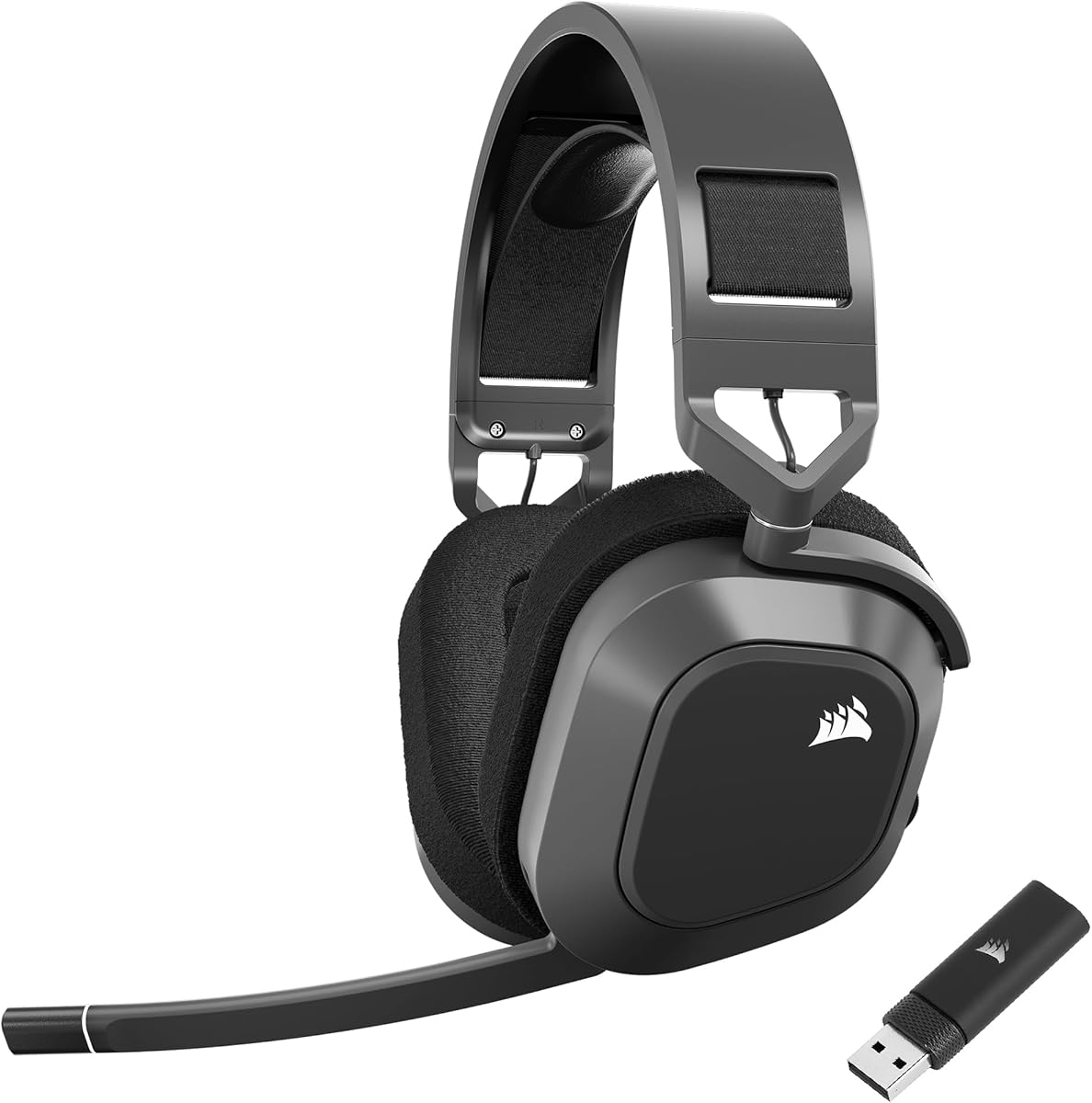
The Corsair HS80 MAX delivers premium audio quality with high-fidelity 24bit/96kHz sound. Rated 4.2, it offers low-latency 2.4GHz wireless plus Bluetooth connectivity for mobile use. It is designed for Mac gamers wanting top-tier sound and long-lasting performance.
We may earn a commission when you buy through this link, at no additional cost to you.
Its battery life is exceptional, lasting up to 65 hours over wireless or 130 hours in Bluetooth mode. The floating headband and memory foam ear pads provide superior comfort for hours. It supports seamless switching between Mac and mobile devices.
The trade-off is the higher price, but the build quality and sound justify the cost. RGB lights enhance aesthetics but reduce battery life. The aluminum frame ensures durability against travel and daily use. It is a robust choice for serious gamers.
Choose this if you prioritize sound fidelity and battery life above all. It works seamlessly across Mac and mobile platforms. This headset is ideal for users seeking a premium, long-term investment in their gaming audio setup.
Experience sound with twice the detail of typical gaming headsets. The 24bit/96kHz resolution ensures every whisper and explosion is heard in exquisite detail.
Memory foam pads with breathable cloth fabric reduce heat buildup. The stress-free floating headband distributes weight evenly for all-day wear.
We may earn a commission when you buy through this link, at no additional cost to you.
The Corsair Void RGB Elite delivers stunning sound with custom-tuned 50mm drivers covering 20Hz to 30,000Hz. With a 4.3 rating, it provides immersive audio for Mac gaming. The 2.4GHz wireless ensures low latency while keeping your desk clear of cables.
We may earn a commission when you buy through this link, at no additional cost to you.
Comfort is prioritized with breathable microfiber mesh and plush memory foam earpads. The omnidirectional microphone picks up your voice clearly during matches. Aluminum yokes add durability to the frame for long-term use.
One downside is the white color which may show wear over time. The USB dongle adds a small step for setup but ensures stable connectivity. It remains a reliable option for those wanting rich audio.
Recommend this for gamers who value high-frequency response and clear sound. It suits Mac setups requiring wireless flexibility without lag. Ideal for users seeking durable comfort and precise audio reproduction.
The expanded range captures details from light footsteps to thundering explosions. This ensures you hear every audio cue with high fidelity.
Low-latency 2.4GHz wireless keeps gameplay synchronized. The included adapter ensures a reliable link for PC and console gaming.
We may earn a commission when you buy through this link, at no additional cost to you.
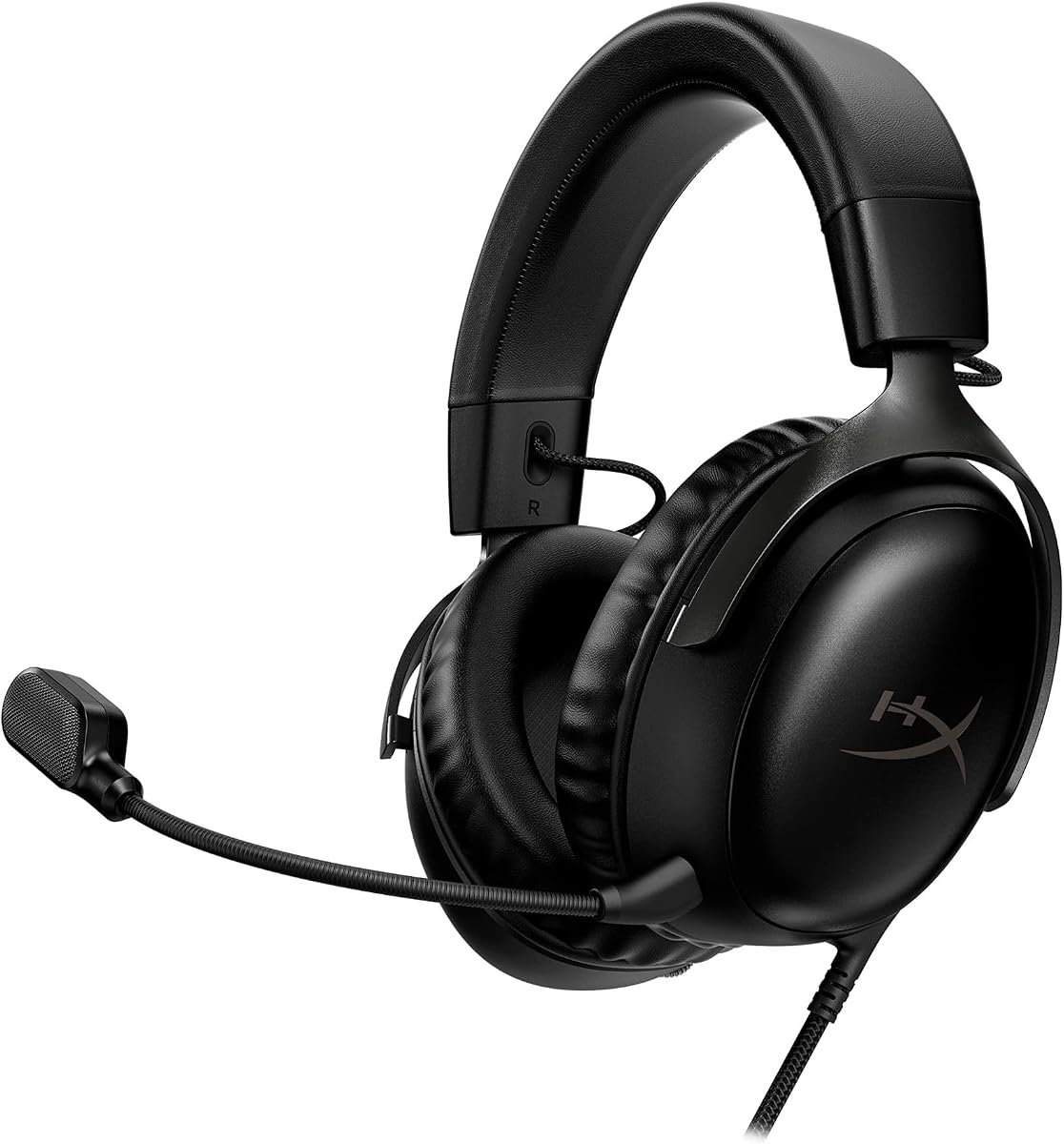
HyperX Cloud III is designed for comfort with memory foam cushions and an angled driver design. With a 4.3 rating, it offers spatial audio that optimizes game sound. The angled 53mm drivers provide dynamic listening experiences for deep immersion.
We may earn a commission when you buy through this link, at no additional cost to you.
The upgraded microphone captures high-quality audio with a mesh filter to block noise. A built-in LED mute indicator keeps you informed during calls. The aluminum frame is resilient against travel and accidents.
While it lacks wireless features, the wired design ensures zero latency and consistent audio. The USB-C and USB-A connectors allow versatile Mac connection. It remains a top choice for those prioritizing comfort.
Ideal for users who spend hours gaming and need reliable comfort. This headset balances audio quality and durability effectively. Recommended for Mac users seeking a comfortable, high-performance wired solution.
Built for gamers who cannot let discomfort disrupt their flow. The memory foam cushions support long sessions without fatigue.
Angled drivers are tuned to accent dynamic gaming sounds. Spatial audio brings you into the center of the action.
We may earn a commission when you buy through this link, at no additional cost to you.
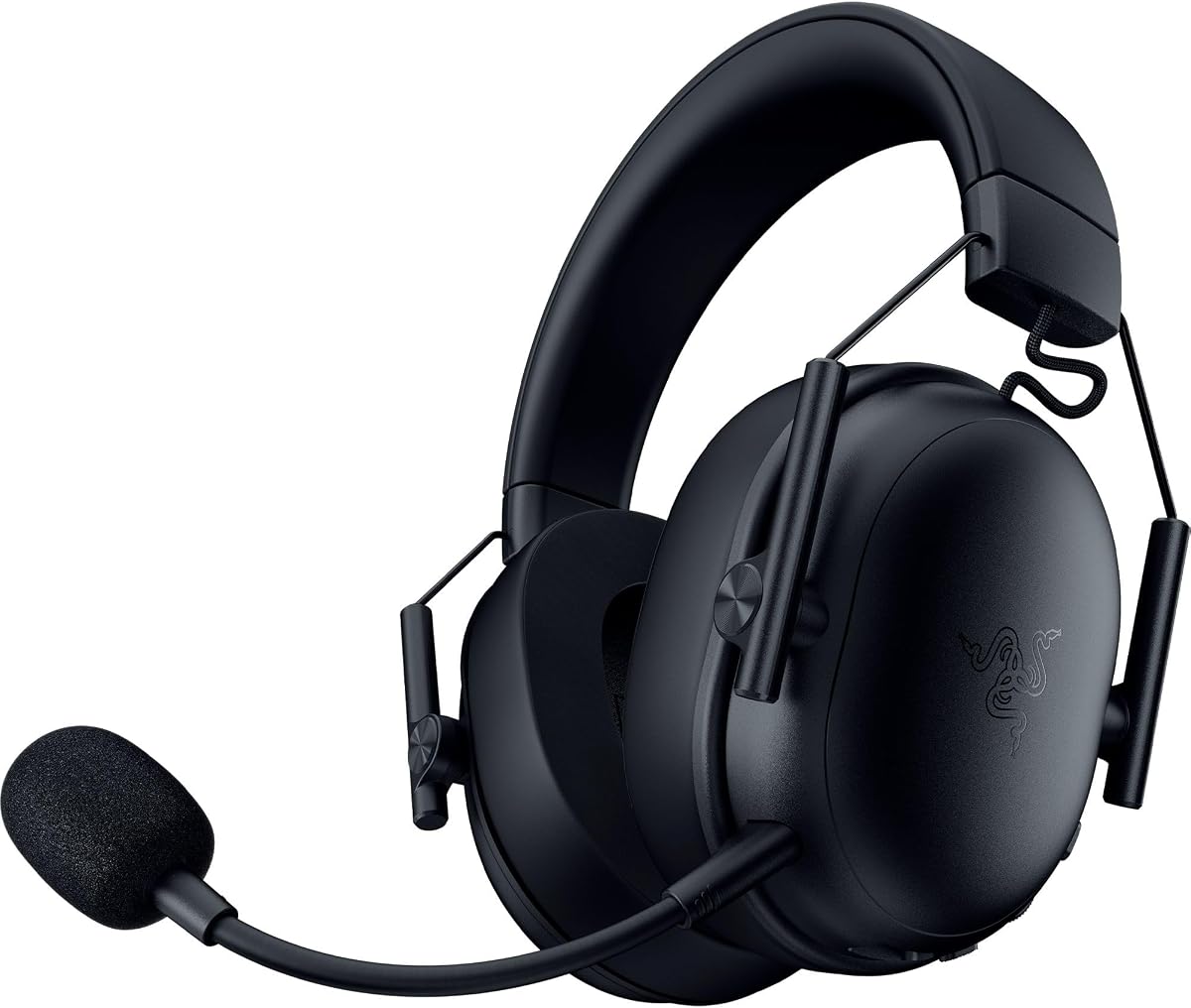
The Razer BlackShark V3 X offers a lightweight 270g design ideal for long sessions. With a 4.2 rating, it features Gen-2 drivers tuned for improved positional performance. Hyperspeed wireless ensures sound stays synced to your game.
We may earn a commission when you buy through this link, at no additional cost to you.
Its detachable HyperClear microphone can be removed when not needed. The 7.1 surround sound optimizes game audio for better immersion. Three modes of connectivity allow switching between 2.4GHz, Bluetooth, and USB.
The lack of RGB helps keep the headset lightweight. Battery life is standard but shorter than some competitors. Comfort remains a highlight due to the reduced weight on your head.
Choose this for competitive gaming where weight matters most. It suits Mac users needing precise sound and low latency. Recommended for esports players seeking a streamlined wireless experience.
Improved soundstage helps you clearly hear footsteps and cues. This competitive edge is crucial for fast-paced games.
SmartSwitch Dual Wireless lets you switch between PC and mobile. Stay plugged in via USB for non-stop gaming sessions.
We may earn a commission when you buy through this link, at no additional cost to you.
The Corsair HS80 RGB merges iconic design with superb audio quality. Rated 4.1, it features Hyper-Fast SLIPSTREAM wireless for low latency. Immersive Dolby Atmos places sounds around you on PC for faster reactions.
We may earn a commission when you buy through this link, at no additional cost to you.
Custom-tuned 50mm drivers deliver sound in exquisite detail across a wide frequency range. The broadcast-grade omnidirectional microphone captures your voice with terrific clarity. Durable construction ensures the headset lasts through years of use.
While Atmos works best on PC, the audio remains strong on Mac. The wireless technology is fast but battery life varies with usage. It is a solid pick for fans of immersive audio effects.
Best for users wanting rich surround sound and fast wireless. It is ideal for PC and Mac gamers needing high-fidelity audio. Recommended for those prioritizing immersive sound experiences.
Dolby Atmos places sounds with three-dimensional precision. This helps you react faster and more accurately in games.
SLIPSTREAM wireless keeps audio synced to gameplay. You hear every shot, step, and shout as it happens.
We may earn a commission when you buy through this link, at no additional cost to you.
The HyperX Cloud III White edition brings a fresh design to the legendary series. With a 4.6 rating, it uses premium leatherette wraps for a plush fit. Angled 53mm drivers are tuned to accent dynamic gaming sounds.
We may earn a commission when you buy through this link, at no additional cost to you.
The full metal frame resists travel accidents and daily wear. On-earcup controls let you adjust volume and mute quickly. A noise-cancelling mic with LED indicator ensures clear team communication.
While white requires more maintenance to stay clean, it looks sleek on any setup. The wired design ensures consistent audio performance. It is a top pick for users wanting style and substance.
Ideal for gamers valuing design and comfort equally. This headset offers versatile connectivity via USB-C and USB-A. Recommended for those seeking a reliable, high-quality white gaming headset.
Signature memory foam and soft leatherette make for a plush fit. This ensures comfort all around during long gaming sessions.
Volume and mute controls are right on the earcup. Dodge annoying menus quickly and focus on your gameplay.
We may earn a commission when you buy through this link, at no additional cost to you.
The Razer Barracuda X offers smart dual wireless for seamless audio switching. With a 4.3 rating, it lets you toggle between PC and phone easily. Its lightweight build suits gaming marathons and daily commutes alike.
We may earn a commission when you buy through this link, at no additional cost to you.
TRIFORCE drivers push exceptional highs, mids, and lows without muddiness. The detachable mic keeps the headset travel-friendly. A 70-hour battery life ensures it is always ready to go.
Note that it does not support Xbox consoles directly. The RGB lighting adds visual flair with access to 16.8 million colors. It remains a versatile pick for Mac and mobile users.
Choose this for flexibility between gaming and commuting. It suits Mac users needing reliable performance across devices. Recommended for those valuing a lightweight, versatile wireless headset.
Toggle between 2.4GHz and Bluetooth with a simple switch. Enjoy seamless audio for any activity instantly.
Breathable memory foam cushions and swiveling earcups provide a snug fit. The 285g build ensures portability and comfort.
We may earn a commission when you buy through this link, at no additional cost to you.
The Ozeino Wireless Gaming Headset provides stable 2.4GHz connection for smooth Mac gaming. With a 4.2 rating, it offers lossless audio via USB Type-C. It ensures lag-free performance for competitive gameplay.
We may earn a commission when you buy through this link, at no additional cost to you.
50mm drivers deliver precision and range to hear critical steps and reloads. Button layouts are intuitive for quick volume and mute adjustments. It supports PS5, PC, Mac, and Switch via USB transmitter.
Bluetooth works better on mobile and requires an adapter for Mac. While battery life is shorter than premium models, the price compensates. It is a reliable budget pick for wireless gaming.
Best for users wanting wireless features without the high cost. It suits Mac and console gamers needing stable connectivity. Recommended for those seeking a hassle-free entry into wireless gaming.
Real-time gaming audio with less than 30ms delay. Enjoy smoother operation and stay ahead of the competition.
Direct button layout allows easy volume and mute control. Answer calls and adjust settings instantly without menus.
We may earn a commission when you buy through this link, at no additional cost to you.
Choosing the right Mac gaming headset involves considering several critical factors. This section outlines what to look for to ensure you get the best performance and comfort for your needs.
Connectivity is crucial for Mac compatibility. Look for headsets with USB-C, USB-A, or Bluetooth options. Wireless headsets with low-latency 2.4GHz dongles ensure stable connections without lag.
Ensure the headset supports the ports available on your Mac model. Wired options can offer zero latency but limit mobility.
High-quality drivers enhance immersion. Aim for 50mm drivers with a wide frequency range. Features like surround sound or spatial audio help you hear directional cues accurately in games.
Check if the headset supports features like Dolby Atmos on PC or similar spatial audio technologies. Clear mids and highs are essential for game audio.
A clear microphone ensures your team hears you well. Noise-canceling or omnidirectional mics reduce background noise. Detachable mics offer flexibility when you only want to listen.
Verify if the microphone works on all platforms. Some wireless modes may disable the mic on certain consoles.
Comfort is key for long gaming sessions. Look for memory foam earpads and breathable fabrics. Lightweight designs reduce neck strain during extended use.
Adjustable headbands ensure a snug fit. Ensure the earcups fit your ears comfortably to maintain sound isolation.
For wireless headsets, battery life matters. Aim for at least 40 hours for uninterrupted gaming. Some models offer 100 hours in specific modes. Fast charging is a useful feature.
Consider if the headset supports use while charging. This ensures you never lose audio mid-game.
Durable materials like aluminum or steel frames extend headset life. Reinforced headbands prevent cracking during travel. Ensure the headband has enough flexibility.
Check for flexible hinges that withstand daily wear. A sturdy build ensures the headset survives years of use.
Balance cost with features. Budget models may lack advanced audio but offer solid basics. Premium options provide better sound and comfort but cost more.
Assess which features matter most to you. Focus on audio quality and comfort first before cosmetic extras.
Ensure the headset works with Mac, PC, and consoles. Some models disable mics on specific platforms. Check the specifications for Mac support.
Multi-platform headsets offer more versatility. Ensure Bluetooth or USB adapters are included for full support.
To set up your wireless headset, plug the USB receiver into your Mac and power on the device. Follow any pairing instructions for Bluetooth if supported. Adjust the volume and mic settings in macOS system preferences.
Keep your headset clean by wiping earpads with a soft, dry cloth. Avoid exposure to direct sunlight or moisture. Store it in a cool place when not in use to prevent material degradation.
Regularly check for firmware updates via the manufacturer's app. Updates improve audio performance and connectivity. Handle the microphone gently to avoid damaging the retractable mechanism.
Most headsets support USB-A and USB-C connections. If your Mac only has USB-A ports, use the included cable. Some models require a USB dongle that fits standard ports.
Yes, most offer clear microphones suitable for calls. Bluetooth models work well with Zoom or Teams. Ensure you select the correct audio input in system settings.
Wireless 2.4GHz dongles offer low latency suitable for gaming. Bluetooth may have slight delay but works well for casual play. Use the USB dongle for competitive gaming.
Most have a physical button or flip-up mechanism for muting. Look for an LED indicator to confirm the muted state. Check manual for specific controls on your model.
Yes, many brands sell replacement pads directly. They can be ordered online or via their support site. Check compatibility with your specific model before buying.
Yes, models with USB-C or Bluetooth work on both. Ensure your iPad supports the connection type. Some headsets include dongles for full compatibility.
We covered ten top models for Mac gaming including budget and premium picks. The Razer Kraken V4 X leads in audio clarity while Valorise offers unmatched battery life.
Prioritize comfort and connectivity based on your gaming habits. Wireless options are great for mobility but ensure low latency for competitive play.
Always check current pricing and availability before buying. Prices fluctuate and sales may offer better value on top models.