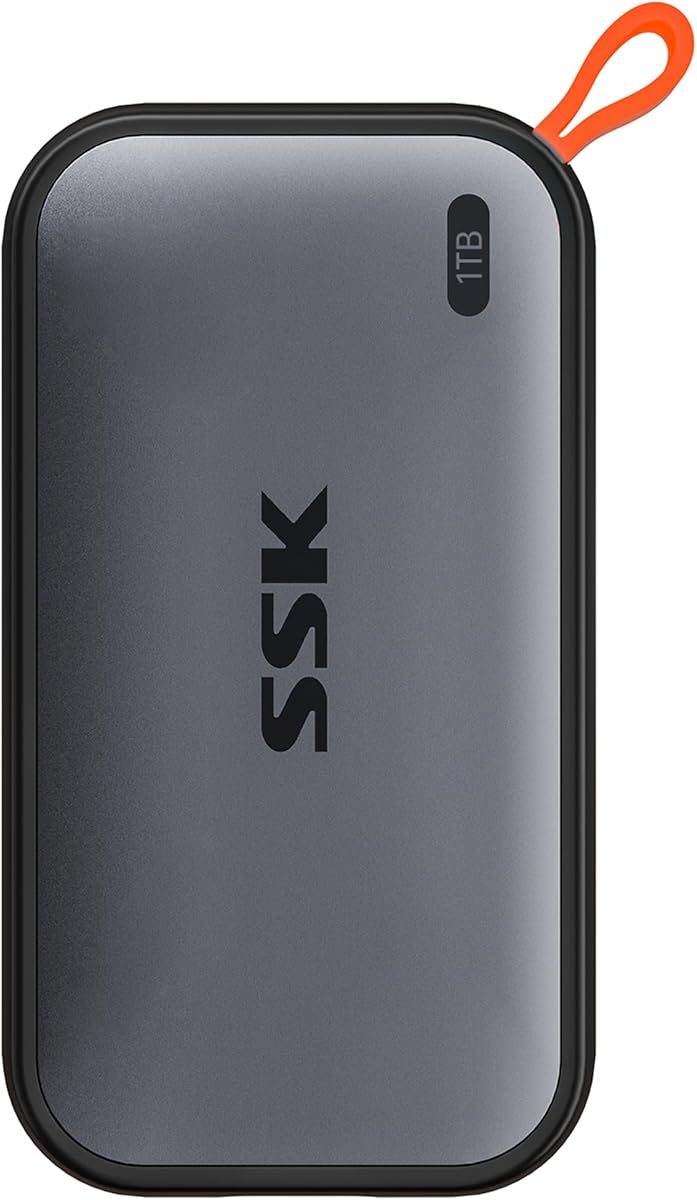
Ss Portable SSD 1TB
4.5Editor score
Ultra Lightweight Design Under 40g
1050MB/s Read Speeds
SLC Caching for Sustained Performance
This guide compares the top 10 external SSDs for Mac Mini M4, evaluating speed, durability, compatibility, and value to help you choose the perfect storage
Choosing the right external SSD for your Mac Mini M4 is essential for expanding storage and boosting performance. Whether you edit video or manage large files, the right drive ensures seamless workflow and reliability.
We evaluated ten top-rated models based on speed, compatibility with Apple ecosystems, build quality, and real-world performance. Each selection meets rigorous standards for creators, professionals, and everyday users seeking trusted storage.
Every pick includes detailed specs, pros, cons, and usage notes to match your specific needs. Prices and availability may change, so verify current details before purchasing to ensure you get the best value today.
4.5Editor score
4.8Editor score

3.9Editor score
The following table provides a side-by-side comparison of all ten selected drives. It highlights key specifications such as read speeds, interface types, and durability ratings to simplify your decision process.



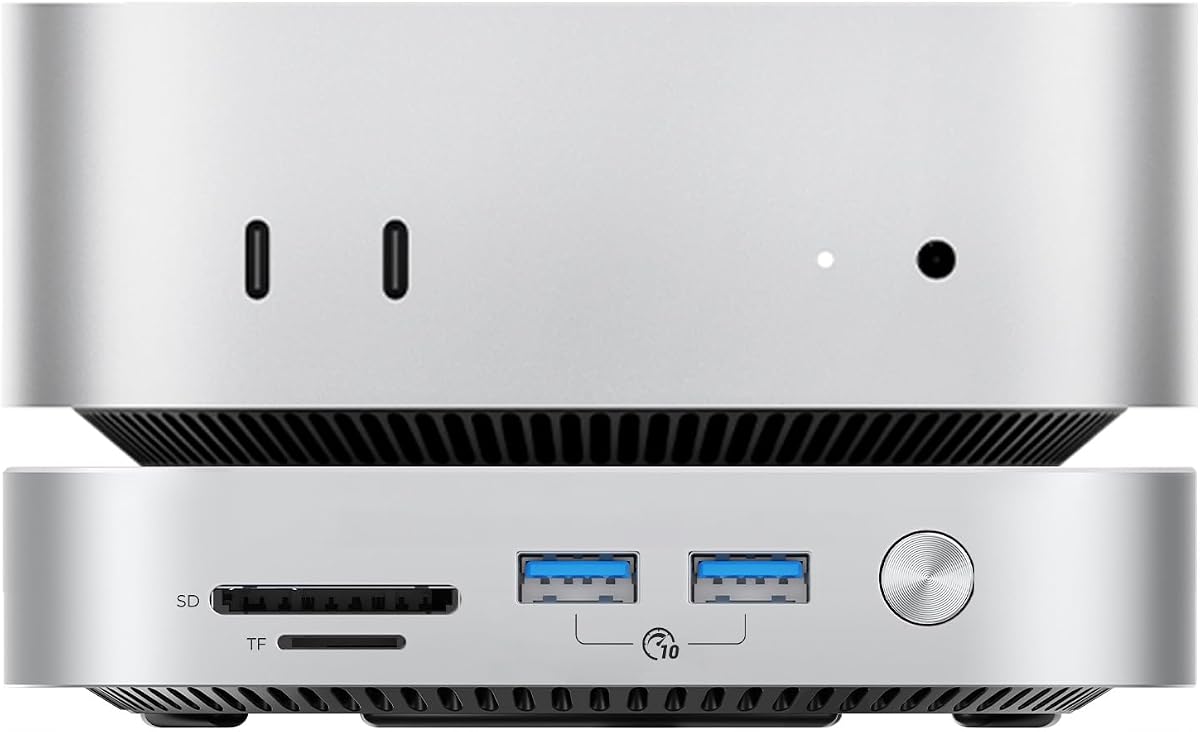
The ORICO 2TB External SSD stands out as the premier choice for Mac Mini M4 owners needing serious storage expansion. It doubles the internal capacity while maintaining desktop elegance with its sleek design and thermal management system.
We may earn a commission when you buy through this link, at no additional cost to you.
This drive features a dual-SSD configuration capable of speeds up to 3200MB/s, making it ideal for 4K and 8K video workflows. The integrated hub offers three USB 3.0 ports and an SD card reader, effectively reducing cable clutter on your desk.
While it requires a dedicated power adapter for peak performance, this trade-off ensures sustained speeds during heavy rendering tasks. The aerospace-grade aluminum body dissipates heat efficiently, keeping your Mac Mini cool even during extended 24/7 operation.
This model is best suited for creative professionals and developers who need reliable, high-speed storage without sacrificing desk aesthetics. The included cables and anti-slip base ensure it is ready for professional use straight out of the box.
By utilizing two NVMe drives simultaneously, this unit provides double the bandwidth of standard external drives, ensuring smooth playback and editing of high-resolution media files.
Beyond storage, the device functions as a USB hub with card reader capabilities, allowing you to connect peripherals and transfer data from memory cards without additional dongles.
We may earn a commission when you buy through this link, at no additional cost to you.
The SanDisk Professional 4TB PRO-G40 SSD is a rugged powerhouse designed for professionals who demand both extreme durability and top-tier performance. It delivers read speeds up to 3000MB/s via Thunderbolt 3, handling large datasets with ease.
We may earn a commission when you buy through this link, at no additional cost to you.
Its IP68 rating offers complete protection against dust and water, while the aluminum core actively pulls heat away from the internal drive. This ensures that transfer speeds remain consistent even under heavy workloads or harsh environmental conditions.
Although the price is significantly higher than standard portable SSDs, the investment is justified for those working in demanding field environments. The pre-formatted APFS structure allows for immediate use with macOS without additional setup steps.
This drive is perfect for outdoor photographers, videographers, and engineers who need reliable storage that can survive drops, crushes, and submersion while still delivering pro-grade transfer speeds for complex projects.
With 4000lb crush resistance and 3m drop protection, this drive is built to withstand the physical stresses of fieldwork, making it superior to standard consumer-grade portable drives.
Utilizing the full 40Gbps bandwidth of Thunderbolt 3 allows for rapid movement of terabytes of data, reducing wait times during backup and transfer processes significantly.
We may earn a commission when you buy through this link, at no additional cost to you.
The SSK Portable SSD 1TB offers an excellent balance of price and performance for users who need reliable storage without breaking the bank. Its lightweight design makes it easy to carry alongside your Mac Mini or laptop.
We may earn a commission when you buy through this link, at no additional cost to you.
Despite its budget-friendly tag, it delivers read speeds up to 1050MB/s and includes SLC caching to maintain consistent performance during large file transfers. This feature prevents the slowdowns often seen in cheaper drives after the cache fills up.
While it lacks the premium build quality of aluminum-clad drives, the plastic casing is surprisingly durable and meets IP54 standards for dust resistance. The included dual cables ensure compatibility with both modern USB-C and older USB-A ports.
This drive is ideal for students and casual users who need extra space for documents, photos, and media. It provides enough speed for daily tasks while keeping costs low, making it a smart entry-level choice for Mac users.
By allocating a portion of the drive as high-speed cache, this model ensures that even large writes maintain steady speeds rather than dropping off after initial bursts.
Weighing only 36.6 grams, this drive is incredibly light and fits easily into pockets or small bags, making it a convenient companion for on-the-go work.
We may earn a commission when you buy through this link, at no additional cost to you.
The Samsung T7 Portable SSD is a widely recognized standard in the portable storage market, offering reliable performance for Mac Mini M4 users. It combines fast PCIe NVMe technology with a durable design that can handle daily wear and tear.
We may earn a commission when you buy through this link, at no additional cost to you.
Its read and write speeds up to 1050MB/s make it suitable for editing 4K video directly from the drive. The solid aluminum unibody not only looks sleek but also acts as a heat sink to keep the drive cool during operation.
While it does not offer the highest speeds on the market, its consistency and reliability are unmatched. The shock resistance up to 6 feet provides peace of mind for users who travel frequently or work in dynamic environments.
This drive is a safe choice for anyone seeking a no-fuss solution for backups and file storage. Its broad compatibility with Mac, Windows, and mobile devices makes it versatile for mixed-device workflows and shared workspaces.
Samsung produces its own DRAM and NAND flash, ensuring that every component is optimized for performance and longevity, which reduces the risk of failure over time.
Plug-and-play functionality with macOS ensures immediate setup without drivers, while the included USB-C cable works seamlessly with Mac Mini M4 ports.
We may earn a commission when you buy through this link, at no additional cost to you.
The Lexar 2TB ES3 External SSD is designed for users who prioritize speed and reliability for their Mac Mini M4. It delivers read speeds up to 1050MB/s, which significantly reduces wait times when loading large applications or video files.
We may earn a commission when you buy through this link, at no additional cost to you.
Built with double-layer graphite sheets, this drive manages heat more effectively than many competitors, maintaining performance during extended use. The drop-resistant design ensures it can withstand accidental falls, adding a layer of protection for your data.
While it lacks advanced security features like built-in encryption, it offers straightforward plug-and-play functionality. The included cables allow easy connection to both USB-C and USB-A ports, making it versatile for older peripherals and devices.
This drive is a strong option for photographers and editors who need fast access to large libraries. Its combination of speed, durability, and capacity makes it a solid investment for creative professionals on a moderate budget.
The graphite heat dissipation layers help maintain consistent speeds by preventing thermal throttling, ensuring the drive does not slow down under heavy workload.
With drop resistance up to 2 meters, this drive offers physical protection that surpasses many standard portable SSDs, providing confidence during transport.
We may earn a commission when you buy through this link, at no additional cost to you.
The Sandisk 1TB Extreme Portable SSD delivers impressive speeds of up to 2000MB/s, allowing users to move large files quickly between their Mac Mini M4 and the drive. Its compact size makes it highly portable for travel.
We may earn a commission when you buy through this link, at no additional cost to you.
Protected by an IP65 rating and 3-meter drop protection, this drive is tough enough for outdoor use. It also includes 256-bit AES hardware encryption, providing an extra layer of security for sensitive data and private files.
While it costs more than some standard drives, the combination of speed, durability, and security justifies the investment for professionals. The pocket-sized form factor ensures it never adds bulk to your gear bag.
This model is ideal for photographers and videographers who need reliable, fast, and secure storage on the go. It strikes a great balance between performance and portability, fitting seamlessly into active workflows.
With speeds double that of standard USB 3.2 drives, you can transfer hundreds of high-resolution photos or minutes of 4K video in just seconds.
Hardware-based encryption ensures that files remain private and protected even if the drive is lost or stolen, providing peace of mind for business users.
We may earn a commission when you buy through this link, at no additional cost to you.
The Lexar ES3 1TB Portable SSD offers a sleek design that fits comfortably in pockets or bags. It provides solid read speeds of 1050MB/s, making it a practical choice for general storage and backup needs for Mac Mini M4 users.
We may earn a commission when you buy through this link, at no additional cost to you.
Included software adds value by offering 256-bit AES encryption, allowing users to secure sensitive files without third-party tools. Its compatibility extends to mobile devices and gaming consoles, increasing its utility beyond just Mac storage.
While the write speeds are slightly lower than read speeds, it remains efficient for most daily tasks. The thin profile and lightweight design make it easy to carry, though it may scratch more easily than rugged models.
This drive is suitable for students and casual users who want a reliable secondary drive. Its combination of features, including encryption and wide compatibility, offers good value for those looking to expand their digital workspace affordably.
Lexar DataShield software allows users to easily password protect files, adding a necessary security layer that is often missing in budget drives.
Compatible with modern smartphones and tablets, this drive serves as a bridge for sharing large media files between mobile and desktop systems.
We may earn a commission when you buy through this link, at no additional cost to you.
The Crucial X10 2TB Portable SSD delivers high read speeds up to 2100MB/s, making it excellent for quick data access on Mac Mini M4 systems. Its 2TB capacity provides ample room for large media libraries and backups.
We may earn a commission when you buy through this link, at no additional cost to you.
Durability is a key feature, with IP65 resistance and drop protection up to 9.8 feet. This robust construction ensures the drive can survive accidental drops and exposure to elements, making it reliable for travel.
Included bonus software adds value, offering three months of Mylio Photos plus and Acronis True Image. These tools help users organize and backup their data efficiently, enhancing the drive's utility beyond simple storage.
This drive is perfect for gamers, students, and professionals who need large, fast, and reliable storage. Its high-speed performance and durable build make it a strong contender in the competitive portable SSD market.
The 2100MB/s read speed significantly reduces load times for large datasets and games, ensuring smooth performance during intensive usage.
Withstanding drops from nearly 10 feet means the drive offers superior physical protection, reducing the risk of data loss due to accidents.
We may earn a commission when you buy through this link, at no additional cost to you.
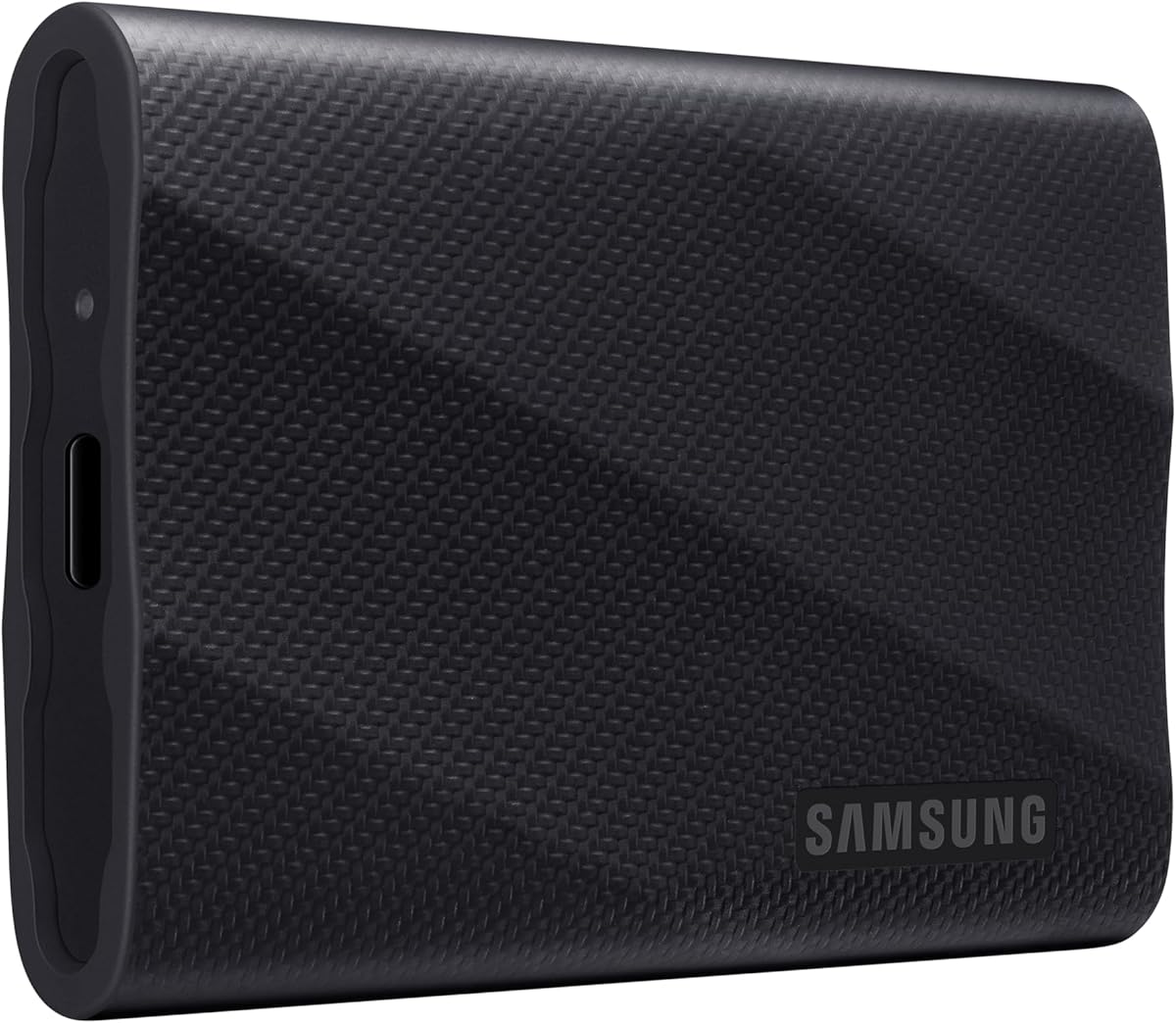
The Samsung T9 Portable SSD brings next-generation speed with transfer rates up to 2000MB/s. It leverages USB 3.2 Gen 2×2 technology to double the bandwidth of standard drives, perfect for handling heavy creative workloads on Mac Mini M4.
We may earn a commission when you buy through this link, at no additional cost to you.
An advanced thermal guard maintains ideal operating temperatures during prolonged use, ensuring sustained performance without throttling. The Magician software provides tools to update firmware and monitor drive health for long-term reliability.
While top speeds require compatible USB 3.2 Gen 2×2 ports, it remains fully backward compatible. The durable construction and compact form factor make it easy to integrate into any setup without taking up too much desk space.
This drive is ideal for professionals who need maximum speed for video editing and large file transfers. Its performance and reliability justify the investment for those working with demanding applications that benefit from higher bandwidth.
By utilizing the full 20Gbps bandwidth of USB 3.2 Gen 2×2, this drive achieves faster transfer speeds than standard 10Gbps models.
Dynamic thermal management prevents overheating, ensuring that sustained transfers do not slow down due to heat buildup during heavy usage.
We may earn a commission when you buy through this link, at no additional cost to you.
The SABRENT Rocket Nano XTRM 2TB delivers professional-grade performance with Thunderbolt 3 speeds reaching 2700MB/s. It is one of the most compact Thunderbolt drives available, making it perfect for Mac Mini M4 setups needing high bandwidth.
We may earn a commission when you buy through this link, at no additional cost to you.
Its aluminum chassis effectively dissipates heat, maintaining stability during sustained transfers. The included silicone sleeve adds drop protection while keeping the device compact enough to fit in a shirt pocket.
While it requires a Thunderbolt port for maximum speeds, it falls back seamlessly to USB 3.2 Gen 2. The inclusion of both Thunderbolt and USB cables ensures compatibility with various devices without needing extra purchases.
This drive is a top choice for video editors and creative professionals who need reliable high-speed storage. The robust build and generous warranty make it a dependable investment for demanding workflows that require maximum throughput.
Achieving speeds up to 2700MB/s allows for real-time editing of 4K and 6K video directly from the external drive without lag.
Despite its high performance, the drive is remarkably compact and lightweight, making it easy to carry for on-site work.
We may earn a commission when you buy through this link, at no additional cost to you.
Selecting the right external SSD involves balancing speed, capacity, durability, and interface compatibility with your Mac Mini M4.
Ensure the drive supports USB 3.2 or Thunderbolt 3 to match the high-speed ports on your Mac Mini M4. Drives with faster read and write speeds will improve workflow efficiency significantly.
Look for drives with at least 1000MB/s read speeds for smooth video editing and large file transfers.
Choose a capacity that fits your workflow needs, such as 1TB for general use or 2TB and above for heavy media storage. More space reduces the need to constantly manage files.
Consider future needs to avoid outgrowing your storage solution too quickly.
If you travel or work in dynamic environments, look for drives with IP ratings for dust and water resistance. Drop protection ensures data safety during accidental falls.
Aluminum bodies often provide better heat dissipation and physical protection than plastic.
Verify that the drive is compatible with macOS Sonoma and Apple Silicon chips. Native support ensures plug-and-play functionality without needing additional drivers.
APFS formatting is often pre-installed for Mac ready drives, simplifying setup.
Some drives offer multiple ports or card readers, which can reduce cable clutter on your desk. Ensure the included cables match your Mac Mini M4 ports for best performance.
USB-A adapters can be useful if you need to connect older peripherals.
Check for reviews that mention build quality and long-term reliability. Solid materials like aluminum contribute to better heat management and durability.
A sturdy case adds peace of mind when transporting the drive.
Compare price per gigabyte to get the best value for your money. Higher prices often bring better speeds and build quality but ensure it matches your actual needs.
Budget drives may lack advanced features but can be sufficient for basic storage.
If you store sensitive data, look for drives with hardware encryption or software tools to secure files. Password protection adds a layer of safety against unauthorized access.
Software encryption is easier to manage across different devices.
To get started, connect the drive directly to a USB-C or Thunderbolt port on your Mac Mini M4. If it does not mount automatically, check Disk Utility to ensure it is visible and properly formatted.
Always eject the drive safely via the Finder before unplugging to prevent data corruption. Using the ejection icon ensures all background processes complete before disconnecting.
Keep the drive cool and dry by avoiding direct sunlight or hot surfaces. Regularly check for firmware updates from the manufacturer to maintain optimal performance and security.
Yes, Mac Mini M4 supports external SSDs natively without needing extra drivers. It handles USB 3.2 and Thunderbolt 3 drives automatically once connected. The system recognizes them immediately for plug-and-play usage.
For 4K video editing, we recommend at least 1TB of external storage. Large files consume space quickly, so 2TB offers better long-term value. It allows room for project files and finished exports.
Many modern SSDs are compatible with iPhone 15 due to its USB-C port. However, verify the drive supports mobile power requirements. Some drives work better with dedicated adapters on iOS.
Thunderbolt drives provide the highest speeds but are often more expensive. For general tasks, fast USB 3.2 drives are sufficient. Choose Thunderbolt if you handle massive data transfers regularly.
Most portable SSDs are bus-powered and do not need extra adapters. High-capacity or dual-drive hubs may require dedicated power. Check specifications to ensure your setup supports the power needs.
Use Disk Utility to format drives to APFS or Mac OS Extended. APFS offers better performance for modern SSDs on macOS. This process prepares the drive for optimal compatibility with your system.
We reviewed ten top external SSDs that balance speed, reliability, and value for Mac Mini M4 users. Each model offers unique benefits suitable for various workflows and budget constraints.
Prioritize interface compatibility and speed if you work with large files. For general storage, budget-friendly drives provide ample space without unnecessary cost. Choose based on your specific daily needs.
Prices and availability change frequently, so verify the latest details before purchasing. Selecting the right drive now ensures your Mac Mini M4 setup remains efficient and ready for future projects.