
4 Pack HDMI Dummy Plug 4K HDR
4.8Editor score
Affordable four pack bundle option
Supports 4K 60Hz and 1080P 120Hz
Industrial grade durability with smart monitoring
Compare the best HDMI Dummy Plug options for 2026 to unlock GPU performance, enable headless computing, and optimize remote desktop workflows efficiently.
An HDMI dummy plug is a small device that tricks your computer into thinking a monitor is connected. This activates the graphics card for tasks like streaming or mining without needing a physical screen.
We compared ten top-rated models based on resolution support, build quality, and compatibility. Each option was evaluated for stability in headless setups and ease of use across different operating systems.
Our picks show the best value and performance for your needs. Remember that prices can change often, so check current listings before you make your final decision today.
4.8Editor score
4.6Editor score

This table provides a side by side view of all ten models. It highlights key specifications like resolution support and build material to help you find the right fit quickly.


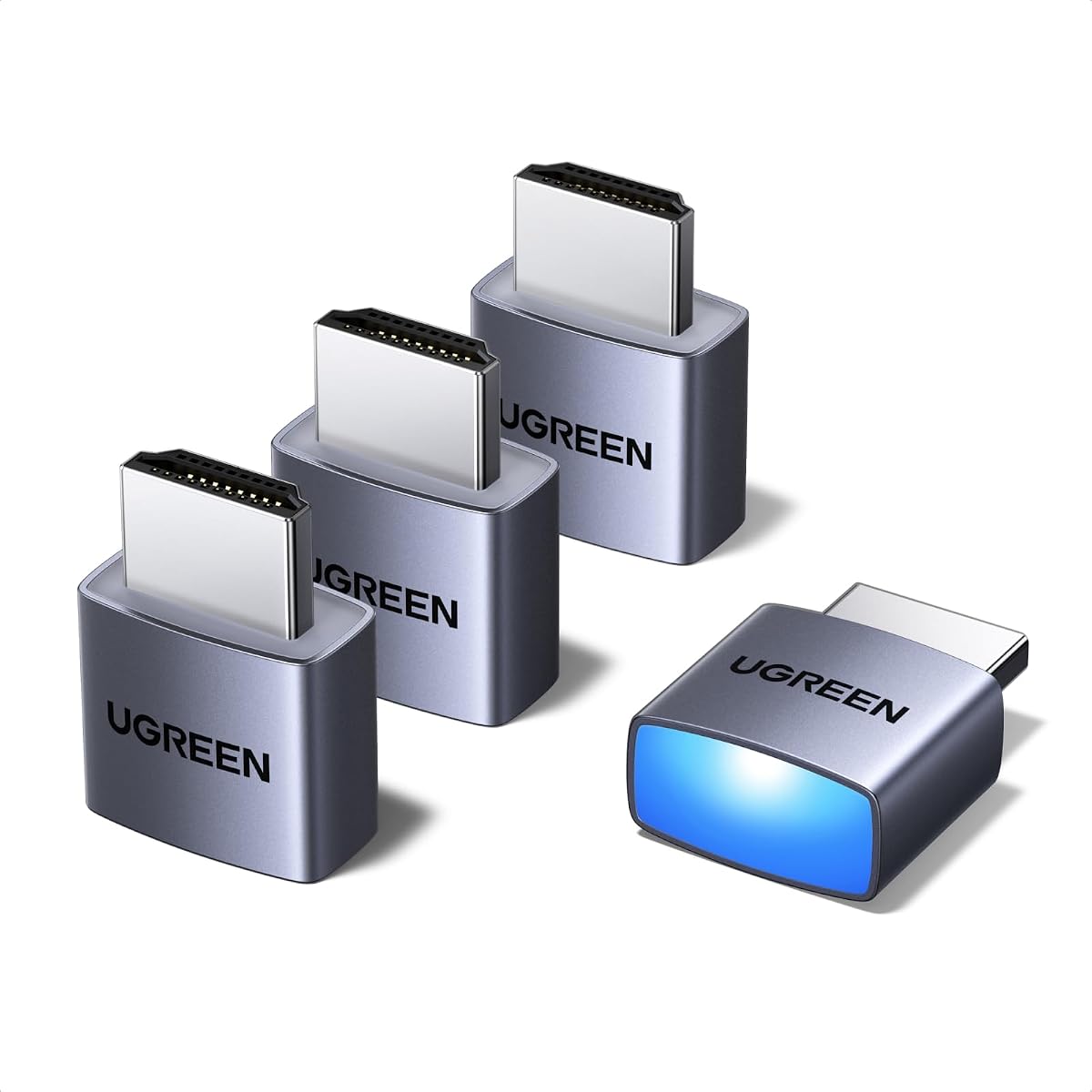
The UGREEN 4 Pack HDMI Dummy Plug stands out as our top choice for reliability and performance. It features a sturdy aluminum shell that helps with heat dissipation during long running tasks. This ensures your system remains stable even when mining or rendering for extended periods.
We may earn a commission when you buy through this link, at no additional cost to you.
Its support for true 4K at 60Hz HDR makes it ideal for high fidelity remote desktop sessions. You get smooth video editing and game development experiences without lag. The LED status light is a nice touch that lets you verify connection instantly.
While the aluminum body can get warm under load, it prevents overheating effectively. The four pack offers great value for users managing multiple headless machines. It works seamlessly with Windows Mac and Linux without needing any extra configuration.
We recommend this for anyone needing a robust solution for home servers or colocation centers. It delivers consistent performance and is a great investment for professionals who value uptime and stability in their setups.
The 4K at 60Hz support ensures your remote sessions feel responsive and fluid for productivity tasks.
The aluminum shell is designed to handle intensive tasks without failing or losing connection stability.
We may earn a commission when you buy through this link, at no additional cost to you.
This budget friendly option offers incredible value for users managing multiple headless setups. It supports true 4K at 60Hz HDR which is impressive for the price. The industrial grade aluminum armor protects the internal components well during use.
We may earn a commission when you buy through this link, at no additional cost to you.
You get support for 1080P at 120Hz making it great for game development and VR tasks. It works seamlessly with NVIDIA AMD and Intel GPUs across Windows macOS and Linux. There is no software to install making it ready to use immediately.
The lack of a status LED is a minor trade off for the low cost. However the connection is stable and easy to verify on your screen. It is perfect for stock trading platforms or simulation software that need consistent uptime.
We suggest this for hobbyists or small businesses on a tight budget. It delivers the core features you need without extra fluff. It is a solid choice for anyone who needs multiple units for a server farm or home lab.
The four pack design allows you to equip multiple machines easily without breaking your budget.
The aluminum armor resists overheating during long mining or rendering sessions to ensure stability.
We may earn a commission when you buy through this link, at no additional cost to you.
DTech provides a straightforward solution for enabling GPU tasks on headless PCs. The gold plated connector ensures a stable digital signal which is key for avoiding dropouts. It simulates up to 4K 4096×2160 for high resolution remote desktop operations.
We may earn a commission when you buy through this link, at no additional cost to you.
It is a simple fit headless adapter that requires no drivers or external power. This makes it easy to deploy across multiple servers or home labs quickly. It is designed to solve the Apple OSX headless display issue effectively.
The housing is basic plastic which may not dissipate heat as well as aluminum. However for low load tasks it remains stable and efficient. It is a must have for colocation farms where reliability is critical.
We recommend this for general home server use where 4K is needed but 120Hz is not. It offers a good balance of price and function for small offices. It works well for game streaming and VR setups on a budget.
Gold plating on the connector prevents corrosion and ensures a clean signal path for your GPU.
The three pack allows you to manage multiple headless systems in your home or office space.
We may earn a commission when you buy through this link, at no additional cost to you.
This basic dummy plug is designed to be ultra compact and unobtrusive on your desktop. It supports 1920×1080 resolution at 60Hz which is sufficient for many remote desktop tasks. It works with Windows OSX Linux and almost everything else.
We may earn a commission when you buy through this link, at no additional cost to you.
There are no drivers or power cables needed. You just set it and forget it which makes it ideal for permanent headless installations. It allows for high resolution GPU accelerated remote desktop sessions effectively.
While it does not support 4K it gets the job done for standard tasks. The low profile design means it sticks out minimally from the port. It acts exactly like a real LCD monitor for the system.
We recommend this for older systems or where high resolution is not critical. It is a simple reliable option for basic crypto mining or remote control. It works well with Virtual Desktop and VNC applications.
The low profile build ensures the plug does not block adjacent ports on your graphics card.
Works with any graphics card with HDMI output so compatibility is rarely an issue.
We may earn a commission when you buy through this link, at no additional cost to you.
This option brings a strong warranty to the table which adds peace of mind. It supports up to 4K at 60Hz HDR for vibrant visuals in virtual displays. The gold plated interface ensures complete signal transmission over time.
We may earn a commission when you buy through this link, at no additional cost to you.
Hot swap support means you can change connections easily without restarting your PC. This is useful for developers testing multiple configurations or users with multiple rigs. It works with any discrete graphics card or notebook with HDMI output.
The low power consumption makes it great for energy saving and environmental protection. It is a good solution for server farms where energy use matters. The stability is guaranteed for crypto mining and video rendering tasks.
We recommend this for those who value warranty coverage and reliability. It fits well for game streaming and VR needs. It is a smart pick for mini servers that need screen sharing capabilities.
Two years unconditional warranty gives you a backup if the unit fails during normal use.
HDR support improves color accuracy which is helpful for media preview and editing tasks.
We may earn a commission when you buy through this link, at no additional cost to you.
This model stands out for its high refresh rate support making it great for gaming. It supports up to 1080P at 240Hz which is ideal for fast paced tasks. The default resolution is 1080P but you can change it in settings.
We may earn a commission when you buy through this link, at no additional cost to you.
Full board copper pouring enhances signal stability and reduces electromagnetic interference. The thicken aluminum shell adds premium feel and durability. It includes HDR for vibrant realistic display simulation with high brightness.
You can use it for headless mini PCs and home labs. It reduces power usage while maintaining performance. The five pack allows you to equip several machines at once efficiently.
We recommend this for cloud gaming servers or trading setups needing speed. It is a low cost eco friendly solution for professionals. It works with Raspberry Pi and Mac Mini well.
High refresh rates like 240Hz ensure smooth motion for Steam Link or game streaming.
Full board copper pouring minimizes electromagnetic interference for stable long term operation.
We may earn a commission when you buy through this link, at no additional cost to you.
This new generation adapter supports HDMI 2.1 for high refresh rate use. You can reach 4K at 120Hz which is perfect for high end VR or gaming. The graphics card must support HDMI 2.1 to achieve these rates effectively.
We may earn a commission when you buy through this link, at no additional cost to you.
It works well with Moonlight and Steam Link for streaming games. You can also use it for Govee Gaming Lights on a Wacom Cintiq. It is a great dongle for headless gaming PCs accessed via Moonlight.
Gold plating ensures stable digital signal without dropouts. It is an easy alternative to software solutions and very stable. It works with Win11 and has negligible heat emission.
We recommend this for advanced gamers needing 120fps streaming. It is ideal for tweaking 4K 120Hz HDR Moonlight setups. It helps keep HBCC active during SSH mining sessions.
HDMI 2.1 support opens up 4K 120Hz for smoother game streaming from your PC.
It is optimized for Moonlight streaming so you get the best quality on handhelds.
We may earn a commission when you buy through this link, at no additional cost to you.
This model provides a massive eight pack for large scale deployments. Default is 1440P but you can scale to 4K 60Hz or 1080P 240Hz. It supports full board copper pouring to reduce electromagnetic interference.
We may earn a commission when you buy through this link, at no additional cost to you.
The thicken aluminum shell adds durability and shields against interference. You get HDR support for better color accuracy in previews. It works with Raspberry Pi and Mac Mini and Jetson Nano.
Low power design makes it eco friendly and efficient. It runs without external power and supports hot swap. It is great for cloud gaming servers and Kubernetes clusters.
We recommend this for data centers needing many units. It supports multi screen trading and remote control. It is a reliable option for developers building VR setups.
Eight units let you equip a full server farm without ordering multiple times.
Full board copper pouring ensures clean signals even in crowded server environments.
We may earn a commission when you buy through this link, at no additional cost to you.
This variant comes with default 4K resolution at 2160P right out of the box. You can adjust settings for 1080P or 1440P if needed. It supports full board copper pouring for stable signal transmission.
We may earn a commission when you buy through this link, at no additional cost to you.
The thicken aluminum shell ensures durability and shielding against interference. You get HDR support for better color accuracy in previews. It works with Raspberry Pi and Mac Mini and Jetson Nano.
Low power design makes it eco friendly and efficient. It runs without external power and supports hot swap. It is great for cloud gaming servers and Kubernetes clusters.
We recommend this for developers needing 4K defaults. It supports multi screen trading and remote control. It is a reliable option for VR setups and screen sharing.
No need to tweak settings if you need native 4K resolution from the start.
Perfect for editing workflows where 4K previews are critical for quality assurance.
We may earn a commission when you buy through this link, at no additional cost to you.
This premium model supports up to 8K 30Hz for future proof setups. It uses HDMI 2.1 to reach high refresh rates like 120Hz for 4K. It has gold plated connectors for stability in transmission.
We may earn a commission when you buy through this link, at no additional cost to you.
It works with ROG Ally and Steam Deck for best gaming. You can use it for Govee Gaming Lights on a Wacom Cintiq. It is an easy alternative to software solutions and very stable.
Supports 4K 120Hz and 1440P at 144Hz well. Works with VNC and TeamViewer for full resolution. It keeps GPU active even without a physical monitor attached.
We recommend this for high end setups needing top performance. It is great for streaming and remote desktop. It delivers future proof performance for serious users.
Support for 8K 30Hz ensures you are ready for next gen displays.
Optimized for Steam Deck and ROG Ally to give smooth gaming from your PC.
We may earn a commission when you buy through this link, at no additional cost to you.
Choosing the right HDMI dummy plug requires understanding your specific needs. We break down the key factors to help you make an informed decision.
Resolution refers to the clarity of the virtual display. For basic remote desktop you may only need 1080P. However for video editing or high fidelity tasks 4K at 60Hz is recommended. Refresh rate affects smoothness. 120Hz or higher is vital for gaming and VR setup.
Look for models that support the resolution your GPU can handle. High refresh rates ensure your sessions feel fluid and responsive.
Materials impact durability and heat dissipation. Aluminum shells are better than plastic for long term use. They keep the plug cool during mining or rendering. Gold plated connectors prevent corrosion and ensure stable signal transmission over time.
Choose aluminum builds for servers or mining rigs. They last longer under heat and stress than standard plastic.
Most plugs work with Windows Mac and Linux. Check if your graphics card supports the required HDMI version. Some high refresh rate plugs need HDMI 2.1 cards. Ensure your system matches the plug requirements to avoid issues.
Verify OS and card support before buying. It prevents frustration and ensures it works with your specific setup.
Consider what you will do. For crypto mining you need stability and low power. For streaming you need high resolution and low latency. Headless servers need simple plug and play. Different use cases demand different features.
Match the plug to your task. Mining needs stability while gaming needs refresh rates.
You may need one plug or multiple. Single plugs are cheap but packs offer better value. Buying five or ten at once reduces cost per unit. This is useful for server farms or managing multiple PCs.
Buy in packs for large deployments. It saves money and ensures consistency across devices.
No driver requirement is standard. The plug should work immediately when connected. Some plugs need software to change resolution but basic ones auto detect. Simple setups save time and reduce complexity.
Choose driver free plugs for simplicity. They work instantly with no extra steps.
Prices vary from cheap basics to premium high refresh. You get better build for higher prices. Determine your needs first. You may not need 8K if 4K is enough. Balance cost with performance to get value.
Pick a model that fits your budget but meets your needs. Overpaying for unused features is wasteful.
To use simply plug the device into your available HDMI port on the computer. The system should detect it as an active monitor immediately. You can then proceed to use remote desktop tools like TeamViewer or Moonlight without issues.
To maintain it keep the area around the port dust free. Avoid pulling on the cable excessively when removing. If you use it in a hot room ensure airflow around the GPU to prevent overheating.
If your resolution looks low check display settings in the operating system. Sometimes the default is 1080P but you can select higher resolutions manually. Ensure your graphics drivers are updated for best compatibility.
An HDMI dummy plug is a small adapter that connects to your HDMI port. It tricks the computer into thinking a monitor is connected. This activates the graphics card for tasks like mining or streaming even when no physical screen is attached.
No you generally do not need drivers. Most models are plug and play and work instantly on Windows Mac and Linux. The system automatically recognizes it as an active display without any software installation.
Yes you can use it for gaming especially with remote streaming tools. For best performance choose a model that supports high refresh rates like 120Hz or higher. It helps reduce lag during game streaming.
Yes it is widely used for mining. It keeps your GPU active so you do not lose performance when no monitor is connected. It is low power and reliable for long run tasks.
Most models support macOS including Mac Mini. They solve the headless issue where the system stops rendering without a monitor. Just ensure you select one that is compatible with your macOS version.
You can change the resolution in your display settings. Select the virtual monitor created by the plug and choose your preferred resolution. Some plugins auto set to high resolution automatically.
We found the UGREEN 4 Pack HDMI Dummy Plug to be the best overall choice. It offers strong build quality and excellent resolution support. The four pack gives you flexibility for multiple machines.
For those on a budget the 4 Pack HDMI Dummy Plug 4K HDR offers the best value. It is affordable yet supports high resolution tasks. For premium needs the HDMI 2.1 plugs provide top tier performance.
Remember to check current prices and compatibility before you buy. These factors can change and ensure you get the right match for your system. This guide helps you find the ideal plug for your workflow.