
Dell OptiPlex 3060 Micro
4.2Editor score
Windows 11 Pro Included
Dual 4K Display Support
Compact Micro Form Factor
This guide compares the top ten Intel Core i3 Mini PC models for 2026 focusing on performance connectivity and compact design for home and office use cases.
Choosing the right compact computer can transform your workspace efficiency. Intel Core i3 Mini PC options offer powerful processing in tiny forms ideal for modern desks.
We analyzed ten leading models based on real world performance specs and user feedback. Our comparison covers diverse needs from basic browsing to advanced multitasking workflows.
Each pick highlights unique strengths and potential limitations found in current market offerings. Note that availability and pricing fluctuate so verify details before making your final decision.
4.2Editor score

4.4Editor score
4.9Editor score
This side-by-side table details the core specifications of all ten selected models to help you quickly identify which system aligns with your specific performance and connectivity requirements.




The GMKtec Mini PC G3 PRO stands out as a top contender for users seeking balanced performance in a small form factor. Its Intel Core i3-10110U processor delivers robust single-core speeds ideal for responsive browsing and office work.
We may earn a commission when you buy through this link, at no additional cost to you.
With 16GB of DDR4 RAM in dual channel configuration this system handles multitasking effortlessly. The 512GB SSD ensures fast boot times and quick application launches while the dual HDMI ports enable a productive dual monitor setup.
While it uses an older generation CPU the inclusion of 2.5GbE Ethernet and WiFi 6 keeps connectivity modern and fast. The upgraded cooling fan helps maintain quiet operation even under moderate load which is crucial for home offices.
This unit is best suited for professionals needing a reliable workhorse for daily productivity tasks without breaking the bank. It offers a compelling mix of storage memory and connectivity that outperforms many competitors in its price bracket.
The dual channel 16GB RAM configuration allows you to run multiple browser tabs and productivity apps simultaneously without experiencing slowdowns or lag during critical workflows.
Equipped with WiFi 6 and Bluetooth 5.2 this mini PC ensures stable wireless connections while the 2.5GbE port provides lightning fast wired networking for data heavy tasks.
We may earn a commission when you buy through this link, at no additional cost to you.
The Dell OptiPlex 3060 Micro offers a reliable entry point into the world of mini PCs with the added benefit of Windows 11 Pro pre-installed. This makes it an excellent choice for business environments needing enterprise security features.
We may earn a commission when you buy through this link, at no additional cost to you.
Despite its compact size it supports dual 4K displays which is rare for devices in this price range. The renewed condition ensures significant savings while maintaining the durability expected from Dell's business grade hardware.
The main limitation lies in the storage capacity which may require external drives for larger media files. However for users focused on web apps and cloud storage the 128GB SSD is sufficient for most daily tasks.
We recommend this model for budget conscious buyers who need a professional operating system and solid build quality. It serves well as a digital signage kiosk or a secondary workstation in a corporate setting.
As a renewed business class device it comes with the robust build quality and security features typical of Dell OptiPlex lines ensuring longevity in demanding work environments.
The ability to connect two monitors simultaneously allows users to expand their workspace efficiently making it easier to manage complex documents and data streams side by side.
We may earn a commission when you buy through this link, at no additional cost to you.
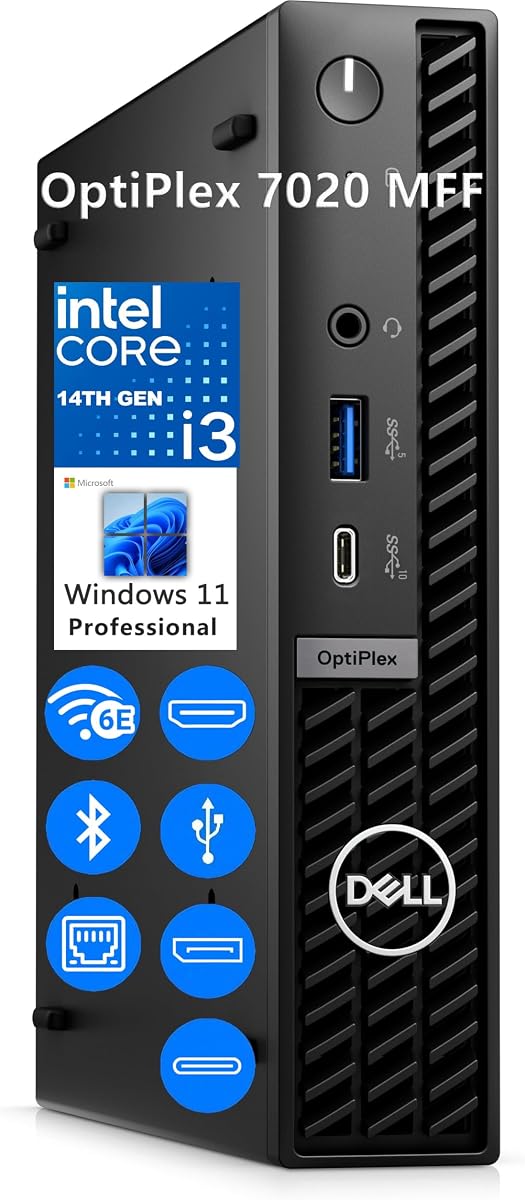
The Dell OptiPlex 7020 MFF represents the pinnacle of mini PC performance available in this lineup. Featuring the latest 14th Gen Intel Core i3 processor it handles heavy multitasking and virtualization tasks with ease.
We may earn a commission when you buy through this link, at no additional cost to you.
With an impressive 32GB of DDR5 RAM this system future proofs your investment for years to come. The 1TB SSD provides ample space for large datasets and applications ensuring you rarely run out of local storage.
Connectivity is a standout feature with Wi-Fi 6E support offering lower latency and faster speeds than previous standards. The inclusion of three display outputs allows for highly productive multi monitor setups ideal for traders or developers.
Although it comes at a premium price the performance and reliability justify the cost for power users. It is best recommended for professionals who demand top tier specs and robust enterprise level security in a small package.
The DDR5 RAM significantly boosts data transfer rates compared to DDR4 allowing smoother switching between heavy applications and more responsive system performance overall.
Wi-Fi 6E takes advantage of less congested frequency bands to deliver more stable connections for video conferencing and large file transfers over wireless networks.
We may earn a commission when you buy through this link, at no additional cost to you.
This Mini PC powered by the Intel Core i3-8109U delivers smooth performance for everyday tasks and light entertainment. The Iris Plus 655 graphics ensure fluid 4K video playback without needing a dedicated graphics card.
We may earn a commission when you buy through this link, at no additional cost to you.
A unique feature is the dual SSD slot design which allows users to expand storage easily up to 4TB total. This flexibility makes it suitable for media libraries or file servers where capacity is key.
The sustained 28W TDP ensures the processor runs at higher clock speeds for longer periods compared to standard low power chips. This results in more responsive performance during prolonged work sessions or gaming.
It is an ideal choice for users who want a balance of portability and expandable storage. The included VESA mount and compact size allow it to fit seamlessly behind monitors or on shelves.
The Iris Plus 655 GPU provides a significant boost for media consumption allowing for smooth playback of high resolution content and light gaming experiences.
Having two SSD slots means you can add a second drive later without replacing the main system drive keeping your data organized and accessible.
We may earn a commission when you buy through this link, at no additional cost to you.
The C3 Mini PC is designed for simplicity and efficiency making it perfect for basic computing needs like web browsing and document editing. Its low power architecture ensures it runs cool and quiet even during extended use.
We may earn a commission when you buy through this link, at no additional cost to you.
It comes with 512GB of storage which is generous for this price point and allows you to store a good amount of local files. The dual HDMI support lets you connect two monitors for a better viewing experience.
While the processor is older it still handles daily tasks without significant lag. The build quality focuses on stability and reliability making it a solid choice for digital signage or public kiosks.
We recommend this model for users on a tight budget who need a secondary device for light work. It is also great for environments where silent operation is preferred over raw performance.
With a low TDP this device consumes less power reducing electricity costs and heat generation which is beneficial for 24/7 operation in commercial settings.
Its compact size and lightweight design allow it to be mounted in tight spaces behind TVs or monitors to create a clean and organized setup.
We may earn a commission when you buy through this link, at no additional cost to you.
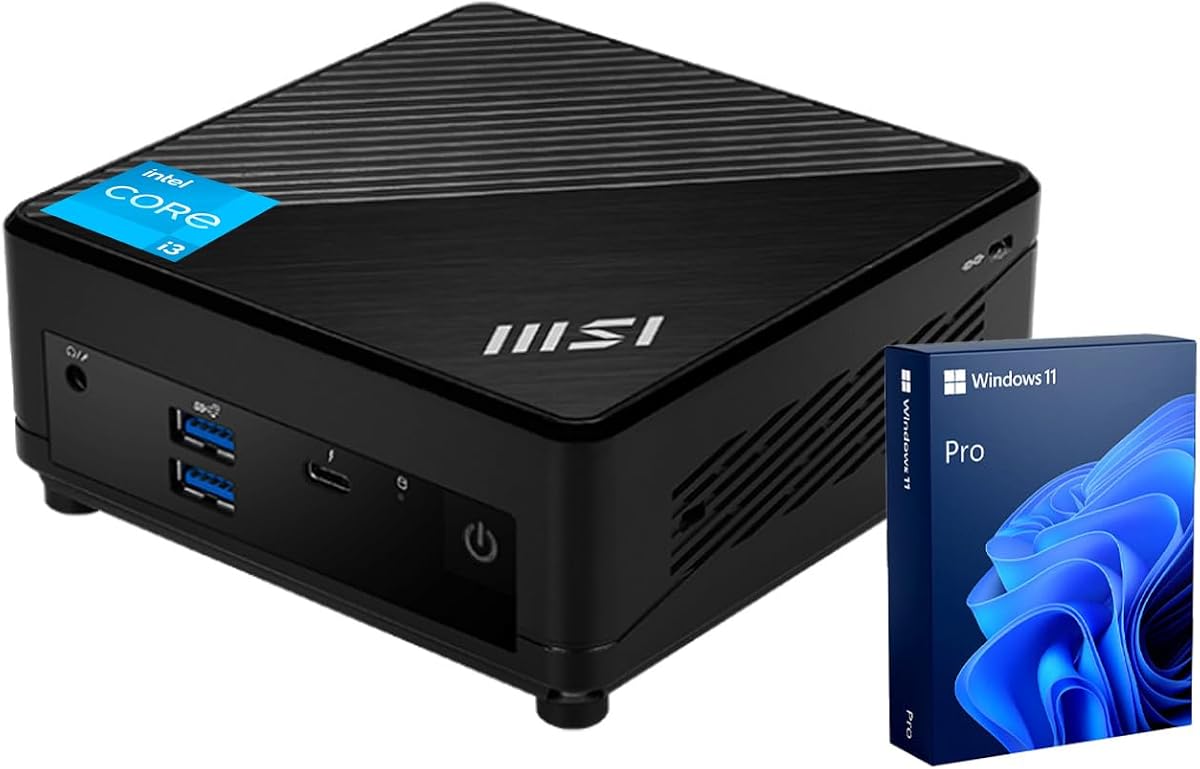
The MSI Cubi 5 Professional is built for users who require high-end connectivity and performance. Its Thunderbolt 4 port supports fast data transfer and daisy chaining multiple displays which is essential for creative professionals.
We may earn a commission when you buy through this link, at no additional cost to you.
Powered by a 6-core processor it handles multitasking smoothly allowing you to run multiple heavy applications without slowing down. The inclusion of Windows 11 Pro adds a layer of security and manageability for business users.
While it is more expensive than average models the feature set justifies the cost. The ability to support three monitors simultaneously makes it a powerful workstation for traders or designers.
This device is best suited for professionals who need reliable performance and advanced connectivity. It serves as a robust solution for home offices or small business environments requiring stable and fast computing.
Thunderbolt 4 enables blazing fast data transfer speeds and supports external drives or displays making it easy to expand your capabilities without adding extra hardware.
Windows 11 Pro comes with advanced security tools like BitLocker and remote desktop features that are crucial for protecting sensitive business data and managing devices remotely.
We may earn a commission when you buy through this link, at no additional cost to you.
The Dell OptiPlex 7020 Mini brings modern architecture to the desktop space with its 14th Gen Intel processor and DDR5 memory support. This ensures faster performance and better energy efficiency compared to older systems.
We may earn a commission when you buy through this link, at no additional cost to you.
It is designed for compact spaces and includes features like Wi-Fi 6E for high speed wireless connectivity. The build quality is typical of Dell with a focus on durability and reliability for business use.
The 256GB SSD provides fast boot times but may fill up quickly if you store many large files. Upgrading RAM is possible but the base 8GB might be limiting for heavy multitasking workloads.
This model is recommended for users who need a sleek and efficient PC for daily office tasks. It fits well in professional settings where modern technology and brand reputation are valued.
DDR5 memory offers higher bandwidth and better power efficiency than DDR4 which translates to quicker data access and smoother system performance overall.
Wi-Fi 6E supports higher speeds and lower latency making it ideal for streaming high definition video and video conferencing without interruptions or lag.
We may earn a commission when you buy through this link, at no additional cost to you.
The MSI PRO DP21 stands out by including a wired keyboard and mouse in the box which simplifies setup for new users. This makes it a great all-in-one solution for offices needing immediate deployment.
We may earn a commission when you buy through this link, at no additional cost to you.
With a 13th Gen Intel processor and 16GB RAM it delivers solid performance for business applications and multitasking. The 512GB SSD provides plenty of space for your operating system and daily files.
It supports dual 4K monitors which enhances productivity for users who need to view multiple windows at once. The compact design keeps your desk clutter-free while still offering robust processing power.
We recommend this model for small businesses or home offices looking for a complete package. The inclusion of essential peripherals saves time and money compared to buying them separately.
Having keyboard and mouse included means you can start using the computer immediately upon setup without needing extra accessories or additional spending.
The 13th Gen processor offers a good balance of speed and efficiency making it capable of handling modern software requirements without overheating or slowing down.
We may earn a commission when you buy through this link, at no additional cost to you.
The ASUS ExpertCenter PB63 is designed for business environments that require compliance and reliability. Its TAA compliance makes it suitable for government contracts and organizations with specific procurement needs.
We may earn a commission when you buy through this link, at no additional cost to you.
It comes with a three year warranty which offers peace of mind for long term deployments. The 14th Gen Intel processor ensures it remains competitive in terms of speed and efficiency for daily tasks.
Wireless connectivity is strong with WiFi 6 and Bluetooth 5.2 allowing for modern peripheral support. The focus on stability means it is built to handle continuous use in commercial settings without frequent reboots.
This device is best suited for enterprises looking for certified hardware. It is an investment in reliability and support rather than raw consumer features.
TAA compliance ensures the product meets specific trade agreements requirements which is often necessary for public sector procurement and secure environments.
A three year warranty covers hardware defects and gives you confidence that support is available for the duration of the typical hardware lifecycle.
We may earn a commission when you buy through this link, at no additional cost to you.
The Lenovo ThinkCentre Neo 50q Gen4 is a tiny powerhouse that fits easily behind monitors. Its 1L size saves significant desk space while still delivering 12th Gen Intel performance for demanding tasks.
We may earn a commission when you buy through this link, at no additional cost to you.
It is ENERGY STAR certified which helps reduce energy consumption and costs over time. The inclusion of 16GB RAM ensures smooth multitasking and the 512GB SSD provides quick access to all your files.
Dual 4K display support makes it great for professionals who need multiple screens. The robust build quality ensures it can withstand the daily rigors of an office environment.
This model is recommended for users who prioritize space saving and efficiency. It is a reliable choice for modern offices that need powerful computers without bulky towers.
The 1L form factor is designed to be unobtrusive allowing you to hide the PC behind a monitor and save valuable desk space for work.
Being ENERGY STAR certified means the device is built to consume less power which is beneficial for both the environment and reducing monthly utility bills.
We may earn a commission when you buy through this link, at no additional cost to you.
Selecting the right mini PC requires evaluating performance, connectivity, and form factor to ensure it meets your specific daily needs and long term goals.
Newer generations like 14th Gen offer better power efficiency and performance compared to older 10th or 8th Gen chips. Ensure the model you choose aligns with your performance expectations.
Prioritize 12th Gen or newer for future proofing unless budget constraints force you to consider older affordable options.
At least 8GB of RAM is essential for smooth operation but 16GB is recommended for heavy multitasking or virtual machine usage. DDR5 RAM in newer models provides faster data transfer.
Check if the RAM is soldered or upgradeable to ensure you can increase capacity if your needs grow over time.
NVMe SSDs are significantly faster than SATA SSDs and improve system responsiveness. Aim for at least 512GB of storage to accommodate your operating system and applications comfortably.
Look for models with extra M.2 or SATA slots if you plan to store large files locally without relying on cloud storage.
Ensure the mini PC has enough USB ports including Type-C for modern peripherals. Ethernet ports should ideally be at least 1GbE with 2.5GbE preferred for faster wired speeds.
Verify support for your desired monitor count via HDMI or DisplayPort to avoid dongle clutter and connection issues.
WiFi 6 or 6E offers better speeds and lower latency which is crucial for video calls and streaming. Bluetooth 5.0 or newer ensures stable connections for keyboards and mice.
If you need secure wireless environments check for enterprise grade encryption support on the wireless card.
Windows 11 Pro provides security features like BitLocker and Remote Desktop that are essential for business users. Home versions may lack these advanced management tools.
Confirm that the device comes with a valid license key to avoid additional costs and installation hurdles during setup.
Smaller units like 1L are great for saving space but may have limited thermal headroom. VESA mount options allow you to hide the device behind monitors for a clean look.
Consider the physical dimensions relative to your workspace to ensure it fits where you intend to place it.
A minimum of one year warranty is standard but business models often offer three years or onsite support which reduces downtime during hardware failures.
Check the manufacturer reputation for customer service responsiveness to ensure you can get help if issues arise.
When setting up your mini PC ensure you place it in a well ventilated area to prevent overheating. Use a VESA mount if available to save desk space and improve airflow.
Regularly update your operating system and drivers to maintain security and performance. Clean dust filters every few months using compressed air to keep internal components cool.
Use surge protectors to shield the device from power fluctuations. For best longevity avoid moving the unit while it is running to prevent disk errors.
Yes they are excellent for web browsing office applications and video conferencing. The newer generations handle multitasking well and are sufficient for most users without needing a high end processor.
It depends on the model but many allow RAM or SSD upgrades. Check the specifications before buying to confirm if the RAM is soldered or has available slots for expansion.
Most models support dual monitors via HDMI and DisplayPort. Some high end units can support three or four screens which is great for productivity and data analysis tasks.
Windows Pro includes business features like BitLocker encryption and Remote Desktop. Home is sufficient for personal use but Pro is recommended for professional environments needing security.
Yes many models support 4K video decoding and have HDMI outputs perfect for connecting to TVs. They are often quieter and more compact than traditional desktops for this use.
Most modern mini PCs run very quietly due to efficient low power processors. Fan noise is usually minimal during light tasks but may increase slightly under heavy load.
We have reviewed ten top models ranging from budget friendly options to high performance business machines. Each offers a unique balance of size speed and connectivity for different needs.
Prioritize RAM and storage based on your daily tasks and ensure the model includes modern connectivity like Wi-Fi 6 for future proofing.
Remember that prices and availability change frequently so verify current details before purchasing to get the best value for your specific requirements.