
TP-Link BE6500 Dual-Band WiFi 7 Router
4.3Editor score
WiFi 7 Technology
Multi-Link Operation
2.5 Gbps Ports
Compare the top high bandwidth WiFi routers for 2026 including WiFi 7 and 6E models to find the best performance for your home network needs.
Finding a high bandwidth WiFi router is essential for modern homes filled with smart devices and streaming needs. These powerful devices ensure your internet connection handles heavy traffic without slowdowns or lag during critical moments.
We compared ten top-rated models based on speed, coverage, security features, and user feedback. Each router offers unique strengths whether you need gaming performance, whole-home mesh support, or advanced parental controls.
Each pick highlights key specifications and real-world performance details to help you decide quickly. Keep in mind that availability and pricing fluctuate so check current listings before making your final purchase decision.
4.3Editor score

4.3Editor score

4.3Editor score
This side-by-side comparison outlines the core specifications and strengths of each router to help you identify the model that best fits your specific home network requirements.



This TP-Link AXE5400 router stands out as a top choice for users needing high bandwidth connectivity across multiple devices. Its rating reflects strong performance in real-world streaming and gaming scenarios.
We may earn a commission when you buy through this link, at no additional cost to you.
The tri-band architecture includes the dedicated 6 GHz band which significantly reduces congestion. This allows for near-zero latency when connecting compatible WiFi 6E devices.
While it offers substantial speed its lack of multi-gig wired ports might limit users with fiber plans exceeding standard gigabit speeds.
Families or professionals needing reliable performance should consider this model for its balance of speed coverage and security features.
The 6 GHz band provides fresh spectrum for high speed devices ensuring less interference from legacy devices.
Expand your coverage seamlessly by adding EasyMesh-compatible routers or extenders to eliminate dead zones.
We may earn a commission when you buy through this link, at no additional cost to you.
The TP-Link BE6500 delivers next generation WiFi 7 features at a competitive price point making it ideal for budget conscious buyers. Its rating confirms solid stability during heavy usage.
We may earn a commission when you buy through this link, at no additional cost to you.
Multi-Link Operation allows data to be sent across frequency bands simultaneously improving throughput and reliability significantly.
Being dual-band it lacks the 6 GHz band found in tri-band models but still offers impressive speeds for modern devices.
Users looking for future-proof tech without breaking the bank will find this router offers excellent value and performance.
MLO transfers data across bands simultaneously delivering enhanced throughput and lower latency for better connectivity.
TP-Link adheres to Secure-by-Design pledges ensuring advanced security is built into the device architecture.
We may earn a commission when you buy through this link, at no additional cost to you.
This NETGEAR Nighthawk router provides extensive coverage and high speeds suitable for large homes with many connected devices. Its strong rating comes from consistent performance across various environments.
We may earn a commission when you buy through this link, at no additional cost to you.
The tri-band design with a dedicated 6 GHz band ensures that high speed devices get their own lane without slowdowns.
Users may need to pay extra for advanced security features after the trial period ends for full protection coverage.
Large families or those with gigabit plans will appreciate the robust wired options and reliable wireless range provided.
Delivers up to 2500 sq ft of coverage ensuring reliable connections for up to 100 devices simultaneously.
Use 2.5 Gig WAN port to unlock multi-gig internet plans for faster data transmissions.
We may earn a commission when you buy through this link, at no additional cost to you.
The RS90 model offers WiFi 7 capabilities in a dual-band format suitable for users who need speed without the bulk. It holds a high rating for ease of use and stability.
We may earn a commission when you buy through this link, at no additional cost to you.
It supports MU-MIMO and OFDMA to allow multiple devices to send and receive data simultaneously reducing congestion significantly.
Being dual-band it lacks the 6 GHz band which limits maximum potential speed compared to tri-band models available today.
Households with moderate device counts looking for next gen tech without high cost will find this router a great fit.
Plug your modem into 2.5 Gig WAN port to unlock multi-gig internet plans for faster speeds.
Manage WiFi run speed tests and pause devices using the free Nighthawk app from anywhere.
We may earn a commission when you buy through this link, at no additional cost to you.
This TP-Link BE9300 offers extreme throughput with full WiFi 7 features including 320 MHz channels for blazing fast speeds. Its rating reflects capability with many simultaneous connected devices.
We may earn a commission when you buy through this link, at no additional cost to you.
The router includes five 2.5G ports which allows multiple wired devices to utilize full internet bandwidth without bottlenecks.
Users should note that managing advanced features may require some technical knowledge to optimize performance fully.
Gaming enthusiasts or power users needing maximum wired and wireless speeds will appreciate its robust feature set.
Equipped with one 2.5G WAN port and four 2.5G LAN ports for peak device performance.
Set up a separate WiFi network for IoT devices to boost security and protect your home.
We may earn a commission when you buy through this link, at no additional cost to you.
The TP-Link AX73 provides reliable WiFi 6 performance with excellent coverage for medium to large homes. Its high rating indicates user satisfaction with stability and range.
We may earn a commission when you buy through this link, at no additional cost to you.
It features 4T4R and HE160 technologies on the 5 GHz band to enable ultra-fast connections up to 4.8 Gbps.
While it lacks WiFi 7 features it remains a powerful choice for users who do not need the latest band standards.
Those needing basic high speed connectivity without extra complexity will find this router robust and easy to use.
Up to 5400 Mbps WiFi for faster browsing streaming gaming and downloading all at the same time.
1x USB 3.0 port enables easy media sharing and private cloud storage access.
We may earn a commission when you buy through this link, at no additional cost to you.
This Archer BE230 brings WiFi 7 technology to entry-level users with solid features for everyday performance. It maintains a good rating for connectivity and ease of setup.
We may earn a commission when you buy through this link, at no additional cost to you.
It includes a 2.5G WAN/LAN port which breaks the 1G barrier for seamless high-speed connectivity to multiple devices.
Dual-band routers do not support 6 GHz but still offer enhanced performance over older standards like WiFi 6.
Users transitioning to modern tech will find this router an accessible upgrade with enough future-proofing for now.
Maximize Gigabitplus internet with one 2.5G WAN/LAN port plus additional 1 Gbps LAN ports.
Quickly set up and manage your router using the free Tether App on Android or iOS.
We may earn a commission when you buy through this link, at no additional cost to you.
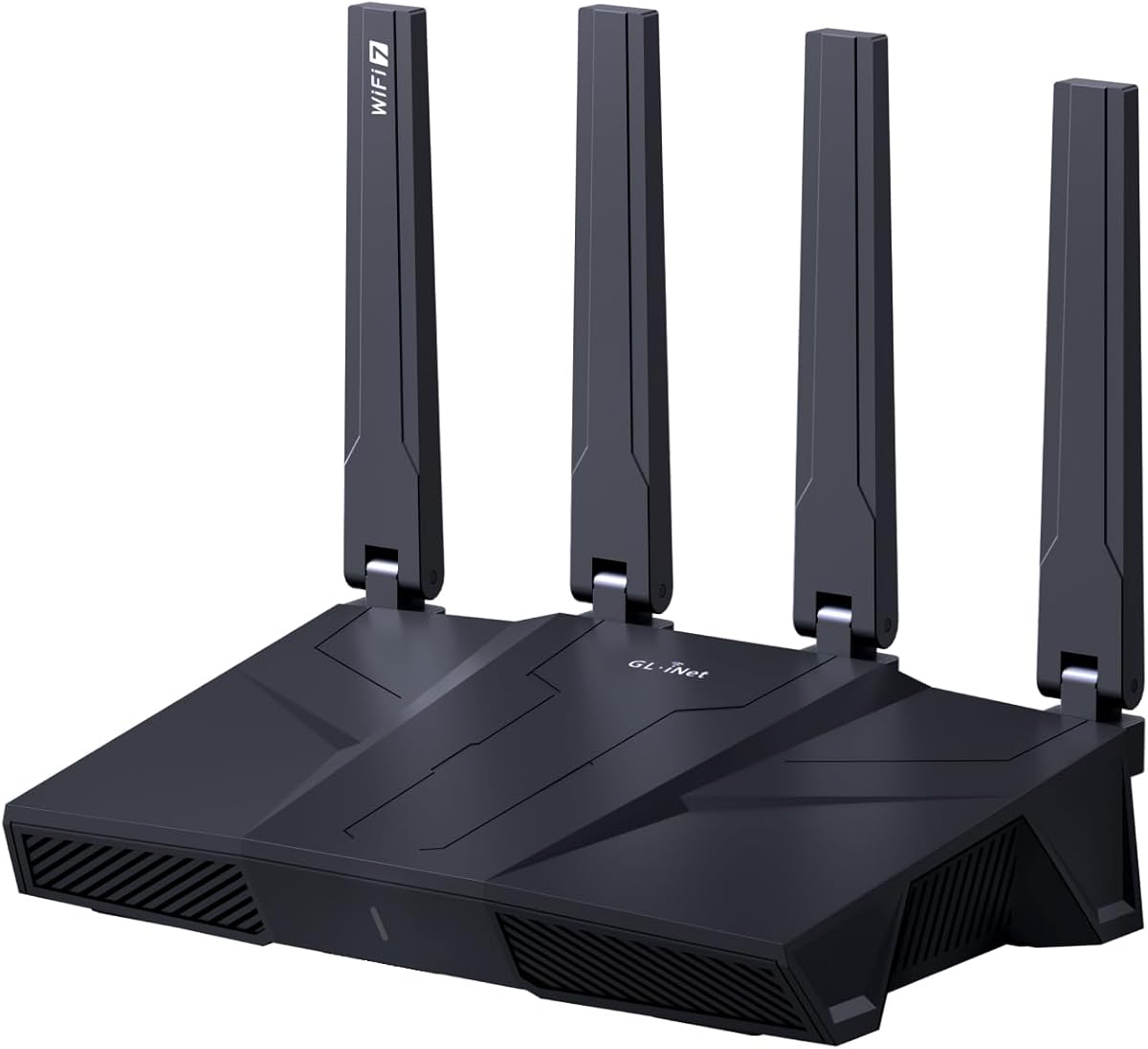
The GL.iNet Flint 3 is a standout for privacy focused users needing high bandwidth WiFi 7 speeds alongside robust VPN support. Its rating highlights strong connectivity for advanced users.
We may earn a commission when you buy through this link, at no additional cost to you.
It offers up to 680Mbps speeds on Wireguard and OpenVPN giving you complete control over your gaming and streaming.
The initial setup may require firmware updates which enhance performance significantly but add a step to the process.
DIY enthusiasts who need advanced features will find this router offers exceptional value with strong open source capabilities.
Wireguard VPN and OpenVPN speeds both up to 680Mbps for complete control over bandwidth.
Enable DNS server for blocking unwanted tracking and offers a web interface for filtering ads.
We may earn a commission when you buy through this link, at no additional cost to you.
This ASUS ROG router delivers extreme performance with up to 30 Gbps speeds ideal for competitive gaming and large homes. It holds a high rating for stability under heavy loads.
We may earn a commission when you buy through this link, at no additional cost to you.
It features dual 10G ports and quad 2.5G ports providing unmatched wired connectivity for high-speed data transfers.
The high price point places it out of reach for casual users who do not need such extreme bandwidth.
Gaming professionals seeking top tier performance will find this model justifies its cost with exceptional features.
Beyond-fast WiFi 7 with 320MHz channels and 4096-QAM increases network capacity and throughput.
Triple-Level Game Acceleration boosts your PC gaming traffic every step of the way.
We may earn a commission when you buy through this link, at no additional cost to you.
The NETGEAR X10 remains a powerful router with 60GHz support for high bandwidth needs in specific environments. Its rating reflects durability and broad compatibility with various devices.
We may earn a commission when you buy through this link, at no additional cost to you.
It provides up to 2500 sq ft of wireless coverage with multiple ethernet ports for wired connections and USB sharing.
As an older model it lacks the latest WiFi 7 features but still supports high throughput for specific legacy devices.
Users needing specific 60GHz capabilities or existing ecosystem integration will find this router a reliable choice.
Get up to 2500 square feet wireless coverage with AD7200 speed for 60Ghz band devices.
Designed with 1.7GHz quad-core processor 4 amplified antennas Beamforming and more.
We may earn a commission when you buy through this link, at no additional cost to you.
Choosing the right router depends on your home size device count and internet plan. This guide outlines the key factors to consider before purchasing.
WiFi 7 offers the highest speeds with MLO and 320 MHz channels but requires compatible devices. WiFi 6E adds the 6 GHz band for less congestion while WiFi 6 remains reliable for most homes.
Look for WiFi 7 if you have future-proof devices or choose WiFi 6E for balanced performance.
Router speed ratings often exceed your internet plan but higher totals allow for better simultaneous usage. Ensure the combined speed of bands meets your household demand.
Select a router with total speed higher than your ISP plan to maintain performance.
Coverage depends on antenna count and power. Large homes need routers rated for higher square footage or mesh compatibility to avoid dead zones.
Check the coverage rating to match your home layout and wall density.
Gigabit ports limit wired devices to 1 Gbps. For faster internet plans look for 2.5 Gbps or 10 Gbps ports for NAS and gaming PCs.
Prioritize multi-gig ports if you plan to use wired connections for high-speed tasks.
Built-in security like parental controls and threat detection protects your network. Some models require subscriptions for advanced features while others include free tiers.
Evaluate security features to ensure your smart devices stay protected online.
If you need whole-home coverage check if the router supports mesh networking. Seamless roaming ensures connectivity as you move around the house.
Choose a mesh compatible router to expand your network easily over time.
User-friendly apps simplify initial configuration and ongoing management. Look for intuitive interfaces and remote management options for convenience.
Select a router with a good app to manage your network without technical hassle.
Hardware life is long so choose a router that supports upcoming standards. Investing now prevents needing upgrades soon when new devices arrive.
Prioritize models with advanced specs to extend the router usable lifespan.
Place your router in a central elevated location to maximize signal coverage. Avoid placing it inside cabinets or near large metal objects that block signals.
Keep the router firmware updated to patch security vulnerabilities and improve performance. Most routers allow automatic updates through their management app.
Regularly reboot the router to clear temporary cache and ensure stable connections. A restart every few weeks can help maintain peak performance levels.
Yes WiFi 7 routers are backward compatible with older WiFi 6 and WiFi 5 devices. They ensure all your gadgets stay connected while newer devices enjoy faster speeds.
High bandwidth routers typically support between 50 and 100 devices depending on the model. Check the specs for device capacity before purchasing to match your needs.
The 6 GHz band is a new frequency introduced with WiFi 6E and 7. It offers less congestion and faster speeds for compatible devices.
Yes these routers connect to an existing modem or gateway via ethernet. Ensure your modem supports your internet plan speed.
Mesh networking helps eliminate dead zones in large homes. If your router supports mesh it may be worth expanding your system.
Update firmware whenever available to stay secure. Most routers allow automatic updates which simplify this process.
The top picks offer exceptional performance for various needs whether you seek budget-friendly options or premium gaming features. Each model brings unique strengths to support modern home networks.
Prioritize speed and coverage based on your specific requirements. Choosing the right features ensures a stable experience for all connected devices.
Prices and availability change frequently so always verify details before purchase. Check current listings to ensure the best deal for your home.