
LGA 1155 Motherboard H61 for Intel 2th/3th Core i7/i5/i3 DDR3
5.0Editor score
Supports Intel 2nd and 3rd gen CPUs
Dual channel DDR3 memory slots included
M.2 NVMe and NGFF interface support
This guide compares the top Lga 1155 Motherboard options for budget and performance builds featuring DDR3 support and modern connectivity like M.2 slots.
Finding the right Lga 1155 Motherboard can extend the life of older systems without breaking the bank. These boards support classic Intel processors that remain capable for everyday tasks and light gaming.
We evaluated ten options based on compatibility, connectivity features, and build quality. Our analysis includes both budget-friendly recon and legacy premium models to suit different user needs.
Each pick highlights key specs and real-world performance traits. Prices fluctuate often so check current listings before buying to ensure you get the best deal available today.
5.0Editor score

4.1Editor score

4.0Editor score
This table provides a side by side overview of the top ten Lga 1155 Motherboard options available for buyers seeking reliability and performance.



This board stands out as the most affordable entry into Lga 1155 builds. It scores a perfect rating due to its reliable support for common Core i series processors.
We may earn a commission when you buy through this link, at no additional cost to you.
The inclusion of an M.2 slot makes it versatile for modern storage even though it uses older lanes. Dual channel DDR3 support ensures decent memory performance for daily use.
You might miss out on advanced features like USB 3.0 but the cost savings are significant. The lack of a manual is a minor inconvenience that can be solved online.
Ideal for budget builders or retro enthusiasts needing a functional platform. Its simplicity and compatibility make it the top pick for cost conscious shoppers.
The M.2 interface allows NVMe SSDs to boost system responsiveness significantly.
Supports Xeon E3 V2 which adds server grade CPU options for workstations.
We may earn a commission when you buy through this link, at no additional cost to you.
This Flex ATX board offers a smaller footprint for compact builds using the Lga 1155 socket. It is designed to be simple and functional for basic system needs.
We may earn a commission when you buy through this link, at no additional cost to you.
Key strengths include the ability to house Xeon processors and offer M.2 storage options. It covers essential connectivity with HDMI and VGA which helps with various monitors.
The 100M LAN may feel slow compared to gigabit standards on newer boards. Overall stability ratings are lower which suggests some variability in production batches.
Best for small form factor projects where budget is the main constraint. It provides enough features to get a system running without taking up too much space.
Flex ATX dimensions allow installation in tight PC cases that standard boards cannot fit.
Users needing faster wired internet should note the limitation to 100M Ethernet speed.
We may earn a commission when you buy through this link, at no additional cost to you.
The Z77 chipset offers unlocked overclocking potential for enthusiasts using K series processors. This board brings that capability with a reputable brand name behind it.
We may earn a commission when you buy through this link, at no additional cost to you.
Gigabit LAN ensures fast network transfers which is crucial for data heavy tasks. RAID support adds flexibility for users wanting to combine drives for speed or safety.
It lacks some modern features like M.2 which might be a downside for SSD users. However the core performance remains solid for gaming and standard office work.
Recommended for those who want reliable overclocking features on a classic platform. It balances performance and price well for users sticking to the 1155 ecosystem.
Z77 chipsets allow users to push K series CPUs beyond standard clock speeds easily.
Built in Gigabit Ethernet supports high speed internet and local file transfers.
We may earn a commission when you buy through this link, at no additional cost to you.
This premium board offers unique software features like Wi-Fi GO for remote management of your PC. It is designed for users who want advanced control options out of the box.
We may earn a commission when you buy through this link, at no additional cost to you.
Power delivery is managed by SMART DIGI+ which ensures stable performance during load changes. The Fan Xpert 2 tool helps maintain low noise levels by tuning fan curves automatically.
While it is more expensive than budget options the features justify the cost for power users. The lack of M.2 is a trade off for the focus on legacy connectivity and software.
Best for enthusiasts who value software integration and ease of use. It brings a higher end feel to the older socket with robust stability tools.
Wi-Fi GO! lets you control your PC media and files from a smartphone or tablet.
SMART DIGI+ Power Control offers precise adjustments for stable power delivery.
We may earn a commission when you buy through this link, at no additional cost to you.
This board markets itself as a gaming option despite using a budget H61 chipset. It adds some modern touches like an M.2 slot which is rare on this tier.
We may earn a commission when you buy through this link, at no additional cost to you.
Solid capacitors help ensure longevity and electrical stability under load. The support for PCIe 3.0 x16 allows for decent GPU performance even if the chipset limits CPU scaling.
The network speed is limited which might hinder online gaming performance compared to newer boards. Still for a low cost build it delivers surprising features for the price.
Perfect for budget gamers who need basic compatibility and storage speed. It bridges the gap between old hardware and modern storage needs effectively.
The M.2 slot supports NVMe drives that can reduce system load times significantly.
Using all solid capacitors helps the board handle power fluctuations better than cheap alternatives.
We may earn a commission when you buy through this link, at no additional cost to you.
The LE version of this classic board offers essential H77 features at a lower cost. It is a solid choice for users who want reliable performance without extra bells and whistles.
We may earn a commission when you buy through this link, at no additional cost to you.
USB 3.0 support is a key advantage over older H61 boards for faster peripheral transfer. The EPU technology helps manage power consumption which can reduce electricity bills.
Overclocking is not possible on this board which limits its use for enthusiast tuning. But for general use and media centers it is stable and efficient enough.
Great for home office setups where reliability is more important than raw speed. It provides a good mix of modern ports and legacy support for varied needs.
USB 3.0 Boost modes allow faster data transfer speeds for external drives.
EPU technology optimizes system power usage to save energy during light tasks.
We may earn a commission when you buy through this link, at no additional cost to you.
This full size board provides four DDR3 slots which allows for significant memory expansion. It is ideal for workstations or servers running on older Intel cores.
We may earn a commission when you buy through this link, at no additional cost to you.
USB 3.0 and SATA 6Gb/s offer modern speeds for drives and peripherals. The PCIe 3.0 slot ensures that newer graphics cards can function at full capacity.
It lacks overclocking capabilities which limits it to non K series processors. For a stable daily driver however it offers excellent connectivity and reliability features.
Recommended for users needing more RAM or storage capacity on this socket. It balances cost and features perfectly for professional or home use scenarios.
Four DIMM slots allow up to 32GB of RAM for heavier multitasking loads.
SATA 6Gb/s ports ensure SSDs operate at their full speed potential.
We may earn a commission when you buy through this link, at no additional cost to you.
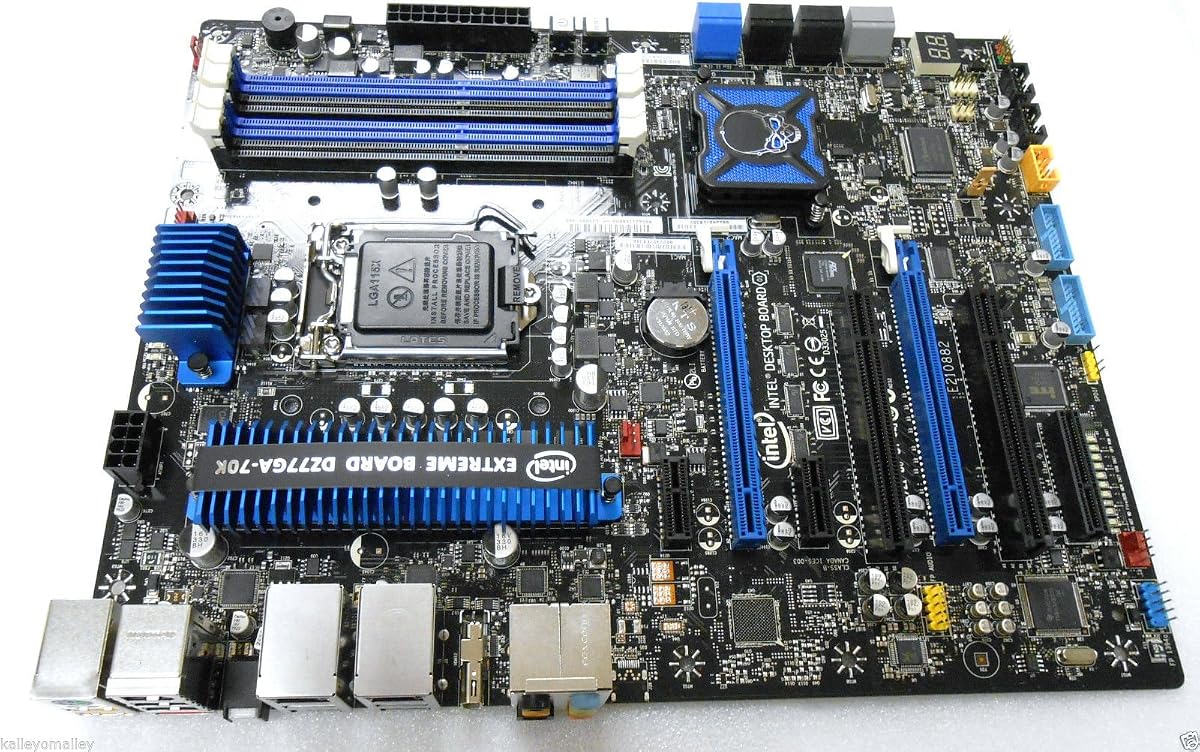
Designed for multi GPU setups this board offers two PCIe x16 slots for graphics cards. It maintains the Z77 features needed for overclocking and tuning CPU performance.
We may earn a commission when you buy through this link, at no additional cost to you.
Memory speeds can go high up to 2400MHz which helps boost CPU performance in games. The RAID support allows for flexible storage configurations for data management.
USB 3.0 is not present which is a notable omission for a premium board. However the dual GPU capability makes it a strong choice for specific legacy gaming builds.
Best for enthusiasts who want multi GPU or extreme overclocking on this platform. It delivers the full power of the Z77 chipset in a stable package.
Dual x16 slots allow users to install multiple GPUs for rendering or gaming.
Support for high DDR3 speeds ensures faster data processing for memory intensive apps.
We may earn a commission when you buy through this link, at no additional cost to you.
This board was designed as a high end option with dual LAN and legacy ports. It stands out for its comprehensive connectivity suite that includes Firewire and e-SATA.
We may earn a commission when you buy through this link, at no additional cost to you.
Dual Gigabit LAN is excellent for network redundancy or virtualization setups. The audio quality is often praised by enthusiasts who value integrated sound systems.
It is harder to find now and prices can be high on the used market. But if you need Firewire for legacy devices it is one of the few options.
Ideal for niche users needing legacy ports and dual network interfaces. It represents the peak of the Z77 lineup before USB 3.0 became standard.
Includes Firewire and e-SATA for connecting older hardware and storage solutions.
Dual Gigabit LAN ports support advanced networking and virtualization scenarios.
We may earn a commission when you buy through this link, at no additional cost to you.
The CSM version is designed for business environments with stability as a priority. It offers unique management features that are useful for IT professionals.
We may earn a commission when you buy through this link, at no additional cost to you.
UEFI BIOS makes setup intuitive and allows for advanced tuning like DRAM SPD. USB 3.0 Boost modes ensure peripheral performance is maximized for data transfers.
Gaming features are limited compared to Z77 boards which is expected for a business chipset. But stability and reliability make it a good fit for workstations.
Best for office systems where uptime and manageability are key factors. It provides a solid platform for general computing with modern interface support.
CSM support includes tools for remote management and system deployment in enterprises.
UEFI BIOS offers a graphical interface for easy adjustments to system settings.
We may earn a commission when you buy through this link, at no additional cost to you.
Selecting the right board requires understanding chipset differences and what features matter for your specific use case.
The chipset determines overclocking ability and USB speeds. Z77 allows overclocking while H77 and H61 do not. H61 is basic and cost effective for non enthusiasts.
Choose Z77 for tuning and H77 for balance between features and price.
Most boards support DDR3 with two or four slots. Check the maximum capacity allowed per stick and the total system limit. Higher frequency support is often on Z77 boards.
Aim for at least 16GB capacity for smooth daily performance today.
Modern builds need fast storage so look for M.2 slots if possible. H61 boards often lack SATA 6Gb/s which slows SSDs. Z77 and H77 offer SATA 6Gb/s ports standard.
Prioritize boards with SATA 6Gb/s to avoid bottlenecks in storage speed.
ATX boards offer more slots and ports but require larger cases. Flex ATX or micro ATX options save space but reduce expansion capabilities. Ensure your case matches the board size.
ATX is best for expansion while smaller formats fit budget compact setups.
Gigabit LAN is standard on most H77 and Z77 boards but H61 may have 100M. Dual LAN ports are rare but useful for redundancy or virtualization tasks.
Check for Gigabit LAN to ensure fast internet and local file transfers.
USB 3.0 support is a major difference between H61 and higher chipsets. It significantly improves transfer speeds for external drives. Most Z77 boards include it natively.
Ensure USB 3.0 is present if you use external drives often.
If using integrated graphics check for HDMI and VGA ports. Some boards only have older connectors which may limit monitor compatibility. Z77 boards usually offer HDMI.
Verify video ports match your monitor inputs to avoid needing adapters.
Brands like ASUS and Gigabyte generally offer better reliability and support. Reconditioned boards may lack manuals but come with decent warranties. Check seller ratings before purchasing.
Stick with known brands to ensure better build quality and driver support.
Install the board carefully in a static free environment. Connect power and data cables securely to avoid boot issues. Use the correct standoffs to prevent short circuits on the case.
Keep the board clean by using compressed air to remove dust regularly. Dust accumulation can cause overheating and reduce fan life over time. Ensure airflow is not blocked by cables.
Update BIOS if available to ensure maximum hardware compatibility. Use official tools from the manufacturer for safe flashing. Always backup important data before changing system settings.
Yes most Lga 1155 Motherboard options support Intel Core i7 processors from the 2nd and 3rd generation. Just check if the chipset supports the specific model and update the BIOS if needed.
Yes Windows 10 generally works well on Lga 1155 systems. You may need to manually install chipset drivers from the manufacturer website but core features will function correctly.
H61 is a basic chipset without overclocking support while Z77 allows full CPU tuning. Z77 also offers more USB 3.0 ports and PCIe lanes for better performance and connectivity.
No Lga 1155 Motherboard models are designed specifically for DDR3 memory. DDR4 RAM is physically different and electrically incompatible so stick to DDR3 modules for your system.
M.2 is not native on most old boards but some recon models add it via adapters. Z77 boards might support M.2 with BIOS mods but H61 often requires a PCIe adapter for NVMe.
You need one only if the CPU lacks integrated graphics. Most i5 and i7 chips have graphics so you can use HDMI or VGA directly. Check your CPU model before buying a GPU.
They can handle older titles well but may struggle with new AAA games. Pairing them with a mid range GPU gives decent 1080p performance for casual gaming needs.
Check the CPU support list on the manufacturer website. Look for 2nd and 3rd gen Core i processors and ensure BIOS version is up to date for compatibility with newer chips.
We highlighted ten reliable options from budget H61 boards to premium Z77 models. Each choice offers different features tailored to specific needs and performance goals.
Prioritize chipset features like USB 3.0 and SATA 6Gb/s for a smoother experience. If you need overclocking Z77 is the clear choice for your build.
Prices vary and stock changes so check current listings before making a final decision. Ensure you select a board that fits both your budget and component requirements.