
EinScan Rigil
4.7Editor score
Wireless all-in-one design
Hybrid blue laser and IR source
Integrated 2K AMOLED touchscreen
This guide compares the top 3D scanners for reverse engineering, highlighting precision, speed, and software compatibility for professionals and enthusiasts.
Reverse engineering requires precise digital replicas of physical objects to recreate or improve designs. A high quality 3D scanner captures detailed geometry quickly, enabling engineers to analyze tolerances and replicate parts without manual measurements. Choosing the right tool depends on object size, surface texture, and required accuracy levels.
We evaluated ten leading handheld and stationary scanners based on real world performance in industrial settings. Each device was assessed for scanning speed, ease of calibration, and ability to handle challenging materials like shiny metals or dark plastics. Our analysis focuses on features that directly impact reverse engineering workflows and data quality.
Each product review below outlines key specifications, pros, and cons to help you match a scanner to your specific needs. Prices and availability change frequently, so verify current offers before purchasing. Use this guide to identify which model delivers the best balance of precision and affordability for your projects.
4.7Editor score

4.8Editor score

4.6Editor score
The following table provides a side-by-side comparison of all ten scanners, detailing their core specifications and ideal use cases to simplify your decision making process.



The Revopoint MetroX Pro stands out as a top contender for reverse engineering tasks due to its industrial-grade precision and versatile scanning capabilities. With single-frame precision of up to 0.01mm, it captures fine details essential for replicating complex mechanical parts. Its blue laser technology ensures reliable performance even on challenging surfaces without requiring reflective spray.
We may earn a commission when you buy through this link, at no additional cost to you.
This device offers four distinct scanning modes, including cross-line lasers for flat surfaces and parallel lines for fine edges. The auto turntable feature automates scans for complex objects, reducing manual effort and increasing consistency. Real-time streaming to mobile devices allows users to monitor progress without tethering to a laptop, enhancing workflow flexibility in workshop environments.
While the scanner delivers exceptional data quality, users should note that advanced post-processing features depend on paid software like Revo Design and Revo Measure. These tools are Windows-only, which may limit Mac users unless they utilize virtualization or separate machines. However, the core functionality remains robust for immediate needs.
Professionals and serious hobbyists seeking high-accuracy scans for manufacturing or prototyping will find the MetroX Pro an excellent investment. Its balance of speed, precision, and ease of use makes it a reliable choice for demanding reverse engineering projects. We recommend it for users who prioritize data quality and workflow efficiency.
The blue laser system captures up to 7 million points per second, ensuring detailed geometry for accurate CAD reconstruction without manual intervention.
Integrated tracking modes and auto-turntable scanning reduce setup time, allowing engineers to focus on design refinement rather than data collection.
We may earn a commission when you buy through this link, at no additional cost to you.
The Revopoint MetroY Ultra prioritizes speed without sacrificing accuracy, making it ideal for large-scale industrial inspections. It achieves up to 90 frames per second with an NVIDIA GPU, drastically reducing acquisition time for complex assemblies. This efficiency is crucial for teams managing tight production schedules or frequent quality checks.
We may earn a commission when you buy through this link, at no additional cost to you.
Its Wi-Fi 6 support enables wireless scanning, freeing users from cables during mobile or outdoor inspections. The included 5500mAh battery grip provides roughly 2.5 hours of continuous power, supporting fieldwork where outlets are unavailable. Dark or shiny surfaces are handled without spray, maintaining part integrity and saving preparation time.
However, the premium price may deter smaller operations or beginners. Additionally, achieving the advertised 90 FPS requires a compatible NVIDIA GPU, which adds to the total cost of ownership. Users with older hardware might experience slower performance but will still benefit from the scanner's core reliability.
For manufacturing environments where time is money, the MetroY Ultra offers a compelling solution. It bridges the gap between portability and industrial-grade throughput. We recommend it for professionals who need rapid, high-quality scans for ongoing production cycles.
The cross-line laser mode covers large areas quickly, minimizing interruptions and keeping projects on schedule in fast-paced industrial settings.
Wireless freedom and battery operation allow technicians to inspect components on-site without setting up temporary workstations.
We may earn a commission when you buy through this link, at no additional cost to you.
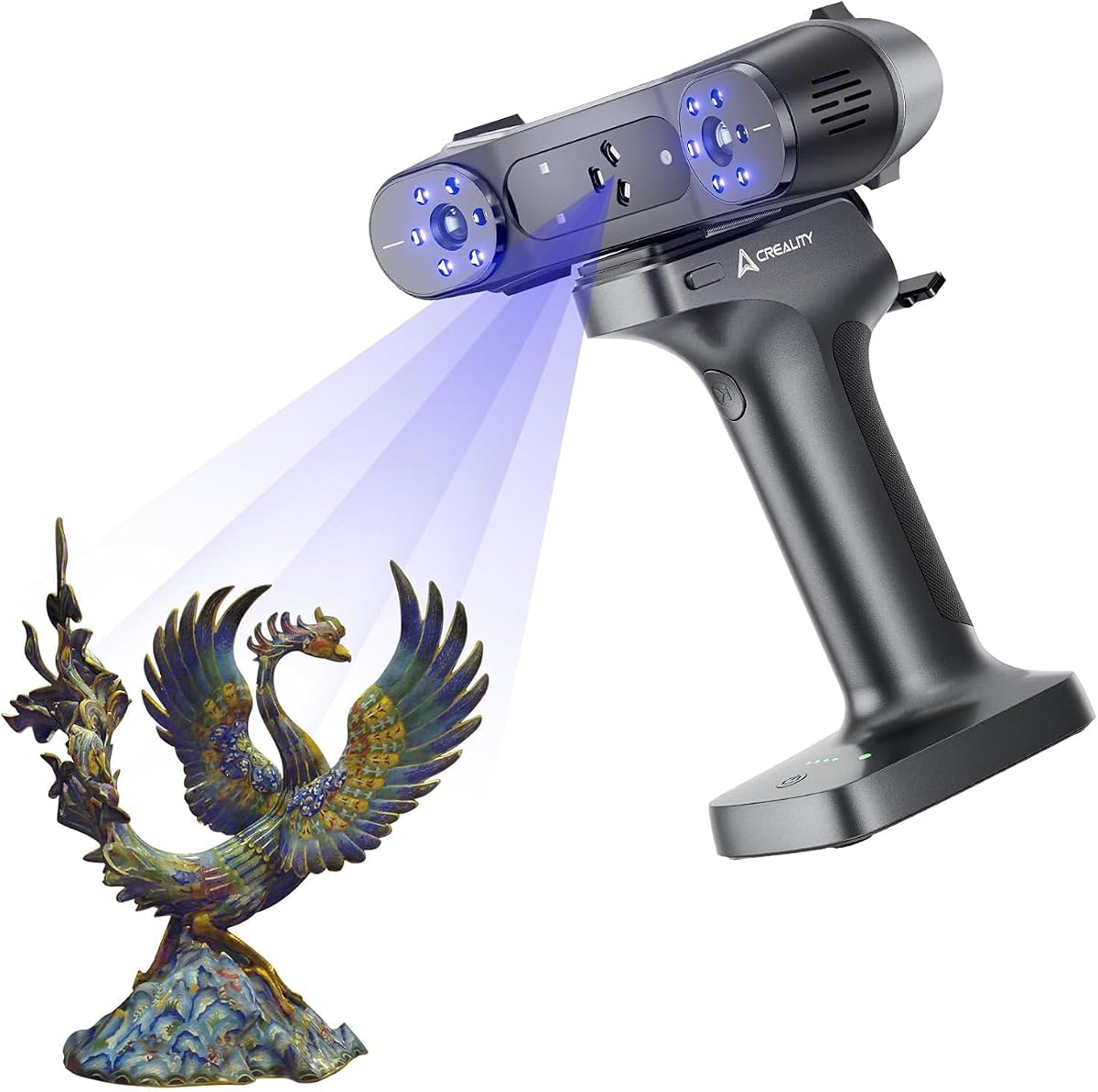
The EinScan Rigil redefines portable scanning with its all-in-one design that eliminates the need for a connected computer during capture. Featuring Wi-Fi 6 and onboard computing, it processes data directly on the device, enabling marker-free scans anywhere. This independence is a game-changer for remote inspections or field engineering tasks.
We may earn a commission when you buy through this link, at no additional cost to you.
Its hybrid blue laser and IR VCSEL technology delivers ultra-precise 0.04mm accuracy, capturing vibrant textures with a 5MP camera. The device includes a 2.4GHz CPU, 32GB DDR5 RAM, and 1TB SSD, ensuring smooth processing without external dependencies. The 6.4-inch 2K AMOLED touchscreen provides intuitive control and real-time feedback.
While the Rigil offers unparalleled convenience, it comes with a premium price tag that may not suit all budgets. The unit is also heavier than some competitors due to its internal components, which could cause fatigue during prolonged handheld use. However, the included personal training and accessories offset some of these concerns.
Organizations requiring maximum flexibility and top-tier accuracy will appreciate the Rigil's capabilities. It excels in environments where tethering to a PC is impractical. We recommend it for advanced users and enterprises that value seamless, high-end reverse engineering workflows.
Onboard processing allows users to scan, view, and export data without needing a laptop, streamlining the entire workflow from capture to CAD.
The advanced IR laser and algorithm enable reliable scans even in bright outdoor conditions, expanding usability beyond controlled indoor spaces.
We may earn a commission when you buy through this link, at no additional cost to you.
The Creality CR-Scan Raptor Pro excels at handling large objects, with a range extending from 5mm to 4000mm. Its unique configuration of 22 crossed and 7 parallel blue lasers captures medium to large items efficiently, reducing the need for multiple passes. The infrared structured light ensures stable tracking on feature-rich surfaces.
We may earn a commission when you buy through this link, at no additional cost to you.
With scanning speeds up to 60fps and 660,000 points per second, this model balances speed and detail well. The built-in RGB camera supports 24-bit full-color texture capture, useful for visual inspection and digital archiving. Temperature compensation algorithms maintain stability in varying environmental conditions.
Users must ensure their computer meets the recommended specifications, including a dedicated NVIDIA graphics card, for optimal performance. While it supports both Windows and Mac, Mac users may need specific drivers or configurations. However, the versatility across sizes makes it a strong contender for automotive and industrial design.
Professionals working on vehicles, molds, or large machinery will find the Raptor Pro highly effective. Its ability to scan without spray on metallic parts saves significant prep time. We recommend it for teams needing a robust, versatile tool for diverse object sizes.
From tiny mechanical parts to entire car bodies, the Raptor Pro adapts seamlessly, making it a one-size-fits-all solution for workshops.
True-color rendering enhances visual documentation, aiding in design reviews and client presentations without additional texture mapping steps.
We may earn a commission when you buy through this link, at no additional cost to you.
The Revopoint INSPIRE 2 is designed for mobility and outdoor use, weighing just 190g for easy handling. Its ability to scan in up to 20,000 lux lighting makes it ideal for fieldwork where controlled environments are unavailable. The dual modules combine infrared structured light and multi-line laser for adaptability across materials.
We may earn a commission when you buy through this link, at no additional cost to you.
With accuracy up to 0.05mm and precision up to 0.03mm, it delivers reliable results for general reverse engineering tasks. The optical zoom feature allows focus on mixed-geometry surfaces, capturing fine details on small parts without switching devices. Full-color texture capture adds realism to the digital models.
While it lacks the ultra-high precision of industrial models, the INSPIRE 2 offers excellent value for its price. The included software supports basic workflows, but advanced CAD integration requires paid add-ons. Users should verify their specific software needs before purchasing.
For small businesses, educational settings, or prototyping teams, this scanner provides a practical entry point into 3D scanning. Its portability and daylight capability are standout features. We recommend it for users who prioritize flexibility and cost-effectiveness over metrology-grade precision.
Infrared technology resists ambient light interference, allowing accurate scans outdoors without the need for darkened rooms or tents.
The lightweight aluminum alloy panel ensures durability while keeping the unit easy to carry for on-site inspections and mobile projects.
We may earn a commission when you buy through this link, at no additional cost to you.
The Creality Otter Lite Basic offers an accessible entry into reverse engineering with its 0.05mm resolution and dual-mode scanning capabilities. It supports close-range scans for fine details and long-range for larger objects, providing versatility for hobbyists and small workshops. The 235g weight ensures comfortable handling during extended sessions.
We may earn a commission when you buy through this link, at no additional cost to you.
Equipped with both RGB and infrared cameras, it captures true-to-life color textures at 30fps, suitable for visual assets and simple part replication. The plug-and-play design with intuitive LED indicators simplifies operation, reducing the learning curve for new users. The kit includes a turntable and markers for immediate use.
While it handles objects down to 20mm, larger industrial parts may require multiple setups or more advanced models. The software is user-friendly but lacks the advanced stitching and editing tools of premium options. However, for DIY projects and basic reverse engineering, it delivers reliable results.
Students, makers, and small businesses seeking a cost-effective solution will find the Otter Lite Basic appealing. It balances performance and price well. We recommend it for those starting with 3D scanning who do not need industrial-grade metrology.
Multi-color LED indicators guide optimal scanning distance, helping users capture clean data without extensive training or complex settings.
The included turntable and calibration board allow immediate productivity, ensuring users can begin scanning right out of the box.
We may earn a commission when you buy through this link, at no additional cost to you.
The Revopoint MetroX Pro delivers industrial-grade precision with volumetric accuracy of 0.02mm + 0.04mm × L (m), making it suitable for quality control and manufacturing. Its three tracking modes—feature, marker, and global marker—adapt to various object complexities, ensuring reliable data capture. The auto turntable feature automates scans, reducing human error.
We may earn a commission when you buy through this link, at no additional cost to you.
With four scanning modes, including 62-line full-field blue structured light, it captures feature-rich objects at up to 7 million points per second. The PC-to-mobile streaming allows technicians to monitor scans remotely, improving ergonomics and workflow efficiency. Shiny or dark surfaces are scanned effortlessly without spray, preserving part condition.
While the hardware is robust, the software ecosystem depends on Windows and optional paid tools for full reverse engineering capabilities. This may require additional investment for cross-platform teams. However, the core data quality is exceptional for its price range. We recommend it for manufacturing firms needing accurate replicas for tooling or parts reproduction.
One-click turntable scanning minimizes manual intervention, allowing consistent results for repetitive inspections or high-volume production checks.
Cross-line and parallel laser modes handle reflective metals and dark plastics without pre-treatment, saving time and maintaining part integrity.
We may earn a commission when you buy through this link, at no additional cost to you.
The Creality CR-Scan Raptor Pro achieves metrology-grade accuracy up to 0.02mm, positioning it for precise measurement tasks. Its advanced laser configuration with 22 crossed and 7 parallel lines ensures fast, flawlessly scans of medium to large objects. The wireless design supports mobility in varied environments.
We may earn a commission when you buy through this link, at no additional cost to you.
The scanner handles challenging materials like black or metallic surfaces without spray, protecting delicate components. It works outdoors with resistance to up to 100,000 lux, enabling field inspections. The CrealityScan app provides step-by-step tutorials and editing tools, streamlining post-processing for users at different skill levels.
System requirements are demanding, needing an i7 CPU and dedicated NVIDIA GPU for optimal performance. Mac users must meet specific processor requirements to ensure compatibility. However, the data quality and flexibility justify these considerations for professional use. We recommend it for engineering firms needing high-precision results in flexible settings.
Parallel and crossed laser modes withstand bright sunlight, ensuring reliable scans on job sites or outdoor manufacturing floors.
Built-in editing and stitching tools simplify workflow from capture to final model, reducing the need for external software solutions.
We may earn a commission when you buy through this link, at no additional cost to you.
The Creality Raptor X features 34 cross blue laser lines for rapid, detailed scans of medium to large objects. With 0.02mm accuracy and a 2.3-megapixel camera, it captures sharp edges and intricate details effectively. The Wi-Fi 6 wireless handle ensures low-latency data transmission, reducing cable clutter during operations.
We may earn a commission when you buy through this link, at no additional cost to you.
Its large 35400mWh battery supports extended outdoor use, with fast charging capabilities for minimal downtime. Speckle matching and anti-shake technologies enable marker-free, smooth scanning, even with handheld movement. Face and body algorithms add versatility for human scans in just two minutes.
While expensive, the Raptor X delivers premium performance and convenience. The 0.1mm laser lines provide exceptional detail for CAD reconstruction. However, its design may be less optimal for very small components without additional accessories. We recommend it for professionals needing wireless flexibility and high precision.
Wi-Fi 6 compression algorithms ensure fast data transfer without quality loss, enabling real-time collaboration and remote monitoring.
Advanced imaging maintains tracking during handheld use, reducing errors from minor movements and ensuring consistent data quality.
We may earn a commission when you buy through this link, at no additional cost to you.
The Creality Raptor Pro delivers metrology-grade accuracy up to 0.02mm, making it ideal for automotive components and artifact replication. Its dual blue and IR laser modes handle objects from 5mm to 4000mm, covering a broad range of industrial and creative needs. The wireless support enhances mobility during inspections.
We may earn a commission when you buy through this link, at no additional cost to you.
With 660,000 points per second scanning speeds, it efficiently captures large surfaces like car bodies. The NIR structured light enables marker-free scanning of feature-rich parts, reducing setup time. Compatible with Windows and macOS, the software supports seamless workflow integration for post-processing.
Users should ensure their systems meet the recommended configuration for optimal performance, particularly for macOS. While highly capable, very fine details may require additional focus modes. However, its balance of precision and range makes it a strong choice for diverse reverse engineering projects. We recommend it for automotive and design professionals.
The scanner's ability to handle large, complex surfaces without spray is crucial for maintaining paint and material integrity during inspection.
Software compatibility across major operating systems ensures teams can collaborate without hardware restrictions, enhancing workplace flexibility.
We may earn a commission when you buy through this link, at no additional cost to you.
Selecting the right 3D scanner requires understanding your project needs, budget, and technical environment. This guide outlines key factors to consider for optimal results.
Accuracy refers to how close the scanned data is to the actual object dimensions, while precision measures repeatability. For reverse engineering, look for single-frame accuracy of 0.02mm or better to ensure CAD reconstruction fits correctly. Industrial applications may require volumetric accuracy that accounts for object size.
Prioritize scanners with tight tolerances if you are replicating mechanical parts. Always verify vendor claims with third-party testing data if available.
Faster scanning reduces project time and increases throughput. Look for devices with high frame rates (30fps or higher) and rapid point capture. This is especially important for large assemblies or frequent quality checks in production.
Balance speed with data quality. Ultra-fast modes may compromise detail on complex surfaces, so choose a scanner with adjustable speed options.
Many materials like shiny metal or dark plastic reflect or absorb light, causing scan errors. Blue laser or IR-based systems often require no spray, saving prep time and preserving part integrity. Check if the scanner handles reflective or matte surfaces without pre-treatment.
If spray is needed, consider the time and cost implications. Opt for models that minimize this requirement to streamline workflows.
Reverse engineering projects vary from tiny components to large machinery. Ensure the scanner's minimum and maximum capture volume fits your typical objects. Some models offer dual modes for both close-up and wide-angle scans.
For versatility, choose scanners with adjustable working distances. This avoids needing multiple devices for different project scales.
Software is critical for processing scan data into usable CAD models. Evaluate the included tools for cleaning, stitching, and exporting to industry formats like STL or OBJ. Some brands require paid subscriptions for advanced features.
Verify compatibility with your existing CAD software. Seamless integration prevents workflow bottlenecks and reduces post-processing time.
Fieldwork or multi-location projects benefit from wireless and lightweight designs. Battery life should support full scanning sessions without frequent recharging. Look for Wi-Fi 6 for stable data transmission without cables.
Consider the weight for handheld comfort during extended use. Ergonomic designs reduce fatigue and improve data consistency.
High-performance scanners often demand powerful computers. Check CPU, GPU, and RAM recommendations to ensure smooth data processing. Mac users should verify specific compatibility before purchasing.
Invest in hardware that meets or exceeds specs to avoid latency or crashes. This is especially true for handling large point clouds.
Prices vary widely from entry-level to industrial models. Define your essential needs first. A cheaper scanner may suffice for prototyping, while manufacturing needs higher accuracy.
Factor in hidden costs like software licenses or accessories. Sometimes a mid-range model with included tools offers better total value than a base unit.
Calibrate your scanner before each session using the provided board. Proper calibration ensures data accuracy and reduces errors in final models. Follow the manufacturer's guidelines for lighting and placement during calibration.
Keep lenses and sensors clean with a soft, dry cloth. Avoid harsh chemicals that could damage optical components. Store the device in a protective case when not in use to prevent dust accumulation.
Update firmware and software regularly to benefit from performance improvements and bug fixes. Regular updates maintain compatibility with modern operating systems and ensure optimal scanning results.
Most scanners come with proprietary software for scanning and basic processing. For reverse engineering, you may need additional tools to convert scan data into CAD files. Check compatibility with your existing design software before purchasing to ensure seamless workflows.
High-end handheld scanners can achieve accuracy of 0.02mm or better, suitable for most industrial applications. However, stationary systems may offer higher precision for tight tolerances. Choose a device based on the specific precision requirements of your project.
Many modern scanners use blue laser or infrared technology to capture reflective or dark surfaces without spray. This saves time and prevents contamination. Check the product specifications for surface compatibility before purchasing.
Typically, an i7 CPU, 16GB RAM, and a dedicated NVIDIA GPU with 6GB VRAM are recommended. High-quality scans generate large files that demand processing power. Verify your system meets the manufacturer's minimum requirements.
Most handheld scanners are designed for ease of use with intuitive software. However, mastering advanced features like stitching and calibration takes practice. Many manufacturers offer tutorials and training resources to help new users get started.
Scanning time depends on object size and complexity. Small parts may take minutes, while large assemblies can take hours. High-speed models reduce this time significantly. Plan your sessions accordingly to maximize efficiency.
We highlighted ten top scanners offering varying levels of precision, speed, and portability. The Revopoint MetroX Pro leads for balanced performance, while the EinScan Rigil excels in wireless independence. Budget-conscious users may prefer the Creality Otter Lite Basic for entry-level tasks.
When deciding, prioritize accuracy and surface compatibility based on your typical objects. Ensure your computer meets system requirements to avoid bottlenecks. Consider software capabilities as they heavily impact the workflow from scan to CAD.
Prices and availability fluctuate, so verify current listings before buying. Always read recent user reviews to confirm real-world performance. Investing in the right scanner today can streamline your reverse engineering projects and improve outcomes significantly.