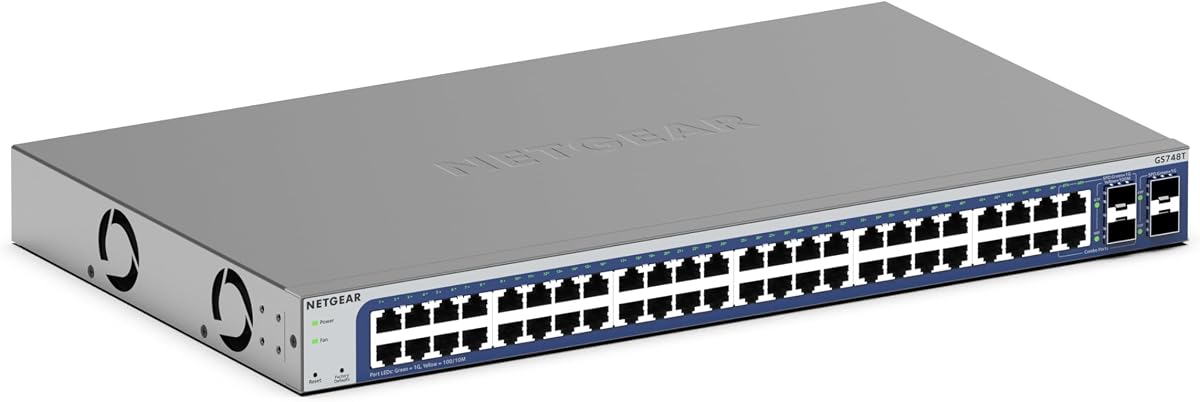
NETGEAR GS748T
4.4Editor score
48 Gigabit Ethernet Ports
Smart Managed Interface
Flexible Mounting Options
This guide compares the top 10 48 Port Gigabit Managed Switch models for businesses, featuring detailed reviews of performance, security, and management
Finding the right network infrastructure is critical for modern businesses. A 48 Port Gigabit Managed Switch provides the backbone for connecting numerous devices efficiently. These switches offer advanced control over traffic, security, and quality of service to ensure smooth operations.
We evaluated leading models based on port density, management features, power efficiency, and reliability. Each product was analyzed for its ability to handle enterprise-grade workloads while maintaining ease of use. This list covers options from major brands known for networking excellence.
Each pick highlights key strengths and ideal use cases for different environments. Note that prices and availability change frequently. Always verify current specifications and warranty details before making a purchase decision for your specific network requirements.
4.4Editor score

4.7Editor score

4.7Editor score
The following table provides a side-by-side comparison of the top ten 48 Port Gigabit Managed Switch models. It highlights key specifications and unique selling points to help you choose the right device.


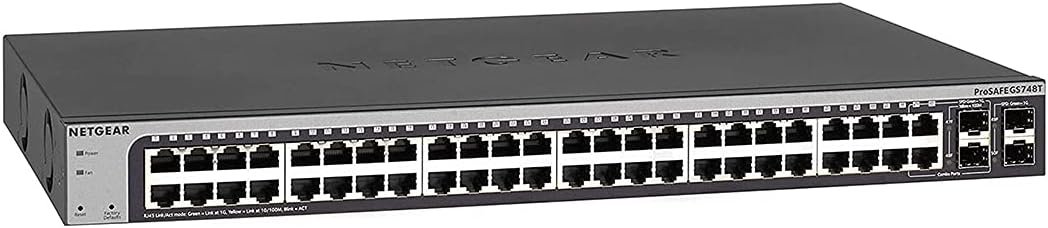


The TP-Link SG2452LP stands out as a top choice for businesses needing reliable managed switching. With a high rating and comprehensive features, it ensures seamless network performance.
We may earn a commission when you buy through this link, at no additional cost to you.
Its integration with the Omada Cloud Management Platform allows for centralized control and remote configuration. The fanless design ensures quiet operation even under full load.
While the price is higher than unmanaged options, the advanced security and VLAN capabilities justify the investment. These features protect your network from threats effectively.
Ideal for offices requiring scalable and secure connectivity, this switch delivers on performance. We recommend it for professional environments prioritizing network management.
The Omada platform lets you manage multiple sites from a single interface efficiently.
Passive cooling keeps noise levels low, making it perfect for quiet offices.
We may earn a commission when you buy through this link, at no additional cost to you.
The NETGEAR GS748T offers smart managed features at a competitive price point. It is suitable for small to medium businesses needing reliable connectivity.
We may earn a commission when you buy through this link, at no additional cost to you.
Its smart software provides an easy-to-use interface for secure setup and access control. The inclusion of SFP ports allows for network expansion via fiber optics.
Although it lacks deep enterprise routing, it covers essential VLAN and security needs well. The energy-efficient design helps reduce long-term operational costs significantly.
Best for budget-conscious buyers seeking smart management, this switch balances cost and utility. It is a solid entry point into managed networking solutions.
Get smart management capabilities without breaking the bank with this model.
SFP ports enable high-speed fiber connections for longer distances.
We may earn a commission when you buy through this link, at no additional cost to you.
The TP-Link TL-SG3452P is a premium PoE switch ideal for power-hungry networks. It offers 384W of power to support cameras and access points efficiently.
We may earn a commission when you buy through this link, at no additional cost to you.
With L2+ features like static routing, it optimizes internal traffic flow. The Omada SDN integration simplifies management across multiple devices seamlessly.
While the cost is higher, the power budget and advanced capabilities deliver value. It ensures devices stay online with PoE auto recovery during outages.
Perfect for enterprises needing extensive PoE, this switch handles demanding loads easily. We recommend it for robust wired and wireless network setups.
Supports up to 384W to power multiple high-wattage devices simultaneously.
Static routing improves efficiency by directing internal traffic optimally.
We may earn a commission when you buy through this link, at no additional cost to you.
The Omada SG3452 integrates seamlessly into the Omada SDN ecosystem for centralized control. It offers L2+ features suitable for managing complex network traffic.
We may earn a commission when you buy through this link, at no additional cost to you.
You can choose between hardware or software controllers for flexible deployment options. The cloud access feature allows remote management from anywhere at any time.
Security features like IP-MAC-Port binding protect against unauthorized access effectively. However, full potential requires compatible SDN controllers and firmware.
Best for those invested in the Omada ecosystem, this switch offers deep integration. It simplifies large-scale network management significantly.
Control your entire network from a single interface using SDN.
Manage your network remotely via the cloud app anytime.
We may earn a commission when you buy through this link, at no additional cost to you.
This NETGEAR model stands out with a limited lifetime hardware warranty. It provides peace of mind for long-term business investments and reliability.
We may earn a commission when you buy through this link, at no additional cost to you.
The smart software offers secure setup and access controls for your network. SFP ports support fiber connectivity for flexible network expansion needs.
Energy-efficient compliance reduces power costs while maintaining high-speed performance. The compact design fits both desktop and rack-mount scenarios easily.
Ideal for buyers valuing long-term support, this switch ensures hardware longevity. We recommend it for stable and secure network environments.
Benefit from long-term hardware warranty for lasting reliability.
Mount on a desk or rack to fit your office layout.
We may earn a commission when you buy through this link, at no additional cost to you.
The NETGEAR GS348 is a high-rated unmanaged switch for simple connectivity. It eliminates the need for complex setup or software installation entirely.
We may earn a commission when you buy through this link, at no additional cost to you.
Users can plug in devices and start using high-speed Gigabit connections immediately. The fanless design ensures silent operation suitable for quiet spaces.
While it lacks management features, it excels in providing stable connections. Energy-efficient standards help keep power usage low over time.
Best for basic network needs, this switch offers simplicity and reliability. Choose it if you do not require advanced network controls.
Plug and play design gets your network running instantly.
Fanless and efficient design helps reduce electricity usage.
We may earn a commission when you buy through this link, at no additional cost to you.
This renewed NETGEAR switch offers smart managed features at a lower price. It is ideal for budget-constrained projects needing enterprise capabilities.
We may earn a commission when you buy through this link, at no additional cost to you.
The ProSAFE lifetime protection provides ongoing support and warranty coverage. SFP ports allow for flexible fiber connectivity options in your network.
While it is renewed, it undergoes testing to ensure functionality. This option extends the life of hardware and reduces waste effectively.
Best for cost savings, this switch balances price and performance well. Verify warranty terms before purchasing for critical deployments.
Get smart managed features for less with renewed hardware.
Lifetime protection keeps your investment secure over time.
We may earn a commission when you buy through this link, at no additional cost to you.
The UBIQUITI EdgeSwitch Lite delivers high throughput for demanding networks. With 140 Gbps capacity, it handles heavy traffic loads without congestion.
We may earn a commission when you buy through this link, at no additional cost to you.
SFP+ ports enable faster fiber connections for backbone requirements effectively. The non-blocking architecture ensures all ports can run at full speed.
DC power options provide flexibility for specialized power environments. It fits both wall and rack mounts for versatile installation needs.
Best for high-performance needs, this switch supports heavy workloads well. Choose it for environments requiring high-speed backbone connectivity.
Non-blocking switching ensures max speeds across all ports.
SFP+ ports support fast fiber optic connections for speed.
We may earn a commission when you buy through this link, at no additional cost to you.
The YuanLey switch offers L3 management and high PoE power budgets. It supports 460W of power to drive extensive device networks easily.
We may earn a commission when you buy through this link, at no additional cost to you.
Six SFP+ slots provide robust high-speed fiber uplink options. L3 features like routing enable efficient traffic management within the network.
Fanless design ensures quiet operation while maintaining cooling efficiency. This switch is suitable for growing businesses needing advanced capabilities.
Best for advanced users needing L3 features, this switch offers value. It supports complex network scenarios with high power and speed.
Advanced routing helps manage traffic more efficiently across networks.
460W PoE budget supports many high-demand devices simultaneously.
We may earn a commission when you buy through this link, at no additional cost to you.
The NETGEAR GS348TPv2 is rated highly for its PoE capabilities. It provides 380W of power to support wireless access points and cameras.
We may earn a commission when you buy through this link, at no additional cost to you.
Smart software offers easy management for secure access and setup. The SFP ports allow for fiber expansion where needed in your network.
Energy-efficient standards reduce power costs while maintaining high speed. Its high user rating reflects reliability and performance satisfaction.
Best for PoE needs, this switch delivers power and control. It is ideal for enterprises needing robust wireless and device support.
380W PoE budget ensures reliable power for all connected devices.
Perfect rating reflects high satisfaction with performance and stability.
We may earn a commission when you buy through this link, at no additional cost to you.
Selecting the right switch involves considering several key factors to match your network needs.
Ensure the switch has enough ports for current and future devices. A 48-port model is ideal for scaling up.
Check port speeds to ensure they match your network requirements.
Managed switches offer VLANs and security features crucial for business networks. Unmanaged switches are plug-and-play for simple setups.
Choose managed if you need traffic control and segmentation.
If powering devices like cameras, verify the total PoE wattage. A higher budget supports more power-hungry devices.
Ensure each port provides adequate power for your devices.
Look for SFP or SFP+ ports for fiber optic uplinks. This extends network range and bandwidth.
Check if ports are shared or dedicated for flexibility.
Web GUIs are user-friendly for visual configuration. CLI offers advanced control for experienced admins.
Cloud management can simplify multi-site deployments effectively.
Fanless designs are quieter and suitable for office spaces. Fan models may be louder but offer active cooling.
Consider the environment where the switch will be installed.
Access control and port security prevent unauthorized access. Look for features like MAC filtering and ACLs.
Strong security is vital for protecting sensitive business data.
A longer warranty indicates manufacturer confidence in durability. Check for available technical support resources.
Reliable support helps resolve issues quickly during outages.
Start by connecting the switch to your modem or router using an Ethernet cable. Ensure the device is properly grounded.
Access the web interface via a browser to configure settings. Follow the setup wizard for initial VLAN and IP configurations.
Regularly update firmware to maintain security and performance. Keep the device in a ventilated area to prevent overheating.
Managed switches allow you to configure and monitor traffic. Unmanaged switches offer plug-and-play functionality without settings.
Only if you have many devices. Most homes require fewer ports for typical usage.
PoE powers devices like cameras via Ethernet. It reduces the need for separate power outlets.
Yes, it works out of the box like an unmanaged switch. But full benefits require configuration.
Use SFP ports for fiber uplinks to connect to other switches. This allows for larger setups.
Regular firmware updates and dust cleaning are essential. Monitor ports for issues.
We highlighted ten top models ranging from budget to premium options. Each offers unique strengths for various network needs.
Prioritize PoE and management features based on your business goals. Reliability is key for professional environments.
Check current prices and warranties before buying to ensure the best deal. Your network deserves the right infrastructure.