
NexiGo N60 1080P Webcam
4.3Editor score
Full HD 1080p resolution
Built-in noise-canceling mic
Privacy cover included
Choosing the right external webcam for your Mac is essential for clear video calls and high-quality content creation. With so many options available, finding a model that offers crisp image quality and reliable performance can be challenging for users.
This guide evaluates ten top-rated webcams based on resolution, autofocus capabilities, microphone quality, and overall compatibility with macOS systems. We prioritize models that offer plug-and-play functionality without requiring complex driver installations.
Each pick highlights key strengths and ideal use cases to help you decide which camera fits your workspace and needs best. Please note that product availability and prices may change frequently on retailer sites.
4.3Editor score

4.6Editor score

4.6Editor score
As an Amazon Associate we earn from qualifying purchases.
The following table provides a side-by-side comparison of all ten external webcams evaluated in this guide to help you quickly identify key differences in specs and features.


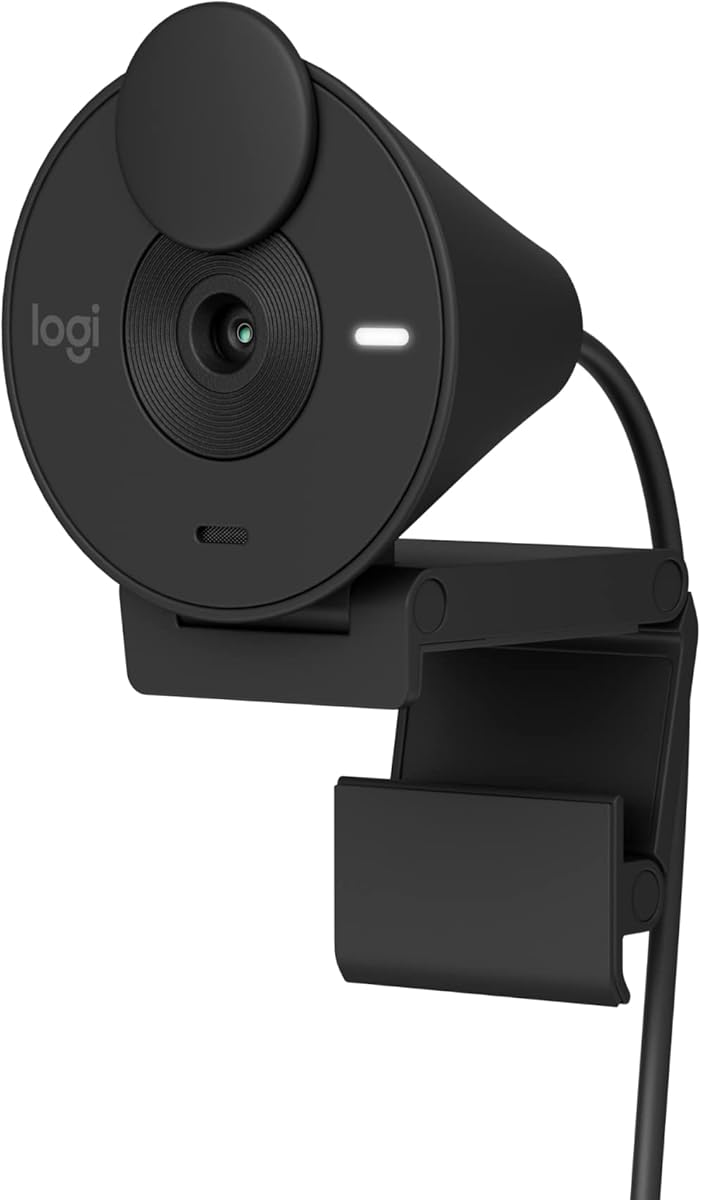


The Acer 4K Webcam stands out as the top choice for Mac users seeking professional-grade video quality. With a 4.6 rating and genuine Sony sensor, it delivers exceptional clarity and color accuracy in any lighting condition.
We may earn a commission when you buy through this link, at no additional cost to you.
Its Phase Detection Autofocus ensures crisp images without blur while the dual high-sensitivity microphones capture clear audio up to 2.5 meters away. The all-metal unibody design provides durability and rapid heat dissipation for long sessions.
While the price is higher than budget options, the build quality and image performance justify the investment. The magnetic privacy cover adds essential security without needing electronic components or apps.
Creators streamers and professionals needing reliable video should choose this model. It offers a premium experience that rivals much more expensive cameras in the market today.
The Sony 1/2 sensor captures balanced true-to-life visuals with exceptional detail.
Aerospace-grade aluminum ensures longevity and elegant design for any desk.
We may earn a commission when you buy through this link, at no additional cost to you.
The Anker PowerConf C200 delivers crisp 2K video ideal for professional meetings and presentations. It excels in low-light environments ensuring you remain visible even in dimly lit home offices.
We may earn a commission when you buy through this link, at no additional cost to you.
Advanced AI noise cancellation ensures your voice stays clear while the customizable viewing angles let you frame shots perfectly. The integrated cover adds security between calls effectively protecting your privacy.
Some users may find the need for software limiting if they prefer plug-and-play simplicity. However the overall performance in challenging lighting conditions makes it a strong contender.
Home office workers needing reliable video in varied lighting should consider this camera. It balances quality features and ease of use effectively for Mac users.
Advanced correction technology ensures clear images without extra lighting sources.
Software allows selection of different angles for optimal shot composition.
We may earn a commission when you buy through this link, at no additional cost to you.
The EMEET C960 offers genuine 4K resolution making it one of the most affordable options in its class. It is designed for business meetings where clarity matters and every detail counts for participants.
We may earn a commission when you buy through this link, at no additional cost to you.
Phase Detection Autofocus keeps images sharp while auto light correction handles over-exposed or dim settings. The dual omnidirectional mics ensure natural audio quality during conference calls.
You must switch to 4K via software rather than having it default automatically. This minor inconvenience is outweighed by the high-quality video output available at this price.
Remote workers and students needing high resolution without high cost should choose this model. It delivers professional results compatible with major conferencing platforms easily.
True CMOS sensor provides ultra-clear visuals without false upscaling tricks.
Includes physical privacy cover and requires no cloud storage or Wi-Fi.
We may earn a commission when you buy through this link, at no additional cost to you.
The NexiGo N60 is an excellent entry-level webcam for Mac users on a tight budget. It delivers solid Full HD video quality with a 30fps refresh rate suitable for standard video calls.
We may earn a commission when you buy through this link, at no additional cost to you.
The built-in noise-cancelling microphone reduces background noise effectively ensuring your voice remains clear. A privacy cover comes included to protect your security when the camera is not in use.
It lacks autofocus and advanced low-light correction compared to pricier models. However for basic daily communication needs it performs reliably without requiring technical setup.
Students and casual users seeking a simple and affordable camera should consider this model. It is ready to use in minutes with no drivers required for Mac systems.
Plug-and-play compatibility means you can start using it in about one minute.
Integrated cover blocks the lens to provide total security and peace of mind.
We may earn a commission when you buy through this link, at no additional cost to you.
The Logitech Brio 100 provides clear Full HD video with RightLight technology boosting brightness by up to 50 percent. This ensures you look your best during calls even when lighting conditions vary.
We may earn a commission when you buy through this link, at no additional cost to you.
Its integrated privacy cover slides easily for reliable privacy and the built-in mic lets others hear you clearly. The device is made with recycled plastic contributing to sustainability goals.
It lacks advanced features like autofocus which might limit its use for professional streaming. For standard meeting use however it delivers consistent quality with minimal setup.
Users wanting a reliable and straightforward webcam for daily calls should choose this option. It offers essential features without unnecessary complexity for Mac environments.
Auto-light balance reduces shadows to help you look your best on camera.
Constructed with recycled plastic materials for a better environmental future.
We may earn a commission when you buy through this link, at no additional cost to you.
The Logitech Brio 301 is certified for Zoom Microsoft Teams and Google Meet ensuring seamless compatibility for work meetings. RightLight 2 technology automatically compensates for poor lighting so you remain visible.
We may earn a commission when you buy through this link, at no additional cost to you.
Its spin privacy shutter allows instant privacy when not on screen and the mono mic suppresses background sound effectively. Logi Tune app lets you customize video experiences easily.
The monaural microphone is functional but may lack depth compared to stereo mics on other models. However it remains a solid choice for reliable corporate video conferencing needs.
Professionals needing certified performance for Teams and Zoom should opt for this webcam. It balances quality features with the reliability required for business environments.
Certified compatibility ensures seamless integration with Zoom Teams and Google Meet.
Spin the shutter to block the lens when you do not need to be on screen.
We may earn a commission when you buy through this link, at no additional cost to you.
The Logitech C920e is designed for workplace security with TAA compliance and enterprise device management software support. It offers reliable 1080p video with dual microphones capturing audio clearly from up to one meter.
We may earn a commission when you buy through this link, at no additional cost to you.
Built-in HD autofocus keeps you sharp throughout video meetings while the attachable privacy screen ensures security when needed. It is certified for Zoom and Teams making it easy to integrate.
The privacy screen is separate rather than built into the camera body itself. This design choice adds some flexibility but requires remembering to flip it up or down manually.
Corporate buyers needing compliant and secure video devices should select this model. It provides the stability and features required for professional enterprise environments.
TAA compliance and device management help keep corporate video solutions up to date.
Dual microphones capture natural voice audio from up to one meter distance.
We may earn a commission when you buy through this link, at no additional cost to you.
The Logitech C922x is a favorite among streamers and content creators for its advanced capture software and background replacement capabilities. It delivers Full HD 1080p video with crisp colors and vibrant details for recordings.
We may earn a commission when you buy through this link, at no additional cost to you.
Stereo audio with dual mics captures natural sound and HD light correction ensures you look sharp even in dim settings. XSplit VCam license allows virtual background changes without a green screen.
Lack of a privacy shutter may be a drawback for some users concerned about security. However the overall video quality and features make it ideal for high-quality recording needs.
Streamers and digital creators seeking a premium webcam should choose this model. It provides the tools needed to produce engaging professional content easily.
XSplit VCam lets you remove replace and blur backgrounds without a green screen.
Full HD 1080p at 30fps delivers strong impressions with vibrant colors.
We may earn a commission when you buy through this link, at no additional cost to you.
The Logitech C920S delivers premium video quality with a snugly fitting privacy cover that puts you in control. Full HD 1080p video calls look crisp with sharp colors for recorded content.
We may earn a commission when you buy through this link, at no additional cost to you.
Stereo audio with dual mics captures natural sound on calls and the HD autofocus ensures you look sharp in every environment. It is compatible with major platforms for seamless use.
While it lacks the advanced software features of the C922x it remains a reliable workhorse for daily calls. The privacy shutter is a strong advantage for those prioritizing security.
Users seeking a balance of quality and security should consider this webcam. It is a proven model for reliable performance on Mac systems.
Privacy shutter puts you in control of what you show and protects the lens.
Glass lens and Full HD mean recorded videos are crisp and vibrantly colored.
We may earn a commission when you buy through this link, at no additional cost to you.
This Acer 4K Webcam offers similar high-performance features to the leading model but at a competitive price. The Sony sensor delivers balanced true-to-life visuals with exceptional low-light performance for streaming.
We may earn a commission when you buy through this link, at no additional cost to you.
Phase Detection Autofocus ensures crisp 4K video without blurriness and dual digital mics filter out ambient noise effectively. The all-aluminum body ensures fast cooling for reliable long-term use.
It is slightly lighter on features than the top-ranked version but remains an excellent choice for creators. The magnetic privacy cover and lightweight build make it portable for mobile workers.
Content creators needing high resolution and portability should consider this model. It provides professional video quality without the bulk of larger cameras.
All-aluminum body ensures fast heat dissipation for reliable 24/7 performance.
Weighing only 57 grams allows easy transport anywhere from cafés to offices.
We may earn a commission when you buy through this link, at no additional cost to you.
Selecting the right webcam requires evaluating several key factors to ensure compatibility and performance with your Mac setup.
Resolution determines how sharp and detailed your video will appear during calls. Look for at least 1080p for clear communication and consider 4K options if you create content professionally.
Higher resolution ensures you look crisp on large displays but may require better bandwidth for streaming.
Autofocus keeps your image sharp when you move around during a session. Phase Detection Autofocus is faster and more accurate than standard contrast-based systems.
A reliable autofocus feature prevents blur and ensures consistent visual quality in dynamic environments.
Built-in microphones with noise cancellation are crucial for clear audio without external gear. Dual mics often provide better sound capture than single mics.
Check if the microphone supports noise reduction to minimize background sounds like typing or traffic.
Cameras with low-light correction perform better in dimly lit home offices. Look for models with large sensors that capture more light.
Good low-light performance ensures you remain visible without needing extra lighting equipment.
Physical privacy covers or shutters provide security when the camera is not in use. These are more secure than software-based options.
A privacy cover gives you peace of mind against unauthorized access or spying.
Ensure the webcam works seamlessly with your macOS version and video conferencing apps. USB-C is becoming standard but USB-A adapters are often included.
Plug-and-play functionality avoids driver hassles and ensures immediate setup on Mac systems.
Durable materials like metal bodies withstand daily use better than plastic. Adjustable mounting clips or tripod threads add versatility for positioning.
A sturdy build ensures the camera stays in place and lasts longer over time.
Budget models offer basic HD video while premium options deliver 4K and advanced features. Determine what features you need before spending extra.
Investing in higher quality often saves money on future upgrades or replacements.
Connect your webcam to a USB port and select it within your video conferencing application. Ensure the lens is clean and unobstructed for the best image quality.
Adjust your seating position and lighting to face the camera directly. Avoid strong backlighting that may make your face appear dark.
Regularly update firmware via manufacturer apps if available. Clean the lens gently with a microfiber cloth to remove dust and smudges.
Yes all the webcams listed are compatible with macOS 10.11 or later which includes Sonoma. They connect via USB and require no drivers for basic operation.
Logitech models like the C920e and Brio 301 are certified for Zoom. However any listed webcam works well if it offers 1080p resolution and a clear microphone.
Yes cameras like the Logitech C922x and Acer 4K are ideal for streaming. They support higher frame rates and include software for background effects.
Physical privacy covers are recommended for security when the camera is not in use. They prevent unauthorized access and give peace of mind without software risks.
Webcams with low-light correction like the Anker C200 work well without extra lighting. However adding a lamp improves clarity further for any camera.
Most use USB-A or USB-C connections. MacBooks may require an adapter for USB-A webcams which usually come included with the product.
We explored ten top webcams ranging from budget-friendly options to premium 4K models. The Acer 4K leads with its Sony sensor while the NexiGo N60 offers great value.
Prioritize autofocus and microphone quality if you attend many meetings daily. Creators should consider streaming-specific models with software support for virtual backgrounds.
Always check current pricing and availability since deals fluctuate frequently. Investing in a quality webcam ensures you look professional in every video interaction.