
GIGABYTE B550 Gaming X V2
4.5Editor score
Affordable price point
Solid power delivery
Reliable connectivity
This guide compares the best Gigabyte Motherboard options for AMD and Intel platforms, covering power delivery, connectivity, and thermal design for every
Choosing the right motherboard is crucial for building a stable and high performing computer system. Gigabyte offers a wide range of boards that cater to different needs and budgets effectively.
We have analyzed ten top models based on their technical specifications and user feedback. Our comparison focuses on power phases, memory support, and connectivity options available today.
Each pick highlights specific strengths to help you find the perfect match for your build. Please note that prices and availability may change over time without notice.
4.5Editor score

4.4Editor score

4.2Editor score
The following table provides a side by side overview of all ten selected models. We highlight key specifications to help you compare them quickly and efficiently.


The GIGABYTE B650 AORUS Elite AX stands out as a top choice for AMD builders. It earns high marks for its robust power design and modern connectivity options like WIFI6E.
We may earn a commission when you buy through this link, at no additional cost to you.
Its 14+2+1 power phase solution ensures stable power for Ryzen processors. The advanced thermal design with covered heatsinks keeps temperatures low during heavy workloads effectively.
While it offers great value, users should be aware of price fluctuations. The RGB Fusion software is effective but requires separate installation for full customization of lighting.
This board is ideal for gamers and creators seeking a balance of performance and features. We recommend it for those building a new AM5 system today.
The twin 14+2+1 phases provide stable power for high-end Ryzen processors without overheating under load.
Fully covered MOSFET heatsinks and a dedicated M.2 thermal guard ensure optimal temperatures for all components.
We may earn a commission when you buy through this link, at no additional cost to you.
This model represents the pinnacle of Gigabyte AM5 offerings with next gen WIFI7 and USB4 support. It is designed for users who need the fastest data transfer speeds available.
We may earn a commission when you buy through this link, at no additional cost to you.
The power design features 16+2+2 phases which deliver exceptional stability for overclocking. The four M.2 slots provide ample space for high speed storage expansion.
The premium price may be a barrier for some builders. The large ATX footprint requires a case that can accommodate its full size and features.
It is perfect for enthusiasts who want future proof connectivity and maximum performance. Consider this if you need the latest standards in your build.
WIFI7 and Dual USB4 ports ensure your system is ready for the fastest network and peripheral speeds available.
The advanced VRM design supports high core count processors with ease while maintaining safe operating temperatures.
We may earn a commission when you buy through this link, at no additional cost to you.
The X870E AORUS PRO ICE offers a distinct white look for those seeking a clean build aesthetic. It matches the performance of the Elite model but with a unique color scheme.
We may earn a commission when you buy through this link, at no additional cost to you.
It shares the same powerful power and connectivity features. The smart power stage design ensures efficient energy delivery to your CPU and memory components.
Availability might be restricted compared to standard models. The premium pricing reflects both the specialized design and the high-end feature set included.
This is the ideal choice for white themed builds that do not compromise on performance. It serves well for users wanting style and substance together.
The white PCB and heatsinks are designed to create a striking visual appeal in modern PC cases.
Despite the cosmetic differences, it delivers identical power and thermal performance to its dark counterparts.
We may earn a commission when you buy through this link, at no additional cost to you.
This board is built for the latest Intel Core Ultra processors with support for Thunderbolt 4 and 10GbE networking. It delivers top tier connectivity for professional workflows.
We may earn a commission when you buy through this link, at no additional cost to you.
The 18+1+2 phase design is robust enough for extreme overclocking. The five M.2 slots allow for massive local storage without needing extra expansion cards.
Users need a compatible case and power supply for full feature utilization. The high cost reflects the premium networking and expansion capabilities it provides.
It is best for professionals needing fast data transfer and multiple storage drives. Consider this for workstations or high end gaming rigs.
10GbE LAN allows for rapid file transfers across networks ideal for content creation and editing workflows.
Five M.2 slots provide extensive storage options for users managing large media libraries or databases.
We may earn a commission when you buy through this link, at no additional cost to you.
The Eagle AX brings essential AM5 features to a more accessible price point. It is an excellent option for gamers who need reliability without premium extras.
We may earn a commission when you buy through this link, at no additional cost to you.
Its 12+2+2 phase VRM handles mainstream Ryzen chips effectively. The triple M.2 design supports one high speed drive and two standard ones easily.
It lacks some of the aesthetic and connectivity features of higher end models. The audio solution is standard which may not appeal to audiophiles.
This board suits budget conscious builders who want modern AM5 support. It offers a reliable foundation for a gaming PC without unnecessary bloat.
The simplified feature set keeps costs down while maintaining essential performance for standard gaming workloads.
Three M.2 slots allow for a mix of fast system drives and high capacity storage drives.
We may earn a commission when you buy through this link, at no additional cost to you.
This board remains a strong choice for those upgrading older AM4 systems. It provides WIFI6 and solid power delivery for Ryzen 5000 series processors effectively.
We may earn a commission when you buy through this link, at no additional cost to you.
The 12+2 power phase design ensures stability during gaming or productivity tasks. Q-Flash Plus allows BIOS updates without needing a CPU installed initially.
AM4 is no longer supported for new processor launches. PCIe 5.0 is absent which may limit future expansion capabilities slightly.
It is perfect for budget builds or upgrades for existing AM4 users. This model offers a great balance of features and cost.
Support for Ryzen 5000 series gives users a clear and easy upgrade path from older AM4 systems.
Q-Flash Plus simplifies BIOS management for users who want to update without reinstalling components.
We may earn a commission when you buy through this link, at no additional cost to you.
The Z790 Eagle AX brings Intel LGA 1700 support with DDR5 to a mid-range price. It is a great pick for builders wanting next gen memory without breaking the bank.
We may earn a commission when you buy through this link, at no additional cost to you.
Its VRM design is sufficient for most Intel Core processors. The inclusion of a PCIe 5.0 slot ensures the system is ready for future graphics cards.
It lacks advanced cooling features found on more expensive boards. The audio codec is standard which may be a drawback for some audiophiles.
This is an ideal choice for budget to mid-range gaming builds. It provides modern connectivity features in an accessible package.
Support for DDR5 memory provides higher bandwidth which can improve performance in data heavy tasks.
A PCIe 5.0 slot ensures the motherboard is ready for the next generation of high speed graphics cards.
We may earn a commission when you buy through this link, at no additional cost to you.
This model offers a step up from the Eagle series with better power phases and storage options. It is built for users who want reliable Intel performance with extra features.
We may earn a commission when you buy through this link, at no additional cost to you.
The 16+1+2 phase VRM supports higher TDP CPUs without throttling. Four M.2 slots allow for extensive high-speed storage options easily.
It is priced higher than budget options due to the enhanced features. The large ATX size requires adequate case clearance for installation.
Choose this for performance builds needing more storage and power headroom. It strikes a good balance between price and capability for Intel users.
The increased phase count delivers more stable power which is beneficial for overclocking or high-core count CPUs.
Four M.2 slots provide ample room for a mix of system and media drives without PCIe adapters.
We may earn a commission when you buy through this link, at no additional cost to you.
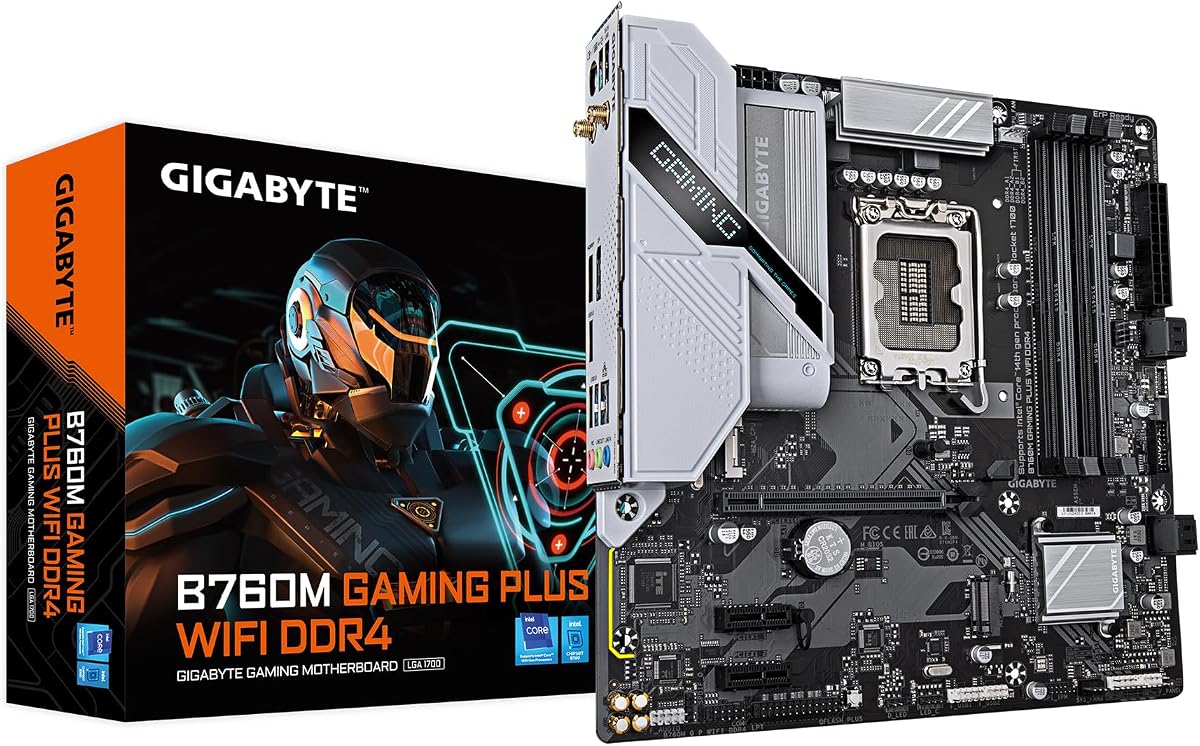
This compact board fits well in smaller cases while keeping costs low. It is designed for builders who need basic Intel LGA 1700 support without high end specs.
We may earn a commission when you buy through this link, at no additional cost to you.
The hybrid digital power phase works well for standard CPUs. The WiFi feature ensures wireless connectivity without needing extra cards.
The power delivery may limit overclocking potential significantly. It is best for pre-built systems or office PCs where power is not a concern.
Select this for small form factor builds or tight budgets. It provides a simple reliable base for everyday computing tasks.
The M-ATX form factor is perfect for compact cases where space is limited.
Using DDR4 keeps system costs lower for users who already have compatible memory.
We may earn a commission when you buy through this link, at no additional cost to you.
This is the most affordable option on our list making it ideal for budget builds. It still offers PCIe 4.0 and support for popular Ryzen processors effectively.
We may earn a commission when you buy through this link, at no additional cost to you.
The 10+3 phase design provides stable power for mid-range CPUs. The integration of a front USB-C port is a convenient feature for modern cases.
It lacks built-in WiFi so a card or dongle is needed. The audio section is basic which fits the price point well.
It is the perfect choice for first time builders or budget gamers. This board delivers reliable performance at a very low entry cost.
Despite the low cost it supports modern features like PCIe 4.0 which keeps the system competitive.
Features like Q-Flash Plus make BIOS updates easy even for beginners without specialized tools.
We may earn a commission when you buy through this link, at no additional cost to you.
Selecting the right motherboard involves considering your CPU, budget, and required features. Below are key factors to evaluate before making a purchase.
Ensure the motherboard socket matches your chosen processor. Gigabyte offers boards for AMD AM5, AM4, and Intel LGA sockets. Choosing the wrong socket will prevent your CPU from fitting.
Always verify socket type before buying to avoid compatibility issues.
Decide between DDR4 and DDR5 based on your budget and performance needs. DDR5 offers higher speeds but costs more. DDR4 is cheaper and sufficient for many builds.
Check the motherboard specs to confirm memory type and maximum capacity.
Look for sufficient VRM phases for your CPU. High-end chips need more phases for stability. Basic CPUs work fine with fewer phases found in budget models.
More power phases generally mean better overclocking potential and stability.
Check for required ports like USB-C, Thunderbolt, or USB4. Wi-Fi capability is often needed for modern setups. Gigabyte boards vary widely in these features.
Prioritize connectivity that matches your peripherals and network needs.
Count the number of PCIe slots and M.2 slots available. You may need space for graphics cards or storage drives. Different models offer different slot configurations.
Ensure there is enough room for all your planned expansion cards.
Good heatsinks are vital for longevity and performance. Look for M.2 thermal guards and VRM cooling. Poor thermals can lead to throttling under load.
Invest in a board with robust cooling if you plan heavy usage.
Set a clear budget range for your build. Higher prices come with more features but might be unnecessary. Evaluate which features are truly needed for your use case.
Balance cost with necessary features to get the best value.
Match the motherboard size to your PC case. ATX boards are standard but larger. M-ATX boards fit smaller cases but have fewer ports.
Verify case compatibility to ensure a smooth build process.
Always handle the motherboard by the edges to avoid static damage. Use an anti-static wrist strap if possible during installation.
Ensure all fans are connected and your power supply is properly secured. Regularly check that cables are not blocking airflow inside your case.
Update your BIOS to the latest version for improved stability and security. Avoid aggressive overclocking unless you have adequate cooling solutions.
The B650 AORUS Elite AX is highly recommended for AMD gamers due to its strong power delivery and modern connectivity. For Intel users, the Z790 AORUS Elite AX offers similar features. It provides a great balance of performance and value for most gaming needs.
Built-in WIFI is convenient if your case lacks easy access to add-on cards. Gigabyte models often include WIFI6 or WIFI7 for seamless connectivity. If you have Ethernet available, you might not need the extra cost of a wireless-enabled board.
AM5 is the newer socket supporting DDR5 memory and Ryzen 7000/8000/9000 series CPUs. AM4 supports older DDR4 memory and Ryzen 5000 series. Choosing AM5 ensures better longevity and upgrade paths for future processors.
No, only specific boards support DDR5 memory. Models like the B650 and Z790 AORUS support DDR5 while older B550 models require DDR4. Always check memory compatibility before purchasing RAM.
Q-Flash Plus allows you to update the BIOS without installing a CPU or RAM first. This is helpful if your current BIOS does not support your new processor. It simplifies the upgrade process significantly for beginners.
AORUS boards generally offer better power phases and more advanced features than Eagle boards. Eagle boards provide essential functions at a lower price. Choose AORUS for performance builds and Eagle for budget gaming systems.
We have reviewed ten top Gigabyte Motherboard options covering various budgets and platforms. Each model offers unique strengths depending on whether you use AMD or Intel processors.
Prioritize power delivery and connectivity that match your specific needs and future upgrade plans. The right board ensures stability and performance for your entire system lifecycle.
Prices and availability change often so check current listings before finalizing your purchase. We hope this guide helps you find the perfect motherboard for your build.