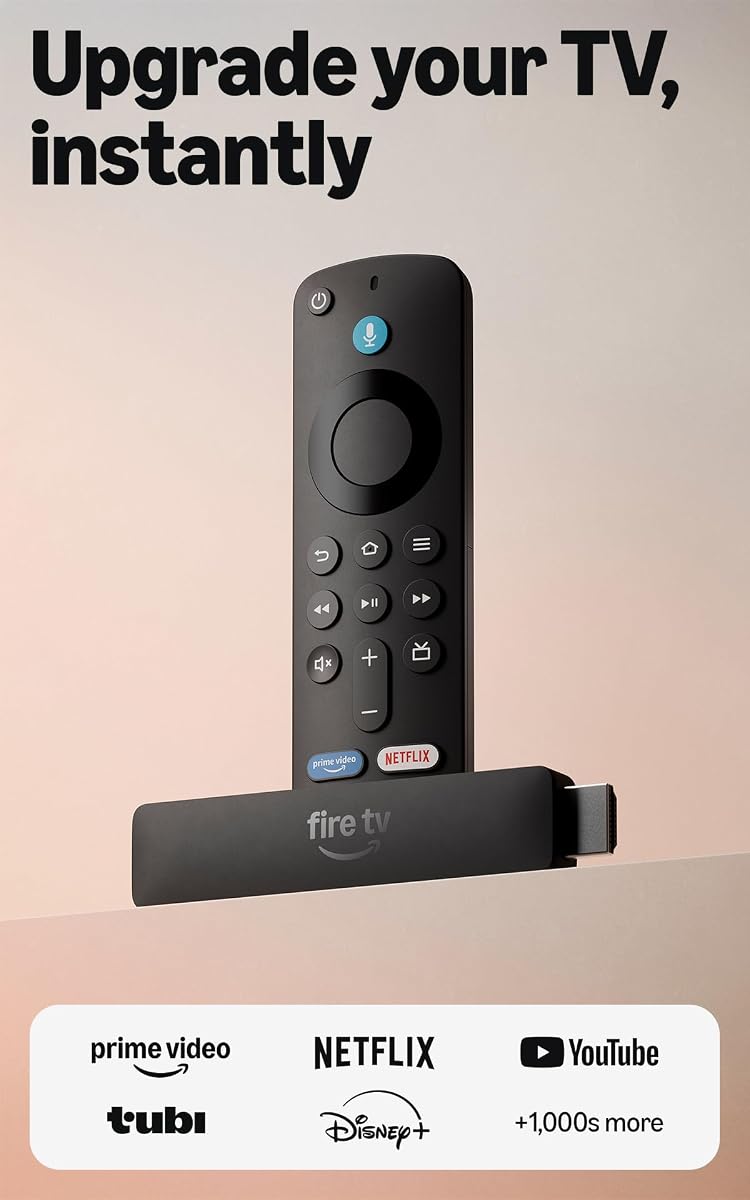
Amazon Fire TV Stick HD
4.1Editor score
Crisp Full HD streaming
Powered by TV directly
Alexa Voice Remote included
This guide compares the top ten HDMI Streaming Device options for October 2026 to help you choose the best model for your TV setup and budget needs.
Finding the right HDMI Streaming Device can transform your viewing experience by unlocking endless content options. A good device offers fast performance, reliable connectivity, and support for high quality video formats like 4K and HDR.
We evaluated ten top models based on streaming speed, picture quality, remote features, and ease of use. Each product was assessed for its ability to handle modern apps and deliver smooth playback across various network conditions.
Each pick highlights key strengths and ideal use cases to help you decide quickly. Keep in mind that availability and deals change frequently, so check current listings before making your final purchase decision today.
4.1Editor score

4.7Editor score

4.4Editor score
Here is a side-by-side look at all ten devices to see how they stack up on core capabilities and unique features for your home entertainment setup.




The Roku Streaming Stick 4K stands out as a top choice for most households seeking high quality streaming without complexity. It boasts a 4.7 rating and delivers sharp 4K visuals with Dolby Vision support that enhances color and contrast.
We may earn a commission when you buy through this link, at no additional cost to you.
Its standout quality lies in the long-range Wi-Fi receiver which ensures stable connections even in rooms farther from the router. The interface is intuitive and grants access to thousands of apps including popular services and live TV options.
A minor trade-off is the standard remote that requires batteries rather than a rechargeable option found in higher end models. However this is acceptable given the compact design that hides neatly behind the TV without blocking other ports.
If you want a reliable balance of performance and simplicity this device is an ideal pick for daily viewing. It transforms any HDMI equipped TV into a smart hub with ease and consistent playback quality.
Dolby Vision and HDR10+ bring colors to life with rich detail and lifelike clarity on compatible screens.
The long-range Wi-Fi receiver keeps streaming smooth even when the device is placed far from your wireless router.
We may earn a commission when you buy through this link, at no additional cost to you.
The Amazon Fire TV Stick HD offers an accessible entry point for upgrading older TVs with smart capabilities. It holds a 4.1 rating and focuses on essential streaming needs while integrating seamlessly with the Alexa ecosystem.
We may earn a commission when you buy through this link, at no additional cost to you.
Key strengths include its ultra-portable profile and direct power via USB-C which eliminates the need for a wall adapter. The streamlined navigation helps users find content faster through dedicated categories and personalized recommendations.
The trade-off is that it supports Full HD rather than 4K which may limit quality on larger high resolution displays. This is acceptable for budget conscious buyers who prioritize value and core functionality over peak visual fidelity.
This stick is perfect for secondary rooms or first time smart TV users who want simplicity. It delivers crisp images and smooth operation without complicating your entertainment setup or wallet.
Direct power through USB-C means you can plug it directly into your TV without extra cables or adapters cluttering your space.
Use the voice remote to manage lights cameras and other smart devices while enjoying your favorite shows without switching apps.
We may earn a commission when you buy through this link, at no additional cost to you.
The Roku Ultra delivers a premium streaming experience with speed and audio capabilities that exceed standard sticks. Rated at 4.4 it is designed for those who demand lightning fast performance and cinematic quality in their living room.
We may earn a commission when you buy through this link, at no additional cost to you.
Its standout qualities include a 30% faster interface than other Roku players and support for Dolby Atmos audio. The rechargeable Voice Remote Pro features backlit buttons and a lost remote finder which adds convenience for night viewing.
The main trade-offs are the higher price point and larger physical size compared to compact sticks. These are acceptable for users who value wired Ethernet options and premium audio features over portability and minimal footprint.
Choose this device if you want the ultimate Roku experience with maximum control and speed. It elevates home theater setups by combining robust performance with intuitive voice commands and rich sound output.
Dolby Atmos support provides immersive sound that fills the room making movies and shows feel more dynamic and engaging.
Wi-Fi 6 and Ethernet options ensure stable streaming even in busy households with multiple devices connected to the network.
We may earn a commission when you buy through this link, at no additional cost to you.
The Roku Ultra LT balances performance and affordability with a high rating of 4.6. It offers stunning 4K picture quality and a strong Wi-Fi connection that handles streaming needs in most home environments effectively.
We may earn a commission when you buy through this link, at no additional cost to you.
Key strengths include the included HDMI cable and USB extension cord which simplify installation immediately. The dual-band wireless ensures steady performance and the voice remote makes navigating channels and searching for content effortless.
A trade-off is the lack of an Ethernet port which limits wired connection options for users needing maximum stability. This is acceptable for wireless networks where the dual-band tech provides sufficient speed and reliability.
This model is ideal for those who want premium picture quality without the premium price tag. It provides all the essentials for a smooth streaming experience including sharp visuals and intuitive controls.
Colors pop off the screen with lifelike clarity thanks to 4K resolution and Dolby Vision support for vivid scenes.
The package includes HDMI and USB extension cords so you can connect the device easily without buying extra cables separately.
We may earn a commission when you buy through this link, at no additional cost to you.
The Amazon Fire TV Stick 4K Plus is an advanced device that supports immersive visuals and gaming without a console. Rated 4.6 it leverages Wi-Fi 6 for smooth streaming and includes features that enhance content discovery.
We may earn a commission when you buy through this link, at no additional cost to you.
Its standout feature is cloud gaming capability which allows users to stream popular titles using compatible controllers and subscriptions. The AI-powered search helps locate shows across apps quickly saving time during browsing sessions.
The trade-off is that gaming requires separate subscriptions and controllers which adds to the overall cost. This is acceptable for gamers who want a versatile entertainment hub that combines movies and interactive play seamlessly.
Select this stick if you want a robust 4K experience with the bonus of gaming. It is a strong choice for families seeking varied entertainment options in one compact device.
Play hundreds of games directly on your TV with cloud services eliminating the need for a dedicated gaming console.
Dolby Atmos audio support creates an immersive sound environment that complements the vibrant 4K visuals perfectly.
We may earn a commission when you buy through this link, at no additional cost to you.
The Amazon Fire TV Stick 4K Select offers essential 4K streaming at an accessible price point. It holds a 4.1 rating and focuses on delivering a smart TV experience with fast performance and intuitive navigation tools.
We may earn a commission when you buy through this link, at no additional cost to you.
Key strengths include AI-powered search and voice commands that simplify finding content across hundreds of apps. The setup process is straightforward allowing users to start watching quickly after plugging it into the HDMI port.
A trade-off is the basic remote design compared to higher end models which lack advanced buttons or rechargeable batteries. This is acceptable for users who prioritize core functionality and value over premium remote features.
This stick is perfect for upgrading a standard TV to 4K without overspending. It provides all the necessary tools to access premium content and smart home controls efficiently.
The device is backed by fast performance ensuring smooth app launches and responsive navigation throughout the interface.
Plug in and connect to Wi-Fi to begin streaming immediately without complicated configurations or extra hardware.
We may earn a commission when you buy through this link, at no additional cost to you.
The Amazon Fire TV Stick 4K Max leads in connectivity and storage with Wi-Fi 6E support and 16GB of space. Rated 4.6 it delivers lightning-fast app starts and fluid navigation for a seamless user experience.
We may earn a commission when you buy through this link, at no additional cost to you.
Its standout quality is the advanced processor that enhances gaming performance and supports Ambient Experience for displaying art when idle. This makes it versatile for both media consumption and decorative home use.
The trade-off is the higher cost compared to other sticks which limits its appeal to budget shoppers. This is acceptable for power users who need maximum speed and storage for a variety of apps and games.
Choose this device for the top tier Fire TV experience with future proof connectivity. It is ideal for households with many devices requiring stable network performance and quick access to content.
Enjoy smoother streaming even when other devices are connected to your router thanks to advanced wireless technology.
Double the storage of other sticks allows for more apps and games to be installed without running out of space.
We may earn a commission when you buy through this link, at no additional cost to you.
The ONN Android TV 4K brings the full Android experience to any TV with a Google Assistant voice remote. Rated 4.4 it grants access to the Google Play Store and Chromecast built-in for flexible content sharing.
We may earn a commission when you buy through this link, at no additional cost to you.
Key strengths include high quality audio with enhanced dialogue and a simple setup process. Users can easily configure the device with their Google account and enjoy crystal clear sound during playback.
A trade-off is the reliance on Android TV which may lack some apps available on other platforms. This is acceptable for users who prefer Google services and want to cast directly from their devices easily.
Select this device if you want broad app access and seamless mobile integration. It serves well as a smart hub for media sharing and voice control in modern households.
Easily cast movies and photos from your phone to your TV without needing extra dongles or complex steps.
Download infinite applications to customize your TV experience with countless content and utility options.
We may earn a commission when you buy through this link, at no additional cost to you.
The Roku Ultra LT 2023 remains a strong contender with best in class Wi-Fi and an Ethernet port for stability. Rated 4.6 it features a quad-core processor that ensures smooth performance across channels and apps.
We may earn a commission when you buy through this link, at no additional cost to you.
Its standout feature is the headphone jack on the remote for private listening which is ideal for late night viewing. It also lets you control TV power and volume from one device reducing remote clutter.
A trade-off is that it is an older model compared to newer releases with fresh software features. This is acceptable for users who need wired connectivity and privacy features without paying a premium price.
Choose this device if reliability and wired options are your top priorities. It offers excellent streaming quality and user convenience for a competitive market price.
Plug headphones into the remote or use wireless pairs to watch without disturbing others in the house.
Connect directly via Ethernet for the most stable connection possible to avoid buffering during streaming.
We may earn a commission when you buy through this link, at no additional cost to you.
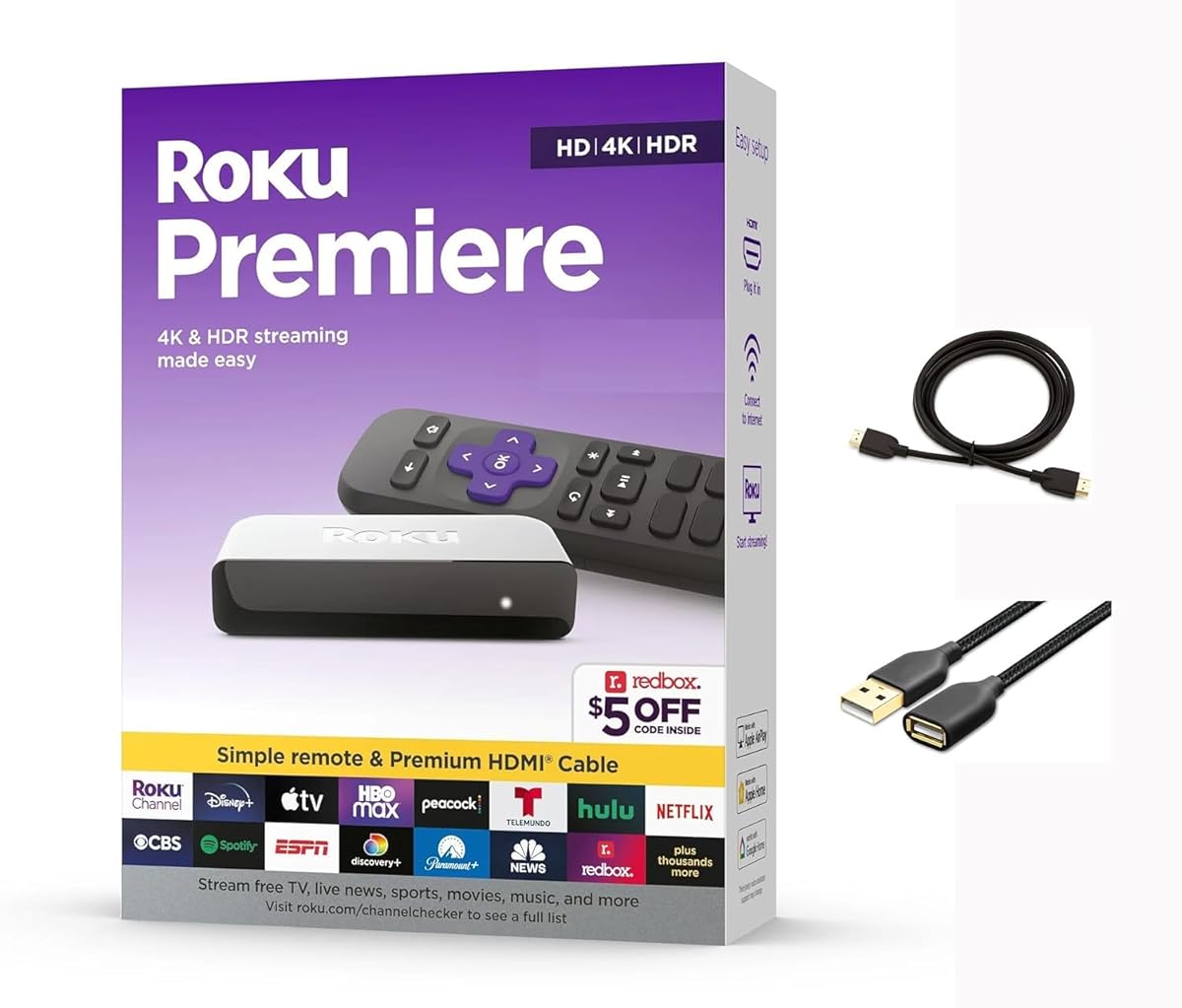
The Roku Premiere is a reliable entry level device that supports 4K HDR streaming and Apple AirPlay integration. Rated 4.4 it comes with a premium High Speed HDMI cable to ensure high quality connections right away.
We may earn a commission when you buy through this link, at no additional cost to you.
Key strengths include easy guided setup and support for popular voice assistants which simplifies control. The remote features shortcut buttons for frequent channels and the device stays up to date with automatic updates.
A trade-off is the lack of Wi-Fi 6 which limits maximum speeds compared to newer models. This is acceptable for typical households where standard Wi-Fi provides sufficient performance for daily viewing.
Select this device for a simple affordable way to access premium content and smart features. It is a solid choice for upgrading older TVs to modern streaming standards effortlessly.
Share videos and music from your Apple devices to the TV effortlessly for seamless mobile integration.
The included premium cable ensures you have the best signal quality right out of the box without buying extras.
We may earn a commission when you buy through this link, at no additional cost to you.
Selecting the right streaming device involves balancing your display capabilities budget and desired features to get the most value from your setup.
Check if your TV supports 4K HDR to decide if you need a device capable of these formats. Standard HD models are sufficient for 1080p screens but upgrading to 4K future-proofs your setup.
Choose a device that matches your TV resolution for the best visual results without paying for unused features.
Consider whether you need Wi-Fi 6 or Ethernet for stability. Wireless is convenient for most users but a wired connection eliminates interference in busy homes.
Prioritize stronger Wi-Fi standards like 6E if you have multiple devices connected simultaneously to ensure smooth playback.
Look for remotes with voice search and dedicated app buttons to simplify navigation. Rechargeable options reduce battery waste while backlit buttons help in dark rooms.
Opt for a remote that feels comfortable and offers shortcuts to apps you use most frequently.
Support for Dolby Atmos or digital optical audio improves sound quality significantly on home theater setups. Ensure the device outputs audio formats your system can decode.
If you rely on a soundbar or surround system choose a device with advanced audio support for a richer experience.
Different platforms offer varied app libraries and search experiences. Android TV grants more apps while Roku and Fire TV focus on simplicity and specific ecosystems.
Pick an OS that aligns with your existing smart home or phone ecosystem for easier integration.
More storage allows you to install more games and apps without deleting content regularly. High end models offer 16GB or more for extensive use.
If you plan to download games or keep many apps installed select a device with ample internal storage.
Some devices draw power directly from the TV which reduces wall outlet usage. Others need a separate adapter that may clutter your area.
For a cleaner setup choose a device that supports direct power via USB or includes a low profile adapter.
If you enjoy cloud gaming check for support of services like Luna or Xbox Game Pass. Dedicated processor power is needed for fluid gameplay.
Look for gaming specific enhancements and controller compatibility if you plan to use the device as a game console.
Start by connecting the device to an available HDMI port on your TV and ensuring it receives adequate power. Plug the USB cable into the TV or adapter before turning on the power switch on the TV.
Follow the on-screen setup to connect to your Wi-Fi network and sign into your streaming apps. Use the remote to pair and configure voice features for easier control later.
Keep the device in a well-ventilated area away from heat sources to maintain performance. Update software regularly to fix bugs and access new content options efficiently.
Yes most devices work with any TV that has an HDMI port. Older TVs without HDMI might need an adapter but most modern sets include at least one HDMI slot. Check your ports before buying to ensure compatibility.
Some models support cloud gaming with compatible controllers. They offer casual gaming options rather than console level performance so they are best for light interactive fun. Check specs for gaming services like Luna or Game Pass.
Move your router closer or use Ethernet if available. Clearing cache and restarting the device also helps maintain speed over time. Choose a model with Wi-Fi 6 for better handling of network traffic.
Yes most devices are portable and can be moved between TVs easily. However you will need to connect to each room network separately. Travel users often carry their stick in a case for quick setups.
4K devices support higher resolution which looks sharper on larger screens. HD models cost less but limit quality on 4K TVs. Choose based on your display size and content preference for the best image.
No many apps like Pluto TV and The Roku Channel are free with ads. Others require separate subscriptions which add up over time. Review app listings before purchasing to understand content access costs.
The Roku Streaming Stick 4K remains our top pick for its balance of quality and ease. The Fire TV Stick HD leads for budget needs while the Ultra delivers premium performance for enthusiasts.
Prioritize connectivity and remote features based on your viewing habits. If you need stability consider wired options and if you value convenience look for voice search capabilities.
Remember to check current prices and availability before buying to get the best deal. Deals change often so timing your purchase can save money without sacrificing performance.