
Flipper Zero External Module with OLED
4.6Editor score
Integrated OLED screen display
Wi-Fi 433MHz GPS support
Complete hard carry case included
This guide compares the top 10 Flipper Zero accessories including Wi-Fi boards, protective cases, antennas, and screen protectors to help you choose the best
The Flipper Zero is a versatile multi-tool device beloved by developers and hobbyists. To unlock its full potential, you need the right accessories that expand functionality while protecting the hardware from daily wear and tear.
We evaluated ten popular accessories based on build quality, compatibility, feature set, and user feedback. Our list covers expansion modules, protective gear, and specialized antennas to help you enhance your setup effectively.
Each pick highlights specific strengths and ideal use cases for developers or casual users. Prices and availability fluctuate frequently, so always verify the current listing details before making your final purchase decision.
4.6Editor score
4.8Editor score

4.2Editor score
This table provides a side-by-side overview of key specifications and features for all ten products to help you quickly identify which accessory best fits your specific workflow needs.


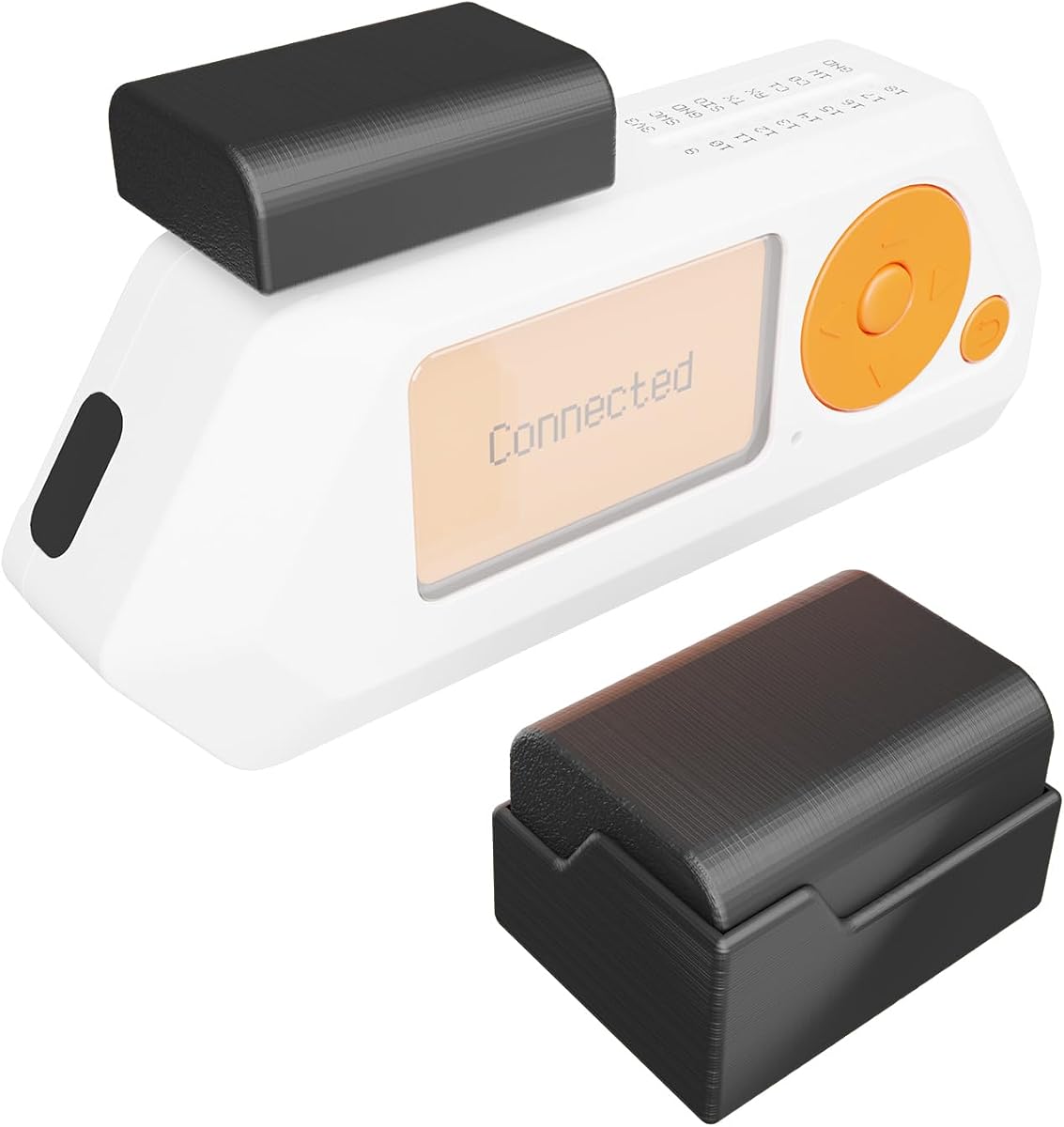


This premium module kit provides the most comprehensive upgrade for your Flipper Zero by integrating an OLED screen Wi-Fi 433MHz radio and GPS capabilities. With a 4.6 rating users appreciate the completeness of the package which includes a hard carry case and silicone protection ensuring your expanded setup remains safe.
We may earn a commission when you buy through this link, at no additional cost to you.
The key strength lies in its all-in-one design that removes the need for separate purchases to unlock advanced features. Developers can easily connect via USB-C for power and firmware updates while the included hard case ensures durability during travel. The soft PU pouch and silicone case add layers of protection against scratches and dust.
While the price is higher than single accessories the value comes from consolidating multiple functionalities into one reliable kit. The bulk added by the case and module is a reasonable trade-off for the significantly enhanced capabilities it offers for security enthusiasts and tinkerers.
This kit is ideal for users who want to maximize their Flipper Zero potential without sourcing multiple parts. It is strongly recommended for anyone looking for a complete, portable, and protected development solution in one purchase.
The integrated Wi-Fi and 433MHz modules allow you to communicate with other devices without additional hardware.
Including both a hard case and silicone cover ensures your investment is safe during transport and daily use.
We may earn a commission when you buy through this link, at no additional cost to you.
This black kit offers an excellent entry point for adding Wi-Fi capabilities to your Flipper Zero while ensuring full device protection. Users rate it 4.2 stars for its convenience as it includes a silicone cover TPU screen protectors and an EVA bag all in one box.
We may earn a commission when you buy through this link, at no additional cost to you.
The bundle saves time and money by providing everything needed to upgrade the device immediately. The snap-fit case design requires no tools and secures the WiFi board firmly while the silicone cover protects the device corners and iButton area effectively.
The main limitation is the lack of an external battery which some users might prefer for longer wireless sessions. However for most casual users the included bag offers sufficient portability and the price point remains very competitive compared to buying parts separately.
If you are new to Flipper Zero expansion this kit is the smartest starting choice. It balances cost and functionality perfectly making it highly recommended for beginners looking to explore wireless projects safely.
The precise snap-fit design allows you to assemble the board and case without needing any screws or tools.
The 360 degree silicone cover protects every corner ensuring your device stays in pristine condition.
We may earn a commission when you buy through this link, at no additional cost to you.
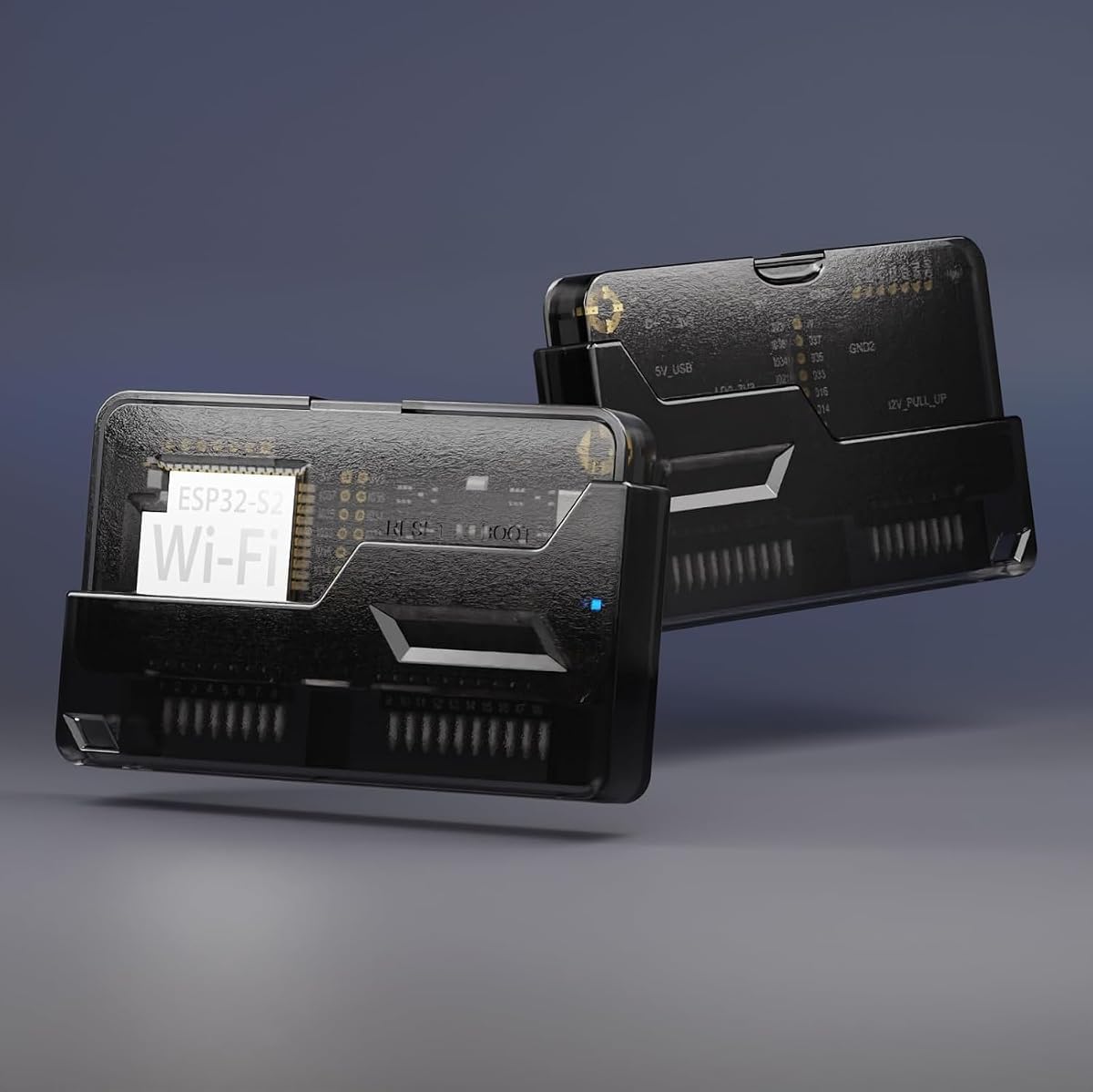
The translucent black version of the Wi-Fi developer board stands out with a high 4.8 rating from users who value both function and form. It offers a clean way to add wireless capabilities while maintaining a sleek look that fits well with modern setups.
We may earn a commission when you buy through this link, at no additional cost to you.
Users love the translucent case which lets you see the internals while providing sturdy protection. The snap-fit mechanism works seamlessly and the precise design ensures that the board fits perfectly without any rattling or loose parts during transport.
The only trade-off is that it focuses purely on the board and case without extra items like a bag or screen protectors. However for users who prioritize style and simplicity this focused approach keeps the package lightweight and visually appealing.
This option is best for those who want a high-quality core upgrade without unnecessary extras. Its high satisfaction rate makes it a top recommendation for anyone seeking reliability and style in a developer board accessory.
The translucent design offers a unique look that highlights the internal components of the device.
Precise engineering ensures the board stays securely in place preventing any signal interference during use.
We may earn a commission when you buy through this link, at no additional cost to you.
Protecting the screen is essential for any electronic device and this 9H tempered glass protector delivers on durability. Rated 4.4 stars it is designed to keep the display free from scratches and scuffs while maintaining high transparency and touch sensitivity.
We may earn a commission when you buy through this link, at no additional cost to you.
The 0.33mm thickness ensures the glass sits almost flush with the screen so it does not interfere with usability. The oleophobic coating helps repel fingerprints and oils making the screen easy to clean and keeping it looking new for longer.
Some users note that the edges can be brittle if dropped directly but the hard glass surface handles daily wear well. The 3-pack ensures you have spares ready if a protector cracks which adds significant long-term value to the purchase.
This is a must-have accessory for anyone who uses their Flipper Zero daily. It is recommended for all users to prevent costly screen repairs by adding a reliable layer of protection right away.
The ultra-thin design preserves the original touch response ensuring smooth navigation through menus.
Cleaning accessories are included in the package to ensure a smooth bubble-free installation process every time.
We may earn a commission when you buy through this link, at no additional cost to you.
This comprehensive set offers everything you need to protect your device from daily wear and tear. With a 4.7 rating users appreciate the inclusion of a silicone cover three screen protectors an EVA case and a carabiner all in one package.
We may earn a commission when you buy through this link, at no additional cost to you.
The silicone case provides full-body rugged protection ensuring that even the corners and iButton area are covered effectively. The precise cutouts allow easy access to all buttons and ports so you can use the device without removing the case.
While the EVA carrying case adds bulk it provides a secure way to transport your Flipper Zero safely. The trade-off of weight is worth the protection and organization the case offers for users who travel or commute regularly.
This set is ideal for those who want a complete protective solution without buying items separately. It is highly recommended for daily users who need durability and convenience in their accessory setup.
The EVA carrying case keeps your device and accessories organized and safe during travel.
From screen to body every part of the device is covered to prevent accidental damage.
We may earn a commission when you buy through this link, at no additional cost to you.
This soft silicone case focuses on portability and quick access for your device. Rated 4.7 stars it is designed to fit snugly while providing protection against scratches and everyday wear and tear.
We may earn a commission when you buy through this link, at no additional cost to you.
The metal carabiner is a standout feature that allows you to clip the device securely to your belt or bag. This reduces the risk of losing the device and makes it easy to carry around during daily activities or travel.
The silicone material is soft and provides a nice grip but does not offer internal padding for drops. While it protects the surface well it may not be enough for users who expect heavy impact protection.
This accessory is best for users who want to keep their device handy and secure without adding bulk. It is recommended for those who prioritize portability and ease of access over heavy-duty impact protection.
The metal carabiner enables you to attach the device to your gear for easy access anywhere.
The silicone material provides a comfortable grip that prevents slipping during active use.
We may earn a commission when you buy through this link, at no additional cost to you.
This antenna accessory is designed to extend the communication range of your Flipper Zero significantly. Users report testing transmission over 2000 feet which makes it ideal for projects requiring long-distance wireless connectivity.
We may earn a commission when you buy through this link, at no additional cost to you.
The design includes a portable stand that protects the pins from bending and ensures the device remains stable during use. The 12dB Omni antenna provides excellent coverage and is low power to avoid draining the battery quickly.
The main downside is the lower user rating which may reflect installation complexities or compatibility issues with certain setups. However for those needing serious range extension the performance results often justify the initial setup effort.
This accessory is best for advanced users who need to push the limits of wireless communication. It is recommended for projects where standard range is insufficient and external antenna power is required.
The extended transmission range allows you to reach devices over 2000 feet away reliably.
The built-in stand protects the delicate GPIO pins from damage during transport and operation.
We may earn a commission when you buy through this link, at no additional cost to you.
This version offers a hidden antenna design that integrates the module into a sleek black set with protective accessories. With a 4.1 rating users value the balance between range and portability without the bulk of a large external antenna.
We may earn a commission when you buy through this link, at no additional cost to you.
The kit includes a soft silicone case and an EVA carrying case which ensures your setup stays protected and organized. The 450 foot range is sufficient for most indoor and near outdoor projects while maintaining a low-profile look.
While the range is shorter than the external version the convenience of a compact form factor makes it easier to carry daily. The trade-off is acceptable for users who prioritize aesthetics and ease of transport over maximum distance.
This is an ideal choice for those who want wireless capability without compromising on style. It is recommended for users who need a compact and integrated solution for everyday wireless tasks.
The hidden design keeps the device looking clean while still providing reliable wireless performance.
Including protective cases makes it ready to use immediately without additional purchases.
We may earn a commission when you buy through this link, at no additional cost to you.
This transparent hard case gives your device a unique look that highlights its internal design features. Users rate it 3.9 stars for its ability to make the device stand out in a crowd while maintaining a professional finish.
We may earn a commission when you buy through this link, at no additional cost to you.
The premium quality ensures the case fits and closes like the original without gaps or rattling. It is super easy to move your device into the new home and the transparent material keeps the look clean and cool.
The trade-off is that hard plastic may not absorb impacts as well as softer materials. While it protects against scratches well it is better suited for users who prioritize style over heavy drop protection.
This accessory is best for those who want to customize the look of their device. It is recommended for users who want to make their device look modified and unique without changing functionality.
The transparent design allows the internal features of the device to be seen clearly.
The case fits snugly ensuring the device remains secure without any loose movement.
We may earn a commission when you buy through this link, at no additional cost to you.
This GNSS module adds precise location tracking capabilities to your Flipper Zero by supporting multiple satellite systems. With a 4.3 rating it is praised for its plug-and-play design that makes integrating GPS functionality straightforward.
We may earn a commission when you buy through this link, at no additional cost to you.
The module supports GPS BeiDou GLONASS and QZSS systems and includes an active antenna for improved sensitivity. The built-in low-noise amplifier enhances noise reduction ensuring reliable signal reception even in challenging environments.
While it is slightly technical compared to simple cases the benefits of accurate location data are significant for specific projects. The trade-off is worth it for developers who need precise positioning data for their custom applications.
This accessory is best for users who need reliable location tracking in their workflow. It is recommended for those looking to expand the hardware capabilities of their Flipper Zero with high-quality GNSS support.
Supporting multiple GNSS systems ensures better coverage and accuracy globally.
The active antenna and LNA improve signal strength for consistent performance outdoors.
We may earn a commission when you buy through this link, at no additional cost to you.
Choosing the right accessories requires balancing your specific needs with practical considerations. This section helps you navigate the key factors to ensure you select the best gear for your workflow.
Determine whether you need your device for development, learning, or daily carry. Development users often prioritize expandability and modular access while daily users focus on protection and portability.
Assess how you intend to use your device to ensure your choice aligns with your workflow demands.
Ensure any accessory you choose is explicitly compatible with your device model to avoid functional issues. Some accessories may require specific firmware updates or hardware modifications to operate correctly.
Verify compatibility details before purchasing to ensure seamless integration with your setup.
Look for durable materials such as silicone hard plastic or metal that provide reliable protection. High-quality builds ensure the accessory lasts longer and protects your investment effectively over time.
Prioritize robust construction to maximize the longevity of your device and accessories.
Opt for accessories that are easy to install and use without complex setups. Tools-free designs and snap-fit assemblies reduce frustration and allow you to focus on your projects.
Choose user-friendly options to save time and effort during installation.
Consider the size and weight of the accessory if you travel or commute frequently. Bulky options may limit mobility but compact choices might sacrifice protection.
Find a balance between protection and portability based on your travel habits.
Evaluate the specific features offered by each accessory to ensure they meet your needs. Additional capabilities such as extra sensors or wireless support can enhance functionality significantly.
Select accessories with features that directly support your specific project goals.
Look for bundles that offer multiple components at a better value than buying items separately. While individual items are useful kits often provide a complete solution for your setup.
Compare bundle options to maximize savings while getting everything you need.
Check user ratings and feedback to understand real-world performance. Positive reviews highlight reliability and good design while negative ones reveal potential flaws to watch out for.
Rely on community feedback to validate product claims before making your choice.
Start by carefully reading the installation instructions provided with your accessory. Most modern accessories are designed for plug-and-play use but checking specific alignment or firmware steps ensures optimal performance.
Keep your accessories clean by wiping them with a dry soft cloth regularly. Avoid using harsh chemicals or water on the electronics to prevent damage to sensitive components over time.
Store your device and accessories in a cool dry place when not in use. If you use carrying cases ensure they are free of debris to prevent scratches to the device during transport.
Yes many Wi-Fi boards require custom firmware to function correctly with your device. Always check the manufacturer documentation for the specific firmware required to enable wireless features.
Most accessories are designed to be used together but ensure they do not physically obstruct each other. Check compatibility notes to avoid conflicts between multiple modules.
Most accessories are safe when installed correctly but always follow the included guidelines. Avoid using damaged components to prevent potential safety risks during operation.
Clean silicone cases with mild soap and water then dry them completely before use. Avoid abrasive cleaners that might degrade the silicone material over time.
Most cases have precise cutouts that allow charging without removing the case. If a specific model does not have this feature you will need to take it off briefly.
Warranty terms vary by manufacturer but most offer limited coverage for defects. Check the product listing details for specific warranty terms before purchasing.
This guide covered ten top accessories that expand your device capabilities while protecting it. Whether you want wireless expansion or just protection these options offer something for everyone.
Prioritize your needs such as range, protection level, or ease of use when making a decision. Choosing the right accessory ensures your device remains functional and safe for years.
Always verify current availability and pricing before buying as details change over time. Checking multiple sources helps ensure you get the best deal for your specific accessory needs.